1. ആമുഖം
This manual provides detailed instructions for the setup, operation, maintenance, and troubleshooting of your EPOMAKER G84 HE Wireless Hall Effect Keyboard. Please read this manual thoroughly to ensure proper usage and to maximize your keyboard's performance and lifespan.

Image 1: The EPOMAKER G84 HE Wireless Hall Effect Keyboard showcasing its RGB lighting and compact layout.
2. പാക്കേജ് ഉള്ളടക്കം
നിങ്ങളുടെ പാക്കേജിൽ എല്ലാ ഇനങ്ങളും ഉണ്ടെന്ന് ഉറപ്പാക്കുക:
- EPOMAKER G84 HE Wireless Hall Effect Keyboard
- യുഎസ്ബി കേബിൾ (ടൈപ്പ്-സി മുതൽ ടൈപ്പ്-എ വരെ)
- കീക്യാപ് പുള്ളർ
- സ്വിച്ച് പുള്ളർ
- Extra Switches (EPOMAKER Duskrise Switch)
- ഉപയോക്തൃ മാനുവൽ
- Navigation Card
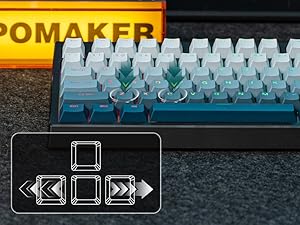
Image 2: Contents of the EPOMAKER G84 HE package, including the keyboard, USB cable, keycap and switch puller, and extra switches.
Video 1: An unboxing and appearance showcasing video of the EPOMAKER G84 HE keyboard, demonstrating its contents and initial look.
Video 2: A short unboxing video of the EPOMAKER G84 HE keyboard, highlighting the items included in the box.
3 പ്രധാന സവിശേഷതകൾ
- Fast Trigger & Zero Dead Zone: Experience precise keystrokes with adjustable actuation from 0.1 to 3.3mm and no dead zone.
- Snap Key (SOCD) & DKS: SOCD logic prioritizes the last input for accurate movement, while Dynamic Key Rollover (DKS) allows up to 4 commands per keypress based on pressure.
- 8K Hz Polling & 256K Scan Rate: Equipped with lubed magnetic switches and an E-sport level circuit design, offering 8000Hz polling and a 256K scan rate for minimal latency (0.125ms).
- 0.1 to 3.3mm Adjustable Actuation: Customize trigger and release points with 0.01mm precision using the EPOMAKER software for gaming or typing.
- Custom Driver (Mac/WIN): Personalize key functions, actuation, macros, and backlighting across Windows and Mac systems with real-time visual feedback.
- Shine-Through RGB Backlit: Dynamic RGB backlighting with durable PBT keycaps featuring shine-through legends for clear visibility in any lighting.
- Tri-Mode Wireless for Mac/WIN: Offers 3 connection modes (2.4Ghz, Bluetooth, USB-C wired) and a compact 80% layout with a hidden 2.4Ghz receiver storage.
- Creamy Gasket Keyboard with Sound-Dampening: Gasket-mount design with 5 layers of Poron, IXPE, Silicone, and Sound Enhancement Pad for a quiet, smooth, and creamy typing sound.
4. സജ്ജീകരണം
4.1 കണക്ഷൻ മോഡുകൾ
The G84 HE keyboard supports three connection modes:
- 2.4GHz വയർലെസ്: For a stable, low-latency connection using the included USB dongle.
- ബ്ലൂടൂത്ത് (ബിടി): For wireless connection to multiple devices.
- USB-C വയേർഡ്: For a direct, reliable connection and charging.
4.2 നിങ്ങളുടെ കീബോർഡ് ബന്ധിപ്പിക്കുന്നു
- Locate the mode switch on the top edge of the keyboard.
- Select your desired connection mode (2.4G, USB, or BT).
- For 2.4G wireless, retrieve the USB dongle from its storage slot under the kickstand and plug it into your device.
- For Bluetooth, ensure your device's Bluetooth is enabled and pair with the keyboard.
- For wired connection, connect the USB-C cable to the keyboard and your device.

Image 3: Close-up of the EPOMAKER G84 HE keyboard's connection switches (Mac/Win, 2.4G/USB/BT) and the hidden storage for the 2.4GHz dongle under the adjustable feet.
5. പ്രവർത്തന നിർദ്ദേശങ്ങൾ
5.1 Adjustable Actuation and Gaming Features
The G84 HE features Hall Effect switches allowing for adjustable actuation points from 0.1mm to 3.3mm. This can be configured via the EPOMAKER software to suit your preference for gaming or typing precision.
- റാപ്പിഡ് ട്രിഗർ: Allows keys to reset instantly upon release, enabling faster repeated inputs.
- Dynamic Key Rollover (DKS): Assign up to four different actions to a single key based on how far it is pressed.
- Simultaneous Opposite Cardinal Directions (SOCD): Prevents conflicting directional inputs in games by prioritizing the last pressed key.
5.2 RGB ബാക്ക്ലൈറ്റ് നിയന്ത്രണം
The keyboard features dynamic RGB backlighting. Use the following key combinations to adjust the lighting:
- FN + ബാക്ക്സ്പെയ്സ്: ബാക്ക്ലൈറ്റ് ഇഫക്റ്റ് ടോഗിൾ ചെയ്യുക
- FN + Del: സൈഡ് ലൈറ്റ് ടോഗിൾ ചെയ്യുക
- FN + \|: ബാക്ക്ലൈറ്റ് നിറം മാറ്റുക
- FN + ഹോം: ബാക്ക്ലൈറ്റ് ഓണാക്കുക/ഓഫാക്കുക
- FN + ↓: ബാക്ക്ലൈറ്റിന്റെ തെളിച്ചം കുറയ്ക്കുക
- FN + ↑: ബാക്ക്ലൈറ്റിന്റെ തെളിച്ചം വർദ്ധിപ്പിക്കുക
- FN + ←: Decrease Backlight Effect Speed
- FN + →: Increase Backlight Effect Speed

Image 4: The EPOMAKER G84 HE keyboard displaying its dynamic RGB backlight, which can be adjusted via shortcuts or software.
Video 3: Demonstrates the RGB daylight glow effect on the EPOMAKER G84 HE keyboard.
Video 4: Shows the RGB midnight pulse effect on the EPOMAKER G84 HE keyboard.
Video 5: A demonstration of RGB effect settings on the EPOMAKER G84 HE keyboard.
5.3 EPOMAKER Software
Download the custom EPOMAKER software (compatible with Windows and Mac) to unlock full customization options, including:
- കീ റീമാപ്പിംഗ്
- മാക്രോ റെക്കോർഡിംഗ്
- Adjusting actuation points
- Customizing RGB lighting effects
- Configuring advanced functions like SOCD and DKS

Image 5: The EPOMAKER G84 HE keyboard alongside a monitor displaying the customizable web driver software for personalization.
5.4 ബാറ്ററി ലൈഫ്
The keyboard is equipped with an 8000mAh battery. Battery life varies based on usage:
- Standby (RGB Off): 800 മണിക്കൂർ വരെ
- RGB Off (Active Use): 160 മണിക്കൂർ വരെ
- RGB On (Active Use): 30 മണിക്കൂർ വരെ

Image 6: Visual representation of the EPOMAKER G84 HE keyboard's 8000mAh battery life under different usage scenarios.
6. പരിപാലനം
6.1 വൃത്തിയാക്കൽ
- കീബോർഡ് പ്രതലം തുടയ്ക്കാൻ മൃദുവായതും ഉണങ്ങിയതുമായ തുണി ഉപയോഗിക്കുക.
- For deeper cleaning, remove keycaps using the provided keycap puller and use compressed air to clear debris.
- കഠിനമായ രാസവസ്തുക്കളോ ഉരച്ചിലുകളോ ഉപയോഗിക്കുന്നത് ഒഴിവാക്കുക.
6.2 സ്വിച്ചും കീക്യാപ്പ് മാറ്റിസ്ഥാപിക്കലും
The G84 HE is hot-swappable, allowing for easy replacement of switches without soldering. Use the provided tools:
- Use the keycap puller to gently remove keycaps.
- Use the switch puller to carefully extract switches.
- Align new switches correctly before pressing them into place.

Image 7: Close-up of the EPOMAKER G84 HE keyboard with several keycaps and switches removed, highlighting the hot-swappable design and Duskrise magnetic linear switches.
7. പ്രശ്നപരിഹാരം
- കീബോർഡ് പ്രതികരിക്കുന്നില്ല: Ensure the keyboard is charged and correctly connected (wired, 2.4G dongle, or Bluetooth paired). Try restarting your device.
- RGB ലൈറ്റുകൾ പ്രവർത്തിക്കുന്നില്ല: Check if the backlight is turned off (FN + Home) or if brightness is set to minimum. Adjust settings via keyboard shortcuts or software.
- കണക്റ്റിവിറ്റി പ്രശ്നങ്ങൾ: For 2.4G, ensure the dongle is securely plugged in. For Bluetooth, re-pair the device. For wired, try a different USB port or cable.
- കീബോർഡ് കണ്ടെത്താത്ത സോഫ്റ്റ്വെയർ: Ensure the keyboard is connected via USB-C and the software is up to date.
8 സ്പെസിഫിക്കേഷനുകൾ
| ഫീച്ചർ | വിശദാംശങ്ങൾ |
|---|---|
| ഉൽപ്പന്ന അളവുകൾ | 13.66 x 5.75 x 1.65 ഇഞ്ച് |
| ഇനത്തിൻ്റെ ഭാരം | 3.04 പൗണ്ട് |
| ഇനം മോഡൽ നമ്പർ | G84 HE |
| ബാറ്ററികൾ | 1 D ബാറ്ററികൾ ആവശ്യമാണ്. (ഉൾപ്പെടുത്തിയിരിക്കുന്നു) |
| ബ്രാൻഡ് | എപോമേക്കർ |
| അനുയോജ്യമായ ഉപകരണങ്ങൾ | Gaming Console, Laptop, PC, Smart TV, Tablet |
| കണക്റ്റിവിറ്റി ടെക്നോളജി | 2.4Ghz Wireless, BT, USB A-C |
| കീബോർഡ് വിവരണം | വയർലെസ് ഗെയിമിംഗ് കീബോർഡ് |
| പ്രത്യേക ഫീച്ചർ | Backlit, Ergonomic, Hot-Swappable, Portable, Programmable Keys |
| നിറം | കറുപ്പ് |
| കീബോർഡ് ബാക്ക്ലൈറ്റിംഗ് വർണ്ണ പിന്തുണ | RGB |
| ശൈലി | ക്ലാസിക് |
9. വാറൻ്റിയും പിന്തുണയും
EPOMAKER ഉൽപ്പന്നങ്ങൾ വിശ്വാസ്യതയ്ക്കും പ്രകടനത്തിനും വേണ്ടി രൂപകൽപ്പന ചെയ്തിരിക്കുന്നു. വാറന്റി വിവരങ്ങൾ, സാങ്കേതിക പിന്തുണ അല്ലെങ്കിൽ സേവന അന്വേഷണങ്ങൾ എന്നിവയ്ക്കായി, ദയവായി ഔദ്യോഗിക EPOMAKER പരിശോധിക്കുക. website or contact customer support directly. Keep your purchase receipt for warranty claims.