1. ആമുഖം
This manual provides comprehensive instructions for the safe and effective use of your Ulefone Armor X16 Pro 5G Rugged Smartphone and the accompanying Mount Pro AM02. Please read this manual thoroughly before operating the device to ensure optimal performance and longevity.

Image 1.1: The Ulefone Armor X16 Pro smartphone alongside the Mount Pro AM02. The phone features a rugged design with a gold-colored back panel, and the mount is a black, adjustable holder designed for secure attachment.
2. ആരംഭിക്കൽ (സജ്ജീകരണം)
2.1 ഉപകരണം ചാർജ് ചെയ്യുന്നു
Before first use, fully charge your Ulefone Armor X16 Pro. Connect the provided USB cable to the phone's charging port and the other end to a compatible 33W fast charger. The battery indicator on the screen will show charging progress. A full charge provides approximately 555 hours of standby time or 56 hours of talk time.
2.2. സിം കാർഡും സംഭരണ ഇൻസ്റ്റാളേഷനും
Locate the SIM card tray on the side of the phone. Use the SIM ejector tool to open the tray. Insert your Nano-SIM card(s) and/or a TF card (up to 2TB) into the designated slots. Ensure the tray is securely reinserted to maintain the phone's waterproof integrity.
2.3. പവർ ഓൺ/ഓഫ്
To power on, press and hold the Power button until the Ulefone logo appears. To power off, press and hold the Power button, then select 'Power off' from the options. A short press of the Power button will lock/unlock the screen.
3. Core Functionality (Operating)
3.1. പ്രദർശനവും ഇടപെടലും
The device features a 6.56-inch FHD+ display with a 720 x 1612 resolution and a 120Hz refresh rate for smooth visuals. With 910 nits brightness, it ensures visibility even under bright sunlight. The screen is protected by Corning Gorilla Glass 5, offering enhanced durability.

Image 3.1: Visual representation of the 6.56-inch 120Hz FHD+ display, highlighting its 720x1612 resolution, 910 nits brightness, Corning Gorilla Glass 5 protection, and Widevine L1 certification for HD video streaming.
3.2. Performance and System
Powered by a MediaTek Dimensity 6300 5G 2.4GHz 8-core CPU and a 6nm chipset, the Armor X16 Pro delivers robust performance. It comes with 16GB RAM (8GB physical + 8GB virtual) and 256GB internal storage, expandable up to 2TB with a TF card. The device runs on Android 15, providing a seamless and secure user experience.

Image 3.2: Infographic detailing the MediaTek Dimensity 6300 5G processor, memory configuration (up to 16GB RAM and 256GB ROM with 2TB expansion), integration with Google Gemini, and dual 5G connectivity.
3.3. ക്യാമറ സിസ്റ്റം
The Ulefone Armor X16 Pro features a versatile camera setup:
- 64MP പ്രധാന ക്യാമറ: Equipped with a Sony IMX682 sensor for high-resolution photos.
- 25MP നൈറ്റ് വിഷൻ ക്യാമറ: Enables clear navigation and capture in low-light conditions.
- 2MP Macro Lens: ചെറിയ വസ്തുക്കളുടെ വിശദമായ ക്ലോസ്-അപ്പ് ഷോട്ടുകൾക്കായി.
- 16MP മുൻ ക്യാമറ: For enhanced selfies and video calls.
- അണ്ടർവാട്ടർ മോഡ്: Allows taking photos and videos while submerged.

ചിത്രം 3.3: കഴിഞ്ഞുview of the phone's camera system, showing the 64MP main camera, 25MP night vision camera, 2MP macro camera, and 16MP front camera, along with examples of photos taken with each mode, including an underwater shot.
3.4. ബാറ്ററി മാനേജ്മെന്റ്
The device is powered by a massive 10360mAh battery, offering extended usage times. It supports 33W fast charging for quick power-ups. Additionally, the reverse charging feature allows the phone to act as a portable power bank for other devices.

Image 3.4: Visual representation of the 10360mAh battery capacity and 33W fast charging capability, with estimated usage times for standby, music playback, talk time, and video playback.
3.5. Mount Pro AM02 Usage
The Mount Pro AM02 is designed for secure attachment of your smartphone, even during high-speed activities. It features a safety lock to keep the phone in place and a theft-resistant screw on the double socket arm base. Once tightened, the bracket cannot be disassembled, but the angle can still be adjusted by loosening the knob.

Image 3.5: The Ulefone Armor X16 Pro smartphone securely mounted on the Mount Pro AM02, demonstrating its robust grip and adjustable positioning on a bar.
3.6. വിപുലമായ സവിശേഷതകൾ
- AI Recorder: Effortlessly record phone calls and third-party voice audio.
- Face Unlock & Fingerprint ID: Secure and convenient methods for unlocking your device.
- ഗ്ലൗസ് മോഡ്: Allows for touch screen operation even when wearing gloves.
- അന്തർനിർമ്മിത ഫ്ലാഷ്ലൈറ്റ്: A 133 lumens glare flashlight with adjustable brightness and one-key lighting.
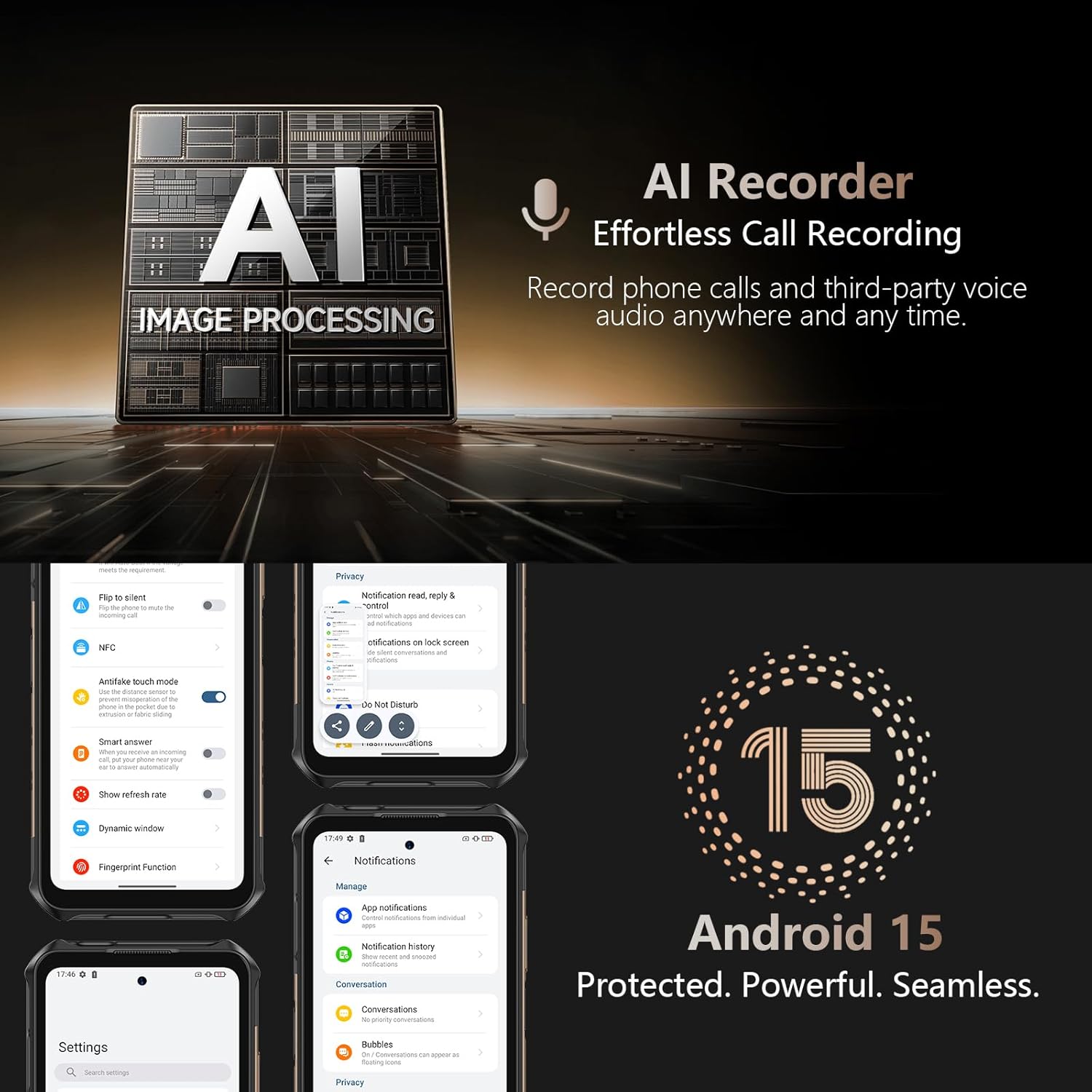
Image 3.6: Depiction of the AI Recorder feature for call recording and the Android 15 operating system, showcasing its protected, powerful, and seamless interface with various settings and notification options.

Image 3.7: Illustration of the built-in 133 lumens glare flashlight with adjustable brightness, along with the Face Unlock, Fingerprint ID, and Gloves Mode functionalities for enhanced usability and security.
4. ഈടുനിൽപ്പും സംരക്ഷണവും
The Ulefone Armor X16 Pro is built to withstand harsh environments, featuring IP68/IP69K ratings and MIL-STD-810H certification. This means it is waterproof (up to 2 meters for 30 minutes), dustproof, and resistant to drops (up to 2 meters).
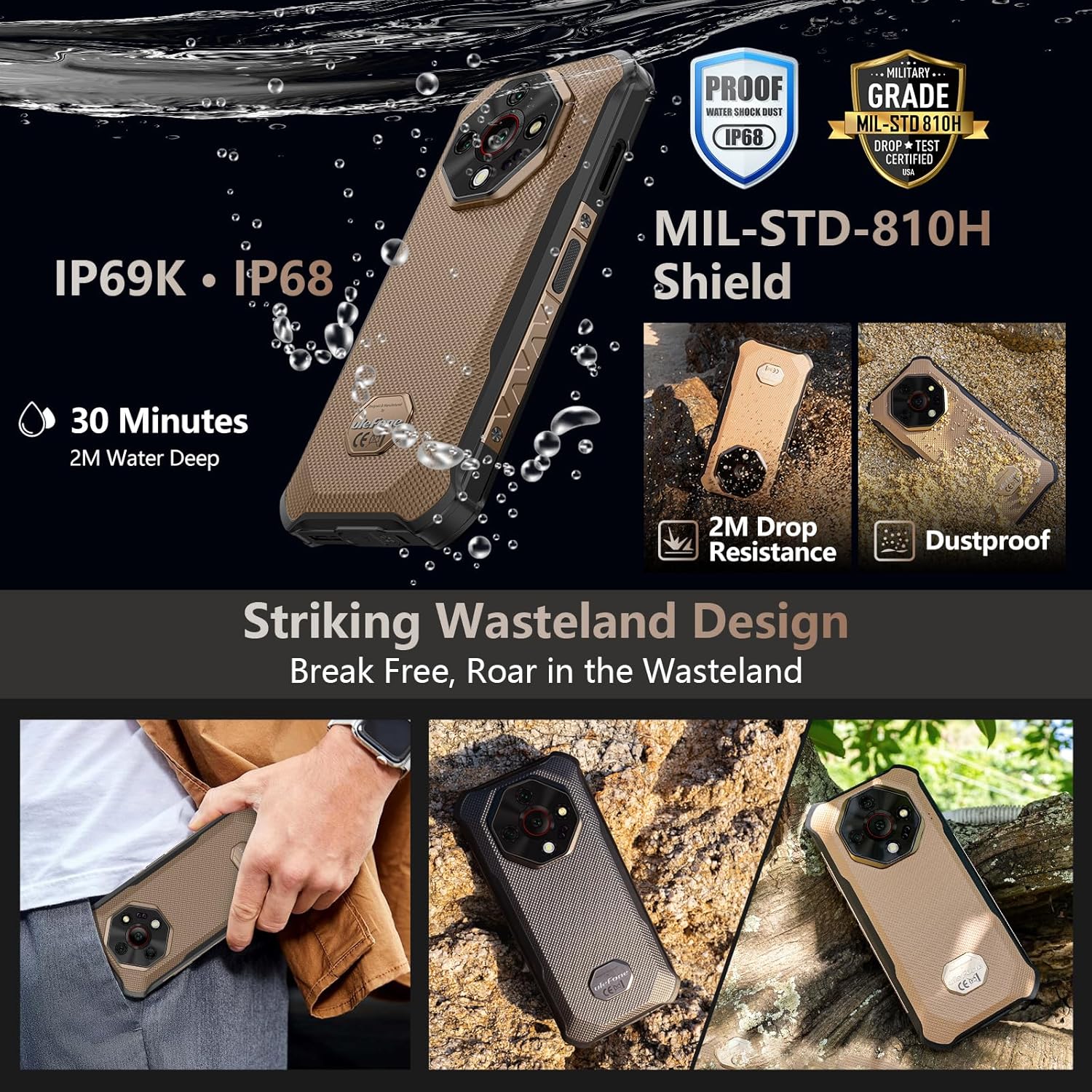
Image 4.1: Visual representation of the Ulefone Armor X16 Pro's rugged features, including IP69K and IP68 water and dust resistance, MIL-STD-810H military-grade certification, and demonstrated resistance to 2-meter drops and dust.
4.1. പരിചരണവും ശുചീകരണവും
To maintain the phone's rugged features, ensure all port covers are securely closed before exposing it to water or dust. Clean the device with a soft, damp cloth. Avoid using harsh chemicals or abrasive materials. If the phone gets wet, dry it thoroughly before charging.
5. പ്രശ്നപരിഹാരം
നിങ്ങൾ നേരിട്ടേക്കാവുന്ന സാധാരണ പ്രശ്നങ്ങളെ ഈ വിഭാഗം അഭിസംബോധന ചെയ്യുന്നു. കൂടുതൽ സങ്കീർണ്ണമായ പ്രശ്നങ്ങൾക്ക്, ദയവായി പിന്തുണ വിഭാഗം പരിശോധിക്കുക.
- ഉപകരണം ഓണാക്കുന്നില്ല: ബാറ്ററി ചാർജ്ജ് ചെയ്തിട്ടുണ്ടെന്ന് ഉറപ്പാക്കുക. വീണ്ടും പവർ ഓൺ ചെയ്യാൻ ശ്രമിക്കുന്നതിന് മുമ്പ് ഒരു ചാർജറുമായി കണക്റ്റ് ചെയ്ത് കുറച്ച് മിനിറ്റ് കാത്തിരിക്കുക.
- സ്ക്രീൻ പ്രതികരിക്കുന്നില്ല: Try restarting the device by holding the Power button for an extended period (e.g., 10-15 seconds) until it reboots.
- മോശം നെറ്റ്വർക്ക് സിഗ്നൽ: Check if your SIM card is properly inserted. Move to an area with better network coverage.
- വെള്ളത്താൽ ഉണ്ടാകുന്ന നാശനഷ്ടങ്ങൾ സംബന്ധിച്ച ആശങ്കകൾ: If the phone has been submerged, ensure all ports are sealed. If issues arise after water exposure, contact support.
6 സാങ്കേതിക സവിശേഷതകൾ
| ഫീച്ചർ | സ്പെസിഫിക്കേഷൻ |
|---|---|
| മോഡൽ | Ulefone Armor X16 Pro & Mount Pro AM02 |
| പ്രോസസ്സർ | MediaTek Dimensity 6300 5G, 2.4GHz 8-core CPU, 6nm |
| റാം | 16GB (8GB ഫിസിക്കൽ + 8GB വെർച്വൽ) |
| ആന്തരിക സംഭരണം | 256GB (expandable up to 2TB via TF card) |
| ഓപ്പറേറ്റിംഗ് സിസ്റ്റം | ആൻഡ്രോയിഡ് 15 |
| പ്രദർശിപ്പിക്കുക | 6.56-inch FHD+, 720 x 1612 resolution, 120Hz refresh rate, 910 nits brightness, Corning Gorilla Glass 5 |
| പ്രധാന ക്യാമറ | 64MP (Sony IMX682 sensor) |
| നൈറ്റ് വിഷൻ ക്യാമറ | 25എംപി |
| മാക്രോ ക്യാമറ | 2എംപി |
| മുൻ ക്യാമറ | 16എംപി |
| ബാറ്ററി ശേഷി | 10360mAh |
| ചാർജിംഗ് | 33W Fast Charging, Reverse Charging |
| ഈട് | IP68/IP69K Waterproof & Dustproof, MIL-STD-810H Certified, 2M Drop Resistance |
| കണക്റ്റിവിറ്റി | 5G, Wireless (Other display features) |
| പ്രത്യേക സവിശേഷതകൾ | AI Recorder, Face Unlock, Fingerprint ID, Gloves Mode, 133 Lumens Flashlight, Underwater Mode |
| ആദ്യ തീയതി ലഭ്യമാണ് | ജൂലൈ 7, 2025 |
| ASIN | B0FKBCMC6X |
7. വാറൻ്റിയും പിന്തുണയും
വാറന്റി വിവരങ്ങൾക്കും സാങ്കേതിക പിന്തുണയ്ക്കും, ദയവായി ഔദ്യോഗിക Ulefone പരിശോധിക്കുക. webസൈറ്റിൽ ബന്ധപ്പെടുകയോ അവരുടെ ഉപഭോക്തൃ സേവനവുമായി ബന്ധപ്പെടുകയോ ചെയ്യുക. ഏതെങ്കിലും വാറന്റി ക്ലെയിമുകൾക്ക് വാങ്ങിയതിന്റെ തെളിവായി നിങ്ങളുടെ വാങ്ങൽ രസീത് സൂക്ഷിക്കുക.
Visit the official Ulefone Store for more information: ആമസോണിലെ യുലെഫോൺ സ്റ്റോർ


