ആമുഖം
Welcome to the KODAK CHARMERA Keychain Digital Camera instruction manual. This guide provides essential information for the proper setup, operation, and maintenance of your new digital camera. Please read this manual thoroughly before using the device to ensure optimal performance and longevity.
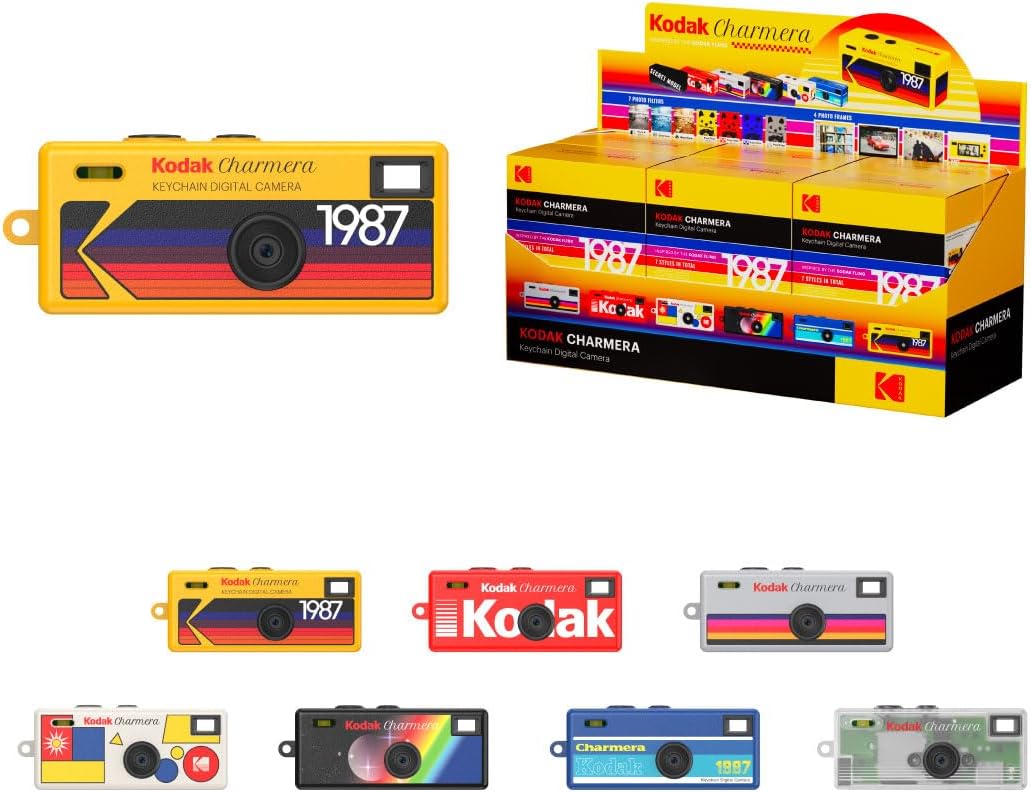
Figure 1: KODAK CHARMERA Keychain Digital Camera (Yellow model shown)
സജ്ജമാക്കുക
1. അൺബോക്സിംഗും പാക്കേജ് ഉള്ളടക്കങ്ങളും
Carefully open the packaging and ensure all components are present. The package typically contains:
- KODAK CHARMERA Keychain Digital Camera
- യുഎസ്ബി ചാർജിംഗ് കേബിൾ
- കീചെയിൻ അറ്റാച്ച്മെൻ്റ്
- നിർദ്ദേശ മാനുവൽ (ഈ പ്രമാണം)

ചിത്രം 2: ഉൾപ്പെടുത്തിയ ഘടകങ്ങൾ
2. ക്യാമറ ചാർജ് ചെയ്യുന്നു
Before first use, fully charge the camera. Connect the provided USB charging cable to the camera's USB port and plug the other end into a compatible USB power source (e.g., computer USB port, USB wall adapter). The charging indicator light will show the charging status.
3. Inserting a Memory Card (TF Card)
The KODAK CHARMERA requires a TF (Micro SD) memory card (not included) for storing photos and videos. The camera supports TF cards from 1GB to 128GB. Locate the TF card slot on the side of the camera and gently insert the card until it clicks into place. Ensure the card is inserted in the correct orientation.
4. Attaching the Keychain/Lanyard
Attach the provided keychain or lanyard to the designated loop on the camera for convenient carrying and to prevent loss.
പ്രവർത്തന നിർദ്ദേശങ്ങൾ
1. പവർ ഓൺ/ഓഫ്
- പവർ ഓണാക്കാൻ: Press and hold the Power button (usually marked 'M' or a power icon) for a few seconds until the screen illuminates.
- പവർ ഓഫ് ചെയ്യാൻ: Press and hold the Power button again until the 'Good Bye' message appears and the screen turns off.
Video 1: KODAK CHARMERA Unboxing and Basic Power On/Off Demonstration. This video shows the camera being unboxed and powered on, displaying the 'Welcome' screen.
2. ഫോട്ടോ എടുക്കൽ
In Photo Mode, frame your shot using the small display screen. Press the Shutter button (usually the top button) once to capture a photo. The camera supports 1440 x 1080 image output with 1.6M megapixels.
Photo Frames and Filters
The camera offers 4 frames and 7 filters to enhance your photos. Navigate through these options using the menu buttons (refer to the on-screen interface for specific button functions).

Figure 3: Camera display showing a captured image.
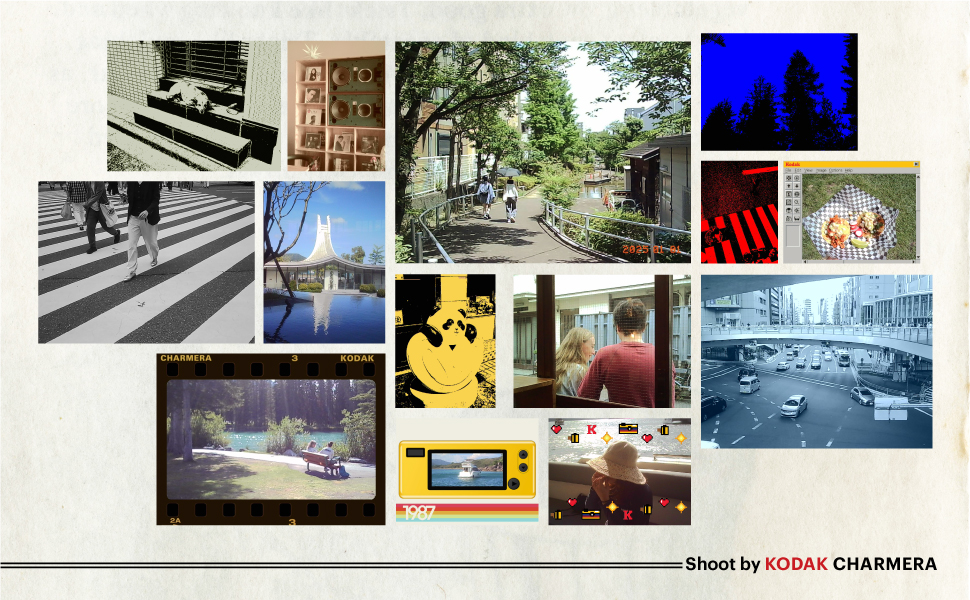
Figure 4: Available Photo Filters and Frames.
3. വീഡിയോകൾ റെക്കോർഡുചെയ്യുന്നു
Switch to Video Mode using the Mode button. Press the Shutter button once to start recording and press it again to stop. Videos are saved to the inserted TF card.
4. Viewing, മീഡിയ ഇല്ലാതാക്കൽ
Use the navigation buttons to browse through your captured photos and videos on the camera's screen. Consult the on-screen menu for options to delete individual files.
5. Connecting to a Computer (File കൈമാറ്റം)
കൈമാറാൻ files, connect the camera to your computer using the USB cable. The camera should appear as a removable storage device. You can then copy photos and videos from the camera's memory card to your computer.
6 തീയതിയും സമയവും ക്രമീകരിക്കുന്നു
Access the camera's settings menu to adjust the date and time. This ensures accurate timestampനിങ്ങളുടെ ഫോട്ടോകളിലും വീഡിയോകളിലും.
Video 2: KODAK CHARMERA Camera Full Review. This video demonstrates various camera functions including menu navigation, settings, and media playback.
മെയിൻ്റനൻസ്
- വൃത്തിയാക്കൽ: Use a soft, dry cloth to clean the camera body and lens. Avoid using liquid cleaners or abrasive materials.
- സംഭരണം: Store the camera in a cool, dry place away from direct sunlight and extreme temperatures. Remove the TF card if storing for extended periods.
- ബാറ്ററി കെയർ: To prolong battery life, avoid fully discharging the battery frequently. Charge the camera regularly, even if not in use.
ട്രബിൾഷൂട്ടിംഗ്
| ഇഷ്യൂ | സാധ്യമായ കാരണം | പരിഹാരം |
|---|---|---|
| ക്യാമറ പവർ ഓൺ ചെയ്യുന്നില്ല. | കുറഞ്ഞ ബാറ്ററി | നൽകിയിരിക്കുന്ന USB കേബിൾ ഉപയോഗിച്ച് ക്യാമറ പൂർണ്ണമായും ചാർജ് ചെയ്യുക. |
| Unable to take photos/videos | No TF card inserted or card is full | Insert a compatible TF card or delete existing fileസ്ഥലം ശൂന്യമാക്കാൻ s. |
| കൈമാറാൻ കഴിയില്ല fileകംപ്യൂട്ടറിലേക്ക് | Incorrect USB connection or driver issue | USB കേബിൾ സുരക്ഷിതമായി ബന്ധിപ്പിച്ചിട്ടുണ്ടെന്ന് ഉറപ്പാക്കുക. മറ്റൊരു USB പോർട്ട് അല്ലെങ്കിൽ കമ്പ്യൂട്ടർ പരീക്ഷിക്കുക. |
| മോശം ഇമേജ്/വീഡിയോ നിലവാരം | Low light conditions, camera movement, or inherent camera specifications | Ensure adequate lighting. Hold the camera steady. Understand that the camera has a 1.6M megapixel sensor, which may result in lower resolution compared to modern smartphones. |
സ്പെസിഫിക്കേഷനുകൾ
- മോഡലിൻ്റെ പേര്: Charmera
- ഇനം മോഡൽ നമ്പർ: RK0601
- ഇമേജ് ഔട്ട്പുട്ട്: 1440 x 1080 (1.6M megapixels)
- വീഡിയോ റെക്കോർഡിംഗ്: പിന്തുണച്ചു
- ഫോട്ടോ മോഡുകൾ: 4 frames, 7 filters
- മെമ്മറി കാർഡ് പിന്തുണ: 1GB - 128GB TF memory card (not included)
- ബാറ്ററി: റീചാർജ് ചെയ്യാവുന്ന നോൺസ്റ്റാൻഡേർഡ് ബാറ്ററി (ഉൾപ്പെടുത്തിയിരിക്കുന്നു)
- ഉൽപ്പന്ന അളവുകൾ: 2.13 x 3.7 x 4.8 ഇഞ്ച്
- ഇനത്തിൻ്റെ ഭാരം: 2.39 ഔൺസ് (0.07 കിലോഗ്രാം)
- പരമാവധി ഷട്ടർ സ്പീഡ്: 1/30 സെക്കൻഡ്
- ഉൾപ്പെടുത്തിയ ഘടകങ്ങൾ: ക്യാമറ ബോഡി മാത്രം
വാറൻ്റി & പിന്തുണ
For warranty information and customer support, please refer to the documentation provided with your purchase or contact the manufacturer, RETO Production Limited, directly. Keep your proof of purchase for any warranty claims.


