1. ആമുഖം
Thank you for choosing the MOVE SPEED 0.3'' Ultra Slim MagSafe Portable Charger. This device is designed to provide convenient and efficient power on the go for your compatible devices. Please read this manual carefully before use to ensure proper operation and to maximize the lifespan of your product.
2. ഉൽപ്പന്ന സവിശേഷതകൾ
- Ultra-Slim and Lightweight Design: At just 0.3 inches thick and weighing 114g, this portable charger is designed for maximum portability, easily fitting into pockets or clutches without adding bulk. Its skin-friendly aluminum construction ensures a comfortable and premium feel.
- ശക്തമായ കാന്തിക അറ്റാച്ച്മെന്റ്: Equipped with an iPhone-compatible magnetic array and aerospace-grade N52 magnets, it offers a 4x stronger magnetic force for secure attachment. The curved-edge design ensures accurate and firm placement, keeping it in place even during movement.
- സ്മാർട്ട് താപനില നിയന്ത്രണം: Features a gray aluminum shell with graphene cooling and an NTC temperature control system to prevent overheating. The Grade 5A safety battery core and flame-retardant materials enhance safety. Note: Incompatible with cases not designed for MagSafe, which may lead to overheating.
- Quick and Efficient Charging: The 5000mAh battery can charge an iPhone from 15% to 55% in approximately 30 minutes and fully charges itself in 60 minutes. Built with high-quality cells, it withstands over 800 charging cycles while maintaining over 80% health. Certified for air travel.
- ഇരട്ട ചാർജിംഗ് ശേഷി: Supports both 7.5W MagSafe wireless charging and 18W Power Delivery wired charging via its USB-C port. Compatible with phones, earbuds, and tablets. The 5000mAh capacity provides up to 18 hours of talk time or 6 hours of GPS usage. Smart power management protects your device's battery health.
3. പാക്കേജ് ഉള്ളടക്കം
- MOVE SPEED 0.3'' Ultra Slim MagSafe Portable Charger (5000mAh)
- യുഎസ്ബി-സി മുതൽ യുഎസ്ബി-സി വരെ ചാർജിംഗ് കേബിൾ
- Magnetic Ring (for non-MagSafe compatible devices/cases)
- ഉപയോക്തൃ മാനുവൽ
4. സജ്ജീകരണവും ഇൻസ്റ്റാളേഷനും
4.1 പോർട്ടബിൾ ചാർജർ ചാർജ് ചെയ്യുന്നു
Before initial use, fully charge your MOVE SPEED portable charger. Connect the provided USB-C to USB-C cable to the charger's USB-C port and plug the other end into a compatible USB power adapter (not included). The LED indicators on the side will show the charging status and battery level.
4.2 Attaching to Your Device (MagSafe Compatible)
For MagSafe-compatible iPhones (iPhone 12 series and newer), simply align the portable charger with the back of your iPhone. The strong magnets will automatically snap it into place, initiating wireless charging.
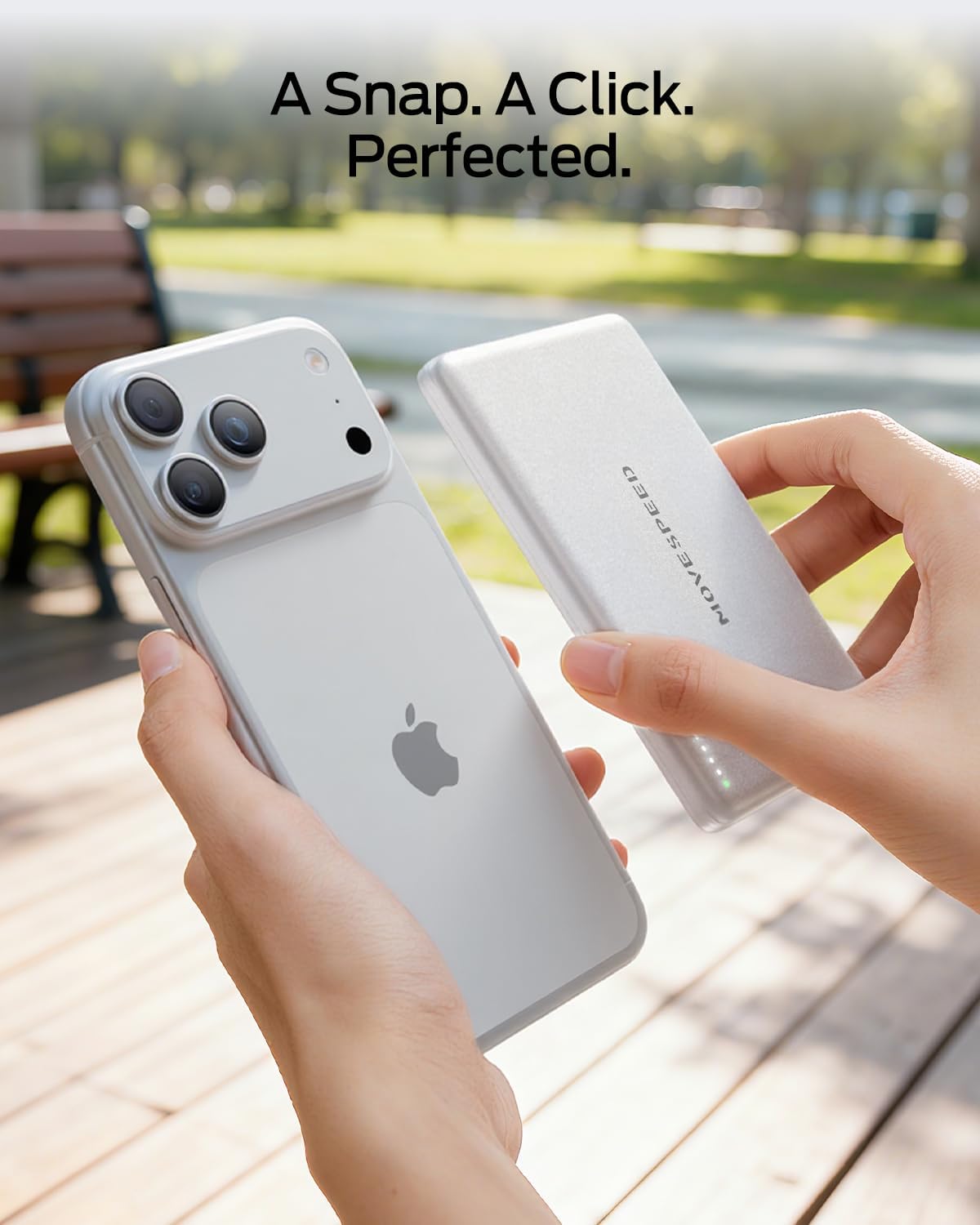
Image: The portable charger securely attaches to the back of a MagSafe-compatible iPhone.
4.3 Using the Magnetic Ring (for Non-MagSafe Devices/Cases)
If your phone or phone case is not MagSafe compatible, you can use the included magnetic ring. Peel off the adhesive backing from the magnetic ring and carefully center it on the back of your phone or case. This will allow the portable charger to magnetically attach and provide wireless charging.
5. പ്രവർത്തന നിർദ്ദേശങ്ങൾ
5.1 വയർലെസ് ചാർജിംഗ്
Once the portable charger is magnetically attached to your compatible device, wireless charging will begin automatically. The LED indicators on the side of the power bank will illuminate to show it is active. Ensure no foreign objects are between the charger and your device to prevent interference or overheating.
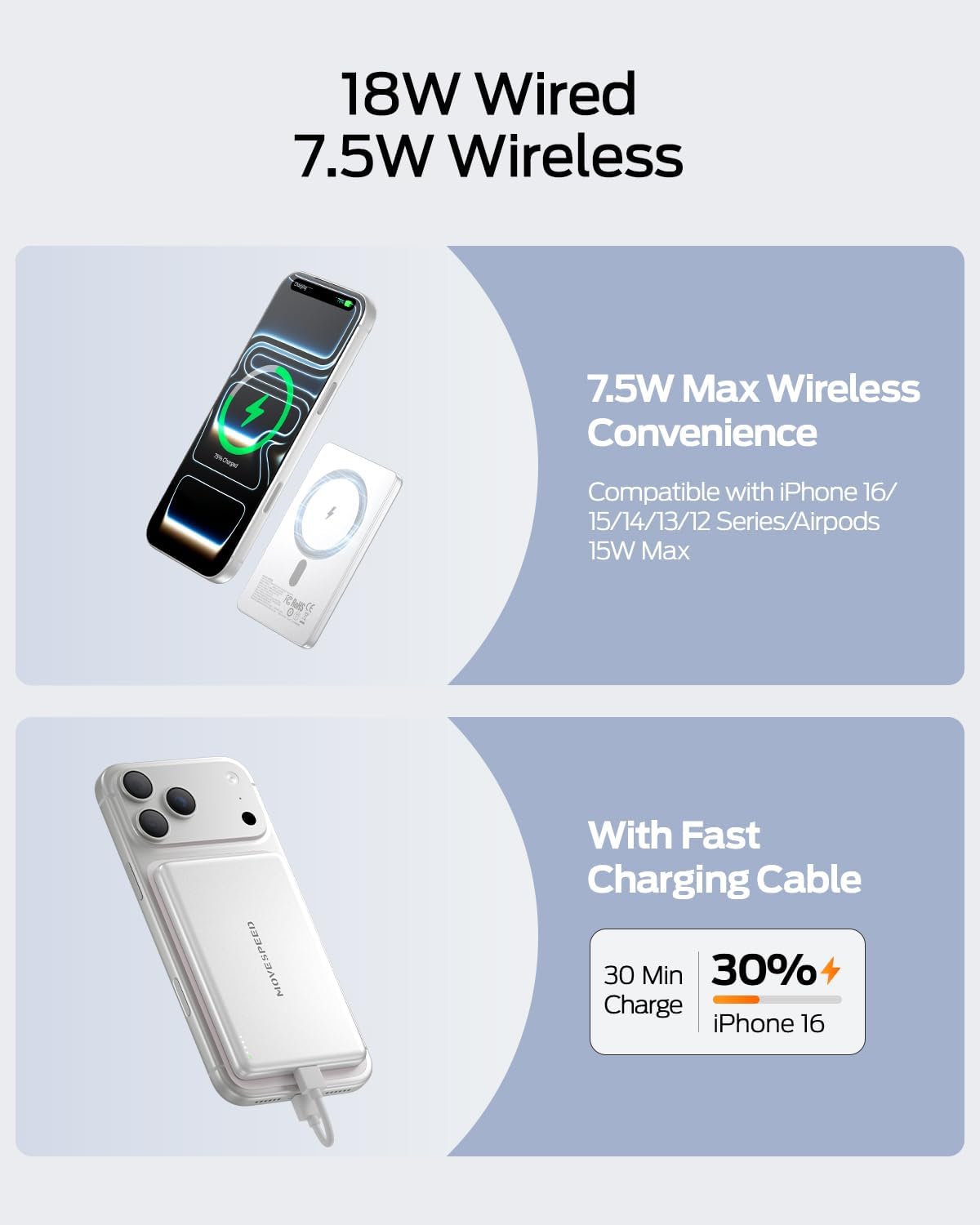
Image: An iPhone receiving 7.5W wireless charge from the portable charger.
5.2 വയർഡ് ചാർജിംഗ്
To use wired charging, connect your device to the portable charger's USB-C port using a compatible cable. This supports 18W Power Delivery for faster charging. This method is suitable for phones, earbuds, and tablets.

Image: Illustration of the dual-mode fast charging capability, offering both 18W wired and 7.5W wireless output.
5.3 ബാറ്ററി നില പരിശോധിക്കുന്നു
The portable charger features LED indicators on its side to display the remaining battery capacity. Press the small button on the side to activate the indicators.
5.4 Using the Integrated Kickstand
Some models of the MOVE SPEED portable charger include a built-in kickstand. This allows you to prop up your phone while it is attached to the charger, providing a convenient viewing angle for media or video calls during charging.
6. പരിപാലനം
- വൃത്തിയാക്കൽ: Use a soft, dry cloth to clean the surface of the portable charger. Avoid using harsh chemicals or abrasive materials.
- സംഭരണം: നേരിട്ടുള്ള സൂര്യപ്രകാശത്തിൽ നിന്നും തീവ്രമായ താപനിലയിൽ നിന്നും മാറി തണുത്തതും വരണ്ടതുമായ സ്ഥലത്ത് ചാർജർ സൂക്ഷിക്കുക.
- ബാറ്ററി കെയർ: To maintain optimal battery health, fully charge the power bank at least once every three months if not in regular use.
7. പ്രശ്നപരിഹാരം
- ഉപകരണം ചാർജ് ചെയ്യുന്നില്ല:
- Ensure the portable charger is adequately charged.
- Verify that your device is correctly aligned with the magnetic charging area.
- Check if your phone case is MagSafe compatible. Non-MagSafe cases may interfere with wireless charging or cause overheating.
- For wired charging, ensure the USB-C cable is securely connected to both the charger and your device.
- അമിത ചൂടാക്കൽ:
- The charger features smart temperature control to prevent excessive heat. If it feels unusually hot, disconnect it from your device and allow it to cool down.
- Avoid charging in direct sunlight or enclosed spaces with poor ventilation.
- As mentioned, non-MagSafe cases can cause overheating. Consider removing the case or using a MagSafe-compatible case.
- സ്ലോ ചാർജിംഗ്:
- Ensure you are using a compatible power adapter for charging the power bank itself.
- For optimal wireless charging speed, ensure perfect alignment between the charger and your device.
8 സ്പെസിഫിക്കേഷനുകൾ
| ഫീച്ചർ | സ്പെസിഫിക്കേഷൻ |
|---|---|
| മോഡൽ നമ്പർ | YSPBS05 |
| ബാറ്ററി ശേഷി | 5000 മില്ലിamp മണിക്കൂറുകൾ |
| ഉൽപ്പന്ന അളവുകൾ | 4.03 x 2.6 x 0.31 ഇഞ്ച് |
| ഇനത്തിൻ്റെ ഭാരം | 4 ഔൺസ് |
| വയർലെസ് ചാർജിംഗ് putട്ട്പുട്ട് | 7.5W (മാഗ്സേഫ് അനുയോജ്യം) |
| വയർഡ് ചാർജിംഗ് ഔട്ട്പുട്ട് | 18W Power Delivery (USB Type C) |
| കണക്റ്റർ തരം | യുഎസ്ബി ടൈപ്പ് സി |
| പ്രത്യേക സവിശേഷതകൾ | Slim, Magnetic, Temperature Control, Air Travel Certified |
| നിറം | പേൾ വൈറ്റ് |
9. വാറൻ്റിയും പിന്തുണയും
MOVE SPEED provides a 24-month warranty for this product, ensuring worry-free use. We also offer lifetime professional support and free return or replacement services to ensure your complete satisfaction. For technical assistance or product advice, please contact our customer support team.
Trusted by over 100 million users in 80+ countries, MOVE SPEED utilizes original-grade chips and certified parts. Every product is designed to be safe, reliable, and built to last.


