പ്രധാനപ്പെട്ട സുരക്ഷാ വിവരങ്ങൾ
Please read all safety instructions carefully before using the device. Failure to follow these instructions may result in electric shock, fire, or other hazards. Keep this manual for future reference.
- ഉപകരണത്തെ തീവ്രമായ താപനിലയിലോ, നേരിട്ടുള്ള സൂര്യപ്രകാശത്തിലോ, ഉയർന്ന ആർദ്രതയിലോ തുറന്നുകാട്ടരുത്.
- ഉപകരണം താഴെയിടുകയോ ഗുരുതരമായ ആഘാതത്തിന് വിധേയമാക്കുകയോ ചെയ്യുന്നത് ഒഴിവാക്കുക.
- Use only the specified charging adapter (5V-1A or 5V-2A). Do not use fast charging heads.
- ഉപകരണം വെള്ളത്തിൽ നിന്നും മറ്റ് ദ്രാവകങ്ങളിൽ നിന്നും അകറ്റി നിർത്തുക.
- ഉപകരണം സ്വയം വേർപെടുത്താനോ നന്നാക്കാനോ ശ്രമിക്കരുത്. അംഗീകൃത സേവന ഉദ്യോഗസ്ഥരെ ബന്ധപ്പെടുക.
- പ്രാദേശിക നിയന്ത്രണങ്ങൾ അനുസരിച്ച് ഉപകരണവും അതിന്റെ ബാറ്ററിയും ഉത്തരവാദിത്തത്തോടെ നിർമാർജനം ചെയ്യുക.
1. ആരംഭിക്കുന്നു
1.1 പാക്കേജ് ഉള്ളടക്കം
പാക്കേജിൽ എല്ലാ ഇനങ്ങളും ഉണ്ടെന്ന് ഉറപ്പാക്കുക:
- SWOFY D08 160GB Bluetooth MP3 Player
- യുഎസ്ബി ടൈപ്പ്-സി കേബിൾ
- വയർഡ് ഇയർബഡുകൾ
- ഉപയോക്തൃ മാനുവൽ (ഈ പ്രമാണം)
1.2 ഉപകരണം കഴിഞ്ഞുview
The SWOFY D08 is a portable media player featuring a 4-inch touchscreen, Android 13 OS, Bluetooth 5.0, and Wi-Fi connectivity. It supports various audio and video formats and offers expandable storage.

ചിത്രം 1.2.1: ഫ്രണ്ട് view of the SWOFY D08 MP3 Player, displaying its 4-inch touchscreen interface with pre-installed and downloadable application icons.

ചിത്രം 1.2.2: Multiple color variants of the SWOFY D08 player, emphasizing its portability and high-resolution lossless music playback capabilities.
1.3 ഉപകരണം ചാർജ് ചെയ്യുന്നു
Before first use, fully charge the device. The player has a built-in 2000mAh Li-ion battery.
- Connect the provided USB Type-C cable to the charging port on the player.
- Connect the other end of the USB cable to a 5V-1A or 5V-2A USB power adapter (not included) or a computer's USB port.
- The charging indicator will illuminate. Once fully charged, the indicator may change color or turn off.
കുറിപ്പ്: Avoid using fast charging adapters as they may damage the device battery.
1.4 പവർ ഓൺ/ഓഫ്
- പവർ ഓണാക്കാൻ: Press and hold the Power button (usually on the side) until the screen lights up.
- പവർ ഓഫ് ചെയ്യാൻ: Press and hold the Power button until a power-off menu appears on the screen. Select 'Power off' and confirm.
- പുനരാരംഭിക്കാൻ: From the power-off menu, select 'Restart'.
1.5 പ്രാരംഭ സജ്ജീകരണം
Upon first power-on, you will be guided through an initial setup process:
- ഭാഷ തിരഞ്ഞെടുക്കൽ: നിങ്ങൾ തിരഞ്ഞെടുത്ത ഭാഷ തിരഞ്ഞെടുക്കുക.
- Wi-Fi കണക്ഷൻ: Connect to a Wi-Fi network to enable internet access for app downloads and streaming services. Select your network and enter the password.
- തീയതിയും സമയവും: Set the correct date and time, or allow network synchronization.
- Google അക്കൗണ്ട്: Sign in with your Google account to access the Google Play Store and other Google services.
2. ഉപകരണം പ്രവർത്തിപ്പിക്കുന്നു
2.1 ടച്ച്സ്ക്രീൻ നാവിഗേഷൻ
The SWOFY D08 features a 4-inch high-resolution (400*800) full touchscreen for intuitive control.
- ടാപ്പ് ചെയ്യുക: ഒരു ഇനം തിരഞ്ഞെടുക്കുകയോ ഒരു ആപ്പ് തുറക്കുകയോ ചെയ്യുക.
- സ്വൈപ്പ്: Navigate between screens or scroll through lists.
- പിഞ്ച്-ടു-സൂം: ചിത്രങ്ങൾ സൂം ഇൻ ചെയ്യുകയോ സൂം ഔട്ട് ചെയ്യുകയോ ചെയ്യുക അല്ലെങ്കിൽ web പേജുകൾ.
2.2 മ്യൂസിക് പ്ലേബാക്ക്
The player supports HiFi lossless sound quality and is compatible with MP3, FLAC, WAV, AAC, OGG, WMA, APE, and M4A audio formats.
- Transfer Music: Connect the player to a computer using the USB Type-C cable. The player will appear as a removable storage device. Drag and drop your music files into the designated music folder.
- Access Music: Open the 'Music' app or your preferred streaming app (e.g., Spotify, Amazon Music, Pandora, Audible) from the home screen.
- പ്ലേ/താൽക്കാലികമായി നിർത്തുക: Tap the play/pause icon.
- ട്രാക്കുകൾ ഒഴിവാക്കുക: Tap the next/previous track icons.
- വോളിയം നിയന്ത്രണം: Use the physical volume buttons on the side of the device or the on-screen controls.

ചിത്രം 2.2.1: Visual representation of the SWOFY D08's extensive audio format compatibility, ensuring seamless playback of various high-quality music files.
2.3 ബ്ലൂടൂത്ത് കണക്റ്റിവിറ്റി
The device features Bluetooth 5.0 with bi-directional transmitting and receiving functions for stable connections.
- ബ്ലൂടൂത്ത് പ്രവർത്തനക്ഷമമാക്കുക: Go to 'Settings' > 'Connected devices' > 'Bluetooth' and toggle it On.
- ജോടിയാക്കൽ: Put your Bluetooth headphones, speakers, or car stereo into pairing mode.
- ബന്ധിപ്പിക്കുക: On the SWOFY D08, tap 'Pair new device' and select your device from the list of available devices.

ചിത്രം 2.3.1: Illustration of the Bluetooth 5.0 technology integrated into the SWOFY D08, highlighting its wireless audio capabilities for headphones and speakers.

ചിത്രം 2.3.2: Depiction of the SWOFY D08's stable duplex Bluetooth feature, allowing connection to various audio output devices such as headphones, home speakers, and car systems.
2.4 വൈ-ഫൈ പ്രവർത്തനം
The player supports dual-band Wi-Fi (2.4GHz and 5GHz) for stable internet access.
- 'ക്രമീകരണങ്ങൾ' > 'നെറ്റ്വർക്ക് & ഇന്റർനെറ്റ്' > 'വൈ-ഫൈ' എന്നതിലേക്ക് പോകുക.
- Toggle Wi-Fi On.
- ലിസ്റ്റിൽ നിന്ന് നിങ്ങൾക്ക് ആവശ്യമുള്ള വൈഫൈ നെറ്റ്വർക്ക് തിരഞ്ഞെടുത്ത് ആവശ്യപ്പെടുകയാണെങ്കിൽ പാസ്വേഡ് നൽകുക.
2.5 ആപ്പ് ഇൻസ്റ്റാളേഷനും ഉപയോഗവും
The SWOFY D08 runs on Android 13 OS, allowing access to the Google Play Store.
- ഗൂഗിൾ പ്ലേ സ്റ്റോർ: Tap the 'Play Store' icon on the home screen. ഇതിനായി തിരയുക and download apps like Spotify, Pandora, Audible, Amazon Music, and more.
- മുൻകൂട്ടി ഇൻസ്റ്റാൾ ചെയ്ത ആപ്പുകൾ: Utilize pre-installed apps such as FM Radio, Chrome, and others.
2.6 വീഡിയോ പ്ലേബാക്ക്
The player supports 1080P HD video playback and is compatible with AVI, MKV, RMVB, MP4, MPG, and MOV formats.
- വീഡിയോ കൈമാറുക files to the device's storage.
- Open a video player app (e.g., 'Files' or a downloaded video player).
- വീഡിയോ തിരഞ്ഞെടുക്കുക file പ്ലേബാക്ക് ആരംഭിക്കാൻ.
2.7 സ്റ്റോറേജ് മാനേജ്മെൻ്റ്
The device comes with 32GB ROM and a 128GB SD card, totaling 160GB. It supports memory expansion up to 1TB via a microSD card.
- ആന്തരിക സംഭരണം: View കൈകാര്യം ചെയ്യുക files in the 'Files' app.
- SD കാർഡ്: Insert a microSD card into the designated slot to expand storage. Files can be moved between internal storage and the SD card.

ചിത്രം 2.7.1: Illustration of the SWOFY D08's internal hardware, including the Android 13 OS, 8-core MTK processor, 3GB RAM, 32GB ROM, and the included 128GB SD card, contributing to a 35% increase in running speed.
3. പരിപാലനം
3.1 ഉപകരണം വൃത്തിയാക്കുന്നു
ഉപകരണത്തിന്റെ രൂപഭാവവും പ്രവർത്തനക്ഷമതയും നിലനിർത്താൻ:
- സ്ക്രീനും ബോഡിയും തുടയ്ക്കാൻ മൃദുവായ, ലിന്റ് രഹിത തുണി ഉപയോഗിക്കുക.
- അബ്രാസീവ് ക്ലീനറുകൾ, ആൽക്കഹോൾ, കെമിക്കൽ ലായകങ്ങൾ എന്നിവ ഉപയോഗിക്കരുത്.
- തുറമുഖങ്ങളിലോ ദ്വാരങ്ങളിലോ ഈർപ്പം പ്രവേശിക്കുന്നില്ലെന്ന് ഉറപ്പാക്കുക.
3.2 ബാറ്ററി കെയർ
Proper battery care extends the lifespan of your device:
- ബാറ്ററി ഇടയ്ക്കിടെ പൂർണ്ണമായും ഡിസ്ചാർജ് ചെയ്യുന്നത് ഒഴിവാക്കുക.
- ഉപകരണം നിറഞ്ഞു കഴിഞ്ഞാൽ ദീർഘനേരം ചാർജ് ചെയ്യാൻ വയ്ക്കരുത്.
- Store the device in a cool, dry place when not in use for long periods.
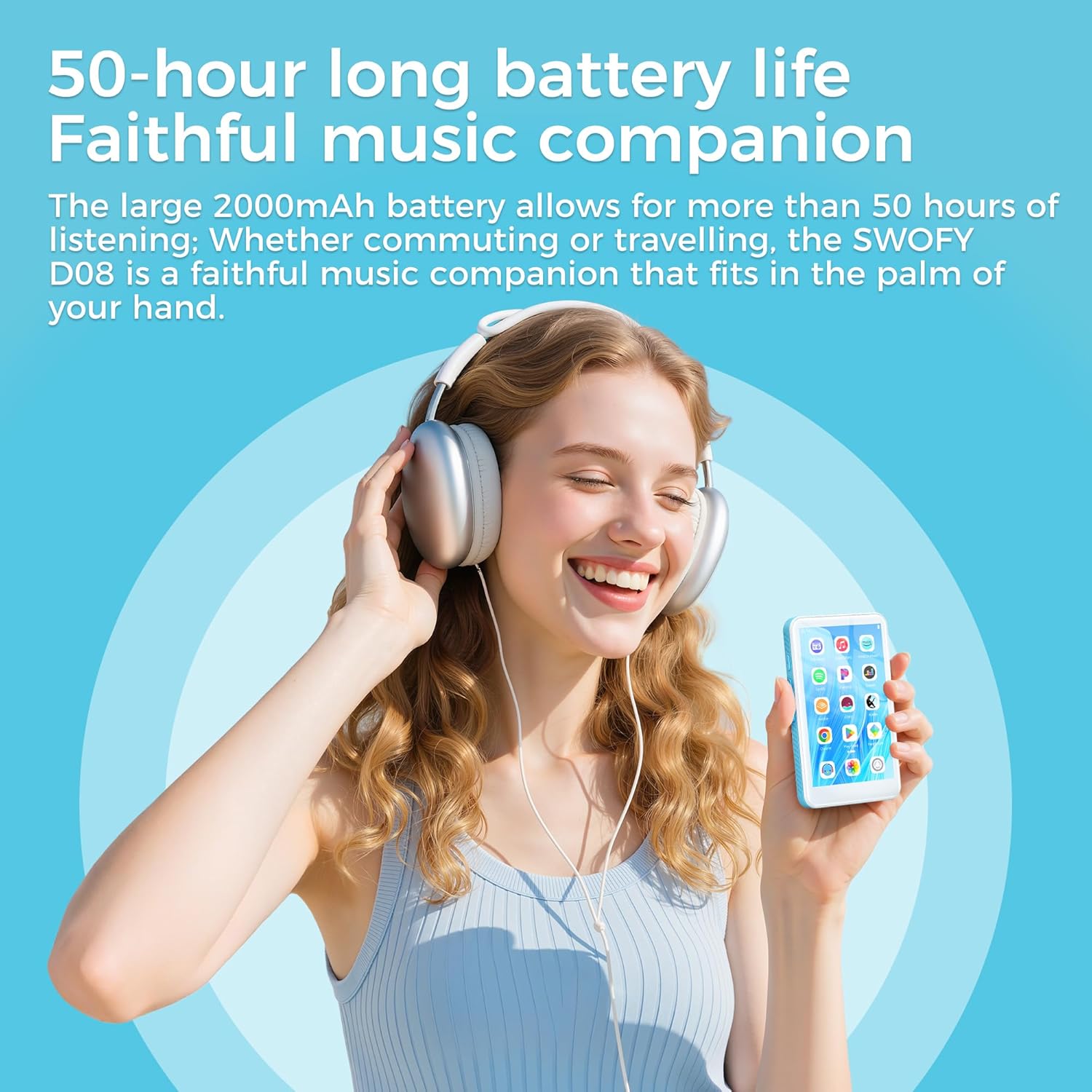
ചിത്രം 3.2.1: A user enjoying music with the SWOFY D08, illustrating its extended battery life of up to 50 hours for continuous music playback.
3.3 സോഫ്റ്റ്വെയർ അപ്ഡേറ്റുകൾ
The SWOFY D08 runs on Android 13 OS. Periodically check for software updates to ensure optimal performance and security.
- ഒരു സ്ഥിരതയുള്ള Wi-Fi നെറ്റ്വർക്കിലേക്ക് കണക്റ്റുചെയ്യുക.
- Go to 'Settings' > 'System' > 'System update'.
- ലഭ്യമായ എല്ലാ അപ്ഡേറ്റുകളും ഡൗൺലോഡ് ചെയ്ത് ഇൻസ്റ്റാൾ ചെയ്യാൻ ഓൺ-സ്ക്രീൻ നിർദ്ദേശങ്ങൾ പാലിക്കുക.
4. പ്രശ്നപരിഹാരം
This section addresses common issues you might encounter with your SWOFY D08 player.
| പ്രശ്നം | സാധ്യമായ പരിഹാരം |
|---|---|
| ഉപകരണം പവർ ഓണാക്കുന്നില്ല. | Ensure the battery is charged. Connect to a charger for at least 30 minutes. If still unresponsive, perform a hard reset (refer to manufacturer's support for specific instructions if available). |
| Wi-Fi-ലേക്ക് കണക്റ്റ് ചെയ്യാൻ കഴിയില്ല. | Check if Wi-Fi is enabled in settings. Verify the Wi-Fi password. Restart your router and the player. Try connecting to a different Wi-Fi network. |
| ബ്ലൂടൂത്ത് ഉപകരണം ജോടിയാക്കുന്നില്ല. | Ensure Bluetooth is enabled on both devices. Put the accessory in pairing mode. Make sure both devices are within range. Restart both devices. |
| ആപ്പുകൾ മന്ദഗതിയിലാണ് അല്ലെങ്കിൽ ക്രാഷാകുന്നു. | Close background apps. Clear app cache (Settings > Apps > [App Name] > Storage > Clear cache). Restart the device. If the issue persists, consider a factory reset. |
| Storage full. | അനാവശ്യമായി ഇല്ലാതാക്കുക files or apps. Move files to the external SD card. Consider upgrading to a larger microSD card (up to 1TB supported). |
| സ്ക്രീൻ പ്രതികരിക്കുന്നില്ല. | ഉപകരണം പുനരാരംഭിക്കുക. പ്രശ്നം നിലനിൽക്കുകയാണെങ്കിൽ, ഉപഭോക്തൃ പിന്തുണയുമായി ബന്ധപ്പെടുക. |
4.1 ഫാക്ടറി റീസെറ്റ്
A factory reset will erase all data on your device and restore it to its original factory settings. Back up important data before proceeding.
- 'ക്രമീകരണങ്ങൾ' > 'സിസ്റ്റം' > 'റീസെറ്റ് ഓപ്ഷനുകൾ' എന്നതിലേക്ക് പോകുക.
- 'എല്ലാ ഡാറ്റയും മായ്ക്കുക (ഫാക്ടറി റീസെറ്റ്)' തിരഞ്ഞെടുക്കുക.
- നിങ്ങളുടെ തിരഞ്ഞെടുപ്പ് സ്ഥിരീകരിച്ച് ഓൺ-സ്ക്രീൻ നിർദ്ദേശങ്ങൾ പാലിക്കുക.
5 സ്പെസിഫിക്കേഷനുകൾ
Detailed technical specifications for the SWOFY D08 MP3 Player.
| ഫീച്ചർ | സ്പെസിഫിക്കേഷൻ |
|---|---|
| ബ്രാൻഡ് | സ്വൊഫി |
| മോഡൽ | D08-160GB |
| ഓപ്പറേറ്റിംഗ് സിസ്റ്റം | ആൻഡ്രോയിഡ് 13 ഒഎസ് |
| പ്രോസസ്സർ | MTK6762 ഒക്ടാകോർ |
| റാം | 3 ജിബി |
| ആന്തരിക സംഭരണം (ROM) | 32 ജിബി |
| Included SD Card | 128 ജിബി |
| Total Storage (Internal + SD) | 160 ജിബി |
| വികസിപ്പിക്കാവുന്ന സംഭരണം | Up to 1TB via Micro SD card |
| പ്രദർശിപ്പിക്കുക | 4-inch LCD Touchscreen (400*800 resolution) |
| ബ്ലൂടൂത്ത് | Bluetooth 5.0 (Bi-directional) |
| വൈഫൈ | ഡ്യുവൽ-ബാൻഡ് (2.4GHz, 5GHz) |
| ബാറ്ററി | 2000mAh ലിഥിയം പോളിമർ |
| ഓഡിയോ ഫോർമാറ്റുകൾ പിന്തുണയ്ക്കുന്നു | MP3, WAV, FLAC, APE, OGG, M4A, AAC, WMA |
| വീഡിയോ ഫോർമാറ്റുകൾ പിന്തുണയ്ക്കുന്നു | AVI, MKV, RMVB, MP4, MPG, MOV (1080P HD) |
| പ്രത്യേക സവിശേഷതകൾ | ബിൽറ്റ്-ഇൻ സ്പീക്കർ, ഇക്വലൈസർ, എഫ്എം റേഡിയോ, ടച്ച് സ്ക്രീൻ, വീഡിയോ പ്ലേബാക്ക്, വോയ്സ് റെക്കോർഡർ |
| ചാർജിംഗ് പോർട്ട് | യുഎസ്ബി ടൈപ്പ്-സി |
| ഇനത്തിൻ്റെ ഭാരം | 222 ഗ്രാം |
6. വാറൻ്റിയും പിന്തുണയും
6.1 വാറൻ്റി വിവരങ്ങൾ
Specific warranty details for your SWOFY D08 player may vary by region and retailer. Please refer to the warranty card included in your product packaging or visit the official SWOFY webഏറ്റവും കാലികമായ വാറന്റി നയത്തിനായുള്ള സൈറ്റ്.
6.2 ഉപഭോക്തൃ പിന്തുണ
If you encounter any issues not covered in this manual or require further assistance, please contact SWOFY customer support through their official webനിങ്ങളുടെ വാങ്ങലിനൊപ്പം നൽകിയിരിക്കുന്ന സൈറ്റ് അല്ലെങ്കിൽ ബന്ധപ്പെടാനുള്ള വിവരങ്ങൾ.
കുറിപ്പ്: No official product videos were provided in the source data for embedding in this manual.


