1. ആമുഖം
This manual provides detailed instructions for the installation, operation, and maintenance of the BSEED Smart Wi-Fi Energy Meter, model SPM01-U2EW. This device is designed to accurately measure energy consumption and generation in single-phase electrical circuits, offering smart monitoring capabilities through compatible mobile applications.
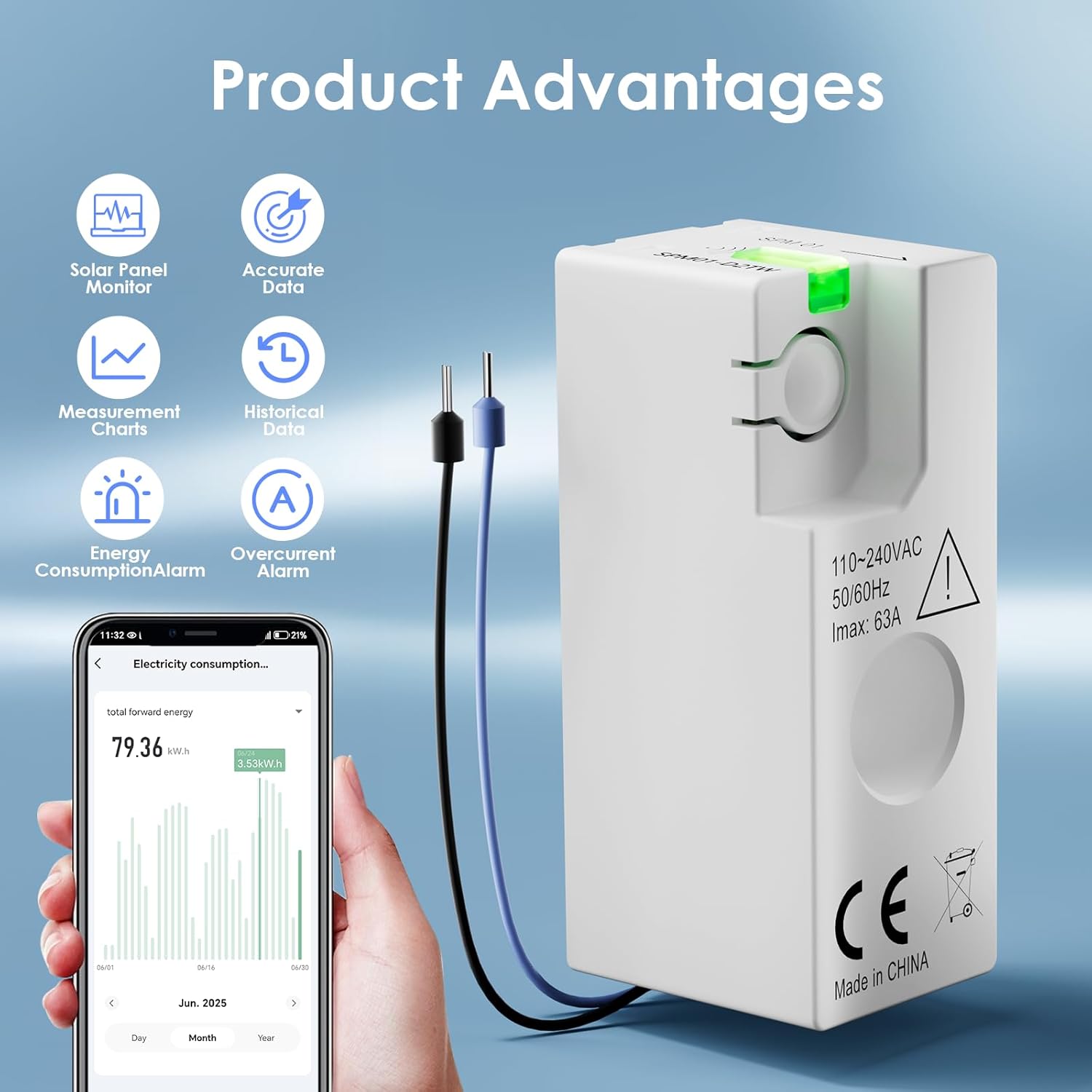
ചിത്രം 1: കഴിഞ്ഞുview of the BSEED Smart Wi-Fi Energy Meter and its key features.
2 സുരക്ഷാ വിവരങ്ങൾ
Please read all safety warnings and instructions carefully before installing or operating this device. Failure to follow these instructions may result in electric shock, fire, or other serious injury.
- പ്രൊഫഷണൽ ഇൻസ്റ്റാളേഷൻ ആവശ്യമാണ്: ഈ ഉപകരണത്തിന്റെ ഇൻസ്റ്റാളേഷനിൽ ഉയർന്ന വോള്യം ഉപയോഗിച്ച് പ്രവർത്തിക്കുന്നത് ഉൾപ്പെടുന്നു.tage electricity. It is strongly recommended to hire a qualified professional electrician for installation.
- പവർ വിച്ഛേദിക്കുക: Always ensure the main power supply is disconnected before attempting any installation, wiring, or maintenance procedures.
- ശരിയായ വയറിംഗ്: Pay close attention to the wiring diagrams. Incorrect connection of the neutral wire to the live wire will damage the product and poses a safety risk.
- പ്രവർത്തന പരിസ്ഥിതി: Do not expose the device to extreme temperatures, humidity, or corrosive environments. Ensure the operating temperature is within -25 to 60 °C.
- സംരക്ഷണ ക്ലാസ്: The device has an IP20 protection class, meaning it is protected against solid objects larger than 12.5mm but has no protection against water. Install in a dry environment.
3. ഉൽപ്പന്ന സവിശേഷതകൾ
- Accurate Energy Measurement: Provides energy measurement with up to 1% precision. Suitable for single-phase circuits with 220-240V and a maximum current of 63A.
- കോംപാക്റ്റ് ഡിസൈൻ: With dimensions of 46.8 x 17.8 x 21.3 mm, its mini size allows for installation in narrow spaces.
- Smart Monitoring & Alerts: Compatible with Smart Life and Tuya applications (2.4 GHz Wi-Fi only). Monitor real-time data such as current, power, voltage, and energy consumption on your smartphone. Features built-in overload and overcurrent alarms that notify your smartphone immediately in case of short circuit or overload.
- ചരിത്രപരമായ ഡാറ്റ സംഭരണം: The application provides free historical data, allowing you to view hourly, daily, weekly, and monthly energy consumption and production. Data is stored permanently for optimized energy management.
- Solar Power Generation Monitoring: Supports both forward and reverse current measurement, enabling accurate monitoring of electricity generation from solar and wind energy systems.
- വിശാലമായ പ്രയോഗക്ഷമത: Suitable for various scenarios including homes, offices, cafes, industrial settings, smart farms, and hotels.
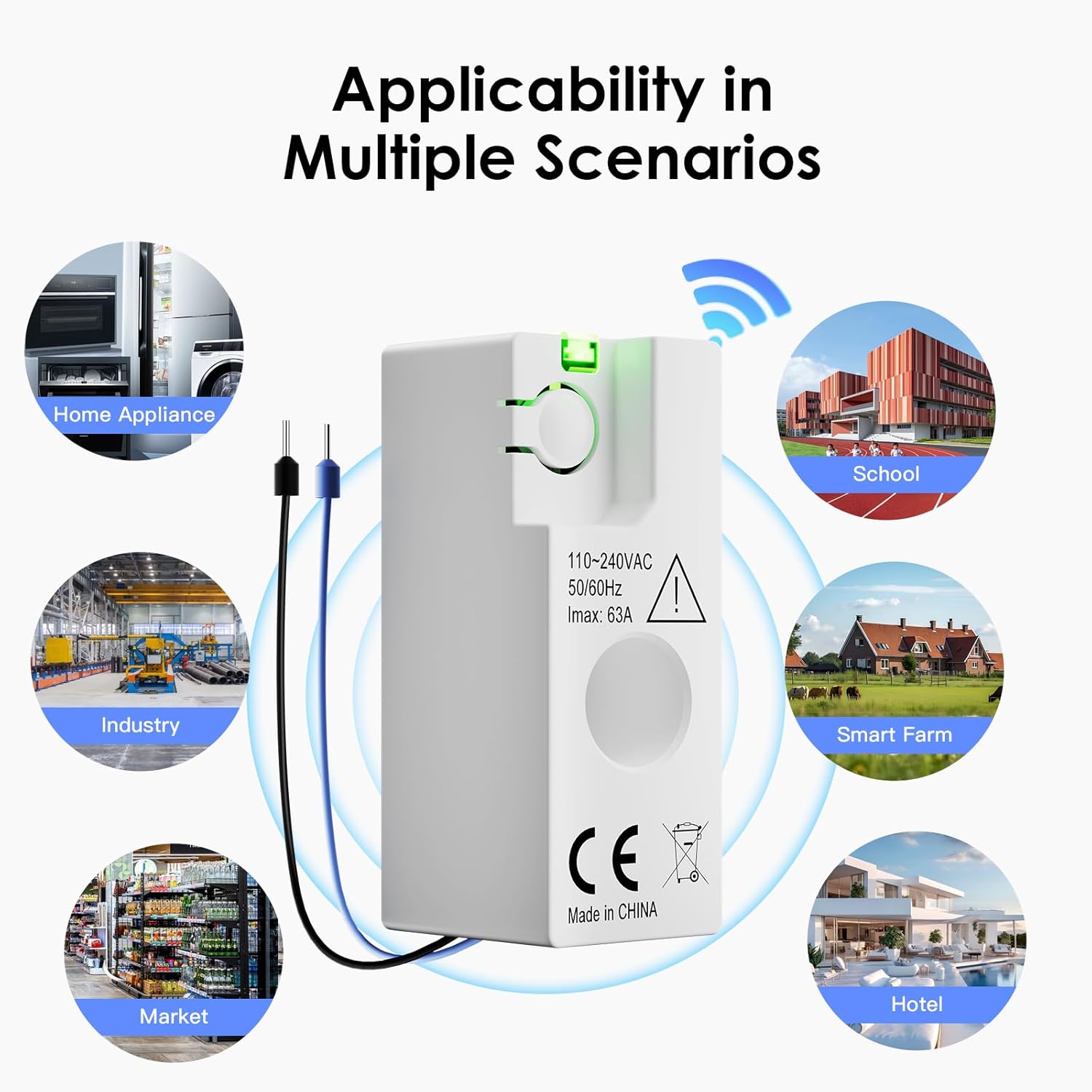
Image 2: Diverse applications of the energy meter.
4 സ്പെസിഫിക്കേഷനുകൾ
| പരാമീറ്റർ | മൂല്യം |
|---|---|
| മോഡൽ നമ്പർ | SPM01-U2EW |
| ആശയവിനിമയ തരം | Wi-Fi / ബ്ലൂടൂത്ത് |
| റേറ്റുചെയ്ത വോളിയംtage Un (CE) | 220-240 V, 50/60 Hz |
| Maximum Current I | പരമാവധി. 63 എ |
| ഓവർ വോൾtagഇ വിഭാഗം | III |
| റേറ്റുചെയ്ത ഇൻസുലേഷൻ വോളിയംtagഇ യുഐ | 250 വി |
| റേറ്റുചെയ്ത ഇംപൾസ് വിത്ത്സ്റ്റാൻഡ് വോളിയംtagഇ Uimp | 4 കെ.വി |
| മലിനീകരണ ബിരുദം | 3 |
| സംരക്ഷണ ക്ലാസ് | IP20 |
| റേറ്റുചെയ്ത പ്രവർത്തന താപനില | -25 മുതൽ 60 ഡിഗ്രി സെൽഷ്യസ് വരെ |
| Power Consumption (Normal Operation) | 0.5 W |
| Power Consumption (Pairing Mode) | 1 W |
| Energy Measurement Accuracy | 1 % |
| ഉൽപ്പന്ന അളവുകൾ (L x W x H) | 4.7 x 1.8 x 2.1 സെ.മീ |
| ഉൽപ്പന്ന ഭാരം | 21 ഗ്രാം |
| നിർമ്മാതാവ് | ബിഎസ്ഇഇഡി |

Image 3: Technical specifications of the SPM01-U2EW model.
5. സജ്ജീകരണവും ഇൻസ്റ്റാളേഷനും
5.1 പ്രീ-ഇൻസ്റ്റലേഷൻ ചെക്ക്ലിസ്റ്റ്
- Ensure you have the necessary tools (e.g., screwdriver, wire strippers).
- Confirm the electrical circuit is single-phase 220-240V, 50/60Hz, with a maximum current of 63A.
- Download the Smart Life or Tuya Smart app from your mobile device's app store.
- Ensure your Wi-Fi network is 2.4 GHz, as the device does not support 5 GHz Wi-Fi.
5.2 ഫിസിക്കൽ ഇൻസ്റ്റലേഷൻ
- പവർ ഓഫ് ചെയ്യുക: Before starting any wiring, ensure the main power supply to the circuit is completely turned off at the circuit breaker. Verify with a voltagഇ ടെസ്റ്റർ.
- ഉപകരണം മൌണ്ട് ചെയ്യുക: The compact design allows installation in various electrical boxes or distribution boards.
- Wire the Device: Refer to the wiring diagram below. Connect the live (L) and neutral (N) wires according to the markings on the device and the diagram. The arrow direction on the device indicates the forward current direction. Ensure the blue neutral wire is not incorrectly connected to the live wire, as this will cause damage.
- പവർ പുന ore സ്ഥാപിക്കുക: Once wiring is complete and secured, restore power to the circuit. The device's indicator light should illuminate.

Image 4: Wiring diagram and critical installation instructions.
5.3 അപ്ലിക്കേഷൻ ജോടിയാക്കൽ
- ആപ്പ് തുറക്കുക: Launch the Smart Life or Tuya Smart app on your smartphone.
- ഉപകരണം ചേർക്കുക: Follow the in-app instructions to add a new device. Typically, this involves selecting 'Electrical Engineering' or 'Energy Meter' from the device list.
- വൈഫൈ വിശദാംശങ്ങൾ നൽകുക: Provide your 2.4 GHz Wi-Fi network name and password when prompted.
- ജോടിയാക്കൽ മോഡ്: The device will enter pairing mode (often indicated by a blinking light). Confirm this in the app to complete the connection.
- ഉപകരണത്തിന്റെ പേരുമാറ്റൽ: Once connected, you can rename the device in the app for easier identification.
6. പ്രവർത്തന നിർദ്ദേശങ്ങൾ
6.1 തത്സമയ നിരീക്ഷണം
After successful pairing, open the Smart Life or Tuya Smart app to view real-time data from your energy meter. The app dashboard will display:
- നിലവിലെ (എ): Instantaneous current flowing through the circuit.
- വാല്യംtagഇ (വി): നിലവിലെ വാല്യംtagസർക്യൂട്ടിന്റെ ഇ.
- പവർ (W): തൽക്ഷണ വൈദ്യുതി ഉപഭോഗം.
- ഊർജ്ജ ഉപഭോഗം (kWh): Total accumulated energy consumption.

Image 5: App interface for real-time energy monitoring.
6.2 Historical Data Access
The app stores historical energy data permanently. Navigate to the historical data section within the app to view consumption and production trends:
- View data by hour, day, week, or month.
- Analyze consumption patterns to identify energy-saving opportunities.
6.3 Overload and Overcurrent Alarms
The device is equipped with built-in alarms for overload and overcurrent conditions. If the current or load exceeds safe limits, the device will send an immediate notification to your smartphone via the app. Take appropriate action to prevent damage to appliances or the electrical system.
6.4 Solar Power Generation Monitoring
For systems generating electricity (e.g., solar panels, wind turbines), the meter can measure reverse current. This allows you to accurately track the amount of electricity your system generates and feeds back into the grid or consumes locally. Ensure the device is installed correctly to measure both forward and reverse current flow.
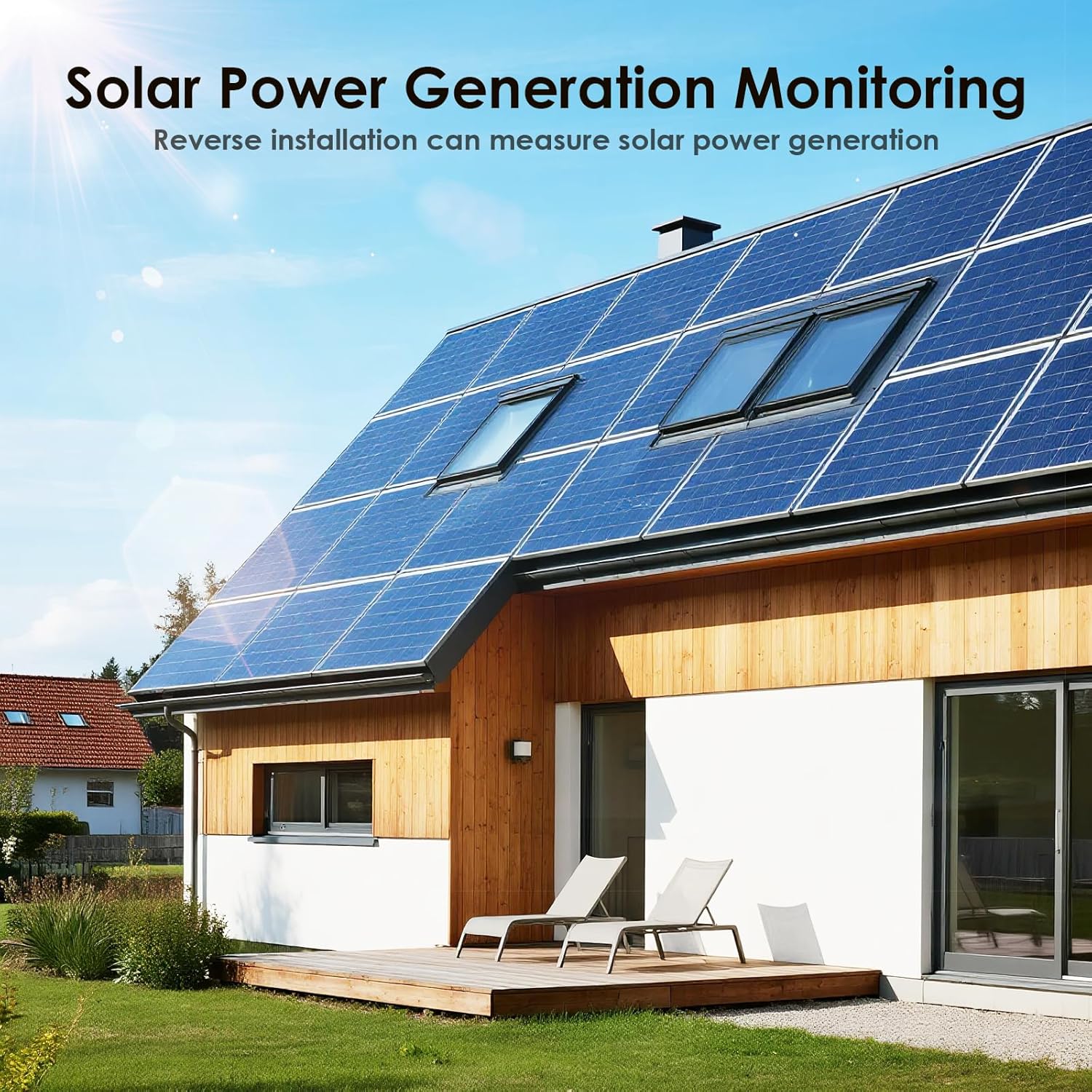
Image 6: The energy meter supports monitoring of solar power generation.
7. പരിപാലനം
The BSEED Smart Wi-Fi Energy Meter is designed for minimal maintenance. Follow these general guidelines:
- വൃത്തിയാക്കൽ: Ensure the device is clean and free from dust. Use a dry, soft cloth for cleaning. Do not use liquid cleaners or solvents.
- പരിശോധനകൾ: Periodically check the wiring connections to ensure they are secure. If any damage is observed, disconnect power immediately and consult a professional electrician.
- ഫേംവെയർ അപ്ഡേറ്റുകൾ: Keep the Smart Life or Tuya Smart app updated to ensure the latest features and security patches for your device.
8. പ്രശ്നപരിഹാരം
If you encounter issues with your BSEED Smart Wi-Fi Energy Meter, refer to the following common problems and solutions:
- ഉപകരണം വൈഫൈയിലേക്ക് കണക്റ്റുചെയ്യുന്നില്ല:
- നിങ്ങളുടെ വൈഫൈ നെറ്റ്വർക്ക് 2.4 GHz ആണെന്ന് ഉറപ്പാക്കുക. ഉപകരണം 5 GHz നെറ്റ്വർക്കുകളെ പിന്തുണയ്ക്കുന്നില്ല.
- Check if the Wi-Fi signal strength is adequate at the device's location.
- ആപ്പിൽ നൽകിയ വൈഫൈ പാസ്വേഡ് ശരിയാണോ എന്ന് പരിശോധിക്കുക.
- Try restarting your Wi-Fi router and the energy meter.
- Ensure the device is in pairing mode during the connection process.
- No data or incorrect readings in the app:
- Confirm the device is properly connected to your Wi-Fi network and the app.
- Check the physical wiring of the meter. Incorrect wiring can lead to inaccurate readings or no data. Refer to the installation section.
- Ensure the current direction arrow on the device is aligned with the actual current flow.
- Overload/Overcurrent alarms triggering frequently:
- This indicates that the connected circuit or appliances are drawing excessive current. Reduce the load on the circuit.
- If the issue persists, consult a professional electrician to inspect your electrical system.
- Device indicator light is off:
- Check if the main power supply to the circuit is on.
- അയഞ്ഞ കണക്ഷനുകൾക്കോ കേടുപാടുകൾക്കോ വേണ്ടി വയറിംഗ് പരിശോധിക്കുക.
- If power is present and wiring is correct, the device may be faulty.
For issues not covered here, or if troubleshooting steps do not resolve the problem, please contact BSEED customer support.
9. വാറൻ്റിയും പിന്തുണയും
BSEED products are manufactured to high-quality standards. For specific warranty information, please refer to the documentation provided with your purchase or contact your retailer. If you require technical assistance or have questions regarding your BSEED Smart Wi-Fi Energy Meter, please contact BSEED customer support through their official webസൈറ്റ് അല്ലെങ്കിൽ നിങ്ങളുടെ ഉൽപ്പന്നത്തിനൊപ്പം നൽകിയിരിക്കുന്ന ബന്ധപ്പെടാനുള്ള വിവരങ്ങൾ.


