1. ആമുഖം
This manual provides detailed instructions for the operation and maintenance of your NBD 5K Digital Camera. Please read this manual thoroughly before using the camera to ensure proper function and to maximize your photography and videography experience. This camera is designed for capturing high-resolution photos and videos, featuring a 48MP sensor, 5K video recording, 16X digital zoom, and a 180° flip screen.
2. പാക്കേജ് ഉള്ളടക്കം
താഴെ ലിസ്റ്റ് ചെയ്തിരിക്കുന്ന എല്ലാ ഇനങ്ങളും നിങ്ങളുടെ പാക്കേജിൽ ഉൾപ്പെടുത്തിയിട്ടുണ്ടെന്ന് ഉറപ്പാക്കുക:
- NBD S100F 5K Digital Camera
- 52mm Wide Angle Lens
- മാക്രോ ലെൻസ്
- മൈക്രോഫോൺ
- 64 ജിബി മെമ്മറി കാർഡ്
- USB കേബിൾ
- റീചാർജ് ചെയ്യാവുന്ന ബാറ്ററികൾ (x2)
- ബാറ്ററി ചാർജർ
- കാർഡ് റീഡർ
- Camera Neck Rope (Strap)
- Black Leather Bag
- ലെൻസ് ക്ലീനിംഗ് തുണി

Image 2.1: All components included with the NBD 5K Digital Camera.
3. പ്രാരംഭ സജ്ജീകരണം
3.1. ബാറ്ററി ചേർക്കുന്നു
- ക്യാമറയുടെ അടിയിൽ ബാറ്ററി കമ്പാർട്ട്മെന്റ് കവർ കണ്ടെത്തുക.
- കമ്പാർട്ട്മെന്റ് തുറക്കാൻ കവർ ലാച്ച് സ്ലൈഡ് ചെയ്യുക.
- Insert the battery according to the polarity indicators (+/-) inside the compartment.
- സുരക്ഷിതമായി ക്ലിക്ക് ചെയ്യുന്നത് വരെ ബാറ്ററി കമ്പാർട്ട്മെന്റ് കവർ അടയ്ക്കുക.
3.2. SD കാർഡ് ചേർക്കൽ
- Open the SD card slot cover, usually located on the side of the camera.
- Insert the 64GB SD card with the metal contacts facing the front of the camera until it clicks into place.
- SD കാർഡ് സ്ലോട്ട് കവർ അടയ്ക്കുക.
3.3. ലെൻസ് ഘടിപ്പിക്കുന്നു
- Align the lens mount with the camera's lens attachment point.
- Gently twist the lens clockwise until it locks into position.
- To attach the macro or wide-angle lens, screw it onto the primary lens.
3.4. പ്രാരംഭ പവർ ഓൺ
Press and hold the power button until the screen illuminates. Follow any on-screen prompts for initial settings such as date and time.
4. ക്യാമറ പ്രവർത്തിപ്പിക്കുക
4.1. പവർ ഓൺ/ഓഫ്
Press the power button to turn the camera on. Press and hold the power button again to turn it off.
4.2. മോഡ് ഡയൽ
Rotate the mode dial to select different shooting modes:
- യാന്ത്രിക മോഡ്: For general photography with automatic settings.
- സീൻ മോഡ്: Pre-set modes for specific scenarios (e.g., Portrait, Landscape).
- ഇഫക്റ്റ് മോഡ്: നിങ്ങളുടെ ഫോട്ടോകളിൽ ക്രിയേറ്റീവ് ഫിൽട്ടറുകൾ പ്രയോഗിക്കുക.
- Lapse Mode: For time-lapse photography.
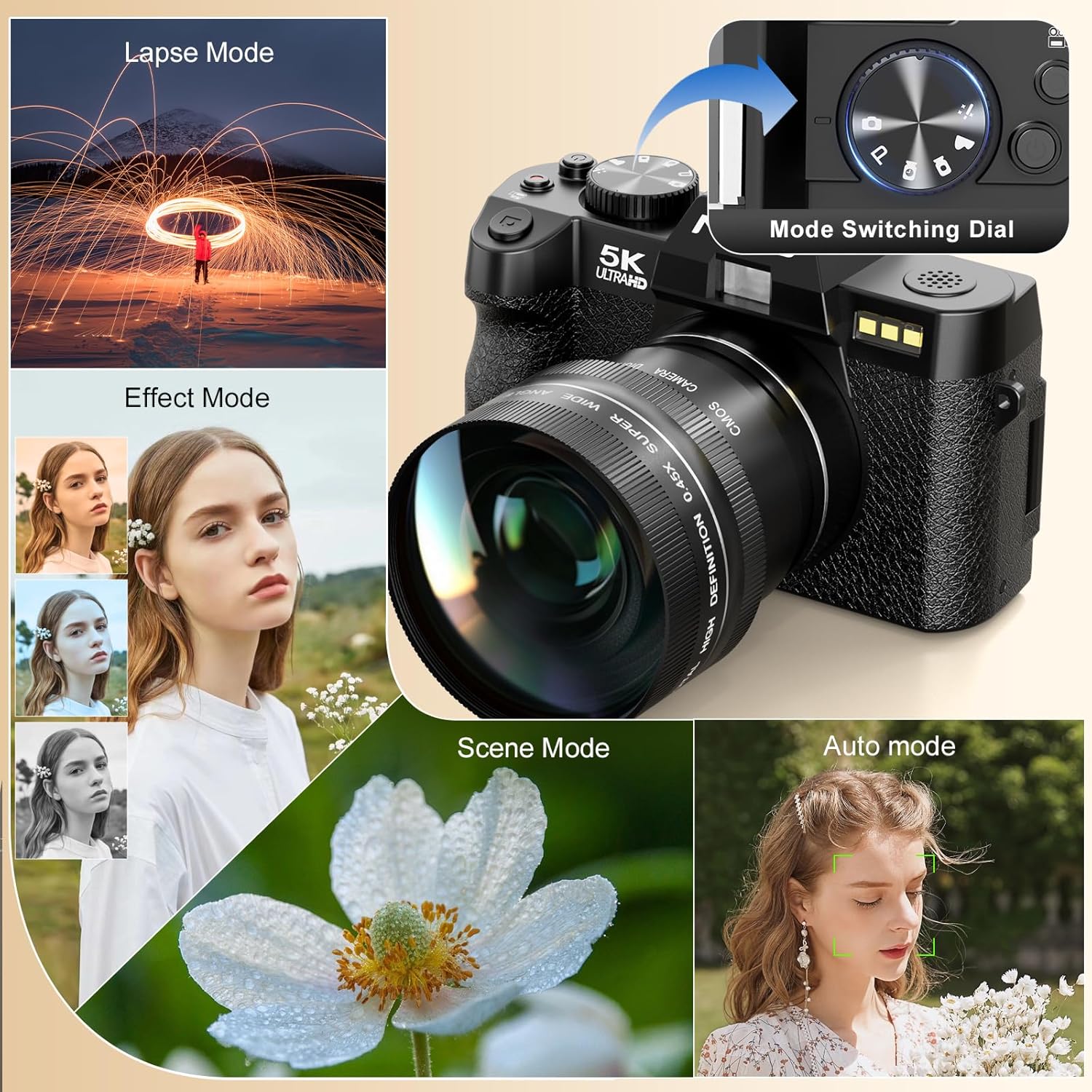
Image 4.1: Camera mode dial and examples of different shooting modes.
4.3. ഫോട്ടോ എടുക്കൽ
The camera features a 48MP sensor for high-resolution images. Utilize the AF (Autofocus) mode for sharp subjects and low-light focusing capabilities for challenging lighting conditions.

Image 4.2: Photo features including 48MP resolution, AF mode, and low-light performance.
4.4. വീഡിയോകൾ റെക്കോർഡുചെയ്യുന്നു
Record videos in 5K (5210*2880) or 1080p resolution. Press the dedicated video recording button to start and stop recording.

Image 4.3: Visual representation of 5K video resolution.
4.5. സൂം ഫംഗ്ഷൻ
The camera supports 16X digital zoom. Use the zoom controls to adjust the magnification for your shots.

Image 4.4: HDR feature and examples of 4x, 8x, and 16x digital zoom.
4.6. Using the 180° Flip Screen and Microphone
The 180° flip screen allows for easy self-recording and vlogging. The included microphone enhances audio quality for video recordings.
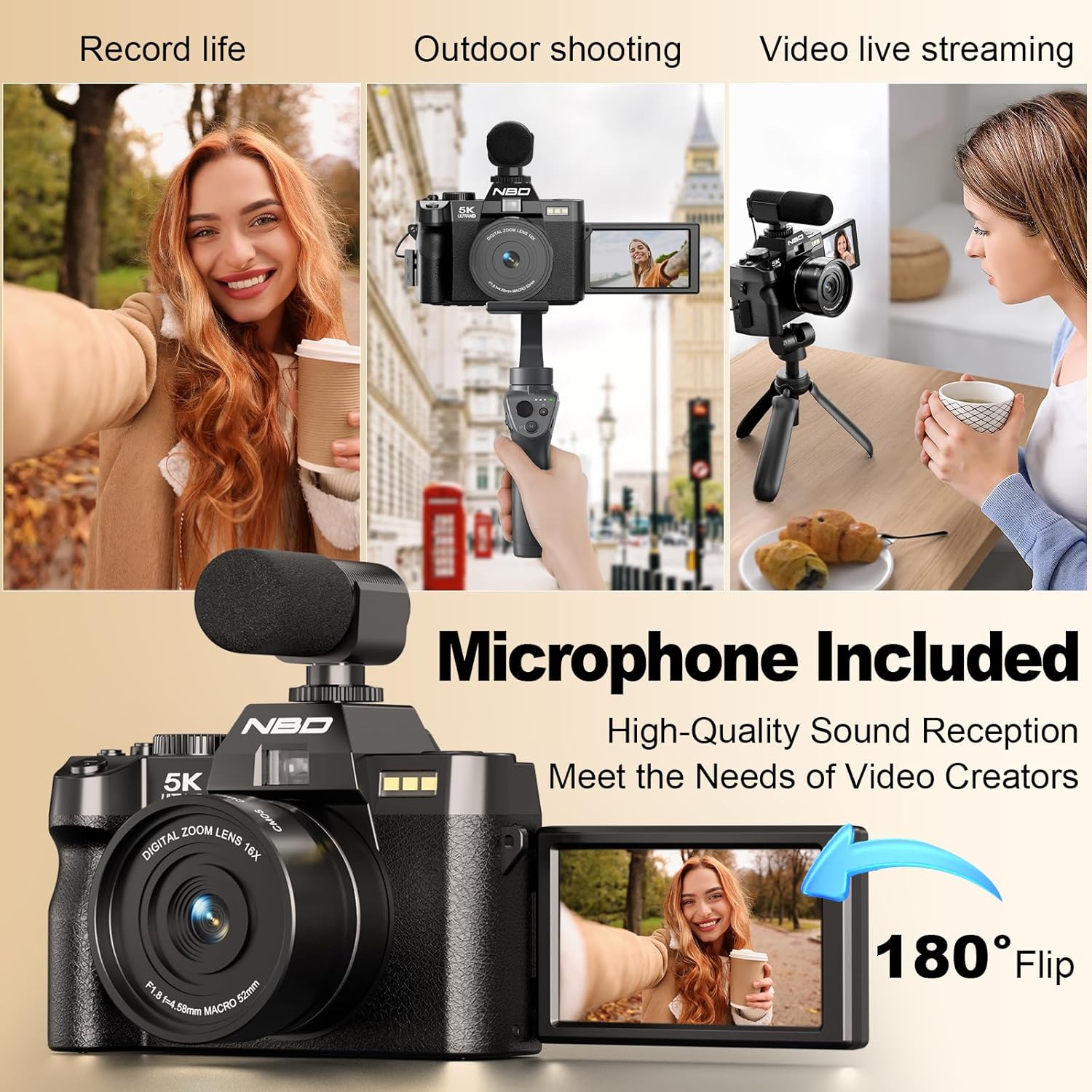
Image 4.5: Demonstrating the 180° flip screen and external microphone for vlogging and live streaming.
4.7. Wi-Fi Connectivity and File കൈമാറ്റം
Connect your camera to a smartphone or tablet via Wi-Fi for remote control and swift image transfer. Download the dedicated mobile application to access these features.
- Wi-Fi കണക്ഷൻ: Navigate to the camera's settings menu, select Wi-Fi, and follow the on-screen instructions to connect to your device.
- ആപ്പ് നിയന്ത്രണം: ഇതിനായി മൊബൈൽ ആപ്പ് ഉപയോഗിക്കുക view ഒരു ലൈവ് പ്രീview, control camera settings, and initiate photo/video capture remotely.
- File കൈമാറ്റം: Transfer photos and videos directly to your connected device for sharing or backup. Alternatively, connect the camera to a computer via the USB cable for file കൈമാറ്റം.

Image 4.6: Wi-Fi picture transfer and camera control via a mobile application.

Image 4.7: Options for swift image transfer via USB or Wi-Fi/App.
5. പരിപാലനം
5.1. ക്യാമറയും ലെൻസും വൃത്തിയാക്കൽ
- Use the provided lens cleaning cloth to gently wipe the lens surface. Avoid using abrasive materials.
- For the camera body, use a soft, dry cloth to remove dust and smudges. Do not use liquid cleaners directly on the camera.
5.2. ബാറ്ററി പരിചരണം
- ആദ്യ ഉപയോഗത്തിന് മുമ്പ് ബാറ്ററികൾ പൂർണ്ണമായും ചാർജ് ചെയ്യുക.
- ഉപയോഗത്തിലില്ലാത്തപ്പോൾ തണുത്തതും ഉണങ്ങിയതുമായ സ്ഥലത്ത് ബാറ്ററികൾ സൂക്ഷിക്കുക.
- തീവ്രമായ താപനിലയിലോ നേരിട്ടുള്ള സൂര്യപ്രകാശത്തിലോ ബാറ്ററികൾ തുറന്നുകാട്ടരുത്.
5.3. സംഭരണം
When not in use for extended periods, store the camera in the provided black leather bag in a dry, dust-free environment. Remove batteries if storing for several months.
6. പ്രശ്നപരിഹാരം
| പ്രശ്നം | സാധ്യമായ കാരണം | പരിഹാരം |
|---|---|---|
| ക്യാമറ പവർ ഓൺ ചെയ്യുന്നില്ല. | ബാറ്ററി തീർന്നു അല്ലെങ്കിൽ തെറ്റായി ചേർത്തിരിക്കുന്നു. | ബാറ്ററി പൂർണ്ണമായും ചാർജ് ചെയ്യുക. ശരിയായ പോളാരിറ്റിയോടെ ബാറ്ററി ചേർത്തിട്ടുണ്ടെന്ന് ഉറപ്പാക്കുക. |
| ചിത്രങ്ങൾ അവ്യക്തമാണ്. | തെറ്റായ ഫോക്കസ്, ക്യാമറ കുലുക്കം, അല്ലെങ്കിൽ വൃത്തികെട്ട ലെൻസ്. | Ensure autofocus is engaged. Hold the camera steady or use a tripod. Clean the lens with the provided cloth. |
| SD കാർഡ് പിശക്. | SD card is full, corrupted, or incorrectly inserted. | Check if the SD card is properly inserted. Format the SD card (this will erase all data). Replace with a new SD card if issues persist. |
| വൈഫൈ കണക്ഷൻ പരാജയപ്പെടുന്നു. | തെറ്റായ പാസ്വേഡ്, പരിധിക്ക് പുറത്താണ്, അല്ലെങ്കിൽ ആപ്പ് പ്രശ്നം. | Verify Wi-Fi password. Ensure camera and device are within range. Restart both camera and mobile device. Reinstall the mobile application. |
7 സ്പെസിഫിക്കേഷനുകൾ
| ഫീച്ചർ | വിശദാംശങ്ങൾ |
|---|---|
| ബ്രാൻഡ് | എൻ.ബി.ഡി |
| മോഡൽ നമ്പർ | f84c2dbf-b0ce-418b-ab21-37b5d1f304dd |
| ഫോട്ടോ സെൻസർ ടെക്നോളജി | CMOS |
| ഫലപ്രദമായ സ്റ്റിൽ റെസല്യൂഷൻ | 48 എം.പി |
| വീഡിയോ റെസല്യൂഷൻ | 5K (5210*2880), 1080p |
| ഒപ്റ്റിക്കൽ സൂം | 16x (ഡിജിറ്റൽ) |
| ഇമേജ് സ്റ്റെബിലൈസേഷൻ | ചലനാത്മകം |
| സ്ക്രീൻ വലിപ്പം | 3 ഇഞ്ച് |
| ഡിസ്പ്ലേ തരം | LCD (180° Flip Screen) |
| ലെൻസ് തരം | Zoom, Macro (F1.8 aperture) |
| ഫോക്കസ് തരം | Auto Focus (Hybrid) |
| കണക്റ്റിവിറ്റി ടെക്നോളജി | വൈഫൈ |
| പിന്തുണച്ചു File ഫോർമാറ്റ് | MP4, H.264, AAC (Video); JPEG, RAW (Image) |
| മെമ്മറി സ്റ്റോറേജ് കപ്പാസിറ്റി | 32 GB (Included 64GB SD Card) |
| ബാറ്ററി തരം | Lithium Ion (x2 included) |
| മൌണ്ട് തരം | ട്രൈപോഡ് |
| ജല പ്രതിരോധ നില | വാട്ടർ റെസിസ്റ്റൻ്റ് അല്ല |
8. വാറൻ്റി വിവരങ്ങൾ
Please refer to the warranty card included in your product packaging for specific warranty terms and conditions. Typically, NBD products come with a limited manufacturer's warranty covering defects in materials and workmanship for a specified period from the date of purchase. Keep your proof of purchase for warranty claims.
9. ഉപഭോക്തൃ പിന്തുണ
For technical assistance, troubleshooting, or any questions regarding your NBD 5K Digital Camera, please contact NBD customer support. Contact information can typically be found on the NBD official webസൈറ്റ് അല്ലെങ്കിൽ നിങ്ങളുടെ ഉൽപ്പന്നത്തിനൊപ്പം നൽകിയിരിക്കുന്ന വാറന്റി കാർഡിൽ.
ഓൺലൈൻ ഉറവിടങ്ങൾ: Visit the official NBD website for FAQs, software updates, and additional support materials.
10. ഔദ്യോഗിക ഉൽപ്പന്ന വീഡിയോകൾ
No official product videos from the seller were found in the provided product data.


