1. ആരംഭിക്കുന്നു
1.1 അൺപാക്ക് ചെയ്യലും പ്രാരംഭ സജ്ജീകരണവും
Carefully unpack your new HP 17 Laptop. Ensure all components are present before proceeding with the setup.

Image 1.1: The HP 17 Laptop shown with various accessories including a mouse, webcam cover, and dust plugs.
1.1.1 ബോക്സിൽ എന്താണുള്ളത്
- 1*HP 17.3" FHD Laptop
- 1*പവർ അഡാപ്റ്റർ
- 1 * നിർദ്ദേശ മാനുവൽ
1.1.2 ആദ്യ പവർ ഓൺ
- Connect the power adapter to the laptop's AC smart pin port and then to a power outlet.
- ലാപ്ടോപ്പ് ലിഡ് തുറക്കുക. ലാപ്ടോപ്പ് യാന്ത്രികമായി പവർ ഓൺ ആയേക്കാം, അല്ലെങ്കിൽ നിങ്ങൾ പവർ ബട്ടൺ അമർത്തേണ്ടി വന്നേക്കാം.
- ഭാഷാ തിരഞ്ഞെടുപ്പ്, നെറ്റ്വർക്ക് കണക്ഷൻ, ഉപയോക്തൃ അക്കൗണ്ട് സൃഷ്ടിക്കൽ എന്നിവയുൾപ്പെടെ Windows 11 Pro സജ്ജീകരണം പൂർത്തിയാക്കാൻ ഓൺ-സ്ക്രീൻ നിർദ്ദേശങ്ങൾ പാലിക്കുക.
2. നിങ്ങളുടെ HP 17 ലാപ്ടോപ്പ് പ്രവർത്തിപ്പിക്കുന്നു
2.1 പവർ മാനേജ്മെൻ്റ്
Your HP 17 Laptop is equipped with a 3-cell, 41 Wh Li-ion battery and supports HP Fast Charge technology.
- ഓൺ/ഓഫ് ചെയ്യുന്നു: Press the power button to turn the laptop on. To turn off, click the Start button, then Power > Shut down.
- സ്ലീപ്പ് മോഡ്: Close the lid or select Sleep from the Power menu to enter sleep mode.
- എച്ച്പി ഫാസ്റ്റ് ചാർജ്: This feature allows you to charge your battery up to 50% in approximately 45 minutes when the laptop is off.

Image 2.1: Illustration of HP Fast Charge, indicating a 0 to 50% charge in approximately 45 minutes, alongside the Microsoft Copilot logo.
2.2 കീബോർഡും ടച്ച്പാഡും ഉപയോഗിക്കൽ
The laptop features a full-size, soft grey keyboard with a dedicated numeric keypad for enhanced productivity. It also includes a Copilot AI Key.
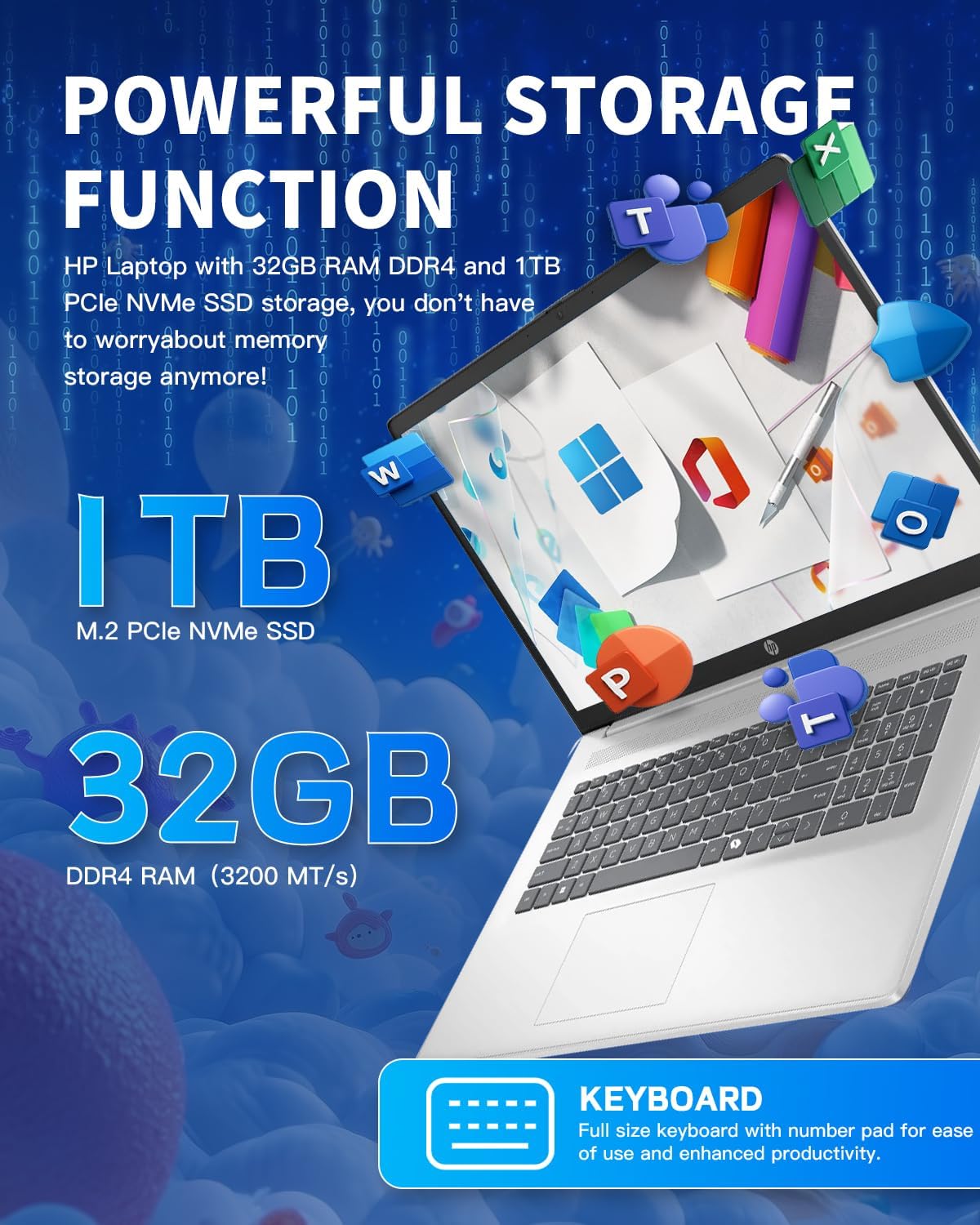
ചിത്രം 2.2: ക്ലോസ്-അപ്പ് view of the HP 17 Laptop's full-size keyboard, showcasing the numeric keypad and the Microsoft Copilot key.
2.3 ഡിസ്പ്ലേ സവിശേഷതകൾ
The 17.3-inch HD+ (1600 x 900) anti-glare display provides clear visuals with 250 nits brightness and 60% NTSC color gamut. The anti-glare coating helps reduce reflections for comfortable viewing.

Image 2.3: The 17.3-inch HD+ display of the HP laptop, emphasizing its anti-glare properties and 1600x900 resolution.
2.4 കണക്റ്റിവിറ്റി
Your laptop supports modern wireless standards for fast and reliable connections.
- വൈഫൈ 6 (2x2): Provides faster wireless speeds and improved performance in dense environments.
- ബ്ലൂടൂത്ത് 5.3: For connecting wireless peripherals such as mice, keyboards, and headphones.

Image 2.4: The HP 17 Laptop highlighting Wi-Fi 6 and Bluetooth 5.3 capabilities, along with a camera shutter for privacy during video calls.
2.5 പോർട്ടുകളും കണക്ഷനുകളും
The HP 17 Laptop offers a variety of ports for connecting external devices.
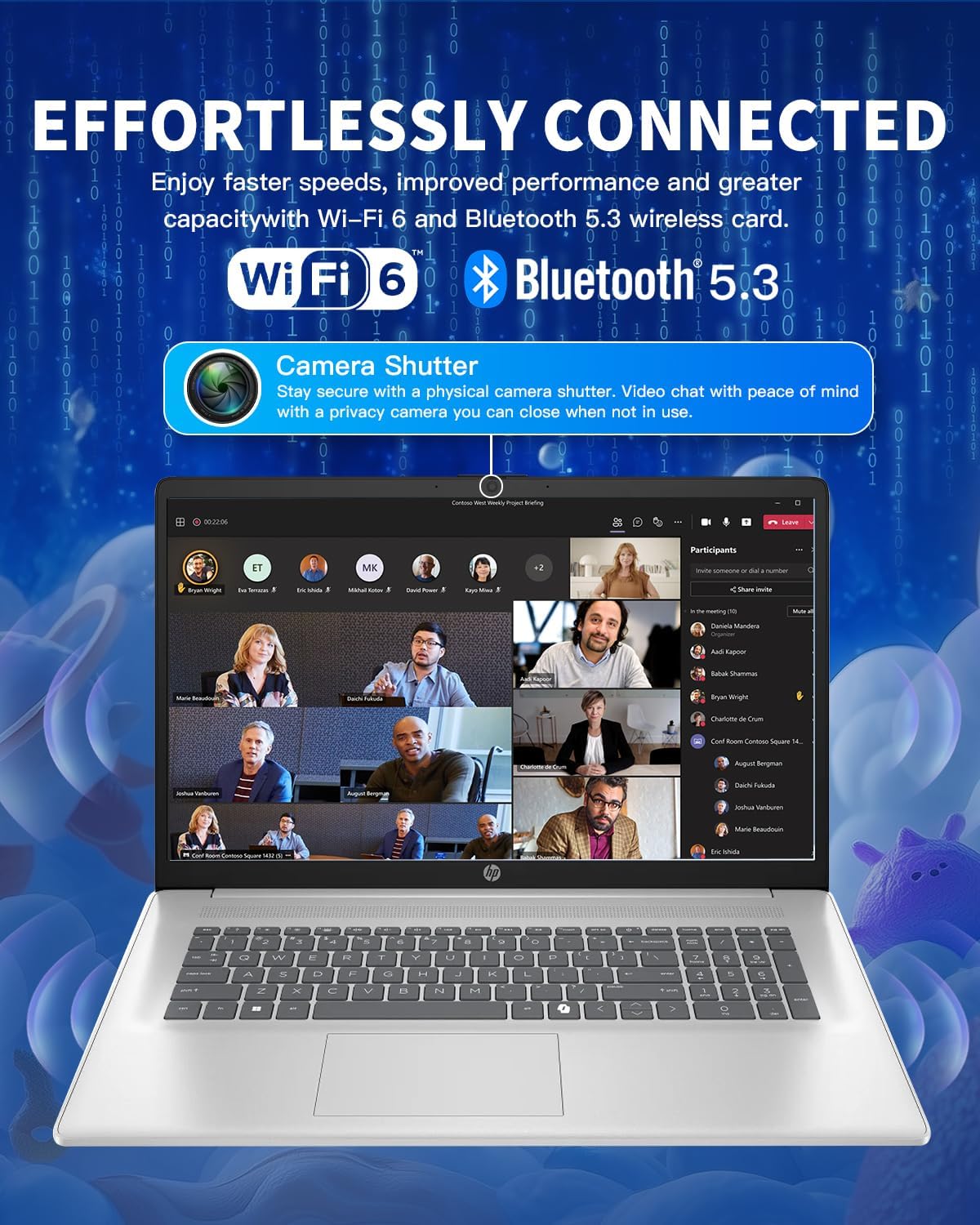
Image 2.5: Diagram illustrating the various ports on the HP 17 Laptop, including USB Type-C, USB Type-A, HDMI 1.4b, AC smart pin, and a headphone/microphone combo jack.
- 1 USB Type-C 5Gbps signaling rate: Supports data transfer only. Does not support charging or external monitors.
- 2 USB Type-A 5Gbps signaling rate: സാധാരണ USB ഉപകരണങ്ങൾ ബന്ധിപ്പിക്കുന്നതിന്.
- 1 Headphone/microphone combo: ഓഡിയോ ഇൻപുട്ടിനും ഔട്ട്പുട്ടിനും.
- 1 AC smart pin: പവർ അഡാപ്റ്റർ ബന്ധിപ്പിക്കുന്നതിന്.
- 1 HDMI 1.4b: ബാഹ്യ ഡിസ്പ്ലേകളിലേക്ക് ബന്ധിപ്പിക്കുന്നതിന്.
2.6 Using Microsoft Copilot
The dedicated Copilot AI Key provides instant access to your built-in AI assistant, streamlining tasks and enhancing productivity.
വീഡിയോ 2.1: ഒരു ഓവർview of the HP 17 Laptop, demonstrating its features including the Microsoft Copilot AI assistant and camera shutter for privacy.
Image 2.6: A user interacting with the Microsoft Copilot AI companion on the HP laptop, illustrating its role in boosting productivity and creativity.
3. പരിപാലനവും പരിചരണവും
3.1 ലാപ്ടോപ്പ് വൃത്തിയാക്കൽ
- മൃദുവായ, ലിൻ്റ് രഹിത തുണി ഉപയോഗിക്കുകampഡിസ്പ്ലേ വൃത്തിയാക്കാൻ വെള്ളമോ സ്ക്രീൻ ക്ലീനറോ ഉപയോഗിച്ച് നനയ്ക്കുക.
- കീബോർഡിനും ഷാസിക്കും മൃദുവായ തുണി ഉപയോഗിക്കുക. കഠിനമായ രാസവസ്തുക്കളോ ഉരച്ചിലുകളോ ഉള്ള വസ്തുക്കൾ ഒഴിവാക്കുക.
- ശരിയായ വായുസഞ്ചാരം ഉറപ്പാക്കാൻ വെന്റുകളിലെ പൊടി പതിവായി വൃത്തിയാക്കുക.
3.2 ബാറ്ററി കെയർ
- ബാറ്ററി ഇടയ്ക്കിടെ പൂർണ്ണമായും ഡിസ്ചാർജ് ചെയ്യുന്നത് ഒഴിവാക്കുക.
- ദീർഘനേരം ഉപയോഗിക്കാത്തപ്പോൾ ലാപ്ടോപ്പ് തണുത്തതും വരണ്ടതുമായ സ്ഥലത്ത് സൂക്ഷിക്കുക.
- ദീർഘനേരം സൂക്ഷിക്കുകയാണെങ്കിൽ, ബാറ്ററി ഏകദേശം 50% വരെ ചാർജ്ജ് ചെയ്തിട്ടുണ്ടെന്ന് ഉറപ്പാക്കുക.
3.3 സോഫ്റ്റ്വെയർ അപ്ഡേറ്റുകൾ
Regularly update your Windows operating system and drivers to ensure optimal performance and security. Windows Update can be accessed via Settings > Windows Update.
4. പ്രശ്നപരിഹാരം
4.1 വൈദ്യുതി പ്രശ്നങ്ങൾ
- ലാപ്ടോപ്പ് ഓണാകുന്നില്ല: Ensure the power adapter is securely connected and the outlet is functional. Try a different power outlet.
- ബാറ്ററി ചാർജ്ജുചെയ്യുന്നില്ല: പവർ അഡാപ്റ്റർ കണക്ഷൻ പരിശോധിക്കുക. അഡാപ്റ്ററിനോ ചാർജിംഗ് പോർട്ടിനോ എന്തെങ്കിലും കേടുപാടുകൾ സംഭവിച്ചിട്ടുണ്ടോയെന്ന് പരിശോധിക്കുക.
4.2 ഡിസ്പ്ലേ പ്രശ്നങ്ങൾ
- ഡിസ്പ്ലേ ഇല്ല: ലാപ്ടോപ്പിന്റെ ഇന്റേണൽ ഡിസ്പ്ലേയിലാണോ പ്രശ്നം എന്ന് പരിശോധിക്കാൻ HDMI വഴി ഒരു ബാഹ്യ മോണിറ്റർ ബന്ധിപ്പിക്കുക.
- മിന്നുന്ന സ്ക്രീൻ: നിങ്ങളുടെ ഗ്രാഫിക്സ് ഡ്രൈവറുകൾ അപ്ഡേറ്റ് ചെയ്യുക. വിൻഡോസ് ക്രമീകരണങ്ങളിൽ ഡിസ്പ്ലേ പുതുക്കൽ നിരക്ക് ക്രമീകരിക്കുക.
4.3 കണക്റ്റിവിറ്റി പ്രശ്നങ്ങൾ
- വൈഫൈ കണക്റ്റ് ചെയ്യുന്നില്ല: Restart your router and laptop. Check Wi-Fi settings and ensure the correct network is selected.
- ബ്ലൂടൂത്ത് ഉപകരണം ജോടിയാക്കുന്നില്ല: ബ്ലൂടൂത്ത് ഉപകരണം ജോടിയാക്കൽ മോഡിലാണെന്നും പരിധിക്കുള്ളിലാണെന്നും ഉറപ്പാക്കുക. നിങ്ങളുടെ ലാപ്ടോപ്പിലെ ബ്ലൂടൂത്ത് ക്രമീകരണങ്ങൾ പരിശോധിക്കുക.
4.4 പ്രകടന പ്രശ്നങ്ങൾ
- മന്ദഗതിയിലുള്ള പ്രകടനം: Close unnecessary applications. Check Task Manager for resource-intensive processes. Ensure sufficient free space on the SSD.
- അമിത ചൂടാക്കൽ: Ensure vents are clear of obstructions. Use the laptop on a hard, flat surface.
5 സ്പെസിഫിക്കേഷനുകൾ
| ഫീച്ചർ | വിശദാംശങ്ങൾ |
|---|---|
| ഓപ്പറേറ്റിംഗ് സിസ്റ്റം | വിൻഡോസ് 11 പ്രോ |
| പ്രോസസ്സർ | Intel Core i3-N305 (8-Core), up to 3.8 GHz |
| പ്രോസസ്സർ കാഷെ | 6 MB L3 കാഷെ |
| മെമ്മറി (റാം) | 32 ജിബി DDR4-3200 മെട്രിക് ടൺ/സെക്കൻഡ് |
| ഗ്രാഫിക്സ് | ഇന്റൽ യുഎച്ച്ഡി ഗ്രാഫിക്സ് (ഇന്റഗ്രേറ്റഡ്) |
| ആന്തരിക സംഭരണം | 1 ടിബി പിസിഐഇ എൻവിഎംഇ എം.2 എസ്എസ്ഡി |
| പ്രദർശിപ്പിക്കുക | 17.3-inch diagonal, HD+ (1600 x 900), anti-glare, 250 nits, 60% NTSC |
| വയർലെസ് കണക്റ്റിവിറ്റി | വൈ-ഫൈ 6 (2x2), ബ്ലൂടൂത്ത് 5.3 |
| തുറമുഖങ്ങൾ | 1 USB Type-C 5Gbps, 2 USB Type-A 5Gbps, 1 Headphone/microphone combo, 1 AC smart pin, 1 HDMI 1.4b |
| ക്യാമറ | HP True Vision 720p HD camera with temporal noise reduction and integrated dual array digital microphones, privacy shutter |
| ഓഡിയോ | സ്റ്റീരിയോ സ്പീക്കറുകളുള്ള HD ഓഡിയോ |
| കീബോർഡ് | സംഖ്യാ കീപാഡുള്ള പൂർണ്ണ വലുപ്പത്തിലുള്ള, മൃദുവായ ചാരനിറത്തിലുള്ള കീബോർഡ് |
| ബാറ്ററി | 3-cell, 41 Wh Li-ion battery |
| പവർ അഡാപ്റ്റർ | 45 W AC പവർ അഡാപ്റ്റർ |
| അളവുകൾ (W x D x H) | 15.78 ൽ x 10.15 ൽ x 0.78 ഇഞ്ച് |
| ഭാരം | 4.60 പൗണ്ട് |
6. വാറൻ്റിയും പിന്തുണയും
6.1 വാറൻ്റി വിവരങ്ങൾ
Your HP 17 Laptop comes with a standard manufacturer's warranty. Please refer to the warranty card included in your product packaging for specific terms and conditions, including coverage duration and limitations. Keep your proof of purchase for warranty claims.
6.2 പിന്തുണയുമായി ബന്ധപ്പെടുന്നു
സാങ്കേതിക സഹായത്തിനോ, ഈ മാനുവലിനപ്പുറമുള്ള ട്രബിൾഷൂട്ടിംഗിനോ, വാറന്റി സേവനത്തിനോ, ദയവായി ഔദ്യോഗിക HP പിന്തുണ സന്ദർശിക്കുക. website or contact HP customer service. You will typically need your product's serial number, which can be found on a label on the bottom of your laptop or in the system information within Windows.
കൂടുതൽ വിഭവങ്ങൾക്ക്, നിങ്ങൾക്ക് സന്ദർശിക്കാവുന്നതാണ് ആമസോണിലെ HP സ്റ്റോർ.