1. ആമുഖം
This manual provides detailed instructions for the setup, operation, and maintenance of your Wohome G91 2.1 Sound Bar. Please read this manual thoroughly before using the product to ensure proper functionality and to maximize your audio experience.
2. പാക്കേജ് ഉള്ളടക്കം
താഴെ ലിസ്റ്റ് ചെയ്തിരിക്കുന്ന എല്ലാ ഇനങ്ങളും നിങ്ങളുടെ പാക്കേജിൽ ഉൾപ്പെടുത്തിയിട്ടുണ്ടെന്ന് ഉറപ്പാക്കുക:
- 1 x Wohome G91 Sound Bar
- 1 x പവർ അഡാപ്റ്റർ
- 1 x റിമോട്ട് കൺട്രോൾ (ബാറ്ററികൾ ഉൾപ്പെടുത്തിയിട്ടില്ല)
- 1 x ARC/AUX/Optical/USB Cable
- 1 x ഉപയോക്തൃ മാനുവൽ
- 2 x മൗണ്ടിംഗ് സ്ക്രൂകൾ

Figure 2.1: Wohome G91 Sound Bar with power adapter, remote control, various cables, user manual, and mounting screws.
3. ഉൽപ്പന്നം കഴിഞ്ഞുview
3.1 സൗണ്ട് ബാർ ഘടകങ്ങൾ
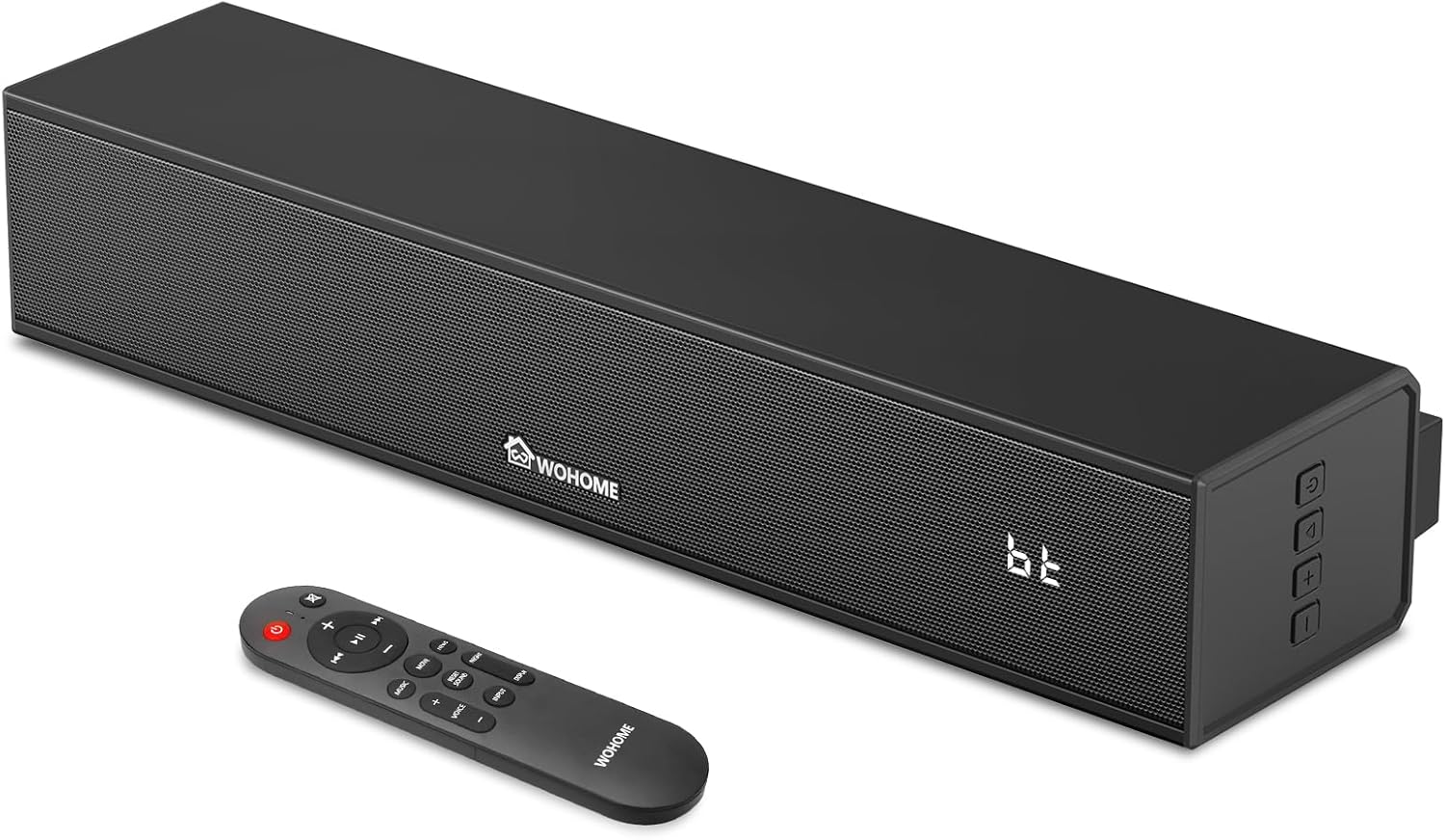
ചിത്രം 3.1: മുൻഭാഗം view of the Wohome G91 Sound Bar, showing the speaker grille, Wohome logo, LED display, and side control buttons. The remote control is also pictured.
The Wohome G91 Sound Bar features a compact design with powerful audio capabilities. It includes a built-in subwoofer for enhanced bass and a clear LED display.
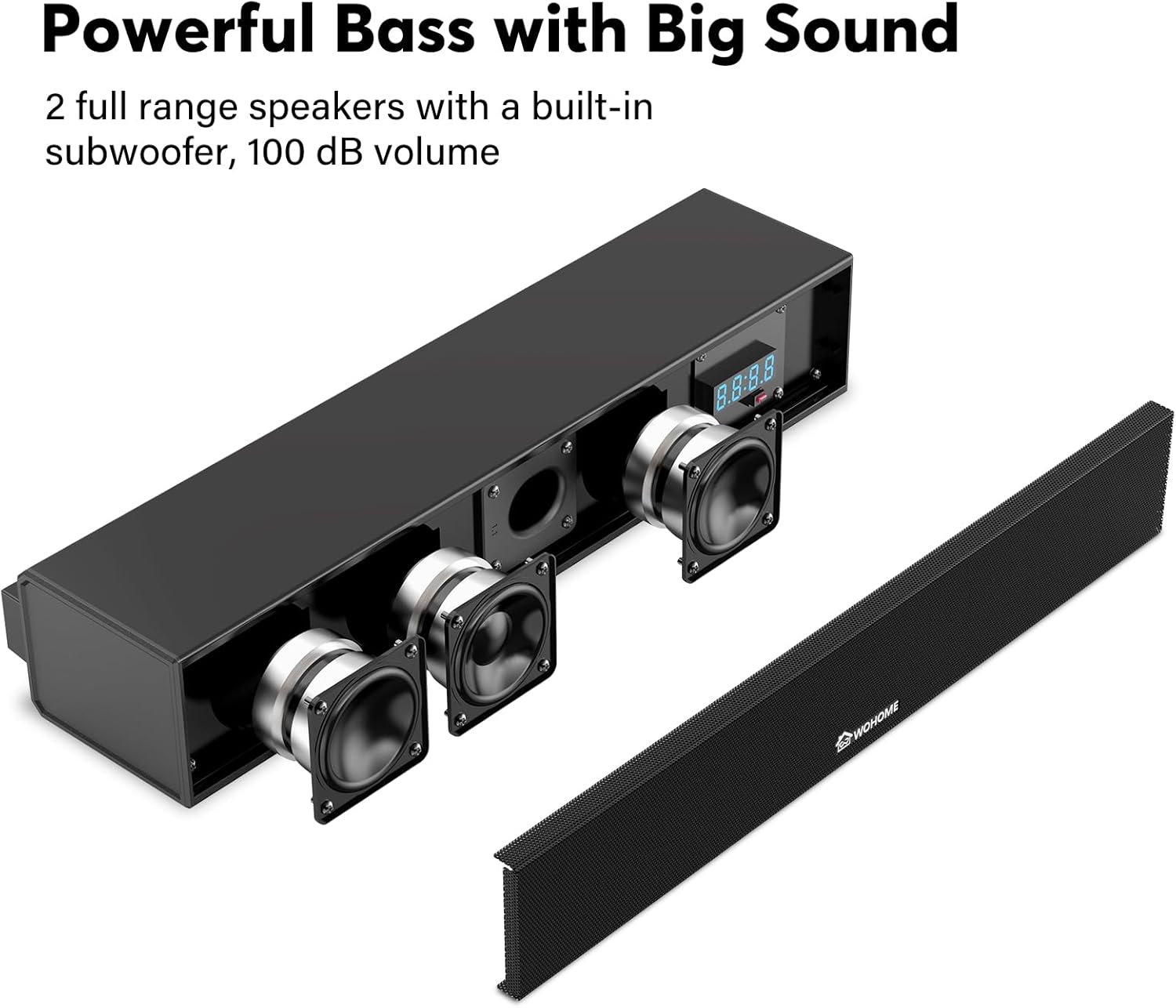
ചിത്രം 3.2: ആന്തരിക view of the sound bar, highlighting the two full-range speakers and the built-in subwoofer for powerful sound output.
3.2 പിൻ പാനൽ കണക്ഷനുകൾ

Figure 3.3: Rear panel of the sound bar, displaying the DC IN, Optical, ARC, AUX, and USB input ports for various connectivity options.
The rear panel provides multiple input options for connecting to various devices:
- DC IN: വൈദ്യുതി ഇൻപുട്ട്.
- ഓപ്ടിക്കൽ: Digital audio input for high-quality sound.
- ARC (HDMI): Audio Return Channel for simplified TV connection and control.
- ഓക്സ്: Analog audio input for devices with a 3.5mm jack.
- USB: ഓഡിയോ പ്ലേ ചെയ്യുന്നതിന് fileഒരു USB ഡ്രൈവിൽ നിന്നുള്ള എസ്.
3.3 വിദൂര നിയന്ത്രണം
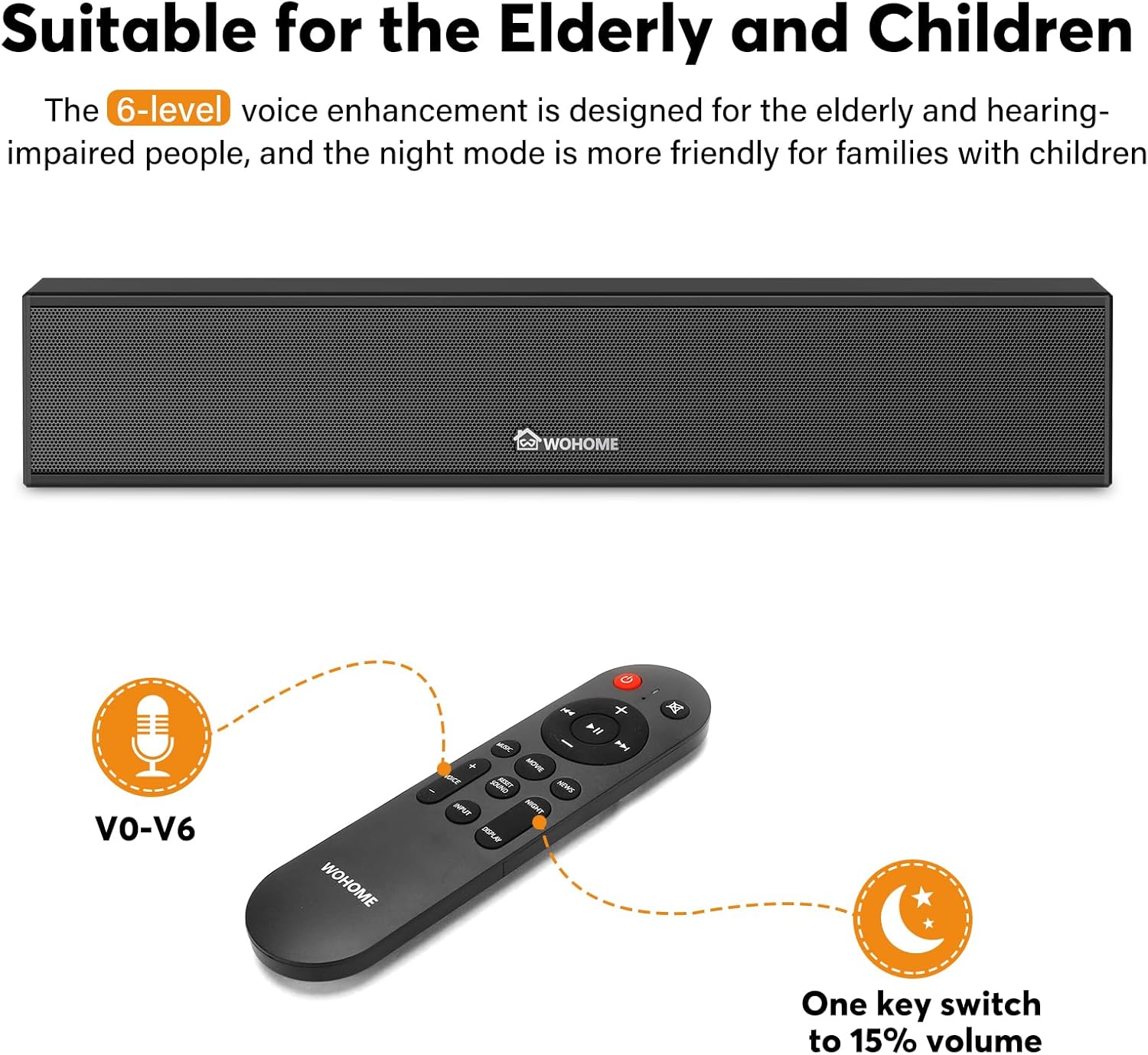
Figure 3.4: The included remote control, featuring buttons for power, volume, input selection, EQ modes, and voice enhancement levels (V0-V6).
The remote control allows full functionality of the sound bar, including power, volume, input selection, EQ modes, and voice enhancement settings.
4. സജ്ജീകരണം
4.1 പ്ലേസ്മെന്റ് ഓപ്ഷനുകൾ
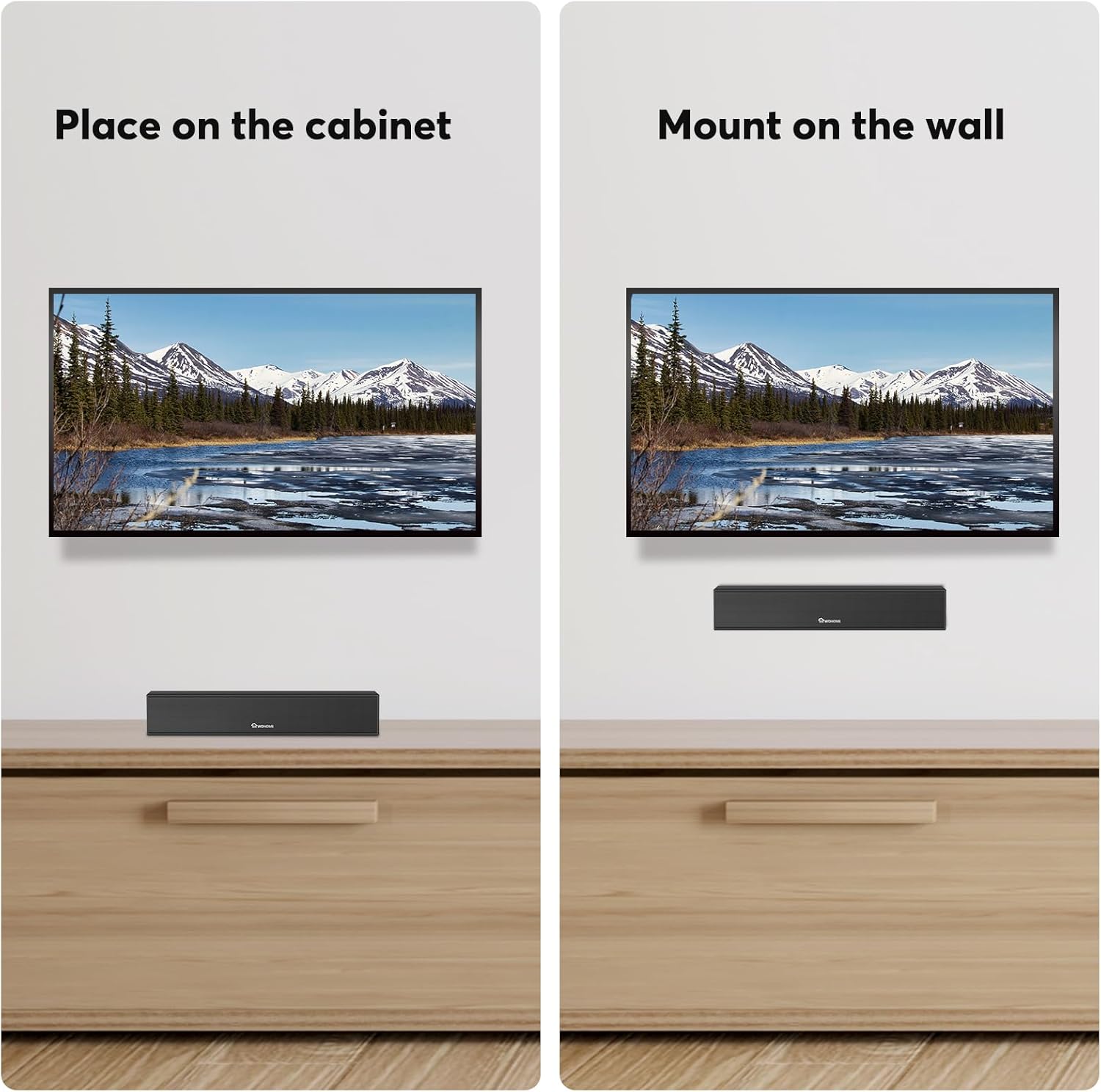
Figure 4.1: The sound bar can be placed on a cabinet below your TV or mounted on the wall using the included hardware.
The Wohome G91 Sound Bar offers flexible placement options:
- ടാബ്ലെറ്റ് പ്ലേസ്മെൻ്റ്: Position the sound bar on a flat surface directly in front of your TV. Ensure it does not block the TV's IR sensor.
- മതിൽ മൗണ്ടിംഗ്: Use the provided mounting screws and template to securely attach the sound bar to a wall.
4.2 നിങ്ങളുടെ ടിവിയിലേക്കോ ഉപകരണത്തിലേക്കോ കണക്റ്റുചെയ്യുന്നു
Choose one of the following connection methods based on your device's available ports:
- ARC (HDMI) Connection:
Connect one end of the ARC cable to the ARC port on the sound bar and the other end to the HDMI ARC port on your TV. This connection allows your TV remote to control the sound bar's volume and power.
- ഒപ്റ്റിക്കൽ കണക്ഷൻ:
Connect one end of the optical cable to the OPTICAL port on the sound bar and the other end to the Optical Digital Audio Out port on your TV.

Figure 4.2: Steps to adjust TV settings for optical audio output. Navigate to Sound Output > Optical, then Digital Audio Output Format > PCM/Stereo Sound. Disable Dolby/DTS on your TV and streaming apps to avoid audio issues.
പ്രധാനപ്പെട്ടത്: After connecting via Optical, access your TV's audio settings. Set the Sound Output to "Optical" and the Digital Audio Output Format to "PCM" or "Stereo Sound". Disable Dolby/DTS on your TV and any streaming applications (e.g., Netflix, Amazon Prime Video) to prevent silent or noisy output.
- ബ്ലൂടൂത്ത് കണക്ഷൻ:
Power on the sound bar and select Bluetooth input mode. On your device (smartphone, tablet, etc.), search for "Wohome G91" in the Bluetooth settings and pair. The LED display will show "bt" when connected.
- AUX കണക്ഷൻ:
Connect one end of a 3.5mm audio cable (not included) to the AUX port on the sound bar and the other end to the headphone jack or audio output of your device.
- USB കണക്ഷൻ:
ഓഡിയോ അടങ്ങിയ യുഎസ്ബി ഫ്ലാഷ് ഡ്രൈവ് ചേർക്കുക files into the USB port on the sound bar. The sound bar will automatically switch to USB mode and begin playback.
പവർ കണക്ഷൻ: After connecting your audio source, plug the power adapter into the DC IN port on the sound bar and then into a wall outlet.
5. ഓപ്പറേഷൻ
5.1 പവർ ഓൺ/ഓഫ്
അമർത്തുക ശക്തി button on the remote control or the side panel of the sound bar to turn it on or off.
5.2 ഇൻപുട്ട് തിരഞ്ഞെടുക്കൽ
അമർത്തുക ഇൻപുട്ട് button on the remote control or the side panel to cycle through available input modes: Bluetooth (bt), ARC, Optical (Opt), AUX, and USB.
5.3 വോളിയം നിയന്ത്രണം
ഉപയോഗിക്കുക വോളിയം + ഒപ്പം വ്യാപ്തം - buttons on the remote control or the side panel to adjust the volume level.
5.4 ഇക്വലൈസർ (EQ) മോഡുകൾ
The sound bar features three preset EQ modes to optimize audio for different content:

Figure 5.1: Visual representation of the three EQ modes: Music (balanced sound), Movie (enhanced bass), and News (clear dialogue).
- സംഗീത മോഡ്: സമതുലിതമായ ശബ്ദ പ്രോ നൽകുന്നുfile suitable for general music listening.
- മൂവി മോഡ്: Enhances bass and surround effects for an immersive cinematic experience.
- വാർത്താ മോഡ്: Optimizes dialogue clarity, making voices easier to understand.
Press the corresponding EQ button on the remote control to switch between modes.
5.5 Voice Enhancement
The sound bar offers 6 levels of voice enhancement (V0-V6) to improve dialogue clarity, especially beneficial for users with hearing difficulties. Use the dedicated voice enhancement buttons on the remote to adjust this setting.
5.6 സ്മാർട്ട് എൽഇഡി ഡിസ്പ്ലേ

Figure 5.2: The smart LED display on the sound bar, which automatically dims after 15 seconds of inactivity and can be manually switched on or off.
The integrated LED display shows the current input mode and volume level. It automatically dims after 15 seconds of inactivity and can be toggled on/off using the remote control.
6. പരിപാലനം
To ensure the longevity and optimal performance of your Wohome G91 Sound Bar, follow these maintenance guidelines:
- വൃത്തിയാക്കൽ: Use a soft, dry cloth to wipe the surface of the sound bar. Do not use liquid cleaners or abrasive materials, as they may damage the finish.
- വെൻ്റിലേഷൻ: സൗണ്ട് ബാറിൽ ആവശ്യത്തിന് വായുസഞ്ചാരം ഉണ്ടെന്ന് ഉറപ്പാക്കുക. ഏതെങ്കിലും വെന്റുകൾ തടയരുത് അല്ലെങ്കിൽ വായുപ്രവാഹം നിയന്ത്രിക്കാൻ സാധ്യതയുള്ള അടച്ചിട്ട സ്ഥലത്ത് സ്ഥാപിക്കരുത്.
- സംഭരണം: സൗണ്ട് ബാർ ദീർഘനേരം സൂക്ഷിക്കുകയാണെങ്കിൽ, അത് വൈദ്യുതിയിൽ നിന്ന് വിച്ഛേദിച്ച് നേരിട്ട് സൂര്യപ്രകാശത്തിൽ നിന്നും കടുത്ത താപനിലയിൽ നിന്നും മാറി തണുത്തതും വരണ്ടതുമായ സ്ഥലത്ത് സൂക്ഷിക്കുക.
- പവർ കോർഡ്: Regularly check the power cord for any damage. If damaged, discontinue use and contact customer support for a replacement.
7. പ്രശ്നപരിഹാരം
| പ്രശ്നം | സാധ്യമായ കാരണം | പരിഹാരം |
|---|---|---|
| ശക്തിയില്ല | പവർ കോർഡ് ബന്ധിപ്പിച്ചിട്ടില്ല; പവർ ഔട്ട്ലെറ്റ് സജീവമല്ല. | പവർ കോർഡ് സൗണ്ട് ബാറിലേക്കും പ്രവർത്തിക്കുന്ന ഒരു പവർ ഔട്ട്ലെറ്റിലേക്കും സുരക്ഷിതമായി ബന്ധിപ്പിച്ചിട്ടുണ്ടെന്ന് ഉറപ്പാക്കുക. |
| ശബ്ദമില്ല | Incorrect input selected; TV volume muted; incorrect TV audio settings (for Optical/ARC). |
|
| ബ്ലൂടൂത്ത് ജോടിയാക്കൽ പ്രശ്നങ്ങൾ | സൗണ്ട് ബാർ ജോടിയാക്കൽ മോഡിൽ ഇല്ല; ഉപകരണം വളരെ അകലെയാണ്; ഇടപെടൽ. |
|
| റിമോട്ട് കൺട്രോൾ പ്രവർത്തിക്കുന്നില്ല | Batteries depleted; obstruction; remote not pointed at sensor. |
|
8 സ്പെസിഫിക്കേഷനുകൾ
| ഫീച്ചർ | വിശദാംശങ്ങൾ |
|---|---|
| മോഡലിൻ്റെ പേര് | G91 |
| സ്പീക്കർ തരം | Soundbar with Built-in Subwoofer |
| സറൗണ്ട് സൗണ്ട് ചാനൽ കോൺഫിഗറേഷൻ | 2.1 |
| കണക്റ്റിവിറ്റി ടെക്നോളജി | Bluetooth 5.3, ARC, Optical, AUX, USB |
| സ്പീക്കർ വലിപ്പം | 15 ഇഞ്ച് (നീളം) |
| വൂഫർ വ്യാസം | 2.25 Inches (Built-in) |
| സ്പീക്കർ പരമാവധി ഔട്ട്പുട്ട് പവർ | 60 വാട്ട്സ് |
| ഉൽപ്പന്ന അളവുകൾ | 3.5"D x 15.2"W x 2.8"H |
| ഇനത്തിൻ്റെ ഭാരം | 4.18 പൗണ്ട് |
| മെറ്റീരിയൽ | അക്രിലോണിട്രൈൽ ബ്യൂട്ടാഡീൻ സ്റ്റൈറൈൻ (ABS), ലോഹം |
| പ്രത്യേക സവിശേഷതകൾ | 6-Level Voice Enhancement, 3 EQ Modes, Smart LED Display, Wall Mountable |
| ശുപാർശ ചെയ്യുന്ന ഉപയോഗങ്ങൾ | For Computers, Smartphones, Tablets, Televisions |
9. വാറൻ്റിയും പിന്തുണയും
Your Wohome G91 Sound Bar comes with a 1 വർഷത്തെ വാറൻ്റി from the date of purchase. Additionally, Wohome provides lifetime technical assistance ഈ ഉൽപ്പന്നത്തിന്.
If you have any questions regarding the product, installation, or require technical support, please contact Wohome customer service. We aim to respond to all inquiries within 24 hours.
For support, please refer to the contact information provided in your product packaging or visit the official Wohome webസൈറ്റ്.


