1. ആമുഖം
The PHOINIKAS Q5S Wireless Gaming Headset provides a versatile audio solution for gamers across multiple platforms. Featuring 2.4GHz wireless connectivity for low-latency performance and a 3.5mm wired mode, this headset is designed for immersive gaming experiences. It includes a detachable noise-canceling microphone and 7.1 stereo sound capabilities.

Image 1.1: PHOINIKAS Q5S Wireless Gaming Headset, showing the headset, USB dongle, and 3.5mm audio cable.
2. ബോക്സിൽ എന്താണുള്ളത്?
അൺബോക്സിംഗ് ചെയ്യുമ്പോൾ എല്ലാ ഘടകങ്ങളും ഉണ്ടെന്ന് ദയവായി പരിശോധിക്കുക:
- PHOINIKAS Q5S വയർലെസ് ഗെയിമിംഗ് ഹെഡ്സെറ്റ്
- 2.4GHz USB Transmitter Dongle
- വേർപെടുത്താവുന്ന ഓമ്നിഡയറക്ഷണൽ മൈക്രോഫോൺ
- യുഎസ്ബി ചാർജിംഗ് കേബിൾ (ടൈപ്പ്-സി)
- 3.5 എംഎം ഓഡിയോ കേബിൾ
- ഉപയോക്തൃ മാനുവൽ (ഈ പ്രമാണം)
3. ഉൽപ്പന്നം കഴിഞ്ഞുview
Familiarize yourself with the headset's controls and interfaces:

ചിത്രം 3.1: കഴിഞ്ഞുview of headset controls and ports.
- Power / Pairing Mode Button: Press and hold to power on/off. Short press to toggle 7.1 sound. Double press to turn lights on/off.
- മൈക്രോഫോൺ ഓൺ/ഓഫ് ബട്ടൺ: Toggles microphone mute/unmute.
- Volume Adjustment Wheel: Rotates to increase or decrease audio volume.
- 3.5mm Wired Interface: For connecting the 3.5mm audio cable.
- External Microphone Interface: Port for attaching the detachable microphone.
- ടൈപ്പ്-സി ചാർജിംഗ് പോർട്ട്: യുഎസ്ബി ചാർജിംഗ് കേബിൾ ബന്ധിപ്പിക്കുന്നതിന്.
4. സജ്ജീകരണം
4.1 പ്രാരംഭ ചാർജിംഗ്
Before first use, fully charge the headset. Connect the USB charging cable to the headset's Type-C port and a compatible USB power source. A full charge takes approximately 2.5-3 hours and provides up to 40 hours of use (battery life varies with lighting and volume settings).

Image 4.1: Headset charging via USB-C, highlighting battery life.
4.2 Wireless Connection (2.4GHz USB Dongle)
For wireless operation, ensure the 3.5mm audio cable and charging cable are disconnected, and the headset is fully charged.
- Insert the 2.4GHz USB transmitter dongle into an available USB port on your PC, PS4, PS5, or Switch dock.
- പവർ ബട്ടൺ അമർത്തിപ്പിടിച്ചുകൊണ്ട് ഹെഡ്സെറ്റ് ഓൺ ചെയ്യുക.
- The headset will automatically pair with the USB dongle. An indicator light on the headset will confirm a successful connection.

Image 4.2: The 2.4GHz USB dongle, illustrating its low-latency connection.
4.3 വയർഡ് കണക്ഷൻ (3.5mm ഓഡിയോ കേബിൾ)
For wired use, connect the 3.5mm audio cable to the headset's 3.5mm interface and to the audio jack of your device (e.g., Xbox controller, PC, mobile phone). In wired mode, certain functions like lights and mute may be inactive.
5. പ്രവർത്തന നിർദ്ദേശങ്ങൾ
5.1 പവർ ഓൺ/ഓഫ്
- പവർ ഓൺ ചെയ്യാൻ: ഇൻഡിക്കേറ്റർ ലൈറ്റ് പ്രകാശിക്കുന്നത് വരെ പവർ ബട്ടൺ അമർത്തിപ്പിടിക്കുക.
- പവർ ഓഫ് ചെയ്യാൻ: ഇൻഡിക്കേറ്റർ ലൈറ്റ് ഓഫ് ആകുന്നതുവരെ പവർ ബട്ടൺ അമർത്തിപ്പിടിക്കുക.
5.2 മൈക്രോഫോൺ ഉപയോഗം
Attach the detachable microphone to the External Microphone Interface on the headset. The microphone features noise-canceling technology for clear communication.
- To mute/unmute: Press the Microphone On/Off button.
- Adjust the flexible microphone boom for optimal voice pickup.

Image 5.1: Detachable microphone for clear voice capture.
5.3 7.1 Stereo Sound
The headset supports 7.1 stereo sound for an immersive audio experience.
- To activate/deactivate 7.1 sound: Short press the Power button.
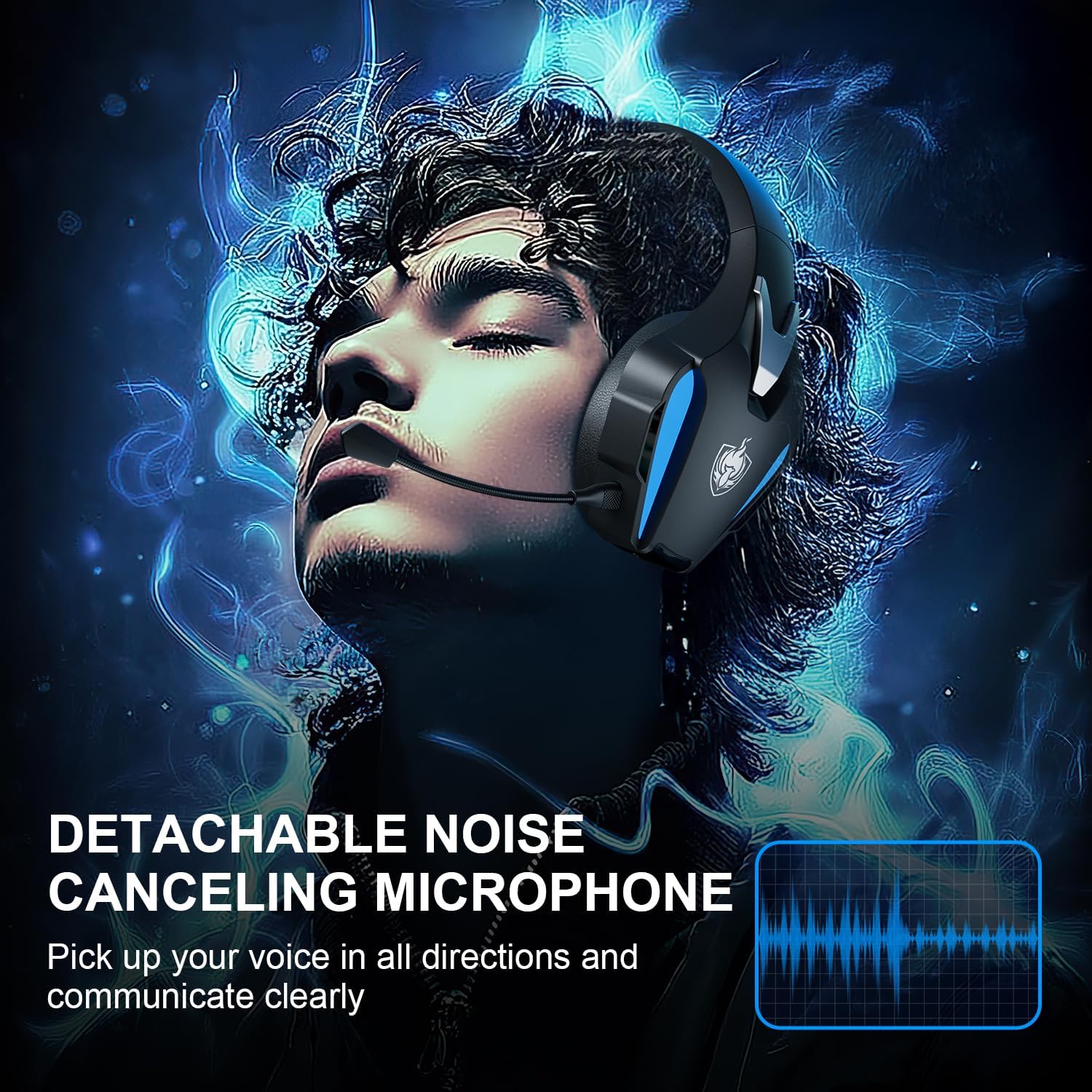
Image 5.2: Visual representation of 7.1 stereo sound capabilities.
5.4 വോളിയം ക്രമീകരണം
Rotate the Volume Adjustment Wheel to control the audio output level.
6 അനുയോജ്യത
The PHOINIKAS Q5S headset offers broad compatibility:

Image 6.1: Multi-platform compatibility overview.
6.1 2.4GHz വയർലെസ് മോഡ്
- Compatible with: PC, PS4, PS5, Laptops, Nintendo Switch (audio only).
- കുറിപ്പ്: The microphone does not function when used wirelessly with Nintendo Switch.
- Not compatible with Xbox Series consoles in wireless mode.
6.2 3.5mm വയേർഡ് മോഡ്
- Compatible with: Devices featuring a 3.5mm audio interface, including Xbox controllers, PC, PS4/PS5 controllers, Nintendo Switch, laptops, tablets, and mobile phones.
- In wired mode, headset lights and mute functions may be inactive.
7. പരിപാലനം
7.1 വൃത്തിയാക്കൽ
- ഹെഡ്സെറ്റിന്റെ പ്രതലങ്ങൾ മൃദുവായതും ഉണങ്ങിയതുമായ തുണി ഉപയോഗിച്ച് തുടയ്ക്കുക.
- For earcups, use a slightly damp cloth with mild soap if necessary, then wipe dry immediately.
- കഠിനമായ രാസവസ്തുക്കളോ ഉരച്ചിലുകൾ ഉപയോഗിക്കരുത്.

Image 7.1: Detail of the comfortable earcup design.
7.2 സംഭരണം
- ഹെഡ്സെറ്റ് നേരിട്ട് സൂര്യപ്രകാശം ഏൽക്കാത്തതും ഉയർന്ന താപനില ഏൽക്കാത്തതുമായ ഒരു തണുത്ത വരണ്ട സ്ഥലത്ത് സൂക്ഷിക്കുക.
- ഹെഡ്സെറ്റിൽ ഭാരമുള്ള വസ്തുക്കൾ വയ്ക്കുന്നത് ഒഴിവാക്കുക.
7.3 ബാറ്ററി കെയർ
- ബാറ്ററി ലൈഫ് വർദ്ധിപ്പിക്കാൻ, ഹെഡ്സെറ്റ് ഇടയ്ക്കിടെ പൂർണ്ണമായും ഡിസ്ചാർജ് ചെയ്യുന്നത് ഒഴിവാക്കുക.
- Charge the headset regularly, even if not in frequent use.
8. പ്രശ്നപരിഹാരം
| പ്രശ്നം | സാധ്യമായ കാരണം | പരിഹാരം |
|---|---|---|
| ഹെഡ്സെറ്റ് ഓണാക്കുന്നില്ല. | Low battery; 3.5mm cable or charging cable connected in wireless mode. | Charge the headset fully. Ensure all cables are removed for wireless mode. |
| വയർലെസ് മോഡിൽ ശബ്ദമില്ല. | USB transmitter not properly connected; headset not paired; volume too low. | Ensure USB transmitter is firmly inserted. Power cycle headset and transmitter. Check device audio settings. Increase headset volume. |
| മൈക്രോഫോൺ പ്രവർത്തിക്കുന്നില്ല. | Microphone muted; not properly attached; compatibility issue (e.g., Switch wireless). | Press the Mic On/Off button to unmute. Ensure microphone is securely attached. Note that the microphone does not work with Nintendo Switch in wireless mode. Check device privacy settings for microphone access. |
| ശബ്ദ നിലവാരം മോശമാണ് അല്ലെങ്കിൽ വികലമാണ്. | Weak wireless signal; incorrect audio settings; low battery. | Move closer to the USB transmitter. Check device audio output settings. Charge the headset. |
| Headset not compatible with Xbox. | The headset's 2.4GHz wireless mode is not designed for Xbox consoles. | Use the 3.5mm audio cable to connect to an Xbox controller for wired audio and microphone functionality. |
9 സ്പെസിഫിക്കേഷനുകൾ
| ഫീച്ചർ | വിശദാംശങ്ങൾ |
|---|---|
| മോഡലിൻ്റെ പേര് | Q5S |
| കണക്റ്റിവിറ്റി ടെക്നോളജി | 2.4GHz വയർലെസ്, 3.5mm വയർഡ് |
| വയർലെസ് ലേറ്റൻസി | 25ms-ൽ കുറവ് |
| ഓഡിയോ ഡ്രൈവർ വലിപ്പം | 40 മി.മീ |
| ശബ്ദ സവിശേഷതകൾ | 7.1 Stereo Sound, Surround Sound |
| മൈക്രോഫോൺ | Detachable, Omnidirectional, Noise-Canceling |
| ശബ്ദ നിയന്ത്രണം | Active Noise Cancellation, Sound Isolation |
| ബാറ്ററി ശേഷി | 1200mAh |
| ബാറ്ററി ലൈഫ് | 40 മണിക്കൂർ വരെ (ഉപയോഗത്തിനനുസരിച്ച് വ്യത്യാസപ്പെടുന്നു) |
| ചാർജിംഗ് സമയം | Approx. 2.5-3 hours (via USB-C) |
| ഹെഡ്ഫോണുകൾ ജാക്ക് | 3.5 mm ജാക്ക് |
| മെറ്റീരിയൽ | പ്ലാസ്റ്റിക് |
| ഇനത്തിൻ്റെ ഭാരം | 12.3 ഔൺസ് |
10. വാറണ്ടിയും പിന്തുണയും
PHOINIKAS products are designed for reliability and performance. For specific warranty information, please refer to the warranty card included with your product or visit the official PHOINIKAS website. If you encounter any issues or require technical assistance, please contact PHOINIKAS customer support through their official channels or the retailer from whom you purchased the product.
കൂടുതൽ സഹായത്തിന്, നിങ്ങൾക്ക് സന്ദർശിക്കാവുന്നതാണ് PHOINIKAS Store on Amazon.