1. ആമുഖം
Welcome to the PRITOM M10 Android 15 Kids Tablet user manual. This guide provides essential information for setting up, operating, and maintaining your new tablet. Designed for children aged 3 to 12, this tablet offers a safe and engaging environment for learning and entertainment, featuring robust parental controls and a durable protective case.
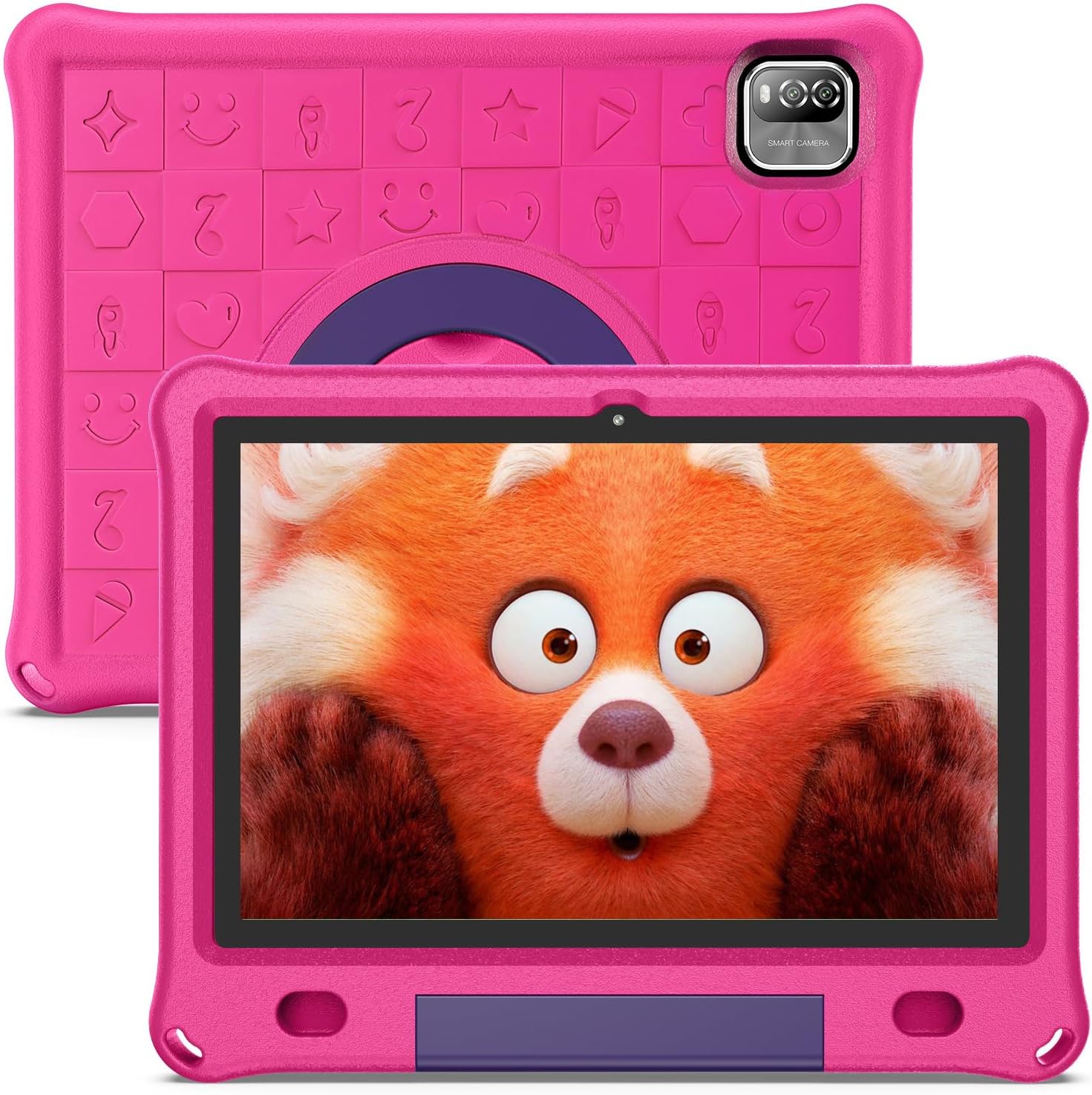
Image 1.1: The PRITOM M10 Kids Tablet, showcasing its vibrant pink protective EVA case and the tablet's display.
2. ഉൽപ്പന്നം കഴിഞ്ഞുview കൂടാതെ പ്രധാന സവിശേഷതകൾ
The PRITOM M10 Kids Tablet is equipped with features designed for a child-friendly experience while offering powerful performance for various tasks.
2.1 Core Performance
- ഓപ്പറേറ്റിംഗ് സിസ്റ്റം: Latest Android 15.
- പ്രോസസ്സർ: Quad-core for smooth operation.
- ഡിസ്പ്ലേ: 10.1-inch 1280x800 HD IPS display for clear visuals.
- മെമ്മറി: 12GB RAM (+9GB extension) for efficient multitasking.
- സംഭരണം: 64GB internal storage, expandable up to 1TB with a TF card.
- കണക്റ്റിവിറ്റി: Stable WiFi6 module for reliable internet access.
- ക്യാമറകൾ: Dual cameras for photos and video calls.
2.2 Child-Friendly Design and Software
- Pre-installed Kids Software: Access to a safe and fun iWawa kids store with numerous free educational apps and games.
- രക്ഷാകർതൃ നിയന്ത്രണം: Comprehensive features including child lock, whitelists for apps and websites, age-based accounts, screen time limits, and content management.
- Durable EVA Case: Lightweight, kid-friendly, impact-resistant soft silicone material protects against scratches, dirt, and drops.
- സംയോജിത സ്റ്റാൻഡ്: The EVA case includes a 90-degree swingable stand for hands-free viewഇംഗും ഇടപെടലും.
- കണ്ണിന് ആശ്വാസം: Designed with features to promote comfortable viewing for children.

Image 2.1: The tablet's home screen displaying various pre-installed educational and entertainment applications for children.

Image 2.2: Visual representation of the tablet's key features, including WiFi6 connectivity, dedicated Kids Mode, camera functionality, eye comfort settings, and Google Play access.
3. ആരംഭിക്കൽ: പ്രാരംഭ സജ്ജീകരണം
3.1 ടാബ്ലെറ്റ് ചാർജ് ചെയ്യുന്നു
Before first use, fully charge the tablet. Connect the provided USB-C charging cable to the tablet's charging port and the other end to a compatible power adapter. The tablet features a 6000mAh battery for extended use.

Image 3.1: Children engaging with the tablet, illustrating its long-lasting 6000mAh battery capacity for extended play and learning.
3.2 പവർ ഓൺ/ഓഫ്
- പവർ ഓണാക്കാൻ: ടാബ്ലെറ്റിന്റെ വശത്തുള്ള പവർ ബട്ടൺ അമർത്തിപ്പിടിച്ച് സ്ക്രീൻ പ്രകാശിക്കുന്നത് വരെ കാത്തിരിക്കുക.
- പവർ ഓഫ് ചെയ്യാൻ: Press and hold the Power button, then select 'Power Off' from the options that appear on the screen.
- പുനരാരംഭിക്കാൻ: പവർ ബട്ടൺ അമർത്തിപ്പിടിക്കുക, തുടർന്ന് ഓപ്ഷനുകളിൽ നിന്ന് 'പുനരാരംഭിക്കുക' തിരഞ്ഞെടുക്കുക.
3.3 പ്രാരംഭ സജ്ജീകരണ വിസാർഡ്
Upon first power-on, follow the on-screen instructions to complete the initial setup. This typically includes selecting your language, connecting to a Wi-Fi network, and setting up basic device preferences.
4. നിങ്ങളുടെ ടാബ്ലെറ്റ് പ്രവർത്തിപ്പിക്കൽ
4.1 Parental Control and Kids Software (iWawa)
The PRITOM M10 tablet is pre-installed with a dedicated Kids Software (iWawa) and robust parental control features to ensure a safe digital environment for your child.
- Accessing Parental Controls: Navigate to the dedicated parental control application or settings menu.
- Creating Child Accounts: Set up personalized profiles for each child, allowing for age-appropriate content and settings.
- ആപ്പ് ഒപ്പം Website Whitelisting: Manually approve or restrict access to specific applications and webസൈറ്റുകൾ.
- Screen Time Limits: Set daily usage limits and specific play times to manage your child's screen exposure.
- ഉള്ളടക്ക മാനേജ്മെന്റ്: The iWawa store offers a curated selection of educational and entertaining apps. Parents can add or remove content as needed.
- Exiting Kids Mode: The tablet can be used as a standard Android tablet when exiting the Kids Mode, providing versatility for adult use.

Image 4.1: An illustration of the advanced parental control features available on the tablet, including child lock, whitelisting, age accounts, website filtering, application management, and time limits.
4.2 വൈ-ഫൈ കണക്റ്റിവിറ്റി
The tablet supports Wi-Fi 6 (802.11ax, 802.11b, 802.11g, 802.11n) for fast and stable internet connection.
- വൈഫൈയിലേക്ക് കണക്റ്റുചെയ്യുന്നു: Go to Settings > Network & internet > Wi-Fi. Turn on Wi-Fi, select your desired network, and enter the password if prompted.
4.3 സംഭരണ വികസനം
The tablet comes with 64GB of internal storage. You can expand this by inserting a TF (microSD) card into the designated slot, supporting up to 1TB of additional storage for photos, videos, and apps.
4.4 ക്യാമറ ഉപയോഗിക്കുന്നത്
The tablet features dual cameras. Open the Camera app to take photos or record videos. The interface is designed to be simple and intuitive for children.
4.5 Protective EVA Case
The included EVA case is designed to protect the tablet from everyday bumps and drops. It also features a built-in stand that can be adjusted to a 90-degree angle for comfortable viewing.
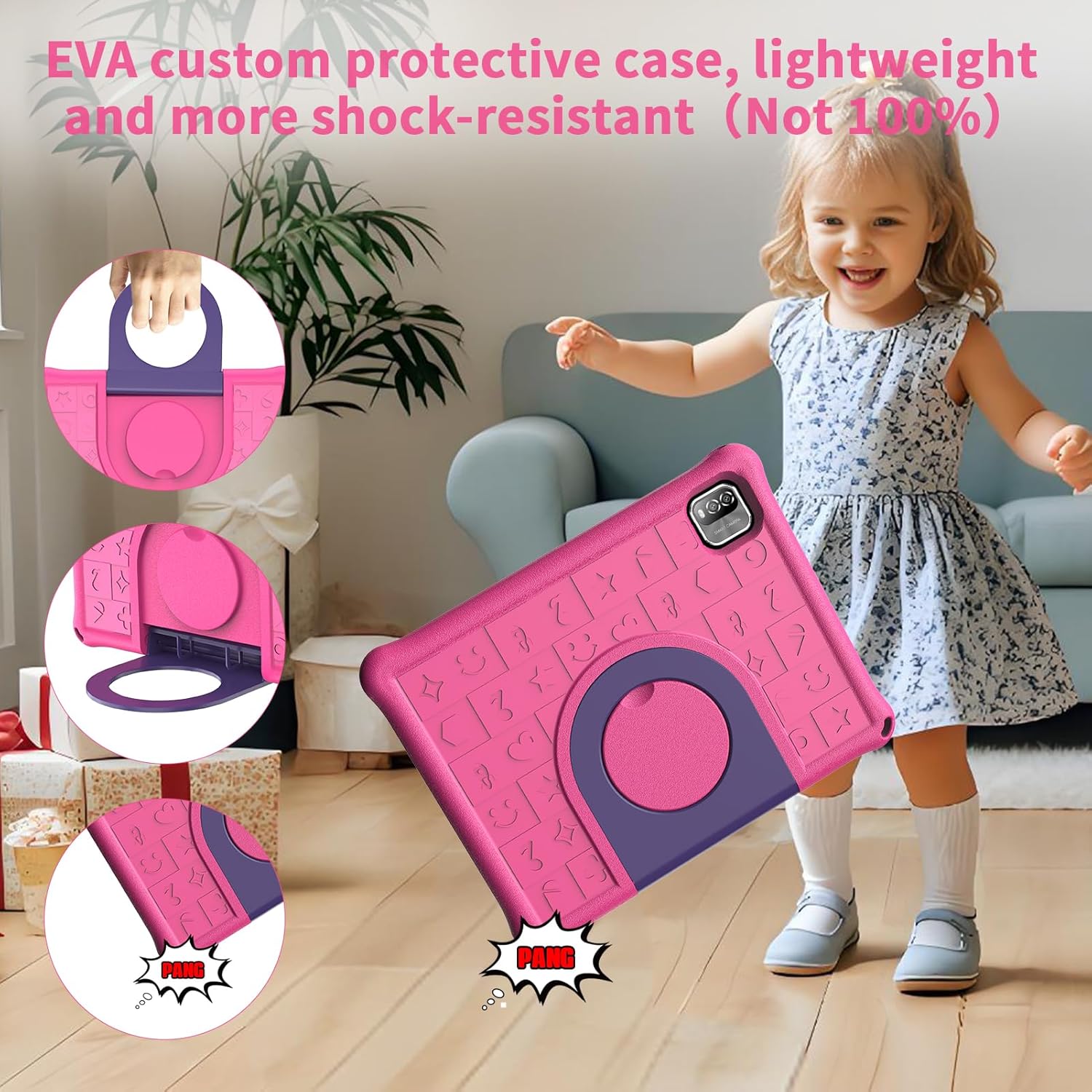
Image 4.2: A child using the tablet, demonstrating the lightweight and shock-resistant EVA custom protective case with its integrated swingable stand.
5. പരിപാലനം
- വൃത്തിയാക്കൽ: സ്ക്രീനും ടാബ്ലെറ്റ് ബോഡിയും വൃത്തിയാക്കാൻ മൃദുവായ, ലിന്റ് രഹിത തുണി ഉപയോഗിക്കുക. ഉരച്ചിലുകൾ ഉള്ള ക്ലീനറുകളോ ലായകങ്ങളോ ഉപയോഗിക്കുന്നത് ഒഴിവാക്കുക.
- ബാറ്ററി കെയർ: To prolong battery life, avoid fully discharging the tablet frequently. Store the tablet in a cool, dry place when not in use for extended periods.
- കേസ് കെയർ: The EVA case can be wiped clean with a damp തുണി.
6. പ്രശ്നപരിഹാരം
If you encounter issues with your PRITOM M10 tablet, refer to the following common solutions:
- ടാബ്ലെറ്റ് ഓണാക്കുന്നില്ല: ടാബ്ലെറ്റ് ചാർജ്ജ് ചെയ്തിട്ടുണ്ടെന്ന് ഉറപ്പാക്കുക. അത് ഒരു പവർ സ്രോതസ്സിലേക്ക് കണക്റ്റ് ചെയ്ത് വീണ്ടും ഓണാക്കാൻ ശ്രമിക്കുന്നതിന് മുമ്പ് കുറച്ച് മിനിറ്റ് കാത്തിരിക്കുക.
- സ്ക്രീൻ പ്രതികരിക്കുന്നില്ല: Try restarting the tablet by holding down the power button for approximately 10-15 seconds until it powers off, then power it on again.
- Wi-Fi കണക്ഷൻ പ്രശ്നങ്ങൾ: Check if other devices can connect to your Wi-Fi network. Restart your router and the tablet. Ensure the Wi-Fi password is entered correctly.
- ആപ്പുകൾ ക്രാഷാകുന്നു/ഫ്രീസാകുന്നു: Close and reopen the app. If the issue persists, clear the app's cache (Settings > Apps > [App Name] > Storage > Clear cache) or uninstall and reinstall the app.
- മന്ദഗതിയിലുള്ള പ്രകടനം: Close unnecessary background apps. Clear cached data regularly. Consider reducing the number of installed apps if storage is nearly full.
7 സ്പെസിഫിക്കേഷനുകൾ
| ഫീച്ചർ | സ്പെസിഫിക്കേഷൻ |
|---|---|
| ബ്രാൻഡ് | പ്രിറ്റോം |
| മോഡലിൻ്റെ പേര് | M10 |
| ഓപ്പറേറ്റിംഗ് സിസ്റ്റം | ആൻഡ്രോയിഡ് 15 |
| സ്ക്രീൻ വലിപ്പം | 10.1 ഇഞ്ച് |
| സ്ക്രീൻ റെസല്യൂഷൻ | 1280 x 800 പിക്സലുകൾ (HD IPS) |
| പ്രോസസ്സർ | Quad-core, 2 GHz (Rockchip) |
| റാം | 12GB (+9GB Extension) |
| ഫ്ലാഷ് മെമ്മറി വലുപ്പം | 64 ജിബി |
| വികസിപ്പിക്കാവുന്ന സംഭരണം | TF കാർഡ് വഴി 1TB വരെ |
| വയർലെസ് തരം | 802.11ax (WiFi6), 802.11b, 802.11g, 802.11n |
| ശരാശരി ബാറ്ററി ലൈഫ് | 8 മണിക്കൂർ (6000mAh) |
| ഇനത്തിൻ്റെ ഭാരം | 2.4 പൗണ്ട് |
| ഉൽപ്പന്ന അളവുകൾ | 10.7 x 8.3 x 1 ഇഞ്ച് |
| നിറം | പിങ്ക് |
8. വാറൻ്റിയും പിന്തുണയും
For warranty information or technical support, please refer to the documentation included with your purchase or visit the official PRITOM website. If you encounter any issues not covered in this manual, please contact PRITOM customer service for assistance.

Image 8.1: A family enjoying the PRITOM M10 Kids Tablet, illustrating its use in a home setting.


