1. ആമുഖം
Welcome to the user manual for your new Lava Play Ultra 5G smartphone. This guide provides essential information on setting up, operating, maintaining, and troubleshooting your device. Please read this manual carefully to ensure optimal performance and longevity of your smartphone.
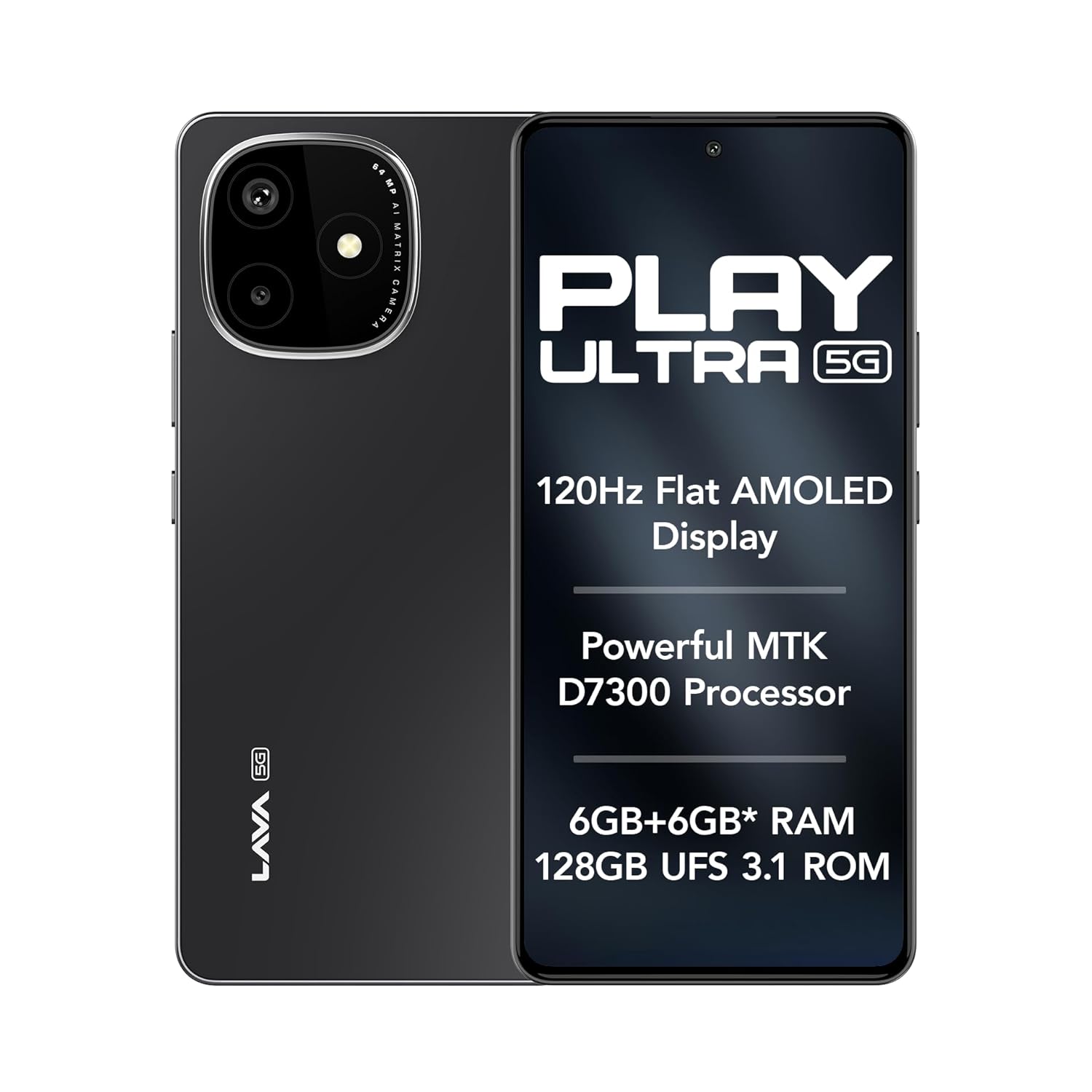
Image: The Lava Play Ultra 5G smartphone, showcasing its sleek design and key display features.
2. ബോക്സിൽ എന്താണുള്ളത്?
Upon unboxing your Lava Play Ultra 5G, please verify that all the following items are included:
- Lava Play Ultra 5G Smartphone
- പവർ അഡാപ്റ്റർ
- USB കേബിൾ
- സിം ട്രേ എജക്ടർ
- ഫോൺ കേസ്
- ഹെഡ്സെറ്റ്
3. സജ്ജീകരണം
3.1. സിം കാർഡും മൈക്രോ എസ്ഡി കാർഡും ചേർക്കൽ
- നിങ്ങളുടെ ഉപകരണത്തിന്റെ വശത്ത് സിം ട്രേ കണ്ടെത്തുക.
- ട്രേയുടെ അടുത്തുള്ള ചെറിയ ദ്വാരത്തിലേക്ക് സിം ട്രേ എജക്റ്റർ ഉപകരണം തിരുകുക, ട്രേ പുറത്തേക്ക് വരുന്നത് വരെ സൌമ്യമായി അമർത്തുക.
- നിങ്ങളുടെ നാനോ-സിം കാർഡ്(കൾ) അല്ലെങ്കിൽ മൈക്രോ എസ്ഡി കാർഡ് ട്രേയിലെ നിയുക്ത സ്ലോട്ടുകളിൽ വയ്ക്കുക. സ്വർണ്ണ കോൺടാക്റ്റുകൾ താഴേക്ക് അഭിമുഖീകരിക്കുന്നുണ്ടെന്ന് ഉറപ്പാക്കുക.
- ട്രേ അതിന്റെ സ്ഥാനത്ത് ക്ലിക്കായി വരുന്നത് വരെ ശ്രദ്ധാപൂർവ്വം ഫോണിലേക്ക് വീണ്ടും തിരുകുക.
3.2 ബാറ്ററി ചാർജ് ചെയ്യുന്നു
Before first use, fully charge your Lava Play Ultra 5G. Connect the USB cable to the power adapter and then to the phone's charging port. Plug the power adapter into a wall outlet. The device supports 33W fast charging.
3.3. പവർ ഓൺ/ഓഫ്
- To power on: Press and hold the Power button until the Lava logo appears.
- പവർ ഓഫ് ചെയ്യാൻ: പവർ ബട്ടൺ അമർത്തിപ്പിടിക്കുക, തുടർന്ന് സ്ക്രീനിലെ ഓപ്ഷനുകളിൽ നിന്ന് 'പവർ ഓഫ്' തിരഞ്ഞെടുക്കുക.
3.4. പ്രാരംഭ സജ്ജീകരണ വിസാർഡ്
Upon first power-on, follow the on-screen instructions to complete the initial setup. This includes selecting your language, connecting to Wi-Fi, setting up your Google account, and configuring security features.
4. നിങ്ങളുടെ ഉപകരണം പ്രവർത്തിപ്പിക്കുന്നു
4.1. നാവിഗേഷൻ
- ടച്ച്സ്ക്രീൻ ആംഗ്യങ്ങൾ: Tap, swipe, pinch-to-zoom, and long-press are standard gestures for interacting with the display.
- ബട്ടണുകൾ: The Power button controls power and screen lock. Volume buttons adjust audio levels.
4.2. കണക്റ്റിവിറ്റി
- വൈഫൈ: ക്രമീകരണങ്ങൾ > നെറ്റ്വർക്കും ഇന്റർനെറ്റും > വൈ-ഫൈ വഴി വയർലെസ് നെറ്റ്വർക്കുകളിലേക്ക് കണക്റ്റുചെയ്യുക.
- ബ്ലൂടൂത്ത്: Pair with other Bluetooth devices via Settings > Connected devices > Bluetooth.
- മൊബൈൽ ഹോട്ട്സ്പോട്ട്: Share your phone's internet connection via Settings > Network & internet > Hotspot & tethering.
5. ക്യാമറ സവിശേഷതകൾ
The Lava Play Ultra 5G is equipped with a versatile camera system to capture your moments.
- പിൻ ക്യാമറ: 64MP Sony IMX682 main sensor with Electronic Image Stabilization (EIS) for steady shots.
- മാക്രോ ലെൻസ്: 5MP dedicated macro lens for detailed close-up photography.
- മുൻ ക്യാമറ: 13MP selfie camera for clear self-portraits and video calls.
Available camera modes include:
- ടൈം-ലാപ്സ്
- പോർട്രെയിറ്റ് മോഡ്
- HDR മോഡ്

ചിത്രം: വിശദമായത് view of the Lava Play Ultra 5G's 64MP camera system.
ചിത്രം: കഴിഞ്ഞുview of the Lava Play Ultra 5G's camera capabilities and modes.
6. Performance and Display
Experience smooth performance and vibrant visuals with the Lava Play Ultra 5G.
- പ്രോസസ്സർ: Powered by the MTK D7300 processor, built on 4nm technology, offering efficient and powerful performance.
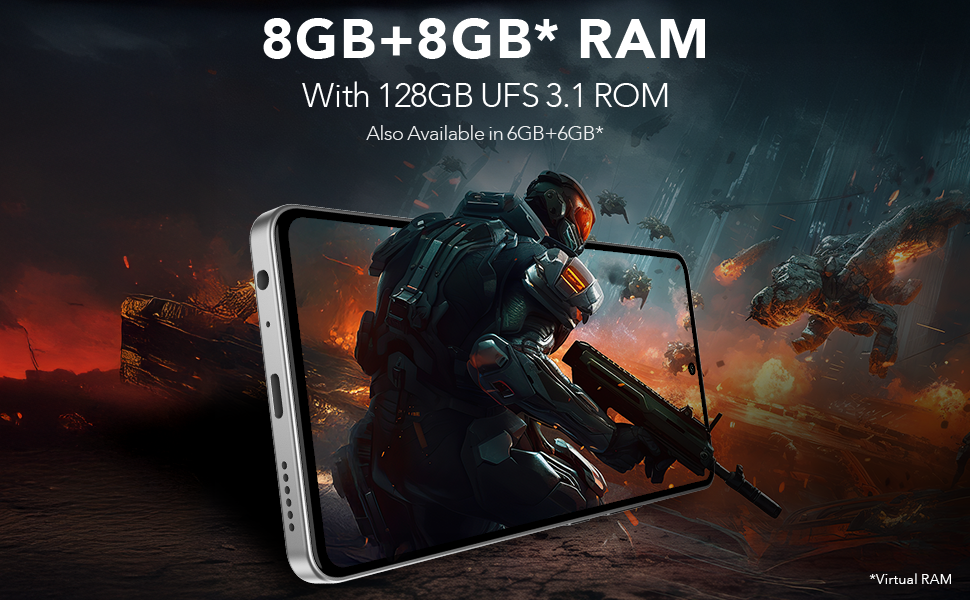
- RAM & Storage: Up to 12GB expandable RAM (6GB physical + 6GB virtual) paired with 128GB UFS 3.1 storage for fast app loading and multitasking.
- ഡിസ്പ്ലേ: Features a 6.67" FHD+ AMOLED display with a 120Hz refresh rate and 1200 nits peak brightness, ensuring vivid colors and smooth scrolling. The display supports 100% DCI-P3 Colour Gamut.
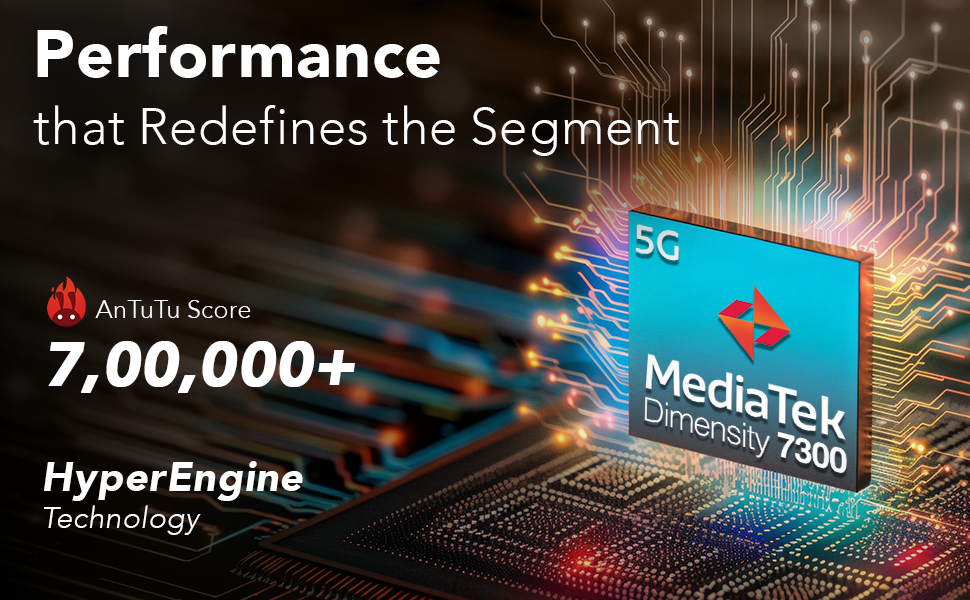
Image: Illustration of the MediaTek Dimensity 7300 processor's performance capabilities.
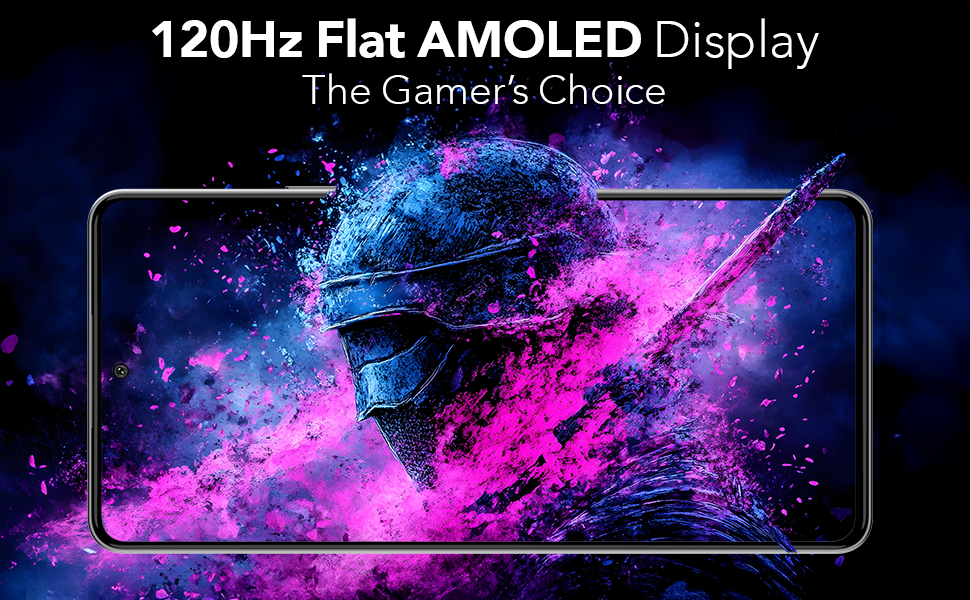
Image: The 120Hz Flat AMOLED Display in action, highlighting its visual quality.
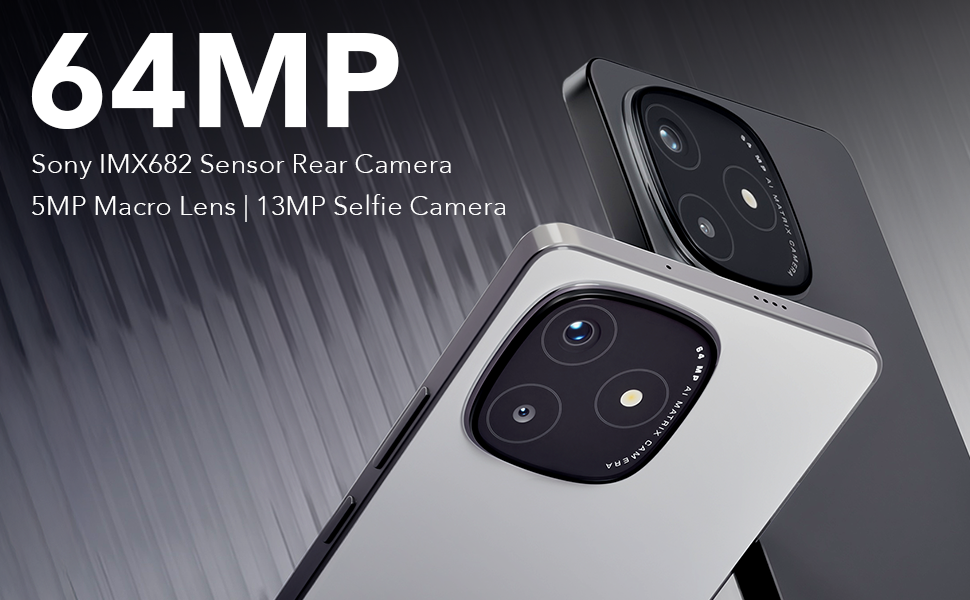
Image: Representation of the phone's RAM and storage capabilities for smooth performance.
7. ഓഡിയോ സവിശേഷതകൾ
The Lava Play Ultra 5G provides an enhanced audio experience:
- ഡ്യുവൽ സ്റ്റീരിയോ സ്പീക്കറുകൾ: Delivers rich and immersive sound for media consumption.
- നോയ്സ്-കാൻസിലിംഗ് ഡ്യുവൽ മൈക്രോഫോണുകൾ: Ensures clear audio during calls and recordings by reducing background noise.
- ഓഡിയോ ജാക്ക്: Includes a 3.5 mm audio jack for traditional wired headsets.
8. ഈട്
The Lava Play Ultra 5G is designed with durability in mind:
- IP64 റേറ്റുചെയ്തത്: Provides protection against dust ingress and splashes of water, making it suitable for various environments.

Image: The Lava Play Ultra 5G demonstrating its IP64 dust and water resistance.
9. സോഫ്റ്റ്വെയറും അപ്ഡേറ്റുകളും
Your Lava Play Ultra 5G runs on a clean and optimized Android experience:
- ഓപ്പറേറ്റിംഗ് സിസ്റ്റം: Android 15, offering a near-stock Android experience with no bloatware or unwanted apps.
- സോഫ്റ്റ്വെയർ അപ്ഗ്രേഡുകൾ: Assured Android upgrades for 2 years.
- സുരക്ഷാ അപ്ഡേറ്റുകൾ: Regular security updates for 3 years to keep your device protected.
10 സ്പെസിഫിക്കേഷനുകൾ
Detailed technical specifications for the Lava Play Ultra 5G:
| ഫീച്ചർ | സ്പെസിഫിക്കേഷൻ |
|---|---|
| ഓപ്പറേറ്റിംഗ് സിസ്റ്റം | ആൻഡ്രോയിഡ് 15 |
| ഉൽപ്പന്ന അളവുകൾ | 16.87 x 0.83 x 7.81 സെ.മീ; 196 ഗ്രാം |
| ബാറ്ററികൾ | 1 ലിഥിയം പോളിമർ (ഉൾപ്പെട്ടിരിക്കുന്നു) |
| കണക്റ്റിവിറ്റി ടെക്നോളജികൾ | ബ്ലൂടൂത്ത്, യുഎസ്ബി, വൈ-ഫൈ |
| ജിപിഎസ് | സത്യം |
| പ്രത്യേക സവിശേഷതകൾ | Always On Display, Dual SIM, Fast Charging Support, Mobile Hotspot Capability, Water Resistant (IP64) |
| റെസലൂഷൻ | 1080 x 2400 |
| മറ്റ് ക്യാമറ സവിശേഷതകൾ | ഫ്രണ്ട്, റിയർ |
| ഓഡിയോ ജാക്ക് | 3.5 മി.മീ |
| ഫോം ഫാക്ടർ | ബാർ |
| നിറം | Arctic Slate |
| ബാറ്ററി പവർ റേറ്റിംഗ് | 5000 മില്ലിamp മണിക്കൂറുകൾ |
| ഇൻസ്റ്റാൾ ചെയ്ത RAM മെമ്മറി വലുപ്പം | 6 ജിബി |
| മെമ്മറി സ്റ്റോറേജ് കപ്പാസിറ്റി | 128 ജിബി |
| സ്ക്രീൻ വലിപ്പം | 6.67 ഇഞ്ച് |
| നിർമ്മാതാവ് | Lava, Lava International Ltd. |
| മാതൃരാജ്യം | ഇന്ത്യ |
11. പരിപാലനം
To ensure the longevity and optimal performance of your Lava Play Ultra 5G, follow these maintenance guidelines:
- വൃത്തിയാക്കൽ: സ്ക്രീനും ബോഡിയും വൃത്തിയാക്കാൻ മൃദുവായ, ലിന്റ് രഹിത തുണി ഉപയോഗിക്കുക. ഉരച്ചിലുകളുള്ള വസ്തുക്കളോ കഠിനമായ രാസവസ്തുക്കളോ ഒഴിവാക്കുക.
- സോഫ്റ്റ്വെയർ അപ്ഡേറ്റുകൾ: ഏറ്റവും പുതിയ സവിശേഷതകൾ, സുരക്ഷാ പാച്ചുകൾ, പ്രകടന മെച്ചപ്പെടുത്തലുകൾ എന്നിവയിൽ നിന്ന് പ്രയോജനം നേടുന്നതിന് സിസ്റ്റം അപ്ഡേറ്റുകൾ പതിവായി പരിശോധിച്ച് ഇൻസ്റ്റാൾ ചെയ്യുക.
- ബാറ്ററി കെയർ: Avoid extreme temperatures. Do not let the battery fully drain frequently. For long-term storage, charge the battery to around 50%.
- സ്റ്റോറേജ് മാനേജ്മെന്റ്: അനാവശ്യമായത് ഇടയ്ക്കിടെ നീക്കം ചെയ്യുക files, cache, and unused apps to free up storage space and maintain device speed.
12. പ്രശ്നപരിഹാരം
This section addresses common issues you might encounter with your Lava Play Ultra 5G.
12.1. ഉപകരണം പ്രതികരിക്കുന്നില്ല
- പുനരാരംഭിക്കുക: റീസ്റ്റാർട്ട് ചെയ്യാൻ പവർ ബട്ടൺ ഏകദേശം 10-15 സെക്കൻഡ് അമർത്തിപ്പിടിക്കുക.
- ചാർജ്ജ്: Ensure the device has sufficient battery. Connect to the charger and wait a few minutes before attempting to power on.
12.2. Poor Battery Life
- പശ്ചാത്തല ആപ്പുകൾ: പശ്ചാത്തലത്തിൽ പ്രവർത്തിക്കുന്ന ഉപയോഗിക്കാത്ത ആപ്ലിക്കേഷനുകൾ അടയ്ക്കുക.
- സ്ക്രീൻ തെളിച്ചം: സ്ക്രീൻ തെളിച്ചം കുറയ്ക്കുക അല്ലെങ്കിൽ അഡാപ്റ്റീവ് തെളിച്ചം പ്രവർത്തനക്ഷമമാക്കുക.
- കണക്റ്റിവിറ്റി: Turn off Wi-Fi, Bluetooth, or GPS when not in use.
- പവർ സേവിംഗ് മോഡ്: Activate Battery Saver mode in Settings.
12.3. നെറ്റ്വർക്ക് കണക്റ്റിവിറ്റി പ്രശ്നങ്ങൾ
- ഉപകരണം പുനരാരംഭിക്കുക: ഒരു ലളിതമായ പുനരാരംഭം പലപ്പോഴും താൽക്കാലിക നെറ്റ്വർക്ക് തകരാറുകൾ പരിഹരിക്കും.
- Check SIM: സിം കാർഡ് ശരിയായി ഇട്ടിട്ടുണ്ടെന്നും സജീവമാക്കിയിട്ടുണ്ടെന്നും ഉറപ്പാക്കുക.
- നെറ്റ്വർക്ക് ക്രമീകരണങ്ങൾ: Reset network settings via Settings > System > Reset options > Reset Wi-Fi, mobile & Bluetooth.
12.4. Camera Issues
- ക്ലീൻ ലെൻസ്: ക്യാമറ ലെൻസ് വൃത്തിയുള്ളതാണെന്നും അഴുക്കുകളില്ലെന്നും ഉറപ്പാക്കുക.
- Restart Camera App: ക്യാമറ ആപ്ലിക്കേഷൻ അടച്ച് വീണ്ടും തുറക്കുക.
- കാഷെ മായ്ക്കുക: Go to Settings > Apps & notifications > Camera > Storage & cache > Clear cache.
13. വാറൻ്റിയും പിന്തുണയും
Lava provides comprehensive support for your Play Ultra 5G device.
- വാറൻ്റി: Refer to the warranty card included in your product packaging for detailed terms and conditions.
- Home Repair Service: Lava offers a convenient home repair service for eligible issues. Please contact customer support for more details.
- ഉപഭോക്തൃ പിന്തുണ: For further assistance, technical support, or service requests, please visit the official Lava webസൈറ്റ് ചെയ്യുക അല്ലെങ്കിൽ അവരുടെ ഉപഭോക്തൃ സേവന ഹോട്ട്ലൈനിൽ ബന്ധപ്പെടുക.


