1. ആരംഭിക്കുന്നു
Thank you for choosing the SGIN 15.6 Inch Laptop Computer. This manual will guide you through the essential steps to set up and use your new device.
1.1 അൺബോക്സിംഗും പ്രാരംഭ പരിശോധനയും
Carefully remove all components from the packaging. Ensure the laptop and all accessories are present and undamaged. The package should include the laptop, charger, and this user manual.

Image: SGIN 15.6 inch laptop with user guide overlay, showing the initial setup instructions on the protective sheet.
1.2 പ്രാരംഭ പവർ ഓണും വിൻഡോസ് 11 സജ്ജീകരണവും
Before first use, connect the charger to the laptop and a power outlet. Press the power button to turn on the device. Follow the on-screen prompts to complete the Windows 11 Pro setup, which includes selecting your language, region, keyboard layout, and connecting to a Wi-Fi network. You will also be guided through creating or logging into your Microsoft account.
Video: SGIN New 15.6 Inch Windows 11 Laptops with Office 365. This video demonstrates the initial unboxing and setup process for the SGIN laptop, including powering it on and navigating the Windows 11 setup screens.
Video: SGIN 15.6 Inch Laptop Computer, Windows 11 Laptops. This video provides a detailed walkthrough of the Windows 11 setup, including language selection, region, keyboard input, Wi-Fi connection, and Microsoft account login.
The laptop comes pre-installed with a 1-year subscription to Office 365, providing access to essential productivity tools.
2. Operating Your SGIN Laptop
2.1 ഡിസ്പ്ലേ സവിശേഷതകൾ
The SGIN-S15 features a 15.6-inch Full HD IPS (1920x1080) anti-glare display, offering vivid visuals and wide viewing angles. The screen can open up to 180 degrees for flexible sharing and viewing.

Image: The 15.6-inch Full HD IPS display of the SGIN laptop, highlighting its visual clarity and anti-glare properties.
2.2 പ്രകടനവും സംഭരണവും
Powered by the Celeron N5100 processor (4 cores, 4 threads, up to 2.8GHz turbo speed) and equipped with 16GB DDR4 RAM, this laptop ensures smooth multitasking and responsive performance. The 1024GB SSD provides ample storage and fast boot-up times, expandable with a TF card up to 1TB.

Image: Diagram illustrating the Celeron N5100 processor with its core and thread count, and turbo speed.

Image: Visual representation of the 16GB DDR4 RAM and 1024GB SSD storage capacity of the SGIN laptop.
2.3 കണക്റ്റിവിറ്റിയും പോർട്ടുകളും
The laptop offers a variety of ports for connectivity:
- HDMI ഔട്ട്പുട്ട്
- USB 3.2 ports (multiple)
- Type-C port (rechargeable)
- 3.5mm TRRS audio jack
- TF കാർഡ് സ്ലോട്ട്
- RJ45 (ഇഥർനെറ്റ്)
- ഡിസി പവർ ഇൻപുട്ട്
- കെൻസിംഗ്ടൺ ലോക്ക് സ്ലോട്ട്
For wireless connectivity, it supports WiFi 6 for fast and reliable internet access, and Bluetooth 5.2 for connecting peripherals.
ചിത്രം: വിശദമായത് view of the various ports and interfaces available on the SGIN laptop, including HDMI, USB, Type-C, and audio jack.
2.4 Battery and Cooling
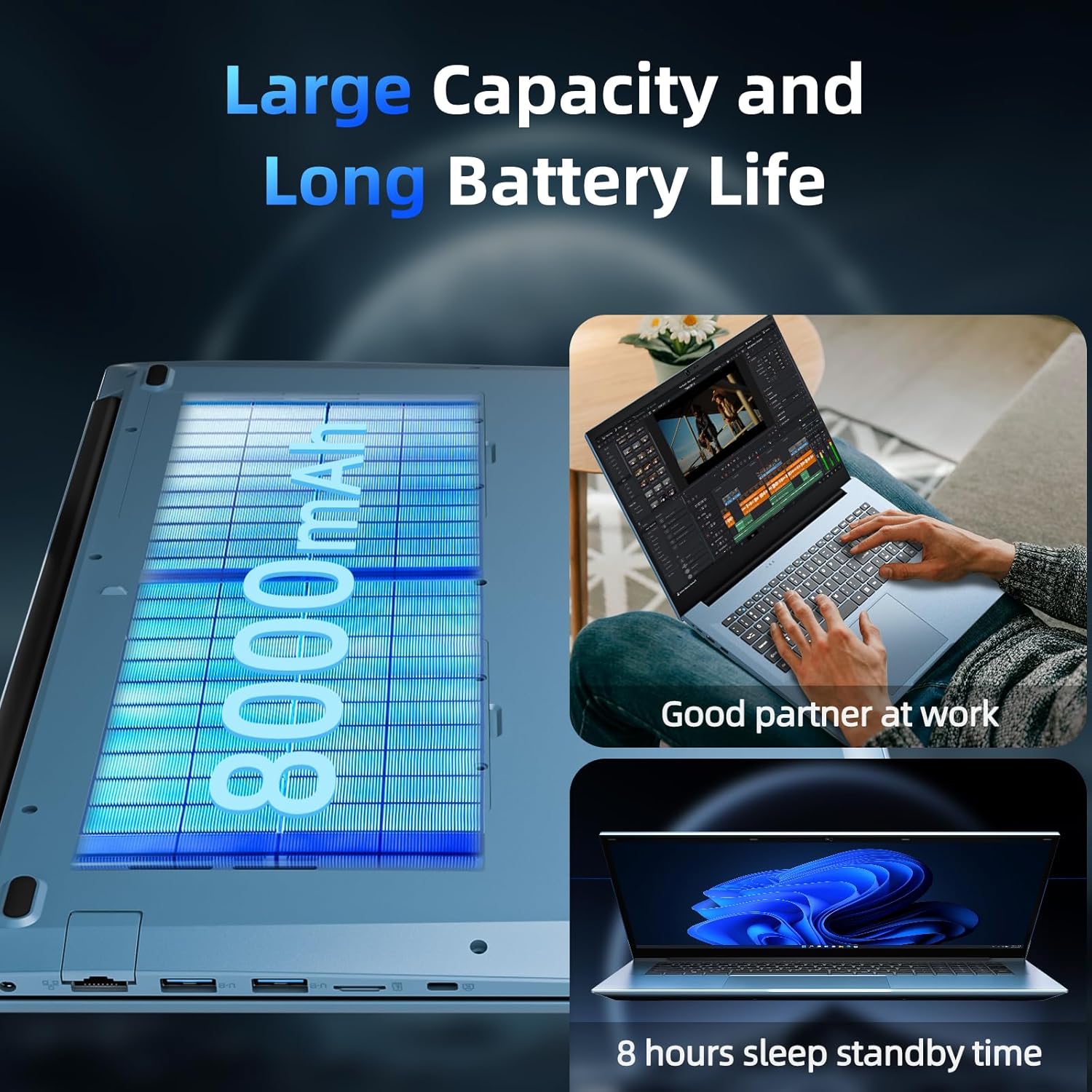
The 7000mAh battery provides up to 8 hours of continuous use. Dual cooling fans ensure efficient heat dissipation, maintaining optimal performance and minimizing noise.

Image: Illustration of the SGIN laptop's 7000mAh battery and the dual cooling fan system for sustained performance.
2.5 Integrated Camera
The laptop includes a hidden camera with a privacy switch, allowing you to easily enable or disable it for enhanced security during video calls or when not in use.
3. പരിപാലനം
Regular maintenance helps ensure the longevity and optimal performance of your SGIN laptop.
3.1 വൃത്തിയാക്കൽ
- സ്ക്രീൻ: നനവില്ലാത്തതും ലിനില്ലാത്തതുമായ തുണി ചെറുതായി ഉപയോഗിക്കുകampവെള്ളമോ സ്ക്രീൻ ക്ലീനറോ ഉപയോഗിച്ച് നനയ്ക്കുക. കഠിനമായ രാസവസ്തുക്കൾ ഒഴിവാക്കുക.
- കീബോർഡും ചേസിസും: Use a soft cloth to wipe surfaces. For dust in keyboard crevices, use compressed air.
3.2 ബാറ്ററി കെയർ
- ബാറ്ററി ഇടയ്ക്കിടെ പൂർണ്ണമായും ഡിസ്ചാർജ് ചെയ്യുന്നത് ഒഴിവാക്കുക.
- ദീർഘനേരം ഉപയോഗിക്കാത്തപ്പോൾ ലാപ്ടോപ്പ് തണുത്തതും വരണ്ടതുമായ സ്ഥലത്ത് സൂക്ഷിക്കുക.
- Use only the provided charger to prevent damage.
3.3 സോഫ്റ്റ്വെയർ അപ്ഡേറ്റുകൾ
നിങ്ങളുടെ സിസ്റ്റത്തിൽ ഏറ്റവും പുതിയ സുരക്ഷാ പാച്ചുകളും പ്രകടന മെച്ചപ്പെടുത്തലുകളും ഉണ്ടെന്ന് ഉറപ്പാക്കാൻ വിൻഡോസ് അപ്ഡേറ്റുകൾ പതിവായി പരിശോധിച്ച് ഇൻസ്റ്റാൾ ചെയ്യുക.
4. പ്രശ്നപരിഹാരം
If you encounter issues with your SGIN laptop, try the following basic troubleshooting steps:
- ശക്തിയില്ല: Ensure the charger is securely connected to both the laptop and a working power outlet. Check if the power indicator light is on.
- ഡിസ്പ്ലേ പ്രശ്നങ്ങൾ: If the screen is blank or flickering, try restarting the laptop. Ensure no external display cables are loose.
- വൈഫൈ കണക്റ്റിവിറ്റി: വിൻഡോസ് സെറ്റിംഗ്സിൽ വൈ-ഫൈ പ്രവർത്തനക്ഷമമാക്കിയിട്ടുണ്ടോയെന്ന് പരിശോധിക്കുക. നിങ്ങളുടെ റൂട്ടറും ലാപ്ടോപ്പും പുനരാരംഭിക്കുക.
- മന്ദഗതിയിലുള്ള പ്രകടനം: Close unnecessary applications. Check for background updates. Ensure sufficient free space on the SSD.
- ഓഡിയോ പ്രശ്നങ്ങൾ: Check volume settings and ensure headphones or external speakers are properly connected.
For more complex issues, refer to the support section or contact customer service.
5 സ്പെസിഫിക്കേഷനുകൾ
Below are the key technical specifications for the SGIN 15.6 Inch Laptop Computer (Model SGIN-S15):
| ഫീച്ചർ | സ്പെസിഫിക്കേഷൻ |
|---|---|
| മോഡലിൻ്റെ പേര് | SGIN-S15 |
| സ്ക്രീൻ വലിപ്പം | 15.6 ഇഞ്ച് |
| സ്ക്രീൻ റെസല്യൂഷൻ | 1920 x 1080 പിക്സലുകൾ (FHD IPS) |
| പ്രോസസ്സർ | Intel Celeron N5100 (up to 2.8 GHz) |
| റാം | 16 GB DDR4 |
| ഹാർഡ് ഡ്രൈവ് | 1024 ജിബി എസ്എസ്ഡി |
| ഓപ്പറേറ്റിംഗ് സിസ്റ്റം | വിൻഡോസ് 11 പ്രോ |
| ഗ്രാഫിക്സ് കോപ്രൊസസർ | സംയോജിപ്പിച്ചത് |
| വയർലെസ് തരം | വൈഫൈ 6 (802.11ax) |
| ബ്ലൂടൂത്ത് | ബ്ലൂടൂത്ത് 5.2 |
| തുറമുഖങ്ങൾ | HDMI, Type-C, 3x USB 3.2, 3.5mm Audio Jack, TF Card Slot, RJ45 |
| ബാറ്ററി | 7000mAh (up to 8 hours use) |
| ഇനത്തിൻ്റെ ഭാരം | 4.94 പൗണ്ട് |
| ഉൽപ്പന്ന അളവുകൾ | 15.6 x 8.99 x 0.6 ഇഞ്ച് |
6. വാറൻ്റിയും പിന്തുണയും
SGIN is committed to providing reliable products and excellent customer service.
6.1 Product Protection
Your SGIN laptop comes with 1 year of protection and a 365-day issue resolution service. This includes repair support, offering replacement or repair options as needed.

Image: Graphic detailing SGIN's 360-day issue resolution service and 24/7 instant laptop support.
6.2 ഉപഭോക്തൃ പിന്തുണ
For any questions, technical assistance, or warranty claims, please contact our 24/7 customer support team:
- ഇമെയിൽ: sgin-tech@sginservice.com
- ഓൺലൈൻ: You can also use the "Ask Product Question" feature on Amazon by logging into your account and navigating to "Your Orders".

ചിത്രം: കഴിഞ്ഞുview of SGIN customer service support options, including email and online assistance.


