1. ആമുഖം
Thank you for choosing the aowoka S5-1 Portable Bluetooth Speaker. This manual provides essential information for setting up, operating, and maintaining your speaker to ensure optimal performance and longevity. The S5-1 speaker features HD stereo sound, Bluetooth 5.4 connectivity, TWS pairing capability, IPX7 waterproofing, a long-lasting battery, and dynamic LED lights, making it suitable for various environments.

Image: The aowoka S5-1 Portable Bluetooth Speaker, highlighting its PulseSound technology and suitability for outdoor use.
2. പാക്കേജ് ഉള്ളടക്കം
പാക്കേജിൽ ഇനിപ്പറയുന്ന ഇനങ്ങൾ ഉണ്ടോ എന്ന് പരിശോധിക്കുക:
- 1 x aowoka S5-1 Portable Bluetooth Speaker
- 1 x ടൈപ്പ്-സി ചാർജിംഗ് കേബിൾ
- 1 x ദ്രുത ആരംഭ ഗൈഡ്
3. ഉൽപ്പന്നം കഴിഞ്ഞുview
സ്പീക്കറിന്റെ ഘടകങ്ങളും നിയന്ത്രണങ്ങളും സ്വയം പരിചയപ്പെടുത്തുക.

ചിത്രം: മുൻഭാഗം view of the aowoka S5-1 Portable Bluetooth Speaker, showcasing its design and LED light strip.
3.1 നിയന്ത്രണങ്ങളും പോർട്ടുകളും

Image: Detailed diagram illustrating the smart button controls and various input ports on the aowoka S5-1 speaker.
- പവർ ബട്ടൺ: Press and hold for 2 seconds to power on/off. Press and hold for 15 seconds to reset.
- വോളിയം ഡൗൺ / മുമ്പത്തെ ട്രാക്ക്: Press once for volume down, press and hold for previous track.
- Play/Pause / Call Control: Press once to play/pause music or answer/end calls. Press and hold to reject a call.
- വോളിയം കൂട്ടുക / അടുത്ത ട്രാക്ക്: Press once for volume up, press and hold for next track.
- ലൈറ്റ് മോഡ് ബട്ടൺ: Press once to cycle through LED light modes. Press and hold to turn lights off.
- മോഡ് ബട്ടൺ: Press once to switch between Bluetooth, TF card, AUX, and USB input modes.
- TWS ബട്ടൺ: Press once to initiate TWS pairing. Press and hold to disconnect TWS.
- തുറമുഖങ്ങൾ: AUX-IN, TF Card Slot, USB Port, Type-C Charging Port.
4. സജ്ജീകരണം
4.1 സ്പീക്കർ ചാർജ് ചെയ്യുന്നു
- നൽകിയിരിക്കുന്ന ടൈപ്പ്-സി ചാർജിംഗ് കേബിൾ സ്പീക്കറിന്റെ ടൈപ്പ്-സി പോർട്ടുമായി ബന്ധിപ്പിക്കുക.
- കേബിളിന്റെ മറ്റേ അറ്റം ഒരു USB പവർ അഡാപ്റ്ററുമായി (ഉൾപ്പെടുത്തിയിട്ടില്ല) അല്ലെങ്കിൽ ഒരു കമ്പ്യൂട്ടറിന്റെ USB പോർട്ടുമായി ബന്ധിപ്പിക്കുക.
- ചാർജിംഗ് ഇൻഡിക്കേറ്റർ ലൈറ്റ് പ്രകാശിക്കും. പൂർണ്ണമായി ചാർജ്ജ് ചെയ്തുകഴിഞ്ഞാൽ അത് ഓഫാകും അല്ലെങ്കിൽ നിറം മാറും.
A full charge provides over 30 hours of playtime. For optimal battery life, fully charge the speaker before first use.

Image: The aowoka S5-1 speaker illustrating its 30-hour battery life capability.
4.2 പവർ ഓൺ/ഓഫ്
- പവർ ഓണാക്കാൻ: Press and hold the Power Button for 2 seconds. You will hear an audible prompt.
- പവർ ഓഫ് ചെയ്യാൻ: Press and hold the Power Button for 2 seconds. You will hear an audible prompt.
4.3 ബ്ലൂടൂത്ത് ജോടിയാക്കൽ
- Ensure the speaker is powered on and in Bluetooth mode (indicated by a flashing blue LED). If not, press the Mode Button to switch to Bluetooth mode.
- നിങ്ങളുടെ ഉപകരണത്തിൽ (സ്മാർട്ട്ഫോൺ, ടാബ്ലെറ്റ് മുതലായവ), ബ്ലൂടൂത്ത് പ്രവർത്തനക്ഷമമാക്കി ലഭ്യമായ ഉപകരണങ്ങൾക്കായി തിരയുക.
- Select "aowoka S5-1" from the list of devices.
- Once connected, the Bluetooth indicator light will turn solid blue, and you will hear a confirmation sound.
5. പ്രവർത്തന നിർദ്ദേശങ്ങൾ
5.1 ട്രൂ വയർലെസ് സ്റ്റീരിയോ (TWS) ജോടിയാക്കൽ
To achieve an immersive stereo sound experience, you can pair two aowoka S5-1 speakers together.
- Ensure both S5-1 speakers are powered on and not connected to any Bluetooth device.
- On one speaker (this will be the primary speaker), press the TWS Button once. The speaker will enter TWS pairing mode.
- രണ്ട് സ്പീക്കറുകളും പരസ്പരം യാന്ത്രികമായി ബന്ധിപ്പിക്കും. TWS ജോടിയാക്കൽ വിജയകരമായിക്കഴിഞ്ഞാൽ നിങ്ങൾ ഒരു സ്ഥിരീകരണ ശബ്ദം കേൾക്കും.
- Now, connect your device to the primary speaker via Bluetooth as described in section 4.3.
To disconnect TWS, press and hold the TWS Button on either speaker.
5.2 മ്യൂസിക് പ്ലേബാക്ക്
- പ്ലേ/താൽക്കാലികമായി നിർത്തുക: പ്ലേ/പോസ് ബട്ടൺ ഒരിക്കൽ അമർത്തുക.
- വോളിയം കൂട്ടുക: Press the Volume Up Button once.
- വോളിയം താഴേക്ക്: Press the Volume Down Button once.
- അടുത്ത ട്രാക്ക്: വോളിയം അപ്പ് ബട്ടൺ അമർത്തിപ്പിടിക്കുക.
- മുമ്പത്തെ ട്രാക്ക്: വോളിയം ഡൗൺ ബട്ടൺ അമർത്തിപ്പിടിക്കുക.
5.3 ഹാൻഡ്സ് ഫ്രീ കോളിംഗ്
When connected to your phone via Bluetooth:
- ഉത്തരം/അവസാന കോൾ: പ്ലേ/പോസ് ബട്ടൺ ഒരിക്കൽ അമർത്തുക.
- കോൾ നിരസിക്കുക: പ്ലേ/പോസ് ബട്ടൺ അമർത്തിപ്പിടിക്കുക.
5.4 LED ലൈറ്റ് മോഡുകൾ
The speaker features dynamic RGB lights that sync with your music.

Image: The aowoka S5-1 speaker demonstrating different dynamic 6-color party illumination modes.
- Press the Light Mode Button once to cycle through different light effects (e.g., Starry Sky, Breathing, Flowing, Quick Jump, Rhythm Jump).
- Press and hold the Light Mode Button to turn the LED lights off.
5.5 ഒന്നിലധികം ഇൻപുട്ട് മോഡുകൾ
The speaker supports various audio input sources:

Image: The aowoka S5-1 speaker highlighting its multiple connectivity options including Bluetooth 5.4, TF card, AUX cable, Type-C, and Hands-free Calling.
- ബ്ലൂടൂത്ത്: Connect wirelessly to your device (see section 4.3).
- TF കാർഡ്: MP3 ഓഡിയോ ഉള്ള ഒരു TF (മൈക്രോഎസ്ഡി) കാർഡ് ചേർക്കുക fileTF കാർഡ് സ്ലോട്ടിലേക്ക് s. സ്പീക്കർ കാർഡിൽ നിന്ന് യാന്ത്രികമായി സംഗീതം പ്ലേ ചെയ്യും.
- ഓക്സ്-ഇൻ: Connect an audio device using a 3.5mm AUX cable (not included) to the AUX-IN port.
- USB: MP3 ഓഡിയോ ഉള്ള ഒരു USB ഫ്ലാഷ് ഡ്രൈവ് ഇടുക fileയുഎസ്ബി പോർട്ടിലേക്ക് s. സ്പീക്കർ ഡ്രൈവിൽ നിന്ന് സംഗീതം സ്വയമേവ പ്ലേ ചെയ്യും.
Press the Mode Button to switch between these input sources.
5.6 പവർ ബാങ്ക് പ്രവർത്തനം
The speaker can be used for emergency charging of other devices.
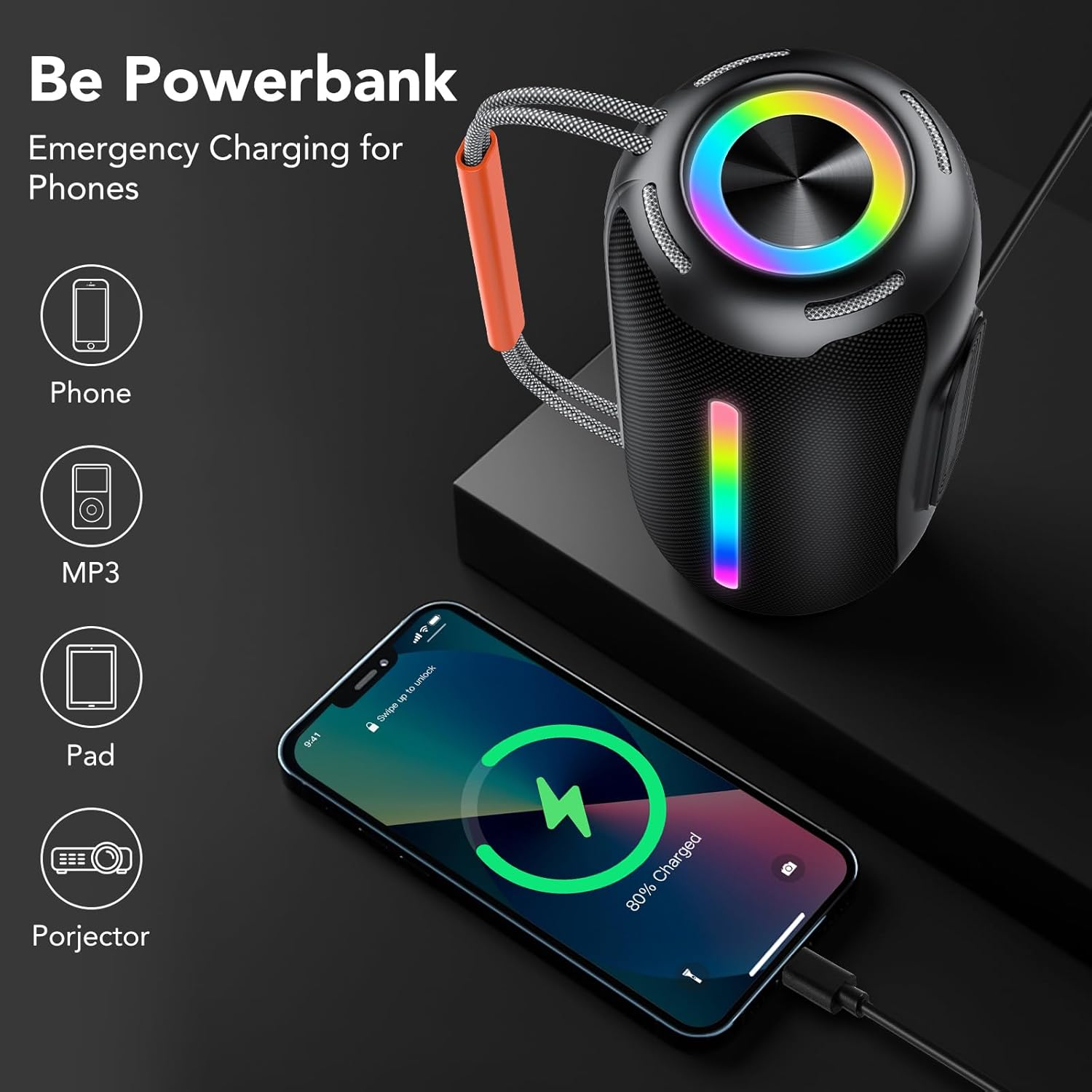
Image: The aowoka S5-1 speaker demonstrating its capability to act as an emergency power bank for charging phones and other small devices.
- Connect your device's charging cable to the speaker's USB port.
- The speaker will begin charging your device. Note that using this feature will reduce the speaker's playback time.
6. പരിപാലനം
6.1 വൃത്തിയാക്കൽ
- മൃദുവായ സ്പീക്കർ തുടയ്ക്കുക, ഡിamp തുണി. ഉരച്ചിലുകളുള്ള ക്ലീനറുകളോ ലായകങ്ങളോ ഉപയോഗിക്കരുത്.
- Ensure all ports are dry before charging or connecting external devices.
6.2 സംഭരണം
- നേരിട്ടുള്ള സൂര്യപ്രകാശത്തിൽ നിന്നും കടുത്ത താപനിലയിൽ നിന്നും മാറി തണുത്തതും വരണ്ടതുമായ സ്ഥലത്ത് സ്പീക്കർ സൂക്ഷിക്കുക.
- ദീർഘനേരം സൂക്ഷിക്കുകയാണെങ്കിൽ, ബാറ്ററിയുടെ ആരോഗ്യം നിലനിർത്താൻ ഓരോ ഏതാനും മാസത്തിലും ഏകദേശം 50% വരെ ബാറ്ററി ചാർജ് ചെയ്യുക.
7. പ്രശ്നപരിഹാരം
| പ്രശ്നം | സാധ്യമായ കാരണം | പരിഹാരം |
|---|---|---|
| സ്പീക്കർ പവർ ഓൺ ചെയ്യുന്നില്ല | ബാറ്ററി ചാർജ് കുറവാണ്; പവർ ബട്ടൺ അധികം നേരം അമർത്തിയിട്ടില്ല. | Charge the speaker; Press and hold the Power Button for 2 seconds. |
| ശബ്ദമില്ല | Volume too low; Incorrect input mode; Device not connected | Increase volume on speaker and device; Press Mode Button to select correct input; Re-pair Bluetooth device. |
| ബ്ലൂടൂത്ത് ജോടിയാക്കൽ പരാജയപ്പെടുന്നു | സ്പീക്കർ ജോടിയാക്കൽ മോഡിലല്ല; ഉപകരണം വളരെ അകലെയാണ്; ഇടപെടൽ | Ensure speaker is in Bluetooth mode (flashing LED); Move device closer; Turn off other Bluetooth devices. |
| TWS ജോടിയാക്കൽ പരാജയപ്പെട്ടു | Speakers already connected to a device; Speakers too far apart | Disconnect both speakers from any Bluetooth device; Ensure speakers are within 10 meters of each other. |
| LED വിളക്കുകൾ പ്രവർത്തിക്കുന്നില്ല | ലൈറ്റുകൾ ഓഫാക്കി | Press the Light Mode Button to cycle through modes. |
8 സ്പെസിഫിക്കേഷനുകൾ

Image: Diagram highlighting key features of the aowoka S5-1 speaker, including audio driver, light show, lanyard, battery life, Bluetooth 5.4, and IPX7 waterproof rating.
| ഫീച്ചർ | വിശദാംശങ്ങൾ |
|---|---|
| മോഡലിൻ്റെ പേര് | S5-1-YTUS-BK |
| സ്പീക്കർ തരം | പോർട്ടബിൾ സ്പീക്കർ |
| കണക്റ്റിവിറ്റി ടെക്നോളജി | ബ്ലൂടൂത്ത് 5.4 |
| ഓഡിയോ ഔട്ട്പുട്ട് പവർ | 40W (2 x 20W) |
| ഓഡിയോ ഡ്രൈവർ വലിപ്പം | 66 മി.മീ |
| ബാറ്ററി ലൈഫ് | 30 മണിക്കൂർ വരെ |
| വാട്ടർപ്രൂഫ് റേറ്റിംഗ് | IPX7 |
| ഉൽപ്പന്ന അളവുകൾ | 4.09"D x 8.74"W x 4.21"H |
| ഇനത്തിൻ്റെ ഭാരം | 2.42 പൗണ്ട് |
| ഇൻപുട്ട് പോർട്ടുകൾ | Bluetooth, TF Card, AUX-IN, USB |
| പ്രത്യേക സവിശേഷതകൾ | TWS Pairing, LED Lights, Hands-free Calling, Power Bank Function |
9 സുരക്ഷാ വിവരങ്ങൾ
- Do not expose the speaker to extreme temperatures (hot or cold) or direct sunlight for prolonged periods.
- Do not attempt to disassemble, repair, or modify the speaker. This will void the warranty and may cause injury.
- മെഡിക്കൽ ഉപകരണങ്ങളുടെ പ്രവർത്തനത്തെ തടസ്സപ്പെടുത്തിയേക്കാവുന്നതിനാൽ സ്പീക്കർ അവയിൽ നിന്ന് അകറ്റി നിർത്തുക.
- Dispose of the speaker and its battery responsibly according to local regulations. Do not dispose of in fire.
- While the speaker is IPX7 waterproof, avoid prolonged submersion in water or exposure to saltwater. Ensure the charging port cover is securely closed before exposure to water.

Image: The aowoka S5-1 speaker partially submerged in water, illustrating its IPX7 waterproof capability.
10. വാറൻ്റിയും പിന്തുണയും
The aowoka S5-1 Portable Bluetooth Speaker comes with a standard manufacturer's warranty. For detailed warranty information, please refer to the warranty card included in your package or contact aowoka customer support.
If you encounter any issues or have questions regarding your speaker, please contact aowoka customer support through the retailer where you purchased the product or visit the official aowoka webസഹായത്തിനുള്ള സൈറ്റ്.


