1. ആമുഖം
This manual provides detailed instructions for the safe and efficient operation of your Denver Turntable Model VPB262. This retro-style record player features built-in speakers, Bluetooth connectivity, and supports multiple playback speeds. Please read this manual thoroughly before using the device and retain it for future reference.
2. പാക്കേജ് ഉള്ളടക്കം
അൺപാക്ക് ചെയ്യുമ്പോൾ എല്ലാ ഇനങ്ങളും ഉണ്ടെന്നും നല്ല നിലയിലാണെന്നും ഉറപ്പാക്കുക:
- Denver Turntable Model VPB262
- എസി അഡാപ്റ്റർ
- നിർദ്ദേശ മാനുവൽ (ഈ പ്രമാണം)
3. ഉൽപ്പന്നം കഴിഞ്ഞുview
Familiarize yourself with the components of your turntable.

ചിത്രം 1: Denver Turntable Model VPB262. This image shows the turntable with its clear dust cover open, revealing a vinyl record placed on the platter, ready for playback. The tonearm is visible, positioned over the record.
- പ്ലേറ്റർ: റെക്കോർഡുകൾ സ്ഥാപിക്കുന്ന കറങ്ങുന്ന പ്ലാറ്റ്ഫോം.
- സ്പിൻഡിൽ: The central pin on the platter for securing records.
- ടോണെർം: കാട്രിഡ്ജും സ്റ്റൈലസും പിടിക്കുന്നു.
- സ്റ്റൈലസ് (സൂചി): The part that reads the grooves of the record.
- പൊടി കവർ: പ്ലാറ്ററിനെയും ടോൺആമിനെയും പൊടിയിൽ നിന്ന് സംരക്ഷിക്കുന്നു.
- സ്പീഡ് സെലക്ടർ: Switch to select playback speed (33 1/3, 45, 78 RPM).
- Auto-Stop Switch: Engages or disengages the automatic stop function.
- പവർ/വോളിയം നോബ്: Controls power and audio output level.
- ഫംഗ്ഷൻ സെലക്ടർ: Switches between Phono (record player) and Bluetooth modes.
- ബിൽറ്റ്-ഇൻ സ്പീക്കറുകൾ: സംയോജിത ഓഡിയോ ഔട്ട്പുട്ട്.
- RCA Line-Out Ports: ബാഹ്യ ഉപകരണങ്ങളുമായി ബന്ധിപ്പിക്കുന്നതിന് ampലൈഫയർമാർ അല്ലെങ്കിൽ സ്പീക്കറുകൾ.
4. സജ്ജീകരണം
- അൺപാക്ക് ചെയ്യുന്നു: Carefully remove the turntable from its packaging. Retain all packaging materials for potential future transport or service.
- പ്ലേസ്മെൻ്റ്: Place the turntable on a flat, stable, and level surface away from direct sunlight, heat sources, and excessive vibration. Ensure adequate ventilation around the unit.
- പൊടി കവർ: If the dust cover is separate, carefully attach it to the hinges at the back of the unit.
- പവർ കണക്ഷൻ: Connect the AC adapter to the DC input jack on the back of the turntable, then plug the adapter into a standard wall outlet.
5. പ്രവർത്തന നിർദ്ദേശങ്ങൾ
5.1 ഒരു റെക്കോർഡ് പ്ലേ ചെയ്യുന്നു
- പവർ ഓൺ: Turn the Power/Volume knob clockwise to power on the unit.
- ഫോണോ മോഡ് തിരഞ്ഞെടുക്കുക: Set the Function Selector to "Phono".
- Open Dust Cover: Gently lift the dust cover.
- സ്ഥല രേഖ: Place a vinyl record on the turntable platter. For 45 RPM singles, use the included adapter if necessary.
- വേഗത തിരഞ്ഞെടുക്കുക: Set the Speed Selector to the correct speed for your record (33 1/3, 45, or 78 RPM).
- ഓട്ടോ-സ്റ്റോപ്പ് ഫംഗ്ഷൻ: The turntable features an auto-stop function. When activated, the platter will stop spinning automatically at the end of a record. To enable or disable this, use the Auto-Stop switch. It is recommended to enable it to prevent stylus wear.

ചിത്രം 2: Illustration of the auto-stop function. The image shows the turntable with a graphic indicating that the auto-stop feature is activated, which automatically stops the platter when a record finishes playing.
- പ്ലേബാക്ക് ആരംഭിക്കുക: Gently lift the tonearm using the cueing lever and position the stylus over the desired track on the record. Slowly lower the tonearm onto the record.
- വോളിയം ക്രമീകരിക്കുക: പവർ/വോളിയം നോബ് ഉപയോഗിച്ച് വോളിയം ക്രമീകരിക്കുക.
- പ്ലേബാക്കിന്റെ അവസാനം: At the end of the record, if auto-stop is enabled, the platter will stop. Manually lift the tonearm and return it to its rest.
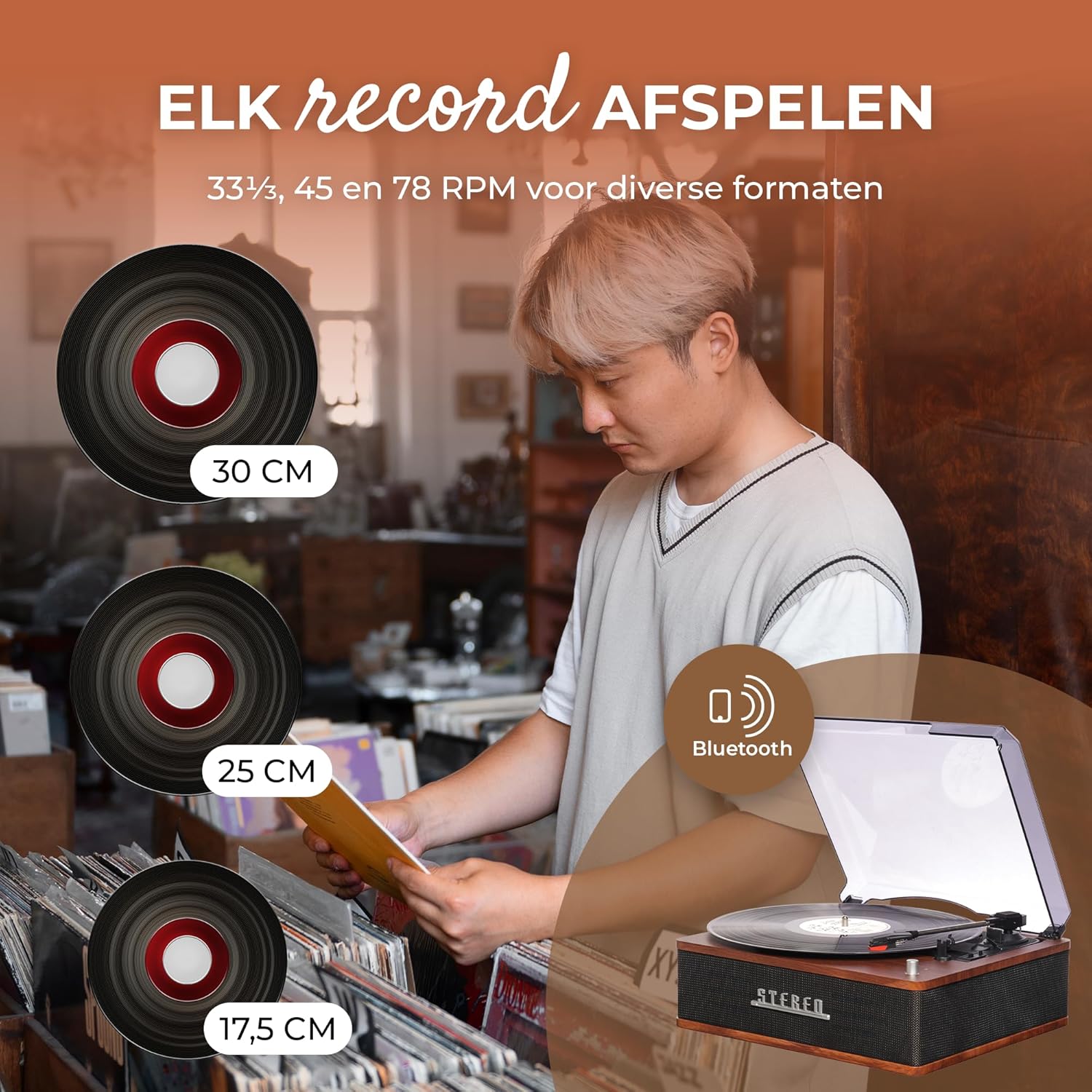
ചിത്രം 3: This image illustrates the turntable's capability to play various record sizes (30cm, 25cm, 17.5cm) and speeds (33 1/3, 45, 78 RPM), with a person browsing records in the background.
5.2 ബ്ലൂടൂത്ത് പ്രവർത്തനം
The turntable can receive audio wirelessly from a Bluetooth-enabled device.
- പവർ ഓൺ: Turn the Power/Volume knob clockwise to power on the unit.
- ബ്ലൂടൂത്ത് മോഡ് തിരഞ്ഞെടുക്കുക: Set the Function Selector to "Bluetooth". The Bluetooth indicator light will flash, indicating it is in pairing mode.
- ജോടിയാക്കൽ: On your Bluetooth device (e.g., smartphone, tablet), enable Bluetooth and search for available devices. Select "Denver VPB262" from the list.
- കണക്ഷൻ സ്ഥിരീകരണം: Once paired, the Bluetooth indicator light on the turntable will stop flashing and remain solid.
- ഓഡിയോ പ്ലേ ചെയ്യുക: Start playing music on your Bluetooth device. The audio will be streamed through the turntable's built-in speakers.
- വോളിയം ക്രമീകരിക്കുക: Adjust the volume using the Power/Volume knob on the turntable and/or your Bluetooth device.

ചിത്രം 4: The Denver Turntable shown with a smartphone displaying a music player interface, indicating active Bluetooth streaming. This highlights the modern connectivity feature of the retro-designed turntable.

ചിത്രം 5: This image depicts the Denver Turntable with visual sound waves originating from its built-in stereo speakers, emphasizing its integrated audio output capability.
5.3 Connecting External Audio Devices (RCA Line-Out)
The turntable features RCA Line-Out ports for connecting to an external amplifier or powered speakers, allowing for enhanced audio output.
- പവർ ഓഫ്: Ensure the turntable and the external audio device are both powered off before making connections.
- ആർസിഎ കേബിളുകൾ ബന്ധിപ്പിക്കുക: Connect an RCA audio cable (not included) to the "LINE OUT" ports on the back of the turntable (Red for Right channel, White for Left channel).
- Connect to External Device: Connect the other end of the RCA cable to the corresponding audio input ports on your ampലൈഫയർ അല്ലെങ്കിൽ പവർഡ് സ്പീക്കറുകൾ.
- പവർ ഓൺ: Power on the external audio device first, then the turntable.
- ഇൻപുട്ട് തിരഞ്ഞെടുക്കുക: Select the appropriate input on your external ampലൈഫയർ അല്ലെങ്കിൽ സ്പീക്കറുകൾ.
- വോളിയം ക്രമീകരിക്കുക: Adjust the volume using the controls on your external audio device. The turntable's volume knob will not control the output through the RCA line-out.

ചിത്രം 6: എ വിശദമായി view of the RCA Line-Out ports (Red for Right, White for Left) located on the back of the Denver Turntable, indicating connectivity options for external audio systems.
6. പരിപാലനം
ശരിയായ അറ്റകുറ്റപ്പണി നിങ്ങളുടെ ടർടേബിളിന്റെ ദീർഘായുസ്സും മികച്ച പ്രകടനവും ഉറപ്പാക്കുന്നു.
- യൂണിറ്റ് വൃത്തിയാക്കൽ:
- ടേൺടേബിൾ കാബിനറ്റും പൊടി കവറും മൃദുവായ, ചെറുതായി ഡി-പ്ലഗ് ഉപയോഗിച്ച് തുടയ്ക്കുക.amp cloth. Do not use abrasive cleaners, waxes, or polishing sprays.
- Ensure the dust cover is closed when the turntable is not in use to prevent dust accumulation.

ചിത്രം 7: The Denver Turntable with its dust cover closed, illustrating its protective function against dust and debris, crucial for maintaining the unit and records.
- സ്റ്റൈലസ് കെയർ:
- The stylus (needle) is delicate. Handle it with extreme care.
- മൃദുവായ ബ്രഷ് ഉപയോഗിച്ച് സ്റ്റൈലസ് ഇടയ്ക്കിടെ വൃത്തിയാക്കുക, പിന്നിൽ നിന്ന് മുന്നിലേക്ക് സൌമ്യമായി ബ്രഷ് ചെയ്യുക.
- A worn or damaged stylus can damage your records and degrade sound quality. Replace the stylus if it appears bent, chipped, or if sound quality deteriorates significantly.
- റെക്കോർഡ് കെയർ:
- Always handle records by their edges or label. Avoid touching the grooves.
- തണുത്തതും വരണ്ടതുമായ സ്ഥലത്ത് രേഖകൾ അവയുടെ സ്ലീവുകളിൽ ലംബമായി സൂക്ഷിക്കുക.
- Clean records regularly with a dedicated record cleaning brush or solution to remove dust and static.
7. പ്രശ്നപരിഹാരം
നിങ്ങൾക്ക് പ്രശ്നങ്ങൾ നേരിടുകയാണെങ്കിൽ, ഇനിപ്പറയുന്ന പൊതുവായ പ്രശ്നങ്ങളും പരിഹാരങ്ങളും പരിശോധിക്കുക:
| പ്രശ്നം | സാധ്യമായ കാരണം | പരിഹാരം |
|---|---|---|
| ശക്തിയില്ല | AC adapter not connected or power outlet not active. | Ensure AC adapter is securely connected and the power outlet is functional. Check the Power/Volume knob is turned on. |
| സ്പീക്കറുകളിൽ നിന്ന് ശബ്ദമില്ല | Volume too low, wrong function mode, or external speakers connected. | Increase volume. Ensure Function Selector is set to "Phono" for records or "Bluetooth" for streaming. If using RCA line-out, sound will come from external speakers, not built-in ones. |
| വികലമായ അല്ലെങ്കിൽ മോശം ശബ്ദ നിലവാരം | Dirty stylus, dirty record, incorrect speed, or damaged stylus. | Clean stylus and record. Verify correct playback speed. Consider replacing the stylus if damage is suspected. |
| റെക്കോർഡ് ഒഴിവാക്കൽ | Dirty or scratched record, turntable not level, or damaged stylus. | Clean record. Ensure turntable is on a level surface. Inspect stylus for damage. |
| ബ്ലൂടൂത്ത് ജോടിയാക്കൽ പരാജയം | Turntable not in pairing mode, device too far, or device already paired with another unit. | Ensure Function Selector is set to "Bluetooth" and indicator is flashing. Move device closer. Disconnect from other Bluetooth devices. |
8 സ്പെസിഫിക്കേഷനുകൾ
| ഫീച്ചർ | സ്പെസിഫിക്കേഷൻ |
|---|---|
| ബ്രാൻഡ് | ഡെൻവർ |
| മോഡൽ | VPB262 |
| പ്ലേബാക്ക് വേഗത | 33 1/3, 45, 78 ആർപിഎം |
| ബിൽറ്റ്-ഇൻ സ്പീക്കറുകൾ | 2 x 20W (2 x 2W RMS) |
| കണക്റ്റിവിറ്റി | Bluetooth 5.0, RCA Line-Out |
| സ്റ്റൈലസ് തരം | Ceramic stereo pickup with ruby stylus |
| പ്രത്യേക സവിശേഷതകൾ | Auto Stop, Dust Cover |
| പവർ ഉറവിടം | Electric Wired (AC Adapter) |
| മെറ്റീരിയൽ | മരം |
| അളവുകൾ (പാക്കേജ്) | 35.79 x 32.4 x 17.9 സെ.മീ |
| ഭാരം (പാക്കേജ്) | 3.48 കി.ഗ്രാം |
9. വാറൻ്റിയും പിന്തുണയും
This product is covered by a manufacturer's warranty. For specific warranty terms and conditions, please refer to the warranty card included with your purchase or contact your retailer. For technical support or service inquiries, please contact the retailer where the product was purchased or visit the official Denver webബന്ധപ്പെടാനുള്ള വിവരങ്ങൾക്കുള്ള സൈറ്റ്.


