ആമുഖം
The Nivian Smart WiFi Door Alarm (Model NVS-DOORALARM-W) is a wireless magnetic sensor designed to enhance the security of your home or office. It provides real-time notifications to your mobile device, features a powerful 100 dB siren, and offers flexible control options including a manual disarm button. This manual provides detailed instructions for installation, operation, maintenance, and troubleshooting to ensure optimal performance of your device.
സുരക്ഷാ വിവരങ്ങൾ
- ഉപയോഗിക്കുന്നതിന് മുമ്പ് എല്ലാ നിർദ്ദേശങ്ങളും ശ്രദ്ധാപൂർവ്വം വായിക്കുക.
- വെള്ളം, ഉയർന്ന ആർദ്രത എന്നിവയിൽ നിന്ന് ഉപകരണം അകറ്റി നിർത്തുക.
- ഉപകരണം സ്വയം അഴിച്ചുമാറ്റാനോ നന്നാക്കാനോ ശ്രമിക്കരുത്. ആവശ്യമെങ്കിൽ പിന്തുണയെ ബന്ധപ്പെടുക.
- Ensure the device is installed within the specified operating temperature range (0°C to 40°C).
- Use only recommended power sources or batteries if applicable.
പാക്കേജ് ഉള്ളടക്കം
നിങ്ങളുടെ പാക്കേജിൽ എല്ലാ ഇനങ്ങളും ഉണ്ടോ എന്ന് ദയവായി പരിശോധിക്കുക:
- Nivian Smart WiFi Door Alarm (Main Unit and Magnetic Sensor)
- Double-sided adhesive tape for installation
- ഉപയോക്തൃ മാനുവൽ (ഈ പ്രമാണം)
ഉൽപ്പന്നം കഴിഞ്ഞുview
The Nivian Smart WiFi Door Alarm consists of two main parts: the main sensor unit and a smaller magnetic contact. When these two parts are separated (e.g., when a door or window opens), the alarm is triggered if armed.
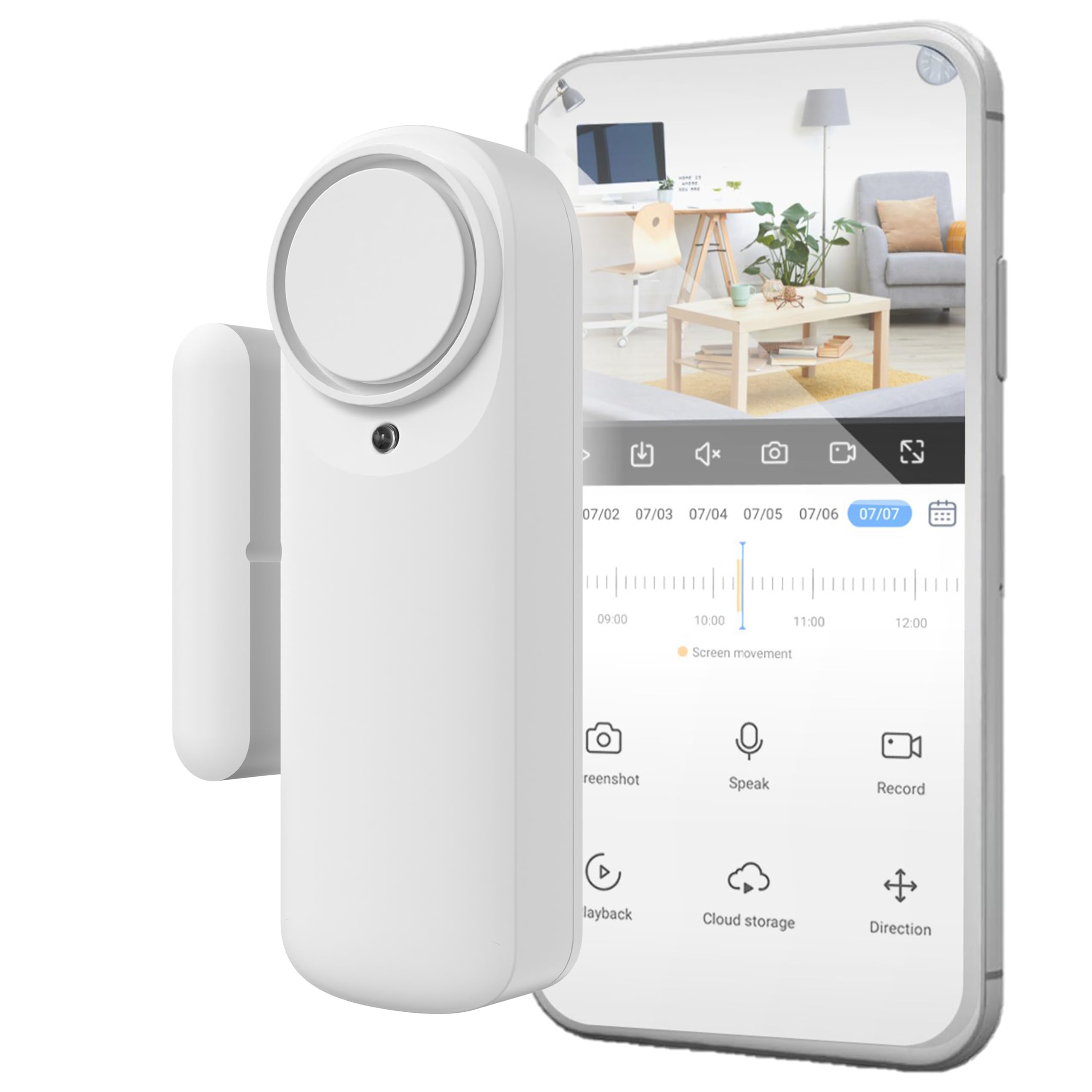
ചിത്രം: കഴിഞ്ഞുview of the Nivian Smart WiFi Door Alarm, highlighting its WiFi connectivity, battery-powered wireless design, app/manual disarm options, powerful siren, and compatibility with Amazon Alexa, Google Assistant, and Tuya Smart Home.
പ്രധാന സവിശേഷതകൾ:
- വൈഫൈ കണക്റ്റിവിറ്റി: Connects to your home 2.4 GHz WiFi network for stable communication.
- വയർലെസ് ഡിസൈൻ: Battery-powered for flexible placement without cables.
- കാന്തിക സെൻസർ: Detects opening and closing of doors or windows.
- 100 dB സൈറൺ: Integrated siren activates upon intrusion when armed.
- മൊബൈൽ ആപ്പ് നിയന്ത്രണം: Arm, disarm, and receive real-time notifications via a dedicated app.
- Manual Disarm Button: Provides an alternative disarm method without the app.
- LED സ്റ്റാറ്റസ് ഇൻഡിക്കേറ്റർ: For quick visual control of the device status.
സജ്ജമാക്കുക
1. ഫിസിക്കൽ ഇൻസ്റ്റലേഷൻ
The Nivian Smart WiFi Door Alarm is designed for quick and easy installation using double-sided adhesive tape. No tools are required.
- ഒരു ലൊക്കേഷൻ തിരഞ്ഞെടുക്കുക: Select a clean, dry surface on your door or window frame. Ensure the main unit and magnetic sensor can be mounted close to each other, typically within 1-2 cm when the door/window is closed.
- ഉപരിതലം വൃത്തിയാക്കുക: Wipe the installation area with a clean cloth to remove dust or grease.
- പശ ടേപ്പ് ഘടിപ്പിക്കുക: Apply the provided double-sided adhesive tape to the back of both the main sensor unit and the magnetic sensor.
- പ്രധാന യൂണിറ്റ് മൌണ്ട് ചെയ്യുക: Affix the larger main sensor unit to the door or window frame.
- Mount the Magnetic Sensor: Affix the smaller magnetic sensor to the moving part of the door or window, aligning it with the main unit. Ensure the alignment marks on both parts are facing each other and they are within 1-2 cm when the door/window is closed.
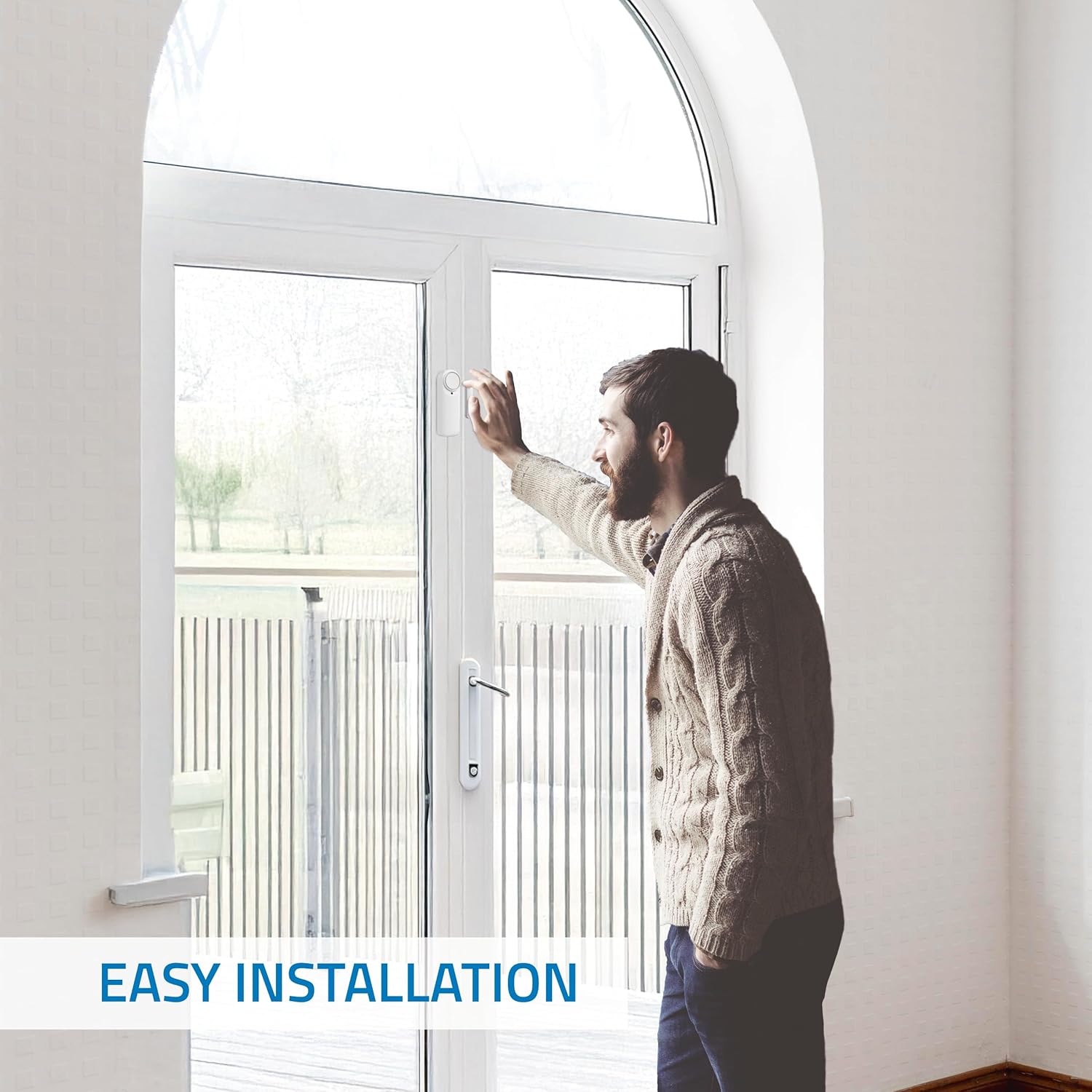
ചിത്രം: A person demonstrating the easy installation of the Nivian Smart WiFi Door Alarm on a door frame, highlighting its wireless and tool-free setup.

ചിത്രം: A diagram illustrating the dimensions of the Nivian Smart WiFi Door Alarm and its recommended placement on a door, showing the main unit and magnetic sensor alignment.
2. ആപ്പ് ഡൗൺലോഡും ഉപകരണ ജോടിയാക്കലും
To control your Nivian Smart WiFi Door Alarm, you need to download the compatible mobile application (e.g., Tuya Smart or Smart Life app).
- ആപ്പ് ഡൗൺലോഡ് ചെയ്യുക: ഇതിനായി തിരയുക "Tuya Smart" or "Smart Life" in your smartphone's app store (Google Play Store for Android or Apple App Store for iOS) and download it.
- രജിസ്റ്റർ ചെയ്യുക/ലോഗിൻ ചെയ്യുക: ആപ്പ് തുറന്ന് പുതിയൊരു അക്കൗണ്ടിനായി രജിസ്റ്റർ ചെയ്യുക അല്ലെങ്കിൽ നിങ്ങൾക്ക് ഇതിനകം ഒരു അക്കൗണ്ട് ഉണ്ടെങ്കിൽ ലോഗിൻ ചെയ്യുക.
- ഉപകരണം ചേർക്കുക:
- നിങ്ങളുടെ സ്മാർട്ട്ഫോൺ 2.4 GHz വൈഫൈ നെറ്റ്വർക്കിലേക്ക് കണക്റ്റ് ചെയ്തിട്ടുണ്ടെന്ന് ഉറപ്പാക്കുക.
- Open the app and tap the "+" icon (usually in the top right corner) to add a device.
- Select "Security & Video Surveillance" or "Sensor" category, then choose "Door/Window Sensor (Wi-Fi)".
- Follow the on-screen instructions to put the device into pairing mode (this usually involves pressing and holding a button on the main unit until an indicator light flashes).
- ആവശ്യപ്പെടുമ്പോൾ നിങ്ങളുടെ വൈഫൈ നെറ്റ്വർക്ക് പാസ്വേഡ് നൽകുക.
- Wait for the app to detect and connect to your device. Once connected, you can rename the device for easy identification.
പ്രവർത്തന നിർദ്ദേശങ്ങൾ
Arming and Disarming the Alarm
You can arm or disarm the alarm using the mobile application or the manual button on the device.
- മൊബൈൽ ആപ്പ് വഴി:
Open the Nivian Smart WiFi Door Alarm device page in the app. You will see options to "Arm" or "Disarm" the alarm. Tap the desired option. You can also set entry and exit delays within the app settings.
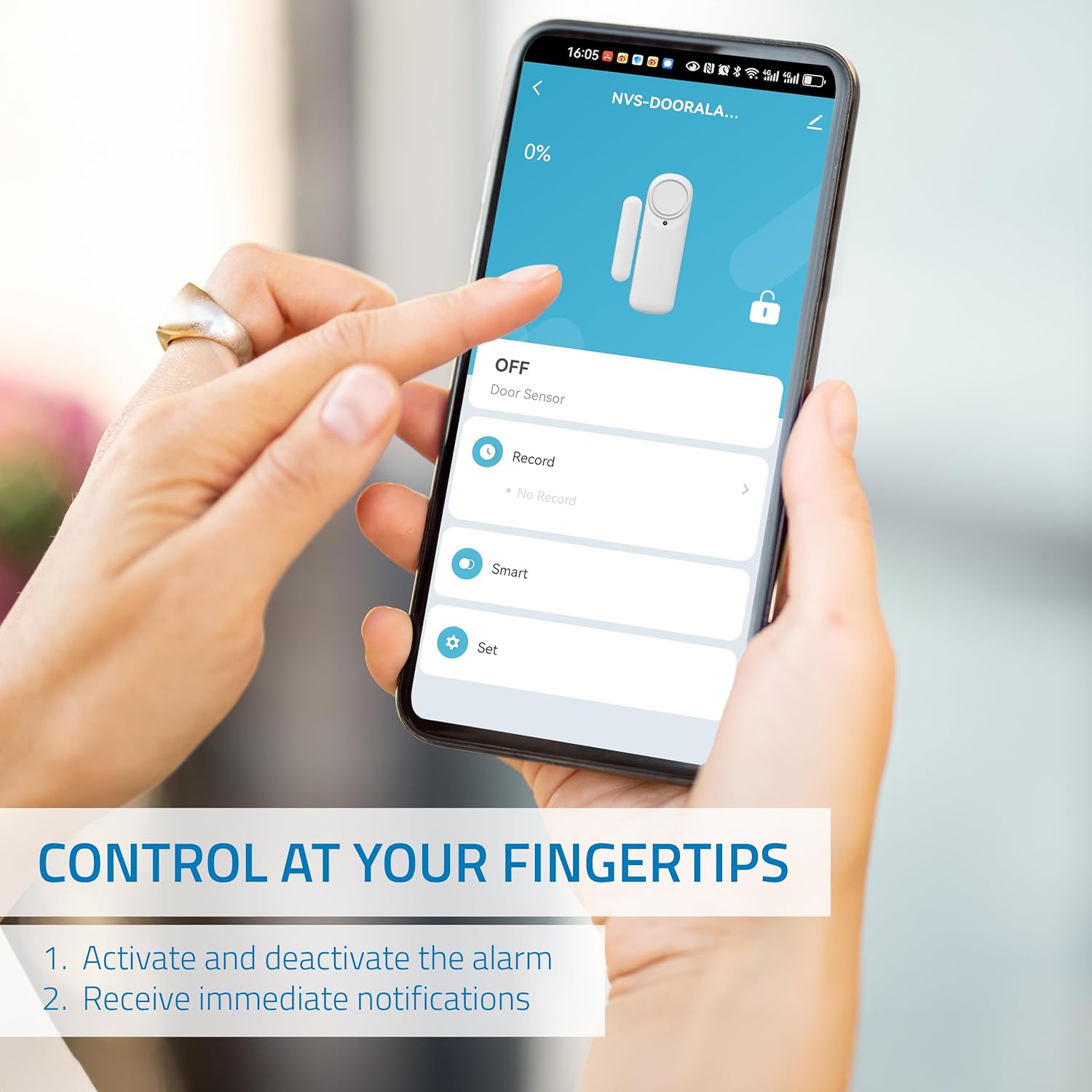
ചിത്രം: A smartphone screen displaying the control interface for the Nivian Smart WiFi Door Alarm, showing options to activate/deactivate the alarm and receive notifications.
- Via Manual Button:
The main sensor unit features a manual button. Press this button to arm or disarm the alarm. Refer to the device's LED indicator for status confirmation (e.g., solid light for armed, flashing for disarmed).
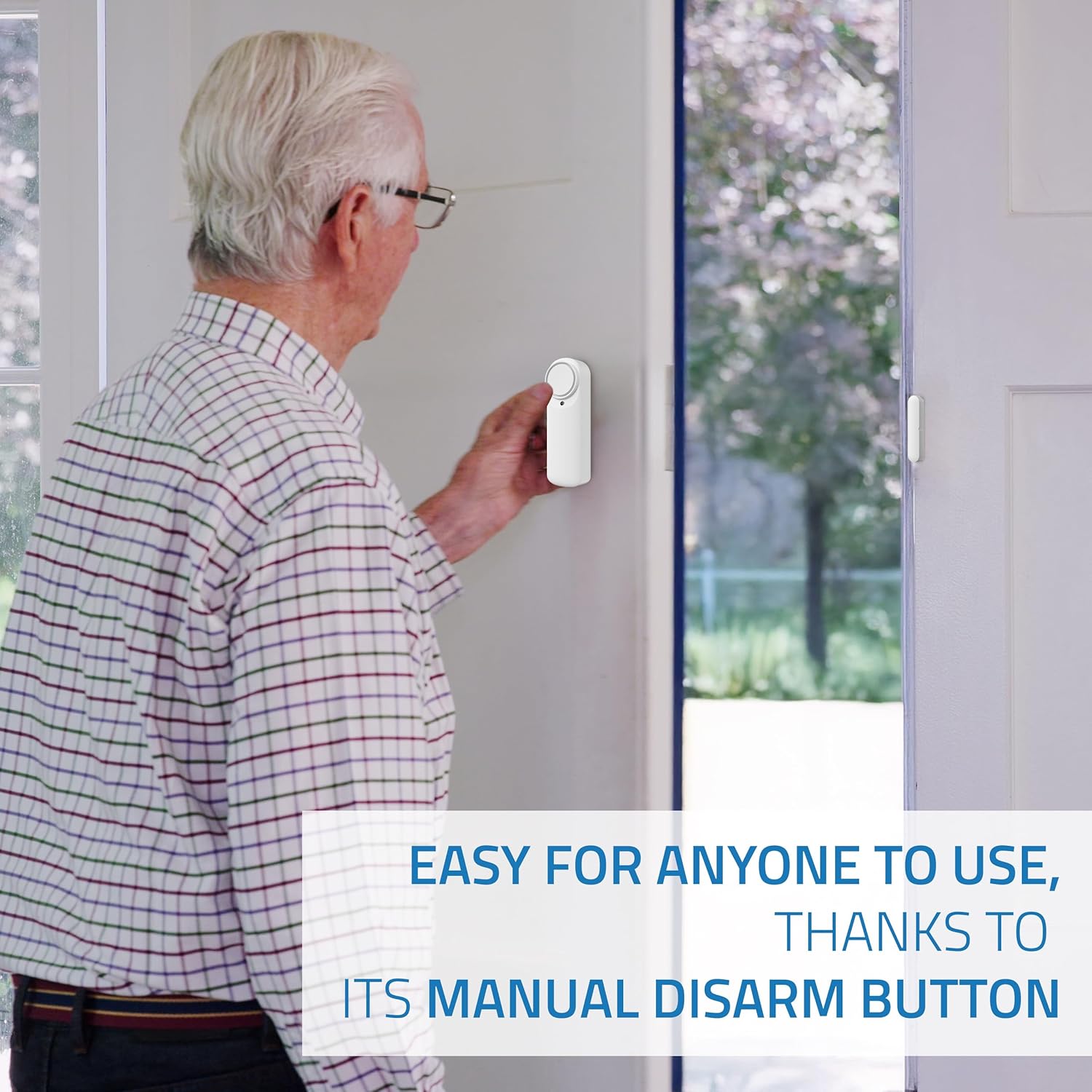
ചിത്രം: An elderly man demonstrating the use of the manual disarm button on the Nivian Smart WiFi Door Alarm, highlighting its ease of use for all users.
അറിയിപ്പുകൾ സ്വീകരിക്കുന്നു
When the alarm is armed and the door/window is opened, you will receive instant notifications on your mobile device. Ensure app notifications are enabled in your phone's settings.
- നുഴഞ്ഞുകയറ്റ അലേർട്ടുകൾ: Immediate alerts when the sensor is triggered.
- Door Open/Close Status: Real-time updates on the door's status.
- കുറഞ്ഞ ബാറ്ററി അലേർട്ടുകൾ: Notifications when the device's battery is low.
Siren Functionality
The integrated 100 dB siren will activate automatically if an intrusion is detected while the alarm is armed. This serves as a deterrent and alerts occupants or neighbors.
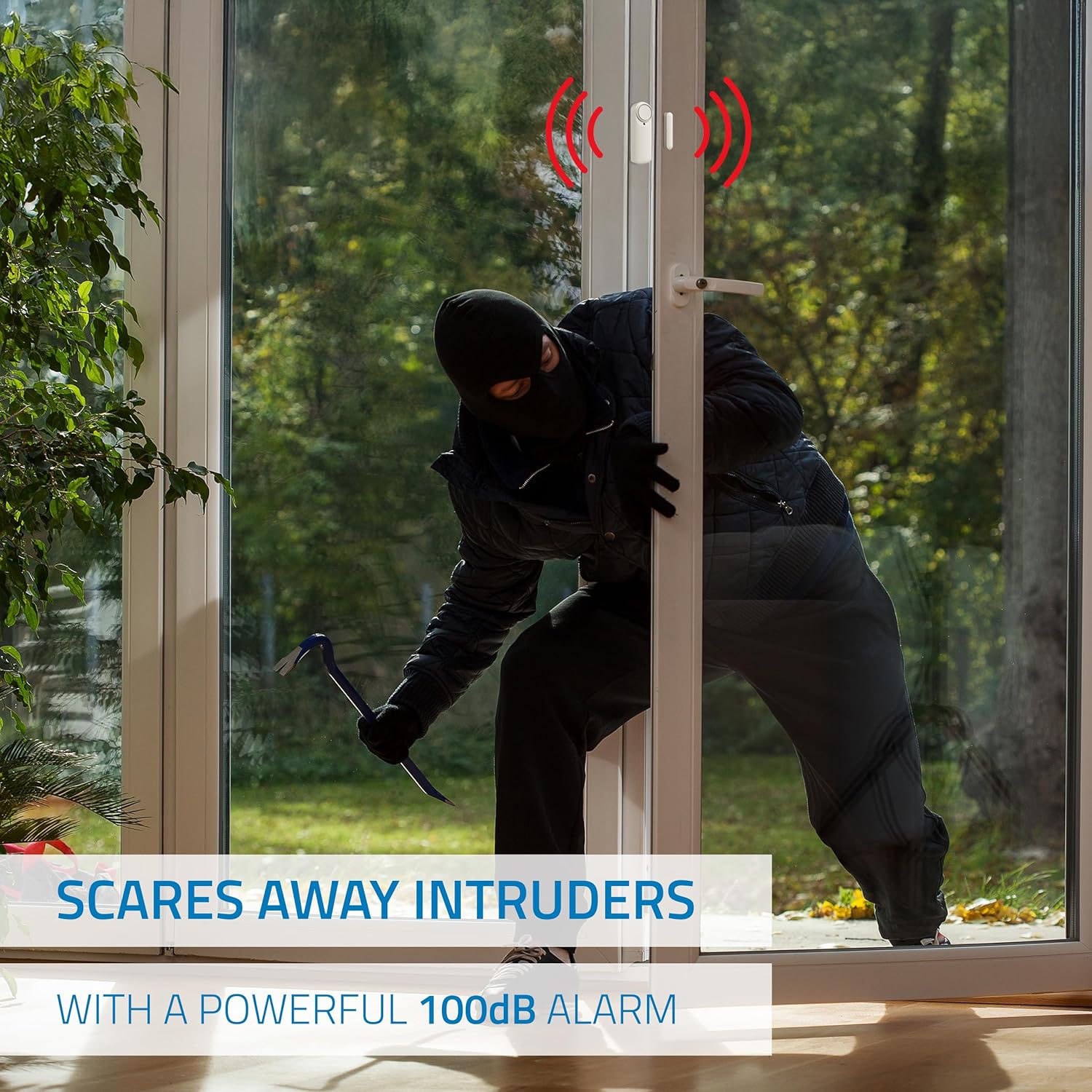
ചിത്രം: An illustration depicting the Nivian Smart WiFi Door Alarm's powerful 100 dB siren activating to deter an intruder attempting to enter through a door.
ആക്സസ് പങ്കിടൽ
You can share control of the alarm with family members or employees through the mobile application. Look for the "Share Device" or "Device Sharing" option in the app settings.
മെയിൻ്റനൻസ്
ബാറ്ററി മാറ്റിസ്ഥാപിക്കൽ
The Nivian Smart WiFi Door Alarm is battery-powered. When you receive a low battery notification, it's time to replace the batteries. The device uses standard batteries (specific type not provided in product data, typically AAA or CR2). Refer to the device's battery compartment for the exact type.
- Carefully open the battery compartment on the main sensor unit.
- പഴയ ബാറ്ററികൾ നീക്കം ചെയ്യുക.
- ശരിയായ ധ്രുവത (+/-) ഉറപ്പാക്കിക്കൊണ്ട് പുതിയ ബാറ്ററികൾ ചേർക്കുക.
- ബാറ്ററി കമ്പാർട്ട്മെൻ്റ് സുരക്ഷിതമായി അടയ്ക്കുക.
വൃത്തിയാക്കൽ
To maintain the device's appearance and functionality, clean it periodically.
- ഉപകരണത്തിൻ്റെ പുറംഭാഗം തുടയ്ക്കാൻ മൃദുവായതും ഉണങ്ങിയതുമായ തുണി ഉപയോഗിക്കുക.
- Do not use liquid cleaners, aerosols, or solvents, as these can damage the device.
ട്രബിൾഷൂട്ടിംഗ്
| പ്രശ്നം | സാധ്യമായ കാരണം | പരിഹാരം |
|---|---|---|
| Device not connecting to WiFi / Lost connection | Incorrect WiFi password; Device too far from router; Router is 5 GHz only; Network interference. |
|
| അറിയിപ്പുകളൊന്നും ലഭിച്ചില്ല. | App notifications disabled; Phone not connected to internet; Device not armed. |
|
| സൈറൺ സജീവമാകുന്നില്ല | Alarm not armed; Low battery; Device malfunction. |
|
| തെറ്റായ അലാറങ്ങൾ | Improper sensor alignment; Device movement; Environmental factors. |
|
സ്പെസിഫിക്കേഷനുകൾ
- ബ്രാൻഡ്: നിവിയൻ
- മോഡൽ നമ്പർ: NVS-DOORALARM-W
- സെൻസർ ടെക്നോളജി: മാഗ്നെറ്റിക് സെൻസർ
- കണക്റ്റിവിറ്റി: വൈഫൈ (2.4 GHz)
- ഊർജ്ജ സ്രോതസ്സ്: Battery Powered (Batteries not included, type to be confirmed on device)
- ശബ്ദ നില: 100 ഡെസിബെൽ
- മൗണ്ടിംഗ് തരം: Door Mount (Adhesive)
- ഉൽപ്പന്ന അളവുകൾ (L x W x H): 1 x 1 x 5 cm; 70 grams (Main unit and sensor combined)
- പ്രവർത്തന താപനില: 0°C മുതൽ 40°C വരെ
- പ്രവർത്തന ഈർപ്പം: <80%
- അനുയോജ്യമായ ഉപകരണങ്ങൾ: Smartphone, Tablet (via Tuya Smart / Smart Life App)
- നിയന്ത്രണ രീതി: Application, Manual Button
- മാതൃരാജ്യം: ചൈന
വാറൻ്റി വിവരങ്ങൾ
Nivian products are designed for reliability and performance. This product comes with a standard manufacturer's warranty against defects in materials and workmanship. Please refer to the warranty card included in your product packaging or visit the official Nivian webവിശദമായ വാറന്റി നിബന്ധനകൾക്കും വ്യവസ്ഥകൾക്കും സൈറ്റ് സന്ദർശിക്കുക. വാങ്ങിയതിന്റെ തെളിവായി നിങ്ങളുടെ വാങ്ങൽ രസീത് സൂക്ഷിക്കുക.
പിന്തുണ
For technical support, frequently asked questions, or additional resources, please visit the Nivian webസൈറ്റ് അല്ലെങ്കിൽ ഞങ്ങളുടെ ഉപഭോക്തൃ സേവന ടീമിനെ ബന്ധപ്പെടുക.
- ഓൺലൈൻ ഉറവിടങ്ങൾ:
- Nivian Home Instagആട്ടുകൊറ്റൻ (for tutorials & tips)
- Nivian YouTube Channel (for tutorials & tips)
- കസ്റ്റമർ സർവീസ്: Refer to your product packaging or the Nivian webബന്ധപ്പെടാനുള്ള വിശദാംശങ്ങൾക്കുള്ള സൈറ്റ്.

ചിത്രം: Nivian brand information, including links to Nivian Home Web for information, technical support, and warranty, along with QR codes for Instagram and YouTube tutorials and tips.