1. ആമുഖം
This manual provides comprehensive instructions for the FIDECO HCA64 10-Port 10Gbps USB 3.2 Gen 2 Powered Hub. It covers setup, operation, maintenance, troubleshooting, and product specifications to ensure optimal performance and longevity of your device. Please read this manual thoroughly before using the product.
2. പാക്കേജ് ഉള്ളടക്കം
Please verify that all items listed below are included in your package. If any items are missing or damaged, please contact FIDECO support.
- FIDECO HCA64 10-Port USB 3.2 Gen 2 Powered Hub
- 12V 5A പവർ അഡാപ്റ്റർ
- USB-C to USB-C Cable with USB-A Adapter
- ഉപയോക്തൃ മാനുവൽ
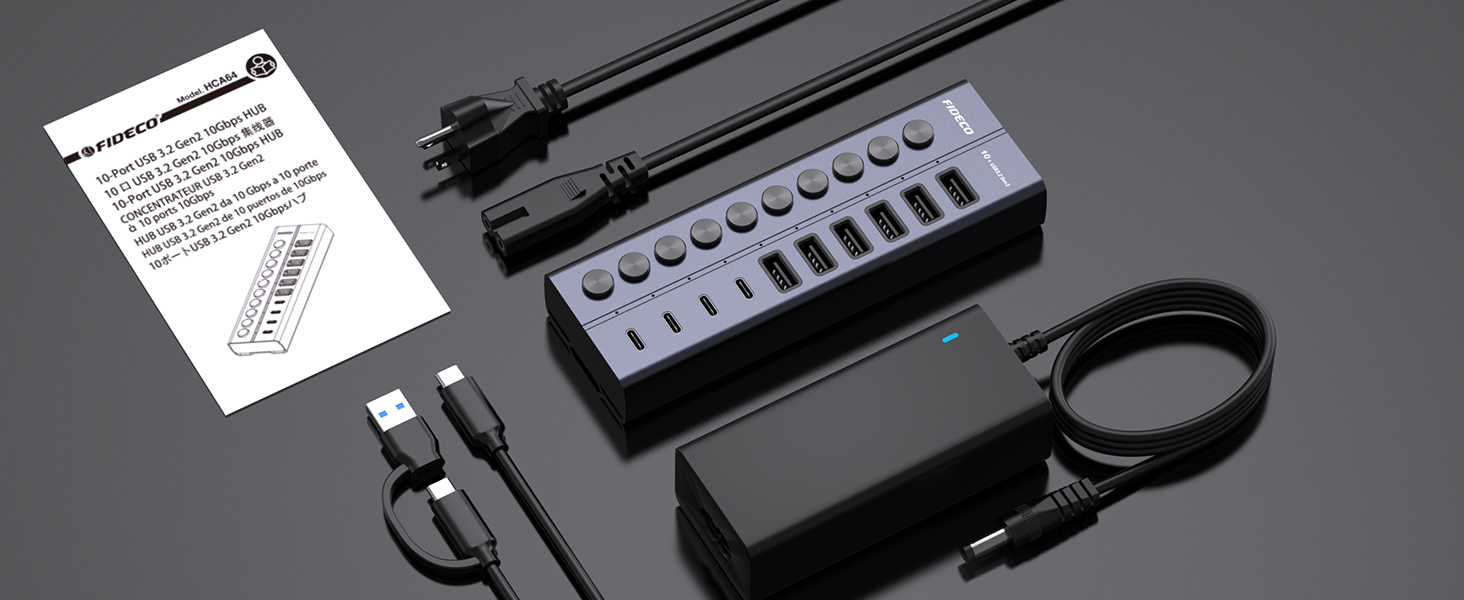
Image: Contents of the FIDECO HCA64 package, including the hub, power adapter, USB cable, and manual.
3. ഉൽപ്പന്നം കഴിഞ്ഞുview
The FIDECO HCA64 is a high-performance 10-port USB hub designed to expand connectivity for your laptop or PC. It features a robust aluminum alloy casing for efficient heat dissipation and includes individual on/off switches for each port.
പ്രധാന സവിശേഷതകൾ:
- 10Gbps സൂപ്പർ സ്പീഡ്: USB 3.2 Gen 2 standard for rapid data transfer.
- 60W Powered Hub: Includes a 12V 5A power adapter for stable operation and charging.
- BC1.2 Charging Support: All 10 ports support BC1.2 charging (5V/1.5A max).
- Independent On/Off Switches: Control power to individual ports.
- Aluminum Design: Durable and aids in heat dissipation.
- വൈവിധ്യമാർന്ന തുറമുഖങ്ങൾ: 6 USB-A ports and 4 USB-C ports.

ചിത്രം: മുൻഭാഗം view of the FIDECO HCA64 USB Hub, illustrating the layout of 6 USB-A (10Gbps) and 4 USB-C (10Gbps) ports, along with individual power buttons.
4. സജ്ജീകരണം
Follow these steps to set up your FIDECO HCA64 USB Hub:
- പവർ അഡാപ്റ്റർ ബന്ധിപ്പിക്കുക: Plug the 12V 5A power adapter into the DC IN port on the back of the USB hub. Then, plug the power adapter into a wall outlet. The hub requires external power for stable operation and charging capabilities.
- നിങ്ങളുടെ കമ്പ്യൂട്ടറിലേക്ക് ബന്ധിപ്പിക്കുക: Use the provided USB-C to USB-C cable (with the attached USB-A adapter if needed) to connect the hub to an available USB-C or USB-A port on your laptop or PC.
- പവർ ഓൺ: The hub is plug-and-play; no drivers are required. Once connected, the hub will be ready for use. Individual port power can be controlled using the dedicated on/off switches.

ചിത്രം: ഒരു ക്ലോസ്-അപ്പ് view showing the 60W power adapter being connected to the FIDECO USB Hub, ensuring stable power for multiple devices.

Image: Demonstrates the flexibility of the included USB-C cable with an attached USB-A adapter, allowing connection to both USB-C and USB-A host ports on laptops.
5. പ്രവർത്തന നിർദ്ദേശങ്ങൾ
5.1 ഡാറ്റ കൈമാറ്റം
The FIDECO HCA64 hub supports USB 3.2 Gen 2, offering data transfer speeds up to 10Gbps. Connect your USB devices such as external hard drives, USB flash drives, or other peripherals to the available USB-A or USB-C ports on the hub. Ensure the individual port switch is turned on for the connected device.

Image: Illustrates the 10Gbps data transfer capability of both USB-C and USB-A ports on the hub, significantly faster than USB 3.0's 5Gbps.
5.2 ഉപകരണം ചാർജിംഗ്
All 10 USB ports on the FIDECO HCA64 support BC1.2 charging, providing a maximum power output of 5V/1.5A per port. This is suitable for charging smartphones, tablets, and other USB-powered devices. The hub can simultaneously transfer data and charge devices.

Image: A smartphone and tablet are shown charging simultaneously through the FIDECO USB Hub, demonstrating its BC1.2 fast charging capability.

Image: A laptop connected to the FIDECO USB Hub, which is simultaneously transferring data from a USB drive and charging a smartphone, highlighting multitasking efficiency.
5.3 Using Individual On/Off Switches
Each port on the hub has an independent on/off switch and an LED indicator. Press the button to toggle the power for the corresponding port. The LED will illuminate when the port is active. This feature allows you to manage connected devices without frequent plugging and unplugging, conserving power and extending device lifespan.
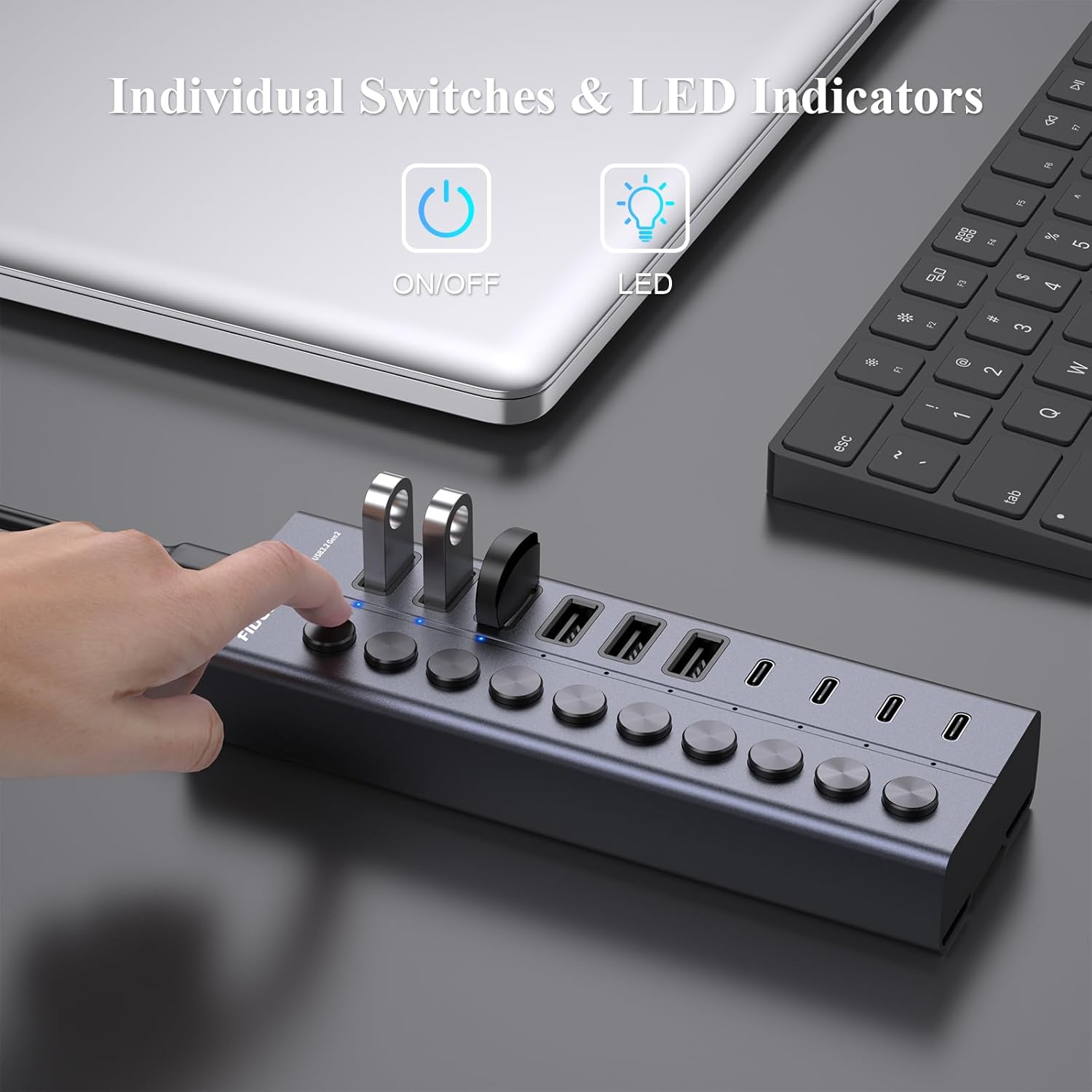
Image: A hand is shown pressing one of the individual on/off switches on the FIDECO USB Hub, with multiple USB drives connected, demonstrating selective power control.

Image: A close-up of the FIDECO USB Hub highlighting the individual on/off switches and their corresponding LED indicators, allowing users to control each device separately.
5.4 അനുയോജ്യത
The FIDECO HCA64 USB Hub is widely compatible with various operating systems, including Windows, Mac OS, and Linux. It supports a broad range of devices such as card readers, dashcams, desktops, gaming consoles, and laptops.
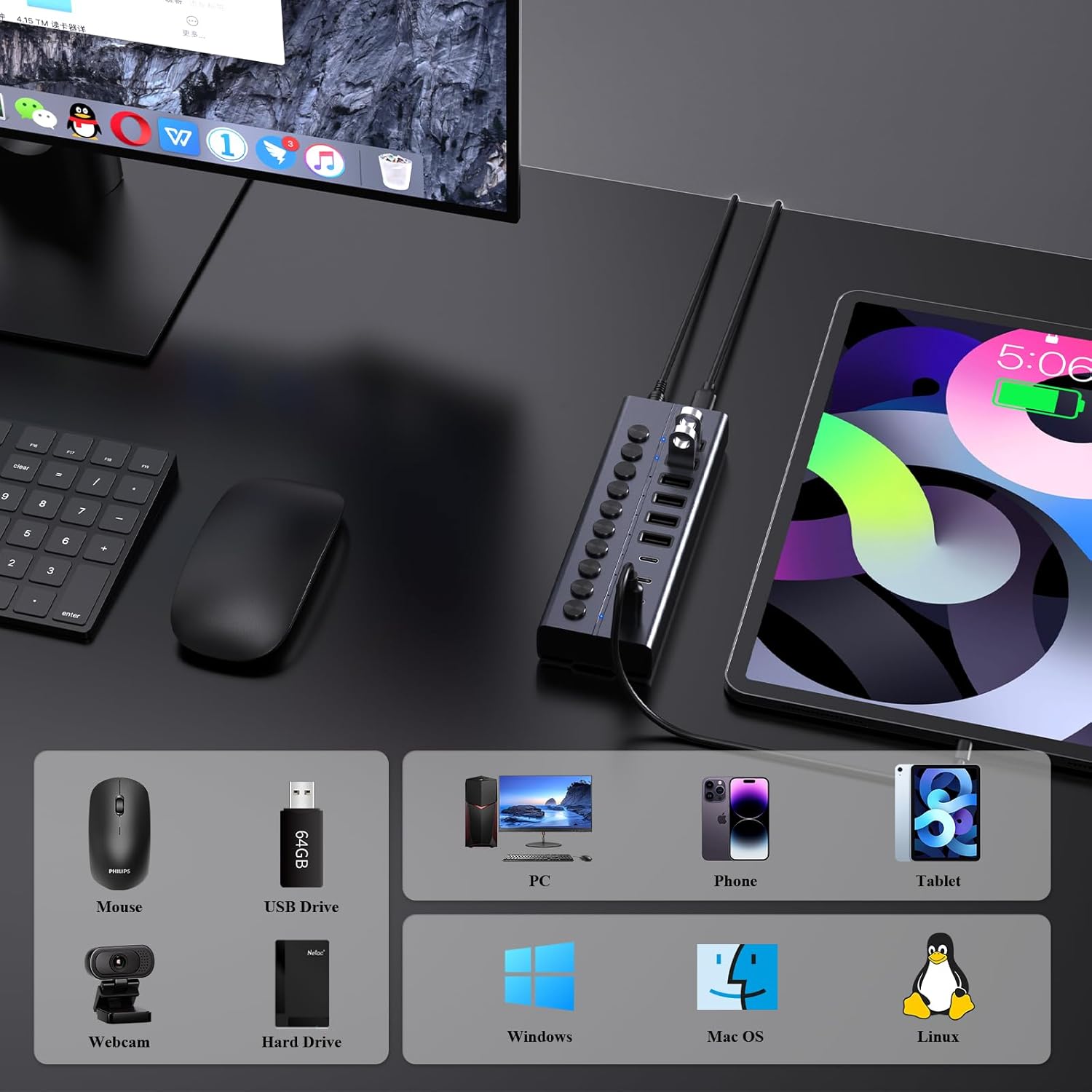
Image: An illustration showing the FIDECO USB Hub connected to a laptop, with icons representing compatible devices like mice, USB drives, webcams, hard drives, phones, tablets, and PCs, as well as operating systems like Windows, Mac OS, and Linux.
5.5 ഉൽപ്പന്ന പ്രദർശന വീഡിയോ
Watch this video for a visual guide on setting up and using the FIDECO 10Gbps 60W Powered USB Hub.
Video: A demonstration of the FIDECO 10Gbps 60W Powered USB Hub, showcasing its features, connectivity, and high-speed data transfer capabilities.
6. പരിപാലനം
To ensure the longevity and optimal performance of your FIDECO HCA64 USB Hub, follow these maintenance guidelines:
- വൃത്തിയാക്കൽ: Use a soft, dry cloth to wipe the surface of the hub. Avoid using liquid cleaners or abrasive materials, as they may damage the finish or internal components.
- സംഭരണം: നേരിട്ടുള്ള സൂര്യപ്രകാശവും കടുത്ത താപനിലയും ഏൽക്കാത്ത തണുത്തതും വരണ്ടതുമായ സ്ഥലത്ത് ഹബ് സൂക്ഷിക്കുക.
- കൈകാര്യം ചെയ്യൽ: ഉപകരണം ശ്രദ്ധയോടെ കൈകാര്യം ചെയ്യുക. അത് താഴെയിടുകയോ ശക്തമായ ആഘാതങ്ങൾക്ക് വിധേയമാക്കുകയോ ചെയ്യരുത്.
- വെൻ്റിലേഷൻ: അമിതമായി ചൂടാകുന്നത് തടയാൻ, പ്രത്യേകിച്ച് ഒന്നിലധികം ഉപകരണങ്ങൾ ഉപയോഗിച്ച് ദീർഘനേരം ഉപയോഗിക്കുമ്പോൾ, മതിയായ വായുസഞ്ചാരമുള്ള സ്ഥലത്ത് ഹബ് സ്ഥാപിച്ചിട്ടുണ്ടെന്ന് ഉറപ്പാക്കുക.
7. പ്രശ്നപരിഹാരം
If you encounter issues with your FIDECO HCA64 USB Hub, please refer to the following common problems and solutions:
- ഉപകരണം തിരിച്ചറിഞ്ഞിട്ടില്ല:
- Ensure the individual on/off switch for the specific port is activated.
- Verify that the hub is properly connected to your computer and the power adapter is securely plugged in.
- ഉപകരണം സ്വതന്ത്രമായി പ്രവർത്തിക്കുന്നുവെന്ന് ഉറപ്പാക്കാൻ അത് നിങ്ങളുടെ കമ്പ്യൂട്ടറിലേക്ക് നേരിട്ട് ബന്ധിപ്പിക്കാൻ ശ്രമിക്കുക.
- നിങ്ങളുടെ കമ്പ്യൂട്ടർ പുനരാരംഭിക്കുക.
- കുറഞ്ഞ ഡാറ്റാ ട്രാൻസ്ഫർ വേഗത:
- Ensure both the hub and your connected device support USB 3.2 Gen 2 (10Gbps) for maximum speed. Older USB standards will operate at their respective lower speeds.
- ഒരേസമയം വളരെയധികം ഉയർന്ന ബാൻഡ്വിഡ്ത്ത് ഉപകരണങ്ങൾ ബന്ധിപ്പിക്കുന്നത് ഒഴിവാക്കുക.
- Check the quality of the USB cable used to connect your device to the hub.
- ഉപകരണങ്ങൾ ചാർജ് ചെയ്യുന്നില്ല അല്ലെങ്കിൽ സാവധാനം ചാർജ് ചെയ്യുന്നു:
- Confirm the power adapter is connected and functioning. The hub requires external power for charging.
- Note that each port provides a maximum of 5V/1.5A (BC1.2). This may not be sufficient for devices requiring higher power input, such as some portable monitors or high-power laptops.
- Ensure the charging cable is functional and properly connected.
- ഹബ് അമിത ചൂടാക്കൽ:
- While the aluminum design aids in heat dissipation, ensure the hub is in a well-ventilated area.
- Reduce the number of high-power devices connected if overheating persists.
8 സ്പെസിഫിക്കേഷനുകൾ
| ഫീച്ചർ | വിശദാംശങ്ങൾ |
|---|---|
| മോഡൽ നമ്പർ | HCA64 |
| ഉൽപ്പന്ന അളവുകൾ | 6 x 2 x 1.1 ഇഞ്ച് |
| ഇനത്തിൻ്റെ ഭാരം | 1.32 പൗണ്ട് |
| ഹാർഡ്വെയർ ഇന്റർഫേസ് | USB Type C (Host Connection) |
| USB പോർട്ടുകൾ | 6 x USB-A (10Gbps), 4 x USB-C (10Gbps) |
| ഡാറ്റ ട്രാൻസ്ഫർ വേഗത | 10Gbps വരെ (USB 3.2 Gen 2) |
| പവർ ഇൻപുട്ട് | 12V 5A (60W) Power Adapter |
| ചാർജിംഗ് ഔട്ട്പുട്ട് | BC1.2 (5V/1.5A max per port) |
| പ്രത്യേക സവിശേഷതകൾ | Anti-Slip, Fast Charging, Fast Data Transfer, Plug and Play, Powered, Individual On/Off Switches |
| അനുയോജ്യമായ ഉപകരണങ്ങൾ | Card Readers, Dashcams, Desktops, Gaming Consoles, Laptops |
| ഓപ്പറേറ്റിംഗ് സിസ്റ്റങ്ങൾ | വിൻഡോസ്, മാക് ഒഎസ്, ലിനക്സ് |
9. വാറൻ്റിയും പിന്തുണയും
9.1 വാറൻ്റി വിവരങ്ങൾ
FIDECO products are designed for reliability and performance. Specific warranty details may vary by region and retailer. Please retain your proof of purchase for any warranty claims.
9.2 സാങ്കേതിക പിന്തുണ
For technical assistance, troubleshooting, or any other inquiries regarding your FIDECO HCA64 USB Hub, please contact our support team:
- ഇമെയിൽ: സപ്പോർട്ട്@fideco.cn
When contacting support, please provide your product model (HCA64) and a detailed description of the issue.


