1. ആമുഖം
The HGLRC F405 8S V1 Flight Controller is a high-performance component designed for FPV racing and freestyle drones. It features an ICM42688P gyroscope for enhanced stability and a modular, direct-connect design for simplified installation. This manual provides essential information for proper setup, operation, and maintenance.
പ്രധാന സവിശേഷതകൾ:
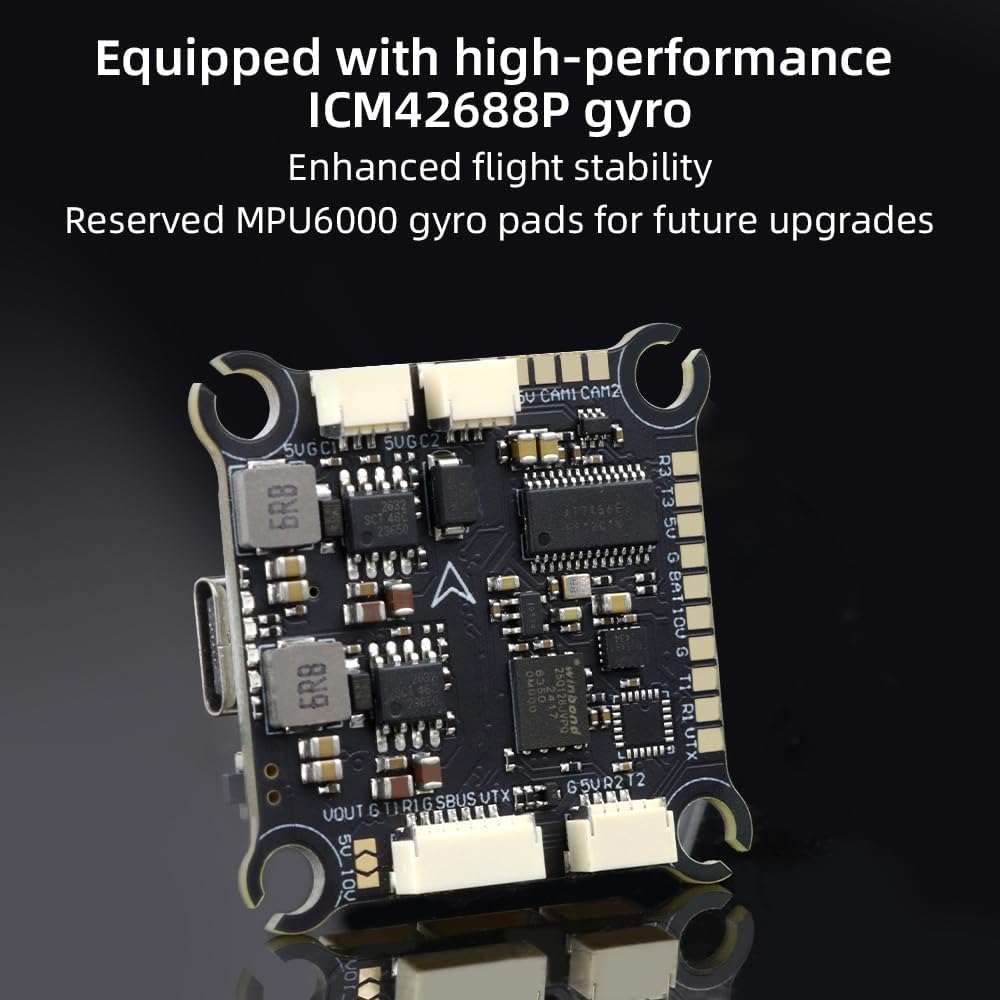
- High-Performance Gyroscope: Equipped with ICM42688P for superior flight stability, with reserved MPU6000 gyro pads for future upgrades.
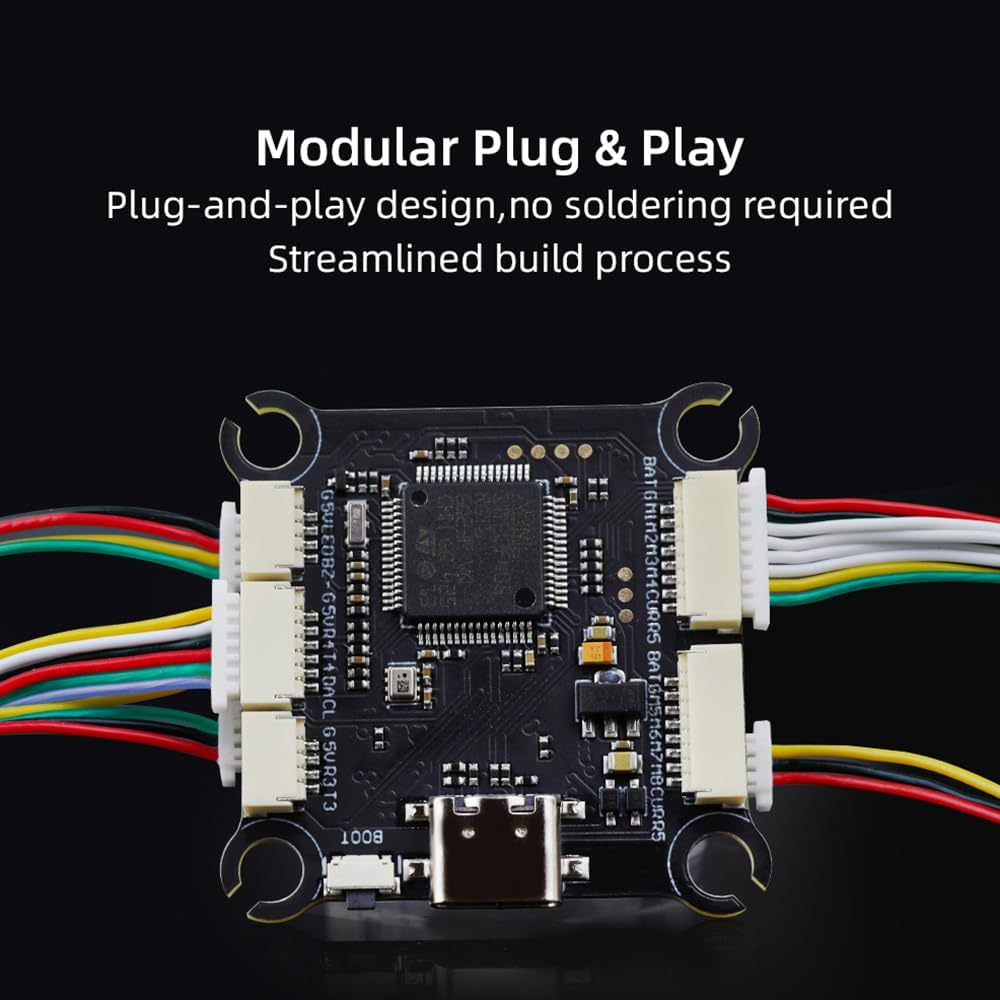
- മോഡുലാർ ഡിസൈൻ: Direct-connect, plug-and-play functionality eliminates the need for solder pads, streamlining the build process.
- Large Black Box: Includes a 16MB black box for extensive flight data recording.
- 8S High-Voltagഇ പിന്തുണ: Provides rapid output for extremely fast response and stable control during aggressive flight maneuvers.
2. ബോക്സിൽ എന്താണുള്ളത്?
നിങ്ങളുടെ പാക്കേജിൽ എല്ലാ ഇനങ്ങളും ഉണ്ടെന്ന് ഉറപ്പാക്കുക:
- 1x HGLRC F405 8S V1 Flight Controller
- 1x 30AWG 25mm Dual-End SH1.0-8P Flex Cable
- 1x 30AWG, 70mm Dual-End SH1.0-4P Flex Cable
- 1x 30AWG, 60mm Single-End SH1.0-3P/Single-End SH1.25-3P Cable
- 1x 30AWG 70mm, Single-Ended GH1.25-6P/Single-Ended SH1.0-7P Cable
- 1x 30AWG, Total Length 140mm, Double-Ended SH1.0-6P Cable
- 4x 3*8 Shock-Absorbing Columns
- 1x HGLRC Sticker
- 1x QR കോഡ് കാർഡ്

3 സ്പെസിഫിക്കേഷനുകൾ
| വാല്യംtagഇ ഇൻപുട്ട് | 7.4V-33.6V (2-8S LiPo) |
| എം.സി.യു | STM32F405 |
| ഗൈറോസ്കോപ്പ് | ICM42688P (MPU6000 pads reserved) |
| ഒഎസ്ഡി | AT7456E |
| ബാരോമീറ്റർ | SPL06-001 |
| ബ്ലാക്ക് ബോക്സ് | 16എംബി |
| UART പോർട്ടുകൾ | 5 |
| ഫ്ലൈറ്റ് കൺട്രോളർ ഫേംവെയർ | HGLRCF405V2 (Supports Betaflight, Ardupilot, INAV) |
| അളവുകൾ | 36.3 മിമി x 36.3 മിമി x 1.78 മിമി (1.42"L x 1.42"W x 0.07"H) |
| മൗണ്ടിംഗ് ദ്വാരങ്ങൾ | 30.5mm x 30.5mm, M3 |
| ഭാരം | 9.5 ഗ്രാം (0.335 ഔൺസ്) |
| കണക്റ്റിവിറ്റി | യുഎസ്ബി ടൈപ്പ്-സി |
4. സജ്ജീകരണവും ഇൻസ്റ്റാളേഷനും
4.1 ഘടകം ഓവർview
The HGLRC F405 8S V1 Flight Controller is designed for easy integration into your FPV drone build. Its modular nature simplifies connections.
4.2 വയറിംഗ് ഡയഗ്രം
Refer to the following diagram for proper connection of your flight controller to other drone components such as the ESC, receiver, video transmitter, and GPS module.

4.3 Video Guide: Flight Controller F405 Details
5. പ്രവർത്തന നിർദ്ദേശങ്ങൾ
5.1 Firmware Compatibility
The HGLRC F405 8S V1 Flight Controller is compatible with popular flight control firmware. You can flash the board with:
- ബീറ്റാഫ്ലൈറ്റ്: A widely used open-source firmware for FPV drones, offering extensive customization and flight modes.
- Ardupilot: A comprehensive and powerful open-source autopilot software suite, suitable for various UAV applications.
- ഐഎൻഎവി: Firmware designed for GPS-enabled drones, offering navigation features like RTH (Return To Home) and waypoint missions.
Ensure you download the correct firmware target (HGLRCF405V2) from the respective firmware configurator or webസൈറ്റ്.
5.2 പ്രാരംഭ കോൺഫിഗറേഷൻ
After physically connecting all components and flashing the desired firmware, connect the flight controller to your computer via the USB Type-C port. Use the corresponding configurator software (e.g., Betaflight Configurator) to perform initial setup, calibrate sensors, configure motor outputs, and set up your radio receiver.
6. പരിപാലനം
To ensure the longevity and optimal performance of your HGLRC F405 8S V1 Flight Controller, follow these maintenance guidelines:
- വൃത്തിയായി സൂക്ഷിക്കു: Regularly inspect the board for dust, debris, or moisture. Use a soft brush or compressed air to gently clean the surface. Avoid using liquids directly on the board.
- കണക്ഷനുകൾ പരിശോധിക്കുക: Periodically check all cable connections for looseness or damage. Ensure connectors are securely seated.
- ശാരീരിക ക്ഷതം: After any crash or hard landing, inspect the board for cracks, bent pins, or damaged components.
- സംഭരണം: ഉപയോഗത്തിലില്ലാത്തപ്പോൾ, ഫ്ലൈറ്റ് കൺട്രോളർ വരണ്ടതും ആന്റി-സ്റ്റാറ്റിക് പരിതസ്ഥിതിയിൽ സൂക്ഷിക്കുക, തീവ്രമായ താപനിലയിൽ നിന്ന് അകറ്റി നിർത്തുക.
7. പ്രശ്നപരിഹാരം
If you encounter issues with your HGLRC F405 8S V1 Flight Controller, consider the following common troubleshooting steps:
- ശക്തിയില്ല: Verify battery connection and voltage. Check for shorts or incorrect wiring. Ensure the power distribution board (PDB) or ESC is functioning correctly.
- No USB Connection: Try a different USB cable or port. Ensure the correct drivers are installed on your computer. If the boot button is stuck, it might prevent normal connection.
- കറങ്ങാത്ത മോട്ടോറുകൾ: Check motor connections to the ESC. Verify ESC calibration and firmware settings. Ensure your radio receiver is properly bound and configured in the flight controller software.
- അസ്ഥിരമായ ഫ്ലൈറ്റ്: Recalibrate the accelerometer and gyroscope. Check for vibrations affecting the flight controller. Ensure PID settings are appropriate for your drone frame and motors.
- OSD പ്രദർശിപ്പിക്കുന്നില്ല: Verify OSD settings in the flight controller software. Check video signal connections from the camera to the flight controller and from the flight controller to the video transmitter.
- GPS Issues: ജിപിഎസ് മൊഡ്യൂളിന് വ്യക്തമായ ഒരു രേഖ ഉണ്ടെന്ന് ഉറപ്പാക്കുക view of the sky. Check GPS wiring and baud rate settings in the flight controller software.
For more detailed troubleshooting, consult the official HGLRC support resources or relevant community forums for your chosen firmware (Betaflight, Ardupilot, INAV).
8. വാറൻ്റിയും പിന്തുണയും
8.1 വാറൻ്റി വിവരങ്ങൾ
HGLRC products are typically covered by a limited warranty against manufacturing defects. The specific terms and duration of the warranty may vary. Please retain your proof of purchase for any warranty claims. Damage resulting from improper installation, misuse, modification, or accidents is generally not covered under warranty.
8.2 സാങ്കേതിക പിന്തുണ
For technical assistance, firmware updates, or further inquiries, please visit the official HGLRC website or contact their customer support. Online resources, including FAQs and community forums, can also provide valuable information and solutions.
എച്ച്ജിഎൽആർസി ഉദ്യോഗസ്ഥൻ Webസൈറ്റ്: ആമസോണിലെ HGLRC സ്റ്റോർ സന്ദർശിക്കുക


