1. ആമുഖം
The ATK VXE Dragonfly R1 Pro is a high-performance wireless gaming mouse designed for precision and comfort. Featuring an ultra-lightweight design, a PixArt PAW3395 sensor, and adjustable polling rates, it offers a responsive and reliable experience for gaming and productivity. This manual provides essential information for setting up, operating, maintaining, and troubleshooting your device.
2. പാക്കേജ് ഉള്ളടക്കം
നിങ്ങളുടെ ഉൽപ്പന്ന പാക്കേജിംഗിൽ എല്ലാ ഇനങ്ങളും ഉണ്ടെന്ന് ഉറപ്പാക്കുക:
- ATK VXE Dragonfly R1 Pro Wireless Gaming Mouse
- 2.4G വയർലെസ് റിസീവർ (USB ഡോംഗിൾ)
- USB-C മുതൽ USB-A ചാർജിംഗ്/ഡാറ്റ കേബിൾ വരെ
- ഉപയോക്തൃ മാനുവൽ (ഈ പ്രമാണം)
വീഡിയോ: ATK R1 Gaming Mouse Unboxing. This video demonstrates the unboxing process and shows the included accessories.

ചിത്രം: The ATK VXE Dragonfly R1 Pro mouse shown with its USB-C charging cable and 2.4G wireless receiver.
3. സജ്ജീകരണം
3.1. മൗസ് ചാർജ് ചെയ്യുന്നു
Before first use, it is recommended to fully charge the mouse. Connect the provided USB-C cable to the mouse's front port and the USB-A end to your computer or a USB power adapter. The mouse features a 500mAh battery, providing approximately 75 hours of continuous use at 1000Hz polling rate.
3.2. മൗസ് ബന്ധിപ്പിക്കൽ
The R1 Pro supports dual-mode connectivity: 2.4G Wireless and Wired USB-C.
2.4G വയർലെസ് മോഡ്:
- Locate the 2.4G wireless receiver (USB dongle) stored in the compartment on the underside of the mouse.
- റിസീവർ നീക്കം ചെയ്ത് നിങ്ങളുടെ കമ്പ്യൂട്ടറിൽ ലഭ്യമായ ഒരു USB പോർട്ടിലേക്ക് പ്ലഗ് ചെയ്യുക.
- മൗസിന്റെ താഴെയുള്ള പവർ സ്വിച്ച് '2.4G' സ്ഥാനത്തേക്ക് സ്ലൈഡ് ചെയ്യുക.
- നിങ്ങളുടെ കമ്പ്യൂട്ടർ സ്വയമേവ മൗസ് കണ്ടെത്തി ബന്ധിപ്പിക്കണം.
വയേർഡ് USB-C മോഡ്:
- Connect the provided USB-C cable to the mouse's front port and the USB-A end to your computer.
- മൗസ് യാന്ത്രികമായി വയേർഡ് മോഡിലേക്ക് മാറുകയും ചാർജ് ചെയ്യാൻ തുടങ്ങുകയും ചെയ്യും.
ചിത്രം: The underside of the mouse, highlighting the power switch for connectivity modes and the DPI adjustment button.
4. പ്രവർത്തന നിർദ്ദേശങ്ങൾ
4.1. ഡിപിഐ ക്രമീകരണം
The R1 Pro features a PixArt PAW3395 sensor with adjustable DPI up to 26,000. You can cycle through pre-set DPI levels using the dedicated DPI button on the bottom of the mouse. Default pre-set profiles typically include 400 DPI (Red), 800 DPI (Green - Default), 1600 DPI (Blue), and 3200 DPI (Purple).

ചിത്രം: Details of the PixArt PAW3395 sensor, showing DPI ranges and pre-set profiles.
4.2. പോളിംഗ് നിരക്ക് ക്രമീകരണം
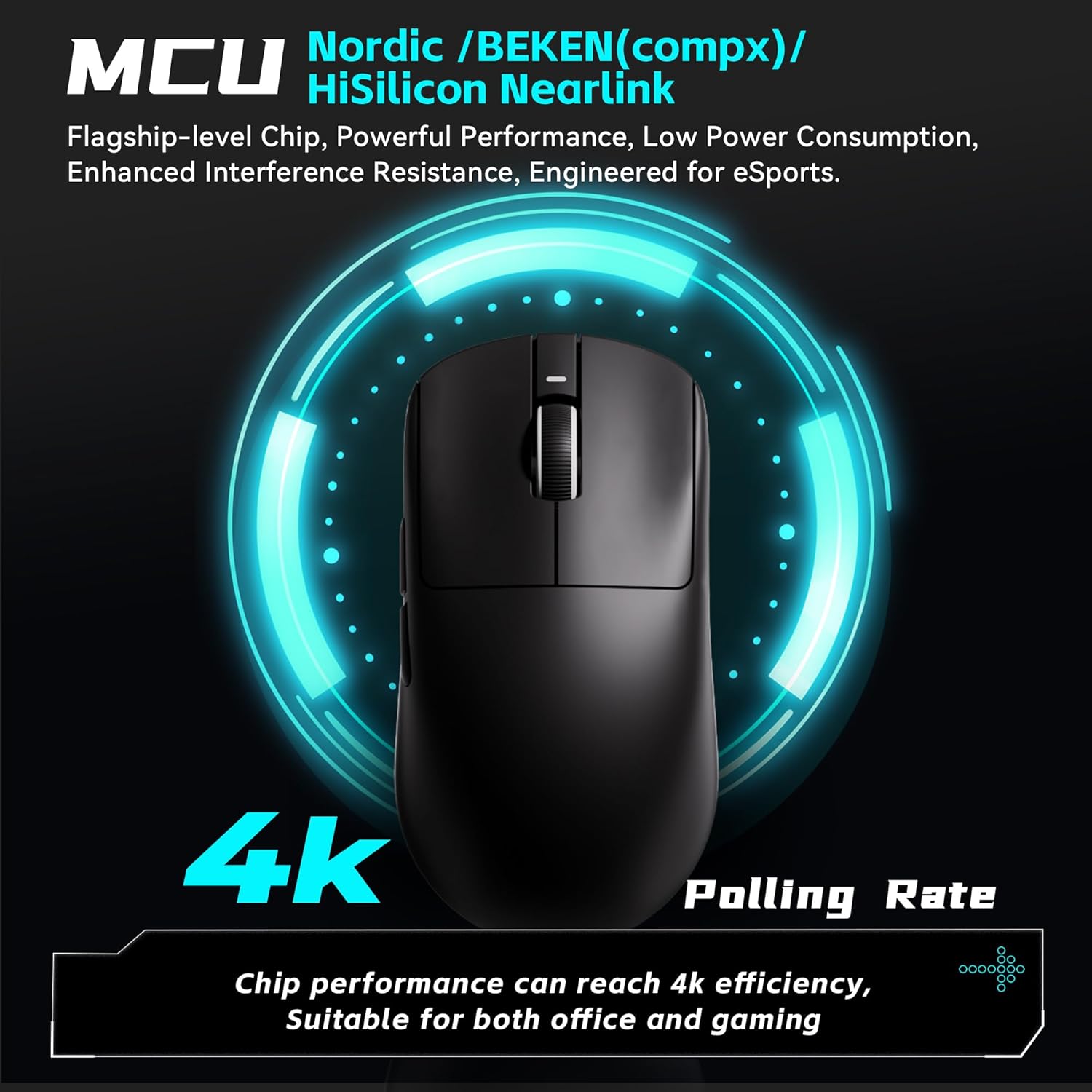
The R1 Pro supports adjustable polling rates from 125Hz to 4,000Hz. A 4K polling rate requires a separate 4K receiver (not included with the standard mouse package) for optimal performance. The polling rate can be adjusted via the ATK V HUB software.

ചിത്രം: Illustration of the mouse's 4K polling rate capability and the high-performance MCU.
4.3. പ്രോഗ്രാം ചെയ്യാവുന്ന ബട്ടണുകൾ
The R1 Pro features multiple programmable buttons (left click, right click, scroll wheel click, two side buttons). These buttons can be customized for various functions, macros, and key remapping using the ATK V HUB software. The software supports Windows 10 and above systems.

ചിത്രം: ഒരു മുൻample of the ATK V HUB software interface for managing mouse settings.
5. പരിപാലനം
- വൃത്തിയാക്കൽ: മൗസ് വൃത്തിയാക്കാൻ മൃദുവായതും ഉണങ്ങിയതുമായ തുണി ഉപയോഗിക്കുക. കഠിനമായ രാസവസ്തുക്കളോ ഉരച്ചിലുകളോ ഉള്ള വസ്തുക്കൾ ഉപയോഗിക്കുന്നത് ഒഴിവാക്കുക.
- സംഭരണം: When not in use, store the mouse in a dry, cool place away from direct sunlight.
- ബാറ്ററി കെയർ: To prolong battery life, avoid fully discharging the mouse frequently. Charge it when the low battery indicator appears.
6. പ്രശ്നപരിഹാരം
- മൗസ് പ്രതികരിക്കുന്നില്ല: Ensure the mouse is charged and the power switch is in the correct position (2.4G or Wired). Re-insert the USB receiver.
- കാലതാമസം അല്ലെങ്കിൽ വിച്ഛേദിക്കൽ: Ensure the USB receiver is plugged into a direct USB port, not a hub. Move the mouse closer to the receiver. Check for interference from other wireless devices.
- DPI മാറുന്നില്ല: Press the DPI button firmly. If using software, ensure settings are applied correctly.
- മൗസ് കണ്ടെത്താത്ത സോഫ്റ്റ്വെയർ: Ensure the mouse is connected and powered on. Reinstall the ATK V HUB software.
7 സ്പെസിഫിക്കേഷനുകൾ
| ഫീച്ചർ | വിശദാംശങ്ങൾ |
|---|---|
| ഉൽപ്പന്ന അളവുകൾ | 4.72 x 2.51 x 0.1 ഇഞ്ച് |
| ഇനത്തിൻ്റെ ഭാരം | 1.69 ഔൺസ് (ഏകദേശം 48 ഗ്രാം) |
| മോഡൽ നമ്പർ | ATK R1 Series |
| സെൻസർ | PixArt PAW3395 |
| ഡിപിഐ ശ്രേണി | 26,000 DPI വരെ |
| പോളിംഗ് നിരക്ക് | 125-4,000Hz (4K polling requires separate receiver) |
| കണക്റ്റിവിറ്റി ടെക്നോളജി | 2.4G വയർലെസ്സ്, USB-C വയേർഡ് |
| Battery Life (R1 Pro) | ~75 hours (at 1000Hz) |
| പ്രത്യേക സവിശേഷതകൾ | ഭാരം കുറഞ്ഞ, പ്രോഗ്രാം ചെയ്യാവുന്ന ബട്ടണുകൾ, റീചാർജ് ചെയ്യാവുന്നത് |
| നിർമ്മാതാവ് | എ.ടി.കെ |

ചിത്രം: A comprehensive table outlining the specifications for various models in the VXE Dragonfly R1 Series, including the R1 Pro.
8. വാറൻ്റിയും പിന്തുണയും
For warranty information and customer support, please refer to the official ATK webസൈറ്റിൽ ബന്ധപ്പെടുക അല്ലെങ്കിൽ നിങ്ങളുടെ റീട്ടെയിലറെ ബന്ധപ്പെടുക. ഏതെങ്കിലും വാറന്റി ക്ലെയിമുകൾക്കായി നിങ്ങളുടെ വാങ്ങിയതിന്റെ തെളിവ് സൂക്ഷിക്കുക.


