ആമുഖം
The Veise VE027-H Smart Deadbolt Lock with Handleset offers a keyless, dependable, and intuitive experience for securing your home. This smart lock integrates modern design with advanced security features, including multiple unlocking options and built-in Wi-Fi for remote control. This manual provides detailed instructions for installation, setup, operation, and troubleshooting to ensure optimal performance and security.
ബോക്സിൽ എന്താണുള്ളത്
ഇൻസ്റ്റാളേഷൻ ആരംഭിക്കുന്നതിന് മുമ്പ് എല്ലാ ഘടകങ്ങളും നിലവിലുണ്ടെന്ന് ഉറപ്പാക്കുക:
- ബാഹ്യ അസംബ്ലി
- ഇൻ്റീരിയർ അസംബ്ലി
- ലാച്ച് അസംബ്ലി
- സ്ട്രൈക്ക് പ്ലേറ്റ്
- മൗണ്ടിംഗ് പ്ലേറ്റ്
- Zinc Alloy Door Handleset
- 2 മെക്കാനിക്കൽ കീകൾ
- 2 ഐസി കാർഡുകൾ
- സ്ക്രൂകൾ (വിവിധ വലുപ്പങ്ങൾ)
- ഉപയോക്തൃ മാനുവൽ
- ഇൻസ്റ്റലേഷൻ മാനുവൽ

Image: All components of the Veise VE027-H smart lock and handleset, including the exterior and interior units, handleset, latch, strike plate, keys, IC cards, and mounting hardware.
ഇൻസ്റ്റലേഷൻ
Follow these steps carefully for proper installation. Keep the door open and unlocked during installation. Do not insert batteries until installation is complete. Early insertion requires a manual reset to re-identify the door direction.
1. Measure the Dimensions
Ensure your door dimensions are compatible with the lock. The lock fits U.S. doors 1-3/8" to 2" thick.
- ദ്വാര വ്യാസം: 1-1/2" to 2-1/8" (38mm or 54mm)
- ബാക്ക്സെറ്റ്: 2-3/8" അല്ലെങ്കിൽ 2-3/4" (60mm അല്ലെങ്കിൽ 70mm)
- Minimum Distance (between deadbolt and handleset holes): 5" (127 മിമി)
- കൈപ്പിടിയിലെ ദ്വാര വിടവ്: 7-8/16" മുതൽ 8-7/8" വരെ (200 മിമി മുതൽ 225 മിമി വരെ)
- Bore Diameter (for handleset): 3/8" (10 മിമി)

Image: A detailed diagram illustrating the necessary door measurements, including hole diameters, backset, and spacing for both the deadbolt and handleset components.
2. ലാച്ച് ഇൻസ്റ്റാൾ ചെയ്ത് സ്ട്രൈക്ക് ചെയ്യുക
Install the latch into the door edge. Ensure the latch bolt is fully retracted (unlocked position) during installation. Test the latch bolt with a screwdriver to ensure it extends and retracts smoothly. Install the strike plate on the door frame, ensuring the hole is drilled to a minimum depth of 1" (25mm).
3. എക്സ്റ്റീരിയർ അസംബ്ലി ഇൻസ്റ്റാൾ ചെയ്യുക
Route the cable below the latch and insert the torque blade through the latch slot. Ensure the hole diameter is 2-1/8" (54mm). If the hole diameter is 1-1/2" (38mm), remove the spacer.
4. ഇന്റീരിയർ അസംബ്ലി ഇൻസ്റ്റാൾ ചെയ്യുക
Remove the battery cover. Ensure cable connectors are inserted in the correct orientation and pushed firmly until fully seated. Keep the thumb turn vertical and the torque blade horizontal. Attach the interior assembly to the mounting plate and tighten the three screws. Be sure not to use the wrong screws, as it may lead to short-circuit and other problems.
5. Install the Batteries and Distinguish Left- or Right-Hand Door
First, seat the ribbon in the groove, then place the battery over it. Insert 8 AA alkaline batteries. Please use only new, non-rechargeable alkaline batteries. Attach the battery cover. The lock will automatically detect the door's handing. If the lock was powered on before installation, reset it manually after installation.
6. Install the Handleset
Install the handleset, ensuring the hole spacing is compatible. The handleset requires a hole spacing of 7-8/16" to 8-7/8" (200mm to 225mm). Do not press the handle button during installation to avoid jamming.
Video: Detailed installation guide for the Veise VE027-H Wi-Fi Smart Lock, covering all steps from measuring to final assembly of the deadbolt and handleset.
Setup (App Pairing)
The Veise VE027-H features built-in 2.4GHz Wi-Fi, eliminating the need for a separate gateway. You can control the lock directly from your smartphone.
1. Download and Register App
Download the KK Home App by scanning the QR code provided in the manual or searching in your app store. Register your account and log in.
2. Pair Your Lock (Bluetooth)
Turn on Bluetooth on your phone. Keep your phone within 2 meters of the lock. Open the app and tap "Add device". Find "VE027-H" and tap "Connect", or scan the QR code/enter the ESN manually (found on the back of the interior assembly). Make sure the lock is installed and reset.
3. വൈഫൈയിലേക്ക് കണക്റ്റ് ചെയ്യുക
Select your 2.4GHz Wi-Fi network (5GHz networks are not supported directly; check FQA for switching channels). Enter your Wi-Fi password. Once connected, name your lock and finish the setup.
4. Change the Master Code
After successful pairing, you can set a new master passcode (4-10 digits) or skip this step.
Video: A tutorial demonstrating the app pairing process for the Veise VE027-H smart lock, including Bluetooth connection and Wi-Fi setup.
പ്രവർത്തന നിർദ്ദേശങ്ങൾ
The Veise VE027-H offers multiple ways to access your home and manage security.
1. അൺലോക്ക് രീതികൾ
Unlock your door using any of the following methods:
- ആപ്പ് റിമോട്ട് കൺട്രോൾ: Lock or unlock remotely via the KK Home app.
- ഫിംഗർപ്രിന്റ്: Fast 0.2s biometric recognition. Supports up to 20 fingerprints. Ensure fingers are clean and dry when registering.
- Fobs (IC Cards): Use the provided IC cards for quick access. Supports up to 100 cards.
- പാസ്കോഡ്: Enter a custom passcode on the touchscreen keypad. Features anti-peeping keypad for enhanced security.
- മെക്കാനിക്കൽ കീ: ഒരു ബാക്കപ്പ് ആയി ഫിസിക്കൽ കീ ഉപയോഗിക്കുക.
- ശബ്ദ നിയന്ത്രണം: Amazon Alexa, Google Assistant എന്നിവയുമായി പൊരുത്തപ്പെടുന്നു.

Image: The Veise smart lock displaying icons for its six unlocking methods: app, fingerprint, fobs, passcode, mechanical key, and voice control.
2. ഓട്ടോ-ലോക്ക് സജ്ജീകരണങ്ങൾ
Enable auto-lock and set a timer (from 10 seconds to 3 minutes) for automatic locking after the door closes. This feature provides peace of mind, ensuring your door is always secured.

Image: The auto-lock feature in action, showing the smart lock on a door and a smartphone interface for setting the auto-lock timer.
3. Notifications & Access Logs
Receive real-time notifications on your smartphone for lock/unlock events. View a 24/7 activity log to track who accessed your door and when. Ensure app notifications are enabled.
4. ഉപകരണ അനുമതികൾ പങ്കിടുക
Share access to your lock with family, guests, or service providers. You can set different permission types (e.g., permanent, recurring, duration, one-time codes) and share via email or QR code.
5. Connect with Alexa/Google Assistant
Log in and authorize the KK Home app to link with Alexa or Google Assistant. Once linked, you can control your device via voice commands, such as "Alexa, unlock the front door" or "Alexa, lock the front door."
വീഡിയോ: ഒരു ഓവർview of the Veise VE027-H smart lock's app functions, including managing passcodes, fingerprints, cards, auto-lock, and sharing access.
ട്രബിൾഷൂട്ടിംഗ്
Refer to these solutions for common issues.
1. When the lock cannot be locked or unlocked
Confirm that the installation is correct. Ensure the torque blade is horizontal and the thumb turn is vertical. Also, verify that the latch is fully retracted when the door is open.
Video: Troubleshooting steps for when the Veise VE027-H smart lock cannot be locked or unlocked, focusing on correct installation and latch positioning.
2. ലോക്ക് പുനഃസജ്ജമാക്കൽ
If you encounter issues or need to restore factory settings, perform a manual reset.
- വാതിൽ തുറന്ന് പൂട്ടാതെ സൂക്ഷിക്കുക.
- Press and hold the Reset Button for 5 seconds using the Reset Tool.
- Keep holding the Reset Button until you hear the voice prompt "Restored to factory settings", and the Latch bolt extends out automatically.
Video: Instructions on how to reset the Veise VE027-H smart lock to its factory settings.
3. Connection Failed During Pairing
If you see a "Connection Failed" message during pairing or the lock doesn't appear in the device list, please try the following:
- Reset the lock and test if the default master code (12345678) unlocks it.
- Make sure Bluetooth is enabled on your phone and the lock has power.
മെയിൻ്റനൻസ്
The smart lock is powered by 8 AA batteries, lasting up to 8 months with efficient energy use. Receive instant low-battery alerts and app reminders. A Type-C port is available for temporary emergency unlocking (no charge/data transfer).
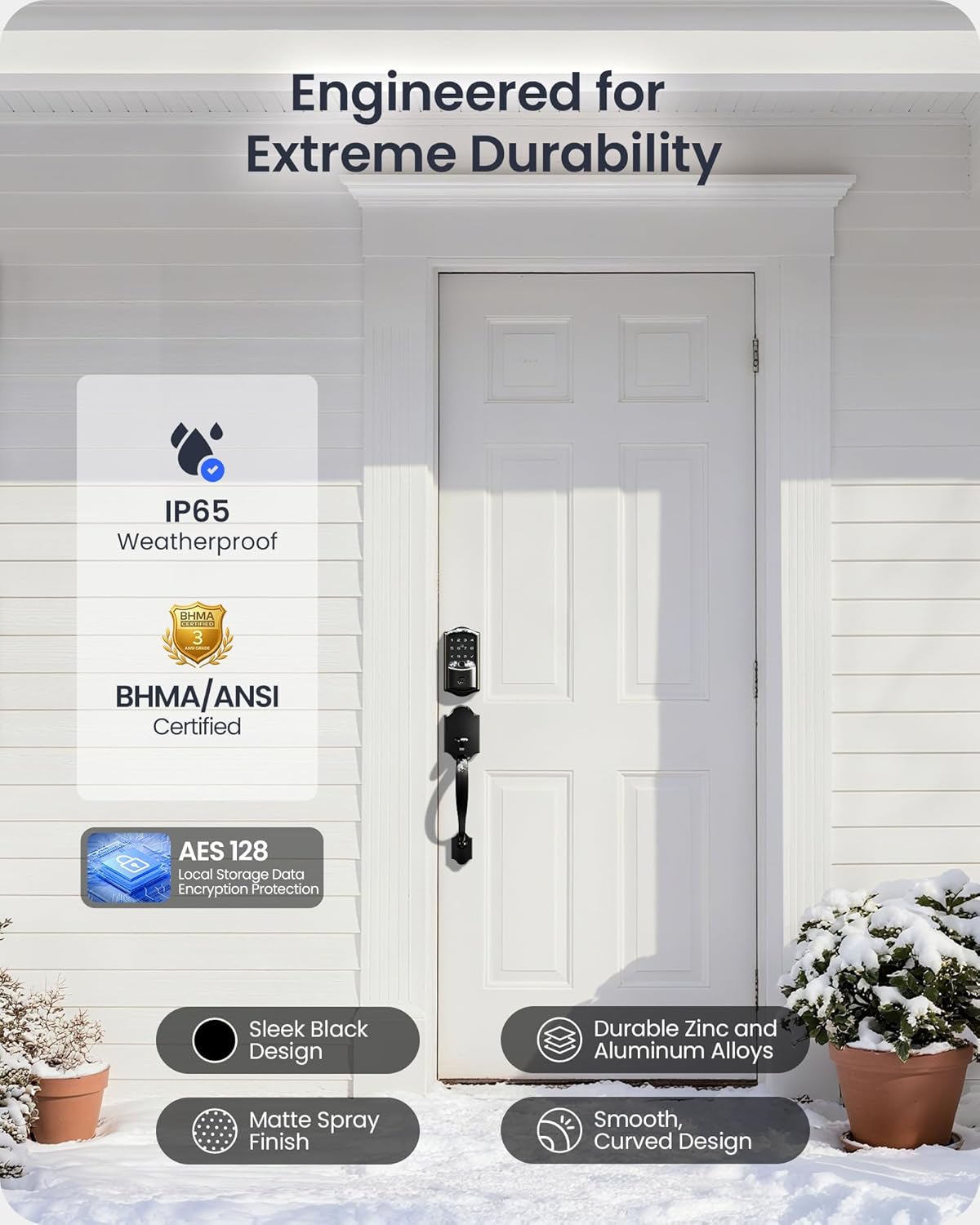
Image: The interior view of the smart lock, highlighting the 8 AA battery compartment and the Type-C port for emergency power.
സ്പെസിഫിക്കേഷനുകൾ
- ബ്രാൻഡ്: വീസ്
- മോഡൽ: VE027-H
- മെറ്റീരിയൽ: അലുമിനിയം, സിങ്ക്
- നിറം: മാറ്റ് ബ്ലാക്ക്
- ലോക്ക് തരം: Handle Lever Lock, Biometric, Deadbolt, Keypad, Wi-Fi Smart Lock
- പ്രത്യേക സവിശേഷതകൾ: Built-in Wi-Fi (No Bridge Needed), APP Remote Control, 0.2s Fingerprint Unlock, Auto Lock & Unlock, Voice Control, Back-Lit Keypad, Solid Zinc Alloy Handle, Anti-Drill, Anti-Peeping Password
- ഇനത്തിന്റെ അളവുകൾ (L x W x H): 13 x 8.5 x 3.5 ഇഞ്ച്
- ഇനത്തിൻ്റെ ഭാരം: 4.53 പൗണ്ട്
- കണക്റ്റിവിറ്റി പ്രോട്ടോക്കോൾ: ബ്ലൂടൂത്ത്, വൈ-ഫൈ (2.4GHz)
- കൺട്രോളർ തരം: KK Home APP, Fingerprint, Fobs, Passcode, Keys, Google Assistant, Amazon Alexa
- ആവശ്യമായ ബാറ്ററികൾ: അതെ (8 AA ബാറ്ററികൾ, ഉൾപ്പെടുത്തിയിട്ടില്ല)
- വെതർപ്രൂഫ് റേറ്റിംഗ്: IP65
- പ്രവർത്തന താപനില: -31°F മുതൽ 150°F വരെ
- സർട്ടിഫിക്കേഷൻ: ANSI/BHMA ഗ്രേഡ് 3
വാറൻ്റി & പിന്തുണ
The Veise VE027-H smart lock includes a 1-year warranty. For any questions or assistance, please contact customer support:
- ടോൾ ഫ്രീ: +1 (855) 400-3853 (USA) - Available: Monday-Friday 9:00 AM–5:00 PM PST
- ഇമെയിൽ: support@iveise.com - Available: 24/7

Image: A customer support representative ready to assist with product inquiries.


