ആമുഖം
The GOYOJO GNG2K Night Vision Monocular is a high-performance digital night vision device designed for various low-light and no-light applications. It features 2K resolution, a 60Hz refresh rate, 940nm stealth infrared illumination, and multiple color modes. This manual provides essential information for the safe and effective use of your device.
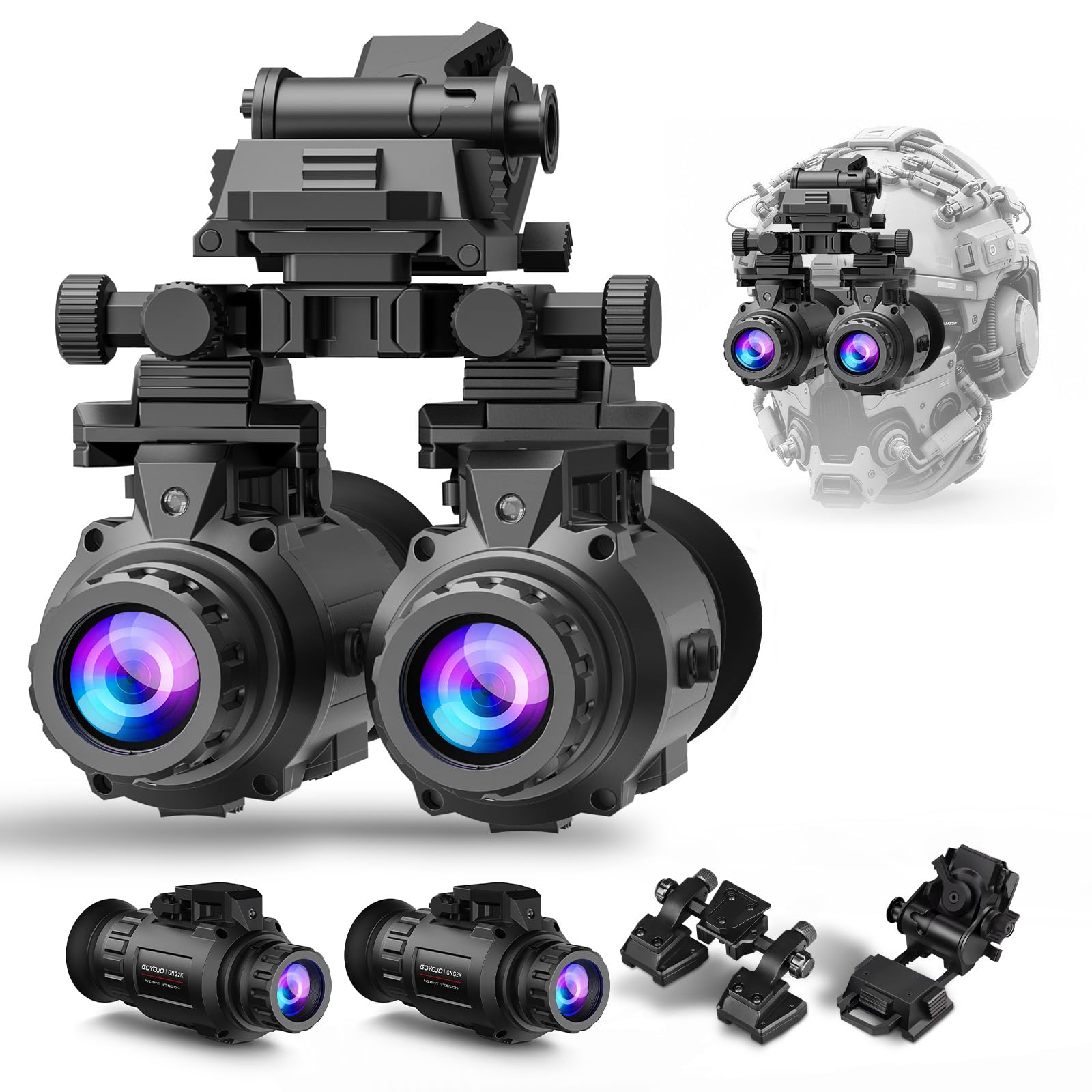
Image: The GOYOJO GNG2K Night Vision Monocular, showcasing its compact design and key features like 2K video, 45-degree field of view, 940nm stealth IR, 4 color modes, 60Hz refresh rate, and IP66 rating.
ബോക്സിൽ എന്താണുള്ളത്
പാക്കേജിൽ എല്ലാ ഇനങ്ങളും ഉണ്ടെന്ന് ഉറപ്പാക്കുക:
- GNG2K NVG (x2 for this variant)
- Binoculars mounting bracket
- മൗണ്ടിംഗ് സ്ക്രൂകൾ
- Charger (USB wall plug and micro USB charging cable)
- ഉപയോക്തൃ മാനുവൽ
- 18650 Lithium Polymer Batteries (x2, included)
- ലെൻസ് തുണി
ഭാഗങ്ങളുടെ വിവരണം
Familiarize yourself with the components of the GNG2K Night Vision Monocular:

Image: Detailed diagram illustrating the various parts of the GOYOJO GNG2K Night Vision Monocular, including objective lens, focus wheel, IR illuminator, mounting interface, control buttons, eyepiece, battery compartment, USB port, SD card slot, and indicator light.
- ഒബ്ജക്റ്റീവ് ലെൻസ്: Collects light from the scene.
- Objective Focus Adjustment Wheel: Used to adjust the focus for distant objects.
- ഇൻഫ്രാറെഡ് ഇല്യൂമിനേറ്റർ: Emits invisible infrared light for viewing in total darkness.
- Mounting Interface (Adapter Bracket Port): For attaching to helmet mounts or other accessories.
- Zoom Key (Up Button): Increases digital zoom level.
- IR Key (Down Button): Activates and adjusts infrared illuminator intensity.
- Power On/Off (Confirm Button): Powers the device on or off, and confirms menu selections.
- ഐപീസ് ഡയോപ്റ്റർ അഡ്ജസ്റ്റ്മെന്റ് റിംഗ്: Adjusts focus for individual eye vision.
- ഐക്കപ്പ്: Provides comfort and blocks ambient light.
- ബാറ്ററി കമ്പാർട്ട്മെന്റ് കവർ: Secures the battery.
- USB പോർട്ട്: ചാർജിംഗിനും ഡാറ്റ കൈമാറ്റത്തിനും.
- SD കാർഡ് സ്ലോട്ട്: For inserting a microSD card for recording photos and videos.
- ഇൻഡിക്കേറ്റർ ലൈറ്റ്: ഉപകരണ നില കാണിക്കുന്നു (ഉദാ. പവർ, റെക്കോർഡിംഗ്).
സജ്ജമാക്കുക
1. ബാറ്ററി ഇൻസ്റ്റാളേഷൻ
The GNG2K requires two 18650 Lithium Polymer batteries. Ensure they are fully charged before first use.
- Locate the Battery Compartment Cover (Part 10 in the diagram).
- Unscrew or open the cover.
- Insert the two 18650 batteries according to the polarity indicators inside the compartment.
- Securely close the Battery Compartment Cover.
2. Helmet Mounting
The GNG2K can be mounted to compatible tactical helmets for hands-free operation.

Image: The GOYOJO GNG2K Night Vision Monocular shown both handheld and mounted on a tactical helmet, illustrating its versatility.
- Attach the provided binoculars mounting bracket to the GNG2K's Mounting Interface (Part 4).
- Use the mounting screws to secure the bracket.
- Connect the assembled monocular and bracket to a compatible helmet mount. Ensure it is securely fastened and adjusted for comfortable viewing.
3. ഫോക്കസ് അഡ്ജസ്റ്റ്മെന്റ്
Adjust the focus for clear viewing:
- Objective Focus: Rotate the Objective Focus Adjustment Wheel (Part 2) to sharpen the image of distant objects.
- Eyepiece Diopter: Adjust the Eyepiece Diopter Adjustment Ring (Part 8) to compensate for individual eyesight differences, ensuring the display is clear for your eye.
പ്രവർത്തന നിർദ്ദേശങ്ങൾ
1. പവർ ഓൺ/ഓഫ്
- To power on, press and hold the Power On/Off (Confirm Button) (Part 7) until the display activates.
- To power off, press and hold the Power On/Off (Confirm Button) again until the display shuts down.
2. Infrared (IR) Illuminator
The 940nm IR illuminator allows viewing in complete darkness without being easily detected.

Image: Comparison of day vision and night vision using the GOYOJO GNG2K, highlighting the effectiveness of the 940nm advanced infrared illuminator for 2K video in total darkness.
- Press the IR Key (Down Button) (Part 6) to activate the infrared illuminator.
- Press the IR Key repeatedly to cycle through the 3 intensity levels (Low, Medium, High) or to turn it off.
3. കളർ മോഡുകൾ
The GNG2K offers four distinct color modes for various environments and preferences.

Image: Displaying the four color modes of the GOYOJO GNG2K: White Phosphor, Night Green, Color (with reddish-purple tint), and Black & White, each with compass readings.
- Access the menu (refer to the full user manual for detailed menu navigation).
- Navigate to the "Color Mode" setting.
- Select from: Night Green, Black & White, White Phosphor, or Color (with a reddish-purple tint).
4. ഡിജിറ്റൽ സൂം
Magnify your view with the digital zoom function.
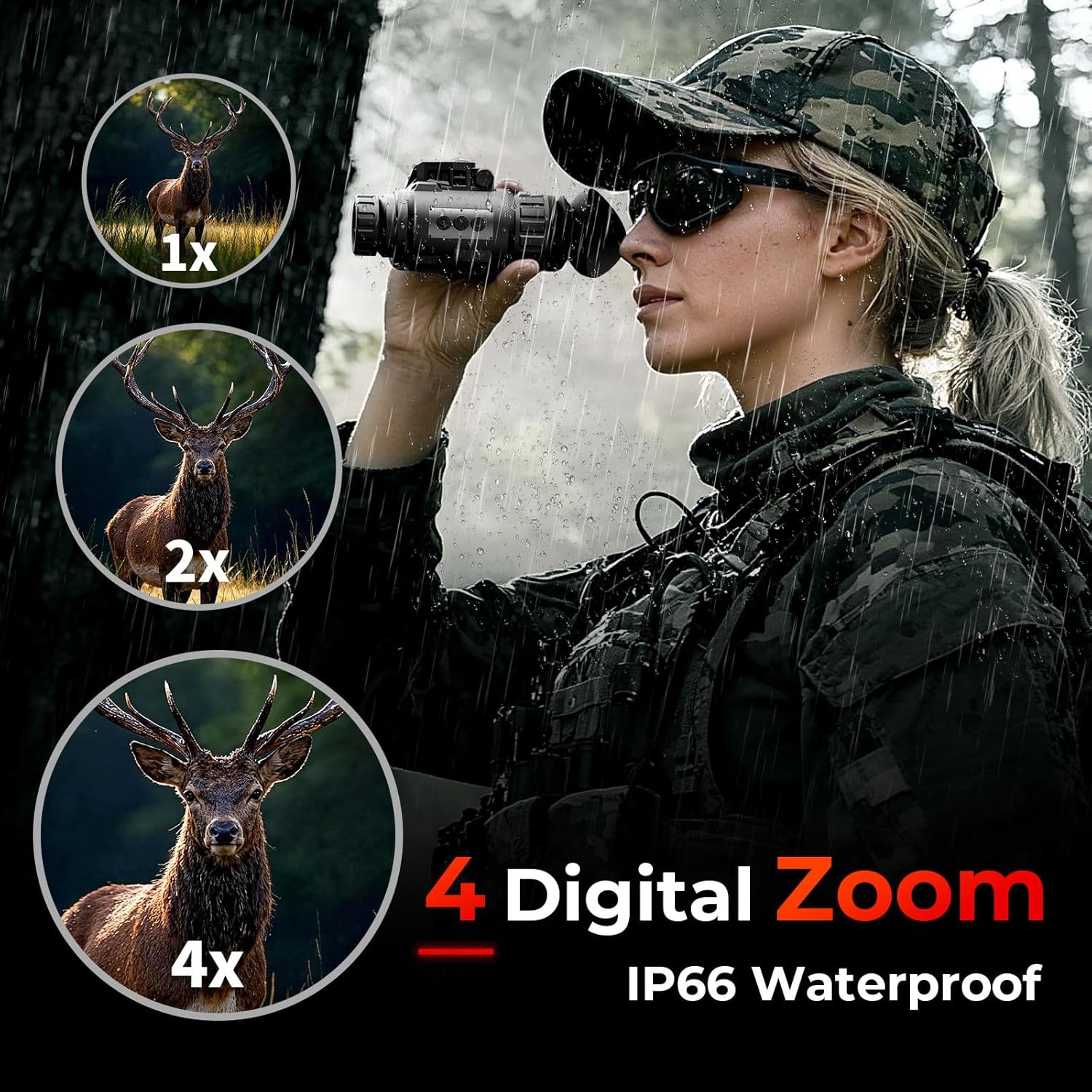
Image: A user observing with the GOYOJO GNG2K Night Vision Monocular, demonstrating the 1x, 2x, and 4x digital zoom capabilities and its IP66 waterproof rating.
- Press the Zoom Key (Up Button) (Part 5) to increase the digital zoom level (1x to 4x).
- Pressing it repeatedly will cycle through the available zoom levels.
5. വീഡിയോ റെക്കോർഡിംഗ്
The GNG2K supports 2K video recording and comes with a 16GB SD card.

Image: The GOYOJO GNG2K Night Vision Monocular with an overlay showing a wolf, indicating its 2K video recording capability and inclusion of a 16GB SD card.
- Insert a microSD card into the SD Card Slot (Part 12).
- Access the recording function via the device's menu.
- Press the designated button (usually the Power/Confirm button or a dedicated record button) to start/stop recording.
6. Compass Navigation
A built-in electronic compass assists with orientation.
- The compass reading is displayed on the screen.
- Ensure the device is held level for accurate readings.
7. വീഡിയോ പ്രദർശനം
Video: A demonstration of the GOYOJO GNG2K Night Vision Monocular's capabilities in various low-light conditions.
മെയിൻ്റനൻസ്
Proper maintenance ensures the longevity and optimal performance of your GNG2K Night Vision Monocular.
- ലെൻസുകൾ വൃത്തിയാക്കൽ: Use the provided lens cloth or a soft, lint-free cloth to gently wipe the objective and eyepiece lenses. Avoid abrasive materials or excessive force.
- ശരീരം വൃത്തിയാക്കൽ: ഉപകരണ ബോഡി മൃദുവായ, d തുണി ഉപയോഗിച്ച് തുടയ്ക്കുക.amp തുണി. കഠിനമായ രാസവസ്തുക്കളോ ലായകങ്ങളോ ഉപയോഗിക്കരുത്.
- സംഭരണം: Store the monocular in a cool, dry place away from direct sunlight and extreme temperatures. Remove batteries if storing for extended periods.
- ജല പ്രതിരോധം: The device is IP66 rated, meaning it is protected against powerful water jets. While it can withstand rain and splashes, avoid submerging it in water.

Image: A comparison table highlighting the superior features of the GOYOJO GNG2K (2K clarity, 60Hz refresh rate, 45-degree FOV, 940nm stealth IR, 4 color palettes, IP66 all-weather use) against other night vision devices.
ട്രബിൾഷൂട്ടിംഗ്
If you encounter issues with your GNG2K, refer to the following common problems and solutions:
| പ്രശ്നം | സാധ്യമായ കാരണം | പരിഹാരം |
|---|---|---|
| ഉപകരണം പവർ ഓണാക്കുന്നില്ല. | Low or depleted batteries; incorrectly inserted batteries. | ബാറ്ററികൾ പൂർണ്ണമായും ചാർജ് ചെയ്യുക. ശരിയായ പോളാരിറ്റിയോടെ ബാറ്ററികൾ ഘടിപ്പിച്ചിട്ടുണ്ടെന്ന് ഉറപ്പാക്കുക. |
| ചിത്രം മങ്ങിയതോ ഫോക്കസിന് പുറത്തോ ആണ്. | Incorrect objective or diopter adjustment. | Adjust the Objective Focus Adjustment Wheel and Eyepiece Diopter Adjustment Ring. |
| Poor visibility in total darkness. | IR illuminator is off or set to low intensity. | Activate the IR illuminator and increase its intensity using the IR Key. |
| Cannot record videos/photos. | SD കാർഡ് ചേർത്തിട്ടില്ല; SD കാർഡ് നിറഞ്ഞു അല്ലെങ്കിൽ കേടായി. | Insert a compatible microSD card. Format or replace the SD card if full/corrupted. |
സ്പെസിഫിക്കേഷനുകൾ
- മോഡൽ: GNG2K
- റെസലൂഷൻ: 2688x1520 (2K)
- പുതുക്കൽ നിരക്ക്: 60Hz
- ഇൻഫ്രാറെഡ് തരംഗദൈർഘ്യം: 940nm (Stealth IR)
- ഫീൽഡ് View: 45°
- ഡിജിറ്റൽ സൂം: 1x-4x
- വർണ്ണ മോഡുകൾ: Night Green, Black & White, White Phosphor, Color
- വാട്ടർപ്രൂഫ് റേറ്റിംഗ്: IP66
- ഊർജ്ജ സ്രോതസ്സ്: 2x 18650 Lithium Polymer batteries (included)
- ഉൽപ്പന്ന അളവുകൾ: 4.61 x 2.24 x 2.68 ഇഞ്ച്
- ഇനത്തിൻ്റെ ഭാരം: 5.06 പൗണ്ട്
- ഒബ്ജക്റ്റീവ് ലെൻസ് വ്യാസം: 20 മില്ലിമീറ്റർ
- ഫോക്കസ് തരം: മാനുവൽ ഫോക്കസ്
സുരക്ഷാ വിവരങ്ങൾ
ഇനിപ്പറയുന്ന സുരക്ഷാ മാർഗ്ഗനിർദ്ദേശങ്ങൾ വായിക്കുകയും പാലിക്കുകയും ചെയ്യുക:
- Do not look directly into strong light sources (e.g., sun, lasers) through the device, as this can damage the sensor and your eyes.
- Avoid disassembling the device, as this may void the warranty and cause damage.
- ഉപകരണത്തെ തീവ്രമായ താപനില, ഈർപ്പം, നശിപ്പിക്കുന്ന വസ്തുക്കൾ എന്നിവയിൽ നിന്ന് അകറ്റി നിർത്തുക.
- Use only specified batteries and charging accessories.
- പ്രാദേശിക നിയന്ത്രണങ്ങൾ അനുസരിച്ച് ബാറ്ററികൾ നീക്കം ചെയ്യുക.
വാറൻ്റിയും പിന്തുണയും
For warranty information or technical support, please contact GOYOJO customer service. Refer to the packaging or the official GOYOJO webബന്ധപ്പെടാനുള്ള വിശദാംശങ്ങൾക്കുള്ള സൈറ്റ്.


