1. ആമുഖം
The Baseus Inspire XP1 Adaptive Noise Cancelling Earbuds are designed to provide a high-fidelity audio experience with advanced noise cancellation capabilities. Featuring Sound by Bose technology and Dolby Spatial Audio, these earbuds offer immersive sound and clear communication. This manual provides instructions for setup, operation, and maintenance to ensure optimal performance.
2. പാക്കേജ് ഉള്ളടക്കം
നിങ്ങളുടെ പാക്കേജിൽ എല്ലാ ഇനങ്ങളും ഉണ്ടെന്ന് ഉറപ്പാക്കുക:
- Baseus Inspire XP1 Noise Cancelling Wireless Earbuds
- ചാർജിംഗ് കേസ്
- ഇയർടിപ്പുകൾ (S/M/L വലുപ്പങ്ങൾ)
- USB-C ചാർജിംഗ് കേബിൾ
- ഉപയോക്തൃ മാനുവൽ

Image: Package contents of the Baseus Inspire XP1 earbuds.
3. ഉൽപ്പന്നം കഴിഞ്ഞുview
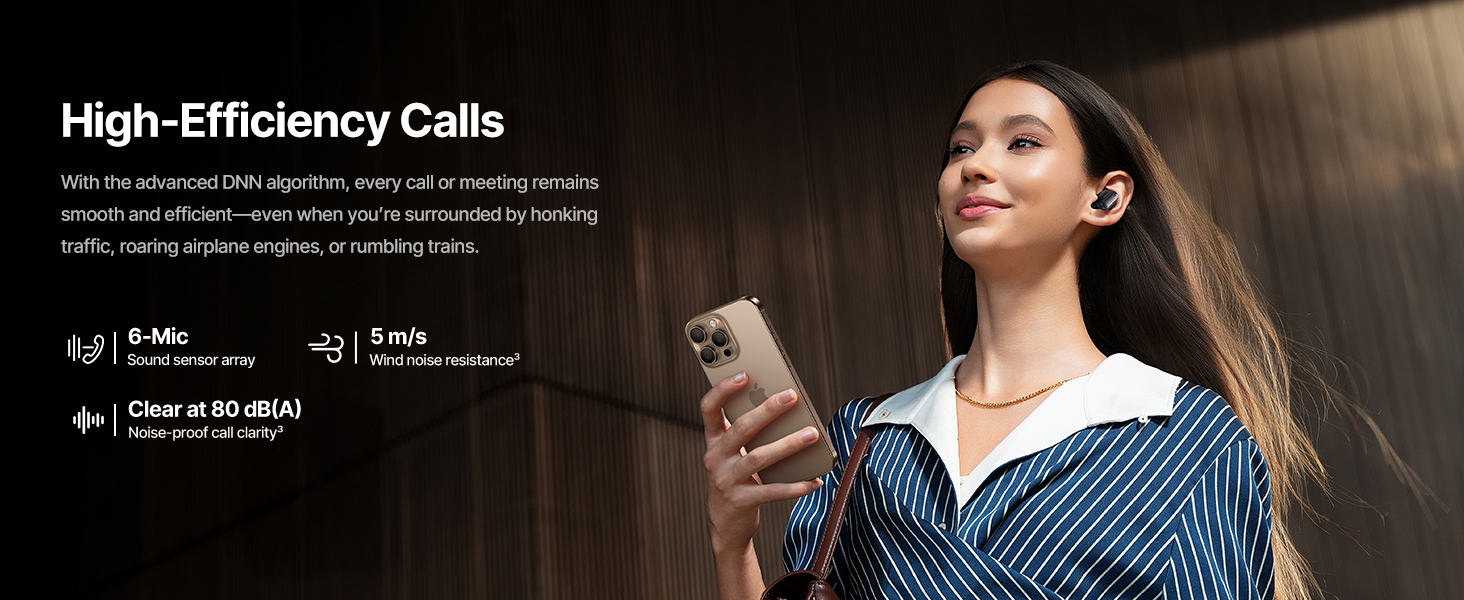
The Baseus Inspire XP1 earbuds feature a contoured in-ear fit with umbrella-shaped liquid silicone tips for comfort and noise isolation. They are equipped with a 6-mic sound sensor array for clear calls and touch-sensitive surfaces for control.

Image: Baseus Inspire XP1 Earbuds.
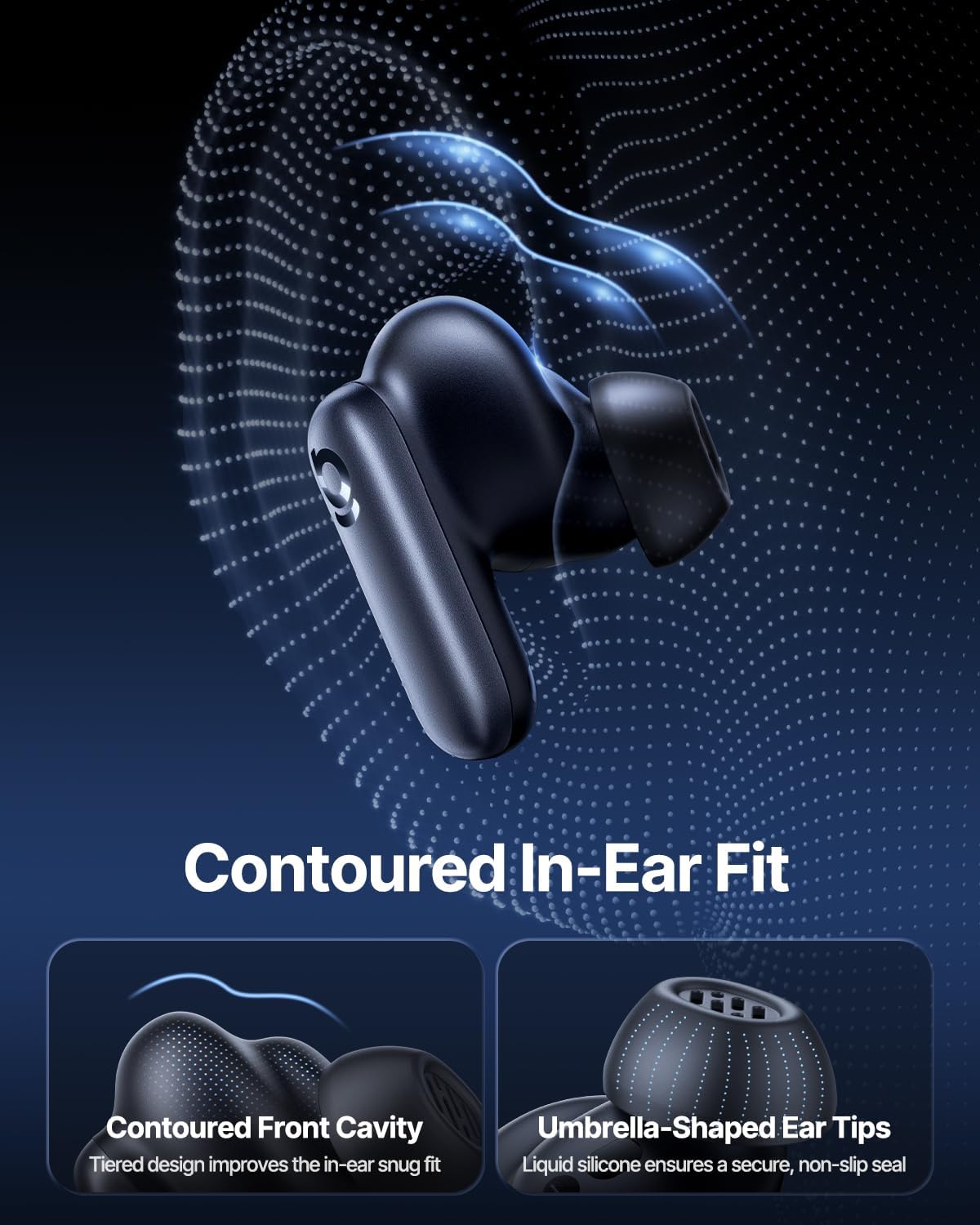
Image: Contoured In-Ear Fit and Umbrella-Shaped Ear Tips.
4. സജ്ജീകരണം
4.1 പ്രാരംഭ ജോടിയാക്കൽ
- ഇയർബഡുകൾ ചാർജ് ചെയ്യുക: Place both earbuds into the charging case and close the lid. Connect the USB-C charging cable to the case and a power source. The indicator light on the case will show charging status.
- ജോടിയാക്കൽ മോഡ് സജീവമാക്കുക: Open the charging case. The earbuds will automatically enter pairing mode, indicated by a flashing light on the earbuds or case.
- ബ്ലൂടൂത്ത് വഴി ബന്ധിപ്പിക്കുക: നിങ്ങളുടെ ഉപകരണത്തിൽ (സ്മാർട്ട്ഫോൺ, ടാബ്ലെറ്റ്, ലാപ്ടോപ്പ്), ബ്ലൂടൂത്ത് ക്രമീകരണങ്ങളിലേക്ക് പോയി ബ്ലൂടൂത്ത് പ്രവർത്തനക്ഷമമാക്കുക. ഇതിനായി തിരയുക "Baseus Inspire XP1" in the list of available devices and select it to connect.
- സ്ഥിരീകരണം: Once connected, a voice prompt will confirm successful pairing, and the indicator light will turn solid or off.
4.2 ബേസിയസ് ആപ്പ് ഇൻസ്റ്റാളേഷൻ
For full functionality, including Dolby Audio, custom EQ settings, and adaptive tuning, download the official Baseus App from your device's app store (iOS App Store or Google Play Store). The app allows for personalized control of your listening experience.
ചിത്രം: സ്മാർട്ട് ആപ്പ് കൺട്രോൾ ഇന്റർഫേസ്.
5. പ്രവർത്തന നിർദ്ദേശങ്ങൾ
5.1 പവർ ഓൺ/ഓഫ്
- പവർ ഓൺ: ചാർജിംഗ് കേസ് തുറക്കുക, ഇയർബഡുകൾ യാന്ത്രികമായി ഓണാകുകയും അവസാനം ജോടിയാക്കിയ ഉപകരണത്തിലേക്ക് കണക്റ്റ് ചെയ്യാൻ ശ്രമിക്കുകയും ചെയ്യും.
- പവർ ഓഫ്: ഇയർബഡുകൾ തിരികെ ചാർജിംഗ് കെയ്സിലേക്ക് വയ്ക്കുക, ലിഡ് അടയ്ക്കുക. അവ യാന്ത്രികമായി ഓഫാകുകയും ചാർജ് ചെയ്യാൻ തുടങ്ങുകയും ചെയ്യും.
5.2 ടച്ച് നിയന്ത്രണങ്ങൾ
The earbuds feature touch-sensitive surfaces for various functions:
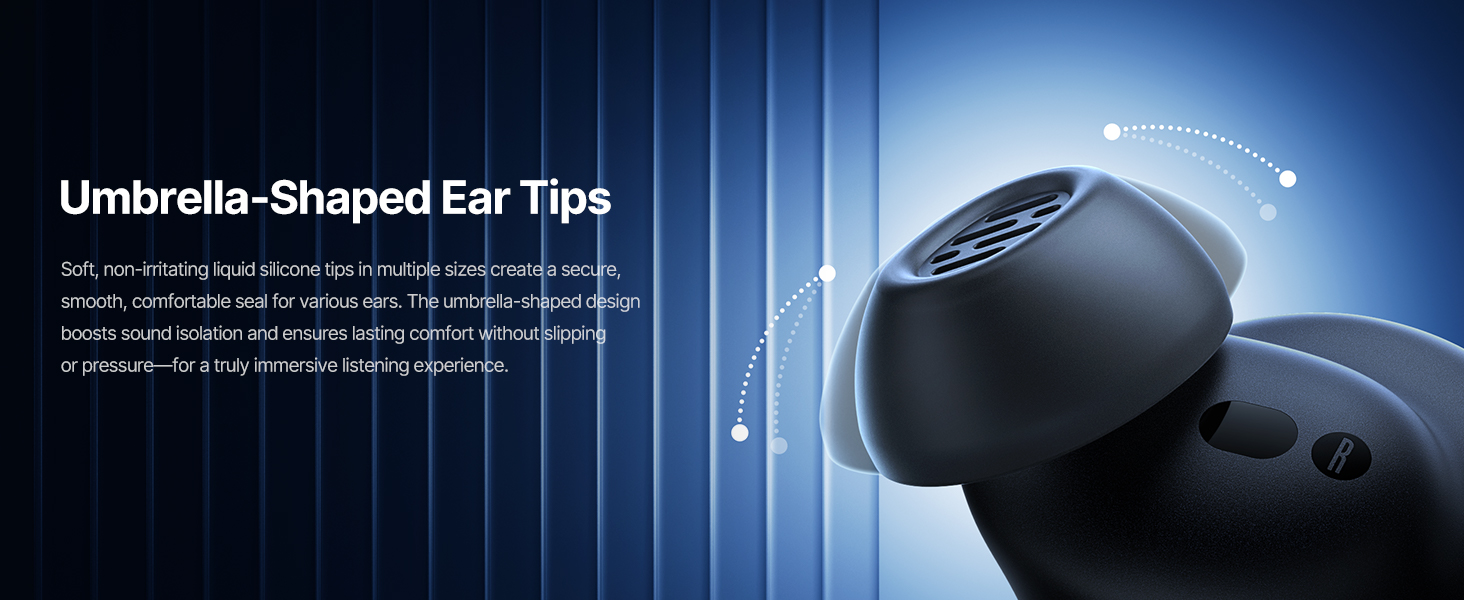
Image: Touch Control Guide.
- സംഗീതം പ്ലേ ചെയ്യുക/താൽക്കാലികമായി നിർത്തുക: ഇയർബഡുകളിലൊന്നിൽ രണ്ടുതവണ ടാപ്പ് ചെയ്യുക.
- കോളുകൾക്ക് ഉത്തരം നൽകുക/അവസാനിപ്പിക്കുക: ഇയർബഡുകളിലൊന്നിൽ രണ്ടുതവണ ടാപ്പ് ചെയ്യുക.
- കോളുകൾ നിരസിക്കുക: ഏതെങ്കിലും ഇയർബഡിൽ 1.5 സെക്കൻഡ് ടാപ്പ് ചെയ്ത് പിടിക്കുക.
- ANC/സുതാര്യത മോഡ് മാറുക: ഏതെങ്കിലും ഇയർബഡിൽ 1.5 സെക്കൻഡ് ടാപ്പ് ചെയ്ത് പിടിക്കുക.
- വോയ്സ് അസിസ്റ്റന്റിനെ സജീവമാക്കുക: ഇയർബഡുകളിലൊന്നിൽ മൂന്ന് തവണ ടാപ്പ് ചെയ്യുക.
5.3 Adaptive Noise Cancellation (ANC) and Transparency Mode
The Inspire XP1 earbuds feature Premium Adaptive ANC, which dynamically adjusts noise reduction up to -50 dB based on your environment. Transparency Mode allows you to hear your surroundings without removing the earbuds.

Image: Premium Adaptive ANC in use.
Switch between ANC and Transparency Mode by tapping and holding the touch surface for 1.5 seconds, or manage settings via the Baseus App.
5.4 High-Efficiency Clear Calls
Equipped with a 6-mic sound sensor array and AI algorithms, the earbuds provide clear calls by reducing wind noise and environmental distractions up to 80 dB(A).
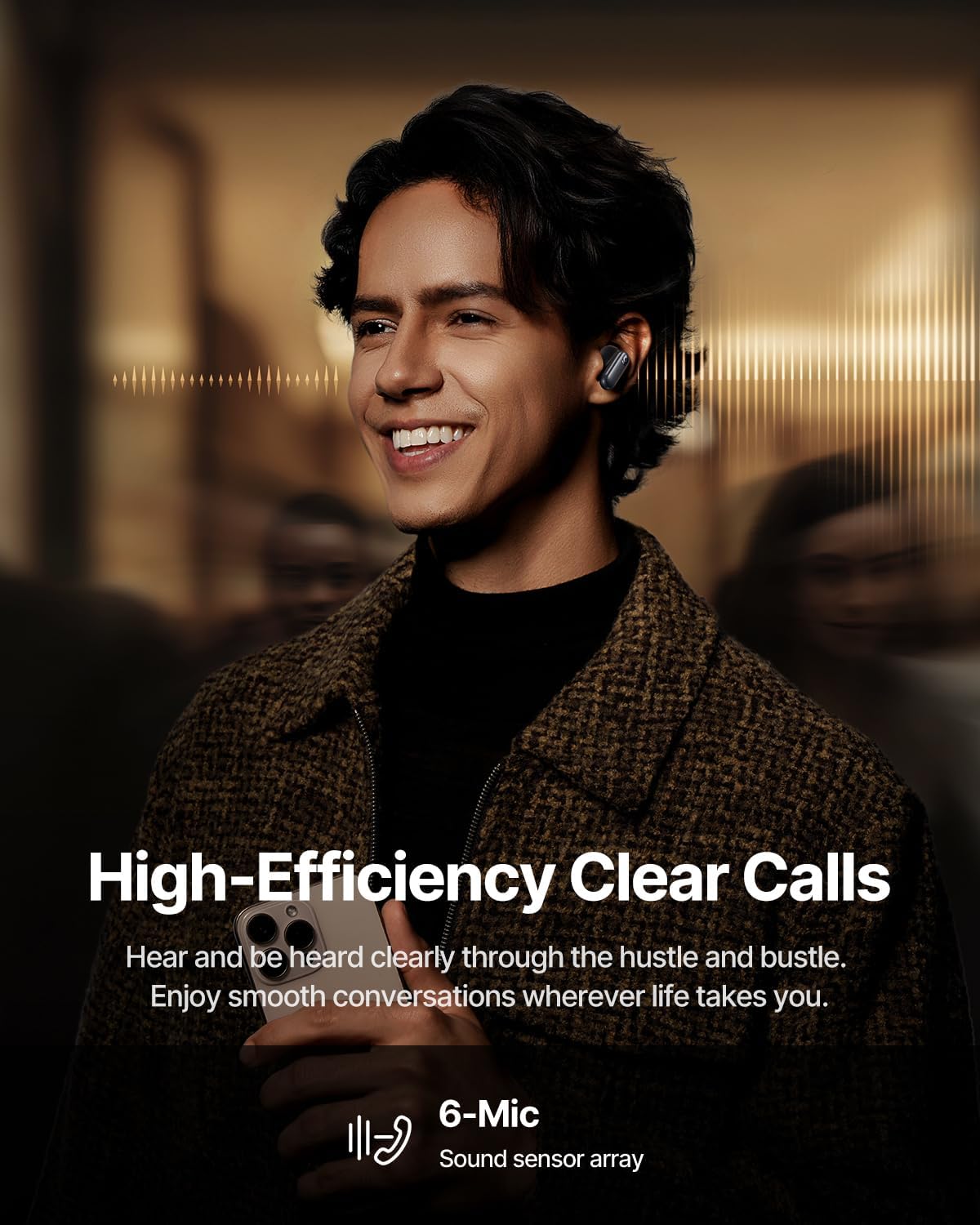
Image: High-Efficiency Clear Calls.
5.5 ചാർജിംഗും ബാറ്ററി ലൈഫും
The earbuds offer extended playtime with the charging case:
- ANC ഓഫാണ്: Up to 8 hours per charge, and up to 45 hours with the charging case.
- ANC ഓൺ: Up to 6 hours per charge, and up to 35 hours with the charging case.
- ദ്രുത ചാർജ്ജ്: മൂന്ന് മിനിറ്റ് ചാർജ് ചെയ്താൽ ഏകദേശം 2.5 മണിക്കൂർ പ്ലേബാക്ക് ലഭിക്കും.

Image: Day-and-Night Playtime.
5.6 Instant Multipoint Connection
Utilize Baseus Smart-Connect and Bluetooth 6.1 for seamless switching between two paired devices, such as a phone and a laptop, enabling uninterrupted calls and multitasking.
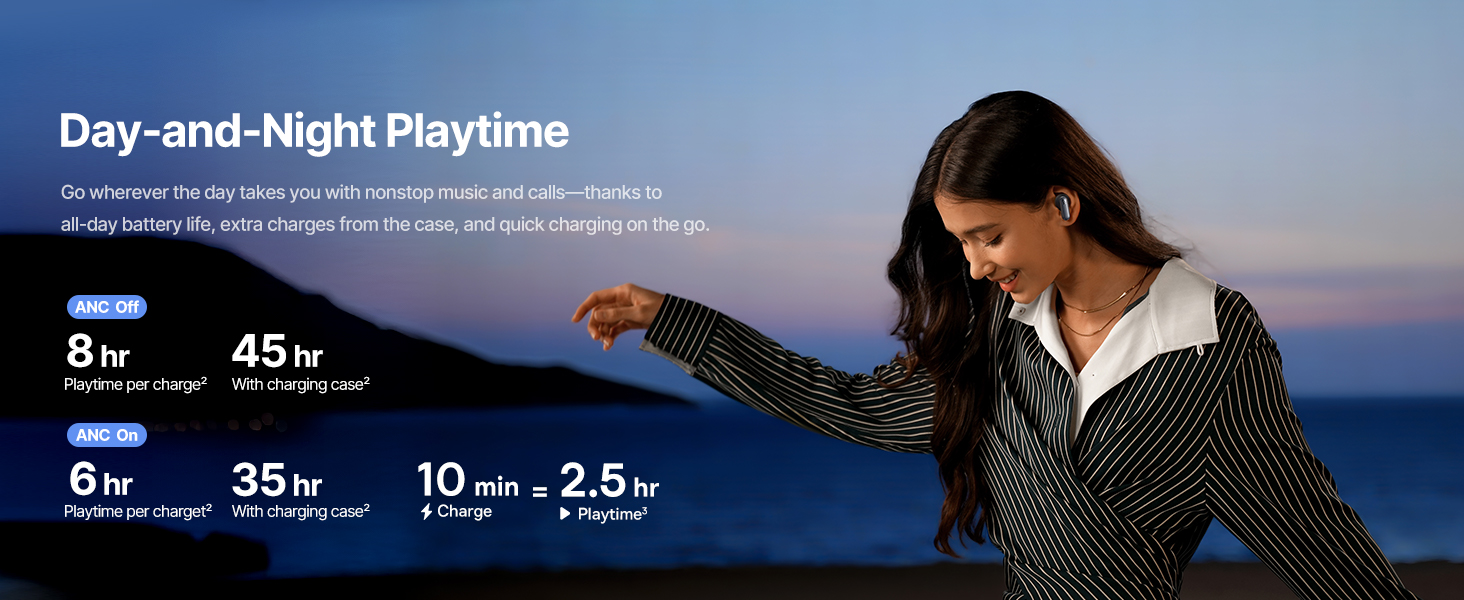
Image: Instant Multipoint Connection.
6. പരിപാലനം
- വൃത്തിയാക്കൽ: ഇയർബഡുകളും ചാർജിംഗ് കെയ്സും മൃദുവായതും ഉണങ്ങിയതും ലിന്റ് രഹിതവുമായ തുണി ഉപയോഗിച്ച് പതിവായി വൃത്തിയാക്കുക. ഉരച്ചിലുകളുള്ള വസ്തുക്കളോ കഠിനമായ രാസവസ്തുക്കളോ ഉപയോഗിക്കരുത്.
- ഇയർടിപ്പുകൾ: Remove and clean the silicone eartips with mild soap and water if necessary. Ensure they are completely dry before reattaching.
- ചാർജിംഗ് പോർട്ടുകൾ: USB-C ചാർജിംഗ് പോർട്ട് പൊടിയും അവശിഷ്ടങ്ങളും ഇല്ലാതെ സൂക്ഷിക്കുക.
- സംഭരണം: When not in use, store the earbuds in their charging case to protect them and maintain battery life. Avoid extreme temperatures.
7. പ്രശ്നപരിഹാരം
7.1 ഇയർബഡുകൾ ജോടിയാക്കുന്നില്ല
- Ensure the earbuds are charged and the charging case lid is open.
- നിങ്ങളുടെ ഉപകരണത്തിന്റെ Bluetooth ഓഫാക്കി ഓണാക്കുക.
- Forget the device in your Bluetooth settings and attempt to re-pair.
- Try resetting the earbuds (refer to the Baseus App or Baseus support for specific reset instructions).
7.2 ശബ്ദമില്ല അല്ലെങ്കിൽ കുറഞ്ഞ ശബ്ദം
- നിങ്ങളുടെ ഉപകരണത്തിലെയും ഇയർബഡുകളിലെയും വോളിയം ലെവലുകൾ പരിശോധിക്കുക.
- ഇയർബഡുകൾ നിങ്ങളുടെ ചെവിയിൽ ശരിയായി ഘടിപ്പിച്ചിട്ടുണ്ടെന്ന് ഉറപ്പാക്കുക.
- നിങ്ങളുടെ ഉപകരണത്തിലെ ശരിയായ ഓഡിയോ ഔട്ട്പുട്ടിലേക്ക് ഇയർബഡുകൾ ബന്ധിപ്പിച്ചിട്ടുണ്ടെന്ന് ഉറപ്പാക്കുക.
- ഇയർബഡ് സ്പീക്കറുകളിൽ നിന്ന് അവശിഷ്ടങ്ങൾ വൃത്തിയാക്കുക.
7.3 ചാർജിംഗ് പ്രശ്നങ്ങൾ
- ചാർജിംഗ് കേബിൾ കേസിലേക്കും പവർ സ്രോതസ്സിലേക്കും സുരക്ഷിതമായി ബന്ധിപ്പിച്ചിട്ടുണ്ടെന്ന് ഉറപ്പാക്കുക.
- മറ്റൊരു USB-C കേബിളും പവർ അഡാപ്റ്ററും പരീക്ഷിച്ചുനോക്കൂ.
- ഇയർബഡുകളിലെയും കേസിനുള്ളിലെയും ചാർജിംഗ് കോൺടാക്റ്റുകൾ വൃത്തിയാക്കുക.
8 സ്പെസിഫിക്കേഷനുകൾ
Image: Product Specifications.
| മോഡലിൻ്റെ പേര് | ബേസിയസ് ഇൻസ്പയർ XP1 |
| കണക്റ്റിവിറ്റി ടെക്നോളജി | ബ്ലൂടൂത്ത് 6.1, വയർലെസ് |
| വയർലെസ് കമ്മ്യൂണിക്കേഷൻ ടെക്നോളജി | ബ്ലൂടൂത്ത് 6.1 |
| ശബ്ദ നിയന്ത്രണം | Adaptive Noise Cancellation, Environmental Noise Cancellation |
| ഓഡിയോ ഡ്രൈവർ വലിപ്പം | 10 മില്ലിമീറ്റർ |
| ഫ്രീക്വൻസി റേഞ്ച് | 20 ഹെർട്സ് - 20,000 ഹെർട്സ് |
| ബാറ്ററി ലൈഫ് (ANC ഓഫ്) | 8 മണിക്കൂർ (ഇയർബഡുകൾ), 45 മണിക്കൂർ (ചാർജിംഗ് കേസോടുകൂടി) |
| ചാർജിംഗ് പോർട്ട് | USB-C |
| നിയന്ത്രണ രീതി | ആപ്പ്, ടച്ച് |
| മെറ്റീരിയൽ | സിലിക്കൺ |
| ഇനത്തിൻ്റെ ഭാരം | 7.8 ഔൺസ് |
9. വാറൻ്റിയും പിന്തുണയും
Baseus products are covered by a limited warranty. For detailed warranty information, product support, or to contact customer service, please visit the official Baseus webസൈറ്റ് അല്ലെങ്കിൽ നിങ്ങളുടെ പാക്കേജിൽ ഉൾപ്പെടുത്തിയിരിക്കുന്ന വാറന്റി കാർഡ് റഫർ ചെയ്യുക.
നിങ്ങൾക്ക് സന്ദർശിക്കാനും കഴിയും ആമസോണിലെ ബേസിയസ് സ്റ്റോർ അധിക വിഭവങ്ങൾക്കും ഉൽപ്പന്ന വിവരങ്ങൾക്കും.


