1. ആമുഖം
Thank you for choosing the LEFANT M2S Robot Vacuum and Mop Cleaner. This advanced cleaning device is designed to provide efficient and thorough cleaning for your home with minimal effort. Featuring dToF laser navigation, powerful 10000Pa suction, and intelligent obstacle avoidance, the M2S ensures a comprehensive cleaning experience. Please read this manual carefully before use to ensure proper operation and maintenance.

ചിത്രം: കഴിഞ്ഞുview of LEFANT M2S features.
2. പാക്കേജ് ഉള്ളടക്കം
Ensure all items are present and in good condition upon unpacking. If any items are missing or damaged, please contact customer support.

Image: Contents of the LEFANT M2S package.
- LEFANT M2S Robot Vacuum Cleaner
- വാട്ടർ ടാങ്ക്
- ചാർജിംഗ് ബേസ്
- പവർ അഡാപ്റ്റർ
- ക്ലീനിംഗ് ബ്രഷ്
- മോപ്പ് ഹോൾഡർ
- സൈഡ് ബ്രഷുകൾ (x2)
- കഴുകാവുന്ന മോപ്പ് പാഡ്
- ഉപയോക്തൃ മാനുവൽ
- Disposable Mop Pads (x5)
- HEPA ഫിൽട്ടർ
3. സജ്ജീകരണം
3.1 ചാർജിംഗ് ബേസ് പ്ലേസ്മെന്റ്
Place the charging base against a wall in an open area, ensuring there are no obstacles within 1 meter (3 feet) to the front and 0.5 meters (1.5 feet) to the sides. Connect the power adapter to the charging base and plug it into a wall outlet. Ensure the charging base is always powered on.
3.2 പ്രാരംഭ ചാർജിംഗ്
Place the robot on the charging base. The indicator light will show charging status. For first-time use, fully charge the robot for at least 6 hours.
3.3 ആപ്പ് കണക്ഷൻ
To unlock the full potential of your LEFANT M2S, download and connect to the Lefant App.

Image: Steps for connecting the robot to the Lefant App.
- Download the Lefant App from the App Store or Google Play.
- Connect your phone to a 2.4GHz Wi-Fi network (5GHz is not supported).
- Open the Lefant App and tap "Add Device".
- Select the M2S model and enter your home Wi-Fi password. Confirm the password is correct, then tap "Next".
- Press and hold the robot's power button for 3 seconds to turn it on. Then, press and hold the power button for 6 seconds until you hear two beeps, then release.
- Wait for the app to scan for the device. Select the device to connect and wait for the connection to complete.
3.4 Smart Assistant Integration (Alexa/Google Assistant)
Integrate your LEFANT M2S with Amazon Alexa or Google Assistant for voice control.
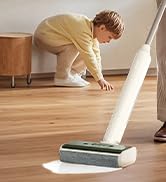
Image: Steps for connecting the robot to Amazon Alexa.
- Ensure your Alexa device is connected to the internet and associated with your Amazon account.
- Open the Lefant App and select "Me".
- Find "Google Assistant/Alexa", choose "Alexa", and tap "One-click Bind".
- Tap "Link to Amazon account".
- Click "Link", then "Back".
- Alexa is now associated. You can open the "Amazon Alexa" app to view connected devices under "Devices".
For Google Assistant, follow similar steps within the Lefant App to link your Google account.
4. പ്രവർത്തന നിർദ്ദേശങ്ങൾ
4.1 ആരംഭിക്കലും നിർത്തലും വൃത്തിയാക്കൽ
- വൃത്തിയാക്കൽ ആരംഭിക്കുക: Press the power button on the robot or tap "Start Cleaning" in the Lefant App.
- താൽക്കാലികമായി നിർത്തുക/പുനരാരംഭിക്കുക: വൃത്തിയാക്കുന്നതിനിടയിൽ താൽക്കാലികമായി നിർത്താൻ പവർ ബട്ടൺ ഒരിക്കൽ അമർത്തുക. പുനരാരംഭിക്കാൻ വീണ്ടും അമർത്തുക.
- Return to Charging Base: Press and hold the power button for 3 seconds, or select "Go back to charge" in the app.
4.2 ക്ലീനിംഗ് മോഡുകൾ
The LEFANT M2S offers both vacuuming and mopping functionalities, which can be used separately or combined.

Image: LEFANT M2S 2-in-1 vacuum and mop functionality.
- വാക്വം മോഡ്: The robot uses its powerful 10000Pa suction to remove dust, pet hair, and debris. It automatically increases suction on carpets for deeper cleaning.
- മോപ്പ് മോഡ്: Attach the water tank and mop pad. The electronic water control allows for 3 levels of water flow (low, medium, high) to suit different floor types.
- സംയോജിത മോഡ്: The robot vacuums and mops simultaneously. In this mode, it will automatically detect carpets and avoid mopping them to keep them dry.

Image: Automatic carpet detection feature.
4.3 Smart Navigation and Mapping
The M2S utilizes dToF laser navigation and 9 PSD sensors for precise mapping and obstacle avoidance.

Image: dToF and PSD obstacle avoidance technology.
- dToF Laser Navigation: Creates high-precision 3D maps of your home for efficient and systematic cleaning paths.
- PSD Obstacle Avoidance: 9 built-in PSD sensors detect obstacles, furniture, and stairs in real-time, preventing collisions and falls.
- FreeMove 3.0 Technology: Ensures the robot navigates smoothly around furniture and avoids getting stuck.
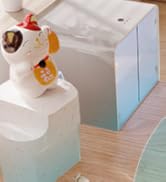
Image: FreeMove 3.0 technology for enhanced navigation.
4.4 ആപ്പ് നിയന്ത്രണവും ഇഷ്ടാനുസൃതമാക്കലും
The Lefant App provides extensive control and customization options for your cleaning experience.
Image: Lefant App control interface.
- Multi-Map Management: Save up to 3 different maps, ideal for multi-story homes.
- സോൺ ക്ലീനിംഗ്: Select specific areas for cleaning or define "No-Go Zones" to restrict access.
- ഷെഡ്യൂളിംഗ്: Program cleaning times and sequences for different rooms.
- Suction and Water Flow Adjustment: Customize suction power and mop water flow levels.
- സ്വമേധയാലുള്ള നിയന്ത്രണം: Use the app for manual navigation of the robot.
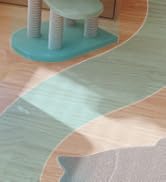
Image: Customizable map and zone settings.

Image: Setting forbidden zones.
4.5 Automatic Recharge and Resume
The robot automatically returns to its charging base when the battery is low or cleaning is complete. If cleaning is not finished, it will resume from where it left off after charging to 80%.
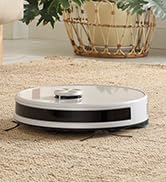
Image: Automatic recharge and cleaning resume.
5. പരിപാലനം
Regular maintenance ensures optimal performance and extends the lifespan of your LEFANT M2S. Always turn off the robot and disconnect it from the charging base before performing any maintenance.
5.1 Dustbin and Filters
- ശൂന്യമായ ചവറ്റുകുട്ട: After each use, remove the dustbin and empty its contents.
- ഫിൽട്ടറുകൾ വൃത്തിയാക്കുക: Tap the HEPA filter to remove dust. Rinse the primary filter and dustbin with water. Allow them to air dry completely before reinstallation. Do not wash the HEPA filter.
5.2 വാട്ടർ ടാങ്കും മോപ്പ് പാഡും
- ശൂന്യമായ വാട്ടർ ടാങ്ക്: ഓരോ മോപ്പിംഗ് സെഷനു ശേഷവും, ടാങ്കിൽ നിന്ന് ശേഷിക്കുന്ന വെള്ളം ഒഴിക്കുക.
- ക്ലീൻ മോപ്പ് പാഡ്: Remove the mop pad and rinse it thoroughly with water. It can be machine washed. Allow it to air dry completely.
5.3 സൈഡ് ബ്രഷുകൾ
- ക്ലീൻ സൈഡ് ബ്രഷുകൾ: Regularly check the side brushes for tangled hair or debris. Use the provided cleaning tool to cut and remove any tangles.
- Replace Side Brushes: Replace side brushes every 3-6 months, or when visibly worn, to maintain effective cleaning.
5.4 സെൻസറുകളും ചാർജിംഗ് കോൺടാക്റ്റുകളും
- ക്ലീൻ സെൻസറുകൾ: Use a clean, dry cloth to gently wipe the dToF laser sensor, PSD obstacle avoidance sensors, and cliff sensors.
- ചാർജിംഗ് കോൺടാക്റ്റുകൾ വൃത്തിയാക്കുക: Wipe the charging contacts on both the robot and the charging base with a dry cloth to ensure a good connection.
6. പ്രശ്നപരിഹാരം
If you encounter issues with your LEFANT M2S, please refer to the following common problems and solutions. If the problem persists, contact customer support.
| പ്രശ്നം | സാധ്യമായ കാരണം | പരിഹാരം |
|---|---|---|
| റോബോട്ട് ഓണാക്കുന്നില്ല. | ബാറ്ററി ചാർജ് കുറവാണ്; പവർ ബട്ടൺ ശരിയായി അമർത്തിയില്ല. | Place the robot on the charging base to charge. Press and hold the power button for 3 seconds. |
| റോബോട്ടിന് വൈഫൈയിലേക്ക് കണക്റ്റ് ചെയ്യാൻ കഴിയില്ല. | തെറ്റായ വൈഫൈ പാസ്വേഡ്; 5GHz നെറ്റ്വർക്ക് ഉപയോഗിച്ചു; റോബോട്ട് റൂട്ടറിൽ നിന്ന് വളരെ അകലെയാണ്. | Ensure correct 2.4GHz Wi-Fi password. Move robot closer to router. Restart robot and router. |
| റോബോട്ട് ഇടയ്ക്കിടെ കുടുങ്ങിപ്പോകാറുണ്ട്. | Too many obstacles; tangled brushes. | Clear the cleaning area of small objects, cables, and loose rugs. Clean side brushes. |
| മോശം ക്ലീനിംഗ് പ്രകടനം. | Full dustbin; dirty filters; worn brushes. | Empty dustbin. Clean/replace filters. Clean/replace side brushes. |
| Robot does not mop effectively. | Empty water tank; dry mop pad; clogged water nozzle. | Fill water tank. Moisten mop pad. Clean water nozzle. |
7 സ്പെസിഫിക്കേഷനുകൾ
| ഫീച്ചർ | വിശദാംശങ്ങൾ |
|---|---|
| ബ്രാൻഡ് | LEFANT |
| മോഡലിൻ്റെ പേര് | M2S |
| ഉൽപ്പന്ന അളവുകൾ | 32 x 32 x 9.5 സെ.മീ |
| ഇനത്തിൻ്റെ ഭാരം | 4 കി.ഗ്രാം |
| സക്ഷൻ പവർ | Up to 10000Pa (4 levels) |
| ബാറ്ററി ശേഷി | 5200mAh |
| പരമാവധി പ്രവർത്തനസമയം | 240 മിനിറ്റ് വരെ |
| വാട്ടർ ടാങ്ക് കപ്പാസിറ്റി | 300 മില്ലി ലിറ്റർ |
| ഡസ്റ്റ്ബിൻ കപ്പാസിറ്റി | 150 മില്ലി ലിറ്റർ |
| വാല്യംtage | 19 വോൾട്ട് |
| മെറ്റീരിയൽ | പ്ലാസ്റ്റിക് |
| ശബ്ദ നില | 60 ഡെസിബെൽ |
| നാവിഗേഷൻ തരം | dToF Laser Navigation |
| തടസ്സം ഒഴിവാക്കൽ | PSD Sensors, FreeMove 3.0 Technology |
| അനുയോജ്യമായ ഉപകരണങ്ങൾ | Smartphone (Lefant App), Amazon Alexa, Google Assistant |
| പ്രത്യേക സവിശേഷതകൾ | Anti-collision, Zone exclusion, Wet & Dry cleaning, Obstacle climbing, Advanced development technology |
8. വാറൻ്റിയും പിന്തുണയും
The LEFANT M2S Robot Vacuum and Mop Cleaner comes with a standard manufacturer's warranty. Please refer to the warranty card included in your package for specific terms and conditions. For technical support, troubleshooting assistance, or warranty claims, please contact LEFANT customer service through the official webസൈറ്റ് അല്ലെങ്കിൽ നിങ്ങളുടെ ഉൽപ്പന്ന ഡോക്യുമെന്റേഷനിൽ നൽകിയിരിക്കുന്ന ബന്ധപ്പെടാനുള്ള വിവരങ്ങൾ.
നിങ്ങൾക്ക് സന്ദർശിക്കാനും കഴിയും LEFANT Store on Amazon കൂടുതൽ വിവരങ്ങൾക്കും പിന്തുണാ ഉറവിടങ്ങൾക്കും.


