1. ആമുഖം
This manual provides essential instructions for setting up, operating, maintaining, and troubleshooting your FIREBAT Android 15 Tablet. Please read this guide thoroughly to ensure optimal performance and longevity of your device.

Image: The FIREBAT Android 15 Tablet, showcasing its 10.95-inch In-Cell display, 1920x1200 resolution, 18W fast charging, and 8000mAh battery.
The FIREBAT Android 15 Tablet features a 10.95-inch In-Cell IPS touchscreen with a 1920x1200 resolution, powered by a UNISOC Spreadtrum T606 octa-core processor. It includes 12GB RAM (4GB physical + 8GB virtual) and 128GB internal storage, expandable via TF card up to 1TB. The tablet runs on the Android 15 operating system and is equipped with a 5MP front camera and a 13MP rear camera. An 8000mAh battery supports up to 10 hours of usage and 18W PD fast charging.
2. ബോക്സിൽ എന്താണുള്ളത്?
അൺബോക്സിംഗ് ചെയ്യുമ്പോൾ, എല്ലാ ഇനങ്ങളും ഉണ്ടെന്ന് ഉറപ്പാക്കുക:
- 1 x FIREBAT AR1 Tablet
- 1 x പ്രൊട്ടക്റ്റീവ് ഫിലിം (മുൻകൂട്ടി ഇൻസ്റ്റാൾ ചെയ്തത്)
- 1 x Protective Case (Pre-installed)
- 1 x 9V/2A 18W US Power Charger
- 1 x ഉപയോക്തൃ മാനുവൽ (ഈ പ്രമാണം)
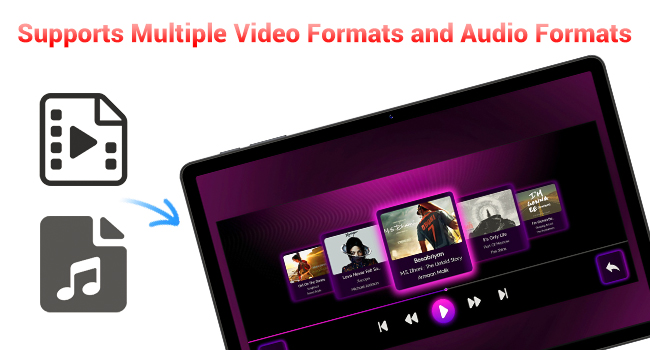
Image: A visual representation of the items included in the FIREBAT Tablet package: the tablet, power charger, and user manual.
Video: An unboxing video demonstrating the contents of the FIREBAT Android 15 Tablet package, including the tablet, protective case, charger, and user guide.
3. സജ്ജീകരണം
3.1 പ്രാരംഭ ചാർജിംഗ്
Before first use, fully charge your tablet using the provided USB-C cable and 18W power adapter. Connect the USB-C cable to the tablet's USB-C port and the power adapter to a wall outlet. The charging indicator will show the charging status.
3.2 പവർ ഓൺ/ഓഫ്
- പവർ ഓണാക്കാൻ: Press and hold the Power button located on the side of the tablet until the FIREBAT logo appears.
- പവർ ഓഫ് ചെയ്യാൻ: പവർ ഓപ്ഷൻ മെനു ദൃശ്യമാകുന്നതുവരെ പവർ ബട്ടൺ അമർത്തിപ്പിടിക്കുക. "പവർ ഓഫ്" തിരഞ്ഞെടുത്ത് സ്ഥിരീകരിക്കുക.
- പുനരാരംഭിക്കാൻ: From the power options menu, select "Restart."
3.3 പ്രാരംഭ കോൺഫിഗറേഷൻ
ആദ്യമായി പവർ-ഓൺ ചെയ്യുമ്പോൾ, സ്ക്രീനിലെ നിർദ്ദേശങ്ങൾ പാലിക്കുക:
- നിങ്ങളുടെ ഭാഷ തിരഞ്ഞെടുക്കുക.
- ഒരു വൈഫൈ നെറ്റ്വർക്കിലേക്ക് കണക്റ്റുചെയ്യുക (802.11ac പിന്തുണയ്ക്കുന്നു).
- നിങ്ങളുടെ Google അക്കൗണ്ട് ഉപയോഗിച്ച് സൈൻ ഇൻ ചെയ്യുക അല്ലെങ്കിൽ പുതിയൊരെണ്ണം സൃഷ്ടിക്കുക.
- സ്ക്രീൻ ലോക്ക് (പിൻ, പാറ്റേൺ, പാസ്വേഡ്) സജ്ജീകരിക്കുക.
3.4 Protective Case and Film
Your tablet comes with a pre-installed protective film and a customized protective case. The case is designed to fully encase the tablet, offering protection for both the back and the screen when closed. It can also be folded to act as a stand for hands-free viewing.

Image: The FIREBAT Tablet featuring its delicate texture metal shell, designed for enhanced heat dissipation and improved protection.
4. നിങ്ങളുടെ ടാബ്ലെറ്റ് പ്രവർത്തിപ്പിക്കൽ
4.1 ടച്ച്സ്ക്രീൻ നാവിഗേഷൻ
The 10.95-inch In-Cell IPS touchscreen offers sensitive and precise touch response. Use standard gestures such as tap, swipe, pinch-to-zoom, and long-press to navigate the interface and interact with applications.

Image: The tablet's In-Cell technology, which embeds touch sensors directly into LCD pixels for a thinner design and more sensitive touch response.
4.2 ആൻഡ്രോയിഡ് 15 ഓപ്പറേറ്റിംഗ് സിസ്റ്റം
Your tablet runs on the latest Android 15 operating system, providing enhanced privacy, security, and customization options. Enjoy wider application compatibility and faster response times.
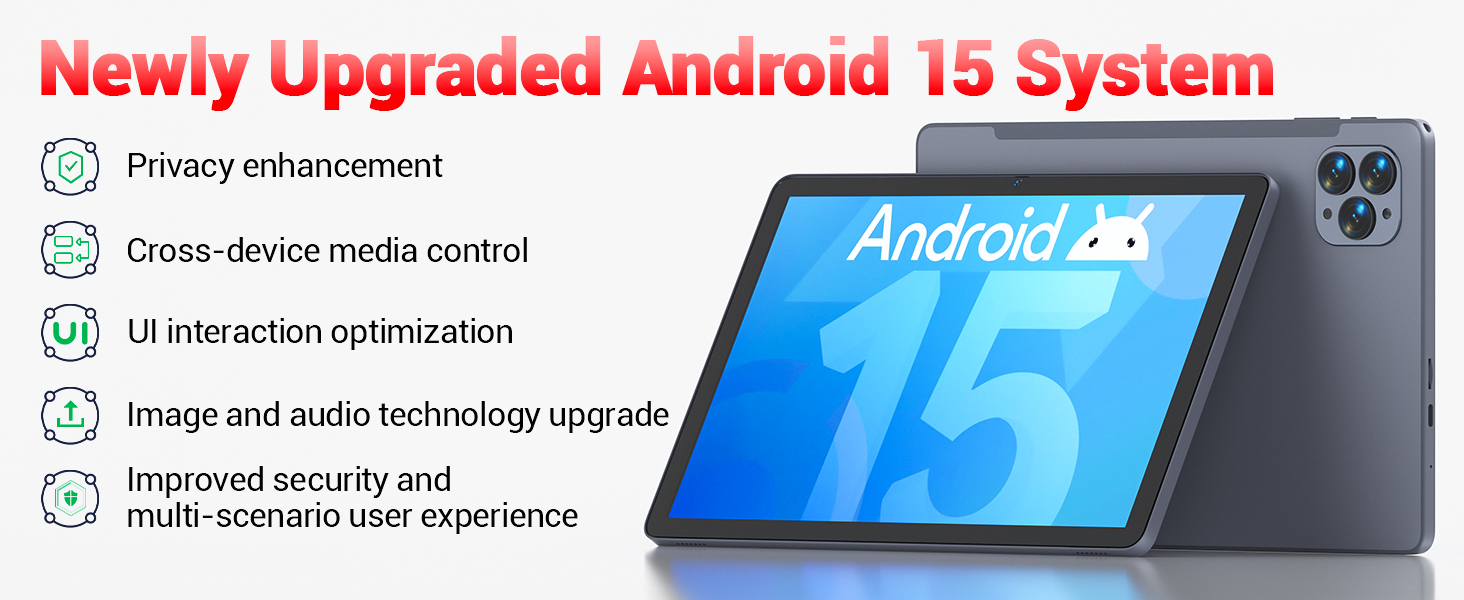
Image: The tablet's Android 15 system, highlighting features such as privacy enhancement, cross-device media control, UI optimization, and improved security.
4.3 പ്രകടനവും മൾട്ടിടാസ്കിംഗും
The UNISOC Spreadtrum T606 octa-core processor (dual-core A75 1.6GHz + hexa-core A55 1.6GHz) and MediaTek Mali-G57-3EE-single-core 650MHz GPU ensure smooth operation for most applications and efficient multitasking. The 12GB LPDDR4x memory (4GB physical + 8GB virtual) further enhances performance.

Image: A detailed diagram illustrating the UNISOC Spreadtrum T606 octa-core processor, emphasizing its 2-core + 6-core design for balanced performance and power saving.
4.4 ക്യാമറ ഉപയോഗം
The tablet is equipped with a 5MP front camera and a 13MP rear camera. Open the Camera app to capture photos, record videos, and make video calls. Adjust settings within the app for optimal results.

Image: The tablet displaying a video call, highlighting the functionality of its 5MP front and 13MP rear cameras for clear communication and photography.
4.5 സ്റ്റോറേജ് മാനേജ്മെൻ്റ്
The tablet includes 128GB of high-speed internal storage. If more space is needed, you can expand it up to 1TB using a TF (microSD) card. Insert the TF card into the designated slot on the side of the tablet.
4.6 കണക്റ്റിവിറ്റി
- Wi-Fi 5: Connect to 2.4G/5G Wi-Fi networks for internet access.
- ബ്ലൂടൂത്ത് 5.0: Pair with Bluetooth-enabled devices such as headphones, speakers, or keyboards.
- എഫ്എം റേഡിയോ: Utilize the built-in FM radio feature for listening to local broadcasts.
4.7 Media and Applications
The tablet supports various video and audio formats, and is compatible with a wide range of e-book and office software. Widevine L1 support ensures high-quality streaming from compatible services.
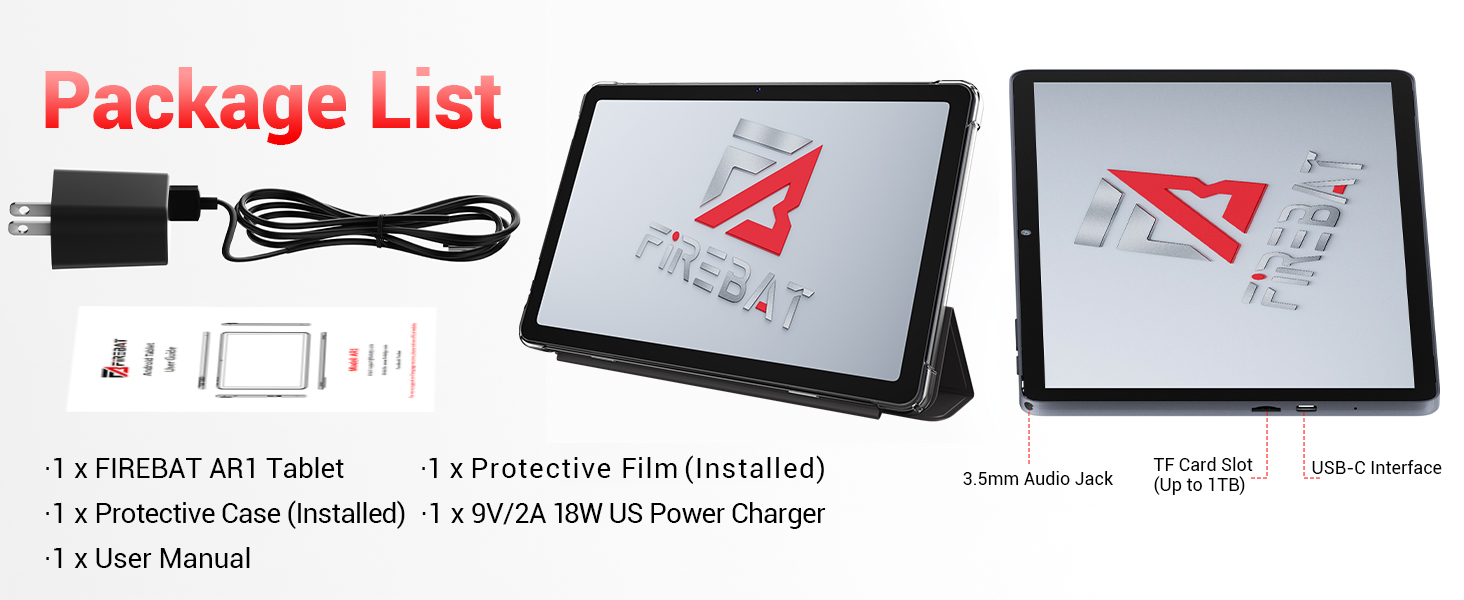
Image: The tablet's capability to support multiple video and audio formats, enhancing its multimedia functionality.
Image: The tablet displaying various e-book and office software applications, demonstrating its versatility for productivity and reading.
Video: A demonstration of the FIREBAT Android 15 Tablet's features, including its responsive touchscreen, protective case functionality, and overall performance for various applications.
5. പരിപാലനം
5.1 നിങ്ങളുടെ ടാബ്ലെറ്റ് വൃത്തിയാക്കൽ
ടാബ്ലെറ്റിന്റെ സ്ക്രീനും ബോഡിയും വൃത്തിയാക്കാൻ മൃദുവായ, ലിന്റ് രഹിത തുണി ഉപയോഗിക്കുക. കഠിനമായ പാടുകൾക്ക്, ചെറുതായി ഡി.ampതുണിയിൽ വെള്ളം അല്ലെങ്കിൽ സ്ക്രീൻ-സേഫ് ക്ലീനർ ഉപയോഗിക്കുക. കഠിനമായ രാസവസ്തുക്കളോ ഉരച്ചിലുകളോ ഉള്ള വസ്തുക്കൾ ഉപയോഗിക്കുന്നത് ഒഴിവാക്കുക.
5.2 സോഫ്റ്റ്വെയർ അപ്ഡേറ്റുകൾ
Regularly check for and install system updates to ensure your tablet has the latest features, security patches, and performance improvements. Navigate to ക്രമീകരണങ്ങൾ > സിസ്റ്റം > സിസ്റ്റം അപ്ഡേറ്റ് അപ്ഡേറ്റുകൾ പരിശോധിക്കാൻ.
5.3 ബാറ്ററി കെയർ
ബാറ്ററി ആയുസ്സ് വർദ്ധിപ്പിക്കാൻ:
- തീവ്രമായ താപനില ഒഴിവാക്കുക.
- ടാബ്ലെറ്റ് പൂർണ്ണമായി ചാർജ് ചെയ്തോ പൂർണ്ണമായി ഡിസ്ചാർജ് ചെയ്തോ ദീർഘനേരം വയ്ക്കരുത്.
- ഒപ്റ്റിമൽ ചാർജിംഗിനായി നൽകിയിരിക്കുന്ന ചാർജർ ഉപയോഗിക്കുക.
6. പ്രശ്നപരിഹാരം
നിങ്ങളുടെ ടാബ്ലെറ്റിൽ പ്രശ്നങ്ങൾ നേരിടുകയാണെങ്കിൽ, ഇനിപ്പറയുന്ന പൊതുവായ പരിഹാരങ്ങൾ പരിശോധിക്കുക:
| പ്രശ്നം | പരിഹാരം |
|---|---|
| ടാബ്ലെറ്റ് ഓണാക്കുന്നില്ല | ബാറ്ററി ചാർജ് ചെയ്തിട്ടുണ്ടെന്ന് ഉറപ്പാക്കുക. കുറഞ്ഞത് 30 മിനിറ്റെങ്കിലും ചാർജറുമായി കണക്റ്റ് ചെയ്യുക, തുടർന്ന് വീണ്ടും പവർ ചെയ്യാൻ ശ്രമിക്കുക. |
| മന്ദഗതിയിലുള്ള പ്രകടനം | Close unused applications, clear cache, or restart the tablet. Consider uninstalling unnecessary apps. |
| വൈഫൈ കണക്റ്റിവിറ്റി പ്രശ്നങ്ങൾ | Restart your Wi-Fi router and the tablet. Forget the network and reconnect. Ensure you are within range. |
| ടച്ച്സ്ക്രീൻ പ്രതികരിക്കുന്നില്ല | Restart the tablet. If the issue persists, perform a factory reset (data will be erased). |
| ആപ്പുകൾ ക്രാഷാകുന്നു | Ensure apps are updated. Clear the app's cache and data (Settings > Apps > [App Name] > Storage). Reinstall if necessary. |
For persistent issues, contact customer support or refer to the official FIREBAT webകൂടുതൽ സഹായത്തിനുള്ള സൈറ്റ്.
7 സ്പെസിഫിക്കേഷനുകൾ
| ഫീച്ചർ | വിശദാംശങ്ങൾ |
|---|---|
| മോഡലിൻ്റെ പേര് | ആൻഡ്രോയിഡ് 15 ടാബ്ലെറ്റ് |
| ഓപ്പറേറ്റിംഗ് സിസ്റ്റം | ആൻഡ്രോയിഡ് 15 |
| സ്ക്രീൻ വലിപ്പം | 10.95 ഇഞ്ച് |
| സ്ക്രീൻ റെസല്യൂഷൻ | 1920 x 1200 pixels (In-Cell IPS) |
| പ്രോസസ്സർ | UNISOC Spreadtrum T606 Octa-Core (2x A75 1.6GHz, 6x A55 1.6GHz) |
| ജിപിയു | MediaTek Mali-G57-3EE-single-core 650MHz |
| റാം | 12GB LPDDR4x (4GB physical + 8GB virtual) |
| ആന്തരിക സംഭരണം | 128 ജിബി |
| വികസിപ്പിക്കാവുന്ന സംഭരണം | TF കാർഡ് വഴി 1TB വരെ |
| മുൻ ക്യാമറ | 5എംപി |
| പിൻ ക്യാമറ | 13എംപി |
| ബാറ്ററി ശേഷി | 8000mAh |
| ചാർജിംഗ് | 18W PD Fast Charging (USB-C) |
| വയർലെസ് കണക്റ്റിവിറ്റി | വൈ-ഫൈ 5 (802.11ac), ബ്ലൂടൂത്ത് 5.0 |
| മറ്റ് സവിശേഷതകൾ | FM Radio, Widevine L1, 3D G-sensor |
| അളവുകൾ | 10 x 6.6 x 0.3 ഇഞ്ച് |
| ഇനത്തിൻ്റെ ഭാരം | 1.1 പൗണ്ട് |
8. വാറൻ്റിയും പിന്തുണയും
For warranty information and customer support, please refer to the documentation included with your purchase or visit the official FIREBAT webസൈറ്റ്. വാറന്റി ക്ലെയിമുകൾക്കായി നിങ്ങളുടെ വാങ്ങലിന്റെ തെളിവ് സൂക്ഷിക്കുക.


