1. ആമുഖം
This manual provides detailed instructions for the installation, operation, and maintenance of your Lian Li SX Platinum 850W SXP Compact ATX Form Factor Power Supply. Please read this manual thoroughly before installation and keep it for future reference.
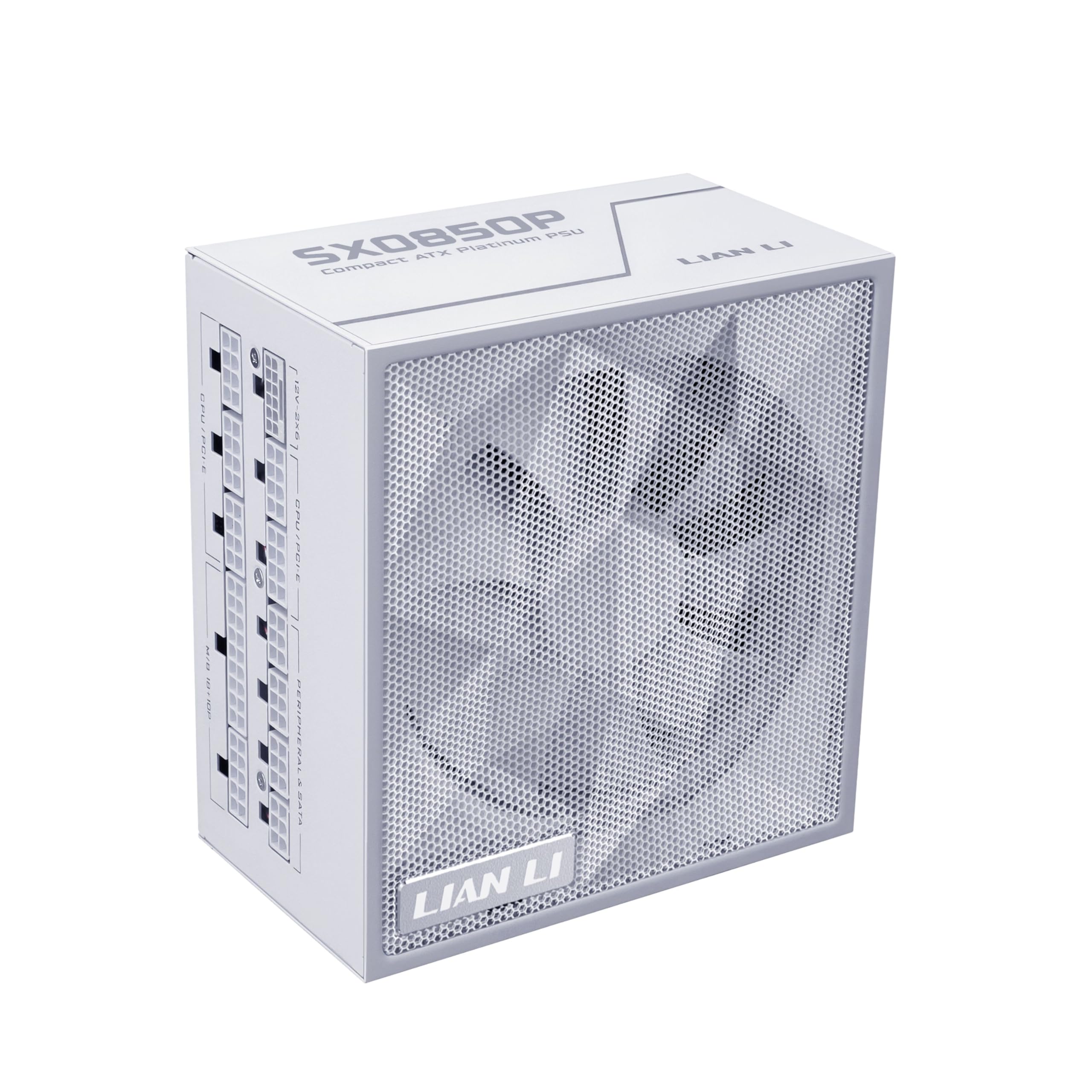
Image 1: Lian Li SX Platinum 850W Power Supply (White Model)
2 പ്രധാന സവിശേഷതകൾ
- 80 പ്ലസ് പ്ലാറ്റിനം സാക്ഷ്യപ്പെടുത്തിയത്: Achieves up to 92% efficiency at 50% load, ensuring cooler, quieter, and more energy-efficient operation with stable voltagഇ നിയന്ത്രണം.
- ATX 3.1 & PCIe 5.1 കംപ്ലയിന്റ്: Supports power excursions up to 200% of its rated output, delivering stable power for high-performance systems.
- Compact ATX Form Factor: With dimensions of 150 x 86 x 140 mm (5.9"W x 3.4"H x 5.5"D), it fits a wide range of cases, including mATX, leaving more interior space.
- പൂർണ്ണ മോഡുലാർ ഡിസൈൻ: Allows installation of only necessary cables, reducing clutter and improving airflow.
- Ample PCIe 6+2 Connectors: Provides sufficient connectors for multiple accessories and modern graphics cards.
- Smart Cooling Technology: Features a fanless mode at ≤40% load for silent operation, maintaining optimal temperatures during high loads.
- Flexible Braided Cables: Super flexible DC cables facilitate effortless cable management and a clean aesthetic.
- 105°C-റേറ്റഡ് കപ്പാസിറ്ററുകൾ: Built with 100% Japanese 105°C-rated capacitors for exceptional durability and stable performance under thermal stress.
- 10-Year Hardware Protection: Ensures long-term stability and peace of mind.
3. സജ്ജീകരണവും ഇൻസ്റ്റാളേഷനും
Before beginning installation, ensure your system is powered off and disconnected from the main power source. Refer to your PC case manual for specific power supply mounting instructions.
3.1 അൺബോക്സിംഗും ഘടക പരിശോധനയും
Carefully unpack the power supply and its accessories. Verify all components listed in the package contents are present.
Video 1: Lian Li SXP Platinum PSU unboxing video. This video demonstrates the unboxing process and shows the included components of the power supply.
3.2 പവർ സപ്ലൈ മൌണ്ട് ചെയ്യുന്നു
Install the power supply into the designated bay in your PC case. Secure it using the provided screws.
3.3 കേബിൾ കണക്ഷൻ
Due to the fully modular design, connect only the cables required for your system components. Ensure all connections are firm and correctly oriented.

Image 2: Cable Configuration. This image illustrates the various connector types, quantities, and cable lengths for the 850W, 1000W, and 1200W models.
The SX Platinum series includes braided cables for a clean and professional look. Ensure the 12V-2x6 connector's blue section is fully inserted when connecting to the graphics card for safe and efficient power delivery.

Image 3: Braided Cables for a Finished Look. This image highlights the aesthetic and functional benefits of the braided cables and cable combs.

Image 4: Stable Dual-Color PCIe 5.1 Connector. This image details the construction of the 12V-2x6 copper-alloy terminal for enhanced stability and performance.
4. പ്രവർത്തന നിർദ്ദേശങ്ങൾ
4.1 Smart Stop/Start Fan Mode
The power supply features a Smart Stop/Start fan mode. When the PSU load is at or below 40%, the fan enters this mode to keep the system quiet under low loads. This feature can be enabled or disabled using the switch on the rear of the unit.
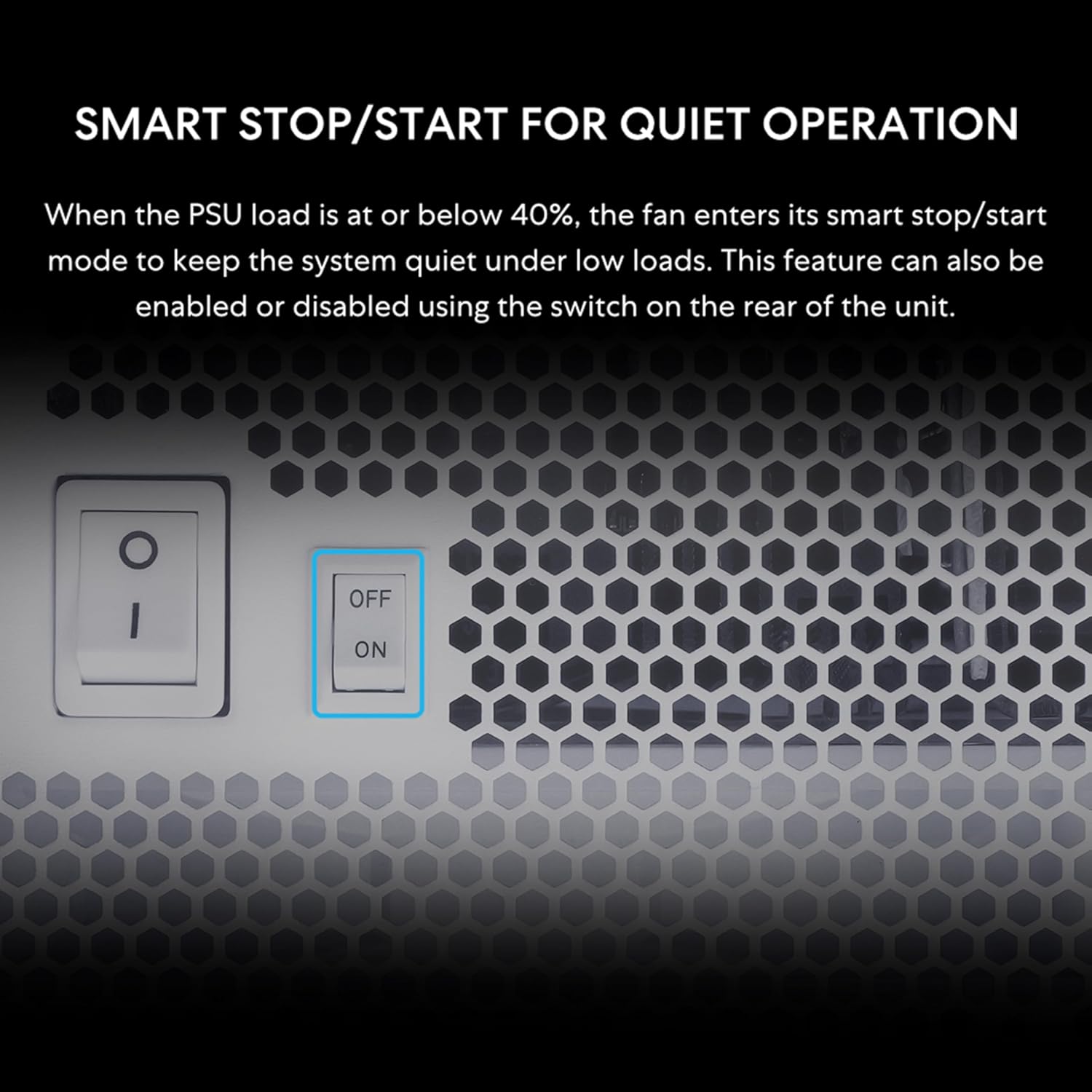
Image 5: Smart Stop/Start Switch. This image shows the physical switch on the power supply for enabling or disabling the fanless mode.
4.2 പവർ ഓൺ/ഓഫ്
After all connections are made, connect the power supply to a wall outlet and flip the main power switch to the 'ON' position. Your system should now be ready to power on.
Video 2: LianLi - SX Series PSU product video. This video provides an overview of the SX Series Power Supply, showcasing അതിന്റെ സവിശേഷതകളും രൂപകൽപ്പനയും.
5. പരിപാലനം
To ensure optimal performance and longevity of your power supply, regular maintenance is recommended:
- വെന്റുകൾ വൃത്തിയായി സൂക്ഷിക്കുക: Ensure the power supply's intake and exhaust vents are free from dust and obstructions to allow for proper airflow.
- പൊടി നീക്കം: Periodically clean the power supply and surrounding area with compressed air to prevent dust buildup, which can hinder cooling efficiency.
- കേബിൾ മാനേജുമെന്റ്: Maintain tidy cable management to improve airflow within your PC case, contributing to lower operating temperatures for all components, including the PSU.
6. പ്രശ്നപരിഹാരം
If you encounter issues with your Lian Li SX Platinum Power Supply, consider the following steps:
- ശക്തിയില്ല: Check all power connections, including the wall outlet, power cable to the PSU, and internal connections (24-pin ATX, CPU, PCIe). Ensure the main power switch on the PSU is in the 'ON' position.
- സിസ്റ്റം അസ്ഥിരത/ക്രാഷുകൾ: Verify that your system's power requirements do not exceed the 850W capacity of the PSU. Ensure all cables are securely connected, especially the 12V-2x6 connector for the GPU.
- ഫാൻ ശബ്ദം: If the fan is operating at high loads, this is normal. If the fan is excessively noisy at low loads, check if the Smart Stop/Start feature is enabled or disabled as desired.
- Missing Parts or Cable Issues: For any missing parts or cable color issues, contact Lian Li RMA support for assistance or replacement.
If problems persist after following these steps, please contact Lian Li customer support.
7 സ്പെസിഫിക്കേഷനുകൾ
| ഫീച്ചർ | വിശദാംശങ്ങൾ |
|---|---|
| മോഡലിൻ്റെ പേര് | SX0850P.W |
| ബ്രാൻഡ് | ലിയാൻ ലി |
| ഔട്ട്പുട്ട് വാട്ട്tage | 850 വാട്ട്സ് |
| ഫോം ഫാക്ടർ | ATX |
| ഉൽപ്പന്ന അളവുകൾ | 5.91 x 3.39 x 5.51 ഇഞ്ച് (150 x 86 x 140 മിമി) |
| ഇനത്തിൻ്റെ ഭാരം | 6.38 പൗണ്ട് |
| കാര്യക്ഷമതാ സർട്ടിഫിക്കേഷൻ | 80 പ്ലസ് പ്ലാറ്റിനം |
| കണക്റ്റർ തരം | PCI Express (12V-2x6) |
| തണുപ്പിക്കൽ രീതി | Air (140mm FDB fan) |
| ആരാധകരുടെ എണ്ണം | 1 |
| ഹാർഡ്വെയർ സംരക്ഷണം | 10 വർഷം |

Image 6: Detailed Specifications Table. This table provides comprehensive technical details for the SX Platinum series, including the SX0850P model.
8. വാറൻ്റിയും പിന്തുണയും
The Lian Li SX Platinum 850W Power Supply comes with a 10-year hardware protection warranty. സാധാരണ ഉപയോഗത്തിലുള്ള മെറ്റീരിയലുകളിലെയും ജോലികളിലെയും വൈകല്യങ്ങൾ ഈ വാറന്റി ഉൾക്കൊള്ളുന്നു.
For warranty claims, technical support, or inquiries regarding missing parts or cable issues, please contact Lian Li customer support through their official website or the retailer where the product was purchased. Please have your product model number (SX0850P.W) and proof of purchase ready.

Image 7: 10-Year Hardware Protection. This image highlights the extensive warranty period for the SX Platinum Series.


