1. ആമുഖം
Thank you for choosing the WiiM Sound Smart Speaker. This manual provides essential information for setting up, operating, and maintaining your device to ensure optimal performance and longevity. The WiiM Sound offers high-resolution audio, intelligent room correction, and flexible control options for an enhanced listening experience.
2. ബോക്സിൽ എന്താണുള്ളത്?

Image: All items included in the WiiM Sound Smart Speaker packaging.
- WiiM Sound Smart Speaker
- WiiM Voice Remote 2 Lite (with USB‑C charging cable)
- പവർ കേബിൾ
- 3.5 mm RCA cable
- ദ്രുത ആരംഭ ഗൈഡ്
3. സജ്ജീകരണ ഗൈഡ്
3.1 പ്രാരംഭ പവർ-ഓൺ
Connect the WiiM Sound to a power outlet using the provided power cable. The device will automatically power on and enter setup mode. The 1.8-inch display will show the WiiM logo and then a QR code, prompting you to download the WiiM Home App.
Video: An unboxing and initial power-on demonstration of the WiiM Sound Smart Speaker, showing the device booting up and displaying the WiiM logo and QR code for app download.
3.2 ആപ്പ് ഡൗൺലോഡും കണക്ഷനും
- Scan the QR code displayed on the speaker or search for 'WiiM Home' in your device's app store.
- Download and install the WiiM Home App.
- Open the app and follow the on-screen instructions to connect your WiiM Sound to your Wi-Fi network. Ensure your phone is close to the speaker during this process.
Image: A hand holding a smartphone displaying the WiiM Home App's interface, with a prompt to set up the WiiM Sound speaker.
3.3 AI RoomFit Calibration
After connecting to Wi-Fi, the app will guide you through the AI RoomFit calibration process. This feature optimizes the sound output based on your room's acoustics and speaker placement for a balanced and clear audio experience.

Image: A smartphone displaying the WiiM Home App's AI RoomFit auto calibration interface, illustrating how the feature optimizes sound for the listening environment.
3.4 വിദൂര നിയന്ത്രണ ജോടിയാക്കൽ
The WiiM Sound comes with a WiiM Voice Remote 2 Lite. To pair it:
- Ensure the remote has batteries (not included for 1st-gen, but included for 2 Lite).
- In the WiiM Home App, navigate to the device settings and select 'Pair Remote'.
- Follow the app's instructions to put the remote into pairing mode (usually by holding specific buttons).
- ജോടിയാക്കൽ വിജയകരമാണെന്ന് ആപ്പ് സ്ഥിരീകരിക്കും.

Image: A visual guide demonstrating the pairing process between the WiiM Sound speaker and its remote control.
4. പ്രവർത്തന നിർദ്ദേശങ്ങൾ
4.1 Touch Display Controls
The 1.8-inch touch display on the front of the WiiM Sound provides instant control without needing your phone. You can:
- പ്ലേ/താൽക്കാലികമായി നിർത്തുക: Tap the center of the display.
- ട്രാക്കുകൾ ഒഴിവാക്കുക: ഇടത്തോട്ടോ വലത്തോട്ടോ സ്വൈപ്പ് ചെയ്യുക.
- വോളിയം ക്രമീകരിക്കുക: Rotate your finger around the edge of the display.
- Change Sources: Access input options like Wi-Fi, Bluetooth, or Aux-In.
- Quick EQ: Select preset equalizer settings.
- പ്രീസെറ്റുകൾ: Access your saved favorite playlists or radio stations.

Image: The 1.8-inch touch display of the WiiM Sound, illustrating its various functions including album art display, time, EQ settings, and input source selection.
Video: A demonstration of the WiiM Sound's touch display, showing how to interact with it for playback control and settings adjustments.
4.2 റിമോട്ട് കൺട്രോൾ ഉപയോഗം
The included WiiM Voice Remote 2 Lite provides convenient control from a distance. Use it for power, volume adjustment, track skipping, and accessing voice commands (push-to-talk functionality).
4.3 WiiM Home App Functionality
The WiiM Home App is your central hub for advanced control and customization:
- സംഗീത സേവനങ്ങൾ: Access and stream from over 20 integrated music services (e.g., Spotify, TIDAL, Qobuz, Amazon Music).
- മൾട്ടി-റൂം ഓഡിയോ: Group multiple WiiM devices to play synchronized audio across different rooms.
- സ്റ്റീരിയോ ജോടിയാക്കൽ: Pair two WiiM Sound speakers for a dedicated left/right stereo experience.
- ഹോം തിയേറ്റർ സജ്ജീകരണം: Combine with compatible WiiM components (e.g., WiiM Sub Pro, WiiM Ultra/Amp) for a surround sound experience.
- EQ & Sound Customization: Utilize 24 preset EQs, 10-Band Graphic and Parametric EQ, and Per-Input EQ for fine-tuning your audio.

Image: A visual representation of the multi-room audio capabilities of the WiiM Sound, showing speakers in different rooms controlled by a single app.

Image: Two WiiM Sound speakers configured for true stereo sound, enhancing the audio experience in a living room setting.
5 പ്രധാന സവിശേഷതകൾ
- 1.8-inch Touch Display: Shows album art, time, track info, and provides instant control for playback, sources, Quick EQ, and presets.
- ഹൈ-റെസ് ഓഡിയോ: Supports up to 24-bit/192 kHz audio for superior sound quality.
- Powerful Acoustics: Features a 100W peak amplifier, 4-inch paper-cone woofer, and dual 1-inch silk-dome tweeters for rich, clear sound.
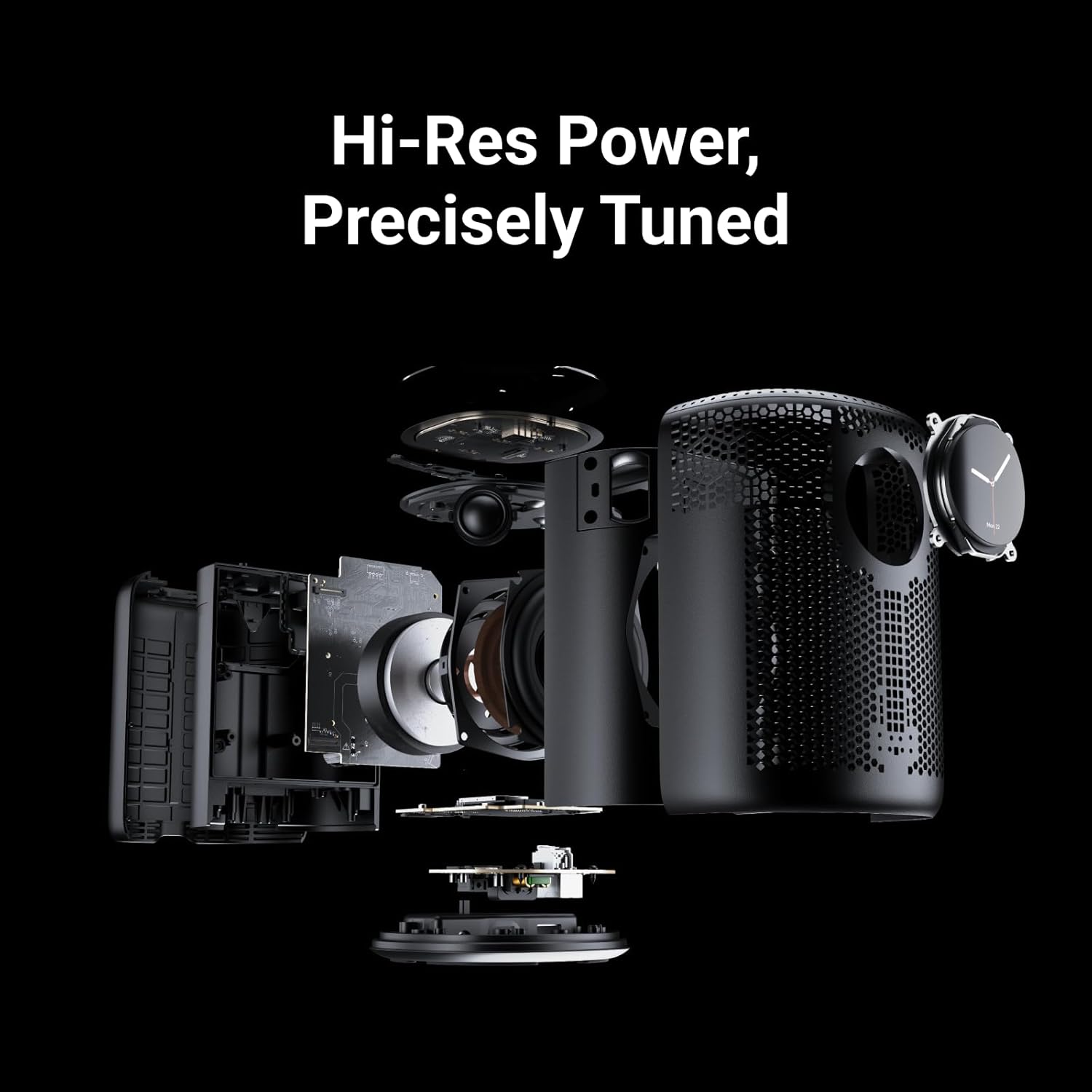
Image: An exploded diagram of the WiiM Sound, showcasing its internal components including the 4-inch woofer and dual 1-inch silk-dome tweeters.
- AI RoomFit Calibration: Automatically optimizes sound for your specific room and speaker placement.
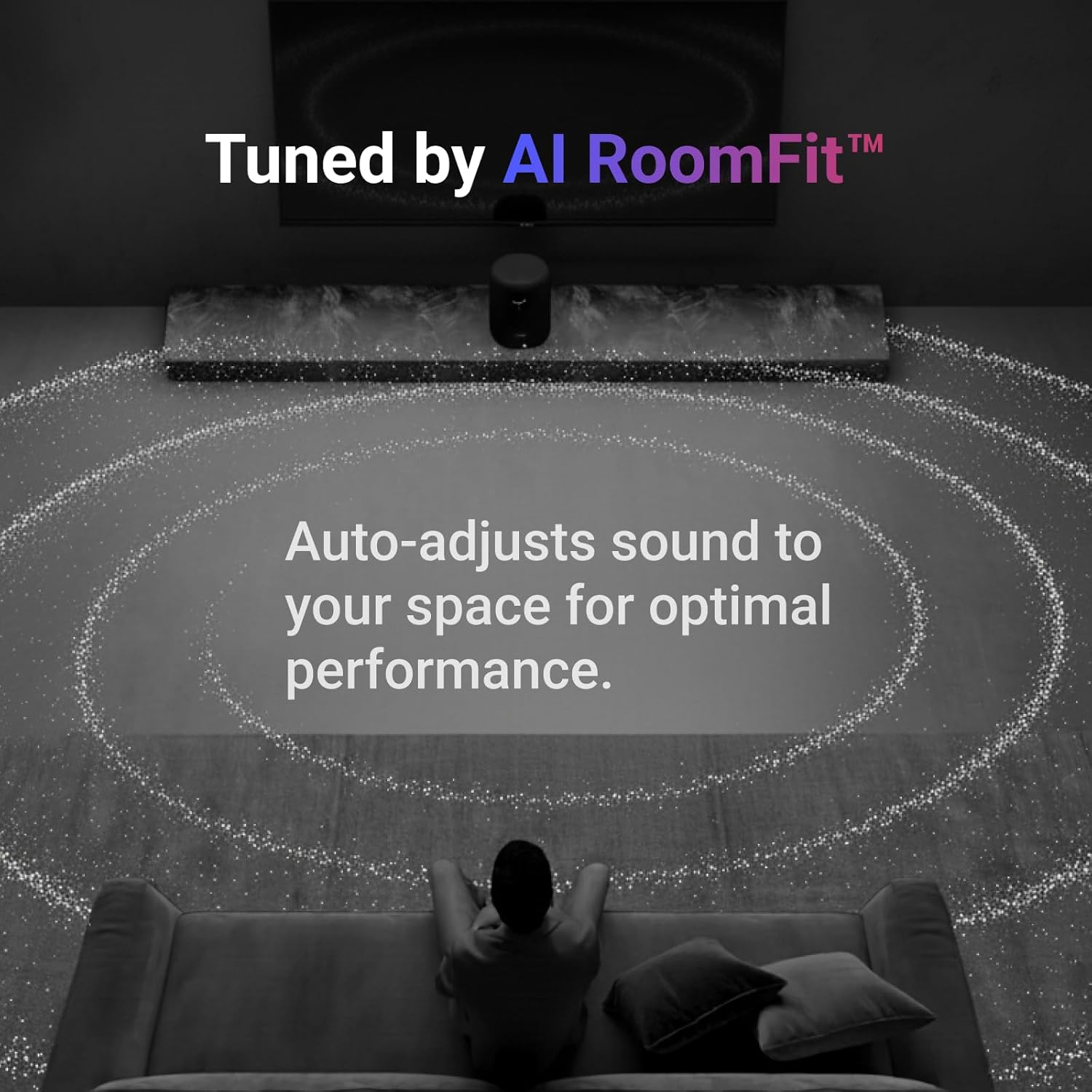
Image: A visual representation of the AI RoomFit feature in action, showing sound waves adapting to a living room environment for personalized audio.
- Open Connectivity: Stream directly via Google Cast, Spotify/TIDAL/Qobuz Connect, Alexa Cast, DLNA, Roon/LMS.
- വയർലെസ് സാങ്കേതികവിദ്യകൾ: Equipped with Wi-Fi 6E and Bluetooth 5.3 for robust and high-quality wireless streaming.

Image: A collection of logos for popular music streaming and casting services, highlighting the WiiM Sound's broad compatibility.
6 സ്പെസിഫിക്കേഷനുകൾ
| ഫീച്ചർ | വിശദാംശങ്ങൾ |
|---|---|
| മോഡലിൻ്റെ പേര് | SPK001 |
| ഉൽപ്പന്ന അളവുകൾ | 5.8"D x 5.8"W x 7.6"H |
| ഇനത്തിൻ്റെ ഭാരം | 4.12 കിലോഗ്രാം (9.06 പൗണ്ട്) |
| മെറ്റീരിയൽ | പോളികാർബണേറ്റ് + ഗ്ലാസ് ഫൈബർ |
| സ്പീക്കർ തരം | സ്മാർട്ട് സ്പീക്കർ |
| സ്പീക്കർ പരമാവധി ഔട്ട്പുട്ട് പവർ | 100 വാട്ട്സ് |
| വൂഫർ വ്യാസം | 4 ഇഞ്ച് |
| ഓഡിയോ ഡ്രൈവർ തരം | പ്ലാനർ മാഗ്നെറ്റിക് ഡ്രൈവർ |
| ഫ്രീക്വൻസി പ്രതികരണം | 20 KHz |
| സിഗ്നൽ-ടു-നോയിസ് അനുപാതം | 80 ഡി.ബി |
| കണക്റ്റിവിറ്റി ടെക്നോളജി | Auxiliary, Bluetooth, Ethernet, Wi-Fi |
| വയർലെസ് കമ്മ്യൂണിക്കേഷൻ ടെക്നോളജി | ബ്ലൂടൂത്ത്, വൈഫൈ |
| ബ്ലൂടൂത്ത് പതിപ്പ് | 5.3 |
| ബ്ലൂടൂത്ത് ശ്രേണി | 10 മീറ്റർ |
| Maximum Range (Wi-Fi) | 100 മീറ്റർ |
| നിയന്ത്രണ രീതി | ആപ്പ്, റിമോട്ട്, ടച്ച്, വോയ്സ് |
| പവർ ഉറവിടം | കോർഡഡ് ഇലക്ട്രിക് (120 വോൾട്ട്) |
| ഇൻഡോർ/ഔട്ട്ഡോർ ഉപയോഗം | ഇൻഡോർ |
| നിറം | കറുപ്പ് |
7. പരിപാലനം
To ensure the longevity and optimal performance of your WiiM Sound Smart Speaker, follow these maintenance guidelines:
- വൃത്തിയാക്കൽ: Use a soft, dry cloth to wipe the exterior of the speaker. Avoid using liquid cleaners, aerosols, or solvents, as these may damage the finish or internal components.
- പ്ലേസ്മെൻ്റ്: Place the speaker on a stable, flat surface away from direct sunlight, heat sources, and moisture. Ensure adequate ventilation around the device.
- ശക്തി: Disconnect the power cable during electrical storms or when unused for extended periods.
8. പ്രശ്നപരിഹാരം
If you encounter issues with your WiiM Sound Smart Speaker, try the following steps:
- ശക്തിയില്ല: Ensure the power cable is securely connected to both the speaker and a working power outlet.
- ശബ്ദമില്ല: Check the volume levels on the speaker, your connected device, and within the WiiM Home App. Verify the correct input source is selected.
- കണക്റ്റിവിറ്റി പ്രശ്നങ്ങൾ: Ensure your Wi-Fi network is active and the speaker is within range. Restart your router, the speaker, and your controlling device. For Bluetooth, ensure the speaker is in pairing mode and your device's Bluetooth is enabled.
- App Not Detecting Speaker: Ensure the speaker is powered on and in setup mode. Close and reopen the WiiM Home App, or reinstall it if necessary.
- റിമോട്ട് പ്രതികരിക്കുന്നില്ല: Check the remote's batteries. Re-pair the remote with the speaker via the WiiM Home App.
For further assistance, please refer to the official WiiM support resources.
9. വാറൻ്റിയും പിന്തുണയും
The WiiM Sound Smart Speaker comes with a limited warranty. For detailed warranty terms, product registration, and technical support, please visit the official WiiM webസൈറ്റിൽ ബന്ധപ്പെടുക അല്ലെങ്കിൽ അവരുടെ ഉപഭോക്തൃ സേവനവുമായി ബന്ധപ്പെടുക. വാറന്റി ക്ലെയിമുകൾക്കായി നിങ്ങളുടെ വാങ്ങൽ രസീത് സൂക്ഷിക്കുക.
ഓൺലൈൻ പിന്തുണ: സന്ദർശിക്കുക WiiM Store on Amazon ഉൽപ്പന്ന വിവരങ്ങൾക്കും പിന്തുണ ലിങ്കുകൾക്കും.


