ആമുഖം
Welcome to your Beats Powerbeats Fit wireless earbuds. These high-performance earbuds are designed for active lifestyles, offering exceptional stability, comfort, and powerful sound. Featuring Active Noise Cancelling (ANC), Transparency mode, and compatibility with both Apple and Android devices, Powerbeats Fit are engineered to enhance your listening experience during workouts and daily activities.
This manual provides detailed instructions on setting up, operating, maintaining, and troubleshooting your Powerbeats Fit earbuds to ensure optimal performance and longevity.
ബോക്സിൽ എന്താണുള്ളത്

Image: The Powerbeats Fit earbuds, charging case, and the included extra-small, small, medium, and large silicone ear tips.
- Powerbeats Fit Earbuds
- USB-C ചാർജിംഗ് കേസ്
- Four Ear Tip Sizes (Extra-Small, Small, Medium, Large)
- ദ്രുത ആരംഭ ഗൈഡ്
- വാറൻ്റി കാർഡ്
- Note: Power adapter and USB-C charging cable are sold separately.
സജ്ജമാക്കുക
1. Achieving the Optimal Fit
A proper fit is crucial for sound quality, noise cancellation, and comfort. Powerbeats Fit earbuds feature secure-fit wingtips and come with four ear tip sizes to ensure a personalized fit.
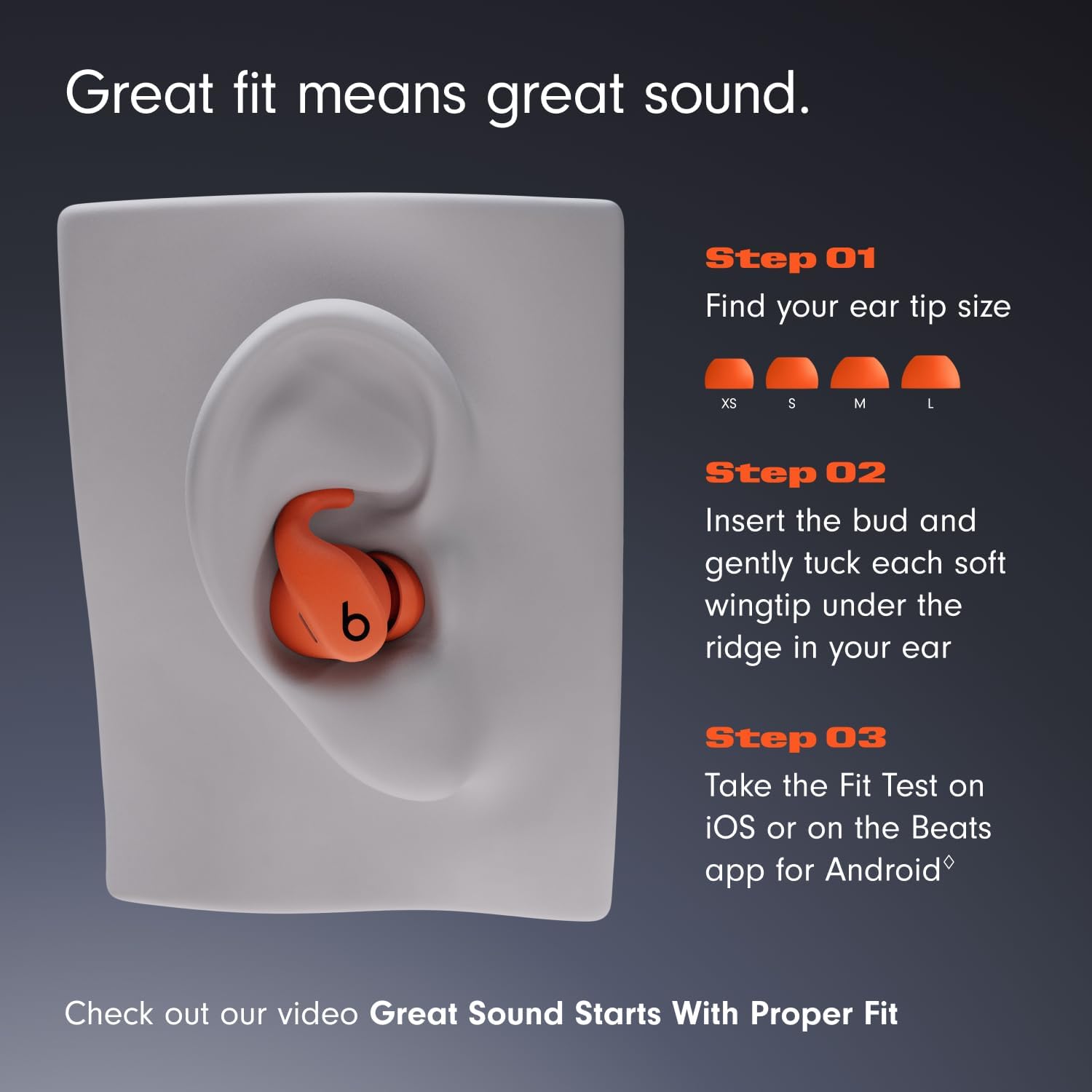
Image: Visual guide for selecting the correct ear tip size (XS, S, M, L) and properly inserting the earbud with its wingtip for optimal fit and sound.
- Select Ear Tip Size: Experiment with the extra-small, small, medium, and large ear tips to find the size that creates a comfortable seal in your ear canal.
- ഇയർബഡ് ഇടുക: ഇയർബഡ് പതുക്കെ ചെവിയിൽ തിരുകുക.
- Tuck Wingtip: Carefully tuck the soft wingtip under the ridge of your ear for exceptional stability.
- ഫിറ്റ് ടെസ്റ്റ്: For Apple users, perform the Fit Test on iOS. Android users can use the Beats app for Android to ensure the best seal.

Image: A close-up of a user wearing the Powerbeats Fit earbuds, demonstrating the secure and stable fit provided by the wingtip design.
2. നിങ്ങളുടെ ഇയർബഡുകൾ ജോടിയാക്കുന്നു
For Apple Devices (iOS):
- Open the charging case with your Powerbeats Fit inside, and hold it near your unlocked iPhone.
- Follow the on-screen instructions to connect. The Apple H1 chip enables seamless pairing and features like Automatic Switching, Audio Sharing, and hands-free "Hey Siri."
Android ഉപകരണങ്ങൾക്കായി:
- Download the Beats app for Android from the Google Play Store.
- Open the charging case with your Powerbeats Fit inside, and hold it near your Android device.
- Follow the in-app instructions for one-touch pairing. The Beats app also allows customizable controls, battery status, and the "Locate My Beats" feature.
For Other Bluetooth Devices:
- With the earbuds in the charging case, open the lid.
- Press and hold the system button on the charging case until the LED indicator light flashes.
- Go to your device's Bluetooth settings and select "Powerbeats Fit" from the list of available devices.
Operating Your Powerbeats Fit
ഉപകരണത്തിലെ നിയന്ത്രണങ്ങൾ
Each earbud features a multi-function button for controlling audio playback, calls, and listening modes. Controls are customizable via the Beats app (Android) or iOS settings.
- പ്ലേ/താൽക്കാലികമായി നിർത്തുക: ഒരിക്കൽ അമർത്തുക.
- മുന്നോട്ട് പോകുക: രണ്ടുതവണ അമർത്തുക.
- പിന്നിലേക്ക് പോകുക: മൂന്ന് തവണ അമർത്തുക.
- ഉത്തരം/അവസാന കോൾ: ഒരിക്കൽ അമർത്തുക.
- കോൾ നിരസിക്കുക: അമർത്തിപ്പിടിക്കുക.
- Switch Listening Modes (ANC/Transparency): അമർത്തിപ്പിടിക്കുക.
- വോയ്സ് അസിസ്റ്റന്റ് (സിരി) സജീവമാക്കുക: Say "Hey Siri" (iOS) or customize button press (iOS/Android).
Auto-Play/Pause sensors detect when you insert or remove the earbuds, automatically playing or pausing your audio.
ലിസണിംഗ് മോഡുകൾ

ചിത്രം: ഒരു ഓവർview of key features including secure fit, sound quality, noise cancellation, water resistance, and battery life.
- ആക്ടീവ് നോയിസ് ക്യാൻസലിംഗ് (ANC): Blocks external sounds for focused listening. Ideal for noisy environments.
- സുതാര്യത മോഡ്: Allows you to hear your surroundings while still enjoying your audio. Useful for awareness in urban environments or during conversations.
Switch between these modes by pressing and holding the multi-function button on either earbud, or through your device's settings/Beats app.
സ്പേഷ്യൽ ഓഡിയോ
Powerbeats Fit supports Personalized Spatial Audio with dynamic head tracking, providing an immersive, theater-like sound experience. Adaptive EQ tailors sound to each earbud's personal fit and seal, optimizing audio for you.

Image: A user engaged in a running activity, showcasing the earbuds' use during exercise and their sound capabilities like Active Noise Cancelling and Spatial Audio.
വിളിക്കുന്നു
Enjoy exceptional call quality with dual beam-forming microphones and an internal processor that minimizes external noise. Take calls and FaceTime with Spatial Audio with Dolby Atmos.
ബാറ്ററി ലൈഫും ചാർജിംഗും
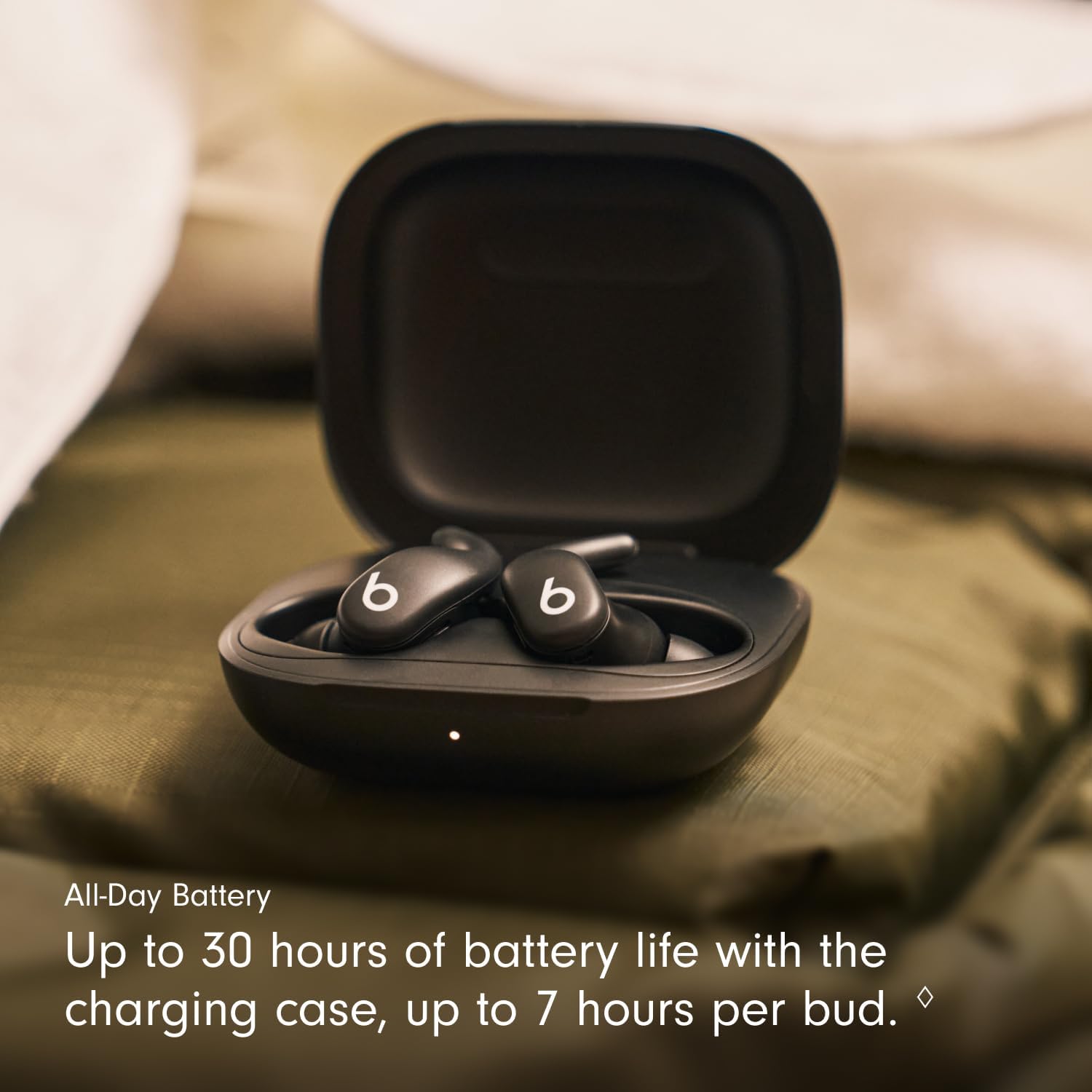
Image: The earbuds resting in their charging case, highlighting the extended battery life of up to 30 hours with the case.
- ഇയർബഡ് പ്ലേബാക്ക്: ഒറ്റ ചാർജിൽ 7 മണിക്കൂർ വരെ.
- Total with Charging Case: Up to 30 hours of listening time.
- Fast Fuel Charging: A quick 5-minute charge provides up to 1 hour of playback when the battery is low.
To charge your Powerbeats Fit, place the earbuds in the charging case and close the lid. Connect the USB-C charging case to a power source using a compatible USB-C cable (sold separately).
മെയിൻ്റനൻസ്
നിങ്ങളുടെ ഇയർബഡുകളും കെയ്സും വൃത്തിയാക്കുന്നു
- Wipe earbuds and charging case with a soft, dry, lint-free cloth.
- ഉരച്ചിലുകളുള്ള വസ്തുക്കളോ കെമിക്കൽ ക്ലീനറുകളോ ഉപയോഗിക്കരുത്.
- ചെവിയുടെ അറ്റം നീക്കം ചെയ്ത് ആവശ്യമെങ്കിൽ നേരിയ സോപ്പും വെള്ളവും ഉപയോഗിച്ച് പ്രത്യേകം വൃത്തിയാക്കുക, വീണ്ടും ഘടിപ്പിക്കുന്നതിന് മുമ്പ് അവ പൂർണ്ണമായും ഉണങ്ങിയെന്ന് ഉറപ്പാക്കുക.
ജല പ്രതിരോധം (IPX4)
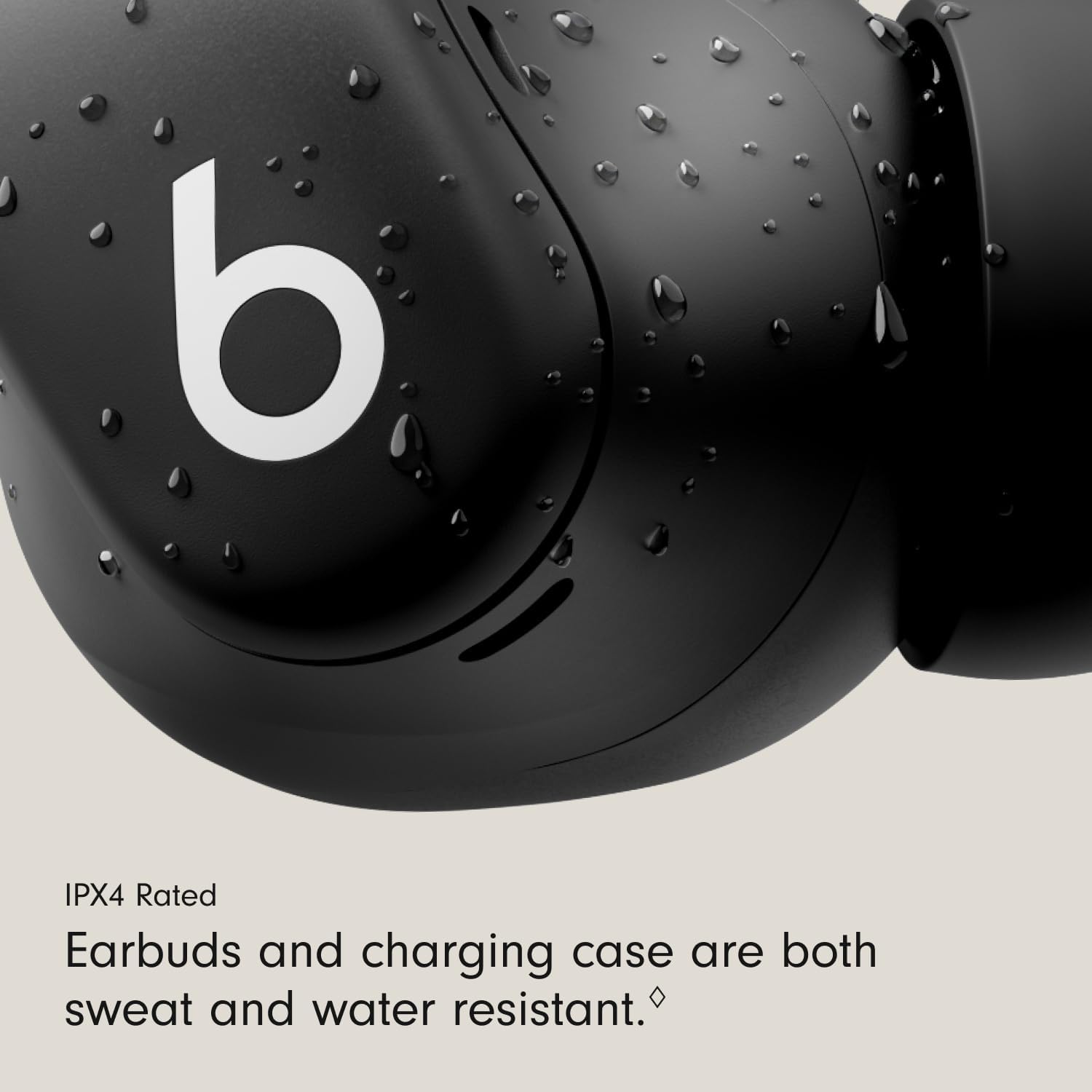
ചിത്രം: വിശദമായ ഒരു ചിത്രം view of an earbud with water droplets, emphasizing its IPX4 rating for sweat and water resistance, suitable for workouts.
Both the Powerbeats Fit earbuds and the charging case are IPX4 rated, meaning they are sweat and water resistant. This makes them suitable for intense workouts and use in light rain or snow.
- ഇയർബഡുകളോ കേസോ വെള്ളത്തിൽ മുക്കരുത്.
- Avoid exposing them to pressurized water or high-velocity water.
- Ensure earbuds and case are dry before charging to prevent damage.
ട്രബിൾഷൂട്ടിംഗ്
If you encounter issues with your Powerbeats Fit, try the following steps:
- ശബ്ദമില്ല/ശബ്ദ നിലവാരം മോശമാണ്: Ensure earbuds are properly seated in your ears and you have selected the correct ear tip size. Check your device's volume and Bluetooth connection.
- കണക്റ്റിവിറ്റി പ്രശ്നങ്ങൾ: Turn Bluetooth off and on again on your device. Place earbuds back in the case, close the lid, wait a few seconds, then reopen to reset. For persistent issues, try re-pairing the earbuds.
- ചാർജിംഗ് പ്രശ്നങ്ങൾ: Ensure the charging cable and power adapter are working correctly. Clean the charging contacts on both the earbuds and the case with a dry cloth.
- Earbuds Not Responding: Place both earbuds in the charging case, close the lid, and then open it again. If issues persist, perform a factory reset (refer to the Beats support web(നിർദ്ദിഷ്ട നിർദ്ദേശങ്ങൾക്കുള്ള സൈറ്റ് കാണുക).
- അസുഖകരമായ ഫിറ്റ്: Experiment with all four ear tip sizes. Ensure the wingtip is gently tucked under the ridge of your ear.
For further assistance, please visit the official Beats support webസൈറ്റ്.
സ്പെസിഫിക്കേഷനുകൾ
| മോഡലിൻ്റെ പേര് | Powerbeats Fit |
| ഇനം മോഡൽ നമ്പർ | ME2J4LL/A |
| കണക്റ്റിവിറ്റി | Class 1 Wireless Bluetooth®, Wi-Fi |
| ശബ്ദ നിയന്ത്രണം | Active Noise Cancellation, Sound Isolation |
| ജല പ്രതിരോധം | IPX4 (Earbuds and Charging Case) |
| ഇയർബഡ് ബാറ്ററി ലൈഫ് | 7 മണിക്കൂർ വരെ (തുടർച്ചയായ പ്ലേബാക്ക്) |
| മൊത്തം ബാറ്ററി ലൈഫ് (കേസിനൊപ്പം) | 30 മണിക്കൂർ വരെ |
| Fast Fuel Charging | 5-minute charge provides up to 1 hour playback |
| അനുയോജ്യമായ ഉപകരണങ്ങൾ | Cellphones, Desktops, Laptops, Smart Watch, Tablets (Apple & Android) |
| നിയന്ത്രണ തരം | Volume Control, App Control, Button Control, Siri, Touch Control, Voice Control |
| ഇയർബഡ് അളവുകൾ (L x W x H) | 2.74 സെ.മീ x 2.15 സെ.മീ x 2.04 സെ.മീ (1.08 x 0.84 x 0.80 ഇഞ്ച്) |
| ചാർജിംഗ് കേസ് അളവുകൾ (L x W x H) | 6.25 സെ.മീ x 5.54 സെ.മീ x 2.75 സെ.മീ (2.46 x 2.18 x 1.08 ഇഞ്ച്) |
| ഇയർബഡ് ഭാരം | 5.78 ഗ്രാം |
| ചാർജിംഗ് കേസ് ഭാരം | 49.75 ഗ്രാം |
| യു.പി.സി | 195950384512 |
വാറൻ്റിയും പിന്തുണയും
Your Beats Powerbeats Fit earbuds are covered by a limited warranty. Please refer to the warranty card included in your product packaging for specific terms and conditions.
For product support, frequently asked questions, and additional resources, please visit the official Beats support webസൈറ്റ്:
You can also explore more Beats products and information at the Beats Store on Amazon.


