1. ആമുഖം
This manual provides instructions for the safe and efficient use of your INIU 45W 20000mAh Power Bank with built-in USB-C cable and the included 240W USB-C fast charging cables. Please read this manual thoroughly before using the product and retain it for future reference.
2. പാക്കേജ് ഉള്ളടക്കം
നിങ്ങളുടെ പാക്കേജിൽ എല്ലാ ഇനങ്ങളും ഉണ്ടെന്ന് ഉറപ്പാക്കുക:
- INIU 45W 20000mAh Power Bank with Built-in USB-C Cable (x1)
- 240W Fast Charging USB-C to USB-C Cable (x2)
- ഉപയോക്തൃ മാനുവൽ (ഈ പ്രമാണം)
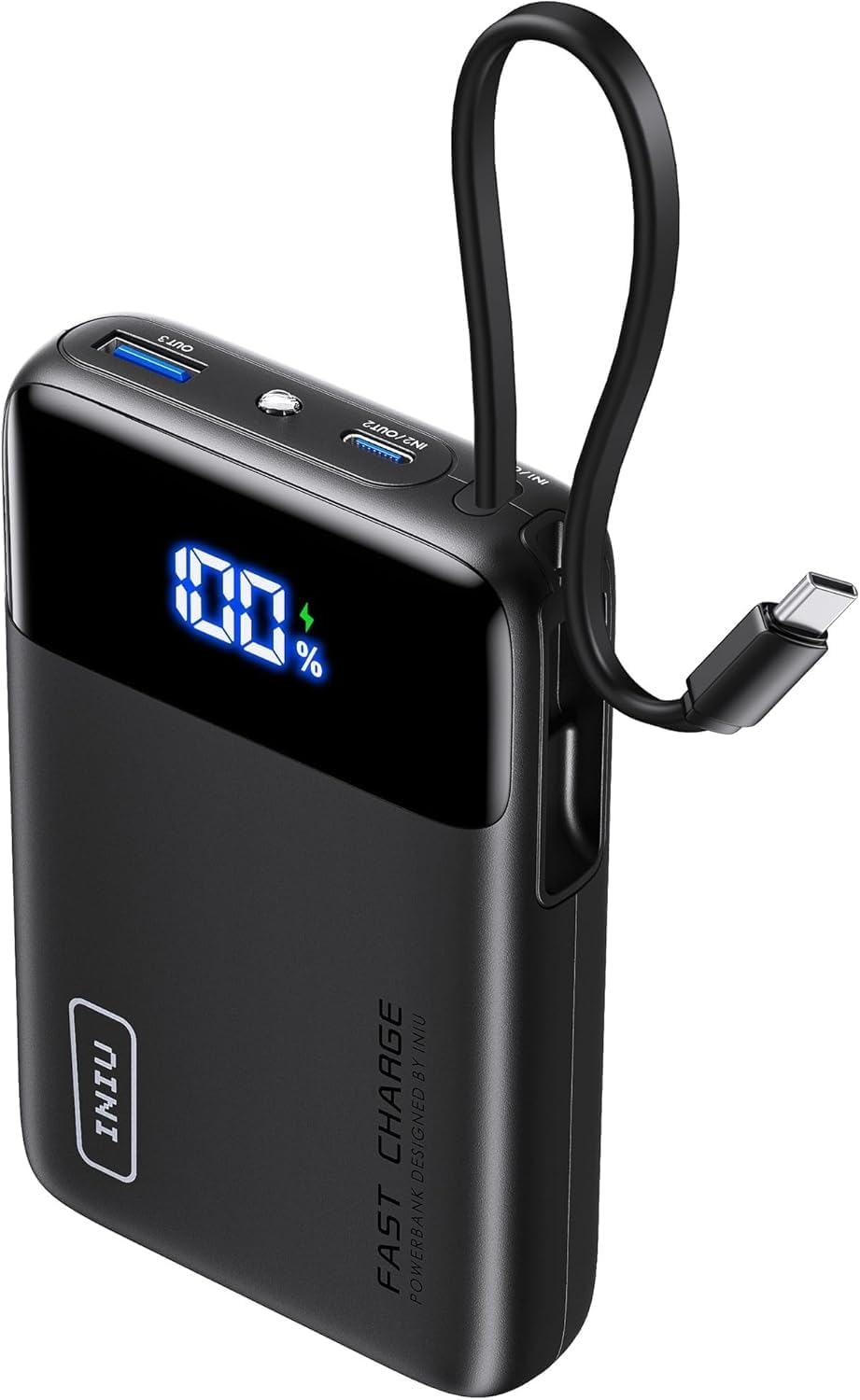
Image: The INIU 45W 20000mAh Power Bank, showing its compact design and integrated USB-C cable. The digital display shows "100%".

Image: Two INIU 240W USB-C to USB-C fast charging cables, coiled, highlighting their robust design and "FAST CHARGE 240W" branding.
3. ഉൽപ്പന്നം കഴിഞ്ഞുview
The INIU 45W 20000mAh Power Bank is a portable charging solution designed for various USB-C compatible devices. It features a built-in USB-C cable for convenience and a digital display for battery percentage. The included 240W USB-C cables support ultra-fast charging for compatible devices.
3.1 Power Bank Features
- ശേഷി: 20000mAh
- ഔട്ട്പുട്ട് പവർ: 45W വരെ
- ബിൽറ്റ്-ഇൻ കേബിൾ: Integrated USB-C cable for direct device charging.
- ഡിജിറ്റൽ ഡിസ്പ്ലേ: ശേഷിക്കുന്ന ബാറ്ററി ശതമാനം കാണിക്കുന്നുtage.
- ഇൻപുട്ട്/ഔട്ട്പുട്ട് പോർട്ടുകൾ: Additional USB-C and USB-A ports for versatile charging.
3.2 240W USB-C Cable Features
- പവർ ഡെലിവറി: Supports up to 240W fast charging.
- ഈട്: Constructed with a durable nylon braided exterior.
- നീളം: 6.6ft (2 meters) for extended reach.
4. സജ്ജീകരണം
4.1 പവർ ബാങ്ക് ചാർജ് ചെയ്യുന്നു
Before initial use, fully charge the power bank. Use a compatible USB-C wall charger (not included) and one of the provided 240W USB-C cables or the built-in USB-C cable to connect the power bank's input port to a power source.
- Connect one end of a USB-C cable to the power bank's input port (or use the built-in cable).
- Connect the other end of the USB-C cable to a USB-C wall charger.
- പവർ ഔട്ട്ലെറ്റിലേക്ക് വാൾ ചാർജർ പ്ലഗ് ചെയ്യുക.
- The digital display on the power bank will show the charging progress. It is fully charged when the display shows "100%".
Note: For optimal charging speed of the power bank, use a fast charging wall adapter.
5. പ്രവർത്തന നിർദ്ദേശങ്ങൾ
5.1 Charging Devices with the Power Bank
The power bank can charge various devices using its built-in USB-C cable or its additional USB-C and USB-A output ports.
- ബിൽറ്റ്-ഇൻ USB-C കേബിൾ ഉപയോഗിച്ച്:
- Pull out the built-in USB-C cable from its storage slot.
- Connect the USB-C end directly to your compatible device's charging port.
- പവർ ബാങ്ക് നിങ്ങളുടെ ഉപകരണം യാന്ത്രികമായി ചാർജ് ചെയ്യാൻ തുടങ്ങും.
- Using External USB-C or USB-A Cables:
- Connect one end of a charging cable (e.g., one of the provided 240W USB-C cables) to an output port on the power bank (USB-C or USB-A).
- കേബിളിന്റെ മറ്റേ അറ്റം നിങ്ങളുടെ ഉപകരണത്തിന്റെ ചാർജിംഗ് പോർട്ടുമായി ബന്ധിപ്പിക്കുക.
- പവർ ബാങ്ക് നിങ്ങളുടെ ഉപകരണം യാന്ത്രികമായി ചാർജ് ചെയ്യാൻ തുടങ്ങും.
ഡിജിറ്റൽ ഡിസ്പ്ലേ ശേഷിക്കുന്ന ബാറ്ററി ശതമാനം കാണിക്കും.tage of the power bank during device charging.

Image: Illustration showing an iPhone 15 charging to 71% and a Samsung S24 Ultra charging to 84% in 30 minutes using the 240W USB-C cable.

Image: A MacBook Pro 16" (2022) charging to 88% in 30 minutes using the INIU 240W cable, compared to 49% with a 100W cable.
5.2 Using the 240W USB-C Cables
The included 240W USB-C to USB-C cables are designed for high-speed charging of compatible devices. They can be used with the power bank or with a separate USB-C wall charger.
- Connect one end of the 240W USB-C cable to a compatible power source (e.g., a 240W wall adapter, or the power bank's USB-C output port).
- കേബിളിന്റെ മറ്റേ അറ്റം നിങ്ങളുടെ ഉപകരണത്തിന്റെ USB-C ചാർജിംഗ് പോർട്ടുമായി ബന്ധിപ്പിക്കുക.
- Ensure both the power source and the device support the desired charging wattagഒപ്റ്റിമൽ പ്രകടനത്തിന് ഇ.

Image: Diagram illustrating the compatibility of the 240W USB-C cable with various devices and their respective power requirements, including VR headsets (240W), MacBook Pro (140W/100W), and smartphones (60W).
Note: These cables are USB 2.0 USB-C to USB-C charging cables and do not support Thunderbolt or video/media output.
6. പരിപാലനം
6.1 വൃത്തിയാക്കൽ
- Ensure the power bank is disconnected from all power sources and devices before cleaning.
- Wipe the surface of the power bank and cables with a soft, dry, lint-free cloth.
- അബ്രാസീവ് ക്ലീനറുകൾ, ലായകങ്ങൾ, അല്ലെങ്കിൽ കെമിക്കൽ ഏജന്റുകൾ എന്നിവ ഉപയോഗിക്കരുത്.
6.2 സംഭരണം
- Store the power bank and cables in a cool, dry place, away from direct sunlight and extreme temperatures.
- ഉയർന്ന ഈർപ്പം ഉള്ള അന്തരീക്ഷത്തിൽ സൂക്ഷിക്കുന്നത് ഒഴിവാക്കുക.
- If storing for an extended period, charge the power bank to approximately 50-75% every 3 months to maintain battery health.

Image: Depiction of the "FLYWEAVE Nylon Cable" highlighting its pet-proof design and "Multiple Protections" to prevent damage and ensure longevity.
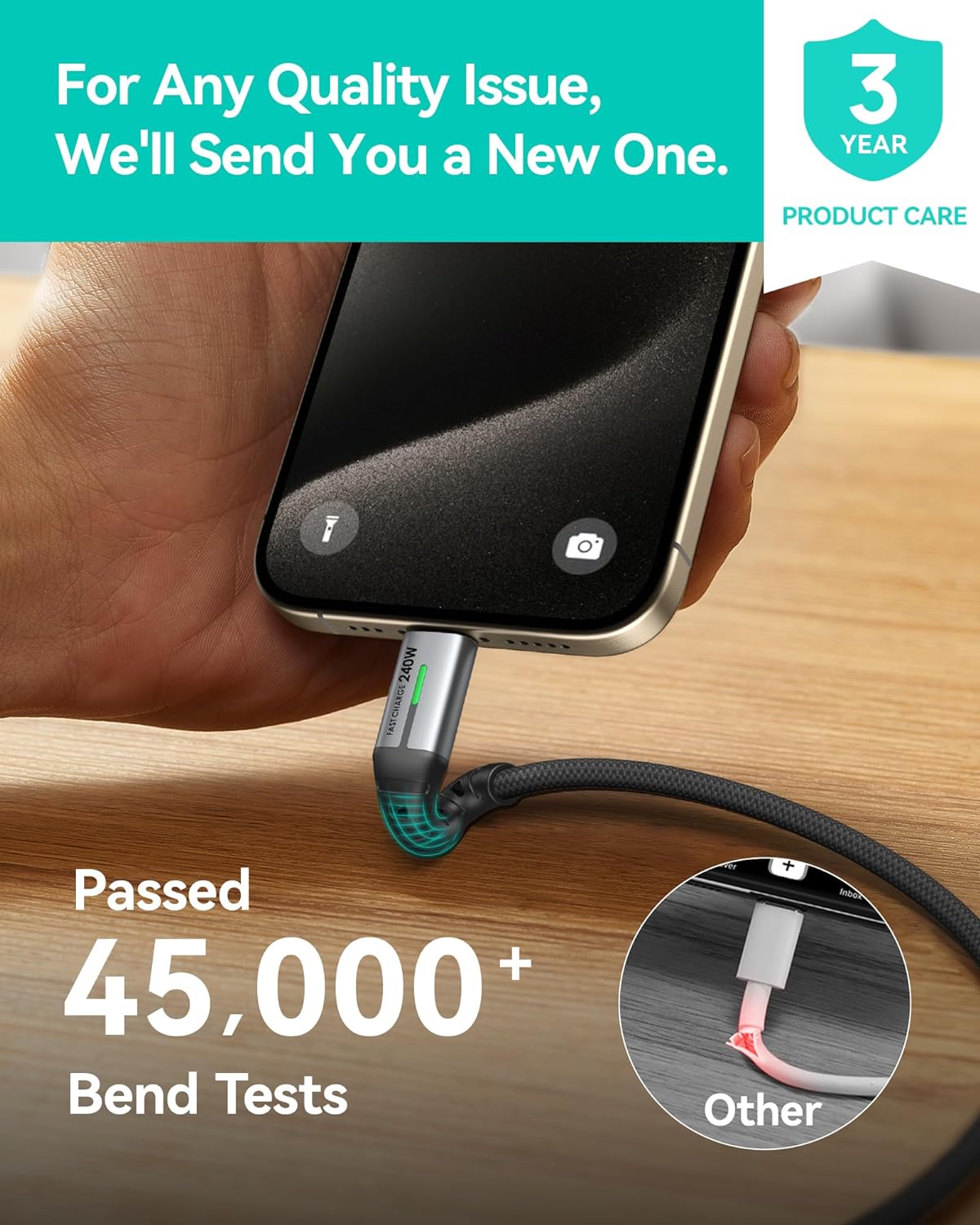
Image: A hand connecting the INIU 240W USB-C cable to a smartphone, with text indicating the cable has passed over 45,000 bend tests, contrasting with a damaged "Other" cable.
7. പ്രശ്നപരിഹാരം
| പ്രശ്നം | സാധ്യമായ കാരണം | പരിഹാരം |
|---|---|---|
| പവർ ബാങ്ക് ചാർജ് ചെയ്യുന്നില്ല | Low battery; faulty cable; incompatible charger; loose connection. | Ensure the power bank has sufficient charge. Try a different USB-C cable. Use a compatible USB-C wall charger. Check all connections. |
| പവർ ബാങ്കിൽ നിന്ന് ഉപകരണം ചാർജ് ചെയ്യുന്നില്ല | Power bank low on charge; faulty cable; device incompatibility; loose connection. | Recharge the power bank. Try a different charging cable. Ensure your device is compatible with USB-C or USB-A charging. Check all connections. |
| വേഗത കുറഞ്ഞ ചാർജിംഗ് വേഗത | കേബിൾ ഉയർന്ന വാട്ട് പിന്തുണയ്ക്കുന്നില്ലtage; charger not supporting high wattage; device limitation. | Ensure you are using the provided 240W USB-C cables and a compatible fast charging wall adapter. Verify your device supports fast charging. |
| ഡിജിറ്റൽ ഡിസ്പ്ലേ പ്രവർത്തിക്കുന്നില്ല | പവർ ബാങ്ക് ഓഫാണ്; ആന്തരിക തകരാറ്. | Press the power button (if available) to activate the display. If the issue persists, contact customer support. |
8 സ്പെസിഫിക്കേഷനുകൾ
| ഫീച്ചർ | വിശദാംശങ്ങൾ |
|---|---|
| പവർ ബാങ്ക് കപ്പാസിറ്റി | 20000mAh |
| Power Bank Output (Max) | 45W |
| ബിൽറ്റ്-ഇൻ കേബിൾ | USB-C |
| കേബിളുകൾ ഉൾപ്പെടുത്തി | 2x USB-C to USB-C (240W, 6.6ft/2m) |
| Cable Data Transfer | USB 2.0 (Charging only, no video output) |
| ASIN | B0FPLM1QMC |
| ആദ്യ തീയതി ലഭ്യമാണ് | ഓഗസ്റ്റ് 13, 2024 |
9. വാറൻ്റിയും പിന്തുണയും
INIU provides an industry-leading 3-year iNiu Care for this product. This warranty covers manufacturing defects and quality issues. For any quality issues, INIU will send a new replacement.
For support, please contact INIU customer service through their official website or the platform where you purchased the product. Please have your purchase details and product model number ready.

Image: A graphic indicating "3 YEAR PRODUCT CARE" with the INIU logo, emphasizing the extended warranty.
10 പ്രധാനപ്പെട്ട സുരക്ഷാ വിവരങ്ങൾ
- Do not expose the power bank to extreme temperatures (above 60°C/140°F or below 0°C/32°F), direct sunlight, or fire.
- പവർ ബാങ്ക് വെള്ളത്തിലോ മറ്റ് ദ്രാവകങ്ങളിലോ തുറന്നിടരുത്.
- Do not disassemble, modify, or attempt to repair the power bank or cables.
- കുട്ടികൾക്ക് ലഭ്യമാകാതെ സൂക്ഷിക്കുക.
- Avoid dropping or subjecting the power bank to heavy impacts.
- Use only certified and compatible charging cables and adapters.
- If the power bank swells, emits an odor, or becomes excessively hot, discontinue use immediately and contact customer support.
- ഇലക്ട്രോണിക് മാലിന്യങ്ങൾക്കുള്ള പ്രാദേശിക നിയന്ത്രണങ്ങൾ അനുസരിച്ച് പവർ ബാങ്ക് സംസ്കരിക്കുക.


