1. ആമുഖം
This manual provides detailed instructions for the operation and maintenance of your Tiksounds P150 Smart Watch. Please read this manual thoroughly before using the device to ensure proper function and to maximize its capabilities. Keep this manual for future reference.
2. പാക്കേജ് ഉള്ളടക്കം
പാക്കേജിൽ എല്ലാ ഇനങ്ങളും ഉണ്ടെന്ന് ഉറപ്പാക്കുക:
- Tiksounds P150 Smart Watch
- ചാർജിംഗ് കേബിൾ
- ഉപയോക്തൃ മാനുവൽ (ഈ പ്രമാണം)

3. ഉൽപ്പന്നം കഴിഞ്ഞുview
3.1 പ്രധാന സവിശേഷതകൾ
- Bluetooth Calling & Message Notifications: Make and answer calls directly from the watch. Receive instant notifications for messages and app alerts.
- 1.83 ഇഞ്ച് എച്ച്ഡി ടച്ച്സ്ക്രീൻ: Features a high-definition display with customizable watch faces.
- വിപുലീകരിച്ച ബാറ്ററി ലൈഫ്: Equipped with a 1000mAh battery, offering up to 20 days of typical usage and 85 days of standby time on a 3.5-hour charge.
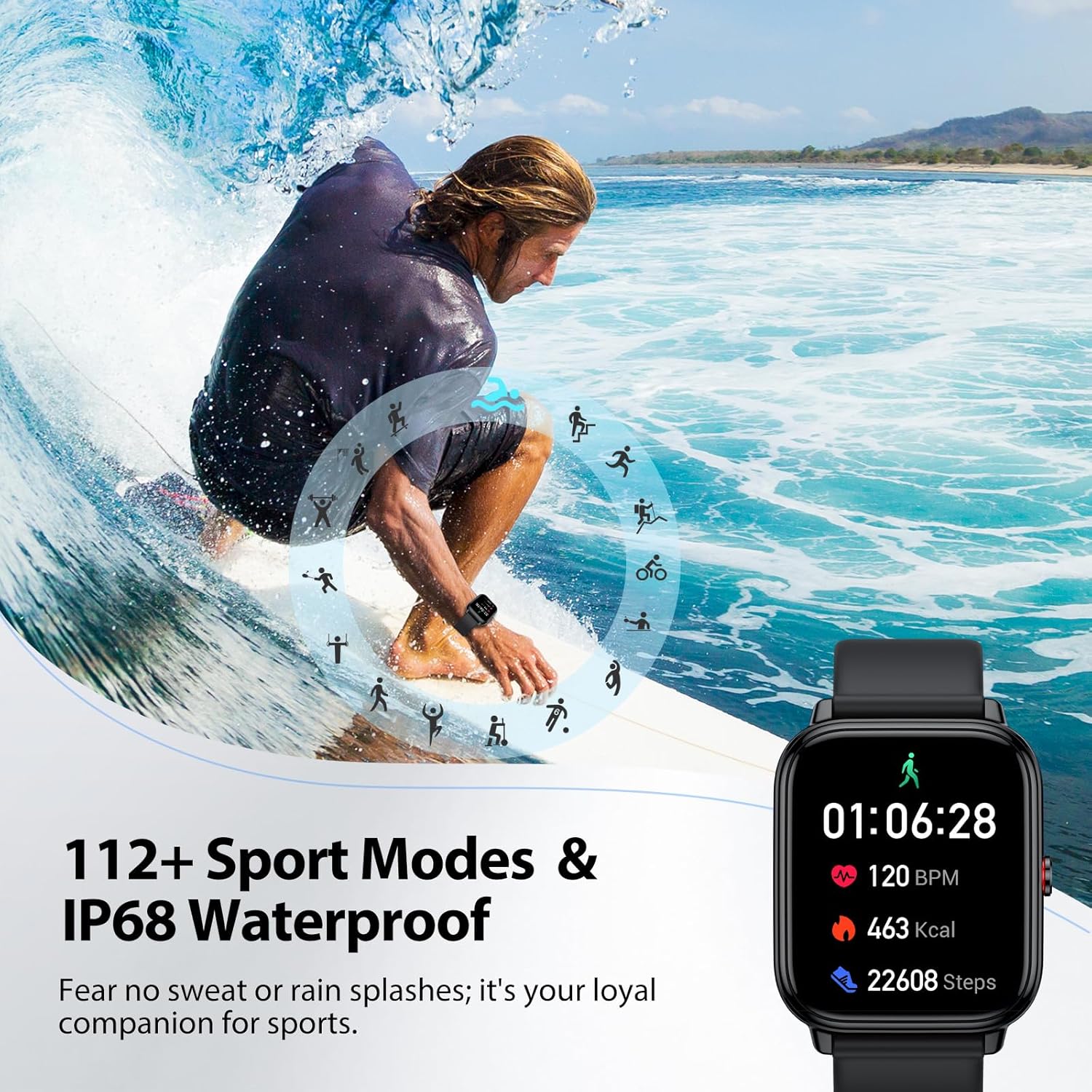
- 112+ സ്പോർട്സ് മോഡുകൾ: Tracks various indoor and outdoor activities including running, cycling, and soccer.
- 24/7 Health Tracking: Monitors stress, heart rate, blood oxygen, and sleep quality.
- IP68 വാട്ടർപ്രൂഫ്: Resistant to sweat, rain, and handwashing.
- മൾട്ടി-ഫങ്ഷണാലിറ്റി: Includes alarm, stopwatch, timer, phone locator, camera control, music control, weather display, and more.
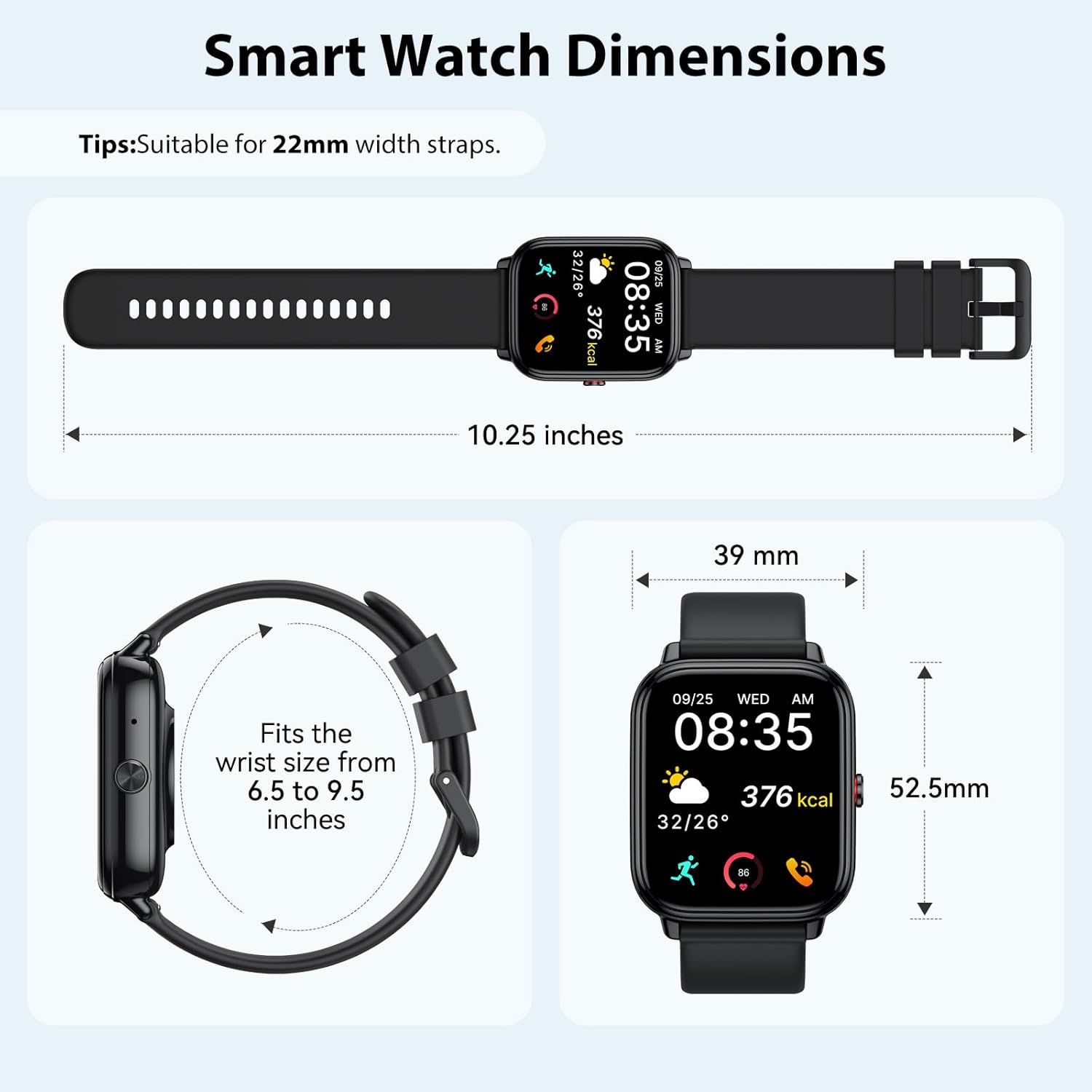
3.2 ഉപകരണത്തിന്റെ അളവുകൾ
4. സജ്ജീകരണം
4.1 ഉപകരണം ചാർജ് ചെയ്യുന്നു
Before initial use, fully charge your smart watch. Connect the magnetic charging cable to the charging contacts on the back of the watch and plug the USB end into a power adapter (not included) or a computer USB port. A full charge takes approximately 3.5 hours.


4.2 ആപ്പ് ഇൻസ്റ്റാളേഷനും ജോടിയാക്കലും
The Tiksounds P150 Smart Watch is compatible with smartphones running Bluetooth 4.0, Android 7.0, iOS 9.0, or later versions. To connect your watch to your smartphone, follow these steps:
- ആപ്പ് ഡൗൺലോഡ് ചെയ്യുക: Scan the QR code below or search for "FitCloudPro" in your smartphone's app store to download and install the application.
- ബ്ലൂടൂത്ത് പ്രവർത്തനക്ഷമമാക്കുക: നിങ്ങളുടെ സ്മാർട്ട്ഫോണിൽ ബ്ലൂടൂത്ത് പ്രവർത്തനക്ഷമമാക്കിയിട്ടുണ്ടെന്ന് ഉറപ്പാക്കുക.
- ഉപകരണം ജോടിയാക്കുക: Open the "FitCloudPro" app, navigate to the device section, and tap to add a new device. Select "P150" from the list of available devices.
- ജോടിയാക്കൽ സ്ഥിരീകരിക്കുക: The watch will send a Bluetooth request. Confirm the pairing on both your watch and smartphone.
- അറിയിപ്പുകൾ പ്രവർത്തനക്ഷമമാക്കുക: Within the "FitCloudPro" app settings, enable call and message alerts to receive notifications on your smartwatch.

5. പ്രവർത്തന നിർദ്ദേശങ്ങൾ
5.1 Bluetooth Calls and Message Notifications
Once paired with your smartphone, the P150 Smart Watch allows you to manage calls and receive notifications directly on your wrist.
- കോളുകൾ ചെയ്യുന്നു: Use the watch's dial pad or contact list to initiate calls.
- കോളുകൾക്ക് ഉത്തരം നൽകുന്നു: Incoming calls will display on the watch screen. Tap the green icon to answer.
- സന്ദേശ അലേർട്ടുകൾ: All notifications from enabled apps (e.g., SMS, WhatsApp, Facebook) will be pushed to your watch with customizable vibration alerts.


5.2 ഡിസ്പ്ലേ, വാച്ച് ഫെയ്സുകൾ
The 1.83-inch HD touchscreen offers a clear and responsive interface. You can personalize your watch with over 200 pre-installed watch faces or create custom designs using your own photos via the FitCloudPro app.


5.3 സ്പോർട്സ് മോഡുകൾ
The P150 Smart Watch supports over 112 professional sports modes. It accurately tracks key metrics such as steps, distance, calories burned, and workout duration to help analyze performance and optimize training plans.

5.4 ആരോഗ്യ ട്രാക്കിംഗ്
The built-in optical sensor continuously monitors your stress levels, heart rate, blood oxygen, and sleep quality. The dedicated app provides long-term health trends and personalized insights.
- ഹൃദയമിടിപ്പ് നിരീക്ഷണം: തത്സമയ ഹൃദയമിടിപ്പ് ഡാറ്റ നൽകുന്നു.
- രക്ത ഓക്സിജൻ നിരീക്ഷണം: രക്തത്തിലെ ഓക്സിജൻ സാച്ചുറേഷൻ അളവ് അളക്കുന്നു.
- ഉറക്ക ട്രാക്കിംഗ്: Analyzes sleep patterns, including deep sleep and light sleep duration.
- സ്ട്രെസ് മോണിറ്ററിംഗ്: Helps track and manage stress levels throughout the day.

5.5 മറ്റ് പ്രവർത്തനങ്ങൾ
The P150 Smart Watch offers a range of additional practical features:
- അലാറം
- സ്റ്റോപ്പ് വാച്ച്
- ടൈമർ
- ഫോൺ ലൊക്കേറ്റർ
- ക്യാമറ നിയന്ത്രണം
- സംഗീത നിയന്ത്രണം
- കാലാവസ്ഥാ പ്രദർശനം
- ശ്വസന പരിശീലനം
- Women's Health Tracking
- ഉദാസീനമായ അറിയിപ്പ്


വീഡിയോ: കഴിഞ്ഞുview of the Tiksounds P150 Smart Watch features, including long battery life, magnetic charging, various app functions, Bluetooth calling, 112+ sports modes, sleep tracking, 24/7 activity tracking, and customizable watch faces.
6. പരിപാലനം
- വൃത്തിയാക്കൽ: Regularly clean the watch screen and strap with a soft, dry cloth. For stubborn dirt, use a slightly damp തുണി നന്നായി ഉണക്കുക.
- ജല പ്രതിരോധം: The watch is IP68 waterproof, suitable for handwashing, rain, and daily sweating. Avoid hot water, saunas, or diving, as steam and high temperatures can compromise the seal.
- ചാർജിംഗ്: നൽകിയിരിക്കുന്ന ചാർജിംഗ് കേബിൾ മാത്രം ഉപയോഗിക്കുക. ചാർജ് ചെയ്യുന്നതിന് മുമ്പ് ചാർജിംഗ് കോൺടാക്റ്റുകൾ വൃത്തിയുള്ളതും ഉണങ്ങിയതുമാണെന്ന് ഉറപ്പാക്കുക.
- സംഭരണം: ഉപയോഗത്തിലില്ലാത്തപ്പോൾ തണുത്തതും വരണ്ടതുമായ സ്ഥലത്ത് വാച്ച് സൂക്ഷിക്കുക. കടുത്ത താപനില ഒഴിവാക്കുക.

7. പ്രശ്നപരിഹാരം
| പ്രശ്നം | സാധ്യമായ പരിഹാരം |
|---|---|
| വാച്ച് ഓണാകുന്നില്ല. | Ensure the watch is fully charged. Connect to the charging cable for at least 30 minutes. |
| സ്മാർട്ട്ഫോണുമായി ജോടിയാക്കാൻ കഴിയില്ല | 1. നിങ്ങളുടെ ഫോണിൽ ബ്ലൂടൂത്ത് പ്രവർത്തനക്ഷമമാക്കിയിട്ടുണ്ടെന്ന് ഉറപ്പാക്കുക. 2. വാച്ച് ബ്ലൂടൂത്ത് പരിധിക്കുള്ളിലാണെന്ന് ഉറപ്പാക്കുക. 3. Restart both the watch and the phone. 4. Check if the "FitCloudPro" app has necessary permissions. |
| അറിയിപ്പുകളൊന്നും ലഭിച്ചില്ല. | 1. Verify that notifications are enabled in the "FitCloudPro" app settings. 2. Check phone's notification settings for the app. 3. Ensure the watch is connected via Bluetooth. |
| കൃത്യമല്ലാത്ത ആരോഗ്യ ഡാറ്റ | വാച്ച് നിങ്ങളുടെ കൈത്തണ്ടയിൽ നന്നായി ധരിച്ചിട്ടുണ്ടെന്ന് ഉറപ്പാക്കുക, അധികം ഇറുകിയതോ അധികം അയഞ്ഞതോ അല്ല. വാച്ചിന്റെ പിൻഭാഗത്തുള്ള സെൻസർ വൃത്തിയാക്കുക. |
| ചെറിയ ബാറ്ററി ലൈഫ് | Reduce screen brightness, disable unnecessary notifications, or use power-saving mode. Ensure the watch is fully charged. |
8 സ്പെസിഫിക്കേഷനുകൾ
- സ്ക്രീൻ വലിപ്പം: 1.83 ഇഞ്ച്
- ബാറ്ററി ശേഷി: 1000 മില്ലിamp മണിക്കൂറുകൾ
- കണക്റ്റിവിറ്റി ടെക്നോളജി: ബ്ലൂടൂത്ത്
- വയർലെസ് കമ്മ്യൂണിക്കേഷൻ സ്റ്റാൻഡേർഡ്: ബ്ലൂടൂത്ത്
- ഓപ്പറേറ്റിംഗ് സിസ്റ്റം: Android Wear 1.0 (compatible with Android 7.0+ / iOS 9.0+)
- മെമ്മറി സ്റ്റോറേജ് കപ്പാസിറ്റി: 1 ജിബി
- ജല പ്രതിരോധം: IP68
- ഇനത്തിൻ്റെ ഭാരം: 0.09 ഗ്രാം
- നിർമ്മാതാവ്: ടിക്സൗണ്ട്സ്
9. വാറൻ്റിയും പിന്തുണയും
For warranty information, technical support, or customer service inquiries, please refer to the official Tiksounds webസൈറ്റിൽ അല്ലെങ്കിൽ അവരുടെ ഉപഭോക്തൃ പിന്തുണയുമായി നേരിട്ട് ബന്ധപ്പെടുക. വിശദാംശങ്ങൾ സാധാരണയായി ഉൽപ്പന്ന പാക്കേജിംഗിലോ നിർമ്മാതാവിന്റെയോ കണ്ടെത്താനാകും webസൈറ്റ്.


