1. ആമുഖം
വാങ്ങിയതിന് നന്ദി.asing the GOBOULT Bassbox X20 Bluetooth Speaker. This manual provides essential information for setting up, operating, and maintaining your device. Please read it carefully before use to ensure optimal performance and longevity.

ചിത്രം 1.1: മുൻഭാഗം view of the GOBOULT Bassbox X20 Bluetooth Speaker.
2. പാക്കേജ് ഉള്ളടക്കം
Ensure all items are present in the package. If any item is missing or damaged, please contact customer support.
- GOBOULT Bassbox X20 Soundbar
- ഉപയോക്തൃ മാനുവൽ (ഈ പ്രമാണം)
- വാറൻ്റി കാർഡ്
- ചാർജിംഗ് കേബിൾ (ടൈപ്പ്-സി)
Note: The product features integrated bass drivers, referred to as 'Subwoofer' in some listings, which are part of the main soundbar unit.
3. ഉൽപ്പന്നം കഴിഞ്ഞുview
3.1 പ്രധാന സവിശേഷതകൾ
- 20W Bass Boosted Sound: Delivers clear and dynamic audio with enhanced bass.
- Dual Dynamic Drivers: Provides balanced sound across all frequencies.
- 6 മണിക്കൂർ വരെ കളിക്കാം: Extended battery life for continuous audio playback.
- ബ്ലൂടൂത്ത് 5.4 സാങ്കേതികവിദ്യ: Ensures stable and fast wireless connectivity.
- Multi-Connectivity Options: Supports Bluetooth, AUX, TF Card, and USB input.
- പോർട്ടബിൾ ഡിസൈൻ: എളുപ്പമുള്ള ഗതാഗതത്തിനായി ഒതുക്കമുള്ളതും ഭാരം കുറഞ്ഞതും.
- ട്രൂ വയർലെസ് സ്റ്റീരിയോ (TWS) പ്രവർത്തനം: Connect two Bassbox X20 speakers for a stereo experience.
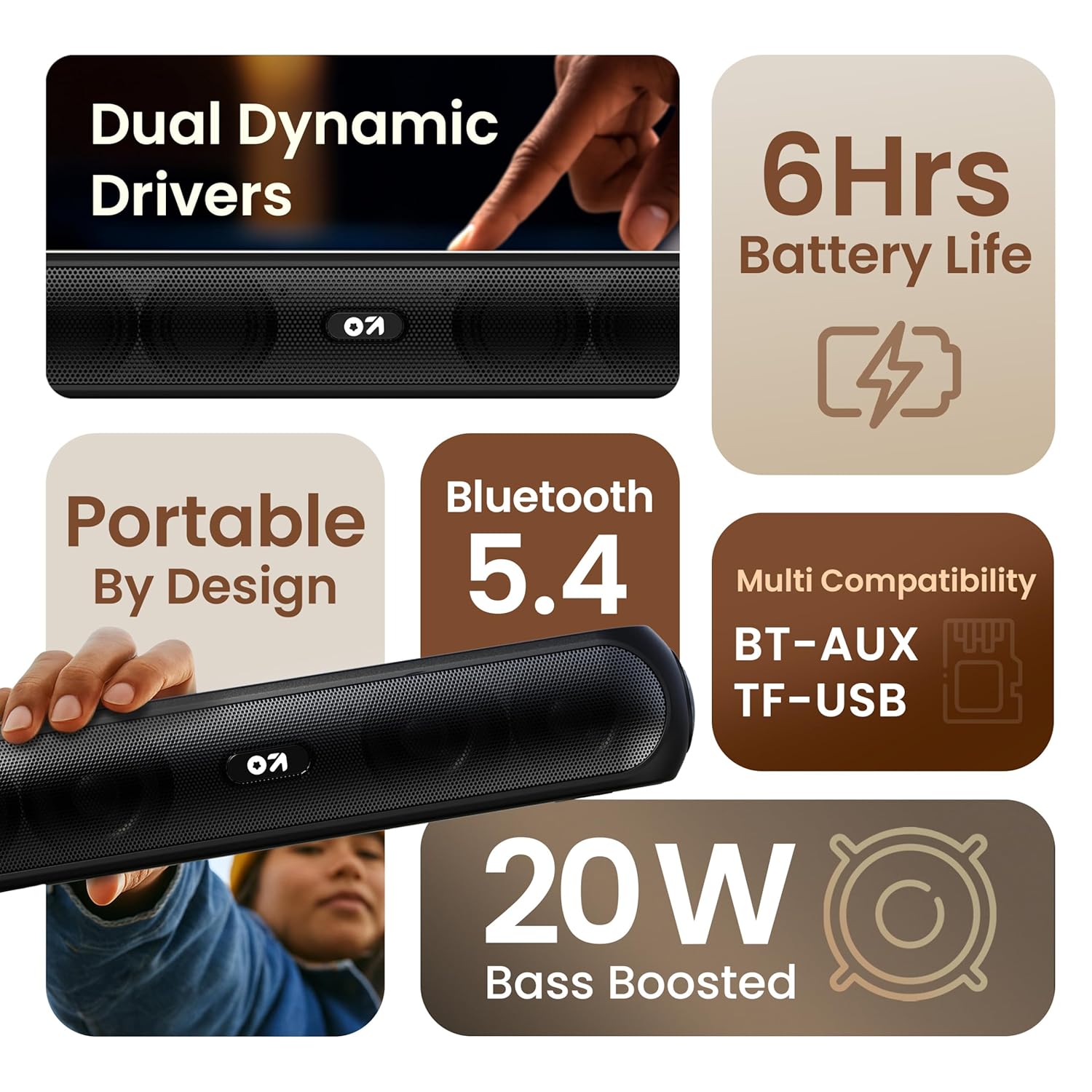
ചിത്രം 3.1: കഴിഞ്ഞുview of the speaker's main features.
3.2 നിയന്ത്രണങ്ങളും പോർട്ടുകളും
Familiarize yourself with the control buttons and input ports on your speaker.
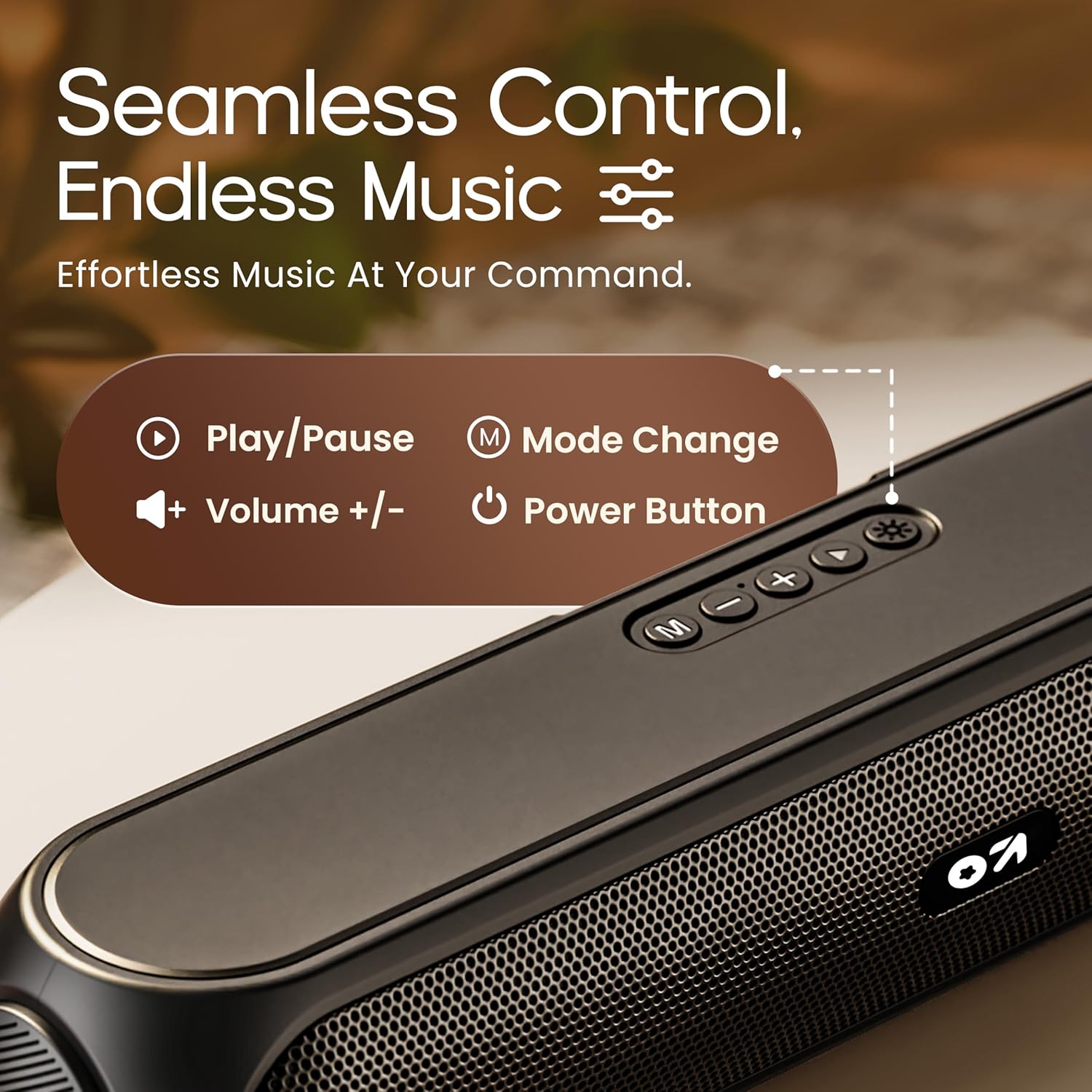
Image 3.2: Top control panel with Play/Pause, Volume, Mode, and Power buttons.
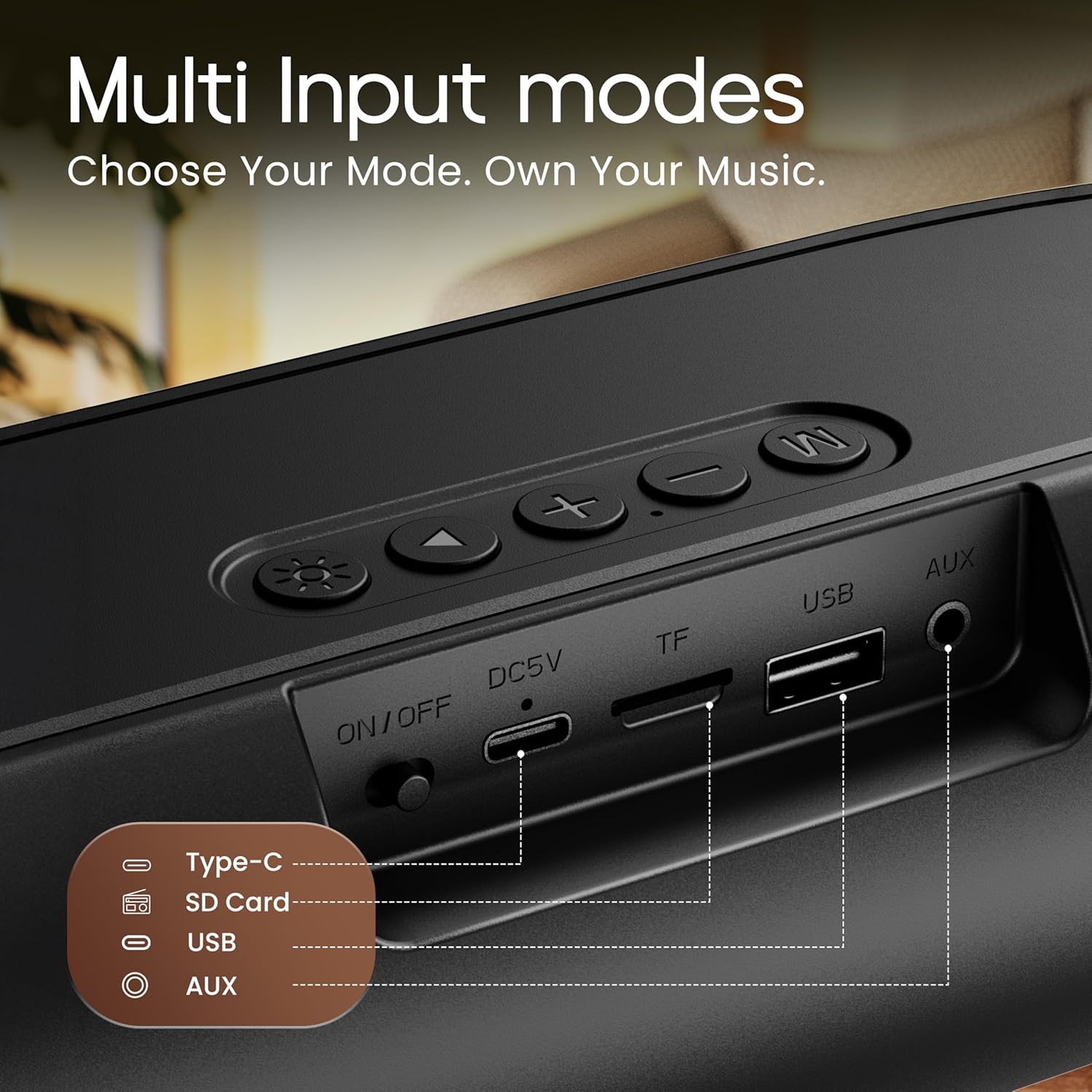
Image 3.3: Rear input panel showing Type-C, TF Card, USB, and AUX ports, along with the ON/OFF switch.
- പവർ ബട്ടൺ: Press and hold to power on/off. Short press to change LED light modes (if applicable).
- മോഡ് ബട്ടൺ (M): Short press to switch between Bluetooth, AUX, TF Card, and USB modes.
- പ്ലേ/താൽക്കാലികമായി നിർത്തുക ബട്ടൺ: ഓഡിയോ പ്ലേ ചെയ്യാനോ താൽക്കാലികമായി നിർത്താനോ ഹ്രസ്വമായി അമർത്തുക.
- വോളിയം കൂട്ടുക (+): ശബ്ദം കൂട്ടാൻ ഷോർട്ട് പ്രസ് ചെയ്യുക. അടുത്ത ട്രാക്കിനായി ദീർഘനേരം അമർത്തുക.
- വോളിയം ഡൗൺ (-): ശബ്ദം കുറയ്ക്കാൻ ഷോർട്ട് പ്രസ് ചെയ്യുക. മുമ്പത്തെ ട്രാക്കിനായി ദീർഘനേരം അമർത്തുക.
- ടൈപ്പ്-സി പോർട്ട്: സ്പീക്കർ ചാർജ് ചെയ്തതിന്.
- ടിഎഫ് കാർഡ് സ്ലോട്ട്: Insert a TF (MicroSD) card for direct audio playback.
- USB പോർട്ട്: നേരിട്ടുള്ള ഓഡിയോ പ്ലേബാക്കിനായി ഒരു യുഎസ്ബി ഡ്രൈവ് ഇടുക.
- ഓക്സ് പോർട്ട്: ഒരു 3.5mm ഓഡിയോ കേബിൾ വഴി ബാഹ്യ ഓഡിയോ ഉപകരണങ്ങൾ ബന്ധിപ്പിക്കുക.
- ഓൺ/ഓഫ് സ്വിച്ച്: ഉപകരണത്തിനായുള്ള പ്രധാന പവർ സ്വിച്ച്.
4. സജ്ജീകരണം
4.1 സ്പീക്കർ ചാർജ് ചെയ്യുന്നു
Before first use, fully charge the speaker. Use the provided Type-C charging cable.
- Connect the Type-C end of the charging cable to the speaker's Type-C port.
- Connect the USB-A end of the charging cable to a 5V USB power adapter (not included) or a computer's USB port.
- ചാർജിംഗ് ഇൻഡിക്കേറ്റർ ലൈറ്റ് പ്രകാശിക്കും. പൂർണ്ണമായി ചാർജ്ജ് ചെയ്തുകഴിഞ്ഞാൽ അത് ഓഫാകും അല്ലെങ്കിൽ നിറം മാറും.
A full charge typically takes approximately 2-3 hours and provides up to 6 hours of playtime.
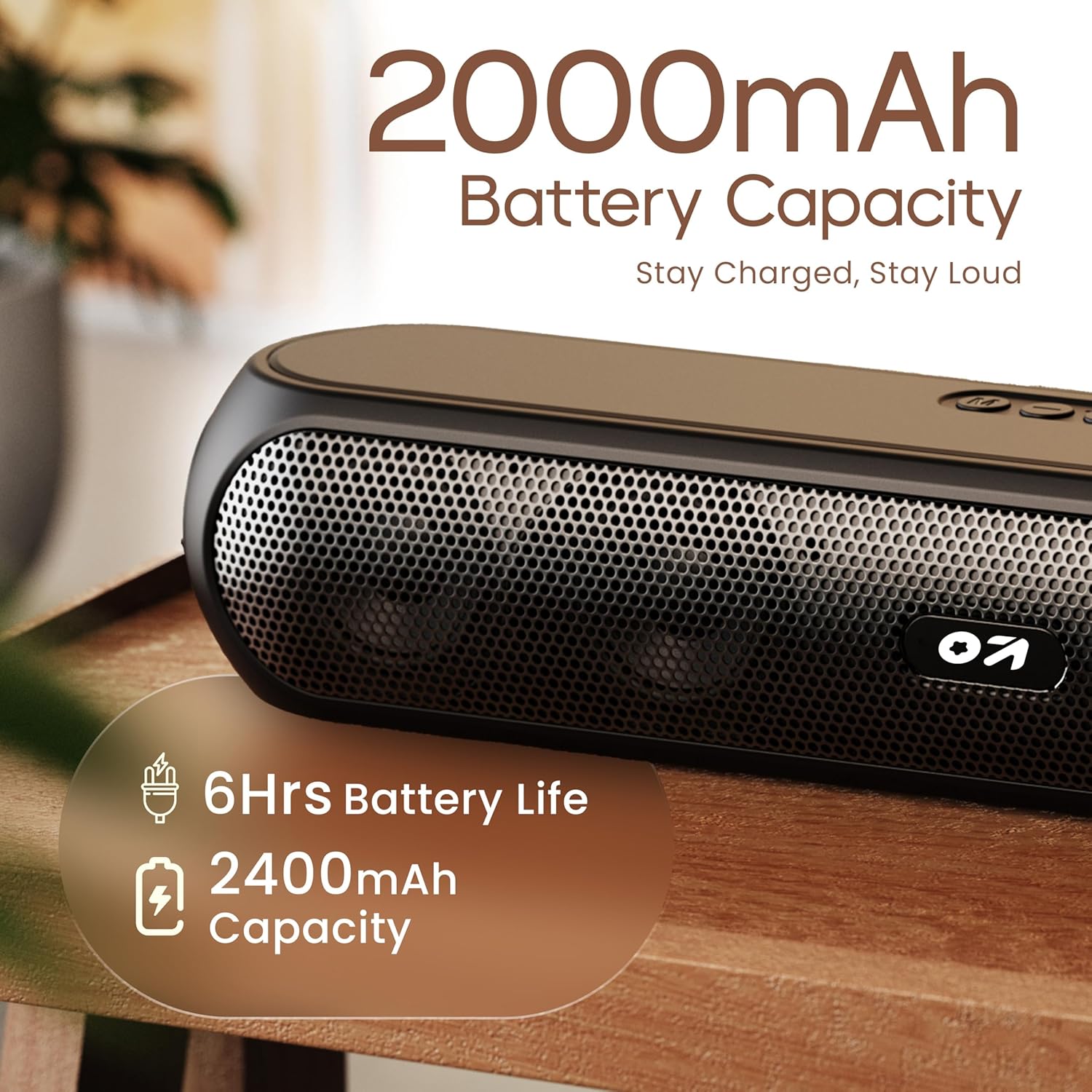
Image 4.1: Battery capacity and estimated playtime.
4.2 പവർ ഓൺ/ഓഫ്
- To power on, slide the ON/OFF switch to the 'ON' position, then press and hold the Power button on the top panel until the indicator light turns on.
- പവർ ഓഫ് ചെയ്യാൻ, ഇൻഡിക്കേറ്റർ ലൈറ്റ് ഓഫ് ആകുന്നതുവരെ പവർ ബട്ടൺ അമർത്തിപ്പിടിക്കുക.
4.3 ബ്ലൂടൂത്ത് ജോടിയാക്കൽ
After powering on, the speaker will automatically enter Bluetooth pairing mode if no other device is connected. The Bluetooth indicator will flash.
- Ensure the speaker is powered on and in Bluetooth mode (indicator flashing).
- നിങ്ങളുടെ ഉപകരണത്തിൽ (സ്മാർട്ട്ഫോൺ, ടാബ്ലെറ്റ്, ലാപ്ടോപ്പ്), ബ്ലൂടൂത്ത് പ്രവർത്തനക്ഷമമാക്കി ലഭ്യമായ ഉപകരണങ്ങൾക്കായി തിരയുക.
- Select "GOBOULT Bassbox X20" from the list of devices.
- Once connected, the speaker will emit a confirmation sound, and the Bluetooth indicator will stop flashing and remain solid.
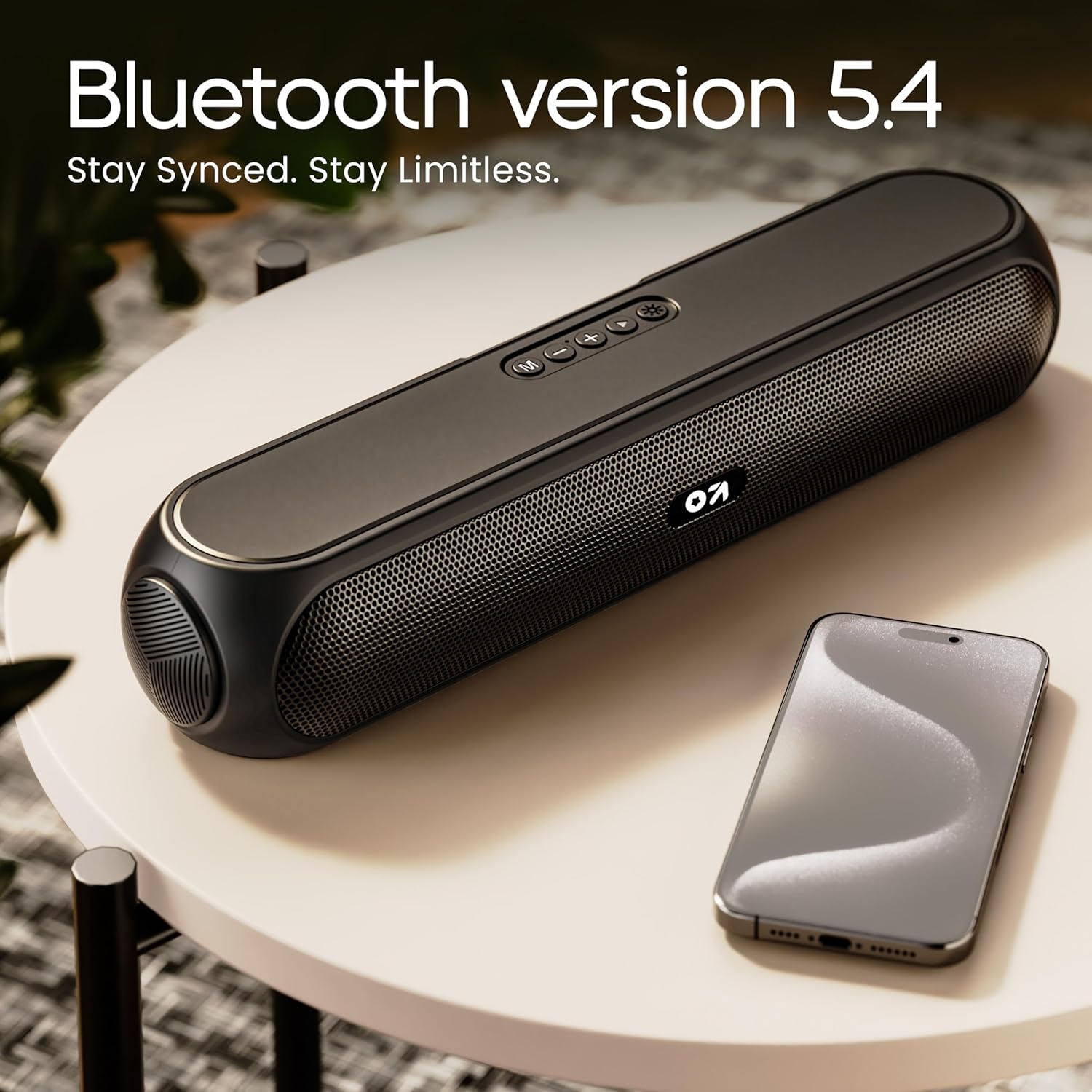
Image 4.2: Bluetooth 5.4 connectivity for seamless pairing.
4.4 ട്രൂ വയർലെസ് സ്റ്റീരിയോ (TWS) ജോടിയാക്കൽ
The TWS function allows you to connect two GOBOULT Bassbox X20 speakers for a stereo sound experience.
- Ensure both Bassbox X20 speakers are powered on and not connected to any Bluetooth device.
- On one speaker (this will be the primary speaker), double-press the Mode (M) button. It will emit a sound indicating it's searching for another TWS speaker.
- The second speaker will automatically connect to the primary speaker. Once connected, both speakers will emit a confirmation sound.
- ഇപ്പോൾ, വിഭാഗം 4.3-ൽ വിവരിച്ചിരിക്കുന്നതുപോലെ ബ്ലൂടൂത്ത് വഴി നിങ്ങളുടെ ഉപകരണം പ്രാഥമിക സ്പീക്കറുമായി ബന്ധിപ്പിക്കുക. രണ്ട് സ്പീക്കറുകളിലൂടെയും ഓഡിയോ സ്റ്റീരിയോയിൽ പ്ലേ ചെയ്യും.
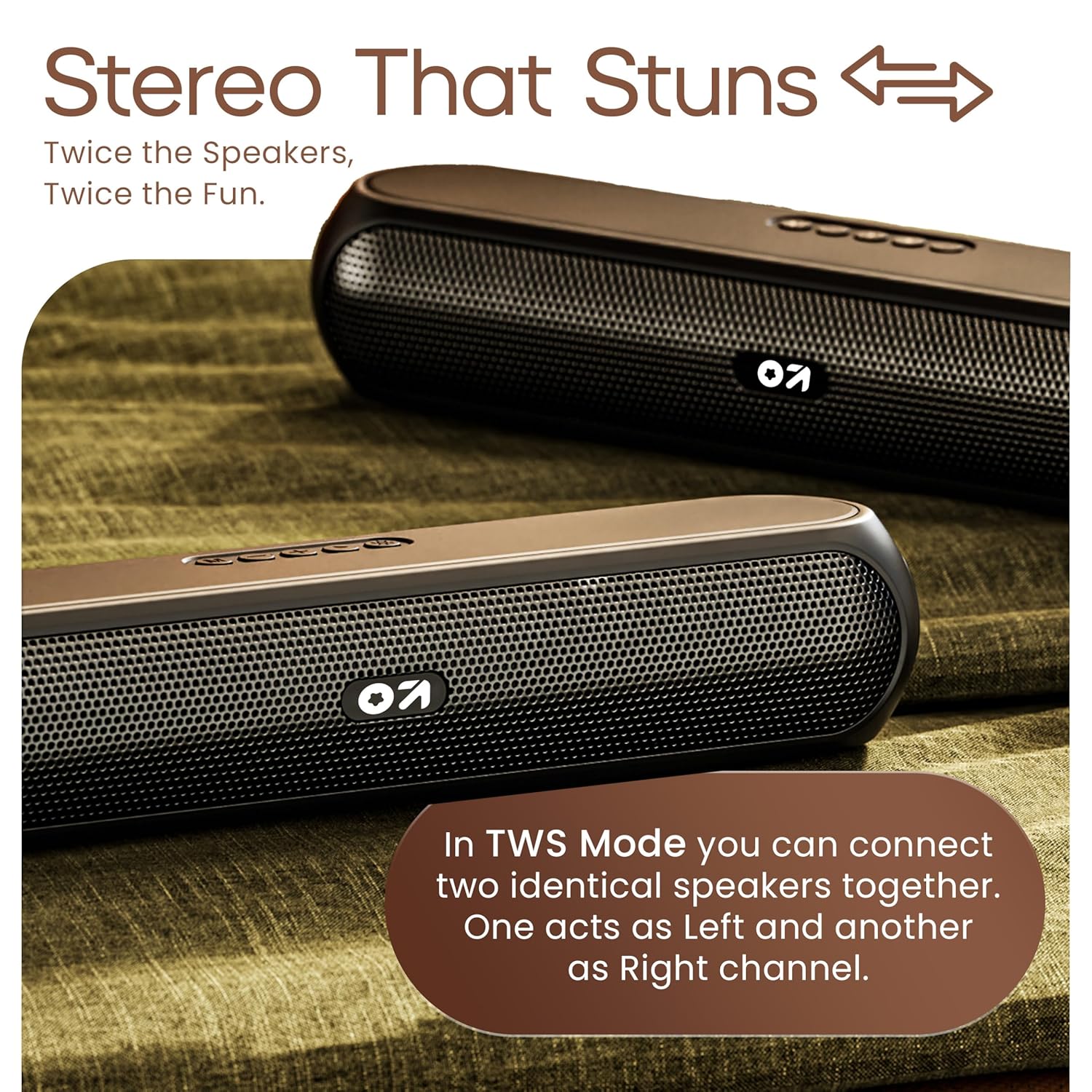
Image 4.3: TWS mode for connecting two speakers.
5. ഓപ്പറേഷൻ
5.1 സ്വിച്ചിംഗ് മോഡുകൾ
അമർത്തുക മോഡ് (എം) button to cycle through available input modes: Bluetooth, AUX, TF Card, and USB.
5.2 ബ്ലൂടൂത്ത് മോഡ്
After successful pairing (Section 4.3), you can stream audio wirelessly from your connected device. Use the speaker's volume controls or your device's volume controls to adjust the sound level.
5.3 AUX മോഡ്
- Connect one end of a 3.5mm audio cable (not included) to the speaker's AUX port.
- മറ്റേ അറ്റം നിങ്ങളുടെ ബാഹ്യ ഉപകരണത്തിന്റെ (ഉദാ: MP3 പ്ലെയർ, കമ്പ്യൂട്ടർ) ഓഡിയോ ഔട്ട്പുട്ട് ജാക്കുമായി ബന്ധിപ്പിക്കുക.
- അമർത്തുക മോഡ് (എം) button until the speaker enters AUX mode.
- Control playback and volume from your external device or the speaker's controls.
5.4 TF കാർഡ് / USB മോഡ്
- Insert a TF (MicroSD) card or a USB drive containing audio fileസ്പീക്കറിലെ ബന്ധപ്പെട്ട പോർട്ടിലേക്ക് s.
- The speaker will automatically switch to TF Card or USB mode and begin playing audio. If not, press the മോഡ് (എം) ശരിയായ മോഡ് തിരഞ്ഞെടുക്കാൻ ബട്ടൺ.
- Use the speaker's controls to play/pause, skip tracks, and adjust volume.
6. പരിപാലനം
- Keep the speaker away from water, moisture, and extreme temperatures. While water-resistant, it is not waterproof.
- മൃദുവായതും ഉണങ്ങിയതുമായ തുണി ഉപയോഗിച്ച് സ്പീക്കർ വൃത്തിയാക്കുക. അബ്രസീവ് ക്ലീനറുകളോ ലായകങ്ങളോ ഉപയോഗിക്കരുത്.
- സ്പീക്കറെ ശക്തമായ ആഘാതങ്ങൾക്ക് വിധേയമാക്കുകയോ താഴെയിടുകയോ ചെയ്യുന്നത് ഒഴിവാക്കുക.
- ദീർഘനേരം ഉപയോഗിക്കാത്തപ്പോൾ, സ്പീക്കർ തണുത്തതും വരണ്ടതുമായ സ്ഥലത്ത് സൂക്ഷിച്ച് ബാറ്ററിയുടെ ആരോഗ്യം നിലനിർത്താൻ ഇടയ്ക്കിടെ ചാർജ് ചെയ്യുക.
7. പ്രശ്നപരിഹാരം
| പ്രശ്നം | സാധ്യമായ കാരണം | പരിഹാരം |
|---|---|---|
| സ്പീക്കർ പവർ ഓൺ ചെയ്യുന്നില്ല. | Low battery. Main power switch off. | സ്പീക്കർ ചാർജ് ചെയ്യുക. ഓൺ/ഓഫ് സ്വിച്ച് 'ഓൺ' സ്ഥാനത്താണെന്ന് ഉറപ്പാക്കുക. |
| ബ്ലൂടൂത്ത് വഴി ജോടിയാക്കാൻ കഴിയില്ല. | സ്പീക്കർ ജോടിയാക്കൽ മോഡിലല്ല. ഉപകരണ ബ്ലൂടൂത്ത് ഓഫാണ്. സ്പീക്കറിൽ നിന്ന് വളരെ അകലെയാണ്. | Ensure speaker is in Bluetooth pairing mode (flashing indicator). Enable Bluetooth on your device. Move device closer to speaker (within 10 meters). |
| ശബ്ദമില്ല. | Volume too low. Incorrect mode selected. Cable not connected properly (AUX). | Increase volume on speaker and device. Press 'M' button to select correct input mode. Reconnect AUX cable securely. |
| TWS ജോടിയാക്കൽ പരാജയപ്പെടുന്നു. | സ്പീക്കറുകൾ മറ്റ് ഉപകരണങ്ങളുമായി ഇതിനകം ബന്ധിപ്പിച്ചിരിക്കുന്നു. | Disconnect both speakers from any Bluetooth devices before attempting TWS pairing. Ensure both speakers are Bassbox X20 models. |
8 സ്പെസിഫിക്കേഷനുകൾ
| ഫീച്ചർ | വിശദാംശങ്ങൾ |
|---|---|
| മോഡലിൻ്റെ പേര് | Bassbox X20 |
| സ്പീക്കർ തരം | പോർട്ടബിൾ ബ്ലൂടൂത്ത് സ്പീക്കർ |
| ഔട്ട്പുട്ട് പവർ | 20 വാട്ട്സ് |
| ബ്ലൂടൂത്ത് പതിപ്പ് | 5.4 |
| ബ്ലൂടൂത്ത് ശ്രേണി | 10 മീറ്റർ വരെ (33 അടി) |
| കണക്റ്റിവിറ്റി ഓപ്ഷനുകൾ | Bluetooth, Auxiliary (3.5mm), USB, TF Card |
| ബാറ്ററി തരം | ലിഥിയം പോളിമർ |
| ബാറ്ററി ലൈഫ് | 6 മണിക്കൂർ വരെ (70% വോളിയത്തിൽ) |
| ചാർജിംഗ് പോർട്ട് | Type-C (DC5V) |
| ഉൽപ്പന്ന അളവുകൾ | 89D x 38W x 68H മില്ലിമീറ്റർ |
| ഇനത്തിൻ്റെ ഭാരം | 655 ഗ്രാം |
| ജല പ്രതിരോധ നില | Water Resistant (not waterproof) |
| ഉൾപ്പെടുത്തിയ ഘടകങ്ങൾ | X20 Soundbar, User Manual, Warranty Card, Charging Cable |
9. വാറൻ്റിയും പിന്തുണയും
The GOBOULT Bassbox X20 Bluetooth Speaker comes with a 1 വർഷത്തെ നിർമ്മാതാവിന്റെ വാറന്റി വാങ്ങിയ തീയതി മുതൽ. സാധാരണ ഉപയോഗത്തിലുള്ള നിർമ്മാണ വൈകല്യങ്ങളും പ്രവർത്തനക്ഷമതയും ഈ വാറന്റി ഉൾക്കൊള്ളുന്നു.
For warranty claims, technical support, or any inquiries, please refer to the contact information provided on your warranty card or visit the official GOBOULT webസൈറ്റ്.
വാറന്റി ആവശ്യങ്ങൾക്കായി വാങ്ങിയതിന്റെ തെളിവായി നിങ്ങളുടെ വാങ്ങൽ രസീത് സൂക്ഷിക്കുക.


