1. ആമുഖം
വാങ്ങിയതിന് നന്ദി.asing the aowoka S4-1 Portable Bluetooth Speaker. This speaker is designed to provide high-quality audio with robust features for various environments, including wet conditions. Please read this manual carefully before use to ensure proper operation and to maximize your listening experience.
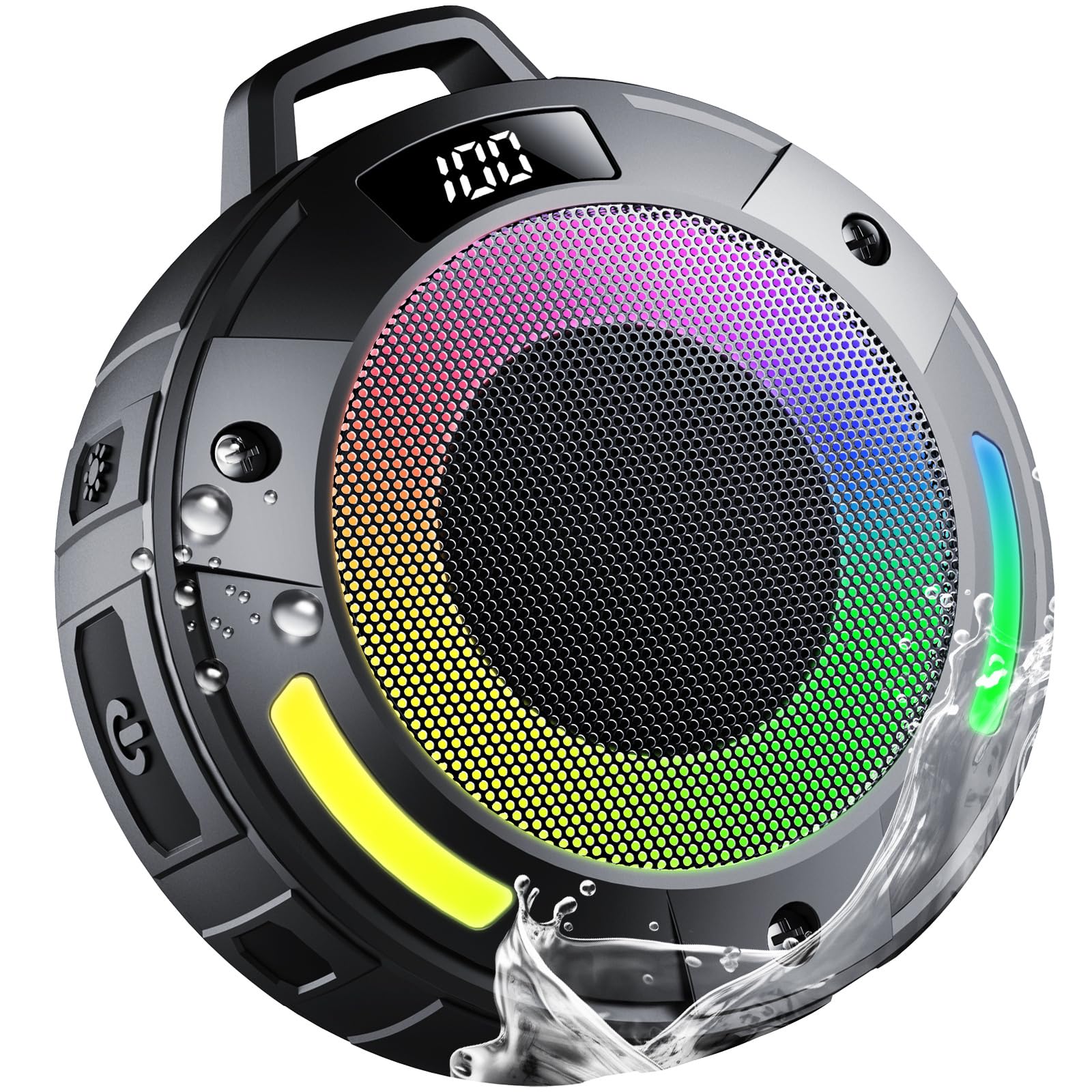
Image 1.1: The aowoka S4-1 Portable Bluetooth Speaker, showcasing അതിന്റെ ഒതുക്കമുള്ള ഡിസൈൻ.
2. പാക്കേജ് ഉള്ളടക്കം
പാക്കേജിൽ ഇനിപ്പറയുന്ന ഇനങ്ങൾ ഉണ്ടോ എന്ന് പരിശോധിക്കുക:
- 1 x aowoka S4-1 Portable Bluetooth Speaker
- 1 x ടൈപ്പ്-സി ചാർജിംഗ് കേബിൾ
- 1 x ദ്രുത ആരംഭ ഗൈഡ്
3. ഉൽപ്പന്ന സവിശേഷതകൾ
The aowoka S4-1 speaker offers a range of features for enhanced usability and audio quality:
- Crystal-clear HD Audio & Powerful Bass: Equipped with advanced acoustic drivers, a high-power full-range driver, and a CD-grade metal bass cone for 360° immersive sound.
- IPX7 Waterproof Durability: Certified IPX7, resistant to rain, dust, snow, splashes, sand, and mud, and can withstand brief submersion.
- ദീർഘകാല ബാറ്ററി ലൈഫ്: Features a 1000mAh battery providing up to 9 hours of playback.
- ബിൽറ്റ്-ഇൻ മൈക്രോഫോൺ: Noise-canceling technology enables clear hands-free calls.
- RGB Light Show: Seven dazzling color lights and multiple ambient lighting effects that synchronize with music. Lights can be turned off.
- TWS Mode Support: Allows pairing two S4-1 speakers for true wireless stereo sound.
- ഡിജിറ്റൽ ഡിസ്പ്ലേ: Shows battery level when paused.
- വേർപെടുത്താവുന്ന ഹുക്ക്: For convenient portability and hanging.

ചിത്രം 3.1: കഴിഞ്ഞുview of the speaker's main features including 360° sound, IPX7 waterproofing, and RGB lights.
4. സജ്ജീകരണം
4.1 സ്പീക്കർ ചാർജ് ചെയ്യുന്നു
- നൽകിയിരിക്കുന്ന ടൈപ്പ്-സി ചാർജിംഗ് കേബിൾ സ്പീക്കറിലെ ചാർജിംഗ് പോർട്ടുമായി ബന്ധിപ്പിക്കുക.
- കേബിളിന്റെ മറ്റേ അറ്റം ഒരു USB പവർ അഡാപ്റ്ററുമായി (ഉൾപ്പെടുത്തിയിട്ടില്ല) അല്ലെങ്കിൽ ഒരു കമ്പ്യൂട്ടറിന്റെ USB പോർട്ടുമായി ബന്ധിപ്പിക്കുക.
- LED ഇൻഡിക്കേറ്റർ ചാർജിംഗ് സ്റ്റാറ്റസ് കാണിക്കും. പൂർണ്ണമായി ചാർജ് ചെയ്യാൻ സാധാരണയായി ഏകദേശം 2-3 മണിക്കൂർ എടുക്കും.
4.2 പവർ ഓൺ/ഓഫ്
- പവർ ഓണാക്കാൻ: Press and hold the Power button for 2 seconds. You will hear an audible prompt, and the LED lights will activate.
- പവർ ഓഫ് ചെയ്യാൻ: Press and hold the Power button for 2 seconds. You will hear an audible prompt, and the LED lights will turn off.
4.3 ബ്ലൂടൂത്ത് ജോടിയാക്കൽ
- സ്പീക്കർ ഓണാണെന്നും ബ്ലൂടൂത്ത് ജോടിയാക്കൽ മോഡിലാണെന്നും ഉറപ്പാക്കുക (LED ഇൻഡിക്കേറ്റർ മിന്നിമറയും).
- നിങ്ങളുടെ ഉപകരണത്തിൽ (സ്മാർട്ട്ഫോൺ, ടാബ്ലെറ്റ്, കമ്പ്യൂട്ടർ), ബ്ലൂടൂത്ത് പ്രവർത്തനക്ഷമമാക്കി ലഭ്യമായ ഉപകരണങ്ങൾക്കായി തിരയുക.
- Select "aowoka S4-1" from the list of devices.
- ജോടിയാക്കിക്കഴിഞ്ഞാൽ, നിങ്ങൾ ഒരു സ്ഥിരീകരണ ശബ്ദം കേൾക്കും, കൂടാതെ LED ഇൻഡിക്കേറ്റർ മിന്നുന്നത് നിർത്തും.
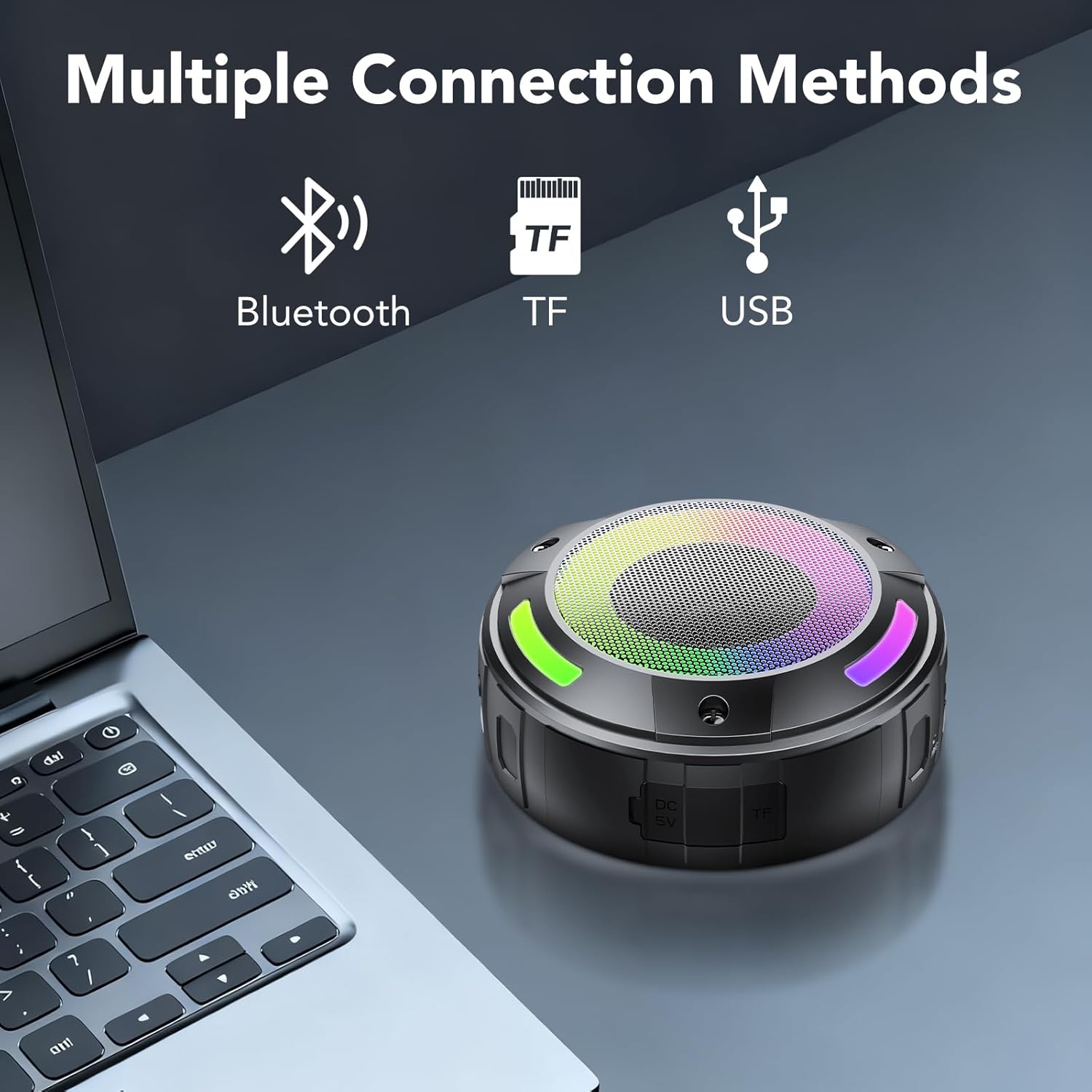
Image 4.1: The speaker demonstrating multiple connection methods, including Bluetooth, TF card, and USB.
5. പ്രവർത്തന നിർദ്ദേശങ്ങൾ
5.1 ബട്ടൺ പ്രവർത്തനങ്ങൾ
The speaker features intuitive button controls for various functions:

Image 5.1: Detailed button control diagram for the speaker.
- പവർ ബട്ടൺ:
- Press and hold for 2 seconds: Power On/Off.
- മോഡ് ബട്ടൺ (M):
- Press once: Switch between Bluetooth, TF Card, and USB modes.
- Press twice: Initiate TWS pairing (when two S4-1 speakers are present).
- Press and hold for 10 seconds: Reset the speaker.
- പ്ലേ/താൽക്കാലികമായി നിർത്തുക ബട്ടൺ:
- Press once: Play/Pause music.
- Press once (during incoming call): Answer call.
- Press and hold for 2 seconds (during incoming call): Reject call.
- Press twice (during call): End call.
- വോളിയം കുറയ്ക്കൽ / മുമ്പത്തെ ട്രാക്ക് ബട്ടൺ (-):
- Press once: Decrease volume.
- Press and hold for 2 seconds: Go to previous track.
- വോളിയം കൂട്ടുക / അടുത്ത ട്രാക്ക് ബട്ടൺ (+):
- Press once: Increase volume.
- Press and hold for 2 seconds: Go to next track.
- ലൈറ്റ് മോഡ് ബട്ടൺ:
- Press once: Cycle through different light modes.
- Press and hold for 3 seconds: Turn lights On/Off.
5.2 TWS (ട്രൂ വയർലെസ് സ്റ്റീരിയോ) ജോടിയാക്കൽ
To achieve a stereo sound experience, you can pair two aowoka S4-1 speakers:
- രണ്ട് സ്പീക്കറുകളും ഓണാക്കിയിട്ടുണ്ടെന്നും ഏതെങ്കിലും ബ്ലൂടൂത്ത് ഉപകരണവുമായി ബന്ധിപ്പിച്ചിട്ടില്ലെന്നും ഉറപ്പാക്കുക.
- On one speaker (this will be the primary speaker), press the Mode button twice. It will enter TWS pairing mode.
- The primary speaker will automatically search for the secondary speaker. Once connected, you will hear a confirmation sound.
- Now, connect your device to the primary speaker via Bluetooth as described in Section 4.3. Both speakers will play audio in stereo.
5.3 ഡിജിറ്റൽ ഡിസ്പ്ലേ
The digital display on the speaker shows the battery level. Note that the battery level is only displayed when the speaker is paused or not actively playing music.

Image 5.2: The LED digital display indicating battery level.
6. പരിപാലനം
6.1 വൃത്തിയാക്കൽ
- മൃദുവായ സ്പീക്കർ തുടയ്ക്കുക, ഡിamp തുണി.
- അബ്രാസീവ് ക്ലീനറുകൾ, ആൽക്കഹോൾ, കെമിക്കൽ ലായകങ്ങൾ എന്നിവ ഉപയോഗിക്കരുത്, കാരണം ഇവ ഉപരിതലത്തിന് കേടുവരുത്തും.
- ചാർജിംഗ് പോർട്ട് കവർ വൃത്തിയാക്കുന്നതിനോ വെള്ളത്തിൽ പുരട്ടുന്നതിനോ മുമ്പ് സുരക്ഷിതമായി അടച്ചിട്ടുണ്ടെന്ന് ഉറപ്പാക്കുക.
6.2 സംഭരണം
- നേരിട്ടുള്ള സൂര്യപ്രകാശത്തിൽ നിന്നും കടുത്ത താപനിലയിൽ നിന്നും മാറി തണുത്തതും വരണ്ടതുമായ സ്ഥലത്ത് സ്പീക്കർ സൂക്ഷിക്കുക.
- If storing for an extended period, charge the battery to approximately 50% every three months to prolong battery life.
6.3 ജല പ്രതിരോധം
The speaker is IPX7 waterproof, meaning it can be submerged in up to 1 meter of water for 30 minutes. However, it is not designed for prolonged underwater use. Always ensure the charging port cover is tightly sealed before exposing the speaker to water.

Image 6.1: The speaker in a shower environment, highlighting its IPX7 waterproof rating.
7. പ്രശ്നപരിഹാരം
| പ്രശ്നം | സാധ്യമായ കാരണം | പരിഹാരം |
|---|---|---|
| Speaker won't turn on | ബാറ്ററി ചാർജ് കുറവാണ്; പവർ ബട്ടൺ അധികം നേരം അമർത്തിയിട്ടില്ല. | സ്പീക്കർ ചാർജ് ചെയ്യുക; പവർ ബട്ടൺ 2 സെക്കൻഡ് അമർത്തിപ്പിടിക്കുക. |
| ബ്ലൂടൂത്ത് ഉപകരണവുമായി ജോടിയാക്കാൻ കഴിയില്ല | സ്പീക്കർ ജോടിയാക്കൽ മോഡിൽ ഇല്ല; ഉപകരണ ബ്ലൂടൂത്ത് ഓഫാണ്; സ്പീക്കർ ഇതിനകം മറ്റൊരു ഉപകരണത്തിലേക്ക് കണക്റ്റ് ചെയ്തിട്ടുണ്ട് | Ensure speaker is in pairing mode (flashing LED); Enable Bluetooth on your device; Disconnect from other devices or reset speaker. |
| ശബ്ദമില്ല | Volume too low; Device not connected; Incorrect mode selected | Increase speaker and device volume; Ensure successful Bluetooth connection; Press 'M' button to switch modes (Bluetooth, TF, USB). |
| ലൈറ്റുകൾ പ്രവർത്തിക്കുന്നില്ല | ലൈറ്റുകൾ ഓഫാക്കി | Press and hold the Light Mode button for 3 seconds to turn lights on. |
| TWS ജോടിയാക്കൽ പരാജയപ്പെട്ടു | Speakers too far apart; One speaker already paired to a device | Ensure speakers are close to each other; Disconnect both speakers from any devices before initiating TWS pairing. |
8 സ്പെസിഫിക്കേഷനുകൾ
| സ്പെസിഫിക്കേഷൻ | വിശദാംശങ്ങൾ |
|---|---|
| മോഡലിൻ്റെ പേര് | എസ് 4-1 |
| ബ്രാൻഡ് | aowoka |
| സ്പീക്കർ തരം | പോർട്ടബിൾ സ്പീക്കർ |
| കണക്റ്റിവിറ്റി ടെക്നോളജി | ബ്ലൂടൂത്ത് |
| സ്പീക്കർ പരമാവധി ഔട്ട്പുട്ട് പവർ | 20 വാട്ട്സ് |
| ഉൽപ്പന്ന അളവുകൾ | 2.86"D x 2.7"W x 3.95"H |
| ഇനത്തിൻ്റെ ഭാരം | 11.7 ഔൺസ് |
| വാട്ടർപ്രൂഫ് റേറ്റിംഗ് | IPX7 |
| ബാറ്ററി ശേഷി | 1000mAh |
| പ്ലേബാക്ക് സമയം | Up to 9 hours (with lights off) |
| ഉൾപ്പെടുത്തിയ ഘടകങ്ങൾ | മൈക്രോഫോൺ |
| മെറ്റീരിയൽ | പ്ലാസ്റ്റിക് |
9. വാറൻ്റി വിവരങ്ങൾ
Specific warranty details are not provided in the product information. Please refer to the retailer's return policy or contact the manufacturer directly for warranty claims and information.
10. പിന്തുണ
For further assistance or inquiries, please refer to the contact information provided with your purchase or visit the official aowoka webസൈറ്റ്.


