ആമുഖം
Welcome to the user manual for your Mesqool DAB/DAB+/FM Solar Crank Emergency Radio, Model 1030DAB. This manual provides detailed instructions for the safe and efficient operation of your device. Please read it thoroughly before use and retain it for future reference.
ഉൽപ്പന്നം കഴിഞ്ഞുview
പ്രധാന സവിശേഷതകൾ
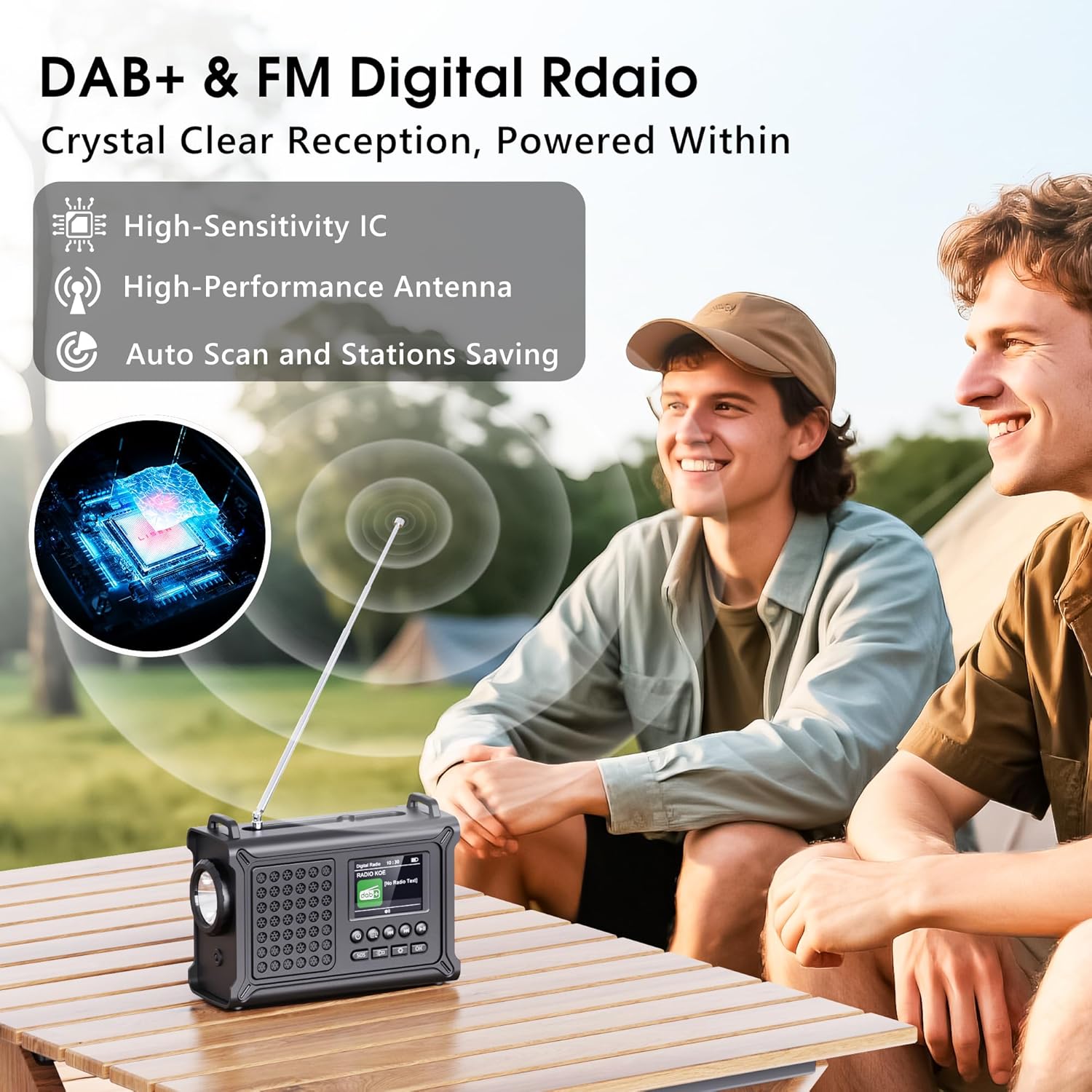
- DAB/DAB+/FM Digital Radio with 2.4-inch TFT color display.
- High-sensitivity IC and high-performance antenna for optimal reception.
- 80 station presets (40 DAB+/40 FM).
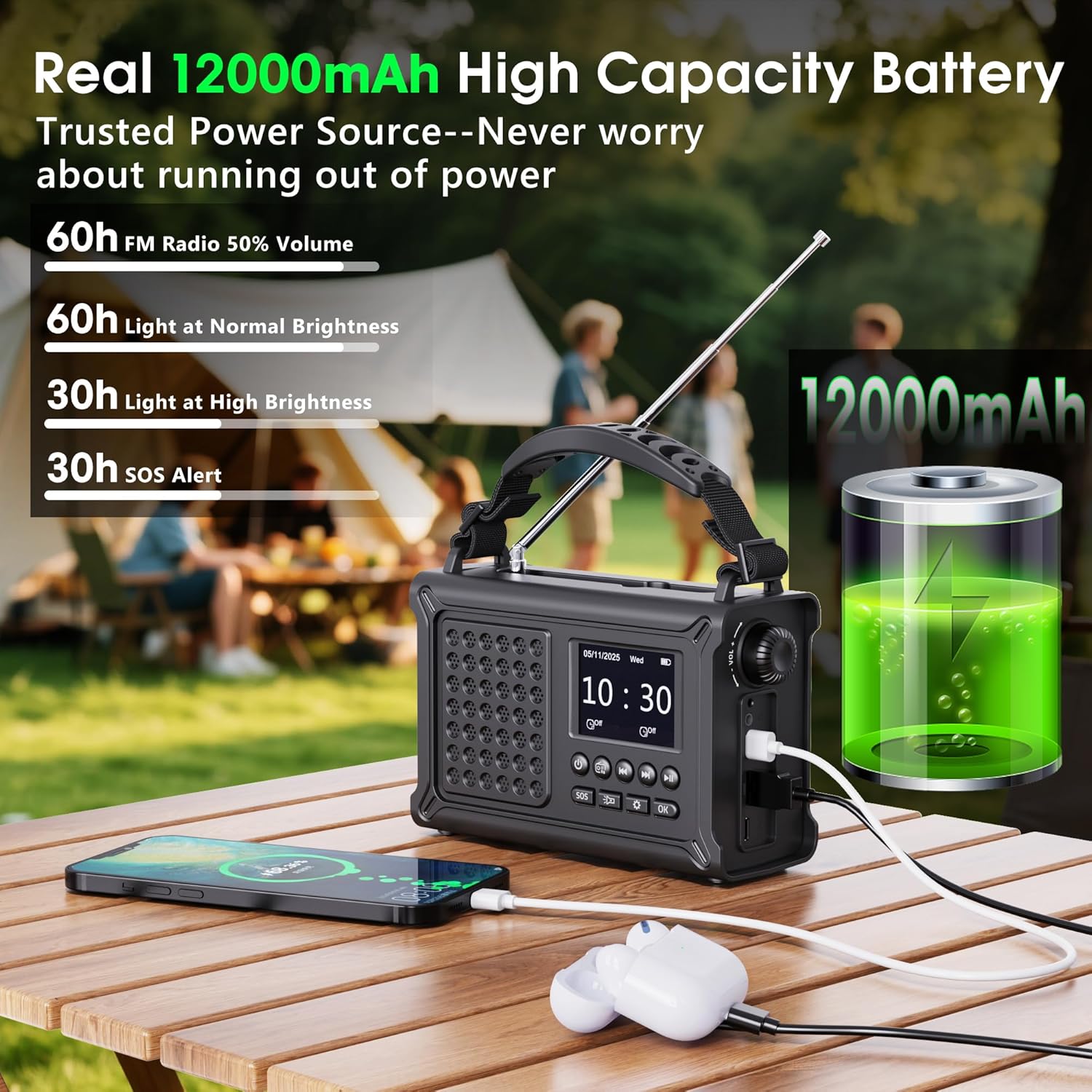
- 5 Power Modes: 12000mAh rechargeable battery, hand crank, 8500mm² solar panel, Type-C charging, 3x AAA batteries (not included).
- 57mm full-range speaker with neodymium magnet for clear sound.
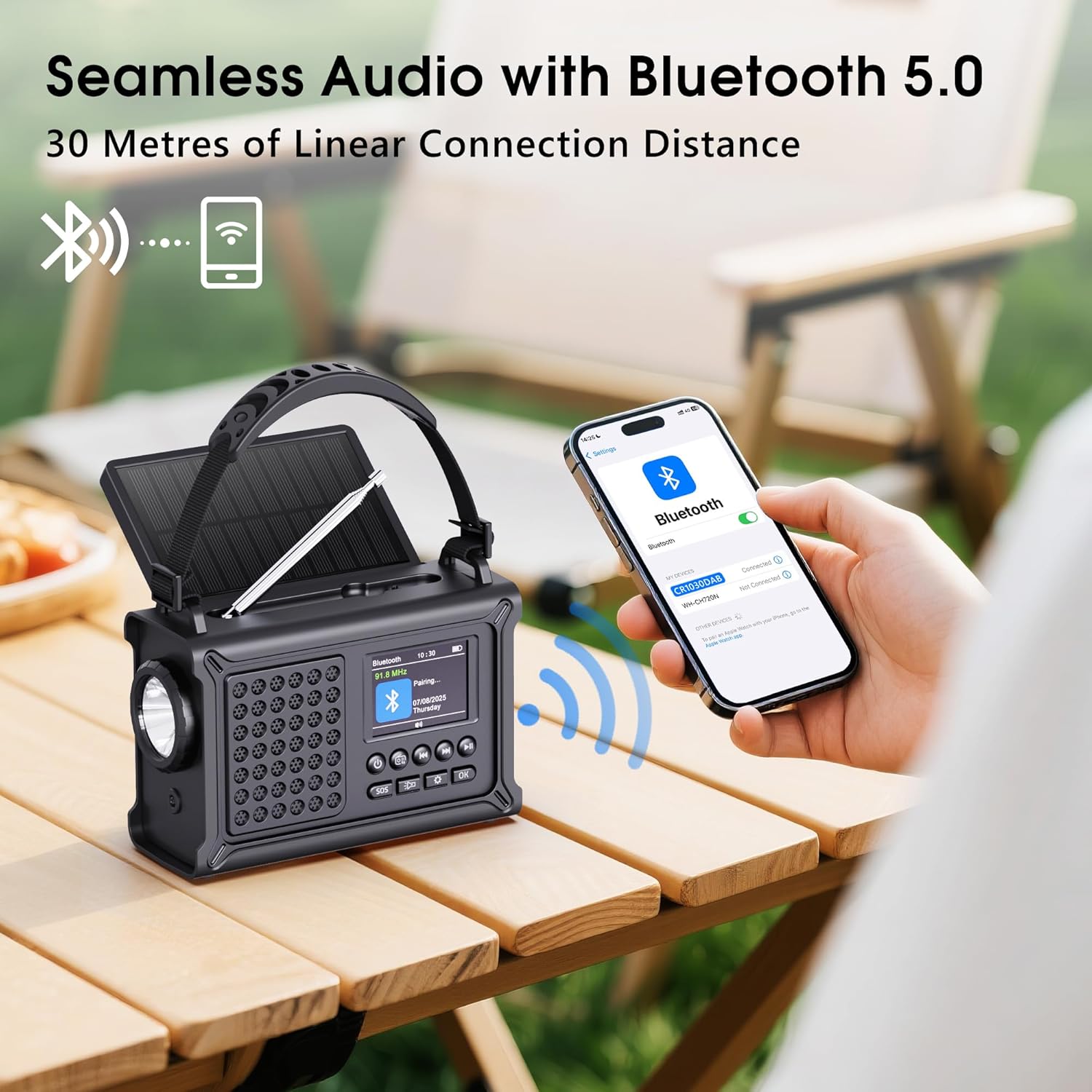
- Bluetooth 5.0 connectivity with a range of up to 30 meters.
- Integrated flashlight (2 levels) and adjustable reading lamp (12 LEDs, 2 levels).
- 120 dB SOS alarm with flashing red light.
- Sleep timer and dual alarm clock function.
- 3.5എംഎം ഹെഡ്ഫോൺ ജാക്ക്.
- IPX6 water resistance and IPX4 dust protection.
ഘടകങ്ങൾ ഉൾപ്പെടുത്തിയിട്ടുണ്ട്
- റീചാർജ് കേബിൾ
- ഉപയോക്തൃ മാനുവൽ
- ചുമക്കുന്ന ഹാൻഡിൽ
- DAB റേഡിയോ
സജ്ജമാക്കുക
Before first use, fully charge the radio using one of the available methods.
ചാർജിംഗ് രീതികൾ
- യുഎസ്ബി ടൈപ്പ്-സി ചാർജിംഗ്: Connect the provided Type-C cable to the radio's charging port and a compatible USB power adapter (not included).
- സോളാർ ചാർജിംഗ്: Place the radio with the solar panel facing direct sunlight. The 8500mm² monocrystalline solar panel will convert sunlight into energy to charge the internal battery. This method is ideal for maintaining charge or slow charging in outdoor environments.
- ഹാൻഡ് ക്രാങ്ക് ചാർജിംഗ്: Extend the hand crank handle and rotate it clockwise or counter-clockwise at a steady pace. This method is for emergency power generation.
- AAA ബാറ്ററി പവർ: Open the battery compartment and insert 3 AAA batteries (not included) with correct polarity. This serves as an alternative power source.
പവർ ചെയ്യുന്നത് ഓൺ/ഓഫ്
റേഡിയോ ഓണാക്കാനോ ഓഫാക്കാനോ പവർ ബട്ടൺ അമർത്തിപ്പിടിക്കുക.

പ്രവർത്തന നിർദ്ദേശങ്ങൾ
റേഡിയോ പ്രവർത്തനം (DAB/DAB+ ഉം FM ഉം)
- Extend the telescopic antenna for optimal signal reception.
- Press the "Mode" button to select DAB or FM mode.
- In DAB mode, perform an auto-scan to find available stations. The radio can store up to 40 DAB stations.
- In FM mode, use the tuning controls to scan for stations. The radio can store up to 40 FM stations.
- Use the navigation buttons to browse through saved stations.

ബ്ലൂടൂത്ത് കണക്റ്റിവിറ്റി
- Press the "Mode" button to select Bluetooth mode.
- The radio will enter pairing mode, indicated on the 2.4-inch TFT display.
- On your smartphone or tablet, search for Bluetooth devices and select "Mesqool Radio" (or similar name).
- Once paired, you can stream audio from your device to the radio. The effective range is up to 30 meters.
ഫ്ലാഷ്ലൈറ്റും വായനയും എൽamp
- To activate the flashlight, press the dedicated flashlight button. Press again to cycle through brightness levels.
- To activate the reading lamp, open the solar panel cover to reveal the lamp. റീഡിംഗ് l അമർത്തുകamp button to turn it on and adjust brightness.

SOS Alarm Function
In an emergency, press the "SOS" button. This will activate a 120 dB siren and a flashing red light to attract attention. Press the button again to deactivate.
Clock and Alarm Functions
The radio features an integrated clock. Refer to the on-screen menu for setting the time, dual alarms, and sleep timer. Alarms can be set to wake you with your preferred radio station.
ഹെഡ്ഫോൺ ഉപയോഗം
സ്വകാര്യ ശ്രവണത്തിനായി 3.5mm ഹെഡ്ഫോണുകൾ ഹെഡ്ഫോൺ ജാക്കുമായി ബന്ധിപ്പിക്കുക.
മെയിൻ്റനൻസ്
പരിചരണവും പരിപാലനവും
- മൃദുവായതും ഉണങ്ങിയതുമായ തുണി ഉപയോഗിച്ച് റേഡിയോ വൃത്തിയാക്കുക. അബ്രാസീവ് ക്ലീനറുകളോ ലായകങ്ങളോ ഉപയോഗിക്കരുത്.
- Keep the device away from extreme temperatures, direct sunlight for prolonged periods (beyond charging), and excessive moisture.
- Ensure the solar panel is clean for efficient charging.
- When not in use for extended periods, store the radio in a cool, dry place and periodically charge the internal battery to prolong its lifespan.
ട്രബിൾഷൂട്ടിംഗ്
പൊതുവായ പ്രശ്നങ്ങളും പരിഹാരങ്ങളും
| പ്രശ്നം | പരിഹാരം |
|---|---|
| വൈദ്യുതിയില്ല / റേഡിയോ ഓണാകുന്നില്ല. | Check battery level. Charge the internal battery using USB-C, solar, or hand crank. Ensure AAA batteries (if used) are correctly inserted and not depleted. |
| മോശം റേഡിയോ സ്വീകരണം. | Extend the telescopic antenna fully. Try repositioning the radio to a location with better signal. Perform an auto-scan for stations again. |
| ബ്ലൂടൂത്ത് കണക്റ്റ് ചെയ്യുന്നില്ല. | Ensure the radio is in Bluetooth mode. Check that Bluetooth is enabled on your external device and it is within the 30-meter range. Forget the device on your phone and re-pair. |
| Flashlight/Reading lamp പ്രവർത്തിക്കുന്നില്ല. | Check battery level. Ensure the lamp is properly activated via its dedicated button. |
| SOS alarm not activating. | Ensure the SOS button is pressed firmly. Check battery level. |
സ്പെസിഫിക്കേഷനുകൾ
സാങ്കേതിക സവിശേഷതകൾ
- ബ്രാൻഡ്: മെസ്കൂൽ
- മോഡൽ നമ്പർ: 1030DAB
- നിറം: കറുപ്പ്
- കണക്റ്റിവിറ്റി ടെക്നോളജി: യുഎസ്ബി, ബ്ലൂടൂത്ത് 5.0
- ട്യൂണിംഗ് സാങ്കേതികവിദ്യ: DAB+, FM
- പ്രത്യേക സവിശേഷതകൾ: SOS Alarm, Integrated Clock, Portable, Flashlight, Reading Lamp
- അളവുകൾ: 17.3L x 12.1W x 7.4H സെ.മീ
- ഇനത്തിൻ്റെ ഭാരം: 704 ഗ്രാം
- മെറ്റീരിയൽ: അക്രിലോണിട്രൈൽ ബ്യൂട്ടാഡീൻ സ്റ്റൈറൈൻ (എബിഎസ്)
- ബാറ്ററി: 12000mAh rechargeable (internal), supports 3x AAA (external, not included)
- സോളാർ പാനൽ: 8500mm² Monocrystalline
- സ്പീക്കർ: 57mm Full-Range with Neodymium Magnet
- ഡിസ്പ്ലേ: 2.4-inch TFT Color
- ജല പ്രതിരോധം: IPX6
- പൊടി സംരക്ഷണം: IPX4
വാറൻ്റിയും പിന്തുണയും
വാറൻ്റി വിവരങ്ങൾ
Specific warranty details are not provided in the product information. Please refer to the retailer or manufacturer's official webവാറന്റി നിബന്ധനകൾക്കും വ്യവസ്ഥകൾക്കും സൈറ്റ്.
ഉപഭോക്തൃ പിന്തുണ
For technical assistance or product inquiries, please contact Mesqool customer support through their official channels. Contact information can typically be found on the product packaging or the manufacturer's webസൈറ്റ്.


