1. ആമുഖം
This manual provides detailed instructions for the setup, operation, and maintenance of your GMKtec Nucbox G3S Mini PC. Please read this manual thoroughly before using the device to ensure proper functionality and to maximize your user experience. Keep this manual for future reference.
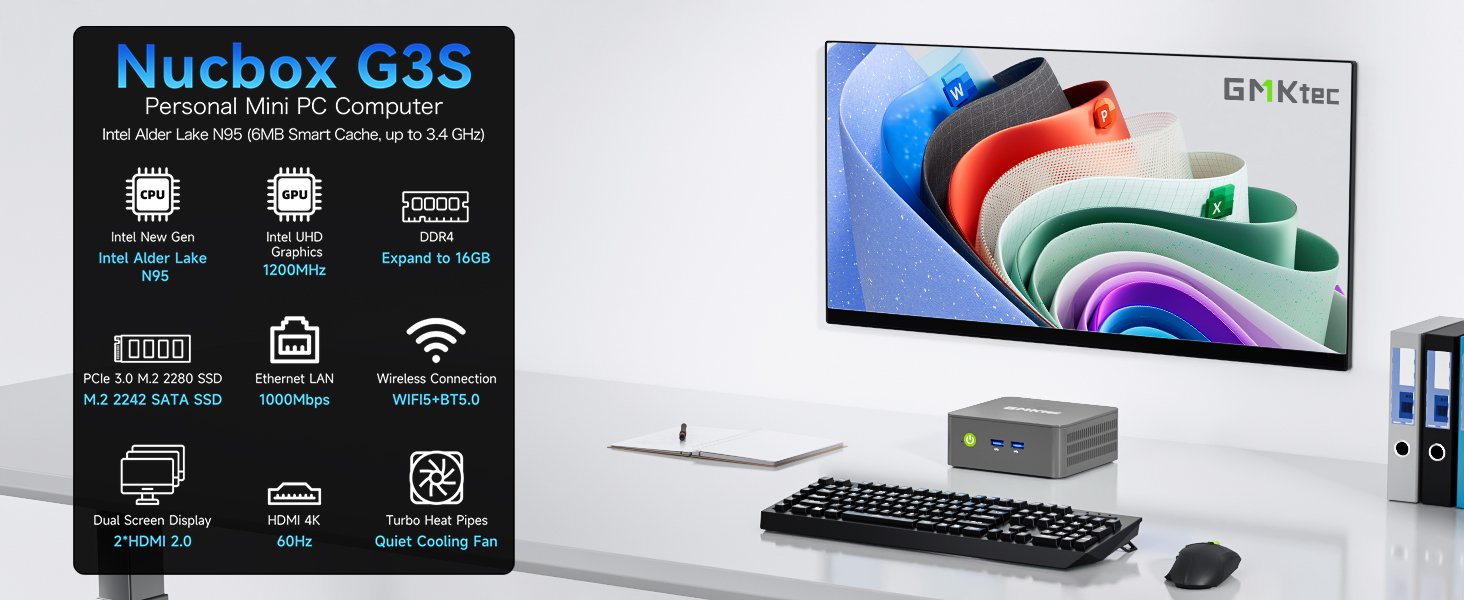
ചിത്രം: കഴിഞ്ഞുview of the GMKtec Nucbox G3S Mini PC and its core features.
2. ബോക്സിൽ എന്താണുള്ളത്?
പാക്കേജിൽ എല്ലാ ഇനങ്ങളും ഉണ്ടെന്ന് ഉറപ്പാക്കുക:
- 1 x GMKtec Nucbox G3S Mini PC
- 1 x പവർ അഡാപ്റ്റർ
- സ്ക്രൂകളുള്ള 1 x VESA മൗണ്ട്
- 1 x HDMI കേബിൾ
- 1 x ഉപയോക്തൃ മാനുവൽ (ഈ പ്രമാണം)

Image: All components included in the GMKtec Nucbox G3S retail packaging.
3. ഉൽപ്പന്നം കഴിഞ്ഞുview
The GMKtec Nucbox G3S is a compact and powerful mini PC designed for various computing needs, from office tasks to home entertainment. It features an Intel N95 processor, ample memory, and fast storage.
3.1 പ്രധാന സവിശേഷതകൾ
- പ്രോസസ്സർ: 12th Gen Intel Alder Lake N95 CPU (4 Cores, 4 Threads, 6MB Cache, up to 3.4GHz)
- മെമ്മറി: 16GB DDR4 റാം
- സംഭരണം: 512GB M.2 2242 SSD (expandable)
- ഗ്രാഫിക്സ്: ഇന്റൽ UHD ഗ്രാഫിക്സ് (1200MHz വരെ)
- ഡിസ്പ്ലേ ഔട്ട്പുട്ട്: Dual HDMI 2.0 ports supporting 4K@60Hz
- കണക്റ്റിവിറ്റി: WiFi 5, Bluetooth 5.0, Gigabit Ethernet (RJ45 1000MbE)
- തുറമുഖങ്ങൾ: USB 3.2, USB 2.0, 3.5mm Audio Jack

Image: Detailed diagram of the Nucbox G3S's internal components and specifications.
3.2. പോർട്ട് ലേഔട്ട്
The GMKtec Nucbox G3S features a variety of ports for connecting peripherals and network devices.
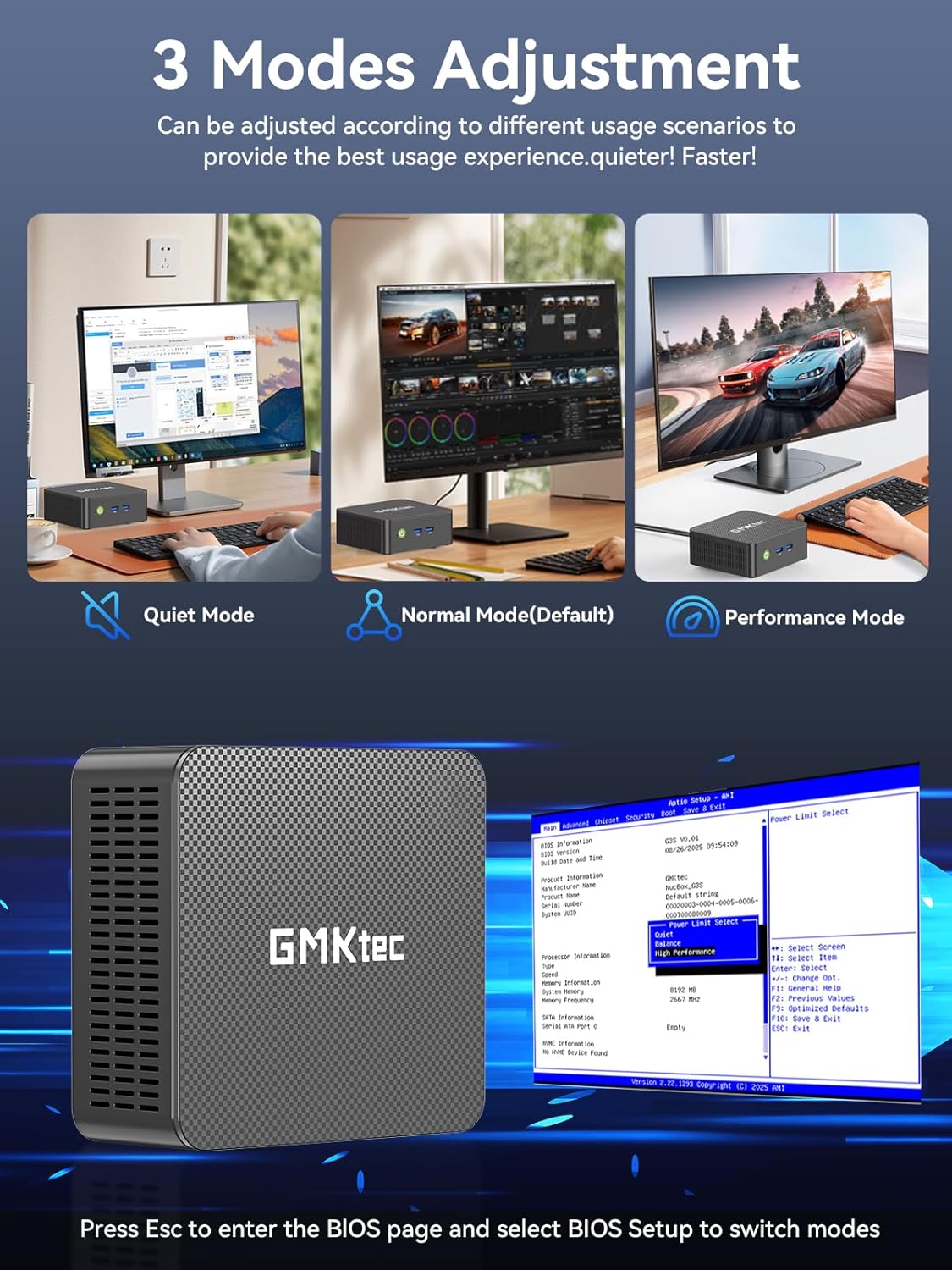
Image: Front and rear panel port layout of the GMKtec Nucbox G3S.
- ഫ്രണ്ട് പാനൽ: Power Button, 2x USB 3.2 ports
- പിൻ പാനൽ: 2x HDMI (4K@60Hz), 1x USB 3.2, 1x USB 2.0, 1x Giga LAN (RJ45 2.5G), 1x 3.5mm Audio, DC 12V 3A Power Input
4. സജ്ജീകരണം
4.1. പ്രാരംഭ കണക്ഷൻ
- ഡിസ്പ്ലേ ബന്ധിപ്പിക്കുക: Use the provided HDMI cable to connect the Mini PC to a monitor or TV. The device supports dual 4K displays.
- പെരിഫറലുകൾ ബന്ധിപ്പിക്കുക: ലഭ്യമായ യുഎസ്ബി പോർട്ടുകളിലേക്ക് നിങ്ങളുടെ യുഎസ്ബി കീബോർഡും മൗസും പ്ലഗ് ഇൻ ചെയ്യുക.
- പവർ ബന്ധിപ്പിക്കുക: Connect the power adapter to the DC 12V 3A input port on the Mini PC, then plug the adapter into a power outlet.
- പവർ ഓൺ: മിനി പിസിയുടെ മുൻവശത്തുള്ള പവർ ബട്ടൺ അമർത്തുക.
4.2. VESA മൗണ്ട് ഇൻസ്റ്റലേഷൻ
The GMKtec Nucbox G3S can be mounted behind a monitor using the included VESA mount for a clutter-free setup.
- നൽകിയിരിക്കുന്ന സ്ക്രൂകൾ ഉപയോഗിച്ച് നിങ്ങളുടെ മോണിറ്ററിന്റെ പിൻഭാഗത്ത് VESA മൗണ്ട് ബ്രാക്കറ്റ് ഘടിപ്പിക്കുക. മൗണ്ട് സുരക്ഷിതമായി ഉറപ്പിച്ചിട്ടുണ്ടെന്ന് ഉറപ്പാക്കുക.
- Slide the Mini PC onto the VESA mount bracket until it clicks into place.
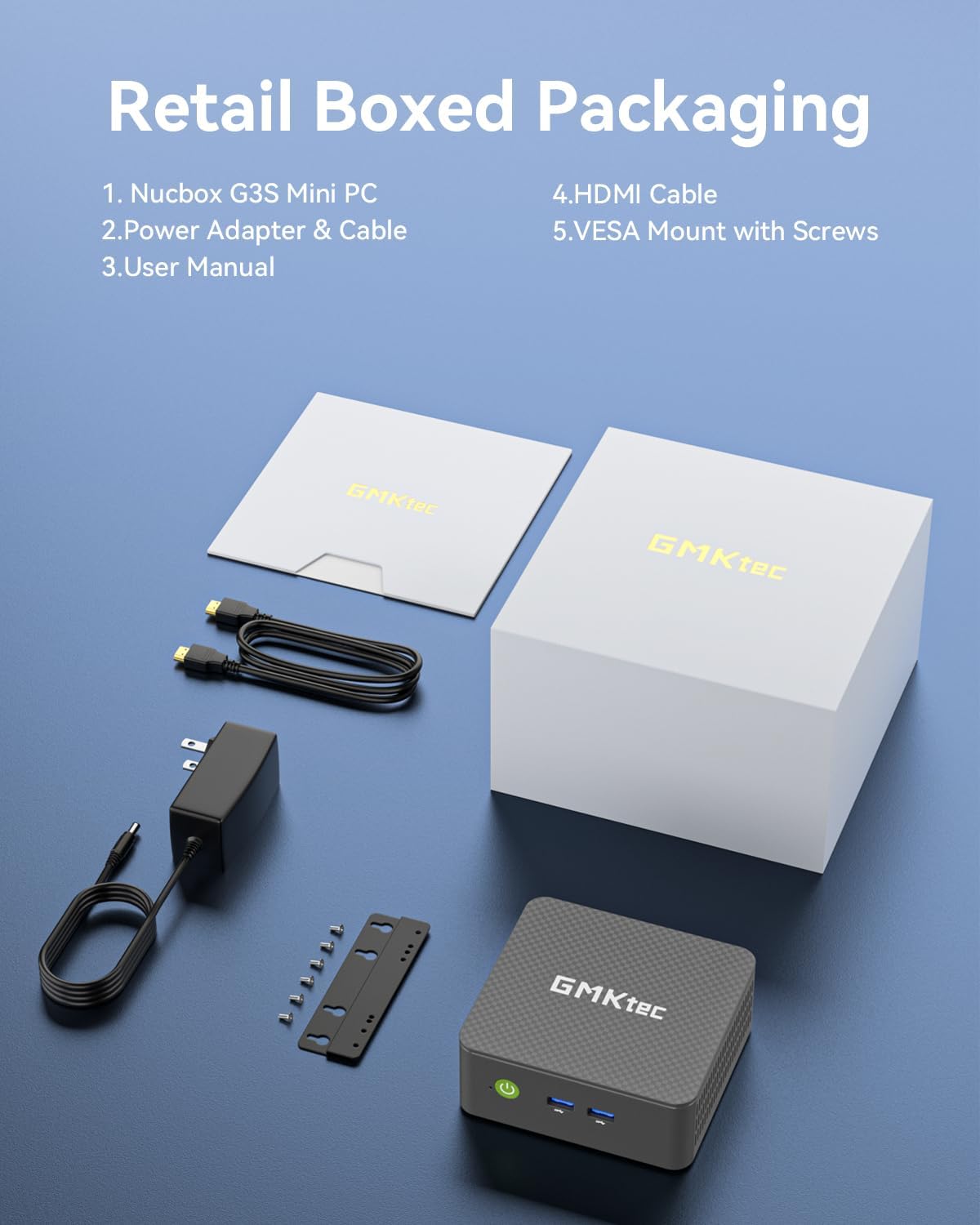
Image: Desktop placement and VESA mount installation options for the Mini PC.
5. പ്രവർത്തന നിർദ്ദേശങ്ങൾ
5.1. പവർ ഓൺ/ഓഫ്
- പവർ ഓൺ: മുൻ പാനലിലെ പവർ ബട്ടൺ അമർത്തുക.
- പവർ ഓഫ്: Access the operating system's shutdown menu or press and hold the power button for 5 seconds.
5.2. BIOS Access and Operating Modes
To access the BIOS settings, press the ഇഎസ്സി or DEL സ്റ്റാർട്ടപ്പ് സമയത്ത് ആവർത്തിച്ച് കീ അമർത്തുക.
The Mini PC supports three adjustable operating modes: Quiet Mode, Normal Mode (Default), and Performance Mode. These modes can be selected within the BIOS settings to optimize for different usage scenarios.
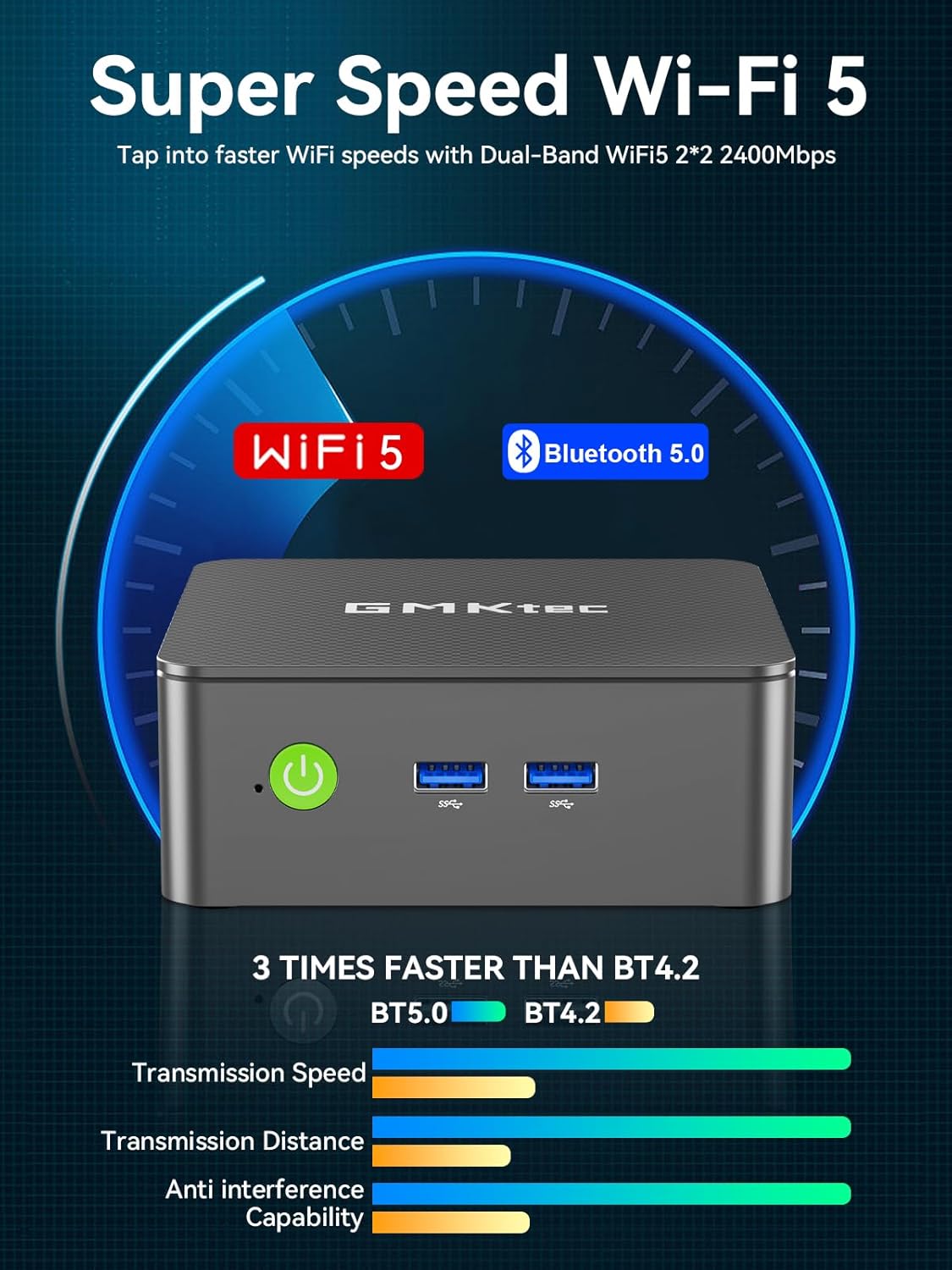
Image: Visual representation of the three operating modes and BIOS access.
5.3. Dual Screen Display
The Nucbox G3S supports connecting two 4K monitors simultaneously via its dual HDMI 2.0 ports. This allows for extended desktop functionality and enhanced productivity.
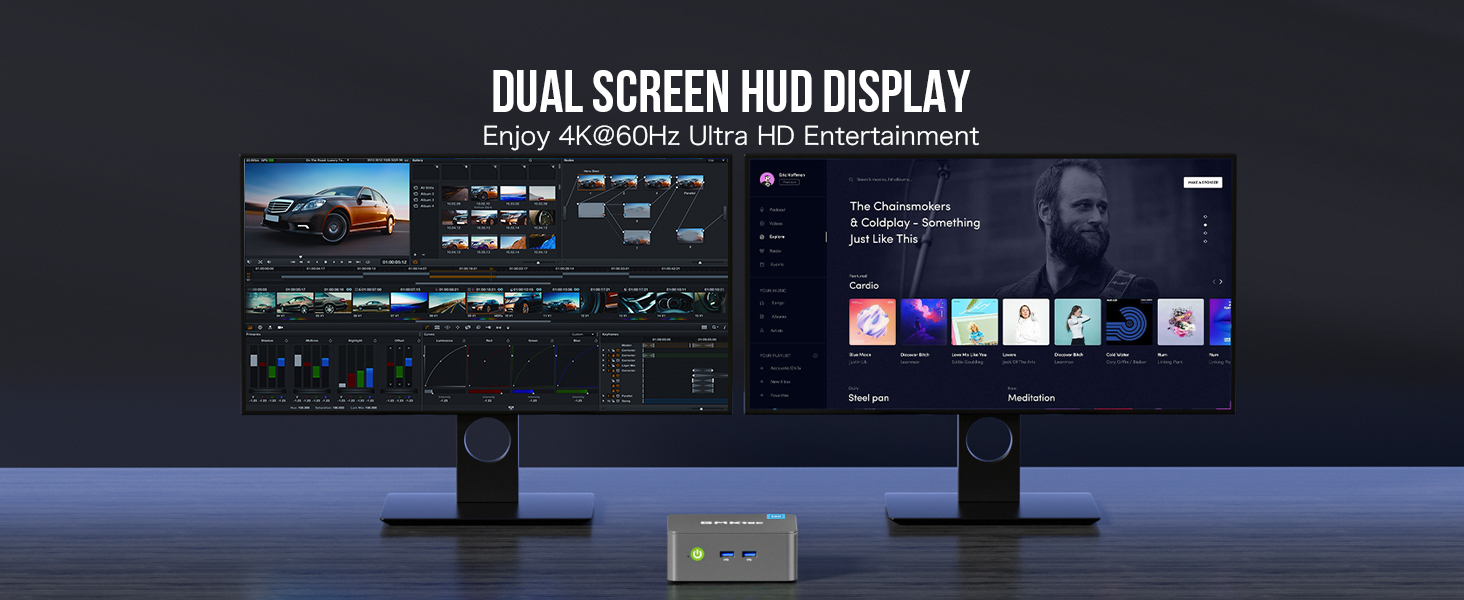
ചിത്രം: ഉദാample of a dual 4K monitor setup with the Mini PC.
5.4. നെറ്റ്വർക്കും വയർലെസ് കണക്റ്റിവിറ്റിയും
- വൈഫൈ: The device supports WiFi 5 for high-speed wireless internet access. Connect to your preferred network through the operating system's network settings.
- ബ്ലൂടൂത്ത്: Bluetooth 5.0 allows for connection to various wireless peripherals such as keyboards, mice, and audio devices.
- ഇഥർനെറ്റ്: For a stable wired connection, use the Gigabit Ethernet (RJ45) port.
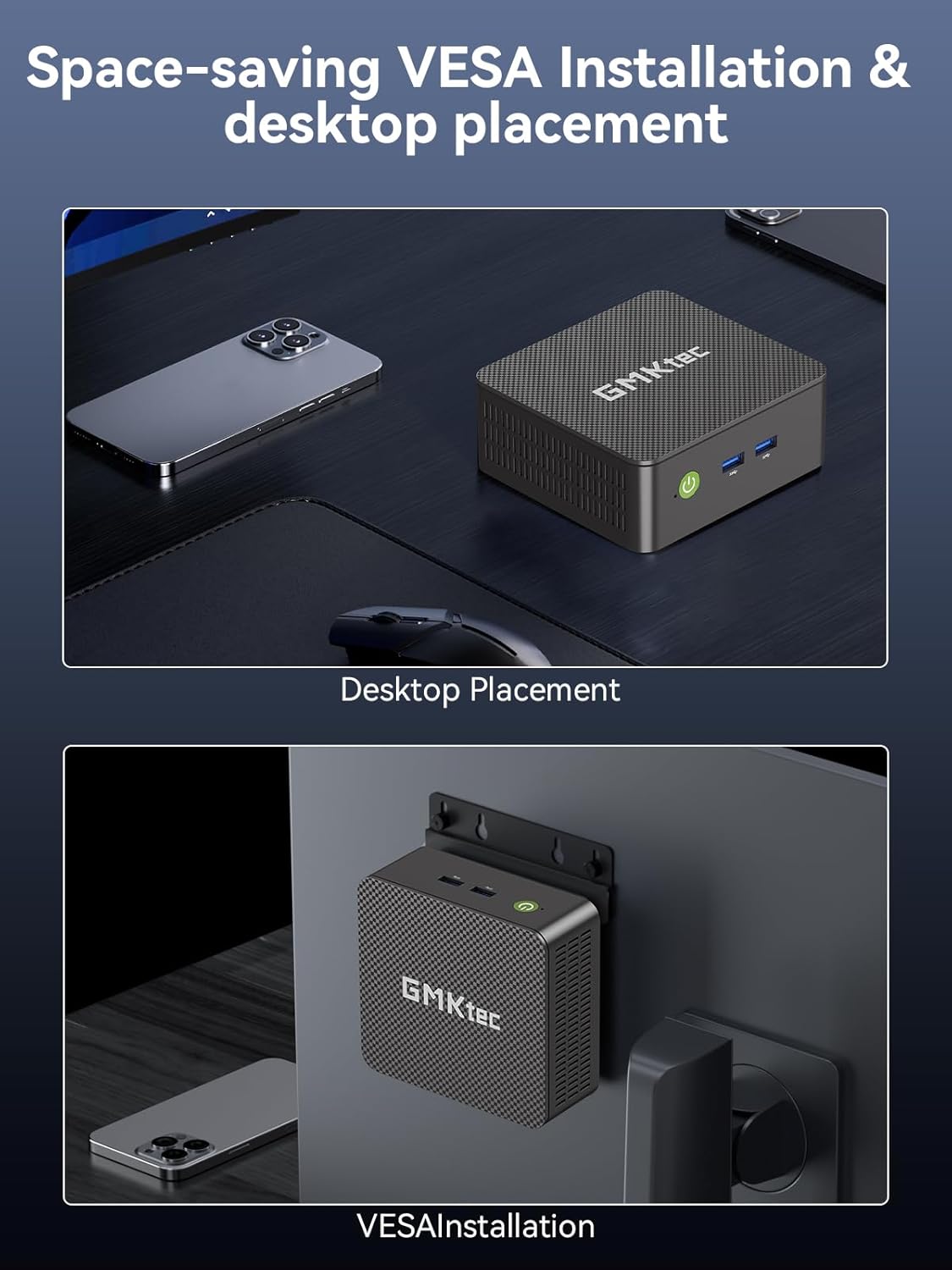
Image: Details on WiFi 5 and Bluetooth 5.0 connectivity.
5.5. പിന്തുണയ്ക്കുന്ന ഓപ്പറേറ്റിംഗ് സിസ്റ്റങ്ങൾ
The GMKtec Nucbox G3S comes with Windows 11 Pro pre-installed. It is also compatible with various Linux distributions, including Ubuntu.

Image: The Mini PC handling multiple software applications for various tasks.
6. പരിപാലനം
6.1. ജനറൽ കെയർ
- മിനി പിസി വൃത്തിയുള്ളതും വരണ്ടതുമായ അന്തരീക്ഷത്തിൽ നേരിട്ട് സൂര്യപ്രകാശം ഏൽക്കാത്തതും കടുത്ത താപനില ഏൽക്കാത്തതുമായ സ്ഥലത്ത് സൂക്ഷിക്കുക.
- Ensure proper ventilation by not blocking the cooling vents.
- മൃദുവായതും ഉണങ്ങിയതുമായ തുണി ഉപയോഗിച്ച് പുറംഭാഗം വൃത്തിയാക്കുക. ലിക്വിഡ് ക്ലീനറുകൾ ഒഴിവാക്കുക.
6.2. സംഭരണ വിപുലീകരണം
The Nucbox G3S supports storage expansion. It includes a built-in 512GB M.2 2242 SSD and has additional slots for M.2 2280 PCIe Gen3*2 (up to 8TB) and M.2 2242 SATA (up to 2TB) drives.

Image: Illustration of the storage expansion capabilities.
To access the internal components for storage upgrades, carefully remove the bottom cover by unscrewing the retaining screws. Refer to the internal component diagram for guidance.

ചിത്രം: പൊട്ടിത്തെറിച്ചു view showing internal components and cooling system.
7. പ്രശ്നപരിഹാരം
If you encounter issues with your GMKtec Nucbox G3S, consider the following basic troubleshooting steps:
- ശക്തിയില്ല: Ensure the power adapter is securely connected to both the Mini PC and a working power outlet. Try a different outlet.
- ഡിസ്പ്ലേ ഇല്ല: Verify that the HDMI cable is firmly connected to both the Mini PC and the monitor. Check if the monitor is set to the correct input source. Try a different HDMI cable or monitor if available.
- ഇൻ്റർനെറ്റ് കണക്ഷൻ ഇല്ല: For Wi-Fi, check your network settings and ensure you are connected to the correct network. For wired Ethernet, ensure the cable is properly connected and your router is functioning.
- പെരിഫറൽ പ്രശ്നങ്ങൾ: If a USB device or Bluetooth device is not working, try connecting it to a different port or re-pairing the Bluetooth device. Ensure drivers are up to date in the operating system.
- സിസ്റ്റം പ്രതികരിക്കുന്നില്ല: If the system freezes, press and hold the power button for 5-10 seconds to force a shutdown, then restart the device.
For more complex issues, please refer to the GMKtec support webസൈറ്റ് അല്ലെങ്കിൽ ഉപഭോക്തൃ സേവനവുമായി ബന്ധപ്പെടുക.
8 സ്പെസിഫിക്കേഷനുകൾ
| ഫീച്ചർ | വിശദാംശങ്ങൾ |
|---|---|
| ബ്രാൻഡ് | ജിഎംകെടെക് |
| മോഡൽ | G3S |
| പ്രോസസ്സർ | 12th Gen Intel Alder Lake N95 CPU (4 Cores, 4 Threads, 6MB Cache, up to 3.4GHz) |
| റാം | 16GB DDR4 SDRAM (3200 MHz) |
| സംഭരണം | 512GB M.2 2242 SSD (PCIe Gen3*2 + 1*M.2 2242 SATA) |
| ഗ്രാഫിക്സ് കോപ്രൊസസർ | Intel UHD Graphics 1200MHz |
| പരമാവധി സ്ക്രീൻ റെസല്യൂഷൻ | 5120 x 2880 Pixels (4K@60Hz via HDMI) |
| HDMI പോർട്ടുകൾ | 2 (HDMI 2.0) |
| USB 3.2 പോർട്ടുകൾ | 3 |
| USB 2.0 പോർട്ടുകൾ | 1 |
| ഇഥർനെറ്റ് | Gigabit Ethernet (RJ45 1000MbE) |
| വയർലെസ് തരം | WiFi 5 (2.4 GHz, 5 GHz), Bluetooth 5.0 |
| ഓപ്പറേറ്റിംഗ് സിസ്റ്റം | Pre-installed Windows 11 Pro |
| ഇനത്തിൻ്റെ ഭാരം | 1.1 പൗണ്ട് |
| നിറം | കറുപ്പ് |
| പ്രത്യേക സവിശേഷതകൾ | Wake On LAN, PXE Boot, RTC Wake, Auto Power On |
9. വാറൻ്റിയും പിന്തുണയും
9.1. വാറൻ്റി വിവരങ്ങൾ
GMKtec വാഗ്ദാനം ചെയ്യുന്നത് 1 വർഷത്തെ പരിമിത വാറൻ്റി for each Mini PC, effective from the date of purchase. This warranty covers defects due to design and workmanship. Please retain your proof of purchase for warranty claims.
9.2. ഉപഭോക്തൃ പിന്തുണ
For technical assistance, warranty claims, or any questions regarding your GMKtec Nucbox G3S Mini PC, please contact GMKtec customer support. A professional after-sales team is available to assist you.
You may find additional support resources on the official GMKtec webസൈറ്റ്.


