1. ആമുഖം
This manual provides detailed instructions for the installation, operation, and maintenance of your SONOFF SNZB-01P Zigbee Wireless Push Button. Please read this manual thoroughly before using the device to ensure proper function and safety.
2. ഉൽപ്പന്നം കഴിഞ്ഞുview
2.1 പാക്കേജ് ഉള്ളടക്കം
- SONOFF SNZB-01P Zigbee Wireless Push Button (Quantity as purchased)
- ഉപയോക്തൃ മാനുവൽ
- Mounting Accessories (e.g., adhesive tape, screws)
- CR2477 Battery (pre-installed or included)
2.2 ഉപകരണ സവിശേഷതകൾ
- Custom Button Actions: Supports single press, double press, and long press for various smart scene triggers.
- Zigbee 3.0 Compatibility: Works with standard Zigbee 3.0 hubs like SONOFF NSPanel Pro, ZB Bridge Pro, and ZBDongle-E.
- Alexa Routine Trigger: Can activate Alexa routines when connected to a SONOFF Zigbee hub.
- അടിയന്തര പ്രവർത്തനം: Can be configured as an emergency button to send alerts.
- വിപുലീകരിച്ച ബാറ്ററി ലൈഫ്: Powered by a CR2477 battery, offering approximately 5 years of battery life under typical usage.
- ഫ്ലെക്സിബിൾ പ്ലേസ്മെൻ്റ്: Can be installed flat or stuck to any surface.

Figure 1: SONOFF SNZB-01P Zigbee Wireless Push Button (Example 2-Pack)
3. സജ്ജീകരണവും ഇൻസ്റ്റാളേഷനും
3.1 ആവശ്യകതകൾ
- A compatible Zigbee 3.0 hub (e.g., SONOFF NSPanel Pro, ZB Bridge Pro, ZBDongle-E, SmartThings Hub).
- eWelink App (or your preferred Zigbee hub's application) installed on your smartphone.
3.2 ഉപകരണം ജോടിയാക്കൽ
- പവർ ഓൺ: Ensure the CR2477 battery is correctly inserted into the SNZB-01P switch.
- Activate Pairing Mode on Hub: Open your Zigbee hub's application (e.g., eWelink App) and initiate the device pairing process. Refer to your hub's specific instructions for this step.
- Activate Pairing Mode on Switch: Locate the external pairing button on the side of the SNZB-01P switch. Press and hold this button for approximately 5 seconds until the LED indicator on the switch blinks, indicating it is in pairing mode.
- ജോടിയാക്കൽ സ്ഥിരീകരിക്കുക: Once the switch is successfully paired, the LED indicator will stop blinking, and the device should appear in your hub's application.

Figure 2: External Pairing Button and Battery Access
3.3 ഇൻസ്റ്റലേഷൻ
The SNZB-01P switch can be placed on any flat surface or mounted using the provided adhesive tape or screws. Its compact design allows for flexible placement in various locations.

Figure 3: Flexible Placement Options
4. പ്രവർത്തന നിർദ്ദേശങ്ങൾ
The SONOFF SNZB-01P supports three distinct button actions, which can be customized within your Zigbee hub's application to trigger various smart scenes or control devices.
4.1 Customizing Button Actions
- സിംഗിൾ പ്രസ്സ്: A quick press and release of the button. Typically used for simple actions like turning lights on/off.
- ഇരട്ട പ്രസ്സ്: Two quick presses in succession. Can be used for more specific controls, such as turning on a fan.
- ലോംഗ് പ്രസ്സ്: Press and hold the button for approximately 3-5 seconds. Suitable for actions like activating a coffee maker or an emergency alert.
To configure these actions, navigate to the device settings within your Zigbee hub's application and assign desired smart scenes or device controls to each press type.
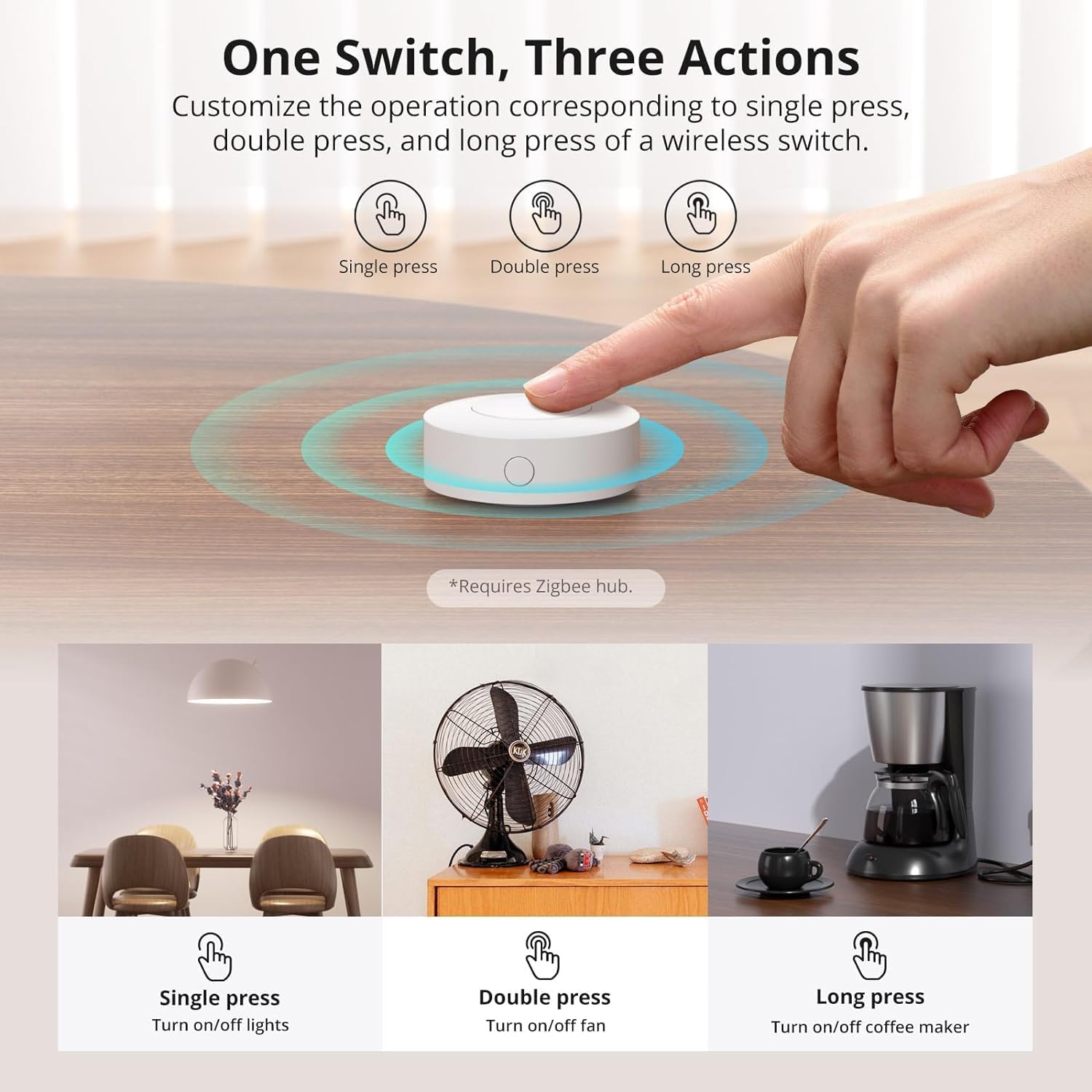
Figure 4: One Switch, Three Actions
4.2 Emergency Button Functionality
The SNZB-01P can be configured as an emergency button. In your smart home application, set up a scene where a long press (or any chosen action) triggers an alert notification to your phone or other designated contacts. This feature provides an added layer of safety for family members.
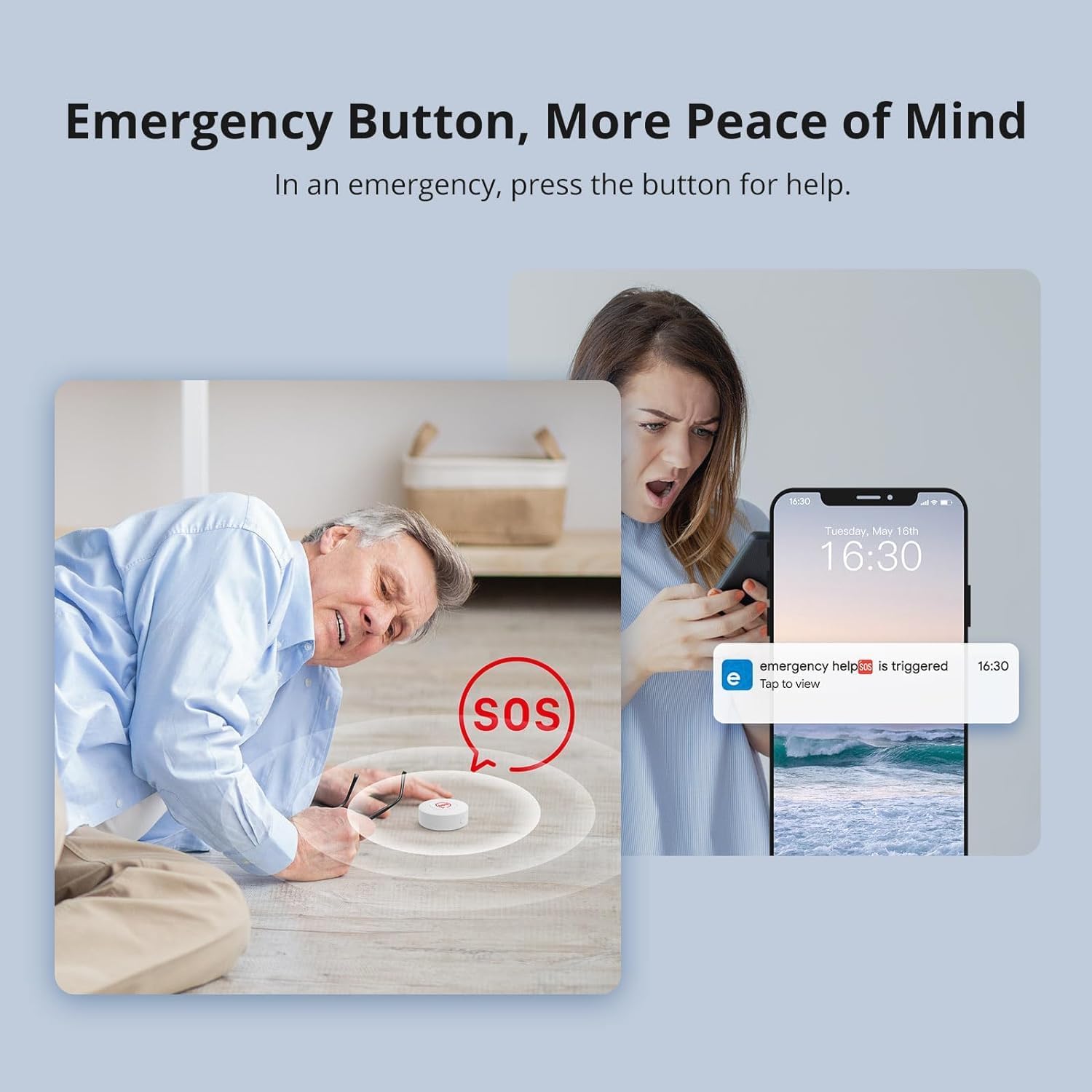
Figure 5: Emergency Button Use Case
4.3 Alexa Routine Integration
When connected to a SONOFF Zigbee hub, the SNZB-01P can trigger Amazon Alexa routines. This allows for voice-free control of your smart home devices or activation of complex routines with a simple button press.

Figure 6: Triggering Alexa Routines
5. പരിപാലനം
5.1 ബാറ്ററി മാറ്റിസ്ഥാപിക്കൽ
The SNZB-01P is powered by a CR2477 lithium metal battery, designed for approximately 5 years of use. When the battery level is low, you will receive a notification through your connected smart home application.
- ബാറ്ററി കമ്പാർട്ട്മെന്റ് ആക്സസ് ചെയ്യുക: Gently twist the back cover of the device counter-clockwise to open the battery compartment.
- പഴയ ബാറ്ററി നീക്കം ചെയ്യുക: പഴയ CR2477 ബാറ്ററി ശ്രദ്ധാപൂർവ്വം നീക്കം ചെയ്യുക.
- പുതിയ ബാറ്ററി ഇടുക: Insert a new CR2477 battery, ensuring the positive (+) side faces upwards.
- കമ്പാർട്ട്മെന്റ് അടയ്ക്കുക: Align the back cover and twist clockwise until securely closed.
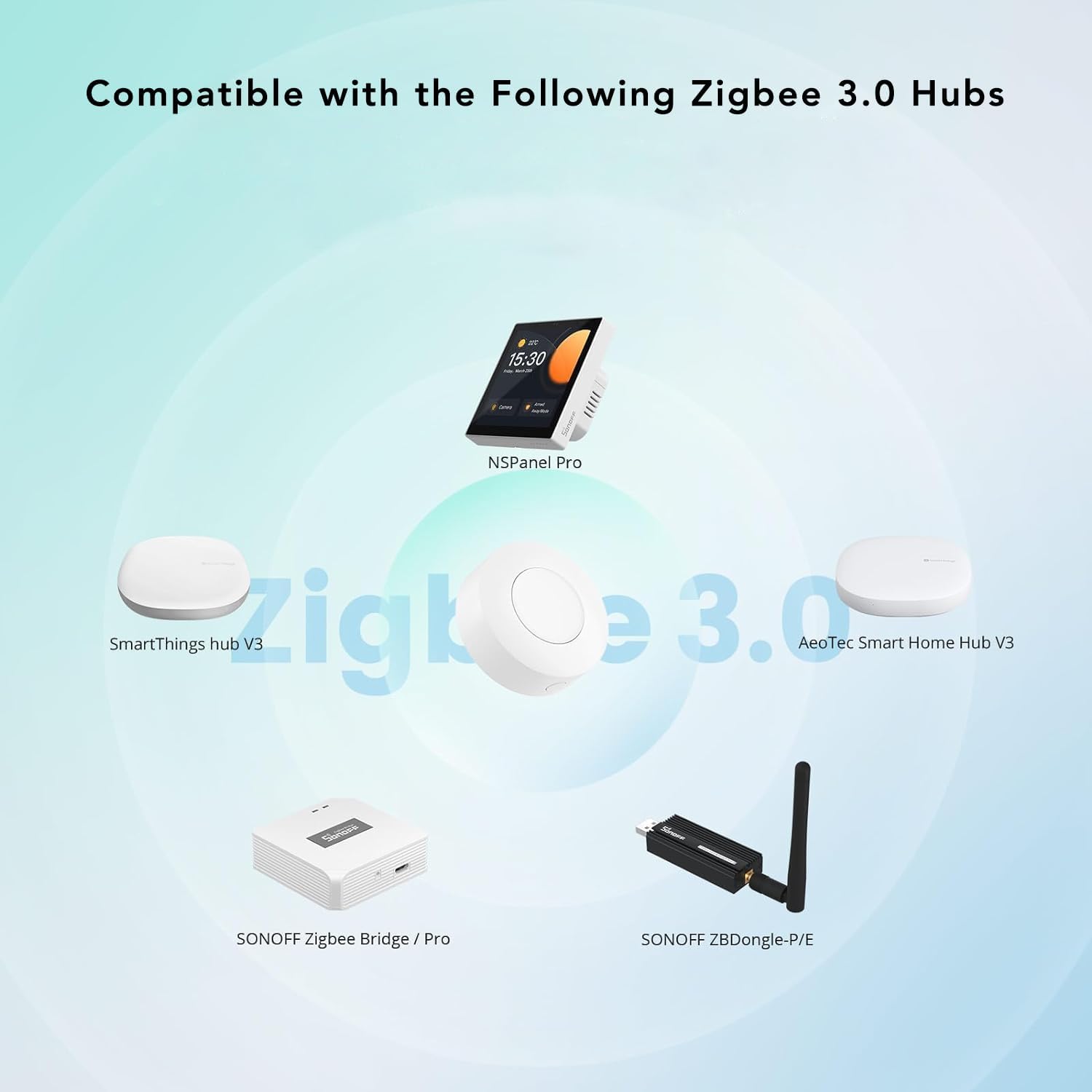
Figure 7: Battery Access and Replacement
5.2 വൃത്തിയാക്കൽ
Wipe the device with a soft, dry cloth. Avoid using liquid cleaners or abrasive materials, as these can damage the device.
6. പ്രശ്നപരിഹാരം
| ഇഷ്യൂ | സാധ്യമായ കാരണം | പരിഹാരം |
|---|---|---|
| ഉപകരണം ജോടിയാക്കുന്നില്ല | Not in pairing mode; Hub not in pairing mode; Out of range; Low battery. | Ensure both device and hub are in pairing mode. Move device closer to hub. Check and replace battery if necessary. |
| Actions not triggering | Incorrect scene configuration; Device disconnected from hub; Low battery. | Verify scene configurations in the app. Re-pair the device if disconnected. Replace battery. |
| ചെറിയ ബാറ്ററി ലൈഫ് | Frequent usage; Extreme temperatures. | Battery life is an estimate; actual usage may vary. Ensure device is not exposed to extreme conditions. |
7 സ്പെസിഫിക്കേഷനുകൾ
| ഫീച്ചർ | വിശദാംശങ്ങൾ |
|---|---|
| മോഡൽ | SNZB-01P |
| കണക്റ്റിവിറ്റി പ്രോട്ടോക്കോൾ | സിഗ്ബീ 3.0 |
| പവർ ഉറവിടം | ഡിസി (ബാറ്ററി) |
| ബാറ്ററി തരം | CR2477 Lithium Metal (3V) |
| ഓപ്പറേറ്റിംഗ് വോളിയംtage | 3 വോൾട്ട് |
| ഓപ്പറേഷൻ മോഡ് | ഓൺ-ഓഫ് |
| ആക്യുവേറ്റർ തരം | പുഷ് ബട്ടൺ |
| അളവുകൾ (L x W x H) | 1.8 x 1.8 x 0.7 ഇഞ്ച് (45.7 x 45.7 x 17.8 മിമി) |
| ഇനത്തിൻ്റെ ഭാരം | 3.52 ഔൺസ് (100 ഗ്രാം) |
| നിറം | വെള്ള |
| മെറ്റീരിയൽ | പ്ലാസ്റ്റിക് |
| ഉയർന്ന താപനില റേറ്റിംഗ് | 40 ഡിഗ്രി സെൽഷ്യസ് |
| നിലവിലെ റേറ്റിംഗ് | 1 Amps |
| ബന്ധപ്പെടാനുള്ള തരം | സാധാരണയായി തുറന്നിരിക്കുന്നു |
| അതിതീവ്രമായ | സ്ക്രൂ |
| സർക്യൂട്ട് തരം | 1-വഴി |
8. വാറൻ്റിയും പിന്തുണയും
8.1 വാറൻ്റി വിവരങ്ങൾ
Please refer to the warranty policy provided with your purchase or visit the official SONOFF webവിശദമായ വാറന്റി നിബന്ധനകൾക്കും വ്യവസ്ഥകൾക്കും സൈറ്റ് സന്ദർശിക്കുക. വാറന്റി ക്ലെയിമുകൾക്കായി നിങ്ങളുടെ വാങ്ങലിന്റെ തെളിവ് സൂക്ഷിക്കുക.
8.2 ഉപഭോക്തൃ പിന്തുണ
For technical assistance, troubleshooting, or further inquiries, please visit the official SONOFF support page or contact their customer service. You can often find FAQs and additional resources on the ആമസോണിലെ SONOFF സ്റ്റോർ അല്ലെങ്കിൽ അവരുടെ ഉദ്യോഗസ്ഥൻ webസൈറ്റ്.


