1. ആമുഖം
The OTTOCAST Mini 3.0 is a compact 2-in-1 wireless adapter designed to convert your car's wired CarPlay or Android Auto system into a wireless experience. This device offers seamless connectivity, dual-phone memory, and high-speed dual-band WiFi for an enhanced in-car infotainment experience.
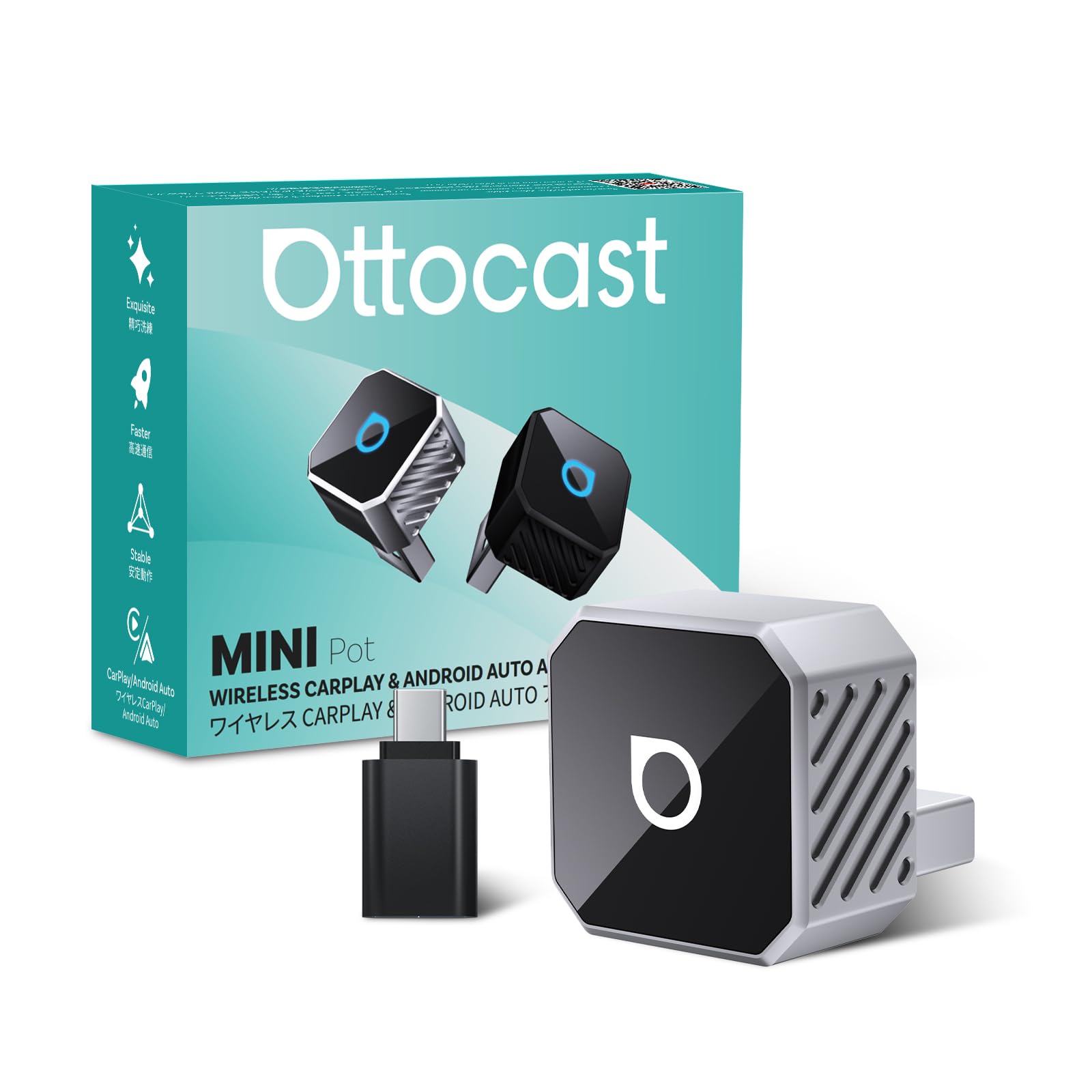
Image: The OTTOCAST Mini 3.0 Wireless CarPlay & Android Auto Adapter.
2. അനുയോജ്യതാ ആവശ്യകതകൾ
To ensure proper functionality, your vehicle and smartphone must meet the following criteria:
- വാഹനം: Must have factory-installed wired Apple CarPlay or Android Auto.
- iPhone: iOS 10.0 അല്ലെങ്കിൽ ഉയർന്നത് ആവശ്യമാണ്.
- Android ഫോൺ: Requires Android 11.0 or higher.

Image: Visual representation of car model and phone OS compatibility for the OTTOCAST Mini 3.0.
3. സജ്ജീകരണ നിർദ്ദേശങ്ങൾ
Follow these steps for a quick and effortless setup:
- അഡാപ്റ്റർ ബന്ധിപ്പിക്കുക: Plug the OTTOCAST Mini 3.0 adapter into your car's USB port. Use the included USB-A to USB-C adapter if your car has a USB-C port.
- Activate Phone Settings: On your smartphone, turn on both Wi-Fi and Bluetooth.
- ബ്ലൂടൂത്ത് വഴി ജോടിയാക്കുക: ഇതിനായി തിരയുക and select the Bluetooth device named "AUTO2-xxxx" (where xxxx are unique symbols) on your phone. Confirm the authorization request on your phone to complete the pairing.
- CarPlay/Android Auto Launch: After successful pairing, your car's infotainment system will automatically launch Wireless CarPlay or Android Auto.

Image: Step-by-step visual guide for connecting the OTTOCAST Mini 3.0 adapter.
വീഡിയോ ഗൈഡ് സജ്ജീകരിക്കുക
Video: A detailed user guide for setting up the OTTOCAST Mini 3.0 adapter in a car. This video demonstrates the connection process and initial pairing steps.
4. പ്രവർത്തന നിർദ്ദേശങ്ങൾ
Once connected, the OTTOCAST Mini 3.0 provides a seamless wireless experience:
- യാന്ത്രിക പുനഃസംയോജനം: The adapter automatically reconnects to the last used phone within 5 seconds of starting the car. It also supports dual-phone memory, automatically switching to the second saved device if the primary is unavailable.
- ഹൈ-സ്പീഡ് കണക്റ്റിവിറ്റി: Utilizes 5GHz dual-band Wi-Fi for low latency, ensuring stable navigation, music streaming, and call quality.
- സംയോജിത നിയന്ത്രണങ്ങൾ: Maintain full functionality with your car's original controls, including steering wheel buttons, dashboard knob, touchscreen, and voice assistants (Siri/Google Assistant).
- മികച്ച ഓഡിയോ: Experience Hi-Fi sound quality with reduced lag compared to standard Bluetooth car adapters.

Image: Hands-free control with smart voice assistance for safer driving.

Image: The adapter automatically reconnects within 5 seconds after the first connection.
5. പരിപാലനം
To ensure optimal performance and longevity of your OTTOCAST Mini 3.0 adapter:
- Software Updates (OTA): The device supports Over-The-Air (OTA) upgrades. Regularly check for and install available firmware updates to benefit from new features, performance improvements, and bug fixes.
- വൃത്തിയായി സൂക്ഷിക്കു: Gently wipe the adapter with a dry, soft cloth to remove dust or debris. Avoid using liquid cleaners.
- ഒപ്റ്റിമൽ താപനില: The sleek design helps maintain an optimal temperature. Ensure the device is not obstructed or placed in areas with extreme heat to prevent overheating.

Image: The OTTOCAST Mini 3.0 supports online OTA upgrades for continuous improvement.
6. പ്രശ്നപരിഹാരം
If you encounter issues with your OTTOCAST Mini 3.0, try the following solutions:
- ബന്ധമില്ല:
- Ensure your car has factory-wired CarPlay/Android Auto.
- Verify Wi-Fi and Bluetooth are enabled on your phone.
- അഡാപ്റ്റർ അൺപ്ലഗ് ചെയ്ത് തിരികെ പ്ലഗ് ഇൻ ചെയ്യുക.
- Restart your phone and your car's infotainment system.
- ഇടവിട്ടുള്ള കണക്ഷൻ:
- Check for any physical obstructions around the adapter or phone.
- നിങ്ങളുടെ ഫോണിന്റെ ഓപ്പറേറ്റിംഗ് സിസ്റ്റം കാലികമാണെന്ന് ഉറപ്പാക്കുക.
- Perform an OTA update on the OTTOCAST Mini 3.0 if available.
- Audio Issues (e.g., buzzing):
- അഡാപ്റ്റർ യുഎസ്ബി പോർട്ടിൽ സുരക്ഷിതമായി പ്ലഗിൻ ചെയ്തിട്ടുണ്ടെന്ന് ഉറപ്പാക്കുക.
- Check for any electrical interference from other devices in the car.
- Test with a different USB port if available.
- Dual-Phone Switching Issues:
- Ensure both phones are properly paired and saved in the adapter's memory.
- Confirm only one phone is actively trying to connect at a time for initial connection.
7 സ്പെസിഫിക്കേഷനുകൾ
| ഫീച്ചർ | വിശദാംശങ്ങൾ |
|---|---|
| മോഡൽ നമ്പർ | മിനി 3.0 |
| നിറം | വെള്ളി |
| പാക്കേജ് അളവുകൾ | 3.7 x 2.99 x 1.34 ഇഞ്ച് |
| ഇനത്തിൻ്റെ ഭാരം | 1.44 ഔൺസ് (0.04 കിലോഗ്രാം) |
| അനുയോജ്യമായ ഉപകരണങ്ങൾ | Android Phone, iPhone |
| കണക്റ്റർ തരം | USB (USB-A with A-to-C adapter included) |
| നിർമ്മാതാവ് | ഒട്ടോകാസ്റ്റ് |
8. വാറൻ്റിയും പിന്തുണയും
Your OTTOCAST Mini 3.0 adapter comes with comprehensive support:
- റിട്ടേണുകൾ: 30-day return policy.
- വാറൻ്റി: എൺപത് മാസത്തെ വാറണ്ടിയും.
- പിന്തുണ: US-based customer support is available for assistance.
- ഓൺലൈൻ ഉറവിടങ്ങൾ: കൂടുതൽ വിവരങ്ങൾക്കും പിന്തുണയ്ക്കും, ദയവായി സന്ദർശിക്കുക ആമസോണിലെ ഒട്ടോകാസ്റ്റ് സ്റ്റോർ.


