1. ആമുഖം
This manual provides detailed instructions for the NBD 5K Digital Camera, Model B0FR94J83W. This camera is designed for photography and vlogging, featuring 5K video recording, 64MP still images, a 180° flip screen, 16X digital zoom, auto-focus, and macro lens capabilities. Please read this manual thoroughly before using your camera to ensure proper operation and to maximize its features.
2. പാക്കേജ് ഉള്ളടക്കം
താഴെ ലിസ്റ്റ് ചെയ്തിരിക്കുന്ന എല്ലാ ഇനങ്ങളും നിങ്ങളുടെ പാക്കേജിൽ ഉൾപ്പെടുത്തിയിട്ടുണ്ടെന്ന് ഉറപ്പാക്കുക:
- NBD 5K Digital Camera (Model B0FR94J83W)
- Wide-angle/Macro Lens (52mm)
- ബാഹ്യ മൈക്രോഫോൺ
- 64 ജിബി മെമ്മറി കാർഡ്
- USB കേബിൾ
- 2 x ലിഥിയം-അയൺ ബാറ്ററികൾ
- ബാറ്ററി ചാർജർ
- Camera Neck Rope
- Black Leather Bag
- ലെൻസ് ക്ലീനിംഗ് തുണി
- കാർഡ് റീഡർ
Note: The camera body and accessories are included as a complete kit.

Image: All components included in the NBD 5K Digital Camera kit.
3. ക്യാമറ ഓവർview
Familiarize yourself with the main components of your NBD 5K Digital Camera.
ഫ്രണ്ട് View
ചിത്രം: മുൻഭാഗം view of the camera, showing the lens, flash, and NBD branding.
- ലെൻസ്: Digital zoom lens with F1.8 aperture and macro capability.
- ഫ്ലാഷ്: കുറഞ്ഞ വെളിച്ചത്തിൽ ഉപയോഗിക്കാൻ ബിൽറ്റ്-ഇൻ ഫ്ലാഷ്.
- ഷട്ടർ ബട്ടൺ: To capture photos or start/stop video recording.
പിൻഭാഗം View

ചിത്രം: പിൻഭാഗം view of the camera, highlighting the 180° flip screen and control buttons.
- 180° Flip Screen (LCD): For easy self-portraits and vlogging.
- നാവിഗേഷൻ ബട്ടണുകൾ: മെനു നാവിഗേഷനും ക്രമീകരണ ക്രമീകരണത്തിനും.
- മോഡ് ഡയൽ: To select various shooting modes.
വശം View (തുറമുഖങ്ങൾ)
Video: A close-up view of the camera's ports, including USB and microphone input.
- USB പോർട്ട്: ചാർജിംഗിനും ഡാറ്റ കൈമാറ്റത്തിനും.
- മൈക്രോഫോൺ ഇൻപുട്ട്: For connecting the external microphone.
4. സജ്ജീകരണം
4.1. ബാറ്ററി ഇൻസ്റ്റാളേഷനും ചാർജിംഗും
- ക്യാമറയുടെ അടിയിൽ സ്ഥിതിചെയ്യുന്ന ബാറ്ററി കമ്പാർട്ട്മെന്റ് കവർ തുറക്കുക.
- Insert a fully charged Lithium-Ion battery, ensuring correct polarity.
- ബാറ്ററി കമ്പാർട്ട്മെൻ്റ് കവർ സുരക്ഷിതമായി അടയ്ക്കുക.
- To charge, connect the camera to a power source using the provided USB cable and charger. The charging indicator light will show the charging status.
4.2. മെമ്മറി കാർഡ് ഇൻസ്റ്റാളേഷൻ
The camera supports a 64GB TF card (microSD). Ensure the card is inserted correctly.
- Locate the memory card slot, usually near the battery compartment or on the side.
- Insert the 64GB TF card with the gold contacts facing the correct direction until it clicks into place.
- It is recommended to format the memory card via the camera's menu before first use to ensure compatibility and optimal performance.
4.3. ലെൻസ് അറ്റാച്ച്മെന്റ്
The camera comes with a wide-angle/macro lens. This lens can be attached to the front of the camera's main lens.
Video: Demonstrates how to attach the wide-angle/macro lens to the camera.
- Align the threads of the wide-angle/macro lens with the threads on the front of the camera's built-in lens.
- Gently twist the accessory lens clockwise until it is securely fastened.
- To use the macro function, unscrew the front part of the accessory lens, leaving the macro component attached to the camera.
4.4. ബാഹ്യ മൈക്രോഫോൺ കണക്ഷൻ
For enhanced audio quality, connect the included external microphone.
- Locate the microphone input port on the camera (refer to the Camera Overview വിഭാഗം).
- Plug the external microphone's jack into the microphone input port.
- Ensure the microphone is securely connected before recording.
5. ക്യാമറ പ്രവർത്തിപ്പിക്കുക
5.1. പവർ ഓൺ/ഓഫ്
Press and hold the power button (usually located on the top or side) to turn the camera on or off.
5.2. അടിസ്ഥാന ഫോട്ടോഗ്രാഫി
- മോഡ് തിരഞ്ഞെടുക്കുക: Rotate the mode dial to the desired shooting mode (e.g., Automatic, Portrait).
- നിങ്ങളുടെ ഷോട്ട് ഫ്രെയിം ചെയ്യുക: Use the 180° flip screen to compose your image.
- ഫോക്കസ്: The camera features auto-focus. Half-press the shutter button to allow the camera to focus. A green box will indicate focus lock.
- ക്യാപ്ചർ: Fully press the shutter button to take a 64MP photo.
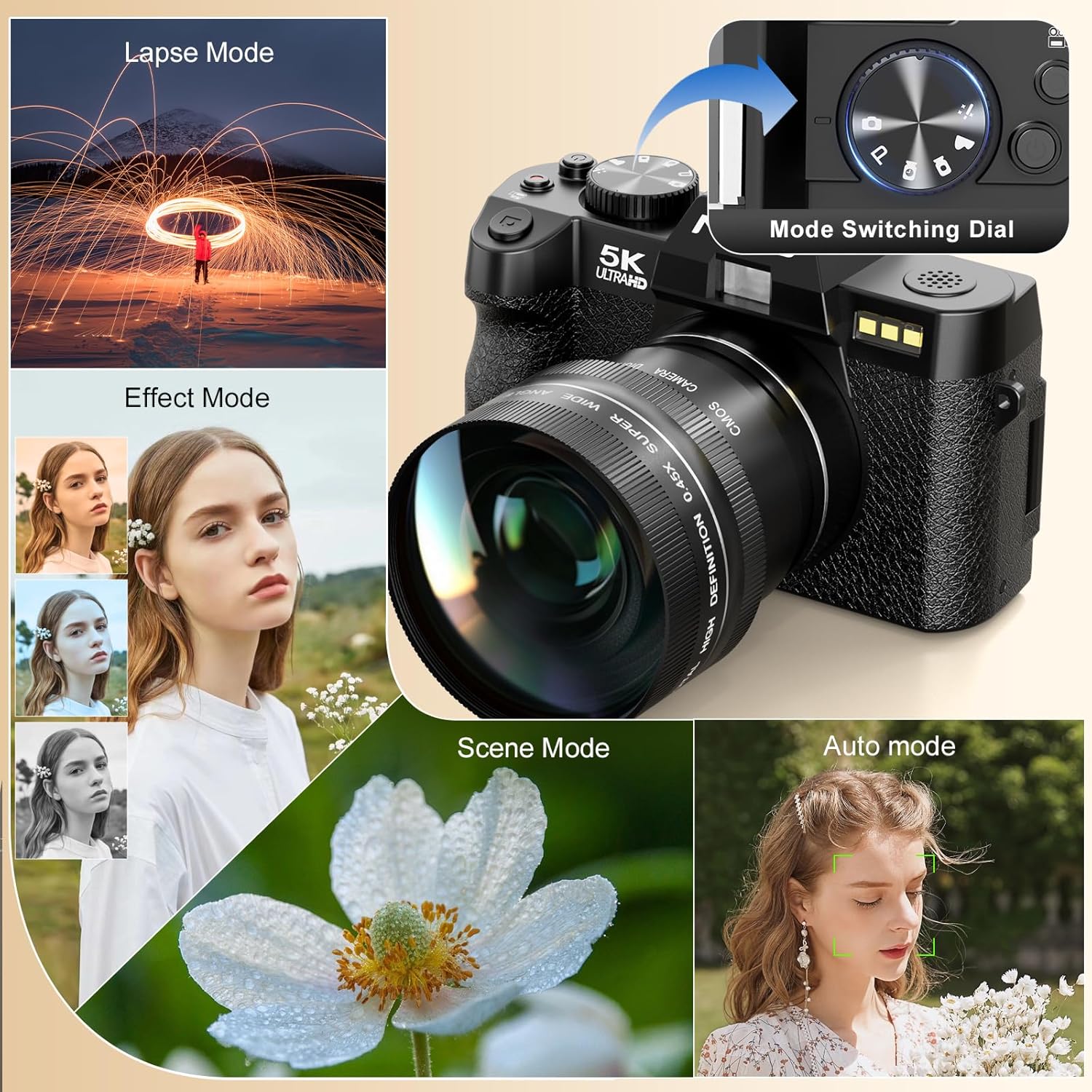
Image: Illustrates the camera's 64 million effective pixels, AF mode, and low-light focusing capabilities.
5.3. ഡിജിറ്റൽ സൂം ഉപയോഗം
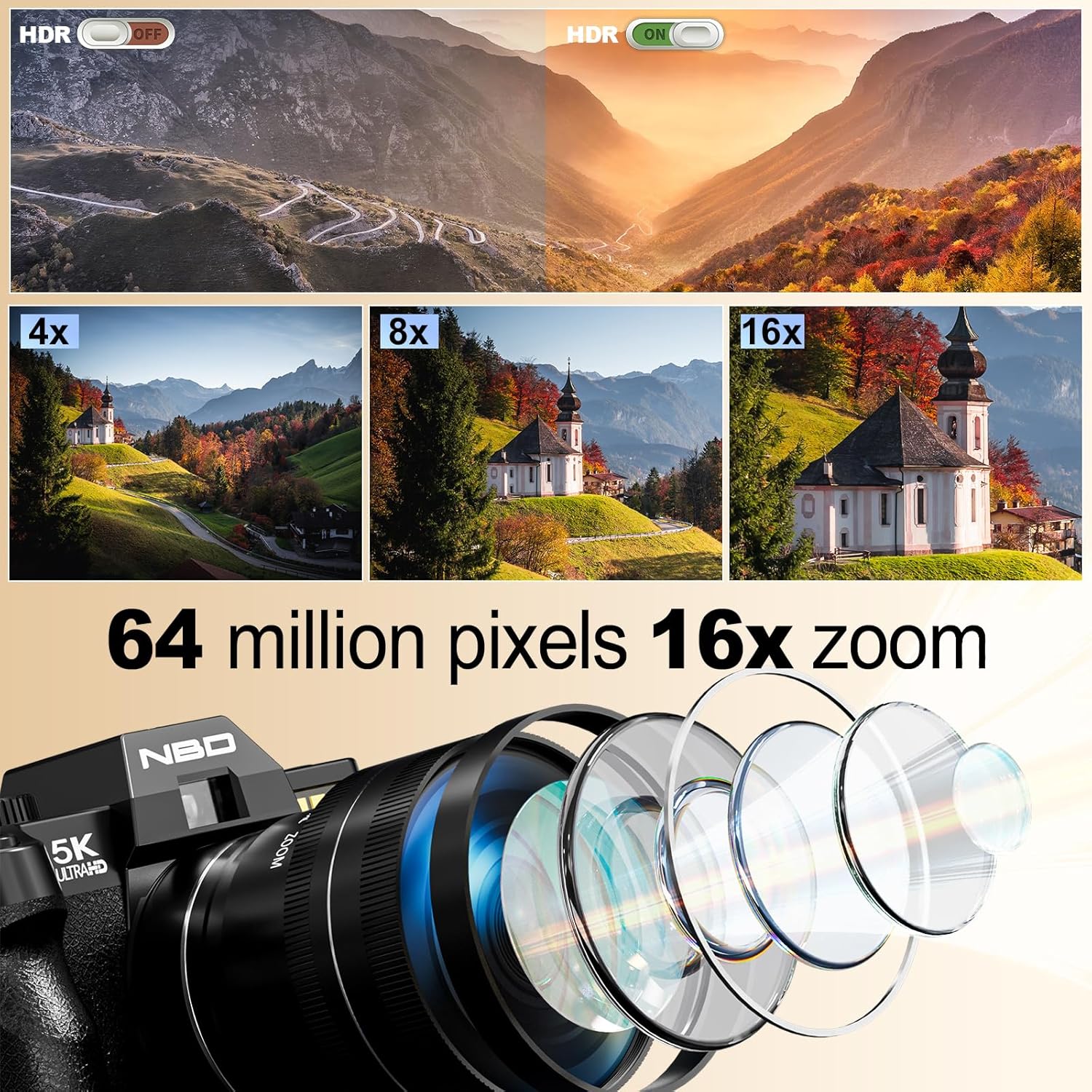
The camera supports 16X digital zoom. Use the zoom lever (often around the shutter button) to zoom in or out.
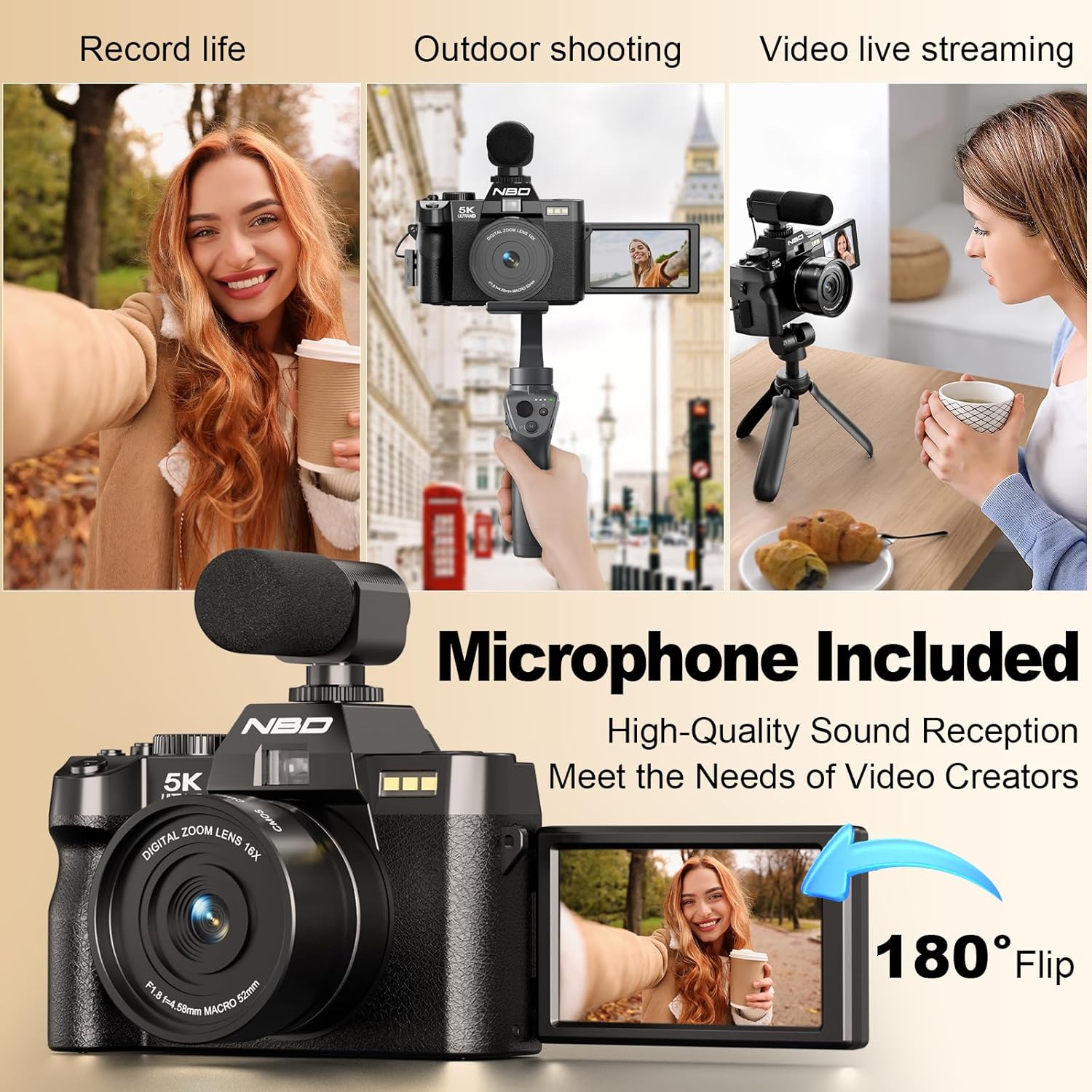
Image: Visual representation of 4x, 8x, and 16x digital zoom levels on the NBD 5K Digital Camera.
5.4. വീഡിയോ റെക്കോർഡിംഗ്
The camera supports 5K 25fps and 1080P 60fps video recording.
Video: Shows the NBD 5K Digital Camera in action, recording video in various settings.
- വീഡിയോ മോഡ് തിരഞ്ഞെടുക്കുക: Rotate the mode dial to the video camera icon.
- റെക്കോർഡിംഗ് ആരംഭിക്കുക: Press the shutter button to begin recording.
- റെക്കോർഡിംഗ് നിർത്തുക: റെക്കോർഡിംഗ് നിർത്താൻ ഷട്ടർ ബട്ടൺ വീണ്ടും അമർത്തുക.
- വ്ലോഗിംഗ്: Utilize the 180° flip screen to monitor yourself while recording. Ensure the external microphone is connected for clear audio.

Image: Demonstrates the superior detail of 5K video resolution compared to 2K and 1080P.

Image: The camera set up for vlogging, showing the external microphone and flip screen.
5.5. ക്യാമറ മോഡുകൾ
The mode dial allows selection of various shooting modes for different scenarios:
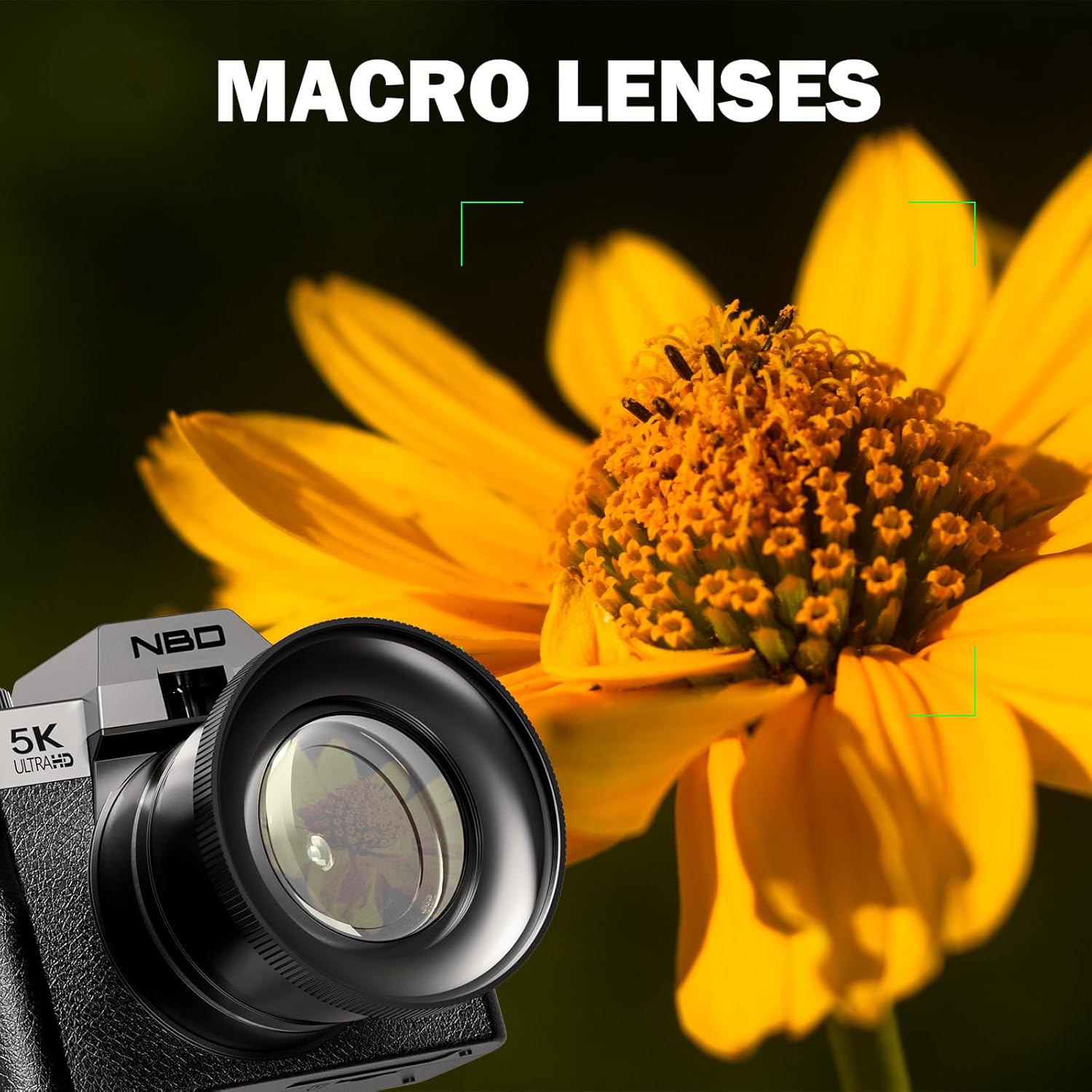
Image: The camera's mode dial and examples of Lapse Mode, Effect Mode, Scene Mode, and Auto Mode.
- സ്വയമേവ: General purpose shooting, camera adjusts settings automatically.
- ഛായാചിത്രം: Optimizes settings for capturing portraits, often with background blur.
- മാക്രോ: For close-up shots of small subjects like flowers and insects.
- സിനിമ: Dedicated video recording mode.
- എളുപ്പം: Simplified mode for beginners.
- സമയദൈർഘ്യം: Captures a series of images over time to create a sped-up video.
- സ്ലോ മോഷൻ: സ്ലോ-മോഷൻ പ്ലേബാക്കിനായി ഉയർന്ന ഫ്രെയിം റേറ്റിൽ വീഡിയോ റെക്കോർഡുചെയ്യുന്നു.
5.6. Macro Photography
Attach the macro lens component for detailed close-up photography.
Image: The NBD 5K Digital Camera with the macro lens attached, capturing a detailed image of a flower.
6. കണക്റ്റിവിറ്റി
6.1. Wi-Fi കണക്റ്റിവിറ്റി
Connect your camera to a smartphone or tablet via Wi-Fi for remote control and quick file കൈമാറ്റം.
Image: The camera displaying Wi-Fi hotspot information, with a smartphone showing a remote camera view.
- Wi-Fi സജീവമാക്കുക: Access the camera's menu and enable Wi-Fi. The camera will display a network name (SSID) and password.
- ഉപകരണം ബന്ധിപ്പിക്കുക: On your smartphone or tablet, go to Wi-Fi settings and connect to the camera's network using the provided password.
- Use App: Download and install the dedicated camera app (refer to camera packaging or manufacturer website for app name). Use the app for remote framing, controlling settings, and transferring photos/videos.
6.2. USB കണക്ഷൻ
Use the USB cable to connect the camera to a computer for file കൈമാറ്റം.
- Connect one end of the USB cable to the camera's USB port.
- നിങ്ങളുടെ കമ്പ്യൂട്ടറിലെ യുഎസ്ബി പോർട്ടിലേക്ക് മറ്റേ അറ്റം ബന്ധിപ്പിക്കുക.
- The camera will appear as a removable drive on your computer, allowing you to access and transfer files.
7. പരിപാലനം
7.1. ക്യാമറ വൃത്തിയാക്കൽ
- ലെൻസ്: Use the provided lens cleaning cloth or a soft, lint-free cloth specifically designed for optical surfaces. Gently wipe the lens in a circular motion. Avoid using harsh chemicals.
- സ്ക്രീൻ: Use a soft, dry cloth to clean the LCD screen. For stubborn smudges, a slightly damp ഉണങ്ങിയ തുണി ഉപയോഗിച്ച ശേഷം തുടയ്ക്കാം.
- ക്യാമറ ബോഡി: മൃദുവായതും ഉണങ്ങിയതുമായ ഒരു തുണി ഉപയോഗിച്ച് ക്യാമറ ബോഡി തുടയ്ക്കുക.
7.2. ബാറ്ററി പരിചരണം
- ഉപയോഗത്തിലില്ലാത്തപ്പോൾ തണുത്തതും ഉണങ്ങിയതുമായ സ്ഥലത്ത് ബാറ്ററികൾ സൂക്ഷിക്കുക.
- ബാറ്ററികളുടെ ആയുസ്സ് വർദ്ധിപ്പിക്കുന്നതിന് ഇടയ്ക്കിടെ പൂർണ്ണമായും ഡിസ്ചാർജ് ചെയ്യുന്നത് ഒഴിവാക്കുക.
- ബാറ്ററികൾ തീവ്രമായ താപനിലയിലേക്ക് തുറന്നുകാട്ടരുത്.
7.3. സംഭരണം
When not in use, store the camera in the provided black leather bag to protect it from dust and scratches. Remove batteries if storing for extended periods.
8. പ്രശ്നപരിഹാരം
If you encounter issues with your NBD 5K Digital Camera, refer to the following common problems and solutions:
| പ്രശ്നം | സാധ്യമായ കാരണം | പരിഹാരം |
|---|---|---|
| ക്യാമറ പവർ ഓൺ ചെയ്യുന്നില്ല. | ബാറ്ററി തീർന്നു അല്ലെങ്കിൽ തെറ്റായി ചേർത്തിരിക്കുന്നു. | ബാറ്ററി ചാർജ് ചെയ്യുക അല്ലെങ്കിൽ ശരിയായി വീണ്ടും ചേർക്കുക. |
| ഫോട്ടോകൾ മങ്ങിയതാണ്. | Camera not focused, subject movement, low light. | Ensure auto-focus locks before shooting. Use flash in low light. Hold camera steady. |
| മെമ്മറി കാർഡ് പിശക്. | Card incorrectly inserted, corrupted, or full. | Re-insert card. Format card (will erase data). Use a different card. Delete files to free space. |
| വൈഫൈ കണക്ഷൻ പ്രശ്നങ്ങൾ. | Incorrect password, app not installed, distance. | Verify password. Ensure app is installed. Stay within range of the camera's Wi-Fi signal. |
| No audio in video. | External microphone not connected or faulty. | Ensure external microphone is securely plugged in. Check microphone settings in camera menu. |
If the problem persists, please contact NBD customer support for further assistance.
9 സ്പെസിഫിക്കേഷനുകൾ
Key technical specifications for the NBD 5K Digital Camera:
| ഫീച്ചർ | വിശദാംശങ്ങൾ |
|---|---|
| ബ്രാൻഡ് | എൻ.ബി.ഡി |
| മോഡലിൻ്റെ പേര് | എൻ.ബി.ഡി |
| മോഡൽ നമ്പർ | B0FR94J83W |
| ഫോട്ടോ സെൻസർ റെസല്യൂഷൻ | 64 എം.പി |
| ഫലപ്രദമായ സ്റ്റിൽ റെസല്യൂഷൻ | 64 എം.പി |
| വീഡിയോ റെസല്യൂഷൻ | 2160p (5K), 1080p |
| ഫ്രെയിം റേറ്റ് | 25fps, 30fps, 60fps, 120fps |
| ഡിജിറ്റൽ സൂം | 16X |
| ലെൻസ് തരം | Macro (with F1.8 aperture) |
| സ്ക്രീൻ വലിപ്പം | 3 ഇഞ്ച് |
| ഡിസ്പ്ലേ തരം | LCD (180° Flip Screen) |
| മെമ്മറി സ്റ്റോറേജ് കപ്പാസിറ്റി | 64 GB (TF Card included) |
| സെൻസർ തരം | CMOS |
| ഇമേജ് സ്റ്റെബിലൈസേഷൻ | ഡിജിറ്റൽ |
| ഓട്ടോ ഫോക്കസ് ടെക്നോളജി | കോൺട്രാസ്റ്റ് ഡിറ്റക്ഷൻ |
| കണക്റ്റിവിറ്റി ടെക്നോളജി | USB, Wi-Fi |
| ബാറ്ററി തരം | ലിഥിയം അയോൺ (2 ഉൾപ്പെടുത്തിയിരിക്കുന്നു) |
| ഉൽപ്പന്നത്തിൻ്റെ പ്രത്യേക ഉപയോഗങ്ങൾ | Vlogging, Photography |
| നിറം | കറുപ്പ് |
| ജല പ്രതിരോധ നില | വാട്ടർ റെസിസ്റ്റൻ്റ് അല്ല |
10. വാറണ്ടിയും പിന്തുണയും
10.1. ഉൽപ്പന്ന വാറൻ്റി
The NBD 5K Digital Camera comes with a limited warranty. Please refer to the warranty card included in your package or visit the official NBD webകവറേജും കാലാവധിയും സംബന്ധിച്ച വിശദമായ നിബന്ധനകൾക്കും വ്യവസ്ഥകൾക്കും സൈറ്റ് സന്ദർശിക്കുക.
10.2. ഉപഭോക്തൃ പിന്തുണ
For technical assistance, troubleshooting beyond this manual, or warranty claims, please contact NBD customer support. Contact information can typically be found on the product packaging, the official NBD webസൈറ്റ്, അല്ലെങ്കിൽ നിങ്ങളുടെ റീട്ടെയിലർ വഴി.


