1. ആമുഖം
This manual provides detailed instructions for the YCCTEAM Wired Controller, designed for use with Xbox One, Xbox Series X/S, and PC (Windows 7/8/10). Please read this manual carefully to ensure proper setup, operation, and maintenance of your controller.
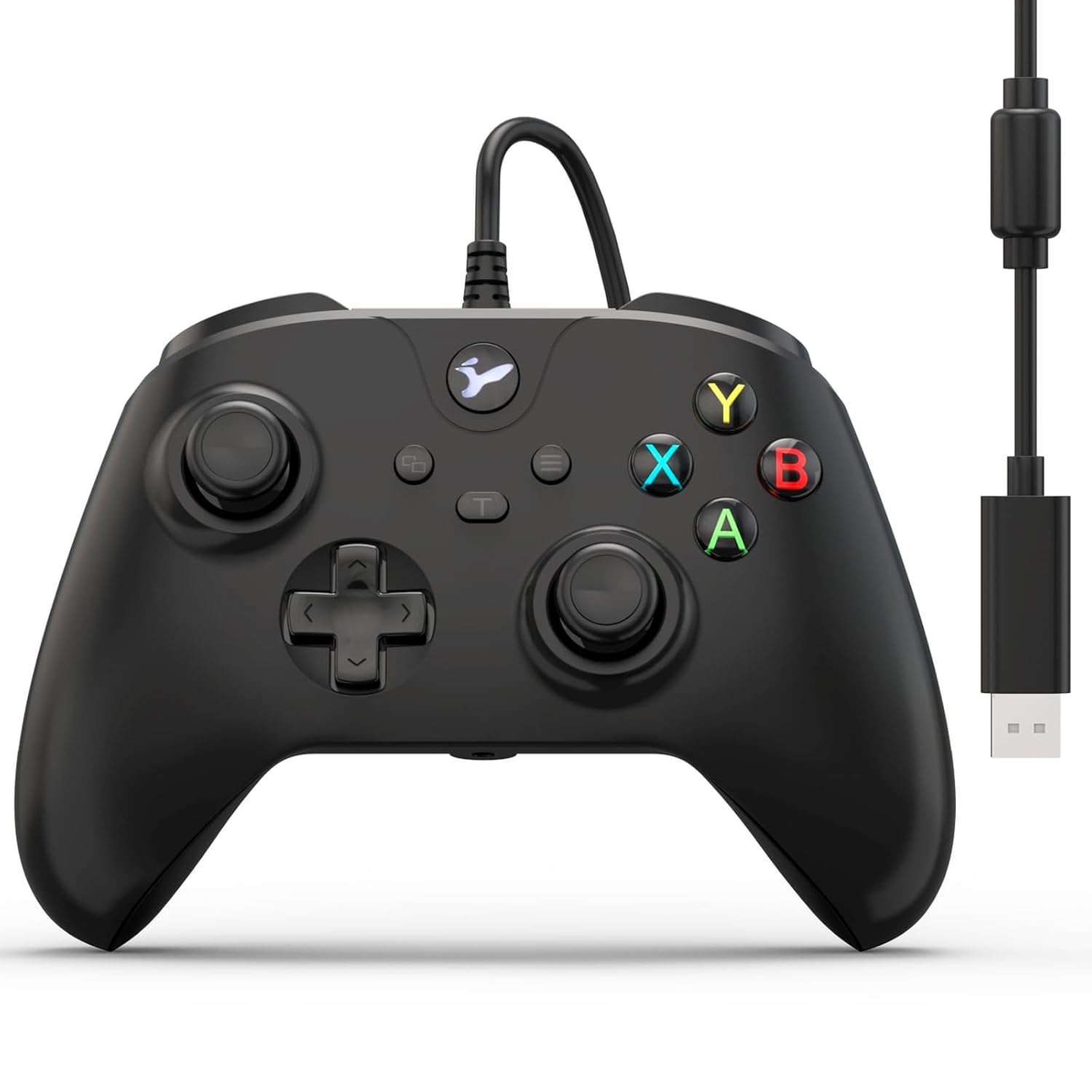
ചിത്രം 1.1: മുൻഭാഗം view of the YCCTEAM Wired Controller with its integrated USB cable.
2. ഉൽപ്പന്നം കഴിഞ്ഞുview
2.1 പ്രധാന സവിശേഷതകൾ
- Precision Vibration Feedback: Equipped with dual motors for immersive vibration feedback, enhancing gameplay realism.
- High-Precision Controls: Features 256-level precision 3D joysticks, dual pressure-sensitive triggers, and an 8-way D-pad for accurate input.
- എർഗണോമിക് ഡിസൈൻ: Asymmetric contouring and textured grips provide comfort during extended gaming sessions.
- പ്ലഗ്-ആൻഡ്-പ്ലേ കണക്റ്റിവിറ്റി: Connects directly via a 7.2-foot USB cable, requiring no batteries or Bluetooth pairing.
- ടർബോ ഫംഗ്ഷൻ: An 8Hz Turbo mode allows for rapid, automatic button presses, reducing finger strain.
- 3.5mm ഓഡിയോ ജാക്ക്: Integrated audio jack for headset connection, enabling clear in-game communication.
- വിശാലമായ അനുയോജ്യത: Compatible with Xbox One, Xbox One S, Xbox One X, Xbox Series X, Xbox Series S, and PC (Windows 7/8/10).
2.2 Controller Components

ചിത്രം 2.1: വിശദമായത് view of controller components including A/B/X/Y buttons, 3.5mm audio jack, 3D joysticks, and linear triggers.
- A/B/X/Y ബട്ടണുകൾ: സ്റ്റാൻഡേർഡ് ആക്ഷൻ ബട്ടണുകൾ.
- ഡി-പാഡ്: Directional pad for precise movement or menu navigation.
- ഇടത്/വലത് ജോയ്സ്റ്റിക്കുകൾ: 3D analog sticks for 360-degree control.
- ഇടത്/വലത് ട്രിഗറുകൾ (LT/RT): Pressure-sensitive analog triggers.
- ഇടത്/വലത് ബമ്പറുകൾ (LB/RB): Digital shoulder buttons.
- മെനു ബട്ടൺ: ഇൻ-ഗെയിം മെനുകൾ അല്ലെങ്കിൽ സിസ്റ്റം ഓപ്ഷനുകൾ ആക്സസ് ചെയ്യുക.
- View ബട്ടൺ: Access in-game maps or system views.
- Xbox ബട്ടൺ: കൺസോൾ ഓൺ/ഓഫ് ചെയ്യുക, എക്സ്ബോക്സ് ഗൈഡ് ആക്സസ് ചെയ്യുക.
- 3.5mm ഓഡിയോ ജാക്ക്: For connecting compatible headsets.
- യൂഎസ്ബി കേബിൾ: Integrated 7.2-foot USB cable for connection.

Image 2.2: The controller features dual vibration motors for enhanced haptic feedback during gameplay.
3. സജ്ജീകരണ നിർദ്ദേശങ്ങൾ
3.1 Connecting to Xbox One/Series X|S
- നിങ്ങളുടെ Xbox കൺസോൾ ഓണാക്കിയിട്ടുണ്ടെന്ന് ഉറപ്പാക്കുക.
- നിങ്ങളുടെ Xbox കൺസോളിൽ ലഭ്യമായ ഒരു USB പോർട്ട് കണ്ടെത്തുക.
- Plug the USB connector of the YCCTEAM Wired Controller into the USB port.
- The controller will automatically be recognized by the console. The Xbox button on the controller will illuminate to indicate a successful connection.
- Your controller is now ready for use.

Image 3.1: Controller connected to various Xbox consoles and a PC, demonstrating broad compatibility.
3.2 Connecting to PC (Windows 7/8/10)
- നിങ്ങളുടെ പിസി ഓൺ ആണെന്ന് ഉറപ്പാക്കുക.
- നിങ്ങളുടെ പിസിയിൽ ലഭ്യമായ ഒരു യുഎസ്ബി പോർട്ട് കണ്ടെത്തുക.
- Plug the USB connector of the YCCTEAM Wired Controller into the USB port.
- Windows will automatically detect and install the necessary drivers. This process may take a few moments.
- Once drivers are installed, the controller will be ready for use. You can verify its status in your PC's Device Manager or game controller settings.
- No additional software or batteries are required.
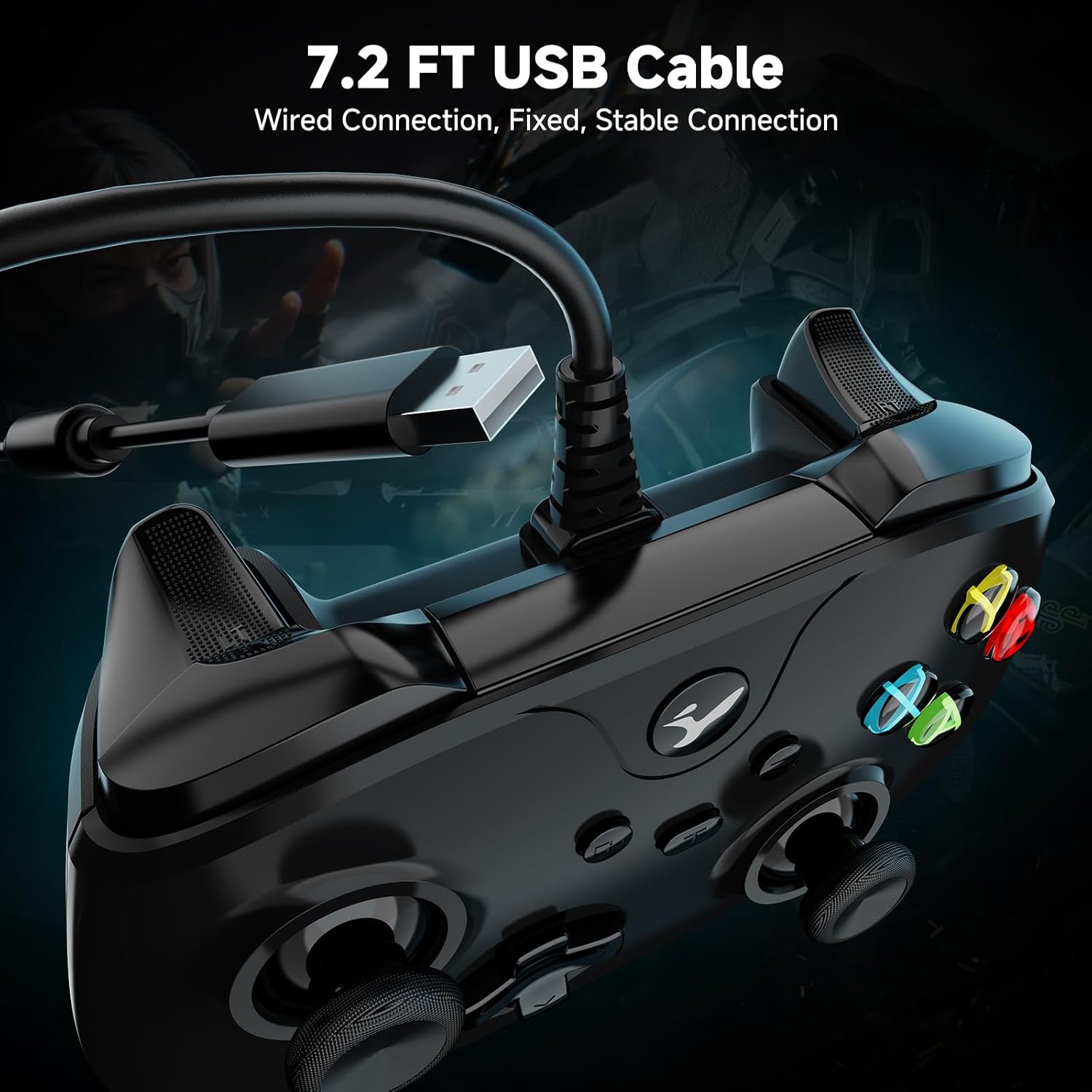
Image 3.2: The 7.2-foot USB cable provides a stable wired connection to your device.
4. പ്രവർത്തന നിർദ്ദേശങ്ങൾ
4.1 അടിസ്ഥാന നിയന്ത്രണം
The YCCTEAM Wired Controller functions similarly to standard Xbox controllers. Use the joysticks for movement and camera control, the D-pad for menu navigation or specific actions, and the A/B/X/Y buttons for in-game commands. The LB/RB bumpers and LT/RT triggers provide additional input options.
4.2 ടർബോ ഫംഗ്ഷൻ
The controller features an 8Hz Turbo mode for rapid button presses. This function can be activated for specific buttons to perform repeated actions automatically.
- ടർബോ സജീവമാക്കാൻ: Press and hold the desired action button (e.g., A, B, X, Y, LB, RB, LT, RT) and then press the "Turbo" button (often indicated by a 'T' or similar icon, usually near the center of the controller). The button will now rapidly repeat its input when held down.
- ടർബോ നിർജ്ജീവമാക്കാൻ: Repeat the activation process: press and hold the button with Turbo enabled, then press the "Turbo" button again.

Image 4.1: The Turbo function allows for rapid, automatic button presses.
4.3 Using the 3.5mm Audio Jack
The integrated 3.5mm audio jack allows you to connect a compatible headset for in-game audio and voice chat.
- Plug your 3.5mm headset into the audio jack located at the bottom of the controller.
- Ensure your headset is properly seated.
- Audio and microphone functions should be automatically routed through the controller. You may need to adjust audio settings within your game or console/PC system settings.

Image 4.2: Connect a 3.5mm headset for audio and communication.
5. പരിപാലനം
- വൃത്തിയാക്കൽ: കൺട്രോളർ വൃത്തിയാക്കാൻ മൃദുവായതും ഉണങ്ങിയതുമായ ഒരു തുണി ഉപയോഗിക്കുക. കഠിനമായ അഴുക്കിന്, അല്പം ഡി.amp cloth can be used, but ensure no moisture enters the controller's openings.
- സംഭരണം: കൺട്രോളർ നേരിട്ട് സൂര്യപ്രകാശം ഏൽക്കാത്തതും തീവ്രമായ താപനില ഏൽക്കാത്തതുമായ ഒരു തണുത്ത വരണ്ട സ്ഥലത്ത് സൂക്ഷിക്കുക.
- കേബിൾ കെയർ: Avoid sharply bending or twisting the USB cable. Do not pull the cable to disconnect; always grasp the USB plug.
- തുള്ളികൾ ഒഴിവാക്കുക: While designed for durability, repeated drops can damage internal components. Handle with care.
6. പ്രശ്നപരിഹാരം
| പ്രശ്നം | പരിഹാരം |
|---|---|
| Controller not recognized by console/PC. |
|
| വൈബ്രേഷൻ ഫീഡ്ബാക്ക് ഇല്ല. |
|
| Audio jack not working. |
|
| Controller does not wake up after PC standby. |
|
| Buttons or joysticks are unresponsive or have "drift". |
|
7 സ്പെസിഫിക്കേഷനുകൾ
- മോഡൽ: B0FRS94GX3
- കണക്റ്റിവിറ്റി: വയർഡ് യുഎസ്ബി
- കേബിൾ നീളം: 7.2 അടി (ഏകദേശം 2.2 മീറ്റർ)
- അനുയോജ്യത: Xbox One, Xbox One S, Xbox One X, Xbox Series X, Xbox Series S, PC (Windows 7/8/10)
- ജോയ്സ്റ്റിക്കുകൾ: 256-level precision 3D joysticks
- വൈബ്രേഷൻ: Dual motors for haptic feedback
- ഓഡിയോ: 3.5mm headset audio jack
- ടർബോ ഫംഗ്ഷൻ: 8Hz rapid fire
- അളവുകൾ: ഏകദേശം 6.5 x 4.84 x 2.76 ഇഞ്ച്
- ഭാരം: ഏകദേശം 10.6 ഔൺസ് (300 ഗ്രാം)
- നിർമ്മാതാവ്: YCCTEAM
8. വാറൻ്റിയും പിന്തുണയും
YCCTEAM products are designed for reliability and performance. For specific warranty details, please refer to the product packaging or the official YCCTEAM website. If you encounter any issues or have questions regarding your YCCTEAM Wired Controller, please contact YCCTEAM customer support through their official channels.
ബന്ധപ്പെടാനുള്ള വിവരങ്ങൾ:
- Webസൈറ്റ്: www.yccteam.com (കുറിപ്പ്: ഇതൊരു പ്ലെയ്സ്ഹോൾഡറാണ് URL, please refer to actual product documentation for correct support webസൈറ്റ്.)
- ഇമെയിൽ: ഉദ്യോഗസ്ഥനെ റഫർ ചെയ്യുക webപിന്തുണ ഇമെയിൽ വിലാസങ്ങൾക്കായുള്ള സൈറ്റ്.
വാറൻ്റി ക്ലെയിമുകൾക്കായി നിങ്ങളുടെ വാങ്ങിയതിൻ്റെ തെളിവ് സൂക്ഷിക്കുക.