1. ആമുഖം
This manual provides essential information for the safe and effective use of your GEOID VE200 Smart Trainer. Please read it thoroughly before initial setup and operation. Keep this manual for future reference.
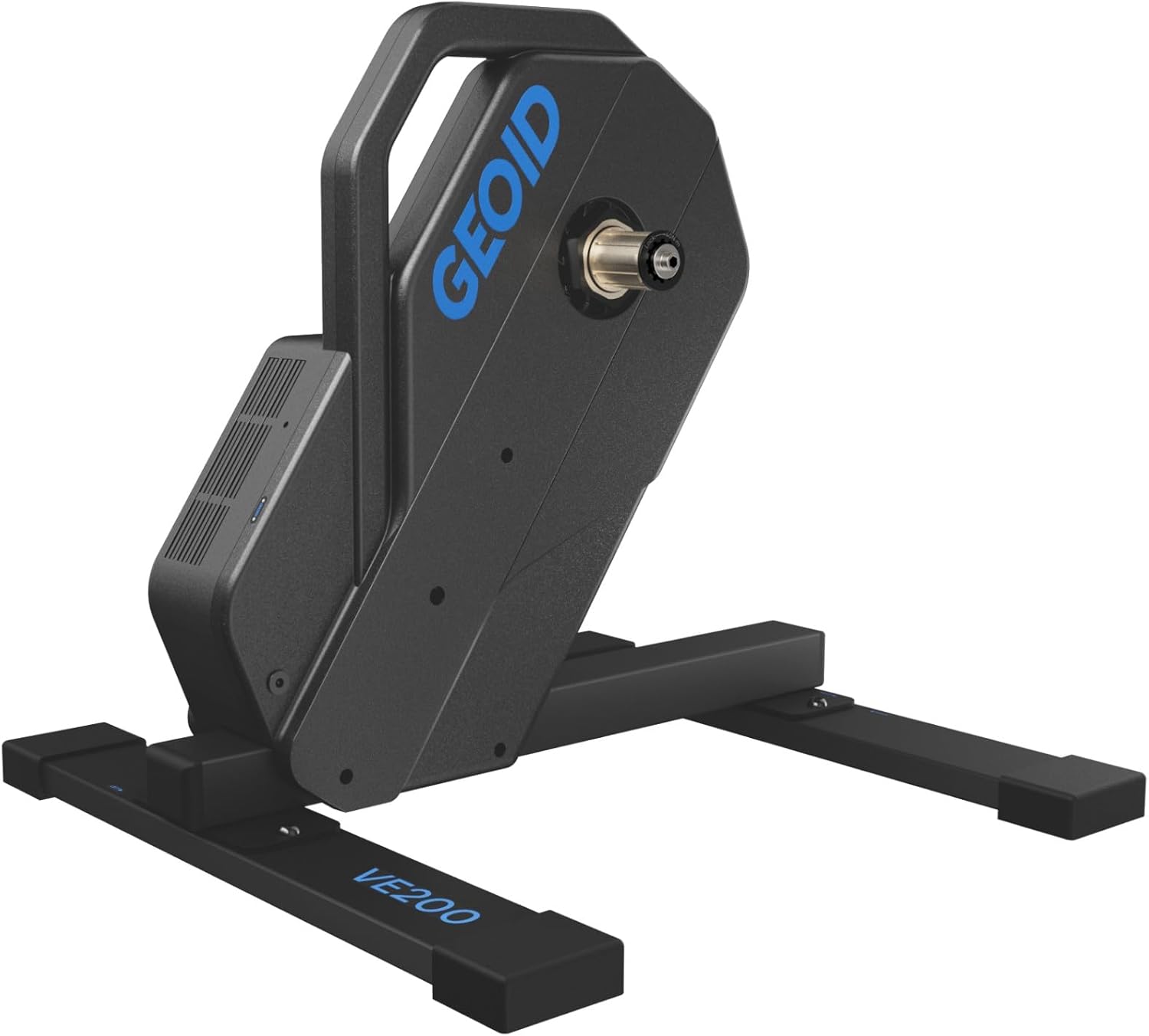
Image 1.1: The GEOID VE200 Smart Trainer, a direct-drive indoor cycling trainer.
2 പ്രധാന സവിശേഷതകൾ
- ഉയർന്ന പ്രകടനം: Offers a maximum power output of 2000W, power accuracy of ±2%, and simulates inclines up to 15%. Features a robust steel frame and pure copper electromagnetic resistance for a stable and realistic ride experience.
- ശാന്തമായ പ്രവർത്തനം: Designed for low noise, allowing for indoor training without significant disturbance. Noise level is below 56dB at 80rpm cadence (measured in GEOID lab).
- ERG Mode & Customization: ERG resistance response can be customized in 3 stages. The Onelap Fit app allows for pre-customization of training experiences.
- ഇരട്ട കണക്റ്റിവിറ്റി: Equipped with BLE (Bluetooth Low Energy) and Wi-Fi dual protocols for stable and uninterrupted connections across various network environments.
- വിശാലമായ അനുയോജ്യത: Supports 26-29 inch MTB and 700C road bike wheels. Compatible with thru-axle (12x142mm / 12x148mm) and quick-release (130mm / 135mm) frames. Supports Shimano and SRAM 8-11 speed cassettes, Shimano Road 12-speed, and SRAM XDR 12-speed (XDR freehub sold separately).
- Safety & Portability: Features a full-cover design to prevent accidental finger pinching. Lightweight (11.9kg) and includes a handle for easy transport.
- Important Activation Note: For first-time use, product activation (initial setup) is mandatory. Failure to activate correctly may result in improper operation. Refer to the included instruction manual for detailed activation steps.
3. പാക്കേജ് ഉള്ളടക്കം

ചിത്രം 3.1: കഴിഞ്ഞുview of the GEOID VE200 Smart Trainer package contents.
- VE200 Main Unit
- 12V 4A പവർ അഡാപ്റ്റർ
- ദ്രുത-റിലീസ് ലിവർ
- Freehub Washer
- HG Standard Quick-Release End Cap (pre-installed)
- 130/135 Quick-Release Converter
- HG Standard Thru-Axle End Cap
- 12x142/148 Thru-Axle Converter
- Disc Brake Protector
- ദ്രുത ആരംഭ ഗൈഡ്
- 5 എംഎം ഹെക്സ് റെഞ്ച്
- 17 എംഎം ഓപ്പൺ-എൻഡ് റെഞ്ച്
Note: Flywheel (cassette) is not included and must be purchased separately.
4. സജ്ജീകരണം
4.1 അൺബോക്സിംഗും പ്രാരംഭ അസംബ്ലിയും
The following video demonstrates the unboxing and initial assembly steps, including attaching the support legs, installing the cassette, and setting up the adapter seats.
Video 4.1: Detailed unboxing and installation guide for the X2Max (similar to VE200) smart trainer, covering support leg attachment, cassette installation, and adapter setup.
- പിന്തുണ കാലുകൾ ഘടിപ്പിക്കുക: Securely attach the two support legs to the main unit using the provided screws and hex key. Ensure the longer side of the support leg is on the drive side (freehub side).
- കാസറ്റ് ഇൻസ്റ്റാൾ ചെയ്യുക: If your trainer does not have a pre-installed cassette, carefully align the widest notch on the freehub with the widest step on your cassette. Install all cassette pieces, ensuring the raised part of loose pieces faces the cassette. Tighten the cassette with a cassette wrench and cassette sleeve to a torque of 40Nm.
- Install Adapter Seats: The trainer comes with a thru-axle drive-side adapter seat pre-installed. For thru-axle frames, ensure the correct 142mm or 148mm adapter is installed on the non-drive side. For quick-release bikes, remove the pre-installed thru-axle adapter using the open-end wrench and install the quick-release adapter seat.
4.2 നിങ്ങളുടെ സൈക്കിൾ ഘടിപ്പിക്കൽ
Once the trainer is assembled and the correct adapter seats are in place, you can mount your bicycle. For ease of installation, it is recommended to shift your bike's cassette to the smallest cog before mounting.
- Remove Rear Wheel: നിങ്ങളുടെ സൈക്കിളിന്റെ പിൻ ചക്രം ഊരിമാറ്റുക.
- Position Chain: Gently place the bike chain onto the smallest cog of the trainer's cassette.
- Mount Frame: Carefully lower your bicycle frame onto the trainer, aligning the dropouts with the trainer's axle.
- Secure Axle: For thru-axle frames, insert and tighten your bike's thru-axle. For quick-release frames, insert the quick-release lever and tighten it securely.
5. പ്രവർത്തന നിർദ്ദേശങ്ങൾ
5.1 പവർ കണക്ഷൻ
Connect the provided 12V 4A power adapter to the trainer and plug it into a suitable power outlet. The trainer will power on automatically.
5.2 ആപ്പ് കണക്റ്റിവിറ്റി
The GEOID VE200 supports both Bluetooth Low Energy (BLE) and Wi-Fi for connecting to various cycling applications. This dual protocol ensures a stable connection for your training sessions.

Image 5.1: Bluetooth and Wi-Fi dual protocol for reliable connection.
ബന്ധിപ്പിക്കുന്നതിന്:
- Ensure your smart trainer is powered on.
- Open your preferred cycling application (e.g., Onelap Fit, Zwift, MyWhoosh, Rouvy, BKOOL, TrainerRoad, Kinomap, FulGaz).
- Follow the app's instructions to search for and connect to the smart trainer via Bluetooth or Wi-Fi.
- The trainer will transmit speed, cadence, and power data to the application.
5.3 ERG Mode
The ERG mode allows the trainer to automatically adjust resistance to maintain a target power output, regardless of your speed or cadence. The GEOID VE200 offers 3 stages of ERG resistance customization through the Onelap Fit app, enabling a comfortable ride even for beginners.

Image 5.2: ERG mode customization for personalized training.
6 അനുയോജ്യത
6.1 Bicycle Compatibility
- Wheel Sizes: 26-29 inch Mountain Bikes (MTB) and 700C Road Bikes (RD).
- ഫ്രെയിം തരങ്ങൾ: Thru-axle (12x142mm / 12x148mm) and Quick Release (130mm / 135mm).
- കാസറ്റ് അനുയോജ്യത: Shimano and SRAM 8-11 speed cassettes, Shimano Road 12-speed, and SRAM XDR 12-speed (XDR freehub sold separately).
6.2 സോഫ്റ്റ്വെയർ അനുയോജ്യത
The GEOID VE200 Smart Trainer is widely compatible with mainstream cycling applications, including:
- Onelap Fit
- സ്വിഫ്റ്റ്
- MyWhoosh
- റൂവി
- BKOOL
- ട്രെയിനർറോഡ്
- കിനോമാപ്പ്
- FulGaz
Video 6.1: Demonstration of the smart trainer's compatibility with various cycling software, showcasing data transmission and virtual riding.
7. പരിപാലനം
Regular maintenance ensures the longevity and optimal performance of your smart trainer.
- വൃത്തിയാക്കൽ: Wipe down the trainer with a soft, dry cloth after each use to remove sweat and dust. Avoid using abrasive cleaners or solvents.
- കേബിൾ പരിശോധന: Periodically check the power cable and any other connections for signs of wear or damage. Replace if necessary.
- സംഭരണം: When not in use, store the trainer in a dry, cool place away from direct sunlight and extreme temperatures. The compact design and handle facilitate easy storage.
8. പ്രശ്നപരിഹാരം
If you encounter issues with your GEOID VE200 Smart Trainer, refer to the following common problems and solutions:
- Trainer Not Powering On: Ensure the power adapter is securely connected to both the trainer and a working power outlet.
- Connection Issues with App:
- Verify that Bluetooth or Wi-Fi is enabled on your device.
- Ensure the trainer is powered on and within range of your device.
- Close and restart the cycling application.
- If using multiple devices, ensure only one device is attempting to connect to the trainer at a time.
- Perform the mandatory initial activation as described in the Quick Start Guide if this is your first use.
- Incorrect Power/Speed Readings:
- Ensure the trainer is properly calibrated if your application supports it.
- Check that your bicycle is securely mounted and the chain is correctly engaged with the cassette.
- പ്രവർത്തന സമയത്ത് അസാധാരണമായ ശബ്ദം:
- Verify that the cassette is properly installed and tightened.
- Ensure the bicycle frame is securely mounted and not rubbing against any part of the trainer.
- Check for any loose components on the trainer or your bicycle.
If problems persist, please contact online customer service for assistance.
9 സ്പെസിഫിക്കേഷനുകൾ

Image 9.1: Detailed product specifications for the GEOID VE200 Smart Trainer.
| ഫീച്ചർ | സ്പെസിഫിക്കേഷൻ |
|---|---|
| ഉൽപ്പന്ന മോഡൽ | VE200 |
| നിറം | കറുപ്പ് |
| മെറ്റീരിയൽ | പ്ലാസ്റ്റിക്, മെറ്റൽ |
| പാക്കേജ് വലിപ്പം | 60 x 60 x 25 സെ.മീ |
| ഭാരം | 11.9 kg (Product), 15 kg (Package) |
| പ്രതിരോധ സംവിധാനം | വൈദ്യുതകാന്തിക |
| പരമാവധി പവർ ഔട്ട്പുട്ട് | 2000W |
| പവർ കൃത്യത | ±2% |
| Maximum Incline Simulation | 15% |
| ശബ്ദ നില | <56dB |
| കണക്റ്റിവിറ്റി | ബ്ലൂടൂത്ത്, വൈഫൈ |
| ERG Mode | പിന്തുണച്ചു |
| അനുയോജ്യമായ വീൽ വലുപ്പങ്ങൾ | 26-29" MTB / 700C RD |
| അനുയോജ്യമായ ആക്സിലുകൾ | Thru-axle (12x142/12x148), Quick Release (130/135mm) |
| അനുയോജ്യമായ കാസറ്റുകൾ | Shimano, SRAM 8-11 speed, Shimano Road 12-speed, SRAM XDR 12-speed (XDR freehub sold separately) |
10. വാറൻ്റിയും പിന്തുണയും
The GEOID VE200 Smart Trainer comes with a 1-year manufacturer's warranty. If you encounter any issues during use, please contact our online customer service. We are committed to providing thorough support for your trainer-related questions and needs.
11. ഓപ്ഷണൽ ആക്സസറികൾ
While the GEOID VE200 is a direct-drive trainer and does not require a front wheel block for stability, some users may prefer one for a more level riding position or to protect flooring. The following video demonstrates a compatible front wheel bracket.
Video 11.1: Demonstration of a front wheel bracket, an optional accessory for enhanced stability and comfort during indoor training.


