1. ആമുഖം
The Razer Viper V3 Pro SE is a high-performance wireless gaming mouse designed for precision and speed. This manual provides essential information for its proper setup, operation, and maintenance.
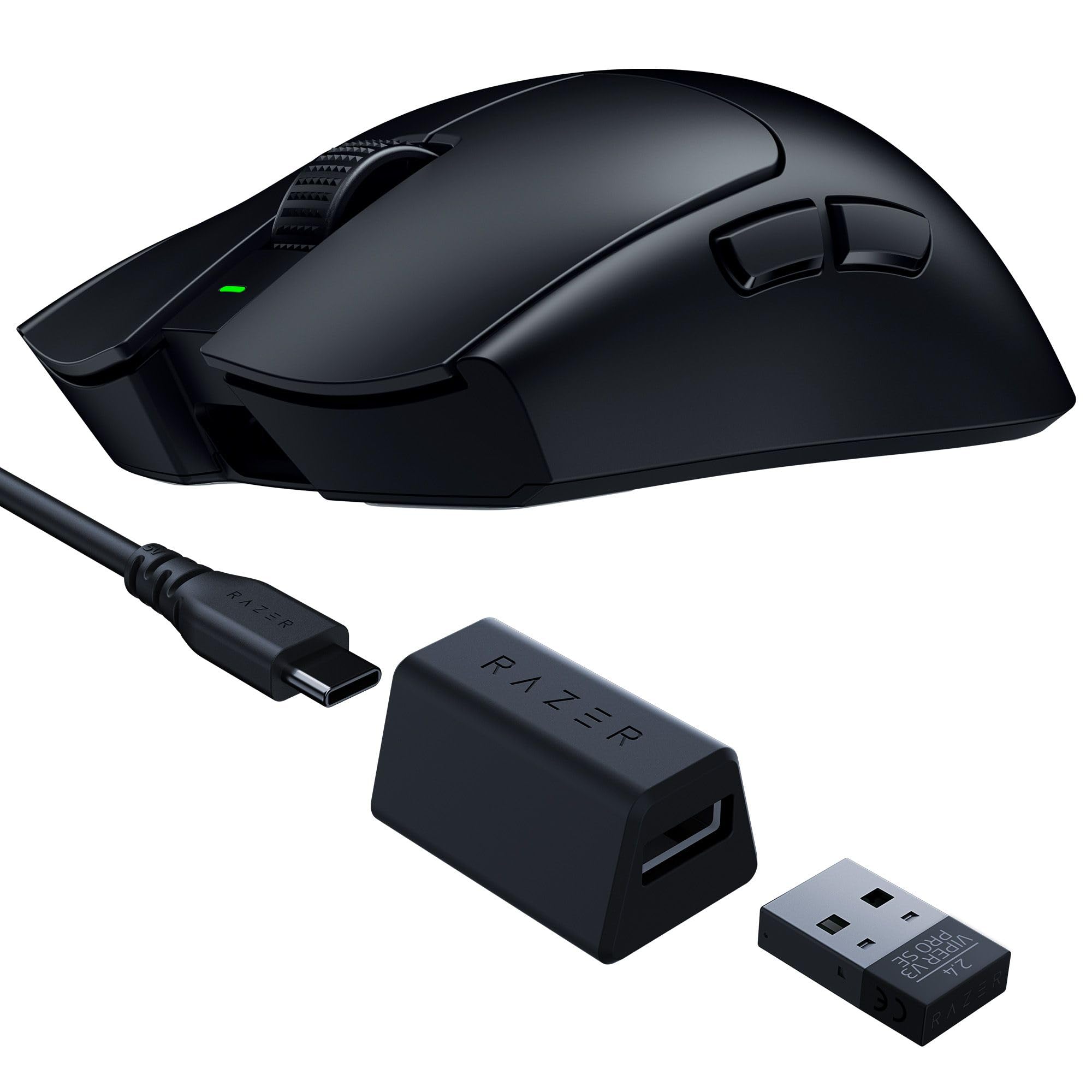
Image: The Razer Viper V3 Pro SE Wireless Gaming Mouse in black, showcasing അതിന്റെ സമമിതി രൂപകൽപ്പന.
പ്രധാന സവിശേഷതകൾ:
- 54g Ultra Lightweight Design: Engineered for swift and precise movements.
- Focus Pro 35K Optical Sensor Gen-2: Offers up to 35,000 DPI with 99.8% resolution accuracy.
- HyperSpeed Wireless: Provides ultra-responsive, low-latency performance with a 1000 Hz polling rate dongle.
- Optical Mouse Switches Gen-3: Features a 90-million click lifespan and 0.2 ms actuation speed.
- 95 മണിക്കൂർ വരെ ബാറ്ററി ലൈഫ്: Extended usage for long gaming sessions.
- Smooth-Touch Finish: Designed for enhanced grip and comfort.
2. സജ്ജീകരണം
2.1 ബോക്സിൽ എന്താണുള്ളത്:
- Razer Viper V3 Pro SE Wireless Gaming Mouse
- HyperSpeed Wireless Dongle + USB Dongle Adapter
- യുഎസ്ബി ടൈപ്പ് എ മുതൽ യുഎസ്ബി ടൈപ്പ് സി കേബിൾ വരെ
- പ്രധാനപ്പെട്ട ഉൽപ്പന്ന വിവര ഗൈഡ്
2.2 Initial Connection:
- Connect the HyperSpeed Wireless Dongle to an available USB-A port on your computer.
- താഴെയുള്ള പവർ സ്വിച്ച് ഉപയോഗിച്ച് മൗസ് ഓണാക്കുക.
- The mouse should automatically pair with the dongle.

Image: The HyperSpeed Wireless Dongle and USB Type A to USB Type C Cable included with the mouse.
2.3 Charging the Mouse:
Connect the USB Type A to USB Type C cable to the front of the mouse and to a USB-A port on your computer or a USB charger. The mouse features an internal battery with up to 95 hours of life.
2.4 Software Installation (Razer Synapse):
For full customization and optimization, download and install the Razer Synapse software from the official Razer webസൈറ്റ്. ഈ സോഫ്റ്റ്വെയർ നിങ്ങളെ ഇനിപ്പറയുന്നവ ചെയ്യാൻ അനുവദിക്കുന്നു:
- DPI ക്രമീകരണങ്ങൾ ക്രമീകരിക്കുക.
- റീമാപ്പ് ബട്ടണുകൾ.
- Configure polling rates.
- ഇഷ്ടാനുസൃത പ്രോ സൃഷ്ടിക്കുകfiles.
Video: An unboxing video demonstrating the contents and initial setup of the Razer Viper V3 Pro SE.
3. മൗസ് പ്രവർത്തിപ്പിക്കൽ
3.1 അടിസ്ഥാന പ്രവർത്തനങ്ങൾ:
- ഇടത് ക്ലിക്ക്: പ്രാഥമിക പ്രവർത്തനം.
- വലത് ക്ലിക്കിൽ: ദ്വിതീയ പ്രവർത്തനം.
- സ്ക്രോൾ വീൽ: മുകളിലേക്കും/താഴേക്കും സ്ക്രോൾ ചെയ്യുക, മധ്യത്തിൽ ക്ലിക്ക് ചെയ്യുക.
- സൈഡ് ബട്ടണുകൾ: Default to forward/back, customizable via Razer Synapse.
- Power/DPI Button (Underside): Toggles power and cycles through preset DPI stages.

Image: The underside of the Razer Viper V3 Pro SE, highlighting the power switch and DPI cycle button.
3.2 DPI Adjustment:
The mouse features a Focus Pro 35K Optical Sensor Gen-2, allowing for precise tracking. You can adjust the DPI (Dots Per Inch) sensitivity:
- പറക്കുമ്പോൾ: Press the Power/DPI button on the underside to cycle through preset DPI stages.
- ഇഷ്ടാനുസൃതമാക്കൽ: Use Razer Synapse to set specific DPI levels and assign them to buttons or profiles.
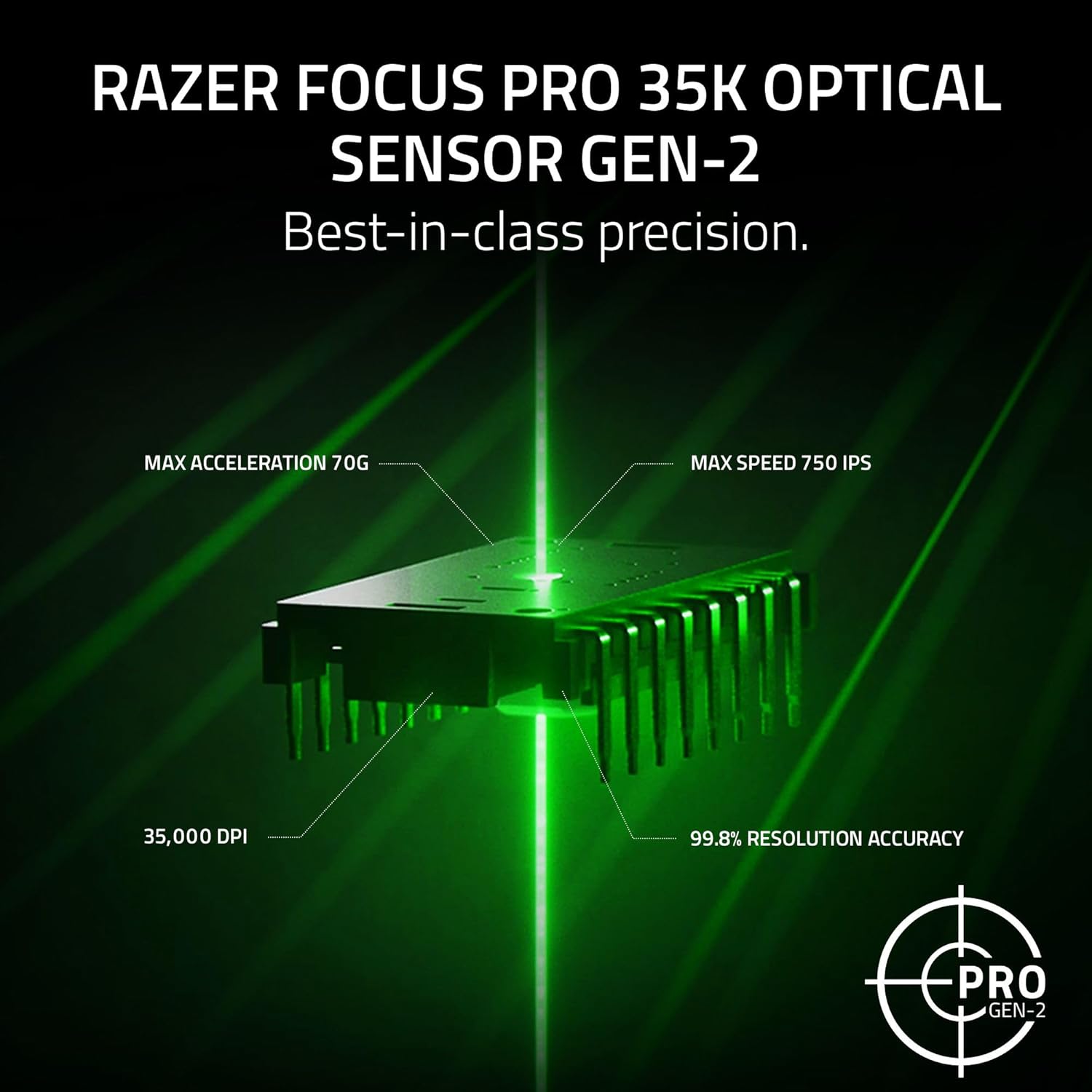
Image: A visual representation of the Razer Focus Pro 35K Optical Sensor Gen-2, detailing its 35,000 DPI, 99.8% resolution accuracy, 70G max acceleration, and 750 IPS max speed.
3.3 HyperSpeed Wireless:
The Razer HyperSpeed Wireless technology ensures a stable and responsive connection. The included dongle supports a 1000 Hz polling rate. For higher polling rates (up to 8000 Hz), a separate Razer HyperPolling Wireless Dongle is required.
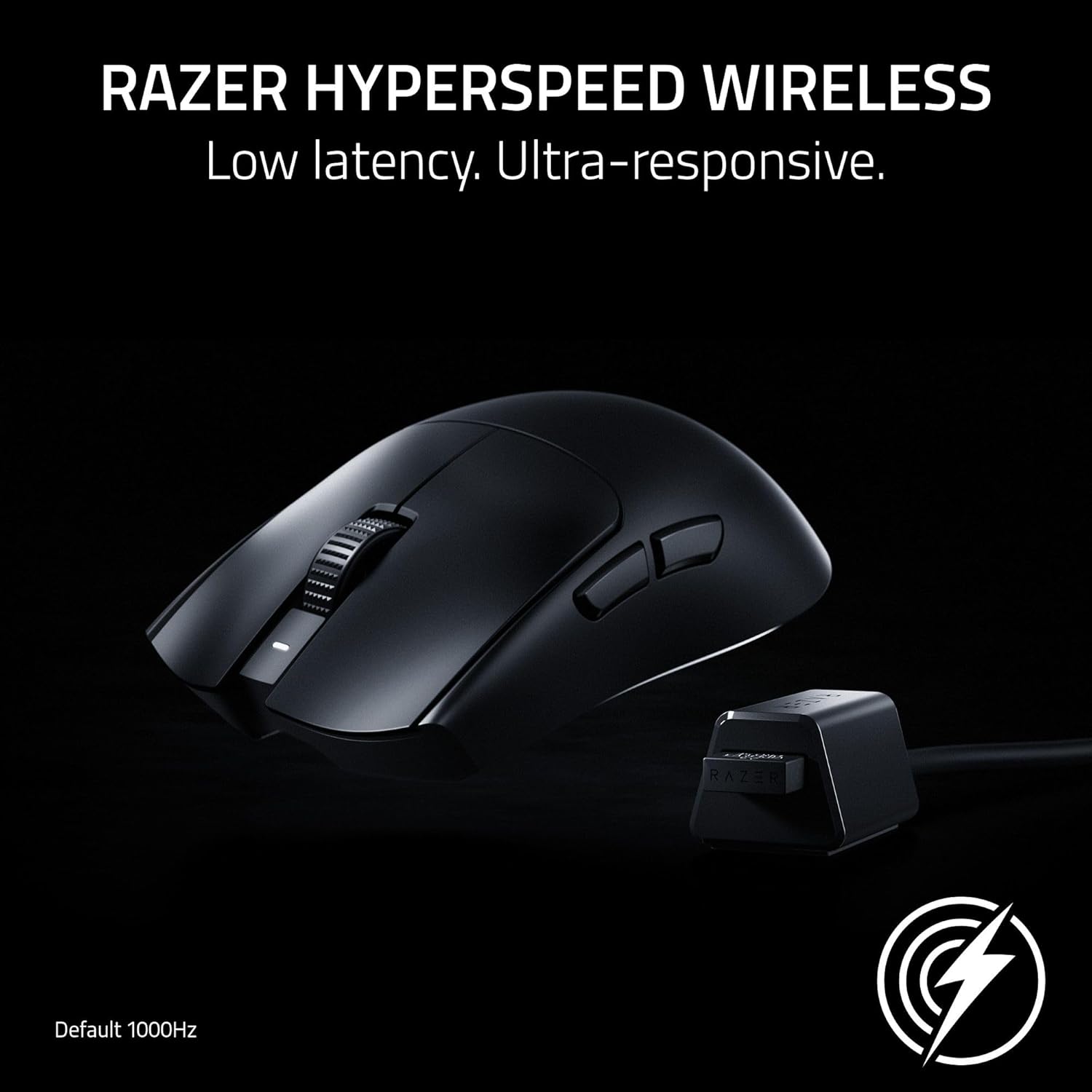
Image: The Razer Viper V3 Pro SE mouse positioned next to its HyperSpeed Wireless dongle, illustrating the wireless connection.
Video: A showcase video highlighting the features and performance of the Razer Viper V3 Pro SE.
4. പരിപാലനം
4.1 വൃത്തിയാക്കൽ:
മികച്ച പ്രകടനം നിലനിർത്താൻ, നിങ്ങളുടെ മൗസ് പതിവായി വൃത്തിയാക്കുക. മൃദുവായ, ലിന്റ് രഹിത തുണി ഉപയോഗിച്ച് ചെറുതായി വൃത്തിയാക്കുക.ampവെള്ളമോ നേരിയ ക്ലീനിംഗ് ലായനിയോ ഉപയോഗിച്ച് നനയ്ക്കുക. കഠിനമായ രാസവസ്തുക്കളോ ഉരച്ചിലുകളോ ഉള്ള വസ്തുക്കൾ ഒഴിവാക്കുക.
4.2 ബാറ്ററി പരിചരണം:
മൗസിൽ ഒരു ബിൽറ്റ്-ഇൻ റീചാർജ് ചെയ്യാവുന്ന ബാറ്ററിയുണ്ട്. ബാറ്ററി ആയുസ്സ് വർദ്ധിപ്പിക്കാൻ:
- ബാറ്ററി ഇടയ്ക്കിടെ പൂർണ്ണമായും ഡിസ്ചാർജ് ചെയ്യുന്നത് ഒഴിവാക്കുക.
- ബാറ്ററി ഇൻഡിക്കേറ്റർ കുറവായിരിക്കുമ്പോൾ മൗസ് ചാർജ് ചെയ്യുക.
- ദീർഘനേരം ഉപയോഗിക്കാത്തപ്പോൾ തണുത്തതും വരണ്ടതുമായ സ്ഥലത്ത് മൗസ് സൂക്ഷിക്കുക.

Image: A hand operating the Razer Viper V3 Pro SE mouse on a gaming mat, emphasizing its long battery life.
5. പ്രശ്നപരിഹാരം
5.1 കണക്റ്റിവിറ്റി പ്രശ്നങ്ങൾ:
- Ensure the HyperSpeed Wireless Dongle is securely plugged into a USB-A port.
- മൗസ് ഓണാക്കിയിട്ടുണ്ടോയെന്ന് പരിശോധിക്കുക.
- Try plugging the dongle into a different USB port or a different computer to isolate the issue.
- If issues persist, try re-pairing the mouse with the dongle using Razer Synapse.
5.2 Tracking Problems:
- മൗസിന്റെ അടിവശത്തുള്ള ഒപ്റ്റിക്കൽ സെൻസർ വൃത്തിയാക്കുക.
- മൗസ് അനുയോജ്യമായ ഒരു പ്രതലത്തിലാണ് ഉപയോഗിക്കുന്നതെന്ന് ഉറപ്പാക്കുക (മൗസ് പാഡ് ശുപാർശ ചെയ്യുന്നു).
- In Windows mouse settings, disable "Enhance pointer precision" for optimal accuracy.
- Calibrate the mouse surface in Razer Synapse for improved tracking performance.
5.3 Battery Not Charging:
- Check the USB Type C cable for damage and ensure it's properly connected.
- മറ്റൊരു USB പോർട്ട് അല്ലെങ്കിൽ ചാർജിംഗ് അഡാപ്റ്റർ പരീക്ഷിക്കുക.
- Ensure the mouse is not in an extremely cold or hot environment, which can affect charging.
6 സ്പെസിഫിക്കേഷനുകൾ
| ഫീച്ചർ | വിശദാംശങ്ങൾ |
|---|---|
| ബ്രാൻഡ് | റേസർ |
| മോഡലിൻ്റെ പേര് | Viper V3 Pro SE |
| മോഡൽ നമ്പർ | RZ01-04550100-R3U1 |
| നിറം | കറുപ്പ് |
| കണക്റ്റിവിറ്റി ടെക്നോളജി | 2.4Ghz Wireless, USB |
| മൂവ്മെന്റ് ഡിറ്റക്ഷൻ ടെക്നോളജി | ഒപ്റ്റിക്കൽ |
| Mouse Maximum Sensitivity | 35000 Dots per Inch (DPI) |
| പോളിംഗ് നിരക്ക് | 1000Hz (up to 8000Hz with separate HyperPolling Dongle) |
| ബട്ടൺ അളവ് | 6 |
| കൈ ഓറിയൻ്റേഷൻ | ശരിയാണ് |
| ബാറ്ററി ശരാശരി ആയുസ്സ് | 95 മണിക്കൂർ |
| ഇനത്തിൻ്റെ ഭാരം | 0.28 കിലോഗ്രാം (54 ഗ്രാം) |
| ഇനത്തിൻ്റെ അളവുകൾ (L x W) | 5"ലിറ്റർ x 2.51"വാട്ട് |
| അനുയോജ്യമായ ഉപകരണങ്ങൾ | പേഴ്സണൽ കമ്പ്യൂട്ടർ |
| ഓപ്പറേറ്റിംഗ് സിസ്റ്റം | Windows 10, Linux, Mac |
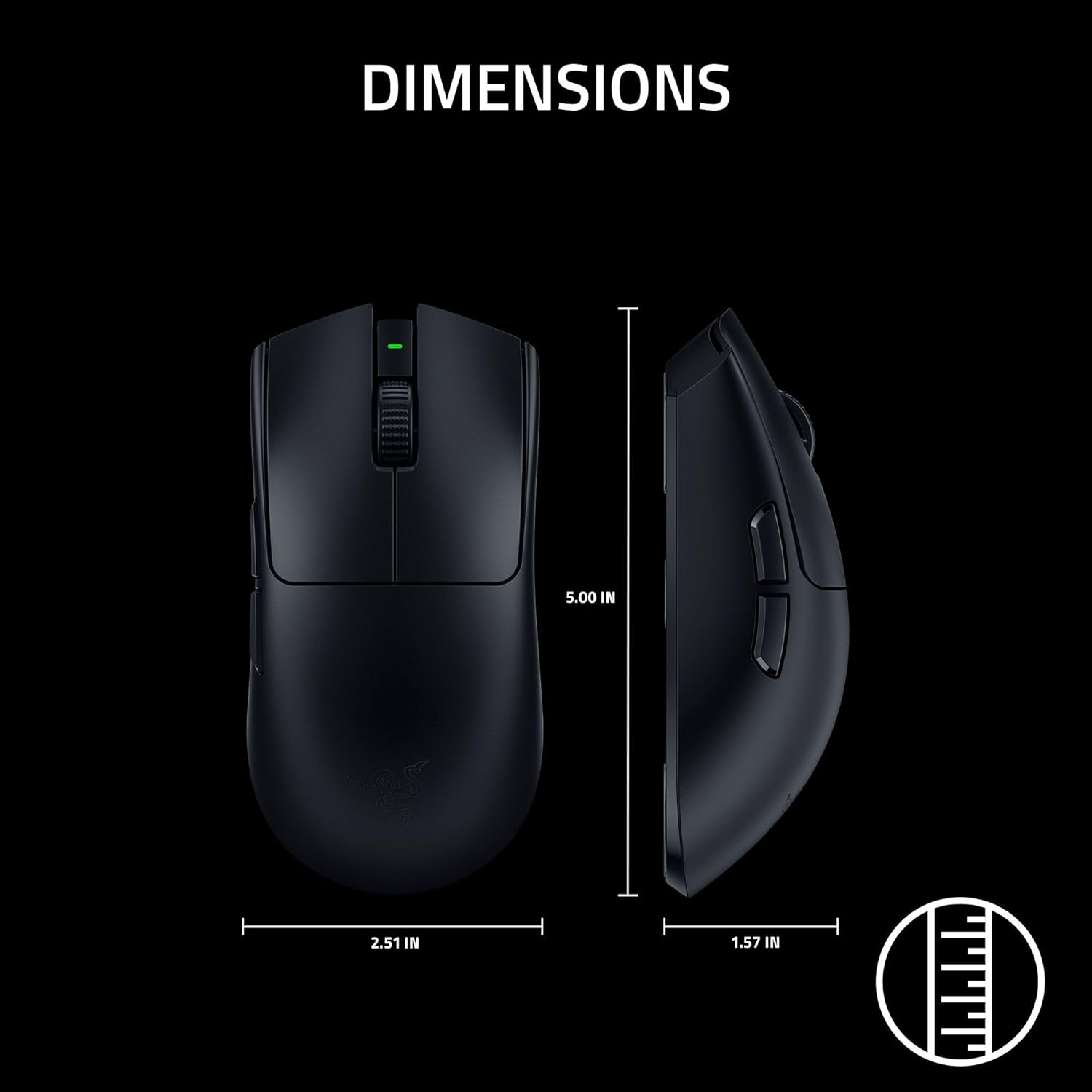
Image: A diagram illustrating the dimensions of the Razer Viper V3 Pro SE mouse.
7. വാറൻ്റി
The Razer Viper V3 Pro SE Wireless Gaming Mouse comes with a 2 വർഷത്തെ നിർമ്മാതാവിൻ്റെ വാറൻ്റി. Please retain your proof of purchase for warranty claims. For detailed warranty terms and conditions, refer to the Important Product Information Guide included in your package or visit the official Razer webസൈറ്റ്.
8. പിന്തുണ
For further assistance, technical support, or to download the latest version of Razer Synapse software, please visit the official Razer Support webസൈറ്റ്: www.razer.com/support (ജനറൽ).
You can also find additional resources and FAQs on the Razer community forums.


