ആമുഖം
This manual provides detailed instructions for the safe and efficient use of your Monster S290 Portable Bluetooth Speaker. Please read this manual thoroughly before operating the device and retain it for future reference.
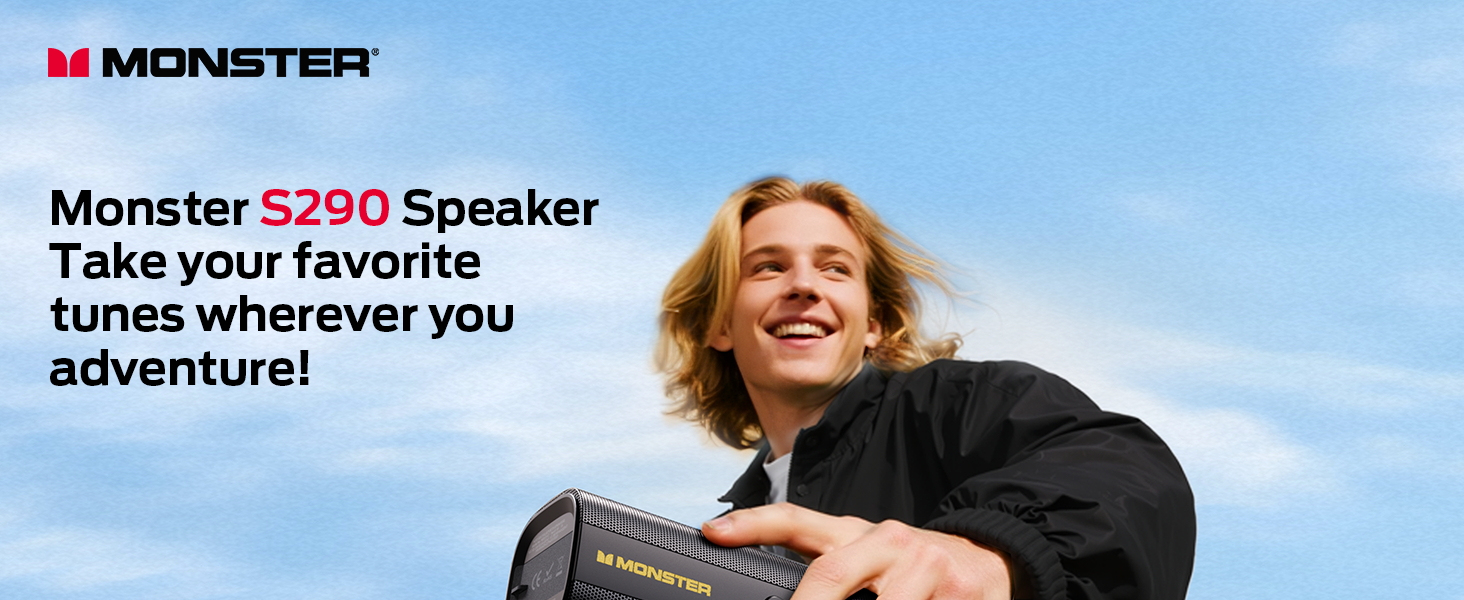
Image: The Monster S290 Portable Bluetooth Speaker in an outdoor setting, highlighting its portability.
പാക്കേജ് ഉള്ളടക്കം
അൺബോക്സിംഗ് ചെയ്യുമ്പോൾ എല്ലാ ഇനങ്ങളും ഉണ്ടെന്ന് ഉറപ്പാക്കുക:
- Monster S290 Speaker x1
- AUX IN Cable x1
- USB-C ചാർജിംഗ് കേബിൾ x1
- Quick Start Guide & Warning Card x1
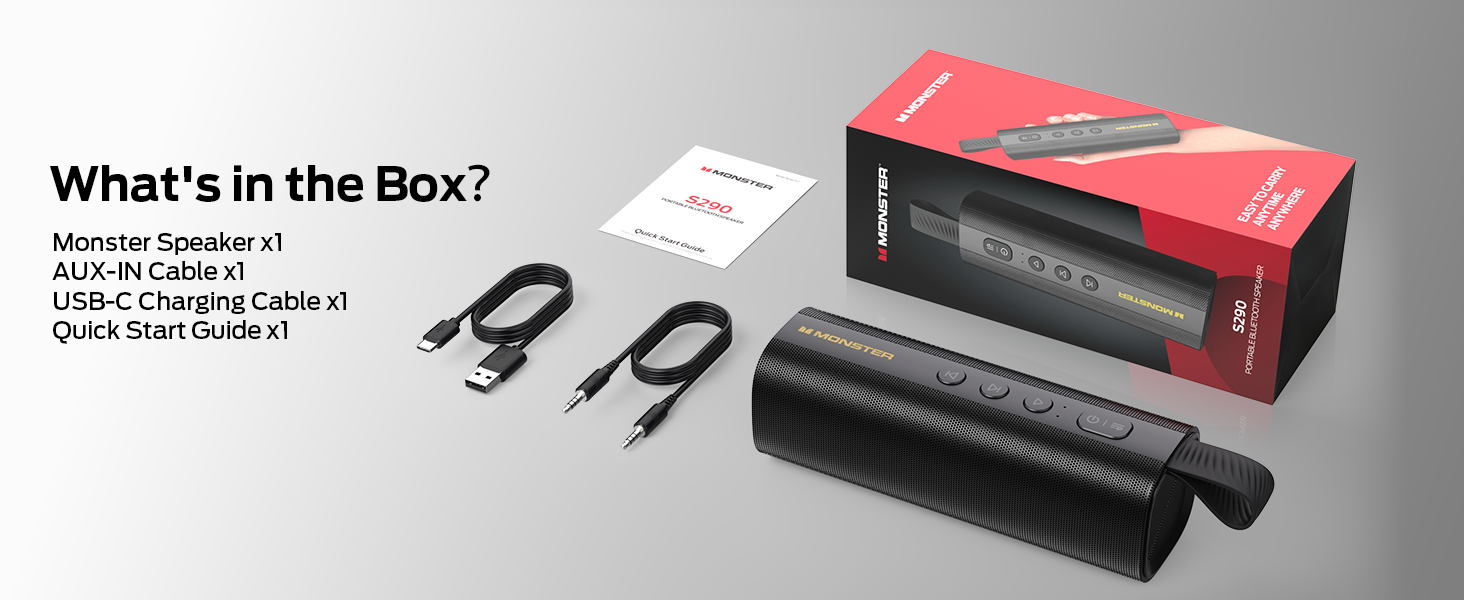
Image: All components included in the Monster S290 package.
ഉൽപ്പന്ന സവിശേഷതകൾ
- 30W Powerful Audio: Delivers crisp highs and deep bass.
- ബ്ലൂടൂത്ത് 6.0: Ensures faster pairing, stable connection, and extended range.
- ടിഡബ്ല്യുഎസ് ജോടിയാക്കൽ: Connect two S290 speakers for a stereo sound experience.
- 15-മണിക്കൂർ കളിസമയം: Enjoy extended music playback on a single charge.
- Type-C Fast Charge: വേഗമേറിയതും സൗകര്യപ്രദവുമായ റീചാർജിംഗ്.
- IPX6 വാട്ടർപ്രൂഫ്: Resistant to splashes, sweat, and rain, suitable for outdoor use.
- പോർട്ടബിൾ ഡിസൈൻ: Lightweight with a soft-touch silicone strap for easy carrying.
- Multiple Input Interfaces: Supports AUX, TF card, and USB playback.
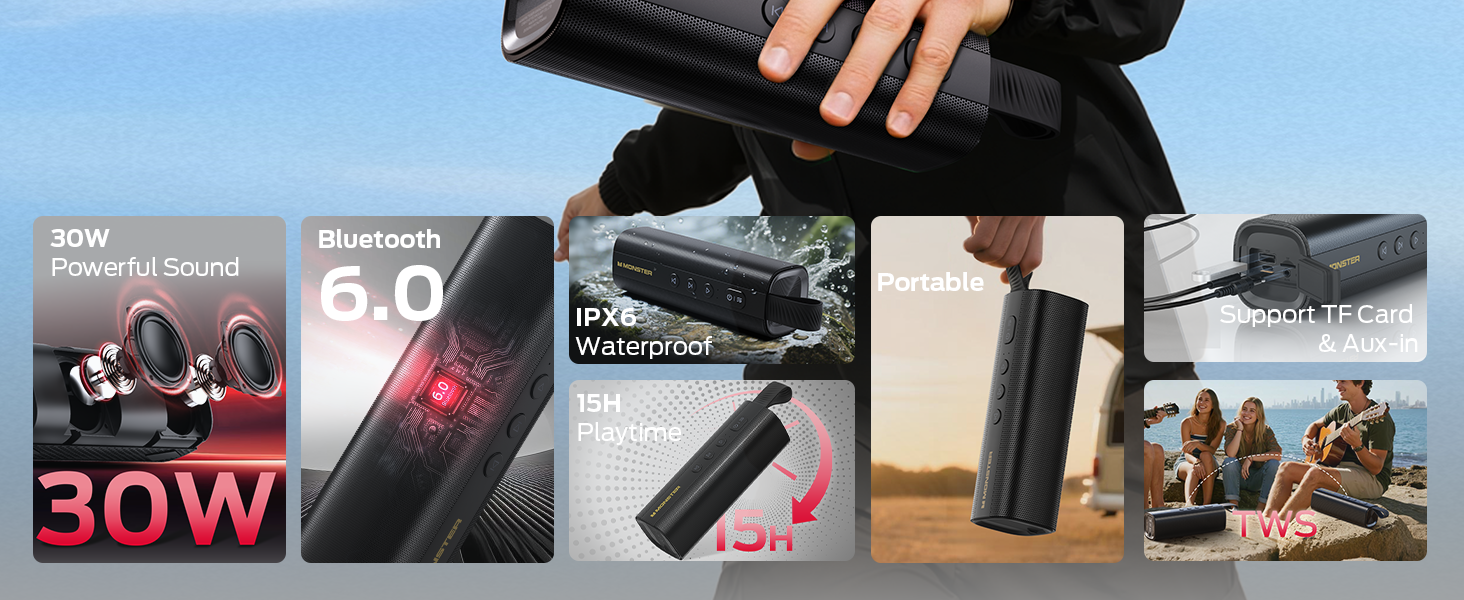
Image: Visual representation of the Monster S290's key features.
സജ്ജീകരണ ഗൈഡ്
1. സ്പീക്കറിൽ നിന്ന് നിരക്ക് ഈടാക്കുന്നു
Before first use, fully charge the speaker using the provided USB-C charging cable. The charging indicator light will show the charging status.
- Connect the USB-C cable to the speaker's charging port.
- കേബിളിന്റെ മറ്റേ അറ്റം അനുയോജ്യമായ ഒരു USB പവർ അഡാപ്റ്ററുമായി ബന്ധിപ്പിക്കുക (ഉൾപ്പെടുത്തിയിട്ടില്ല).
- സാധാരണയായി ഒരു പൂർണ്ണ ചാർജ് ഏകദേശം 3-4 മണിക്കൂർ എടുക്കും.
2. പവർ ഓൺ/ഓഫ്
- പവർ ഓണാക്കാൻ, അമർത്തിപ്പിടിക്കുക പവർ ബട്ടൺ (
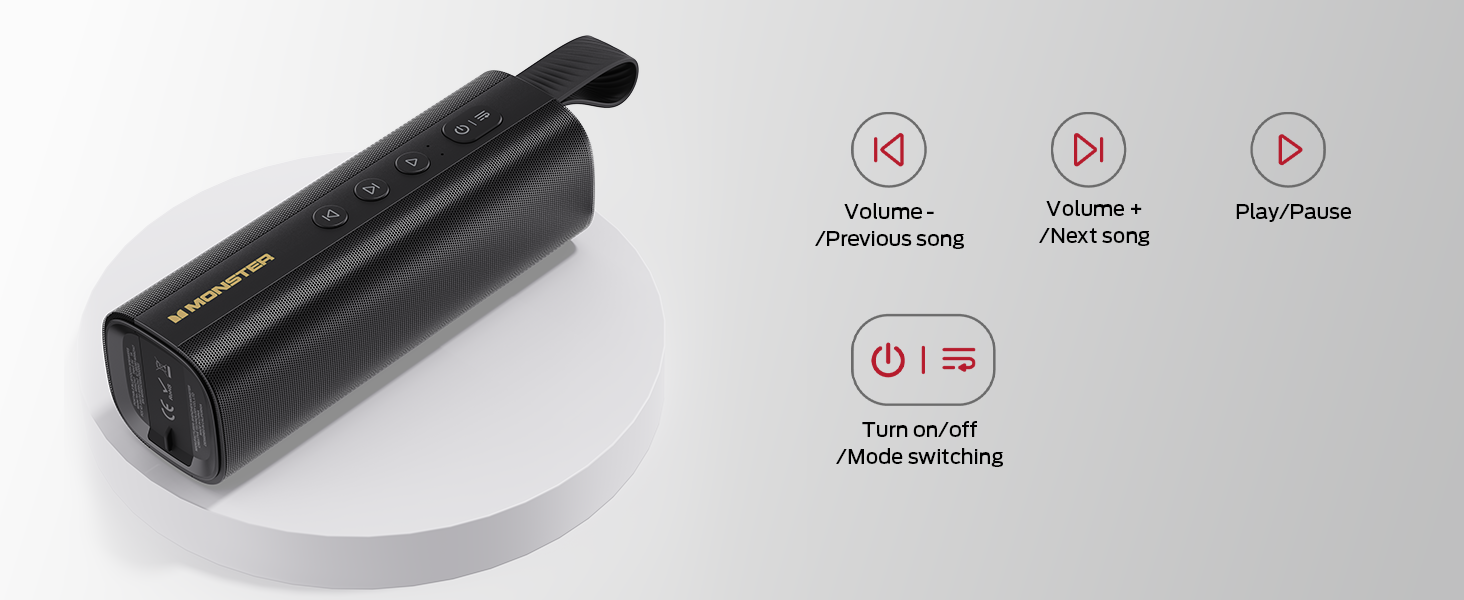 ) for 2-3 seconds until you hear an audible prompt and the LED indicator lights up.
 - പവർ ഓഫ് ചെയ്യുന്നതിന്, അമർത്തിപ്പിടിക്കുക പവർ ബട്ടൺ again for 2-3 seconds.
Image: Close-up of the speaker's control panel, illustrating button functions.
3. ബ്ലൂടൂത്ത് ജോടിയാക്കൽ
The speaker will automatically enter Bluetooth pairing mode when powered on for the first time or if no device is connected. The LED indicator will flash blue.
- Ensure the speaker is powered on and in pairing mode.
- നിങ്ങളുടെ ഉപകരണത്തിൽ (സ്മാർട്ട്ഫോൺ, ടാബ്ലെറ്റ്, ലാപ്ടോപ്പ്), ബ്ലൂടൂത്ത് പ്രവർത്തനക്ഷമമാക്കുക.
- ഇതിനായി തിരയുക "Monster S290" in the list of available devices and select it to connect.
- Once connected, you will hear an audible confirmation, and the LED indicator will turn solid blue.
Video: Demonstration of the speaker's main functions, including power-on, Bluetooth pairing, and volume control.
4. ട്രൂ വയർലെസ് സ്റ്റീരിയോ (TWS) ജോടിയാക്കൽ
For an enhanced stereo experience, you can pair two Monster S290 speakers together.
- രണ്ട് S290 സ്പീക്കറുകളും ഓണാണെന്നും ഏതെങ്കിലും ബ്ലൂടൂത്ത് ഉപകരണവുമായി ബന്ധിപ്പിച്ചിട്ടില്ലെന്നും ഉറപ്പാക്കുക.
- ഒരു സ്പീക്കറിൽ (ഇതായിരിക്കും പ്രാഥമിക സ്പീക്കർ), അമർത്തിപ്പിടിക്കുക TWS ബട്ടൺ (often indicated by an 'M' or a chain link icon, refer to your quick start guide for exact icon) for 2-3 seconds.
- The primary speaker will search for the secondary speaker. Once connected, you will hear an audible prompt.
- ഇപ്പോൾ, ഘട്ടം 3-ൽ വിവരിച്ചിരിക്കുന്നതുപോലെ ബ്ലൂടൂത്ത് വഴി നിങ്ങളുടെ ഉപകരണം പ്രാഥമിക സ്പീക്കറുമായി ബന്ധിപ്പിക്കുക. രണ്ട് സ്പീക്കറുകളും സ്റ്റീരിയോയിൽ ഓഡിയോ പ്ലേ ചെയ്യും.
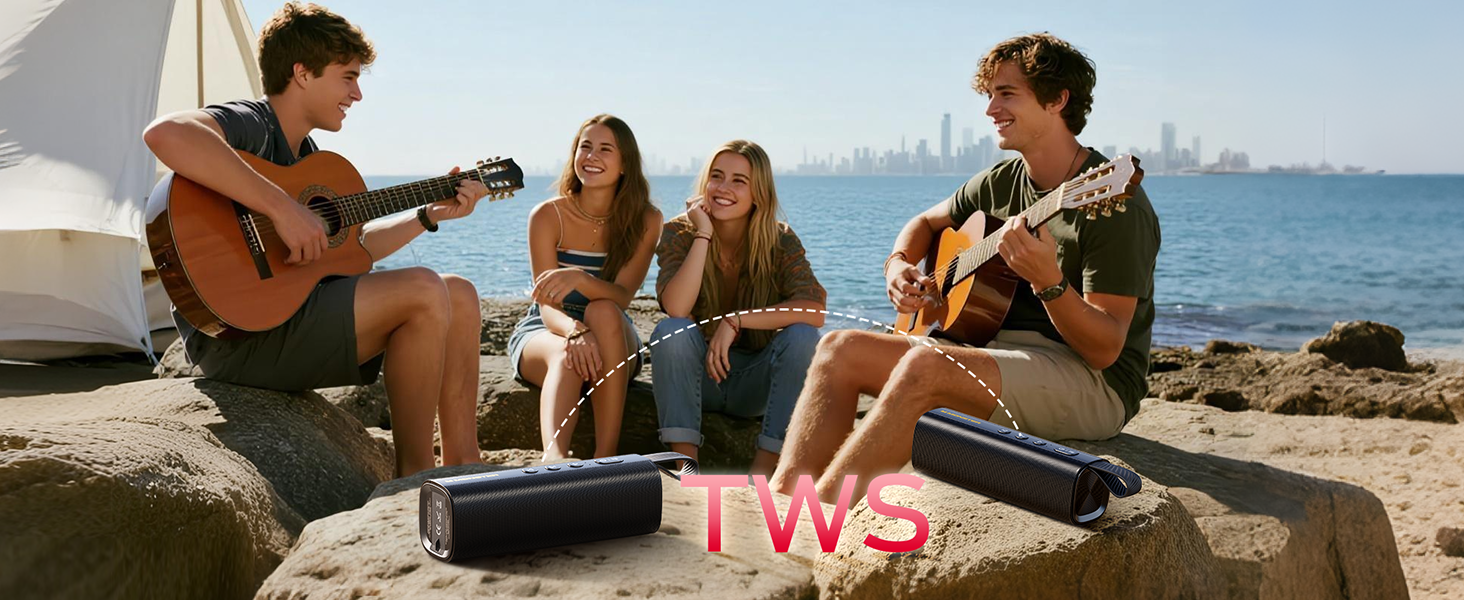
Image: Two Monster S290 speakers demonstrating True Wireless Stereo (TWS) pairing.
5. Connecting via AUX, TF Card, or USB
The speaker supports multiple input options:
- AUX ഇൻപുട്ട്: Connect an audio device using the provided 3.5mm AUX cable to the AUX port. The speaker will automatically switch to AUX mode.
- TF കാർഡ് പ്ലേബാക്ക്: ഓഡിയോ ഉള്ള ഒരു TF (മൈക്രോ എസ്ഡി) കാർഡ് ചേർക്കുക fileTF കാർഡ് സ്ലോട്ടിലേക്ക് s. സ്പീക്കർ സ്വയമേവ കാർഡിൽ നിന്ന് സംഗീതം പ്ലേ ചെയ്യാൻ തുടങ്ങും.
- യുഎസ്ബി പ്ലേബാക്ക്: ഓഡിയോ ഉള്ള ഒരു USB ഫ്ലാഷ് ഡ്രൈവ് ചേർക്കുക files into the USB port. The speaker will automatically begin playing music from the USB drive.
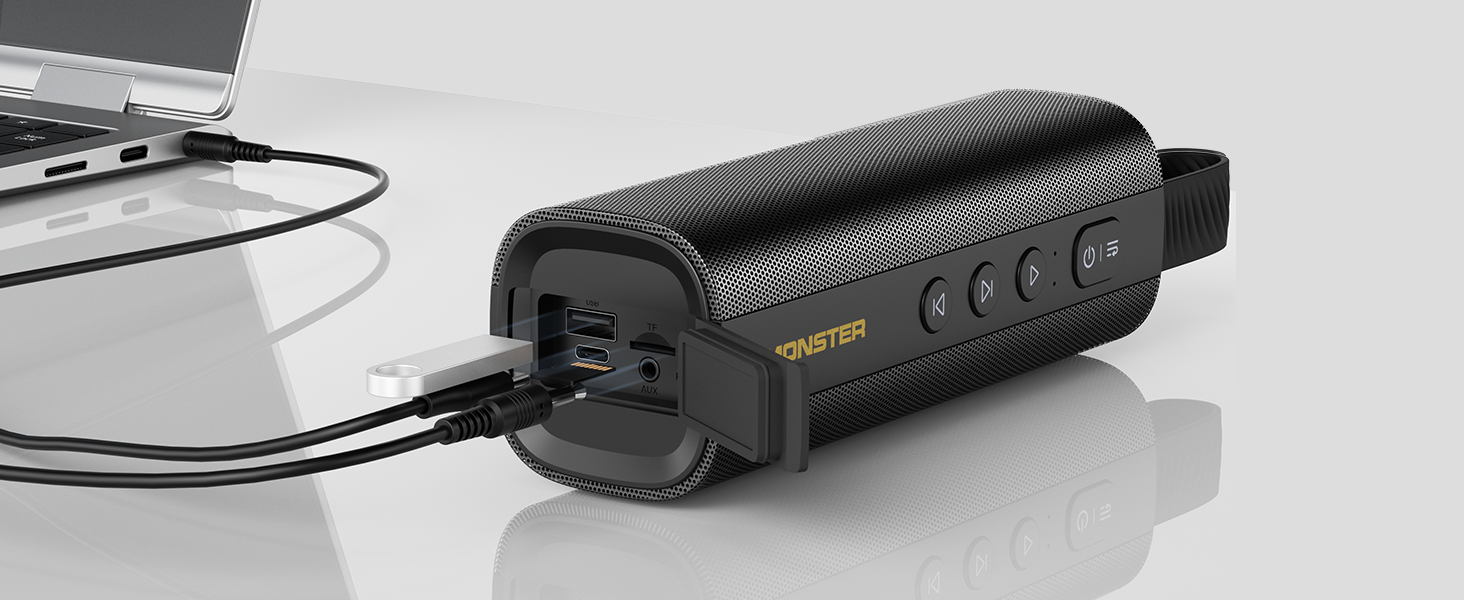
Image: The speaker's input panel with AUX, TF card, and USB ports.
പ്രവർത്തന നിർദ്ദേശങ്ങൾ
ബട്ടൺ പ്രവർത്തനങ്ങൾ
- പവർ ബട്ടൺ (): Press and hold to power on/off. Short press to switch between input modes (Bluetooth, AUX, TF Card, USB).
- പ്ലേ/താൽക്കാലിക ബട്ടൺ (): സംഗീതം പ്ലേ ചെയ്യാനോ താൽക്കാലികമായി നിർത്താനോ ഹ്രസ്വമായി അമർത്തുക.
- വോളിയം കുറയ്ക്കുക / മുമ്പത്തെ ട്രാക്ക് ബട്ടൺ (): ശബ്ദം കുറയ്ക്കാൻ ഷോർട്ട് പ്രസ് ചെയ്യുക. മുമ്പത്തെ ട്രാക്കിലേക്ക് പോകാൻ ദീർഘനേരം അമർത്തുക.
- വോളിയം കൂട്ടുക / അടുത്ത ട്രാക്ക് ബട്ടൺ (): ശബ്ദം കൂട്ടാൻ ഷോർട്ട് പ്രസ് ചെയ്യുക. അടുത്ത ട്രാക്കിലേക്ക് പോകാൻ ദീർഘനേരം അമർത്തുക.
- TWS Button (M): Press and hold to initiate TWS pairing (refer to TWS Pairing section).
ഹാൻഡ്സ് ഫ്രീ കോളിംഗ്
When connected via Bluetooth, the built-in microphone allows for hands-free calling:
- മറുപടി കോൾ: ഷോർട്ട് അമർത്തുക പ്ലേ/താൽക്കാലികമായി നിർത്തുക ബട്ടൺ.
- കോൾ അവസാനിപ്പിക്കുക: ഷോർട്ട് അമർത്തുക പ്ലേ/താൽക്കാലികമായി നിർത്തുക ബട്ടൺ ഒരു കോളിനിടെ.
- കോൾ നിരസിക്കുക: ദീർഘനേരം അമർത്തുക പ്ലേ/താൽക്കാലികമായി നിർത്തുക ബട്ടൺ.
മെയിൻ്റനൻസ്
- Keep the speaker away from extreme temperatures, direct sunlight, and corrosive materials.
- സ്പീക്കർ ഒരു സോഫ്റ്റ്, ഡി ക്ലീനർ ഉപയോഗിച്ച് വൃത്തിയാക്കുക.amp തുണി. കഠിനമായ രാസവസ്തുക്കളോ ഉരച്ചിലുകളുള്ള ക്ലീനറുകളോ ഉപയോഗിക്കരുത്.
- IPX6 ജല പ്രതിരോധം നിലനിർത്താൻ ചാർജ് ചെയ്യാത്തപ്പോൾ ചാർജിംഗ് പോർട്ട് കവർ സുരക്ഷിതമായി അടച്ചിട്ടുണ്ടെന്ന് ഉറപ്പാക്കുക.
- ദീർഘനേരം ഉപയോഗിക്കാത്തപ്പോൾ സ്പീക്കർ തണുത്തതും വരണ്ടതുമായ സ്ഥലത്ത് സൂക്ഷിക്കുക.

Image: The Monster S290 speaker showcasing its IPX6 water-resistant feature.
ട്രബിൾഷൂട്ടിംഗ്
| പ്രശ്നം | പരിഹാരം |
|---|---|
| സ്പീക്കർ പവർ ഓൺ ചെയ്യുന്നില്ല. | Ensure the speaker is charged. Connect it to a power source using the USB-C cable. |
| ബ്ലൂടൂത്ത് വഴി ജോടിയാക്കാൻ കഴിയില്ല. |
|
| ശബ്ദമില്ല അല്ലെങ്കിൽ കുറഞ്ഞ ശബ്ദമില്ല. |
|
| TWS ജോടിയാക്കൽ പരാജയപ്പെട്ടു. |
|
സ്പെസിഫിക്കേഷനുകൾ
| ഫീച്ചർ | വിശദാംശങ്ങൾ |
|---|---|
| മോഡലിൻ്റെ പേര് | മോൺസ്റ്റർ എസ് 290 |
| മെറ്റീരിയൽ | പ്ലാസ്റ്റിക് |
| സ്പീക്കർ തരം | ഔട്ട്ഡോർ |
| സ്പീക്കർ പരമാവധി ഔട്ട്പുട്ട് പവർ | 30 വാട്ട്സ് |
| വയർലെസ് കമ്മ്യൂണിക്കേഷൻ ടെക്നോളജി | ബ്ലൂടൂത്ത് 6.0 |
| കണക്റ്റിവിറ്റി ടെക്നോളജി | ഓക്സിലറി, ബ്ലൂടൂത്ത്, യുഎസ്ബി |
| ഓഡിയോ put ട്ട്പുട്ട് മോഡ് | സ്റ്റീരിയോ |
| സറൗണ്ട് സൗണ്ട് ചാനൽ കോൺഫിഗറേഷൻ | 2.0 |
| പ്രത്യേക സവിശേഷതകൾ | Portable, 30W Loud Stereo Sound, Support AUX/TF Card, Bluetooth 6.0, True Wireless Stereo, Built-in Mic, 15H Playtime, Hands-Free Calling, IPX6 Waterproof, Skin-Friendly Touch |
| പവർ ഉറവിടം | ബാറ്ററി പവർ |
| ബാറ്ററി | 1 AAA batteries required (included) - Note: This is likely a generic entry; the speaker features an internal rechargeable battery. |
| നിയന്ത്രണ രീതി | സ്പർശിക്കുക |
| ഉൽപ്പന്ന അളവുകൾ | 6D x 18.2W x 6H സെന്റീമീറ്റർ |
| ഇനത്തിൻ്റെ ഭാരം | 490 ഗ്രാം |
| വാട്ടർപ്രൂഫ് ആണ് | True (IPX6) |
വാറൻ്റിയും പിന്തുണയും
The Monster S290 Portable Bluetooth Speaker comes with a Limited Warranty. Please refer to the included "Quick Start Guide & Warning Card" for specific warranty terms and conditions. For further support, please contact Monster customer service.


