1. ആമുഖം
This manual provides detailed instructions for the safe and effective use of your NBD 5K 64MP Digital Camera, Model K100C. Please read this manual thoroughly before operating the camera and retain it for future reference.
2 സുരക്ഷാ വിവരങ്ങൾ
- ക്യാമറ വെള്ളത്തിലോ ഈർപ്പത്തിലോ തുറന്നുകാട്ടരുത്.
- ക്യാമറ താഴെയിടുകയോ ശക്തമായ ആഘാതങ്ങൾക്ക് വിധേയമാക്കുകയോ ചെയ്യരുത്.
- Keep the camera away from extreme temperatures and direct sunlight.
- Use only NBD-approved accessories and power adapters.
- ക്യാമറ സ്വയം വേർപെടുത്താനോ നന്നാക്കാനോ ശ്രമിക്കരുത്. സഹായത്തിനായി ഉപഭോക്തൃ പിന്തുണയുമായി ബന്ധപ്പെടുക.
- ബാറ്ററികൾ കുട്ടികൾക്ക് ലഭ്യമാകാതെ സൂക്ഷിക്കുക.
3. പാക്കേജ് ഉള്ളടക്കം
നിങ്ങളുടെ പാക്കേജിൽ എല്ലാ ഇനങ്ങളും ഉണ്ടെന്ന് ഉറപ്പാക്കുക:
- NBD 5K 64MP Digital Camera (Model K100C)
- 2 x Rechargeable Lithium-Ion Batteries (1500mAh)
- ബാറ്ററി ചാർജർ
- 64 ജിബി ടിഎഫ് കാർഡ്
- USB കേബിൾ
- ക്യാമറ നെക്ക് സ്ട്രാപ്പ്
- ഉപയോക്തൃ മാനുവൽ (ഈ പ്രമാണം)

Figure 3.1: Included accessories with the NBD K100C Digital Camera.
4. ക്യാമറ ഓവർview
4.1 ഫ്രണ്ട് View
ചിത്രം 4.1: മുൻഭാഗം view of the camera, highlighting the lens and built-in flash.
- ലെൻസ്: 18X Digital Zoom Lens (F/1.8 f=5.04mm Macro 52mm)
- ബിൽറ്റ്-ഇൻ ഫ്ലാഷ്: കുറഞ്ഞ വെളിച്ചത്തിൽ പ്രകാശം നൽകുന്നു.
- പിടി: Textured surface for secure handling.
4.2 പിൻഭാഗം View നിയന്ത്രണങ്ങളും

ചിത്രം 4.2: പിൻഭാഗം view of the camera with the LCD screen and control layout.
- 180° ഫ്ലിപ്പ് സ്ക്രീൻ: Rotates for vlogging and selfies.
- Directional Pad (OK button in center): മെനുകൾ നാവിഗേറ്റ് ചെയ്ത് ഓപ്ഷനുകൾ തിരഞ്ഞെടുക്കുന്നു.
- മെനു ബട്ടൺ: ക്യാമറ ക്രമീകരണങ്ങൾ ആക്സസ് ചെയ്യുന്നു.
- DISP ബട്ടൺ: Changes display information on the screen.
- സൂം ബട്ടണുകൾ (T/W): Controls 18X digital zoom.
4.3 ടോപ്പ് View and Mode Dial

ചിത്രം 4.3: മുകളിൽ view of the camera, featuring the physical mode dial for quick setting changes.
- ഷട്ടർ ബട്ടൺ: Captures photos.
- റെക്കോർഡ് ബട്ടൺ: വീഡിയോ റെക്കോർഡിംഗ് ആരംഭിക്കുകയും നിർത്തുകയും ചെയ്യുന്നു.
- Physical Mode Dial: Allows quick selection between Photo, Video, Time-lapse, Slow-motion, Macro, Scene, and Filter modes.
4.4 Side Ports
- USB പോർട്ട്: ചാർജിംഗിനും ഡാറ്റ കൈമാറ്റത്തിനും.
- മൈക്രോഫോൺ ഇൻപുട്ട്: For external microphone connection.
5. സജ്ജീകരണം
5.1 ബാറ്ററി ചാർജ് ചെയ്യുന്നു
- Insert a rechargeable battery into the provided battery charger.
- Connect the charger to a power source using the USB cable.
- The indicator light on the charger will show charging status. A full charge typically takes approximately 2-3 hours.
5.2 Inserting the Battery and TF Card
- Open the battery/TF card compartment cover on the bottom of the camera.
- ചാർജ്ജ് ചെയ്ത ബാറ്ററി ബാറ്ററി സ്ലോട്ടിലേക്ക് തിരുകുക, ശരിയായ ഓറിയന്റേഷൻ ഉറപ്പാക്കുക.
- Insert the 64GB TF card into the TF card slot until it clicks into place.
- കമ്പാർട്ട്മെൻ്റ് കവർ സുരക്ഷിതമായി അടയ്ക്കുക.
6. അടിസ്ഥാന പ്രവർത്തനം
6.1 പവർ ഓൺ/ഓഫ്
Press and hold the Power button (usually located on the top or side) to turn the camera on or off.
6.2 ഫോട്ടോ എടുക്കൽ
- Turn the Physical Mode Dial to the Photo mode icon.
- Frame your shot using the 180° Flip Screen.
- Press the Shutter button halfway to activate autofocus. The focus frame will turn green when focused.
- ഫോട്ടോ എടുക്കാൻ ഷട്ടർ ബട്ടൺ പൂർണ്ണമായും അമർത്തുക.

Figure 6.1: Precision autofocus ensures sharp images.
6.3 വീഡിയോ റെക്കോർഡിംഗ്
- Turn the Physical Mode Dial to the Video mode icon.
- റെക്കോർഡിംഗ് ആരംഭിക്കാൻ റെക്കോർഡ് ബട്ടൺ അമർത്തുക. സാധാരണയായി സ്ക്രീനിൽ ഒരു ചുവന്ന സൂചകം ദൃശ്യമാകും.
- റെക്കോർഡിംഗ് നിർത്താൻ വീണ്ടും റെക്കോർഡ് ബട്ടൺ അമർത്തുക.

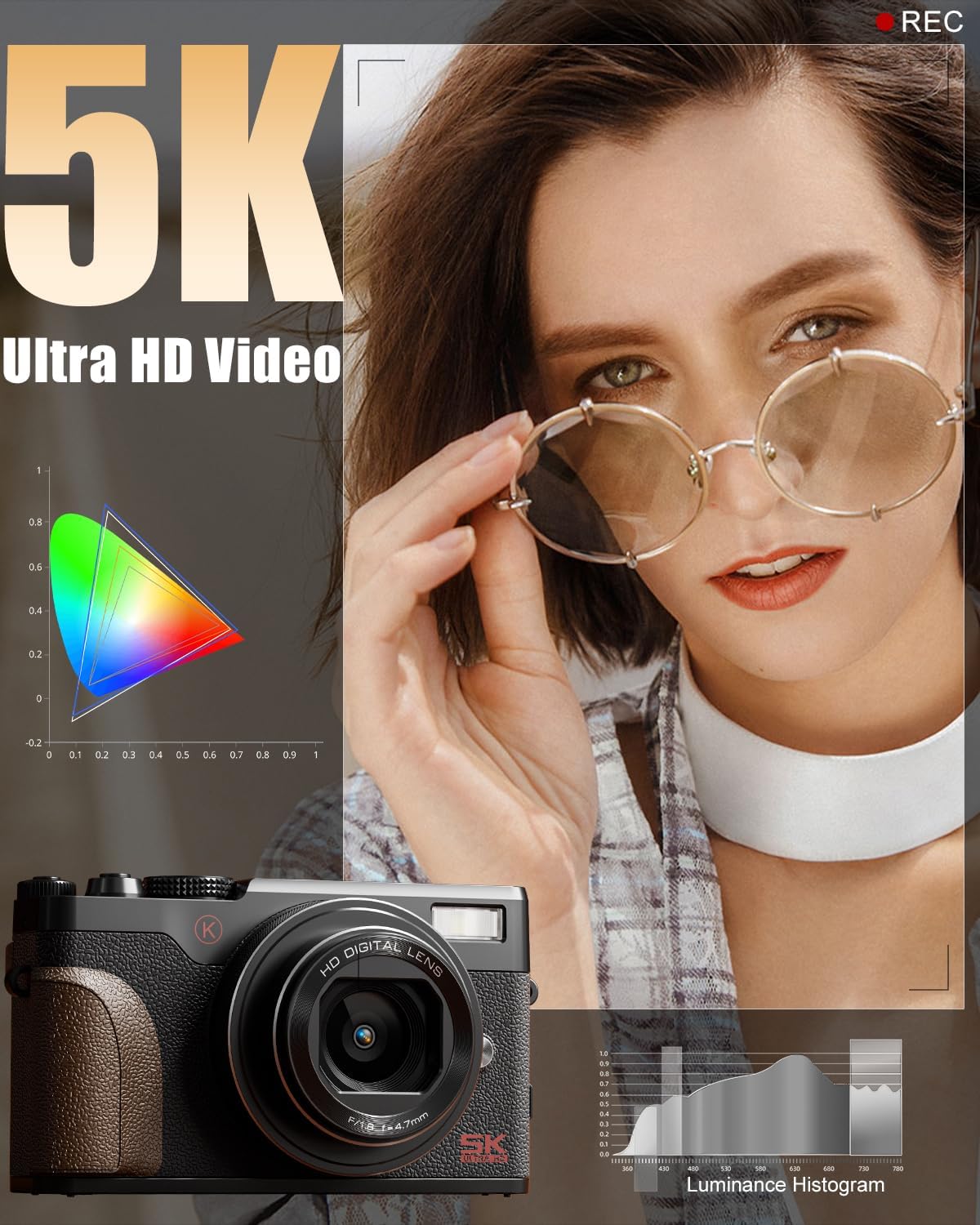
Figure 6.2: The camera is capable of capturing 5K Ultra HD video.
6.4 സൂം ഉപയോഗം
Use the T (Telephoto) and W (Wide) buttons on the rear of the camera to adjust the 18X digital zoom.

Figure 6.3: The 18X digital zoom allows for detailed close-ups.
6.5 Activating the Flash
Press the flash release button (if available) or navigate through the menu to activate the built-in flash for additional lighting.

Figure 6.4: The built-in smart flash enhances photos in low-light conditions.
6.6 Using the 180° Flip Screen
Gently pull the screen outwards and rotate it 180 degrees to face forward for self-recording or vlogging. Adjust the angle as needed.

Figure 6.5: The 180° flip screen is ideal for vlogging and self-portraits.
7. വിപുലമായ സവിശേഷതകൾ
7.1 Shooting Modes and Filters
The Physical Mode Dial allows quick access to various shooting modes including:
- ഫോട്ടോ മോഡ്: Standard still image capture.
- വീഡിയോ മോഡ്: സ്റ്റാൻഡേർഡ് വീഡിയോ റെക്കോർഡിംഗ്.
- സമയക്കുറവ് റെക്കോർഡിംഗ്: Captures a series of images over time to create a sped-up video.
- Slow-motion Recording: Captures video at a higher frame rate for slow-motion playback.
- മാക്രോ മോഡ്: For close-up photography of small subjects.
- സീൻ മോഡുകൾ: Pre-set modes optimized for specific shooting conditions (e.g., Portrait, Landscape).
- ഫിൽട്ടർ മോഡുകൾ: Apply various creative filters directly to your photos and videos.

Figure 7.1: Explore various photo modes for creative expression.

Figure 7.2: Utilize different video modes for diverse recording needs.
Video 7.1: Demonstration of various built-in filters available on the NBD K100C camera.
7.2 Anti-Shake Stabilization
The camera features anti-shake technology to minimize blur in handheld shots, especially useful in telephoto, macro, and low-light scenes.

Figure 7.3: Anti-shake feature helps in capturing clear images and videos.
7.3 Webക്യാമറ മോഡ്
Connect the camera to your PC via the USB cable and select "PC Camera Mode" to use it as a webവീഡിയോ കോളുകൾക്കോ ലൈവ് സ്ട്രീമിംഗിനോ ഉള്ള ക്യാമറ.

Figure 7.4: The camera can be used as a webcam for interactive sessions.
8. പരിപാലനം
- ലെൻസ് വൃത്തിയാക്കൽ: Use a soft, lint-free cloth specifically designed for camera lenses. Do not use abrasive materials.
- സ്ക്രീൻ വൃത്തിയാക്കൽ: Wipe the screen gently with a microfiber cloth. Avoid pressing too hard.
- സംഭരണം: When not in use, store the camera in a cool, dry place, away from dust and direct sunlight. Remove the battery if storing for extended periods.
- ബാറ്ററി കെയർ: Fully charge batteries before first use. Avoid completely draining batteries regularly to prolong their lifespan.
9. പ്രശ്നപരിഹാരം
| പ്രശ്നം | സാധ്യമായ കാരണം | പരിഹാരം |
|---|---|---|
| ക്യാമറ പവർ ഓൺ ചെയ്യുന്നില്ല. | Battery is drained or incorrectly inserted. | ബാറ്ററി പൂർണ്ണമായും ചാർജ് ചെയ്യുക. ശരിയായ പോളാരിറ്റിയോടെ ബാറ്ററി ചേർത്തിട്ടുണ്ടെന്ന് ഉറപ്പാക്കുക. |
| ചിത്രങ്ങൾ അവ്യക്തമാണ്. | Autofocus not engaged, camera shake, or low light. | Press the shutter button halfway to focus. Enable Anti-Shake. Use flash in low light. |
| വീഡിയോ റെക്കോർഡ് ചെയ്യാൻ കഴിയില്ല. | TF card is full or not inserted. | Check TF card storage. Insert TF card correctly. |
| വൈഫൈ കണക്ഷൻ പ്രശ്നങ്ങൾ. | തെറ്റായ ക്രമീകരണങ്ങൾ അല്ലെങ്കിൽ ഇടപെടൽ. | Ensure Wi-Fi is enabled on camera and device. Check for interference. Refer to the app's instructions. |
10 സ്പെസിഫിക്കേഷനുകൾ
| ബ്രാൻഡ് | എൻ.ബി.ഡി |
| മോഡലിൻ്റെ പേര് | K100C |
| ഫലപ്രദമായ സ്റ്റിൽ റെസല്യൂഷൻ | 64 എം.പി |
| വീഡിയോ റെസല്യൂഷൻ | 5K അൾട്രാ എച്ച്.ഡി |
| ഡിജിറ്റൽ സൂം | 18X |
| ഫോട്ടോ സെൻസർ ടെക്നോളജി | CMOS |
| ഫോട്ടോ സെൻസർ വലുപ്പം | 1/2.3-ഇഞ്ച് |
| പിന്തുണച്ചു File ഫോർമാറ്റ് | MOV (Video) |
| പ്രത്യേക ഫീച്ചർ | 180° Flip Screen, Autofocus, Anti-Shake, Built-in Flash, Webക്യാമറ മോഡ് |
| ബാറ്ററികൾ | 2 Lithium Ion batteries (1500mAh each) |
| ഇനത്തിൻ്റെ ഭാരം | 1.28 പൗണ്ട് |
| പാക്കേജ് അളവുകൾ | 6.02 x 4.92 x 3.23 ഇഞ്ച് |
11. വാറൻ്റിയും പിന്തുണയും
For warranty information or technical support, please refer to the contact details provided with your purchase or visit the official NBD webസൈറ്റ്. വാറന്റി ക്ലെയിമുകൾക്കായി നിങ്ങളുടെ വാങ്ങലിന്റെ തെളിവ് സൂക്ഷിക്കുക.
You can visit the NBD Store for more information: NBD Official Flagship Store


