1. ആമുഖം
This manual provides essential information for the safe and efficient use of your Lenovo Legion Pro 5 16IAX10 gaming laptop. Please read this manual thoroughly before operating your device and retain it for future reference.
2. സജ്ജീകരണം
2.1 അൺബോക്സിംഗും പ്രാരംഭ പരിശോധനയും
Carefully remove the laptop and all accessories from the packaging. Inspect for any signs of damage. If any components are missing or damaged, contact your retailer immediately.
2.2 ബന്ധിപ്പിക്കുന്ന പവർ
- Connect the power cord to the 245W AC adapter.
- Plug the AC adapter into the power input port on your laptop.
- പവർ കോർഡിന്റെ മറ്റേ അറ്റം ഗ്രൗണ്ടഡ് ഇലക്ട്രിക്കൽ ഔട്ട്ലെറ്റിലേക്ക് പ്ലഗ് ചെയ്യുക.
It is recommended to fully charge the battery before initial use.
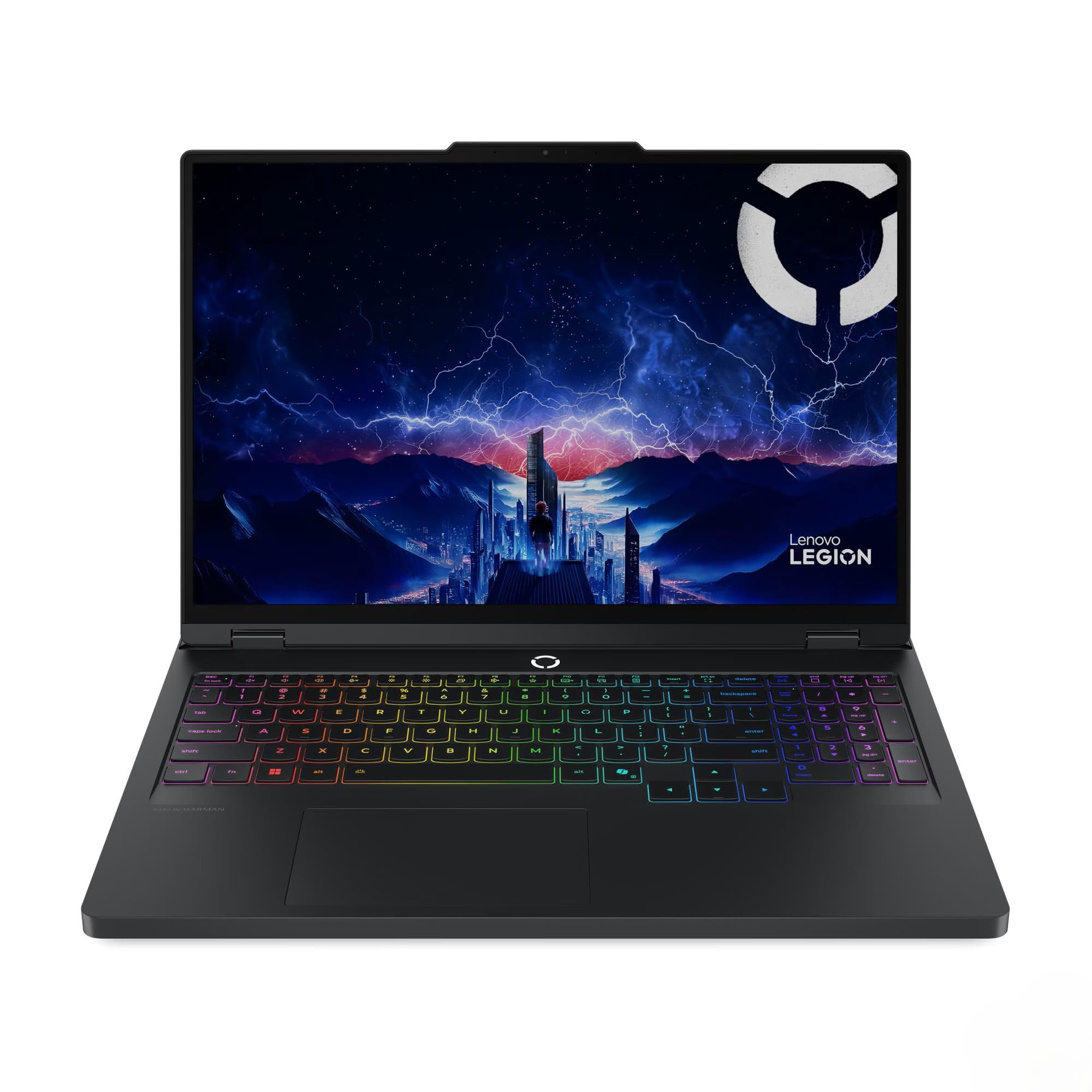
Image: The Lenovo Legion Pro 5 16IAX10 laptop, open and powered on, showcasing അതിന്റെ ഡിസ്പ്ലേയും RGB ബാക്ക്ലിറ്റ് കീബോർഡും.
2.3 ആദ്യ ബൂട്ടും ഓപ്പറേറ്റിംഗ് സിസ്റ്റം സജ്ജീകരണവും
Press the power button to turn on your laptop. The device comes pre-installed with Windows 11 Home. Follow the on-screen instructions to complete the initial Windows setup, including language selection, network connection, and user account creation.
3. പ്രവർത്തിക്കുന്നു
3.1 ഡിസ്പ്ലേ സവിശേഷതകൾ
Your laptop features a 16-inch WQXGA (2560 x 1600) IPS Anti-Glare display with a 165Hz refresh rate. It supports Dolby Vision and G-SYNC for enhanced visual performance. Adjust display settings via Windows Display Settings or NVIDIA Control Panel for optimal experience.
3.2 കീബോർഡും ഇൻപുട്ടും
The full-size keyboard includes a numeric keypad and 24-Zone RGB backlighting. Customize RGB lighting effects through the pre-installed Lenovo software (e.g., Lenovo Vantagഒപ്പം).
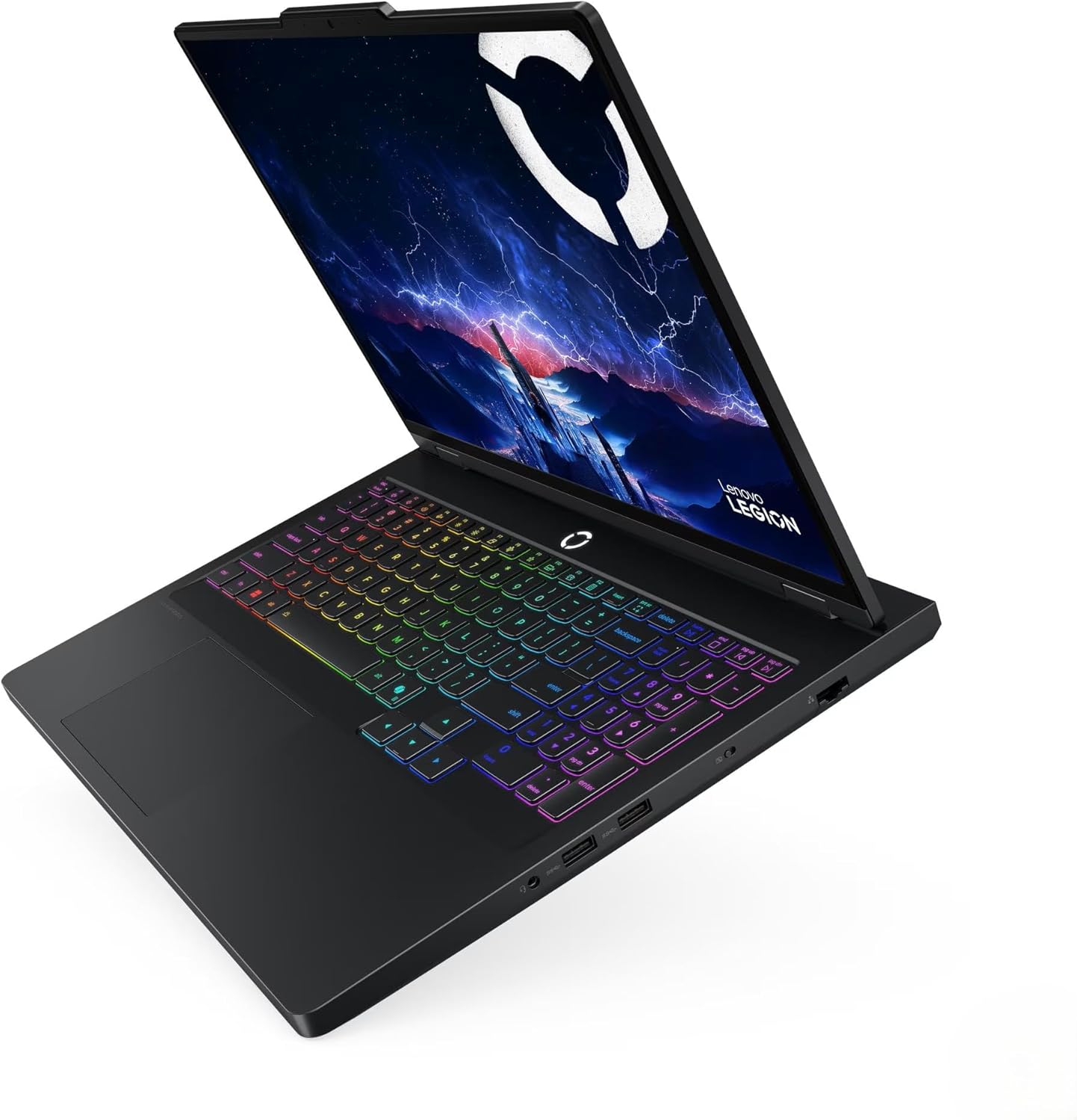
ചിത്രം: വിശദമായ ഒരു ചിത്രം view of the laptop's keyboard, highlighting the RGB backlighting and numeric keypad.
3.3 ഓഡിയോ സിസ്റ്റം
Equipped with stereo speakers (2W x2) optimized with Nahimic Audio, providing immersive sound. Adjust audio settings and profiles using the Nahimic Audio software.
3.4 കണക്റ്റിവിറ്റി
- വയർലെസ്: MediaTek Wi-Fi 7 MT7925 (2x2) for high-speed internet and Bluetooth 5.4 for peripheral connections.
- വയർ: 10/100/1000Mbps LAN port for stable wired network connections.
3.5 പോർട്ടുകളും കണക്ടറുകളും
ബാഹ്യ ഉപകരണങ്ങൾ ബന്ധിപ്പിക്കുന്നതിന് ലാപ്ടോപ്പ് വിവിധ പോർട്ടുകൾ വാഗ്ദാനം ചെയ്യുന്നു:
- 1 x USB Thunderbolt 4 / USB4 40Gbps Type-C (supports DisplayPort)
- 1 x USB 3.2 Gen 2 Type-C (supports DisplayPort / 10Gbps)
- 1 x USB 3.2 Gen 2 Type-A (supports Always On / 10Gbps)
- 2 x യുഎസ്ബി 3.2 ജെൻ 1 ടൈപ്പ്-എ (5 ജിബിപിഎസ്)
- 1 x ഹെഡ്ഫോൺ/മൈക്രോഫോൺ കോംബോ ജാക്ക്
- 1 x HDMI v2.1
- 1 x RJ-45 (ഇഥർനെറ്റ്)

Image: The left side of the laptop, displaying the USB-C ports and headphone jack.

Image: The right side of the laptop, showing the USB-A ports.
4. പരിപാലനം
4.1 പൊതുവായ പരിചരണവും ശുചീകരണവും
- സ്ക്രീനും ഷാസിയും വൃത്തിയാക്കാൻ മൃദുവായ, ലിന്റ് രഹിത തുണി ഉപയോഗിക്കുക. ഉരച്ചിലുകൾ ഉള്ള ക്ലീനറുകൾ ഒഴിവാക്കുക.
- Keep ventilation openings clear of dust and debris to ensure proper airflow.
- Avoid exposing the laptop to extreme temperatures, direct sunlight, or liquids.
4.2 സോഫ്റ്റ്വെയർ അപ്ഡേറ്റുകൾ
Regularly update your Windows operating system, graphics drivers (NVIDIA GeForce RTX 5070), and Lenovo-specific software to ensure optimal performance and security. You can typically find driver updates on the official Lenovo support webസൈറ്റ്.
4.3 ബാറ്ററി കെയർ
To prolong battery life (4 Cell 80 Wh, up to 6 hours average usage), avoid constantly discharging it to 0% or keeping it at 100% for extended periods. Utilize power management settings in Windows to optimize battery usage.
4.4 സ്റ്റോറേജ് മാനേജ്മെൻ്റ്
Your laptop is equipped with a 2TB NVMe M.2 SSD. Regularly manage your storage by deleting unnecessary files and uninstalling unused applications to maintain performance. The included MST 32GB USB Drive can be used for data backup or system recovery purposes.
5. പ്രശ്നപരിഹാരം
നിങ്ങൾ നേരിട്ടേക്കാവുന്ന സാധാരണ പ്രശ്നങ്ങളെ ഈ വിഭാഗം അഭിസംബോധന ചെയ്യുന്നു. കൂടുതൽ സങ്കീർണ്ണമായ പ്രശ്നങ്ങൾക്ക്, ലെനോവോ പിന്തുണ പരിശോധിക്കുക. webസൈറ്റ് അല്ലെങ്കിൽ സാങ്കേതിക പിന്തുണയുമായി ബന്ധപ്പെടുക.
5.1 വൈദ്യുതി പ്രശ്നങ്ങൾ
- ലാപ്ടോപ്പ് ഓണാകുന്നില്ല: Ensure the AC adapter is securely connected to both the laptop and a working power outlet. Check if the power indicator light is on.
- ബാറ്ററി ചാർജ്ജുചെയ്യുന്നില്ല: Verify the AC adapter connection. Try a different power outlet. If the issue persists, the battery or adapter may require service.
5.2 ഡിസ്പ്ലേ പ്രശ്നങ്ങൾ
- സ്ക്രീനിൽ ചിത്രമൊന്നുമില്ല: Connect an external monitor to the HDMI port to check if the issue is with the laptop's internal display. Ensure the display brightness is not set to minimum.
- മിന്നിമറയുന്ന അല്ലെങ്കിൽ വികലമായ ചിത്രം: Update your NVIDIA graphics drivers. Check display cable connections if using an external monitor.
5.3 നെറ്റ്വർക്ക് കണക്റ്റിവിറ്റി പ്രശ്നങ്ങൾ
- വൈഫൈ കണക്റ്റ് ചെയ്യുന്നില്ല: Ensure Wi-Fi is enabled in Windows settings. Restart your router and laptop. Check for updated Wi-Fi 7 drivers.
- Wired LAN not working: Verify the Ethernet cable connection. Check network adapter settings in Windows.
6 സ്പെസിഫിക്കേഷനുകൾ
| ഫീച്ചർ | വിശദാംശങ്ങൾ |
|---|---|
| മോഡലിൻ്റെ പേര് | Legion Pro 5 16IAX10 |
| ഇനം മോഡൽ നമ്പർ | 83F3000PUS ന്റെ സവിശേഷതകൾ |
| പ്രദർശിപ്പിക്കുക | 16" WQXGA (2560 x 1600) IPS Anti-Glare, 500 nits, 100% sRGB, 165Hz, Dolby Vision, G-SYNC |
| പ്രോസസ്സർ | Intel Core Ultra 7 255HX (20-Core, up to 5.2 GHz) |
| ഗ്രാഫിക്സ് | NVIDIA GeForce RTX 5070 8GB GDDR6 (Dedicated) |
| മെമ്മറി (റാം) | 48GB DDR5 5600 MHz SDRAM |
| സംഭരണം | 2TB NVMe M.2 SSD |
| ഓപ്പറേറ്റിംഗ് സിസ്റ്റം | വിൻഡോസ് 11 ഹോം |
| കീബോർഡ് | Fullsize 24-Zone RGB Backlit Keyboard with Numpad |
| വയർലെസ് കണക്റ്റിവിറ്റി | MediaTek Wi-Fi 7 MT7925 (2x2), Bluetooth 5.4 |
| വയർഡ് കണക്റ്റിവിറ്റി | 10/100/1000Mbps LAN (RJ-45) |
| തുറമുഖങ്ങൾ | 1x Thunderbolt 4 (USB4 40Gbps Type-C), 1x USB 3.2 Gen 2 Type-C, 1x USB 3.2 Gen 2 Type-A, 2x USB 3.2 Gen 1 Type-A, 1x HDMI v2.1, 1x Headphone/Microphone Combo Jack, 1x RJ-45 |
| ക്യാമറ | 5.0MP with E Shutter |
| ഓഡിയോ | Stereo speakers (2W x2), optimized with Nahimic Audio |
| ബാറ്ററി | 4 സെൽ 80 Wh (ശരാശരി ഉപയോഗം 6 മണിക്കൂർ വരെ) |
| പവർ അഡാപ്റ്റർ | 245W എസി അഡാപ്റ്റർ |
| അളവുകൾ (LxWxH) | 14.36 x 10.34 x 0.86 ഇഞ്ച് |
| ഭാരം | 9.99 pounds (Note: Product description states 5.36 lbs, specification table states 9.99 lbs. Please refer to official Lenovo documentation for precise weight.) |
| നിറം | Onyx Grey |
7. വാറൻ്റിയും പിന്തുണയും
7.1 ഉൽപ്പന്ന വാറന്റി
Your Lenovo Legion Pro 5 16IAX10 laptop is covered by a manufacturer's warranty. Please refer to the warranty documentation included with your product or visit the official Lenovo webവാറന്റി കവറേജും കാലാവധിയും സംബന്ധിച്ച വിശദമായ നിബന്ധനകൾക്കും വ്യവസ്ഥകൾക്കും സൈറ്റ് സന്ദർശിക്കുക.
7.2 സാങ്കേതിക പിന്തുണ
സാങ്കേതിക സഹായം, ഡ്രൈവർ ഡൗൺലോഡുകൾ, അല്ലെങ്കിൽ കൂടുതൽ ട്രബിൾഷൂട്ടിംഗ് എന്നിവയ്ക്കായി, ദയവായി ഔദ്യോഗിക ലെനോവോ പിന്തുണ സന്ദർശിക്കുക. website. You will need your product's serial number (typically found on a label on the bottom of the laptop) to access specific support resources.
ഔദ്യോഗിക ലെനോവോ പിന്തുണ: https://support.lenovo.com/


