ആമുഖം
Thank you for choosing the Doohoeek AC141 Wireless TV Headphones. This manual provides detailed instructions for setting up, operating, and maintaining your headphones to ensure optimal performance and a comfortable listening experience. These headphones are designed for private audio listening from various sources, including televisions, mobile phones, laptops, and smart speakers, offering multiple connectivity options for versatility.
Product List (What's in the Box)
Before you begin, please ensure all components are present in the package.

Image: All components included in the Doohoeek AC141 package, including headphones, transmitter, cables, and user manual.
- 1. Headphones: The over-ear wireless headphones.
- 2. TV Transmitter: The base station for wireless audio transmission and charging.
- 3. Type-C Cable: For direct charging of the headphones or transmitter.
- 4. 3.5mm Audio Cable: For AUX audio connections.
- 5. ഉപയോക്തൃ മാനുവൽ: ഈ നിർദ്ദേശ ഗൈഡ്.
- 6. Optical Cable: For digital audio connections to TVs.
- 7. Box: ഉൽപ്പന്ന പാക്കേജിംഗ്.
- 8. 3.5mm to RCA Audio Cable: RCA ഓഡിയോ ഔട്ട്പുട്ടുകളുള്ള ഉപകരണങ്ങളിലേക്ക് കണക്റ്റുചെയ്യുന്നതിന്.
സജ്ജമാക്കുക
1. ഹെഡ്ഫോണുകൾ ചാർജ് ചെയ്യുന്നു
The headphones can be charged using two methods: directly via a Type-C cable or wirelessly through the magnetic charging dock.

Image: Illustration of Type-C charging port on the headphone and the magnetic charging contacts on the dock.
- ടൈപ്പ്-സി ചാർജിംഗ്: Connect the provided Type-C cable to the charging port on the headphones and to a USB power adapter (not included).
- വയർലെസ് മാഗ്നറ്റിക് ചാർജിംഗ്: Place the headphones onto the TV transmitter dock. Ensure the headphones are correctly aligned with the charging contacts. The dock will automatically begin charging.
A full charge takes approximately 1.5 hours and provides up to 60 hours of listening time.

Image: The charging dock features a clear digital display indicating battery level and current connection mode (AUX/Optical).
2. Connecting the TV Transmitter to Your Audio Source
The transmitter supports multiple connection types to ensure compatibility with various devices.
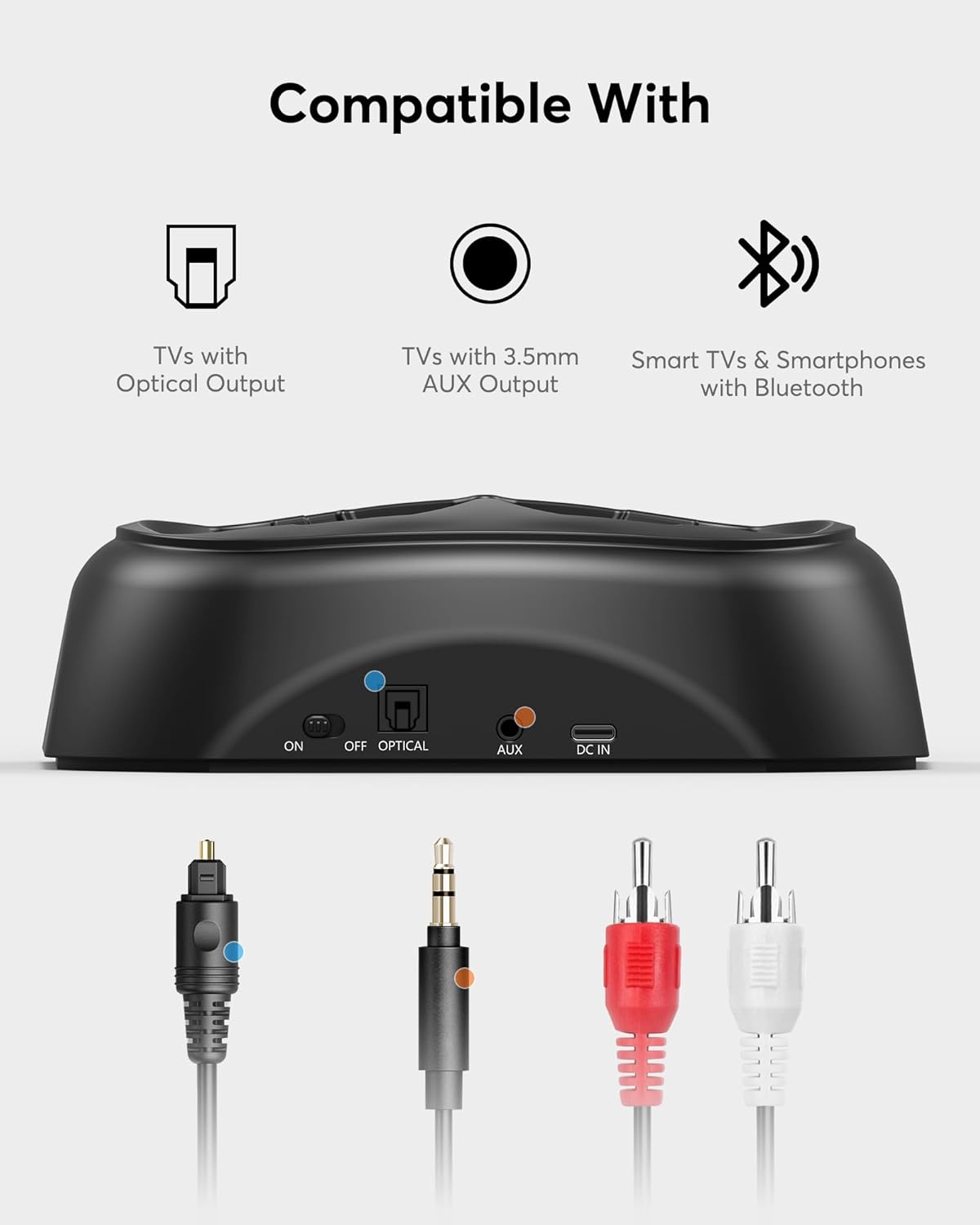
Image: The transmitter base showing its input ports (Optical, AUX, DC IN) and corresponding cables for connection to TVs with Optical Output, TVs with 3.5mm AUX Output, and Smart TVs & Smartphones with Bluetooth.
Optical Connection (Recommended for TVs)
- Connect one end of the provided optical cable to the ഒപ്റ്റിക്കൽ U ട്ട് നിങ്ങളുടെ ടിവിയിൽ പോർട്ട് ചെയ്യുക.
- Connect the other end of the optical cable to the ഒപ്റ്റിക്കൽ ഇൻ port on the Doohoeek transmitter.
- Plug the transmitter's power adapter into a wall outlet.
- On your TV's audio settings, select ഒപ്റ്റിക്കൽ ഔട്ട് as the audio output and set the format to പി.സി.എം (Pulse Code Modulation). Avoid Bitstream or Dolby Digital settings, as these are not supported.
AUX Connection (3.5mm or RCA)
- 3.5mm AUX-ന്: Connect the 3.5mm audio cable from your device's headphone jack or AUX output to the ഓക്സ് ഇൻ ട്രാൻസ്മിറ്ററിലെ പോർട്ട്.
- ആർസിഎയ്ക്ക്: Use the 3.5mm to RCA audio cable. Connect the RCA ends (red and white) to the corresponding audio output ports on your TV or device, and the 3.5mm end to the ഓക്സ് ഇൻ ട്രാൻസ്മിറ്ററിലെ പോർട്ട്.
- Plug the transmitter's power adapter into a wall outlet.
Bluetooth Connection (Transmitter to Headphones)
The transmitter automatically pairs with the headphones when both are powered on and within range. Ensure the transmitter is connected to an audio source via Optical or AUX.
3. Direct Bluetooth Pairing (Headphones to Mobile Devices)
The headphones can also connect directly to Bluetooth-enabled devices like smartphones or laptops without the transmitter.
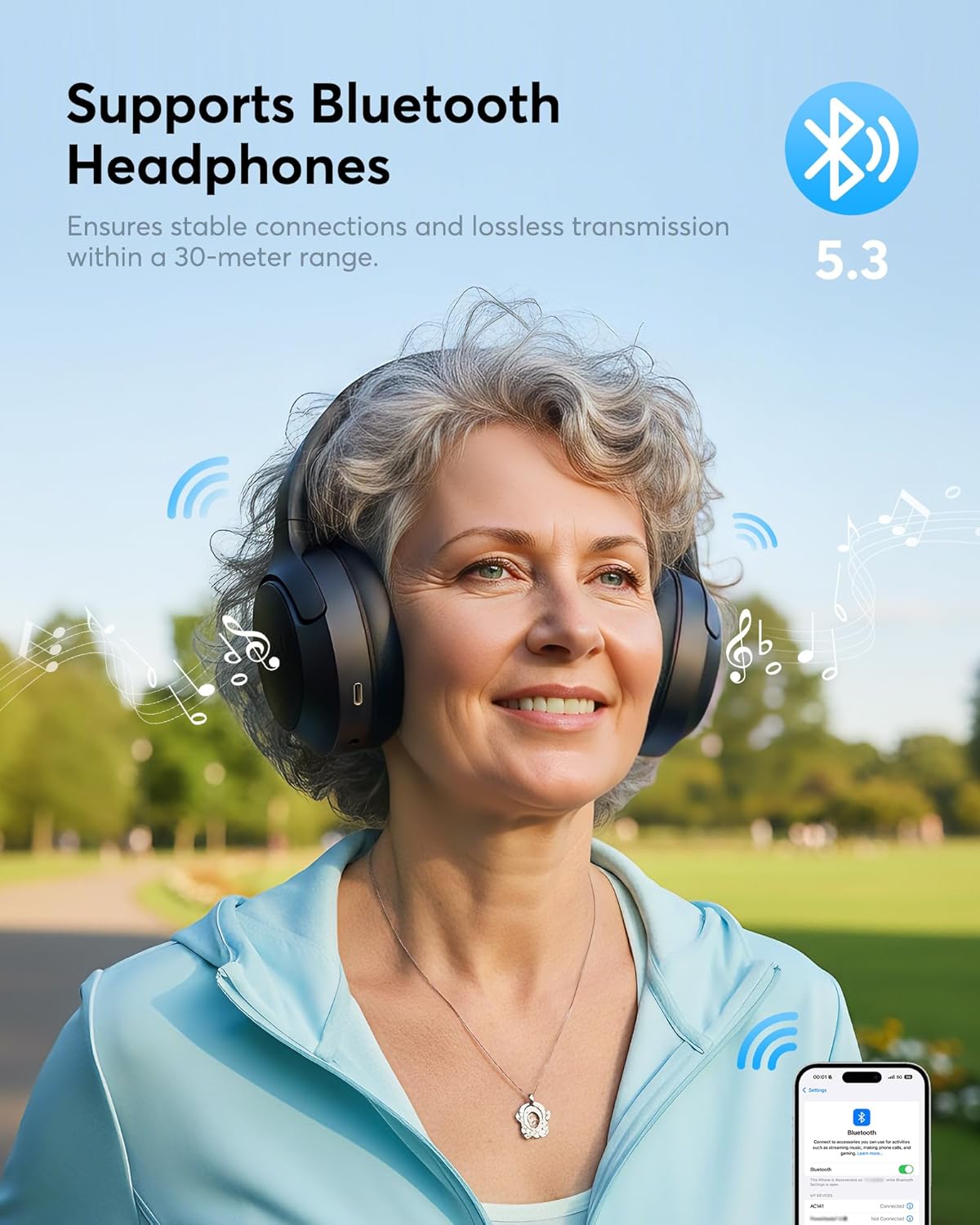
Image: A woman enjoying music with Doohoeek AC141 headphones, demonstrating stable Bluetooth 5.3 connection within a 30-meter range.
- ഹെഡ്ഫോണുകൾ ഓഫാണെന്ന് ഉറപ്പാക്കുക.
- Press and hold the Power button on the headphones until the LED indicator flashes rapidly (usually blue and red), indicating pairing mode.
- On your smartphone or other Bluetooth device, go to Bluetooth settings and search for available devices.
- Select "Doohoeek AC141" from the list. Once connected, the LED indicator on the headphones will show a steady blue light or flash slowly.
പ്രവർത്തന നിർദ്ദേശങ്ങൾ
1. പവർ ഓൺ/ഓഫ്
- പവർ ഓണാക്കാൻ: Press and hold the Power button on the headphones for approximately 3 seconds until you hear an audible prompt or see the LED indicator light up.
- പവർ ഓഫ് ചെയ്യാൻ: Press and hold the Power button for approximately 3-5 seconds until you hear an audible prompt or the LED indicator turns off.
2. വോളിയം നിയന്ത്രണം
- ഉപയോഗിക്കുക വോളിയം കൂട്ടുക (+) ഒപ്പം വോളിയം താഴേക്ക് (-) buttons located on the headphones to adjust the listening volume.
- You may also need to adjust the volume on your connected audio source (TV, phone, etc.) for optimal sound levels.
3. Switching Audio Sources (Transmitter)
If your transmitter is connected to multiple audio sources (e.g., Optical and AUX), use the മോഡ് button on the transmitter to switch between inputs. The digital display will indicate the active input.

Image: A couple enjoying TV audio privately using the Doohoeek AC141 wireless headphones and transmitter, highlighting comfortable wear and sound quality.
മെയിൻ്റനൻസ്
ശരിയായ പരിചരണം നിങ്ങളുടെ ഹെഡ്ഫോണുകളുടെ ദീർഘായുസ്സും പ്രകടനവും ഉറപ്പാക്കുന്നു.
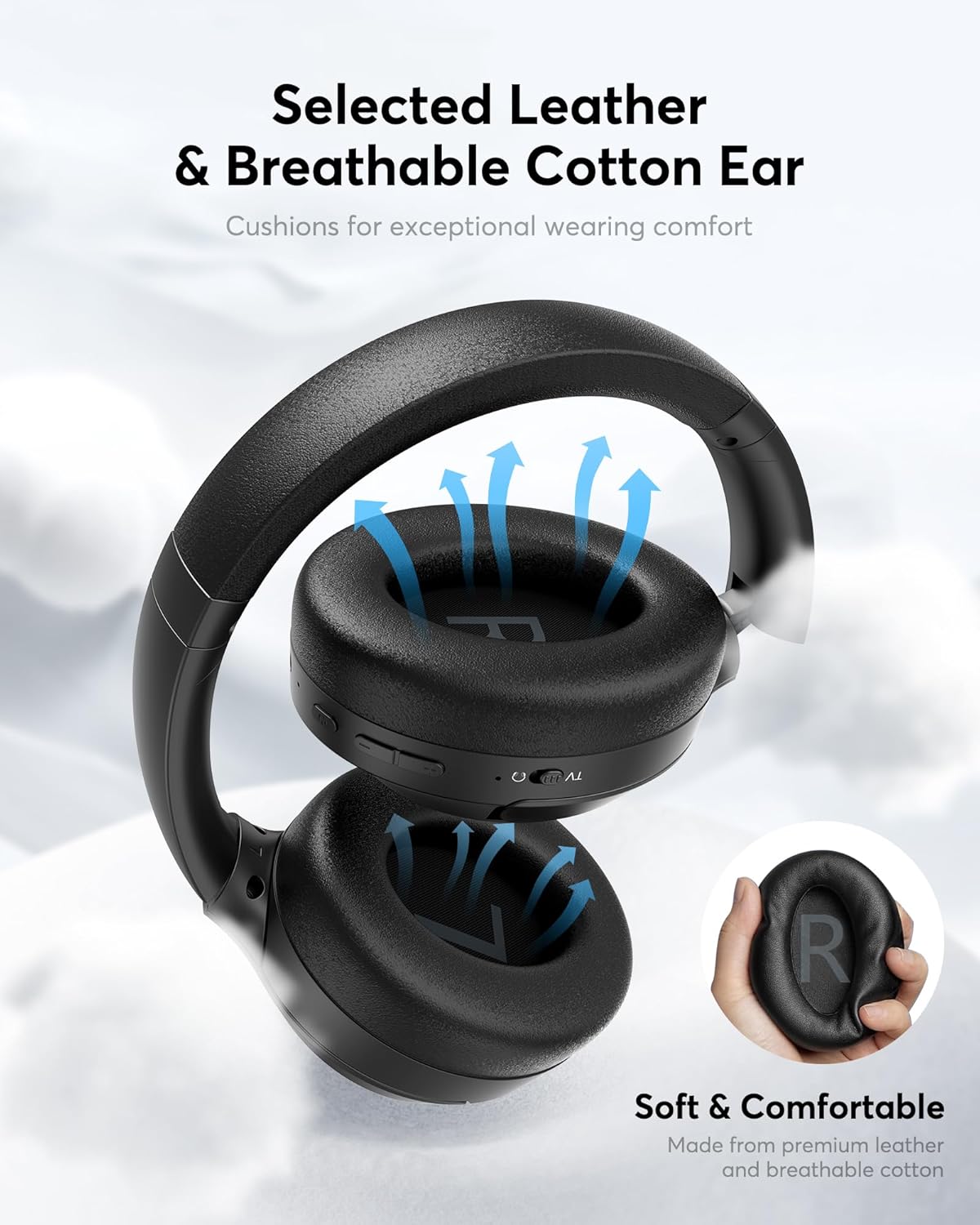
Image: The earcups are made from selected leather and breathable cotton for exceptional wearing comfort.
- വൃത്തിയാക്കൽ: Use a soft, dry cloth to wipe the headphones and transmitter. For ear cushions, gently wipe with a slightly damp ഉപയോഗിക്കുന്നതിന് മുമ്പ് തുണികൊണ്ട് മൂടി പൂർണ്ണമായും വായുവിൽ ഉണങ്ങാൻ അനുവദിക്കുക. കഠിനമായ രാസവസ്തുക്കളോ അബ്രാസീവ് ക്ലീനറുകളോ ഉപയോഗിക്കരുത്.
- സംഭരണം: ഉപയോഗത്തിലില്ലാത്തപ്പോൾ, ഹെഡ്ഫോണുകൾ ചാർജിംഗ് ഡോക്കിലോ വൃത്തിയുള്ളതും വരണ്ടതുമായ സ്ഥലത്തോ കടുത്ത താപനിലയിൽ നിന്നും നേരിട്ടുള്ള സൂര്യപ്രകാശത്തിൽ നിന്നും അകറ്റി സൂക്ഷിക്കുക.
- ബാറ്ററി കെയർ: To maintain battery health, avoid fully discharging the headphones frequently. Charge them regularly, even if not used for extended periods.
ട്രബിൾഷൂട്ടിംഗ്
നിങ്ങൾക്ക് പ്രശ്നങ്ങൾ നേരിടുകയാണെങ്കിൽ, ഇനിപ്പറയുന്ന പൊതുവായ പ്രശ്നങ്ങളും പരിഹാരങ്ങളും പരിശോധിക്കുക:
| പ്രശ്നം | സാധ്യമായ കാരണം | പരിഹാരം |
|---|---|---|
| ഹെഡ്ഫോണുകളിൽ നിന്ന് ശബ്ദമില്ല. | Headphones not powered on or paired. Transmitter not connected to audio source. Incorrect TV audio settings. Volume too low. | Ensure headphones are on and paired. Check transmitter's audio cable connection. Verify TV audio output is set to PCM for optical. Increase headphone and source volume. |
| ഹെഡ്ഫോണുകൾ ചാർജ് ചെയ്യുന്നില്ല. | Improper placement on dock. Charging cable not connected. Faulty power source. | Ensure headphones are correctly seated on the magnetic dock. Check Type-C cable connection. Try a different USB power adapter or outlet. |
| Sound cutting out or static. | Out of range. Interference. Low battery. | Move closer to the transmitter/device. Avoid strong Wi-Fi signals or other wireless devices. Charge the headphones. |
| ബ്ലൂടൂത്ത് വഴി ജോടിയാക്കാൻ കഴിയില്ല. | Headphones not in pairing mode. Device's Bluetooth is off. | Ensure headphones are in pairing mode (flashing LED). Turn on Bluetooth on your device and refresh the device list. |
സ്പെസിഫിക്കേഷനുകൾ
Technical details for the Doohoeek AC141 Wireless TV Headphones:
| ഫീച്ചർ | വിശദാംശങ്ങൾ |
|---|---|
| മോഡൽ നമ്പർ | AC141 |
| ബ്രാൻഡ് | Doohoeek |
| നിറം | കറുപ്പ് |
| ഹെഡ്ഫോൺ ഫോം ഫാക്ടർ | ഓവർ-ഇയർ |
| ഇയർ കപ്പ് സ്റ്റൈൽ | ഓവർ-ഇയർ |
| ഫ്രീക്വൻസി റേഞ്ച് | 20 ഹെർട്സ് - 20,000 ഹെർട്സ് |
| കണക്റ്റിവിറ്റി ടെക്നോളജി | വയർലെസ് |
| വയർലെസ് ടെക്നോളജി | ബ്ലൂടൂത്ത് 5.3 |
| ശരാശരി ബാറ്ററി ലൈഫ് | 60 മണിക്കൂർ |
| നിയന്ത്രണ രീതി | പുഷ് ബട്ടൺ |
| ഉൽപ്പന്ന സവിശേഷതകൾ | Digital Display Base, Bluetooth 5.3 |
| ഉൽപ്പന്നത്തിൻ്റെ പ്രത്യേക ഉപയോഗങ്ങൾ | TV |
| അനുയോജ്യമായ ഉപകരണങ്ങൾ | Television, Mobile Phones, Laptops, Smart Speakers |
വാറൻ്റിയും പിന്തുണയും
Doohoeek products are designed for reliability and performance. For warranty information, please refer to the documentation included with your purchase or contact Doohoeek customer support. If you require further assistance or have questions not covered in this manual, please reach out to our support team through the contact information provided on the official Doohoeek webസൈറ്റ് അല്ലെങ്കിൽ നിങ്ങളുടെ റീട്ടെയിലറുടെ പിന്തുണാ ചാനലുകൾ.


