1. ആമുഖം
This manual provides detailed instructions for the setup, operation, and maintenance of your HPRT iDPRT MT890 Portable Wireless Thermal Printer. Please read this manual thoroughly before using the printer to ensure proper function and longevity of the device.
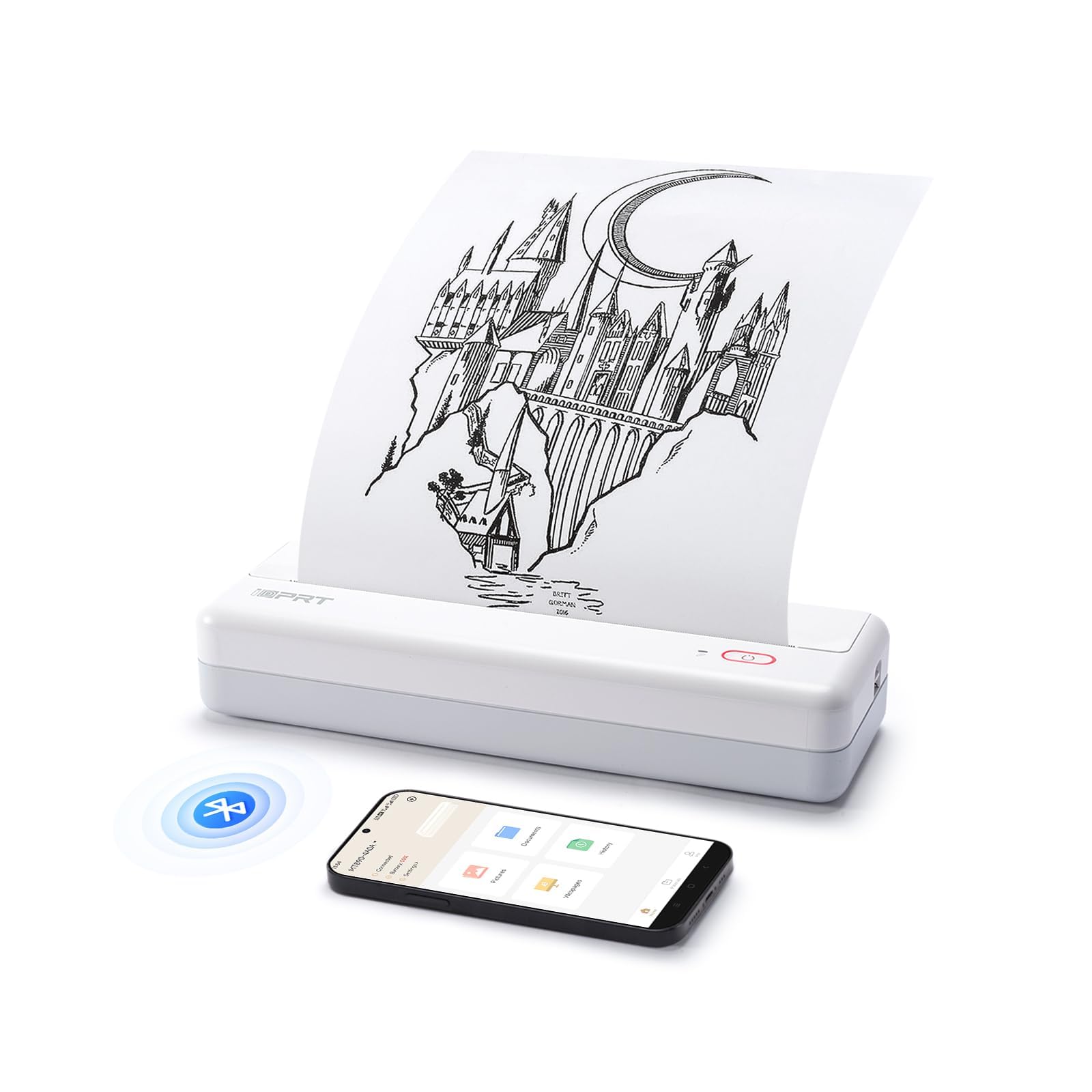
Image: The HPRT iDPRT MT890 Portable Wireless Printer shown in a professional meeting environment, highlighting its compact size and suitability for various scenarios.
2. ഉൽപ്പന്നം കഴിഞ്ഞുview
2.1 പ്രധാന സവിശേഷതകൾ
- നൂതന മഷിയില്ലാത്ത സാങ്കേതികവിദ്യ: Utilizes thermal printing, eliminating the need for ink cartridges. Achieves high-speed printing, completing an A4 page in 5-8 seconds.
- നൂതനമായ ബിൽറ്റ്-ഇൻ റോൾ പേപ്പർ ഡിസൈൻ: Supports thermal roll paper, allowing printing on various lengths as needed. Includes a serrated tearing knife for easy paper detachment.
- ബഹുമുഖ കണക്റ്റിവിറ്റി: Compatible with Laptop (Mac, Windows, Linux, Chrome OS) via USB and mobile phones (iOS, Android) via Bluetooth.
- "HerePrint" Mobile Application: A free application offering extensive functions for a creative printing experience on mobile devices.
- ഒതുക്കമുള്ളതും പോർട്ടബിൾ: Measuring 12.4 x 4.8 x 2.7 inches, this lightweight printer is designed for portability, fitting easily into briefcases, backpacks, or suitcases.

Image: An illustration highlighting the key features of the MT890 printer: Bluetooth/USB connectivity, inkless thermal printing, a 2500mAh battery capacity, and its lightweight design.
2.2 ബോക്സിൽ എന്താണുള്ളത്
പാക്കേജിൽ ഉൾപ്പെടുന്നു:
- HPRT iDPRT MT890 Portable Wireless Thermal Printer
- നിർദ്ദേശ മാനുവൽ (ഈ പ്രമാണം)
- യുഎസ്ബി കേബിൾ (ചാർജിംഗിനും വയർ കണക്ഷനും)
- Thermal A4 Paper Roll (for initial use)
3. സജ്ജീകരണം
3.1 പ്രിന്റർ ചാർജ് ചെയ്യുന്നു
Before initial use, fully charge the printer. Connect the provided USB cable to the printer's charging port and a compatible USB power adapter (not included) or computer USB port. The charging indicator light will show the charging status.

Image: The MT890 printer connected to a wall adapter via its USB cable, indicating the charging process.
3.2 തെർമൽ പേപ്പർ ലോഡുചെയ്യുന്നു
- പേപ്പർ കമ്പാർട്ട്മെന്റ് കവർ തുറക്കുക.
- Insert the thermal paper roll into the compartment, ensuring the printable side faces the print head.
- Pull a small amount of paper out of the compartment.
- Close the paper compartment cover securely.
Note: Only use thermal paper. Regular A4 paper is not compatible with this printer. The printer supports various thermal paper sizes including US Letter, A4, and A5, as well as continuous roll paper.
Image: The MT890 printer with thermal paper being loaded, illustrating the support for multiple paper sizes like 8.5 inches (216mm), 8 inches (210mm), and 4 inches (110mm).
3.3 സോഫ്റ്റ്വെയറും ഡ്രൈവറും ഇൻസ്റ്റാൾ ചെയ്യൽ
3.3.1 For Desktop Computers (Windows, Mac, Linux, Chrome OS)
To print from a desktop computer, you need to install the appropriate driver:
- നൽകിയിരിക്കുന്ന USB കേബിൾ ഉപയോഗിച്ച് നിങ്ങളുടെ കമ്പ്യൂട്ടറിലേക്ക് പ്രിൻ്റർ ബന്ധിപ്പിക്കുക.
- Visit the official iDPRT driver download page: https://www.idprt.com/Driver/
- Download and install the driver corresponding to your operating system.
- ഇൻസ്റ്റാളേഷൻ പൂർത്തിയാക്കാൻ ഓൺ-സ്ക്രീൻ നിർദ്ദേശങ്ങൾ പാലിക്കുക.
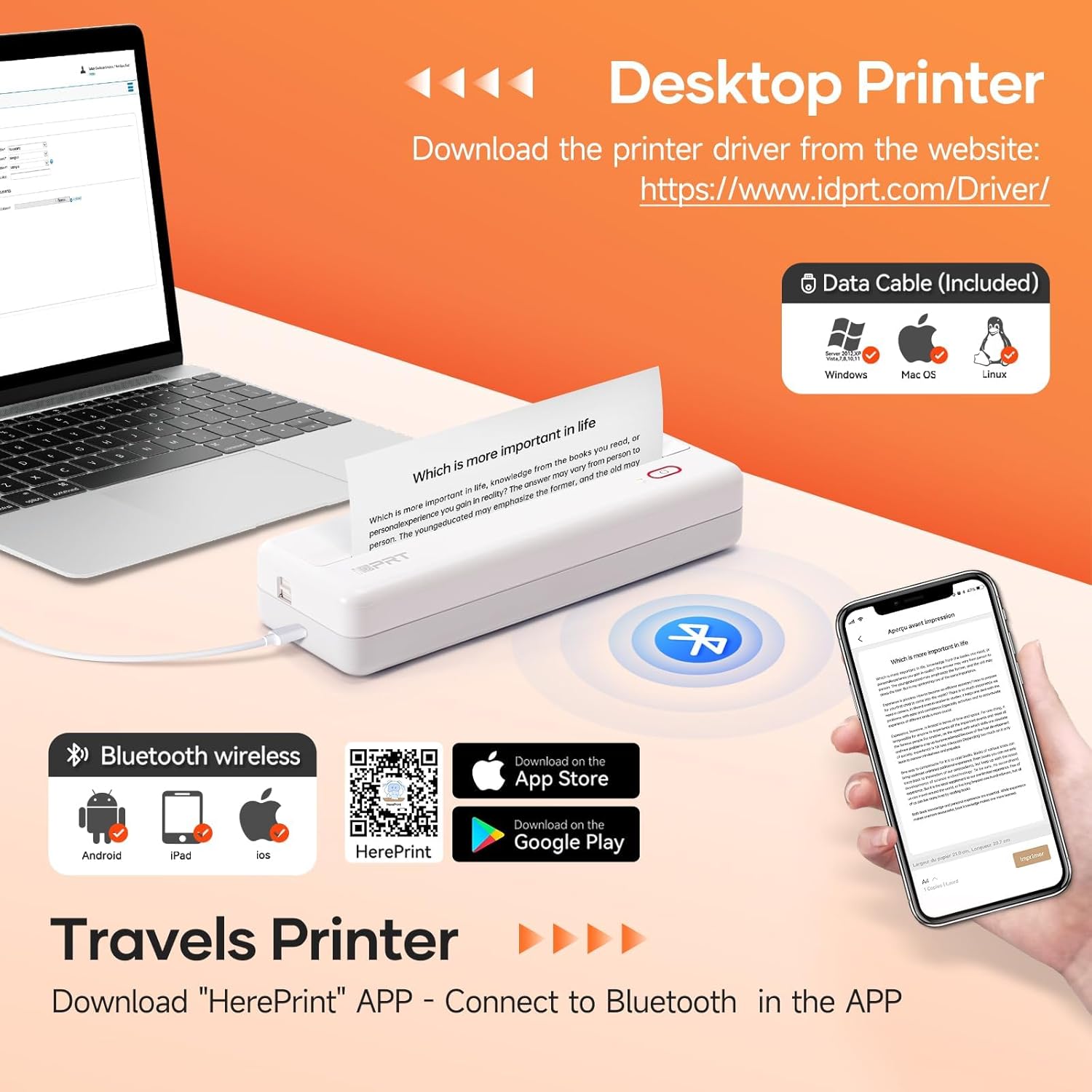
Image: The MT890 printer connected to a laptop, with an overlay indicating the driver download website for Windows, Mac OS, and Linux.
3.3.2 For Mobile Devices (iOS, Android)
To print from your smartphone or tablet, download the "HerePrint" application:
- Scan the QR code provided in the product packaging or search for "HerePrint" in your device's app store (Apple App Store for iOS, Google Play Store for Android).
- Alternatively, visit the app download link: https://hereprint.hprt.com/app/hereprint
- Install the "HerePrint" application on your mobile device.
Image: The MT890 printer with a smartphone displaying the "HerePrint" app interface, alongside QR codes and app store icons for downloading the application on Android and iOS devices.
3.4 പ്രിന്ററുമായി ബന്ധിപ്പിക്കുന്നു
3.4.1 USB Connection (for Desktop)
After installing the driver, connect the printer to your computer using the USB cable. The computer should recognize the printer automatically.
3.4.2 ബ്ലൂടൂത്ത് കണക്ഷൻ (മൊബൈൽ ഉപകരണങ്ങൾക്ക്)
- നിങ്ങളുടെ മൊബൈൽ ഉപകരണത്തിൽ ബ്ലൂടൂത്ത് പ്രവർത്തനക്ഷമമാക്കിയിട്ടുണ്ടെന്ന് ഉറപ്പാക്കുക.
- Turn on the HPRT MT890 printer.
- Open the "HerePrint" application.
- Within the app, navigate to the device connection settings and select your MT890 printer from the list of available Bluetooth devices.
- Follow any on-screen prompts to pair the devices.

Image: A man working on a laptop, wirelessly printing a document to the compact HPRT MT890 printer placed on a table, demonstrating wireless connectivity and instant printing.
4. പ്രവർത്തന നിർദ്ദേശങ്ങൾ
4.1 ഒരു കമ്പ്യൂട്ടറിൽ നിന്നുള്ള പ്രിന്റിംഗ്
- Ensure the printer is powered on and connected via USB.
- നിങ്ങളുടെ കമ്പ്യൂട്ടറിൽ പ്രിന്റ് ചെയ്യാൻ ആഗ്രഹിക്കുന്ന പ്രമാണമോ ചിത്രമോ തുറക്കുക.
- ആപ്ലിക്കേഷന്റെ മെനുവിൽ നിന്ന് "പ്രിന്റ്" തിരഞ്ഞെടുക്കുക (ഉദാ. File > പ്രിന്റ് ചെയ്യുക).
- Choose "HPRT MT890" as your printer.
- Adjust print settings (e.g., paper size, orientation) as needed.
- പ്രിന്റ് പ്രക്രിയ ആരംഭിക്കാൻ "പ്രിന്റ്" ക്ലിക്ക് ചെയ്യുക.

Image: A woman at an office desk, focused on her laptop, with the MT890 printer beside her, illustrating its use for business document printing.
4.2 Printing from a Mobile Device
- Ensure the printer is powered on and connected via Bluetooth to your mobile device through the "HerePrint" app.
- Open the "HerePrint" application.
- Select the document, image, or content you wish to print within the app.
- Adjust print settings as available in the app.
- Tap "Print" to initiate printing.
5. പരിപാലനം
5.1 പ്രിന്റ് ഹെഡ് വൃത്തിയാക്കൽ
പ്രിന്റ് നിലവാരം നിലനിർത്താൻ, പ്രിന്റ് ഹെഡ് ഇടയ്ക്കിടെ വൃത്തിയാക്കുക. മൃദുവായ, ലിന്റ് രഹിത തുണി ഉപയോഗിച്ച് ചെറുതായി തുടയ്ക്കുക.ampഐസോപ്രോപൈൽ ആൽക്കഹോൾ ഉപയോഗിച്ച് പൂശിയിരിക്കുന്നു. പ്രിന്റ് ഹെഡ് പ്രതലം സൌമ്യമായി തുടയ്ക്കുക. വൃത്തിയാക്കുന്നതിന് മുമ്പ് പ്രിന്റർ ഓഫാക്കി തണുപ്പിച്ചിട്ടുണ്ടെന്ന് ഉറപ്പാക്കുക.
5.2 പൊതു പരിചരണം
- Keep the printer away from dust, direct sunlight, and extreme temperatures.
- പ്രിന്റർ താഴെയിടുകയോ ശക്തമായ ആഘാതങ്ങൾക്ക് വിധേയമാക്കുകയോ ചെയ്യുന്നത് ഒഴിവാക്കുക.
- Use only recommended thermal paper. Using incorrect paper types can damage the print head.
- When not in use for extended periods, store the printer in a dry, cool place.
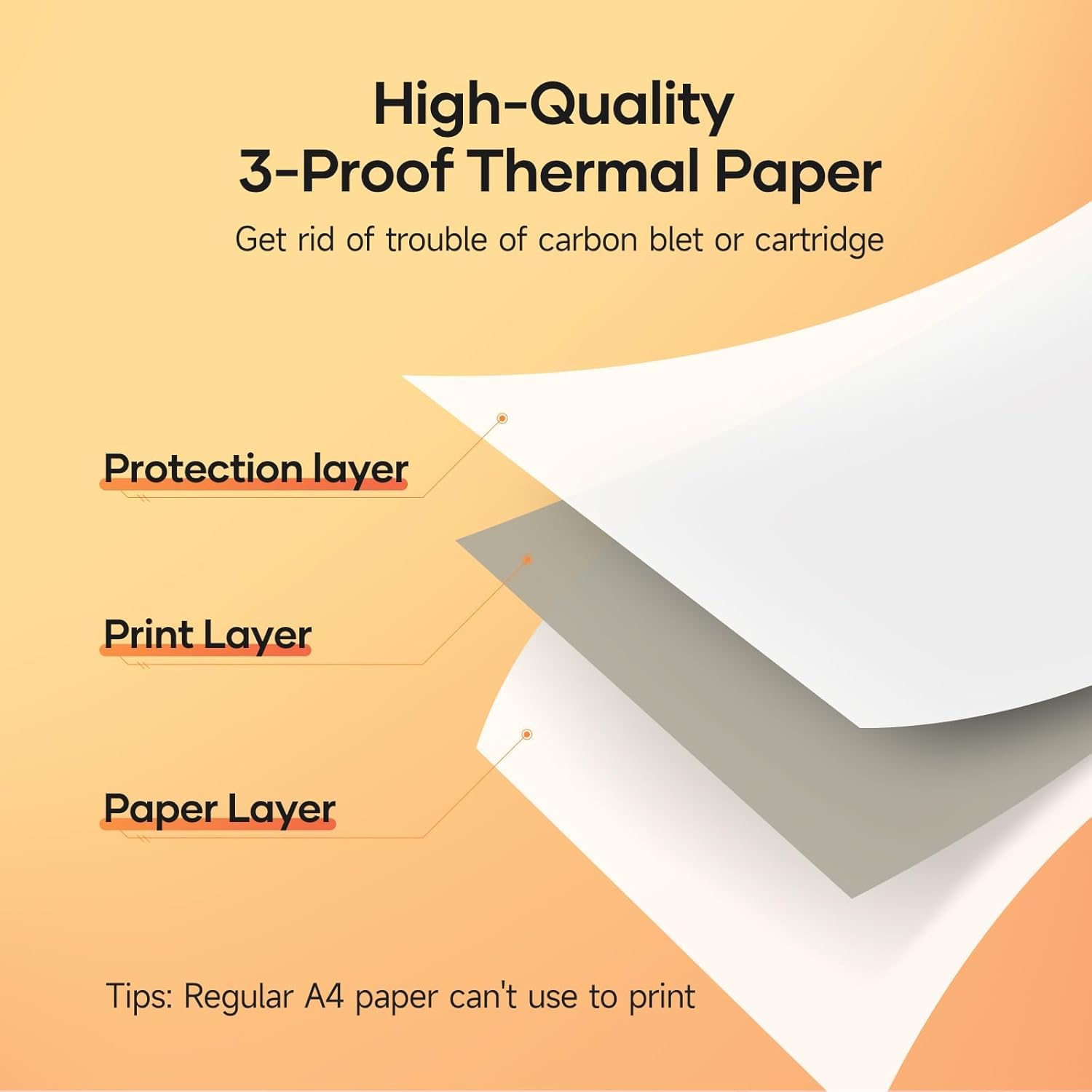
Image: A diagram illustrating the layered structure of high-quality 3-proof thermal paper, consisting of a protection layer, print layer, and paper layer. A note indicates that regular A4 paper cannot be used.
6. പ്രശ്നപരിഹാരം
6.1 Printer Not Turning On
- Ensure the printer is fully charged. Connect it to a power source and wait for the charging indicator.
- കുറച്ച് സെക്കൻഡ് നേരത്തേക്ക് പവർ ബട്ടൺ അമർത്തിപ്പിടിക്കുക.
6.2 No Print Output / Blank Pages
- Check if thermal paper is loaded correctly and the printable side is facing the print head.
- Ensure you are using thermal paper, not regular paper.
- Verify the printer is connected and recognized by your device.
6.3 മോശം പ്രിന്റ് നിലവാരം
- മെയിന്റനൻസ് വിഭാഗത്തിൽ വിവരിച്ചിരിക്കുന്നതുപോലെ പ്രിന്റ് ഹെഡ് വൃത്തിയാക്കുക.
- Ensure the thermal paper is of good quality and not expired or damaged.
- Check print settings in your application for density or darkness adjustments.
6.4 ബ്ലൂടൂത്ത് വഴി ബന്ധിപ്പിക്കാൻ കഴിയില്ല
- പ്രിന്റർ ഓണാണെന്നും നിങ്ങളുടെ മൊബൈൽ ഉപകരണത്തിന്റെ പരിധിക്കുള്ളിലാണെന്നും ഉറപ്പാക്കുക.
- നിങ്ങളുടെ മൊബൈൽ ഉപകരണത്തിൽ ബ്ലൂടൂത്ത് പ്രവർത്തനക്ഷമമാക്കിയിട്ടുണ്ടെന്ന് ഉറപ്പാക്കുക.
- പ്രിന്ററും നിങ്ങളുടെ മൊബൈൽ ഉപകരണവും പുനരാരംഭിക്കുക.
- Forget the device in your phone's Bluetooth settings and try pairing again through the "HerePrint" app.
6.5 ഡ്രൈവർ ഇൻസ്റ്റലേഷൻ പ്രശ്നങ്ങൾ
- Ensure you downloaded the correct driver for your operating system from the official iDPRT webസൈറ്റ്.
- Temporarily disable antivirus or firewall software during installation if issues persist.
- Try connecting the printer to a different USB port or computer.
7 സ്പെസിഫിക്കേഷനുകൾ
| ഫീച്ചർ | വിശദാംശങ്ങൾ |
|---|---|
| ബ്രാൻഡ് | HPRT |
| മോഡലിൻ്റെ പേര് | MT890 |
| കണക്റ്റിവിറ്റി ടെക്നോളജി | ബ്ലൂടൂത്ത്, യുഎസ്ബി |
| പ്രിൻ്റിംഗ് ടെക്നോളജി | തെർമൽ |
| പ്രത്യേക ഫീച്ചർ | Portable, Inkless |
| പ്രിൻ്റർ ഔട്ട്പുട്ട് | മോണോക്രോം |
| പരമാവധി പ്രിന്റ് വേഗത (മോണോക്രോം) | 20.35 mm/s (approx. 5-8 seconds per A4 page) |
| പിന്തുണയ്ക്കുന്ന ഷീറ്റ് വലുപ്പങ്ങൾ | US Letter, A4, A5, Roll Paper (up to 8.5 inches wide) |
| ഉൽപ്പന്ന അളവുകൾ | 3.74 x 10.6 x 1.97 ഇഞ്ച് |
| ബാറ്ററി ശേഷി | 2500mAh |
| യു.പി.സി | 728434048190 |

Image: The MT890 printer shown alongside a laptop bag and other accessories, illustrating its compact dimensions (10.6in length, 3.7in width, 1.9in height) and ease of portability.
8. വാറൻ്റിയും പിന്തുണയും
ഈ ഉൽപ്പന്നം എ 90 ദിവസത്തെ പരിമിത വാറൻ്റി from the date of purchase. This warranty covers manufacturing defects and malfunctions under normal use. It does not cover damage caused by misuse, accidents, unauthorized modifications, or use of non-thermal paper.
For technical support, warranty claims, or further assistance, please contact HPRT customer service. Refer to the official HPRT webബന്ധപ്പെടാനുള്ള വിവരങ്ങൾക്കുള്ള സൈറ്റ്.


