ആമുഖം
Welcome to the user manual for your Rapoo EV310M Wireless Vertical Mouse. This ergonomic mouse is designed for comfort and efficiency, featuring multi-mode wireless connectivity and adjustable DPI settings. Please read this manual carefully to ensure proper setup and optimal performance.
പാക്കേജ് ഉള്ളടക്കം
- Rapoo EV310M Wireless Vertical Mouse
- USB റിസീവർ (മൗസിനുള്ളിൽ സൂക്ഷിച്ചിരിക്കുന്നു)
- AA ബാറ്ററി (മുൻകൂട്ടി ഇൻസ്റ്റാൾ ചെയ്തതോ ഉൾപ്പെടുത്തിയതോ)
- ദ്രുത ആരംഭ ഗൈഡ് (ഈ പ്രമാണം)
ഉൽപ്പന്നം കഴിഞ്ഞുview
Familiarize yourself with the components of your Rapoo EV310M mouse.
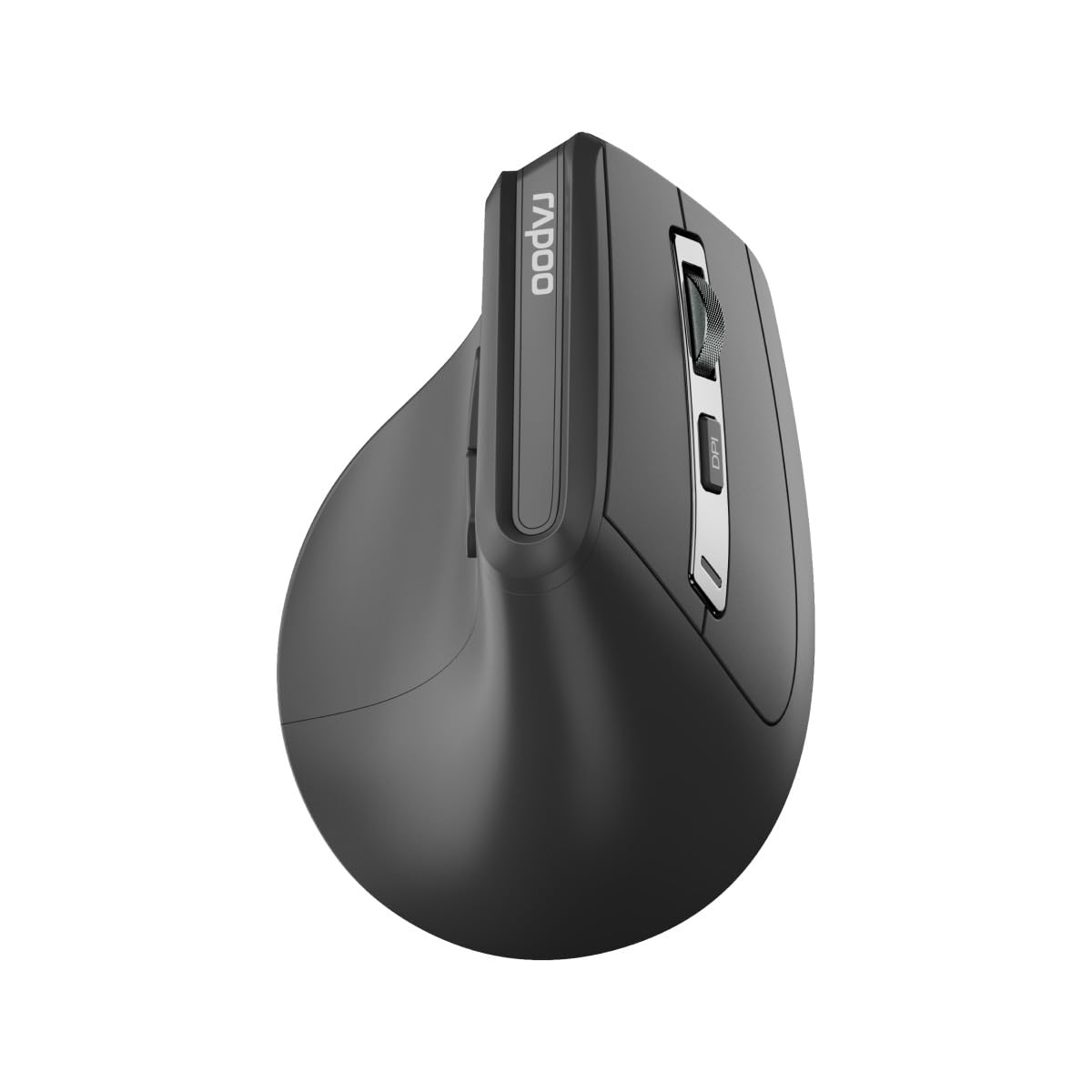
ചിത്രം: മുകളിൽ view of the Rapoo EV310M Wireless Vertical Mouse, highlighting the scroll wheel and DPI button.
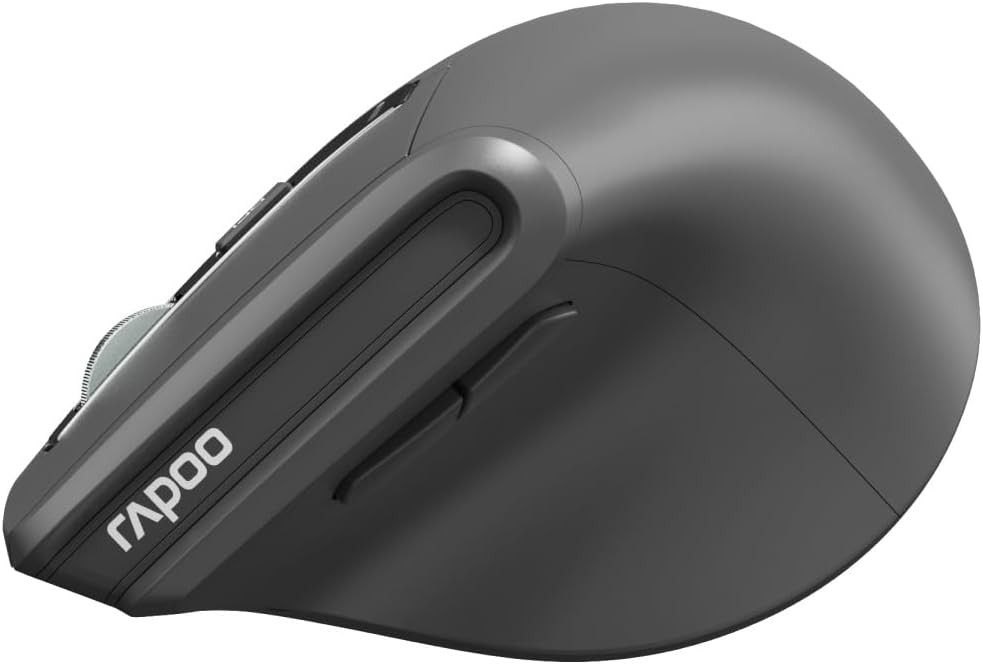
ചിത്രം: വശം view of the Rapoo EV310M Wireless Vertical Mouse, showing the forward and backward navigation buttons.
ബട്ടൺ പ്രവർത്തനങ്ങൾ
- ഇടത് ക്ലിക്ക് ബട്ടൺ: സ്റ്റാൻഡേർഡ് ഇടത്-ക്ലിക്ക് പ്രവർത്തനം.
- റൈറ്റ് ക്ലിക്ക് ബട്ടൺ: സ്റ്റാൻഡേർഡ് റൈറ്റ്-ക്ലിക്ക് ഫംഗ്ഷൻ.
- സ്ക്രോൾ വീൽ: മുകളിലേക്കും/താഴേക്കും സ്ക്രോൾ ചെയ്യുക, മധ്യത്തിൽ ക്ലിക്ക് ചെയ്യുക.
- DPI ബട്ടൺ: കഴ്സർ സെൻസിറ്റിവിറ്റി (DPI) ക്രമീകരിക്കുന്നു.
- ഫോർവേഡ് ബട്ടൺ: മുന്നോട്ട് നാവിഗേറ്റ് ചെയ്യുന്നു web ബ്രൗസറുകൾ അല്ലെങ്കിൽ file പര്യവേക്ഷകർ.
- ബാക്ക്വേർഡ് ബട്ടൺ: പിന്നിലേക്ക് നാവിഗേറ്റ് ചെയ്യുന്നു web ബ്രൗസറുകൾ അല്ലെങ്കിൽ file പര്യവേക്ഷകർ.
- Mode Switch Button/Indicator: Switches between 2.4GHz and Bluetooth modes.
സജ്ജമാക്കുക
1. ബാറ്ററി ഇൻസ്റ്റാളേഷൻ
- മൗസിന്റെ അടിഭാഗത്ത് ബാറ്ററി കമ്പാർട്ട്മെന്റ് കണ്ടെത്തുക.
- ബാറ്ററി കമ്പാർട്ട്മെൻ്റ് കവർ തുറക്കുക.
- ശരിയായ പോളാരിറ്റി (+/-) ഉറപ്പാക്കിക്കൊണ്ട് ഒരു AA ബാറ്ററി ഇടുക.
- ബാറ്ററി കമ്പാർട്ട്മെൻ്റ് കവർ അടയ്ക്കുക.
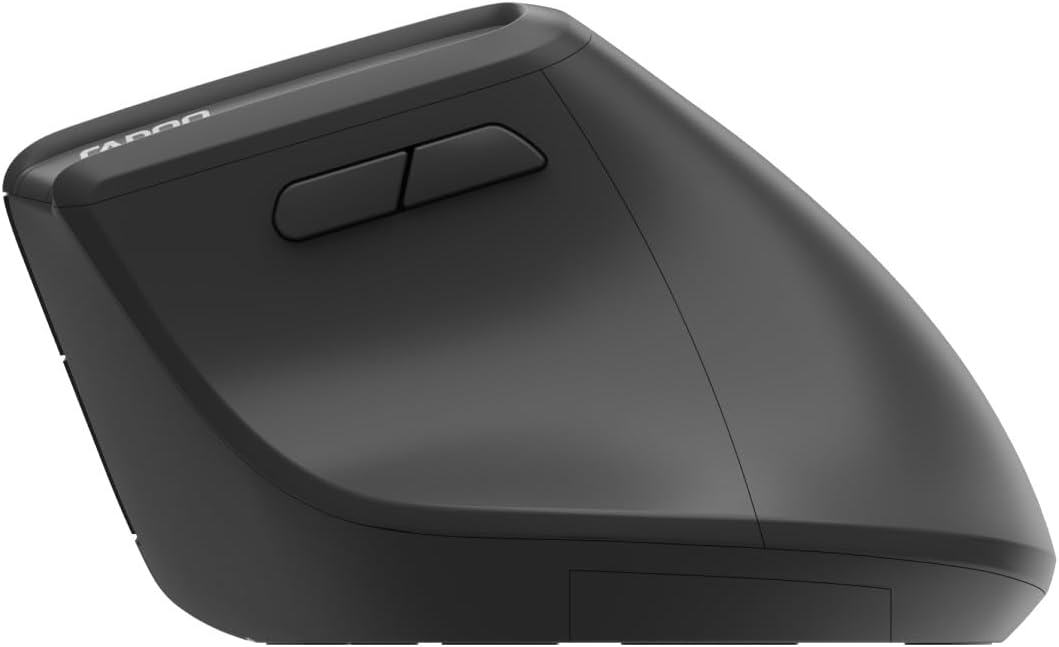
Image: Underside of the mouse, illustrating the battery compartment and the storage slot for the USB receiver.
2. നിങ്ങളുടെ മൗസ് ബന്ധിപ്പിക്കുന്നു
The Rapoo EV310M supports multi-mode wireless connection: 2.4 GHz via USB receiver and Bluetooth 3.0/5.0.
2.1. 2.4 GHz വയർലെസ് കണക്ഷൻ
- Remove the USB receiver from its storage slot on the bottom of the mouse.
- നിങ്ങളുടെ കമ്പ്യൂട്ടറിൽ ലഭ്യമായ USB പോർട്ടിലേക്ക് USB റിസീവർ പ്ലഗ് ചെയ്യുക.
- Turn on the mouse using the power switch (usually on the bottom).
- The mouse should connect automatically. If not, press the mode switch button until the 2.4GHz indicator lights up.
2.2. ബ്ലൂടൂത്ത് കണക്ഷൻ
- മൗസ് ഓണാക്കുക.
- Press the mode switch button to select a Bluetooth channel (e.g., Bluetooth 1 or Bluetooth 2). The indicator light for the selected Bluetooth channel will start blinking slowly.
- Press and hold the mode switch button for 3 seconds until the indicator light blinks rapidly. This indicates the mouse is in pairing mode.
- നിങ്ങളുടെ കമ്പ്യൂട്ടറിലോ ഉപകരണത്തിലോ, Bluetooth ക്രമീകരണങ്ങൾ തുറന്ന് പുതിയ ഉപകരണങ്ങൾക്കായി തിരയുക.
- Select "RAPOO EV310M" from the list of available devices to pair.
- Once paired, the indicator light will stop blinking and remain solid for a few seconds before turning off.
പ്രവർത്തന നിർദ്ദേശങ്ങൾ
1. ഡിപിഐ ക്രമീകരണം
The DPI (Dots Per Inch) button allows you to adjust the cursor speed and sensitivity.
- അമർത്തുക DPI ബട്ടൺ located on the top of the mouse to cycle through available DPI settings (e.g., 800, 1200, 1600, 2400 DPI).
- Each press will change the sensitivity, allowing you to find your preferred cursor speed.
2. ബന്ധിപ്പിച്ച ഉപകരണങ്ങൾക്കിടയിൽ മാറൽ
The EV310M mouse can be paired with up to three devices (one 2.4GHz and two Bluetooth devices).
- ബന്ധിപ്പിച്ച ഉപകരണങ്ങൾക്കിടയിൽ മാറാൻ, മോഡ് സ്വിച്ച് ബട്ടൺ മൗസിൽ.
- The indicator light will briefly show which channel (2.4G, BT1, BT2) is active.
മെയിൻ്റനൻസ്
വൃത്തിയാക്കൽ
നിങ്ങളുടെ മൗസ് വൃത്തിയാക്കാൻ, മൃദുവായതും ഉണങ്ങിയതുമായ ഒരു തുണി ഉപയോഗിക്കുക. കഠിനമായ അഴുക്കിന്, ചെറുതായി dampവെള്ളം അല്ലെങ്കിൽ നേരിയ ക്ലീനിംഗ് ലായനി ഉപയോഗിച്ച് തുണി തുടയ്ക്കുക. കഠിനമായ രാസവസ്തുക്കളോ ഉരച്ചിലുകളോ ഉള്ള വസ്തുക്കൾ ഉപയോഗിക്കുന്നത് ഒഴിവാക്കുക.
ബാറ്ററി മാറ്റിസ്ഥാപിക്കൽ
When the mouse performance degrades or the indicator light signals low battery, replace the AA battery following the installation steps in the Setup section.
ട്രബിൾഷൂട്ടിംഗ്
മൗസ് പ്രതികരിക്കുന്നില്ല
- ബാറ്ററി പരിശോധിക്കുക: ബാറ്ററി ശരിയായി ഇൻസ്റ്റാൾ ചെയ്തിട്ടുണ്ടെന്നും ആവശ്യത്തിന് ചാർജ് ഉണ്ടെന്നും ഉറപ്പാക്കുക. ആവശ്യമെങ്കിൽ മാറ്റിസ്ഥാപിക്കുക.
- വൈദ്യുതി സ്വിച്ച്: മൗസ് ഓൺ ആണോ എന്ന് പരിശോധിക്കുക.
- USB റിസീവർ: For 2.4GHz mode, ensure the USB receiver is securely plugged into a working USB port. Try a different port.
- ബ്ലൂടൂത്ത് കണക്ഷൻ: For Bluetooth mode, ensure Bluetooth is enabled on your device and the mouse is correctly paired. Re-pair if needed.
- ദൂരം: Ensure the mouse is within the effective operating range of your computer (typically 10 meters).
കഴ്സർ ചലനം അസ്ഥിരമാണ്
- ഉപരിതലം: വൃത്തിയുള്ളതും പ്രതിഫലിക്കാത്തതുമായ ഒരു പ്രതലത്തിൽ മൗസ് ഉപയോഗിക്കുക. ഒരു മൗസ് പാഡ് ശുപാർശ ചെയ്യുന്നു.
- DPI ക്രമീകരണം: Adjust the DPI setting to a lower value if the cursor is too fast or jumpy.
- സെൻസർ ശുചിത്വം: Check the optical sensor on the bottom of the mouse for any obstructions or dirt. Clean gently with a soft cloth.
സ്പെസിഫിക്കേഷനുകൾ
| ഫീച്ചർ | വിശദാംശങ്ങൾ |
|---|---|
| ബ്രാൻഡ് | റാപൂ |
| മോഡൽ നമ്പർ | EV310M |
| കണക്റ്റിവിറ്റി ടെക്നോളജി | Bluetooth (3.0, 5.0), 2.4 GHz Wireless |
| ഡിപിഐ സംവേദനക്ഷമത | Adjustable 800-2400 DPI |
| ബട്ടണുകളുടെ എണ്ണം | 6 |
| കൈ ഓറിയൻ്റേഷൻ | വലംകൈയ്യൻ |
| പവർ ഉറവിടം | ബാറ്ററി പവർ (1x AA) |
| ബാറ്ററി ലൈഫ് | 9 മാസം വരെ |
| ഓപ്പറേറ്റിംഗ് സിസ്റ്റം അനുയോജ്യത | പിസി, ലിനക്സ്, മാക് |
| ഇനത്തിൻ്റെ ഭാരം | 100 ഗ്രാം |
| നിറം | കറുപ്പ് |
വാറൻ്റിയും പിന്തുണയും
For warranty information or technical support, please refer to the official RAPOO website or contact your local dealer. Keep your purchase receipt for warranty claims.


