ആമുഖം
വാങ്ങിയതിന് നന്ദി.asing the aowoka M6-YTUS-BK Portable Bluetooth Speaker. This manual provides essential information for setting up, operating, and maintaining your speaker. Please read it carefully before use and retain it for future reference.
പാക്കേജ് ഉള്ളടക്കം
- aowoka M6-YTUS-BK Portable Bluetooth Speaker
- യുഎസ്ബി ചാർജിംഗ് കേബിൾ
- ഉപയോക്തൃ മാനുവൽ
- Microphone (Included Component)
ഉൽപ്പന്നം കഴിഞ്ഞുview
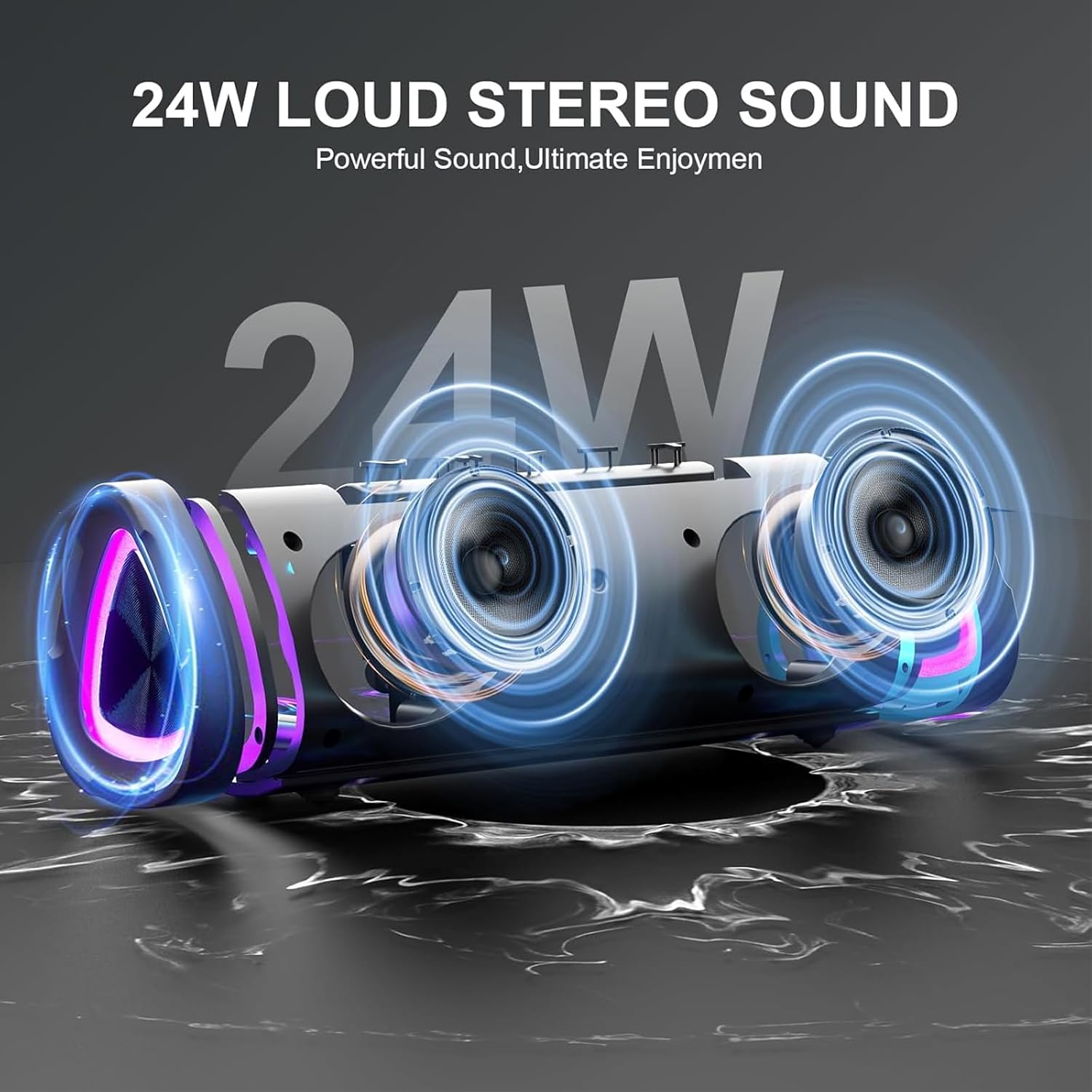
The aowoka M6-YTUS-BK is a portable wireless speaker designed for various environments, featuring Bluetooth 5.4 connectivity, IPX7 waterproofing, and dynamic LED lighting. It delivers powerful sound with enhanced bass and offers up to 24 hours of playtime.
ചിത്രം: മുൻഭാഗം view of the aowoka M6-YTUS-BK Portable Bluetooth Speaker, showcasing അതിന്റെ ഒതുക്കമുള്ള രൂപകൽപ്പനയും സ്പീക്കർ ഗ്രില്ലും.
പ്രധാന സവിശേഷതകൾ
- ശക്തമായ ബാസ്: Equipped with a high-power full-range driver and CD grain metal bass cone.
- വിപുലീകരിച്ച കളിസമയം: Up to 24 hours of battery life from a built-in 1800 mAh rechargeable Li-ion battery.
- ബ്ലൂടൂത്ത് 5.4: Ensures fast and stable wireless connection.
- IPX7 വാട്ടർപ്രൂഫ്: Resistant to rain, dust, snow, splashes, sand, and temporary submersion in water.
- RGB ലൈറ്റിംഗ്: Seven dazzling colorful glowing modes that sync with music.
- TWS ഫംഗ്ഷൻ: Connect two speakers for true wireless stereo sound.
- ഒന്നിലധികം പ്ലേബാക്ക് മോഡുകൾ: Supports Bluetooth, TF/SD card, and AUX input.
- ഹാൻഡ്സ് ഫ്രീ കോളിംഗ്: Built-in microphone for convenient calls.
സജ്ജമാക്കുക
1. സ്പീക്കറിൽ നിന്ന് നിരക്ക് ഈടാക്കുന്നു
Before first use, fully charge the speaker. Connect the provided USB charging cable to the speaker's DC 5V charging port and the other end to a USB power adapter (not included) or a computer's USB port. The charging indicator light will show the charging status.
2. പവർ ഓൺ/ഓഫ്
- പവർ ഓണാക്കാൻ: Press and hold the Power button for approximately 2 seconds. You will hear an audible prompt, and the LED lights will illuminate.
- പവർ ഓഫ് ചെയ്യാൻ: Press and hold the Power button for approximately 2 seconds. You will hear an audible prompt, and the LED lights will turn off.
പ്രവർത്തന നിർദ്ദേശങ്ങൾ
1. ബ്ലൂടൂത്ത് ജോടിയാക്കൽ
- സ്പീക്കർ ഓണാണെന്നും ബ്ലൂടൂത്ത് ജോടിയാക്കൽ മോഡിലാണെന്നും ഉറപ്പാക്കുക (ബ്ലൂടൂത്ത് ഇൻഡിക്കേറ്റർ ലൈറ്റ് മിന്നിമറയും).
- നിങ്ങളുടെ ഉപകരണത്തിൽ (സ്മാർട്ട്ഫോൺ, ടാബ്ലെറ്റ് മുതലായവ), ബ്ലൂടൂത്ത് പ്രവർത്തനക്ഷമമാക്കി ലഭ്യമായ ഉപകരണങ്ങൾക്കായി തിരയുക.
- Select "aowoka M6-YTUS-BK" from the list of devices.
- Once paired, you will hear a confirmation sound, and the Bluetooth indicator light will remain solid.

Image: Diagram showing the speaker's wide compatibility with devices like phones, MP3 players, tablets, and projectors.
2. TWS (ട്രൂ വയർലെസ് സ്റ്റീരിയോ) ജോടിയാക്കൽ
To achieve stereo sound, you can pair two aowoka M6-YTUS-BK speakers together.
- രണ്ട് സ്പീക്കറുകളും ഓണാക്കിയിട്ടുണ്ടെന്നും ഏതെങ്കിലും ബ്ലൂടൂത്ത് ഉപകരണവുമായി ബന്ധിപ്പിച്ചിട്ടില്ലെന്നും ഉറപ്പാക്കുക.
- On one speaker, double-press the TWS button (often indicated by a 'TWS' icon). This speaker will become the primary speaker.
- The two speakers will automatically search and pair with each other. You will hear a confirmation sound once connected.
- Once TWS paired, connect your device to the primary speaker via Bluetooth as described in the 'Bluetooth Pairing' section.

Image: Illustration demonstrating two aowoka M6-YTUS-BK speakers wirelessly paired to a laptop for stereo audio.
3. LED ലൈറ്റ് കൺട്രോൾ
The speaker features dynamic RGB lighting. Use the dedicated Light button to cycle through different lighting modes or turn the lights off.
- സിംഗിൾ പ്രസ്സ്: Cycle through various light modes.
- Press and Hold (approx. 2 seconds): Turn the LED lights off.

Image: Three aowoka M6-YTUS-BK speakers displaying different colored RGB lights (green, blue, red) with 'RGB' text overlay.
4. പ്ലേബാക്ക് നിയന്ത്രണങ്ങൾ

Image: Diagram illustrating the functions of the speaker's control buttons for power, light, volume, track skipping, play/pause, TWS, and call management.
- പ്ലേ/താൽക്കാലികമായി നിർത്തുക: Play/Pause ബട്ടൺ ഒരിക്കൽ അമർത്തുക.
- വോളിയം കൂട്ടുക: '+' ബട്ടൺ ചുരുക്കി അമർത്തുക.
- വോളിയം താഴേക്ക്: '-' ബട്ടൺ ചുരുക്കി അമർത്തുക.
- അടുത്ത ട്രാക്ക്: '+' ബട്ടൺ 2 സെക്കൻഡ് അമർത്തിപ്പിടിക്കുക.
- മുമ്പത്തെ ട്രാക്ക്: '-' ബട്ടൺ 2 സെക്കൻഡ് അമർത്തിപ്പിടിക്കുക.
5. ഹാൻഡ്സ്-ഫ്രീ കോളിംഗ്
When connected to your phone via Bluetooth, you can manage calls directly from the speaker.
- മറുപടി കോൾ: കോൾ ബട്ടൺ ഒരിക്കൽ അമർത്തുക.
- കോൾ അവസാനിപ്പിക്കുക: ഒരു കോൾ സമയത്ത് കോൾ ബട്ടൺ ഒരിക്കൽ അമർത്തുക.
- കോൾ നിരസിക്കുക: കോൾ ബട്ടൺ 2 സെക്കൻഡ് അമർത്തിപ്പിടിക്കുക.
6. TF/SD Card Playback
Insert a TF/SD card (up to 32GB, FAT32 format) with audio files into the TF/SD card slot. The speaker will automatically switch to TF/SD card mode and begin playback.
7. AUX ഇൻപുട്ട്
Connect an audio device using a 3.5mm AUX cable (not included) to the speaker's AUX port. The speaker will automatically switch to AUX mode. Use your connected device to control playback.
മെയിൻ്റനൻസ്
വൃത്തിയാക്കൽ
മൃദുവായ സ്പീക്കർ തുടയ്ക്കുക, ഡിamp തുണി. അബ്രാസീവ് ക്ലീനറുകൾ, ആൽക്കഹോൾ, അല്ലെങ്കിൽ കെമിക്കൽ ലായകങ്ങൾ എന്നിവ ഉപയോഗിക്കരുത്, കാരണം ഇവ ഉപരിതലത്തിന് കേടുവരുത്തും.
സംഭരണം
Store the speaker in a cool, dry place away from direct sunlight and extreme temperatures. If storing for an extended period, charge the battery every 3 months to maintain its lifespan.
ബാറ്ററി കെയർ
To prolong battery life, avoid fully discharging the speaker frequently. Charge the speaker using only the provided cable and a compatible 5V USB power source.
ട്രബിൾഷൂട്ടിംഗ്
| പ്രശ്നം | സാധ്യമായ കാരണം | പരിഹാരം |
|---|---|---|
| സ്പീക്കർ പവർ ഓൺ ചെയ്യുന്നില്ല | ബാറ്ററി ചാർജ് കുറവാണ്; പവർ ബട്ടൺ അധികം നേരം അമർത്തിയിട്ടില്ല. | സ്പീക്കർ ചാർജ് ചെയ്യുക; പവർ ബട്ടൺ 2 സെക്കൻഡ് അമർത്തിപ്പിടിക്കുക. |
| ബ്ലൂടൂത്ത് വഴി ജോടിയാക്കാൻ കഴിയില്ല | Speaker not in pairing mode; Device Bluetooth off; Too far from device | Ensure speaker is flashing Bluetooth indicator; Enable Bluetooth on device; Move device closer (within 10m) |
| ശബ്ദമില്ല | Volume too low; Paused playback; Incorrect input mode | Increase volume on speaker and device; Press Play; Check if in correct mode (Bluetooth, TF, AUX) |
| TWS ജോടിയാക്കൽ പരാജയപ്പെട്ടു | Speakers already connected to other devices; Too far apart | Disconnect speakers from other devices; Ensure speakers are close to each other during TWS pairing |
സ്പെസിഫിക്കേഷനുകൾ
| ഫീച്ചർ | വിശദാംശങ്ങൾ |
|---|---|
| മോഡലിൻ്റെ പേര് | M6-YTUS-BK |
| സ്പീക്കർ തരം | പോർട്ടബിൾ സ്പീക്കർ |
| കണക്റ്റിവിറ്റി ടെക്നോളജി | ബ്ലൂടൂത്ത് 5.4 |
| സ്പീക്കർ പരമാവധി ഔട്ട്പുട്ട് പവർ | 20 വാട്ട്സ് |
| ബാറ്ററി ശേഷി | 1800 mAh ലി-അയോൺ |
| കളിസമയം | Up to 24 hours (varies with volume, LED lights, and music type) |
| വാട്ടർപ്രൂഫ് റേറ്റിംഗ് | IPX7 |
| ഉൽപ്പന്ന അളവുകൾ | 2.86"D x 2.7"W x 3.95"H |
| ഇനത്തിൻ്റെ ഭാരം | 13.1 ഔൺസ് |
| മെറ്റീരിയൽ | പ്ലാസ്റ്റിക് |
| പിന്തുണയ്ക്കുന്ന ഓഡിയോ ഫോർമാറ്റുകൾ | Multiple digital audio file decoding, TF/SD card support |
സുരക്ഷാ വിവരങ്ങൾ
- ഉയർന്ന താപനിലയിലോ നേരിട്ടുള്ള സൂര്യപ്രകാശത്തിലോ ദീർഘനേരം സ്പീക്കറിനെ തുറന്നുകാട്ടരുത്.
- സ്പീക്കർ സ്വയം ഡിസ്അസംബ്ലിംഗ് ചെയ്യുകയോ നന്നാക്കുകയോ പരിഷ്കരിക്കുകയോ ചെയ്യരുത്. ഇത് വാറന്റി അസാധുവാക്കുകയും കേടുപാടുകൾക്കോ പരിക്കോ ഉണ്ടാക്കുകയും ചെയ്തേക്കാം.
- Keep the speaker away from medical devices, as it contains magnets that may interfere with their operation.
- കേൾവിക്ക് കേടുപാടുകൾ സംഭവിക്കുന്നത് തടയാൻ ദീർഘനേരം ഉയർന്ന ശബ്ദത്തിൽ കേൾക്കുന്നത് ഒഴിവാക്കുക.
- Ensure the charging port cover is securely closed when using the speaker near water to maintain its IPX7 rating.
വാറൻ്റിയും പിന്തുണയും
aowoka products are designed for reliability and performance. For warranty information or technical support, please refer to the contact details provided on the product packaging or visit the official aowoka webസൈറ്റ്. വാറന്റി ക്ലെയിമുകൾക്കായി നിങ്ങളുടെ വാങ്ങലിന്റെ തെളിവ് സൂക്ഷിക്കുക.


