1. ആമുഖം
Thank you for choosing the TELESIN Magnetic RGB Video Light. This portable and versatile lighting solution is designed for content creators, streamers, and photographers, offering full RGB color control, adjustable brightness, and multiple mounting options. This manual will guide you through the setup, operation, and maintenance of your device to ensure optimal performance.
2. ബോക്സിൽ എന്താണുള്ളത്?
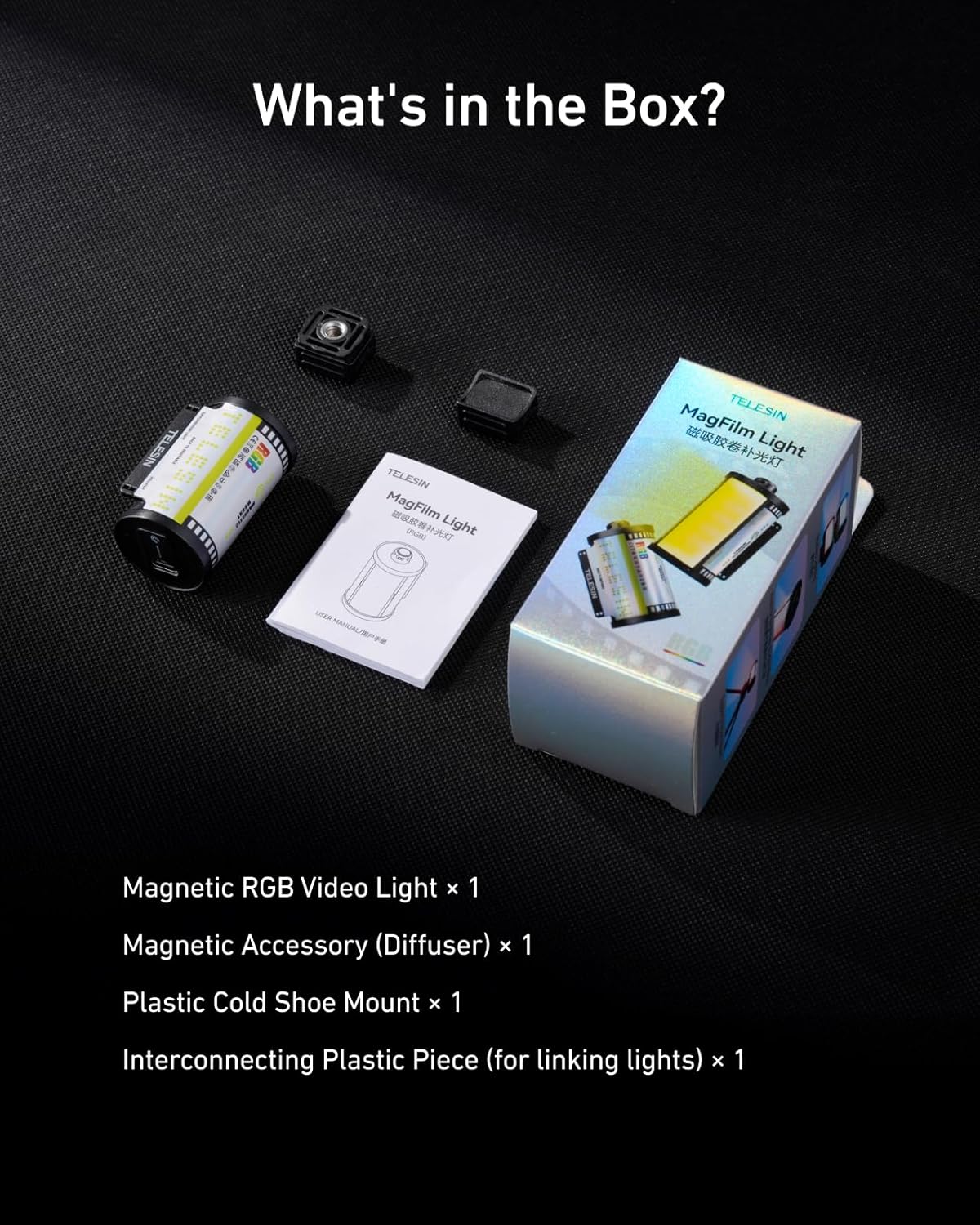
നിങ്ങളുടെ പാക്കേജിൽ എല്ലാ ഇനങ്ങളും ഉണ്ടെന്ന് ദയവായി പരിശോധിക്കുക:
- 1x Magnetic RGB Video Light
- 1x Plastic Cold Shoe Mount
- 1x Magnetic Accessory (Diffuser)
- 1x Interconnecting Plastic Piece (for linking lights)
3. ഉൽപ്പന്നം കഴിഞ്ഞുview
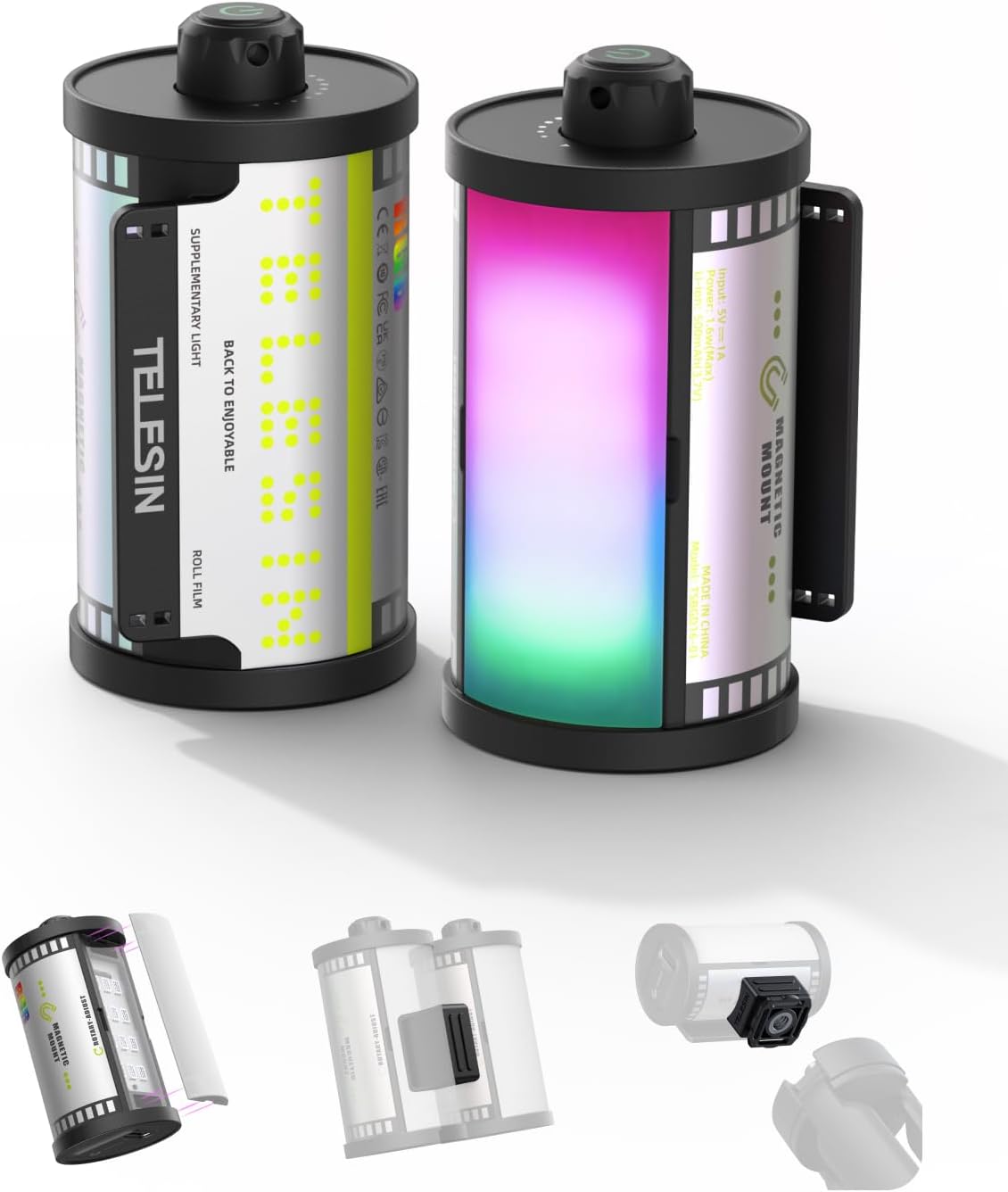
The TELESIN Magnetic RGB Video Light features a compact design resembling a retro film roll. It incorporates a powerful LED array capable of producing a full spectrum of RGB colors and adjustable brightness. The device is equipped with a built-in rechargeable battery and multiple attachment points for versatile use.
4. സജ്ജീകരണം
4.1 ഉപകരണം ചാർജ് ചെയ്യുന്നു
The video light is powered by a built-in 500mAh rechargeable battery. To charge, connect a USB Type-C cable to the charging port on the device and to a suitable power source. A full charge provides up to 1.5 hours of use at maximum RGB brightness or over 24 hours at the minimum setting.

4.2 Attaching the Soft Diffuser
The included soft diffuser attaches magnetically to the front of the light. Simply align the diffuser with the light panel, and it will snap into place. This diffuser helps create softer, more flattering light, reducing harsh shadows.

4.3 മൗണ്ടിംഗ് ഓപ്ഷനുകൾ
The TELESIN Magnetic RGB Video Light offers versatile mounting:
- തണുത്ത ഷൂ മൗണ്ട്: Use the provided plastic cold shoe mount to attach the light to DSLR cameras, mirrorless cameras, tripods, or other photography/videography devices with a cold shoe slot.
- കാന്തിക അറ്റാച്ച്മെൻ്റ്: The light features a built-in strong magnet, allowing it to be securely attached to any metal surface for hands-free operation.
- Interconnecting Piece: Use the interconnecting plastic piece to link multiple TELESIN lights together for wider and brighter coverage.


5. പ്രവർത്തന നിർദ്ദേശങ്ങൾ
5.1 പവർ ഓൺ/ഓഫ്
To power on the device, press and hold the power button located on the top of the light. Repeat the action to power off.
5.2 RGB Color Control
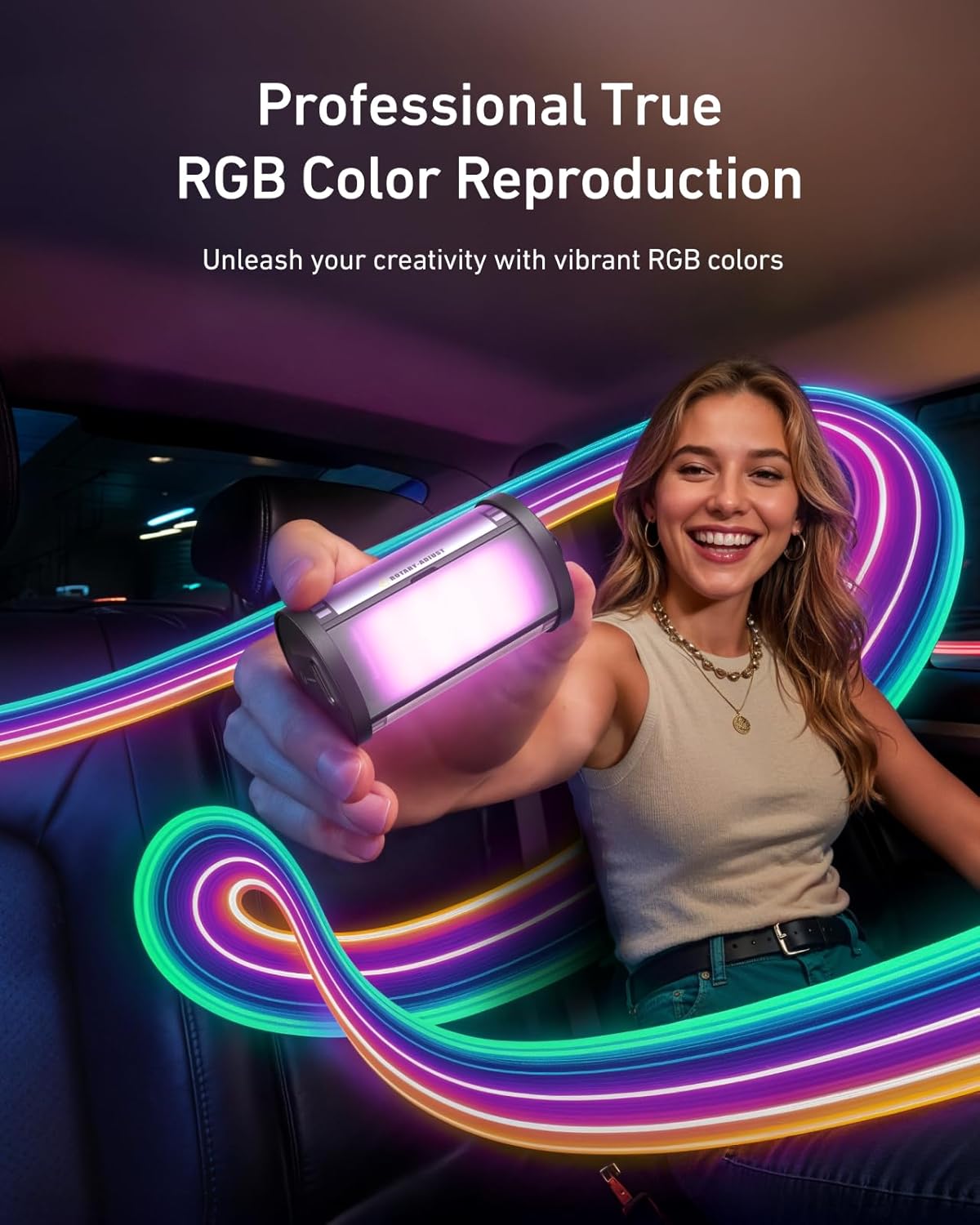
The light offers a full RGB spectrum. Use the control knob/button to cycle through various colors and hues. This allows for creative lighting effects and setting specific moods.

5.3 തെളിച്ചം ക്രമീകരിക്കൽ
The light supports smooth dimming from 7% to 100%. Adjust the brightness using the control knob/button to achieve the desired light intensity for your scene.
6. പരിപാലനം
To ensure the longevity and optimal performance of your TELESIN Magnetic RGB Video Light, follow these maintenance guidelines:
- വൃത്തിയാക്കൽ: Use a soft, dry cloth to clean the exterior of the light. Avoid using harsh chemicals or abrasive materials.
- സംഭരണം: നേരിട്ടുള്ള സൂര്യപ്രകാശത്തിൽ നിന്നും തീവ്രമായ താപനിലയിൽ നിന്നും അകലെ തണുത്തതും വരണ്ടതുമായ സ്ഥലത്ത് വെളിച്ചം സൂക്ഷിക്കുക.
- ബാറ്ററി കെയർ: For best battery life, avoid fully discharging the battery frequently. Recharge the device regularly, even if not in use for extended periods.
- വാട്ടർ എക്സ്പോഷർ: ഈ ഉപകരണം വാട്ടർപ്രൂഫ് അല്ല. വെള്ളത്തിലോ ഉയർന്ന ആർദ്രതയിലോ സമ്പർക്കം ഒഴിവാക്കുക.
7. പ്രശ്നപരിഹാരം
If you encounter any issues with your TELESIN Magnetic RGB Video Light, please refer to the following common problems and solutions:
| പ്രശ്നം | സാധ്യമായ കാരണം | പരിഹാരം |
|---|---|---|
| ലൈറ്റ് ഓണാക്കുന്നില്ല | Low battery; Device not powered on correctly | Charge the battery; Press and hold the power button for 3 seconds |
| Cannot change color/brightness | Incorrect mode; Control knob/button issue | Ensure you are in the correct adjustment mode (refer to operating instructions); Try resetting the device by powering off and on |
| പ്രകാശം മിന്നുന്നു അല്ലെങ്കിൽ അസ്ഥിരമാണ് | Low battery; Internal fault | Charge the battery fully; If problem persists, contact customer support |
| കാന്തിക അറ്റാച്ച്മെൻ്റ് ദുർബലമാണ് | Surface is not metallic; Heavy load | Ensure attachment to a flat, ferrous metal surface; Avoid attaching to excessively heavy objects |
If the problem persists after attempting these solutions, please contact TELESIN customer support for further assistance.
8 സ്പെസിഫിക്കേഷനുകൾ
Key technical specifications for the TELESIN Magnetic RGB Video Light:
| ഫീച്ചർ | വിശദാംശങ്ങൾ |
|---|---|
| ഉൽപ്പന്ന അളവുകൾ | 2.24 x 1.18 x 1.18 ഇഞ്ച് |
| ഇനത്തിൻ്റെ ഭാരം | 2.82 ഔൺസ് (40 ഗ്രാം) |
| ഇനം മോഡൽ നമ്പർ | TELESIN Retro Film RGB Video Light |
| ബാറ്ററി | 1 x 500mAh 9V battery (included) |
| ബാറ്ററി ലൈഫ് | Up to 1.5 hours (max RGB brightness), 24+ hours (min setting) |
| കണക്റ്റിവിറ്റി ടെക്നോളജി | USB |
| ഹാർഡ്വെയർ ഇന്റർഫേസ് | യുഎസ്ബി ടൈപ്പ് സി |
| സി.ആർ.ഐ | 95+ |
| മങ്ങിക്കുന്ന ശ്രേണി | 7%-100% |
| നിർമ്മാതാവ് | ടെലിസിൻ |
| യു.പി.സി | 798156816216 |
9. വാറൻ്റിയും പിന്തുണയും
TELESIN products are designed and manufactured to the highest quality standards. For information regarding warranty coverage, returns, or technical support, please visit the official TELESIN webസൈറ്റിൽ ബന്ധപ്പെടുകയോ അവരുടെ ഉപഭോക്തൃ സേവനവുമായി നേരിട്ട് ബന്ധപ്പെടുകയോ ചെയ്യുക. വാറന്റി ക്ലെയിമുകൾക്കുള്ള വാങ്ങലിന്റെ തെളിവായി നിങ്ങളുടെ വാങ്ങൽ രസീത് സൂക്ഷിക്കുക.
ഓൺലൈൻ പിന്തുണ: For the latest FAQs, troubleshooting guides, and software updates, please visit the TELESIN support page.
ബന്ധപ്പെടാനുള്ള വിവരങ്ങൾ: Refer to the TELESIN official website for current contact details, including email and phone support.


