1. ആമുഖം
This manual provides essential information for the safe and efficient operation of your Panasonic TH-55PX735DX 55-inch 4K Ultra HD Smart LED TV. Please read these instructions thoroughly before using the television and retain them for future reference.
The Panasonic TH-55PX735DX is a 55-inch 4K Ultra HD Smart LED TV designed to enhance your home entertainment experience. It features a bezel-less display and a High Bright Panel, delivering vibrant colors, deep contrast, and sharp detail. The television supports HDR10+ and Dolby Vision for optimized visuals and Dolby Atmos for immersive audio. It integrates smart TV functionalities with Google TV, offering access to various streaming applications and connectivity options including Bluetooth and Dual-Band WiFi.
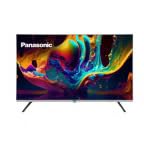
ചിത്രം 1.1: മുൻഭാഗം view of the Panasonic TH-55PX735DX Smart LED TV. This image displays the television's bezel-less design and its screen displaying vibrant colors.
2 പ്രധാനപ്പെട്ട സുരക്ഷാ വിവരങ്ങൾ
കേടുപാടുകൾ തടയുന്നതിനും സുരക്ഷിതമായ പ്രവർത്തനം ഉറപ്പാക്കുന്നതിനും ഇനിപ്പറയുന്ന സുരക്ഷാ മുൻകരുതലുകൾ പാലിക്കുക:
- ഊർജ്ജ സ്രോതസ്സ്: Connect the TV only to an AC 230V, 50/60Hz power supply.
- വെൻ്റിലേഷൻ: ടിവിക്ക് ചുറ്റും മതിയായ വായുസഞ്ചാരം ഉറപ്പാക്കുക. വെന്റിലേഷൻ ദ്വാരങ്ങൾ അടയ്ക്കരുത്.
- ജലവും ഈർപ്പവും: മഴയോ ഈർപ്പമോ ടിവിയിൽ ഏൽക്കരുത്. ദ്രാവകങ്ങൾ നിറച്ച വസ്തുക്കൾ ടിവിയിൽ വയ്ക്കരുത്.
- വൃത്തിയാക്കൽ: വൃത്തിയാക്കുന്നതിന് മുമ്പ് ടിവി പ്ലഗ് ഊരിയിടുക. മൃദുവായതും ഉണങ്ങിയതുമായ തുണി ഉപയോഗിക്കുക. ലിക്വിഡ് ക്ലീനറുകൾ ഒഴിവാക്കുക.
- പ്ലേസ്മെൻ്റ്: Place the TV on a stable, level surface or mount it securely to a wall according to instructions.
- സേവനം: ടിവി സ്വയം സർവീസ് ചെയ്യാൻ ശ്രമിക്കരുത്. എല്ലാ സർവീസിംഗും യോഗ്യതയുള്ള സർവീസ് ഉദ്യോഗസ്ഥരെ ഏൽപ്പിക്കുക.
3. ബോക്സിൽ എന്താണുള്ളത്?
നിങ്ങളുടെ പാക്കേജിൽ ഇനിപ്പറയുന്ന എല്ലാ ഘടകങ്ങളും ഉൾപ്പെടുത്തിയിട്ടുണ്ടെന്ന് ഉറപ്പാക്കുക:
- 1 LED TV (Panasonic TH-55PX735DX)
- 1 ടേബിൾ ടോപ്പ് സ്റ്റാൻഡ്
- 1 ഉപയോക്തൃ മാനുവൽ (ഈ പ്രമാണം)
- 1 വാറൻ്റി കാർഡ്
- 1 വിദൂര നിയന്ത്രണം
- 2 AAA ബാറ്ററികൾ (റിമോട്ട് കൺട്രോളിനായി)
4. സജ്ജീകരണ ഗൈഡ്
4.1 Attaching the Table Top Stand
- കേടുപാടുകൾ സംഭവിക്കാതിരിക്കാൻ ടിവി സ്ക്രീൻ-ഡൗൺ മൃദുവായതും പരന്നതുമായ ഒരു പ്രതലത്തിൽ ശ്രദ്ധാപൂർവ്വം വയ്ക്കുക.
- ടിവിയുടെ അടിയിലുള്ള മൗണ്ടിംഗ് ദ്വാരങ്ങൾക്കൊപ്പം ടേബിൾ ടോപ്പ് സ്റ്റാൻഡ് വിന്യസിക്കുക.
- നൽകിയിരിക്കുന്ന സ്ക്രൂകൾ ഉപയോഗിച്ച് സ്റ്റാൻഡ് ഉറപ്പിക്കുക. സ്റ്റാൻഡ് ദൃഢമായി ഘടിപ്പിച്ചിട്ടുണ്ടെന്ന് ഉറപ്പാക്കുക.
Alternatively, for wall mounting, consult a professional installer and refer to the wall mount kit's instructions.
4.2 ബാഹ്യ ഉപകരണങ്ങൾ ബന്ധിപ്പിക്കുന്നു
Your TV offers various connectivity options. Refer to the back panel for port locations.
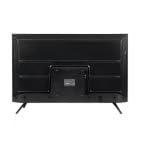
ചിത്രം 4.1: പിൻഭാഗം view of the Panasonic TH-55PX735DX Smart LED TV, illustrating the location of various input and output ports.
- എച്ച്ഡിഎംഐ: Connect Blu-ray players, gaming consoles, or set-top boxes using HDMI cables. The TV supports multiple HDMI inputs.
- USB: മീഡിയ പ്ലേബാക്കിനായി USB സംഭരണ ഉപകരണങ്ങൾ ബന്ധിപ്പിക്കുക.
- ആന്റിന/കേബിൾ: നിങ്ങളുടെ ആന്റിന അല്ലെങ്കിൽ കേബിൾ ടിവി ഫീഡ് ബന്ധിപ്പിക്കുക.
- ശക്തി: പവർ കോർഡ് ടിവിയിലേക്കും തുടർന്ന് ഒരു വാൾ ഔട്ട്ലെറ്റിലേക്കും ബന്ധിപ്പിക്കുക.
4.3 പ്രാരംഭ പവർ-ഓണും നെറ്റ്വർക്ക് സജ്ജീകരണവും
- ടിവി ഒരു പവർ ഔട്ട്ലെറ്റിൽ പ്ലഗ് ചെയ്യുക.
- റിമോട്ട് കൺട്രോളിലോ ടിവിയിലോ പവർ ബട്ടൺ അമർത്തുക.
- നിങ്ങളുടെ ഭാഷ, രാജ്യം എന്നിവ തിരഞ്ഞെടുക്കുന്നതിനും പ്രാരംഭ ചാനൽ സ്കാനിംഗ് നടത്തുന്നതിനും ഓൺ-സ്ക്രീൻ നിർദ്ദേശങ്ങൾ പാലിക്കുക.
- Connect to your Wi-Fi network by selecting your network name and entering the password. The TV supports Dual-Band WiFi.
- Log in with your Google account to access Google TV features and apps.
5. നിങ്ങളുടെ ടിവി പ്രവർത്തിപ്പിക്കുന്നു
5.1 വിദൂര നിയന്ത്രണ പ്രവർത്തനങ്ങൾ
The included remote control provides intuitive navigation. Insert the two AAA batteries into the remote control, observing polarity.
- പവർ ബട്ടൺ: ടിവി ഓണാക്കുകയോ ഓഫാക്കുകയോ ചെയ്യുന്നു.
- നാവിഗേഷൻ പാഡ്: മെനുകളിലൂടെ നാവിഗേറ്റ് ചെയ്യാൻ അമ്പടയാള കീകളും തിരഞ്ഞെടുപ്പുകൾ സ്ഥിരീകരിക്കാൻ ശരി ബട്ടണും ഉപയോഗിക്കുക.
- വോളിയം +/-: വോളിയം ലെവൽ ക്രമീകരിക്കുന്നു.
- ചാനൽ +/-: ടിവി ചാനലുകൾ മാറ്റുന്നു.
- ഹോം ബട്ടണ്: Google TV ഹോം സ്ക്രീൻ ആക്സസ് ചെയ്യുന്നു.
- ഇൻപുട്ട് ബട്ടൺ: ഇൻപുട്ട് ഉറവിടങ്ങൾ (HDMI, USB, മുതലായവ) തിരഞ്ഞെടുക്കുന്നു.
- ആപ്പ് ബട്ടണുകൾ: Dedicated buttons for popular streaming services like Netflix, Prime Video, YouTube, and JioCinema.
5.2 സ്മാർട്ട് ടിവി സവിശേഷതകൾ (ഗൂഗിൾ ടിവി)
Your Panasonic TH-55PX735DX runs on Google TV, providing a personalized entertainment experience.
- ആപ്പ് ആക്സസ്: Download and stream content from a wide range of applications available on the Google Play Store.
- ശബ്ദ നിയന്ത്രണം: Use the built-in Google Assistant (via remote control microphone) to search for content, control smart home devices, and get information.
- ഉള്ളടക്ക നിർദ്ദേശങ്ങൾ: Google TV learns your preferences and suggests movies, shows, and live TV from your subscriptions.
5.3 ചിത്ര, ശബ്ദ ക്രമീകരണങ്ങൾ
നിങ്ങളുടെ ഒപ്റ്റിമൈസ് ചെയ്യുക viewടിവിയുടെ ക്രമീകരണ മെനുവിലൂടെ ഡൗൺലോഡ് ചെയ്യാനും കേൾക്കാനുമുള്ള അനുഭവം.
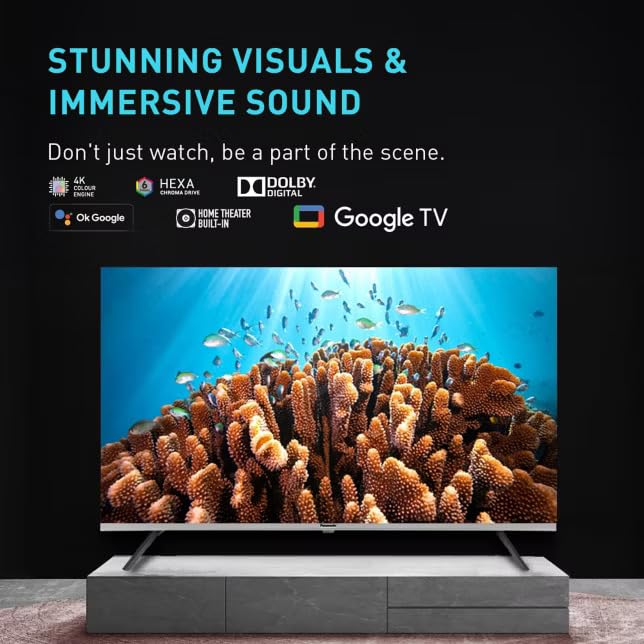
Image 5.1: The TV screen showcasing its capability for stunning visuals and immersive sound, highlighting features like 4K Hexa Chroma Drive, Dolby Digital, and Google TV integration.
- ചിത്ര മോഡുകൾ: Select from various preset picture modes (e.g., Standard, Vivid, Cinema, Game) or customize settings like brightness, contrast, color, and sharpness. The TV features a High Bright Panel and supports HDR10+ and Dolby Vision for enhanced picture quality.
- ശബ്ദ മോഡുകൾ: Choose sound modes (e.g., Standard, Music, Movie, Speech) or adjust equalizer settings. Experience immersive audio with Dolby Atmos support.
- ഗെയിം മോഡ്: Activate Game Mode for reduced input lag, ideal for gaming.
5.4 ബ്ലൂടൂത്ത് കണക്റ്റിവിറ്റി
Connect Bluetooth-enabled devices such as headphones or soundbars wirelessly to your TV.
- Go to the TV's settings menu.
- Navigate to 'Remotes & Accessories' or 'Bluetooth Settings'.
- Enable Bluetooth and put your device in pairing mode.
- ജോടിയാക്കാൻ ടിവി സ്ക്രീനിലെ ലിസ്റ്റിൽ നിന്ന് നിങ്ങളുടെ ഉപകരണം തിരഞ്ഞെടുക്കുക.
6. പരിപാലനവും പരിചരണവും
- സ്ക്രീൻ ക്ലീനിംഗ്: മൃദുവായ, ലിന്റ് രഹിത തുണി ഉപയോഗിച്ച് സ്ക്രീൻ സൌമ്യമായി തുടയ്ക്കുക. കഠിനമായ പാടുകൾക്ക്, ചെറുതായി dampen വെള്ളമോ ഒരു പ്രത്യേക സ്ക്രീൻ ക്ലീനറോ ഉപയോഗിച്ച് തുണിയിൽ തളിക്കുക (സ്ക്രീനിൽ നേരിട്ട് സ്പ്രേ ചെയ്യരുത്).
- കാബിനറ്റ് ക്ലീനിംഗ്: മൃദുവായതും ഉണങ്ങിയതുമായ തുണി ഉപയോഗിച്ച് ടിവി കാബിനറ്റ് തുടയ്ക്കുക.
- പൊടിയിടൽ: വെന്റിലേഷൻ ദ്വാരങ്ങൾ അമിതമായി ചൂടാകുന്നത് തടയാൻ പതിവായി പൊടി തുടയ്ക്കുക.
- പവർ കോർഡ്: പവർ കോർഡിന് എന്തെങ്കിലും കേടുപാടുകൾ സംഭവിച്ചിട്ടുണ്ടോ എന്ന് ഇടയ്ക്കിടെ പരിശോധിക്കുക.
7. പ്രശ്നപരിഹാരം
നിങ്ങളുടെ ടിവിയിൽ പ്രശ്നങ്ങൾ നേരിടുകയാണെങ്കിൽ, ഇനിപ്പറയുന്ന പൊതുവായ പരിഹാരങ്ങൾ പരിശോധിക്കുക:
| പ്രശ്നം | സാധ്യമായ പരിഹാരം |
|---|---|
| ശക്തിയില്ല | Ensure the power cord is securely plugged into both the TV and the wall outlet. Check if the power outlet is working. |
| ചിത്രമില്ല, പക്ഷേ ശബ്ദം ഉണ്ട് | ഇൻപുട്ട് ഉറവിടം പരിശോധിക്കുക. ബാഹ്യ ഉപകരണങ്ങൾ ഓണാക്കിയിട്ടുണ്ടെന്നും ശരിയായി ബന്ധിപ്പിച്ചിട്ടുണ്ടെന്നും ഉറപ്പാക്കുക. |
| ശബ്ദമില്ല, പക്ഷേ ചിത്രം ഉണ്ട് | Check the volume level. Ensure mute is not activated. Verify audio cables for external devices. |
| റിമോട്ട് കൺട്രോൾ പ്രവർത്തിക്കുന്നില്ല | Replace the AAA batteries. Ensure there are no obstructions between the remote and the TV. |
| Wi-Fi-യിലേക്ക് കണക്റ്റുചെയ്യാൻ കഴിയില്ല | Ensure your router is on and within range. Re-enter the Wi-Fi password. Restart the TV and router. |
| സ്മാർട്ട് ടിവി ആപ്പുകൾ ലോഡ് ചെയ്യുന്നില്ല. | Check your internet connection. Clear the app's cache or reinstall the app. Update the TV's software. |
8 സാങ്കേതിക സവിശേഷതകൾ
| ഫീച്ചർ | സ്പെസിഫിക്കേഷൻ |
|---|---|
| ബ്രാൻഡ് | പാനസോണിക് |
| മോഡൽ | TH-55PX735DX |
| സ്ക്രീൻ വലിപ്പം | 55 Inches (139 Centimetres) |
| ഡിസ്പ്ലേ ടെക്നോളജി | LED, IPS Panel |
| റെസലൂഷൻ | 4K അൾട്രാ HD (3840 x 2160 പിക്സലുകൾ) |
| പുതുക്കിയ നിരക്ക് | 60 Hz |
| HDR പിന്തുണ | ഡോൾബി വിഷൻ, HDR10+ |
| ഓഡിയോ ടെക്നോളജി | ഡോൾബി അറ്റ്മോസ്, ബിൽറ്റ്-ഇൻ സ്പീക്കർ |
| ഓപ്പറേറ്റിംഗ് സിസ്റ്റം | Google TV |
| മെമ്മറി സ്റ്റോറേജ് കപ്പാസിറ്റി | 16 ജിബി |
| കണക്റ്റിവിറ്റി | Bluetooth, HDMI, USB, Wi-Fi (Dual-Band) |
| പ്രത്യേക സവിശേഷതകൾ | Bezel-Less Design, High Bright Panel, Game Mode, Micro Dimming, ALLM |
| ഉൽപ്പന്ന അളവുകൾ (LxWxH) | 123.6 x 6.8 x 71.8 സെ.മീ |
| ഇനത്തിൻ്റെ ഭാരം | 20 കി.ഗ്രാം |
| വാല്യംtage | 230 വോൾട്ട് |
| വാട്ട്tage | 150 വാട്ട്സ് |
| മോഡൽ വർഷം | 2025 |
9. വാറൻ്റിയും പിന്തുണയും
9.1 വാറൻ്റി വിവരങ്ങൾ
Your Panasonic TH-55PX735DX Smart LED TV comes with a 1 Year Warranty Care from the date of purchase. Please refer to the included Warranty Card for detailed terms and conditions, including coverage and exclusions.
9.2 ഉപഭോക്തൃ പിന്തുണ
For technical assistance, service requests, or warranty claims, please contact Panasonic customer support. Contact details can be found on the Panasonic official webസൈറ്റ് അല്ലെങ്കിൽ നിങ്ങളുടെ വാറന്റി കാർഡിൽ.
നിർമ്മാതാവ്: പ്യാനസോനിക് ലൈഫ് സോല്യൂഷൻസ് ഇംഡിയാ പ്രൈവെറ്റ് ലിമിറ്റെഡ്


