ആമുഖം
This manual provides detailed instructions for the Vonztek Wireless Headset BT783BJ-DG. Please read this guide thoroughly before using the headset to ensure proper operation and to maximize its features. This headset is designed for clear communication and audio playback in various environments, including office, remote work, and personal use.
ബോക്സിൽ എന്താണുള്ളത്
- Wireless Headset ×1
- ഉപയോക്തൃ മാനുവൽ × 1
- ടൈപ്പ്-സി ചാർജിംഗ് കേബിൾ ×1
- USB Dongle ×1
ഉൽപ്പന്നം കഴിഞ്ഞുview
The Vonztek Wireless Headset BT783BJ-DG features a lightweight design with a flexible, rotatable microphone and comfortable ear cushions. It includes a USB dongle for plug-and-play compatibility with devices without built-in Bluetooth.

Image: The Vonztek Wireless Headset BT783BJ-DG in Champagne Gold & White, showcasing അതിന്റെ രൂപകൽപ്പനയും ഘടകങ്ങളും.

Image: The Vonztek Wireless Headset alongside its USB dongle, highlighting its wireless capabilities.
സജ്ജമാക്കുക
1. ബ്ലൂടൂത്ത് കണക്ഷൻ
- ഹെഡ്സെറ്റ് ചാർജ്ജ് ചെയ്തിട്ടുണ്ടെന്ന് ഉറപ്പാക്കുക.
- Power on the headset by pressing and holding the power button until the LED indicator flashes blue and red, indicating pairing mode.
- നിങ്ങളുടെ ഉപകരണത്തിൽ (സ്മാർട്ട്ഫോൺ, ടാബ്ലെറ്റ്, ലാപ്ടോപ്പ്), ബ്ലൂടൂത്ത് ക്രമീകരണങ്ങളിലേക്ക് പോയി ബ്ലൂടൂത്ത് പ്രവർത്തനക്ഷമമാക്കുക.
- ഇതിനായി തിരയുക available devices and select "BT783BJ-DG" from the list.
- കണക്റ്റ് ചെയ്തുകഴിഞ്ഞാൽ, ഹെഡ്സെറ്റിലെ LED ഇൻഡിക്കേറ്റർ കടും നീല വെളിച്ചം കാണിക്കും.
കുറിപ്പ്: If your computer does not have built-in Bluetooth or you experience connection issues, use the provided USB dongle.
2. USB Dongle Connection (for PC/Laptop)
- നിങ്ങളുടെ കമ്പ്യൂട്ടറിൽ ലഭ്യമായ ഒരു USB പോർട്ടിലേക്ക് USB ഡോംഗിൾ പ്ലഗ് ചെയ്യുക.
- Power on the headset. The headset and dongle will automatically pair.
- The LED on the dongle will turn solid blue once paired.
- On your computer's sound settings, ensure "BT783BJ-DG Dongle" is selected as the input and output device.

Image: Diagram illustrating PC connection settings for both Bluetooth and USB dongle, including steps for sound device selection.
പ്രവർത്തന നിർദ്ദേശങ്ങൾ
The headset features intuitive controls for various functions.
നിയന്ത്രിക്കുന്നുview
- പവർ ബട്ടൺ: Press and hold to power on/off. Short press to answer/end calls.
- വോളിയം കൂട്ടുക/താഴ്ത്തുക: ഓഡിയോ വോളിയം ക്രമീകരിക്കുക.
- മൈക്രോഫോൺ മ്യൂട്ട് ബട്ടൺ: Located on the microphone boom, press to mute/unmute the microphone during calls.
- മൾട്ടി-ഫംഗ്ഷൻ ബട്ടൺ: (Often combined with power button or a separate button) May activate voice assistant (Siri/Google Assistant) with a long press.
ഇരട്ട ഉപകരണ ജോടിയാക്കൽ
The headset supports simultaneous connection to two Bluetooth devices (e.g., a smartphone and a computer). This allows for seamless switching between calls on your phone and audio on your computer.
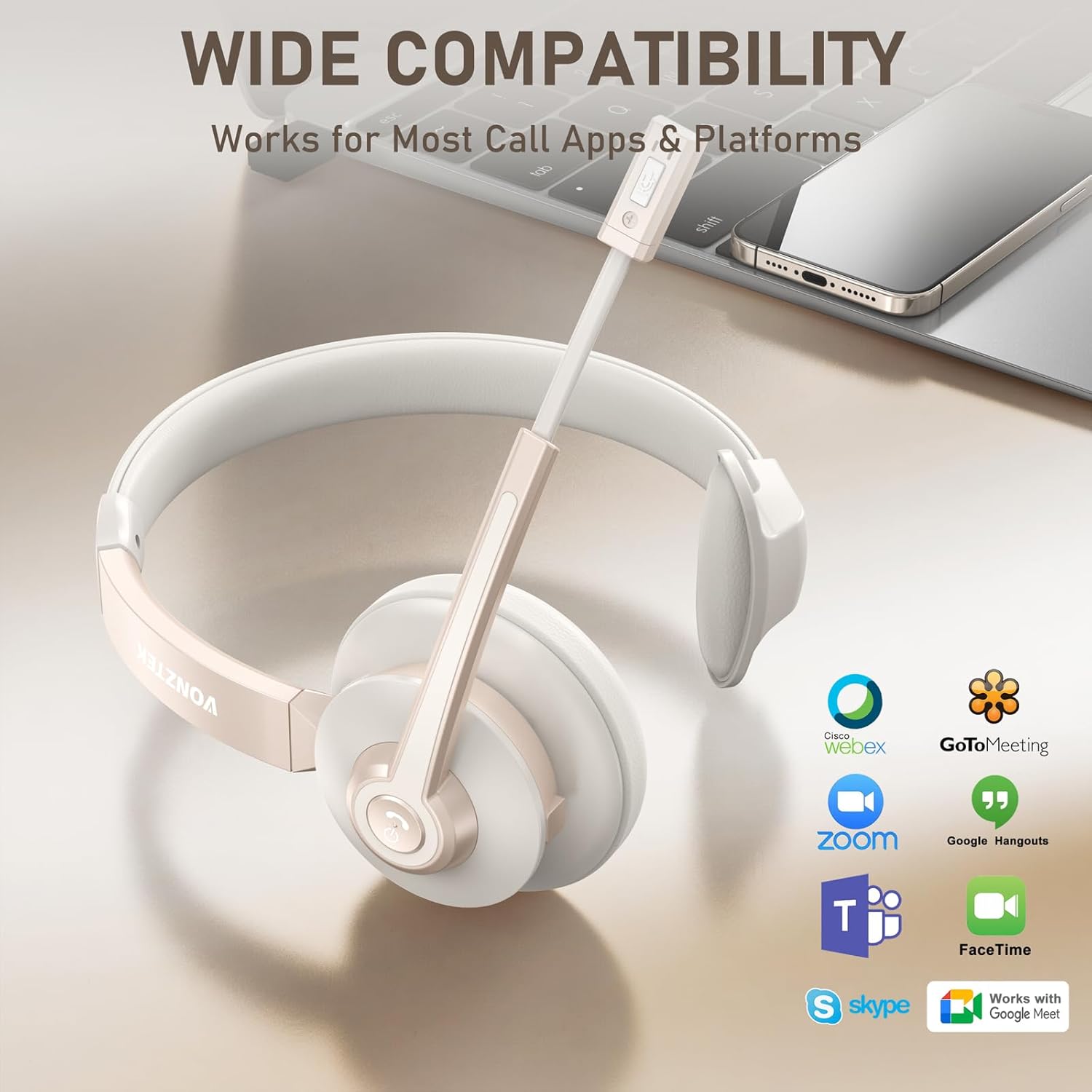
Image: Illustration of the headset connected to both a laptop and a smartphone, demonstrating dual device connectivity. Music playback is limited to one device, but calls can be managed from both.
കുറിപ്പ്: While connected to two devices, music can typically only be played from one device at a time. However, you can pick up or dial calls from either connected device.
മൈക്രോഫോൺ ക്രമീകരണം
The 270° rotatable noise-canceling microphone can be positioned on either your left or right ear for optimal voice pickup. Adjust the boom arm to bring the microphone close to your mouth for the best audio clarity.

ചിത്രം: ഒരു ക്ലോസ്-അപ്പ് view of the headset demonstrating the 270-degree rotation of the microphone boom, allowing it to be worn on either ear.
ചാർജിംഗ്
To charge the headset, connect the included Type-C cable to the charging port on the headset and the other end to a USB power source (e.g., computer USB port, wall adapter). The LED indicator will show charging status.
- ചാർജിംഗ് സമയം: ഫുൾ ചാർജിനായി ഏകദേശം 2 മണിക്കൂർ.
- സംസാര സമയം: ഒറ്റ ചാർജിൽ 26 മണിക്കൂർ വരെ.
- സ്റ്റാൻഡ്ബൈ സമയം: 210 മണിക്കൂർ വരെ.

Image: Graphic illustrating the battery life of the Vonztek headset, showing 2 hours of charge time for 26 hours of talk time and 210 hours of standby time.
മെയിൻ്റനൻസ്
- മൃദുവായതും ഉണങ്ങിയതുമായ തുണി ഉപയോഗിച്ച് ഹെഡ്സെറ്റ് പതിവായി വൃത്തിയാക്കുക.
- ഹെഡ്സെറ്റ് തീവ്രമായ താപനില, ഈർപ്പം അല്ലെങ്കിൽ നേരിട്ടുള്ള സൂര്യപ്രകാശം എന്നിവയിൽ ഏൽക്കുന്നത് ഒഴിവാക്കുക.
- ഹെഡ്സെറ്റ് ഡിസ്അസംബ്ലിംഗ് ചെയ്യാനോ പരിഷ്ക്കരിക്കാനോ ശ്രമിക്കരുത്, കാരണം ഇത് വാറന്റി അസാധുവാക്കും.
- ഉപയോഗത്തിലില്ലാത്തപ്പോൾ ഹെഡ്സെറ്റ് തണുത്തതും വരണ്ടതുമായ സ്ഥലത്ത് സൂക്ഷിക്കുക.
ട്രബിൾഷൂട്ടിംഗ്
| പ്രശ്നം | പരിഹാരം |
|---|---|
| ഹെഡ്സെറ്റ് ഓണാക്കുന്നില്ല. | ഹെഡ്സെറ്റ് പൂർണ്ണമായും ചാർജ് ചെയ്തിട്ടുണ്ടെന്ന് ഉറപ്പാക്കുക. ടൈപ്പ്-സി കേബിൾ ഉപയോഗിച്ച് ഒരു പവർ സ്രോതസ്സുമായി ബന്ധിപ്പിക്കുക. |
| ഒരു ഉപകരണവുമായി ജോടിയാക്കാൻ കഴിയില്ല. |
|
| ശബ്ദമില്ല അല്ലെങ്കിൽ ശബ്ദ നിലവാരം മോശമാണ്. |
|
| മൈക്രോഫോൺ പ്രവർത്തിക്കുന്നില്ല. |
|
സ്പെസിഫിക്കേഷനുകൾ
| ഫീച്ചർ | വിശദാംശങ്ങൾ |
|---|---|
| മോഡലിൻ്റെ പേര് | BT783BJ-DG |
| കണക്റ്റിവിറ്റി ടെക്നോളജി | വയർലെസ്സ് (ബ്ലൂടൂത്ത് 5.0) |
| ബ്ലൂടൂത്ത് പതിപ്പ് | 5.0 |
| ബ്ലൂടൂത്ത് ശ്രേണി | 49 അടി വരെ (ഏകദേശം 15 മീറ്റർ) |
| ശബ്ദ നിയന്ത്രണം | Environmental Noise Cancellation (AI-powered) |
| മൈക്രോഫോൺ | 270° Rotatable, Noise-Cancelling |
| ബാറ്ററി ലൈഫ് (സംവാദ സമയം) | 26 മണിക്കൂർ വരെ |
| ബാറ്ററി ലൈഫ് (സ്റ്റാൻഡ്ബൈ സമയം) | 210 മണിക്കൂർ വരെ |
| ചാർജിംഗ് സമയം | 2 Hours (via USB-C) |
| ഓഡിയോ ഡ്രൈവർ വലിപ്പം | 40 മില്ലിമീറ്റർ |
| ഫ്രീക്വൻസി പ്രതികരണം | 20 Hz (Lower limit provided, typical range is 20Hz-20kHz) |
| സംവേദനക്ഷമത | 98 ഡി.ബി |
| പ്രതിരോധം | 32 ഓം |
| മെറ്റീരിയൽ | Faux Leather, Foam, Plastic |
| ഇനത്തിൻ്റെ ഭാരം | 7.2 ഔൺസ് |
| അനുയോജ്യമായ ഉപകരണങ്ങൾ | Computer, Laptops, Smartphone, Tablets |
| പ്രത്യേക സവിശേഷതകൾ | Adjustable Headband, Foldable, Microphone Included, Noise Cancellation, Wireless |

Image: Diagram illustrating the internal Bluetooth V5.0 chip, emphasizing stable connection, fast pairing, and low delay.

Image: Graphic highlighting the AI Noise Cancellation feature, indicating its effectiveness in filtering background noise.

Image: Visual representation of the headset's 49-foot Bluetooth range, showing connectivity between a laptop, headset, and smartphone.
ഔദ്യോഗിക ഉൽപ്പന്ന വീഡിയോ
Video: An official product video from Vonztek-Direct showcasing the Wireless Headset BT783BJ-DG, its features, and design. This video provides a visual overview of the headset's capabilities and comfort.
വാറൻ്റിയും പിന്തുണയും
The Vonztek Wireless Headset BT783BJ-DG comes with a 12 മാസത്തെ ആശങ്ക രഹിത വാറൻ്റി. For any questions, technical assistance, or warranty claims, please contact Vonztek's dedicated 24/7 customer support.
For further assistance, please refer to the contact information provided on the Vonztek official webസൈറ്റ് അല്ലെങ്കിൽ പാക്കേജിംഗ്.


