1. ആമുഖം
The GMKtec Mini PC N95 G3S is a compact and versatile desktop computer designed for various applications including office work, home entertainment, and business use. Powered by the 12th Gen Intel N95 processor, it offers efficient performance in a small form factor. This manual provides essential information for setting up, operating, and maintaining your device.
2. ബോക്സിൽ എന്താണുള്ളത്?
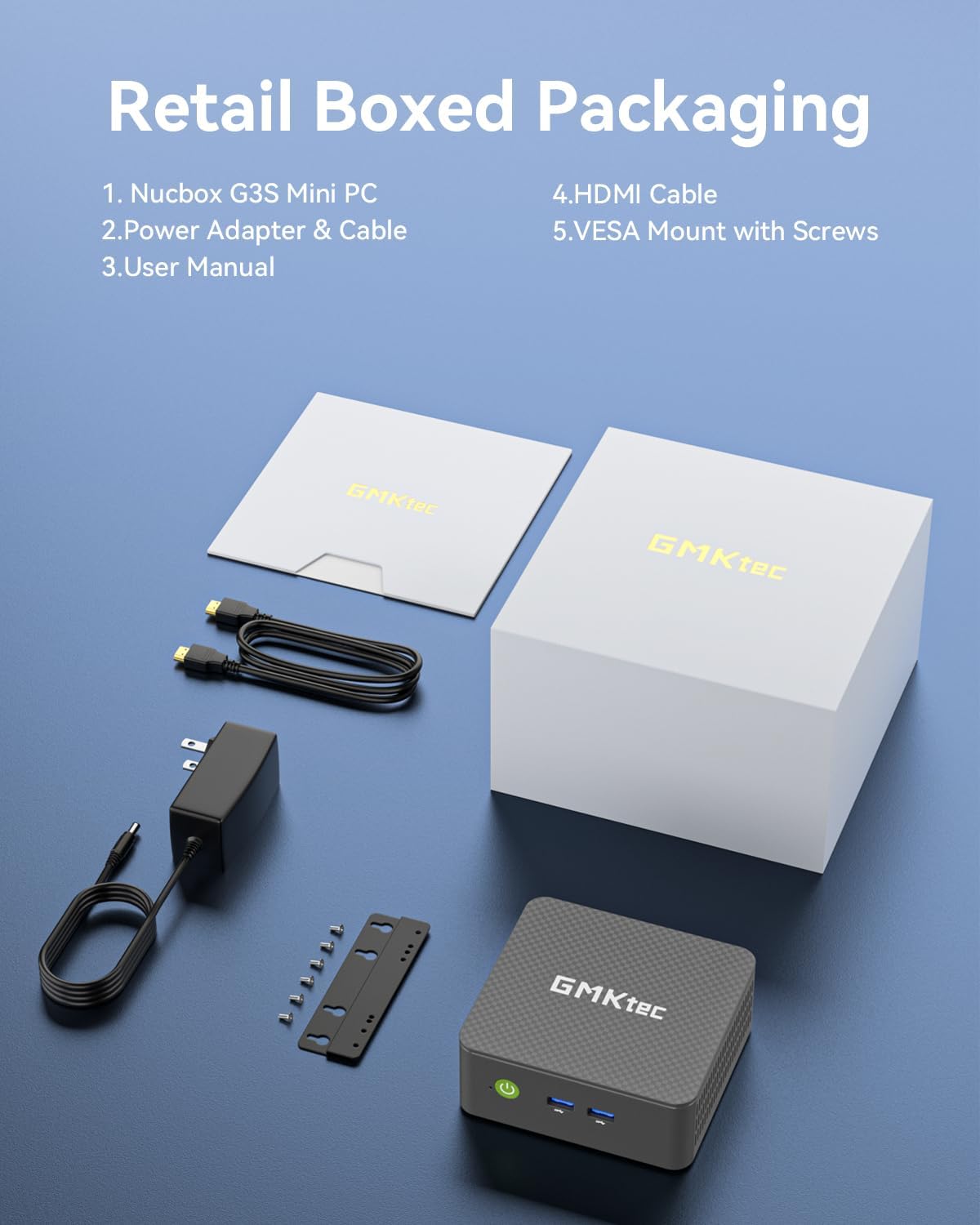
- GMKtec Nucbox G3 S Mini PC
- സ്ക്രൂകളുള്ള VESA മൗണ്ട്
- HDMI കേബിൾ
- പവർ അഡാപ്റ്റർ
- ഉപയോക്തൃ മാനുവൽ
3. സജ്ജീകരണം
3.1 പ്രാരംഭ കണക്ഷൻ
- പവർ ബന്ധിപ്പിക്കുക: Plug the power adapter into the DC 12V 3A port on the Mini PC and then into a power outlet.
- ഡിസ്പ്ലേ ബന്ധിപ്പിക്കുക: Use the provided HDMI cable to connect the Mini PC to your monitor or TV. The device supports dual 4K@60Hz displays via its two HDMI 2.0 ports.
- പെരിഫറലുകൾ ബന്ധിപ്പിക്കുക: Plug in your keyboard, mouse, and other USB devices into the available USB 3.2 ports. For wired network access, connect an Ethernet cable to the Gigabit Ethernet (RJ45 1000MbE) port.
- പവർ ഓൺ: Press the power button located on the front of the Mini PC.

3.2 ഓപ്പറേറ്റിംഗ് സിസ്റ്റം സജ്ജീകരണം
The GMKtec Mini PC comes pre-installed with Windows 11 Pro. Follow the on-screen instructions to complete the initial setup, including language selection, network configuration, and user account creation.
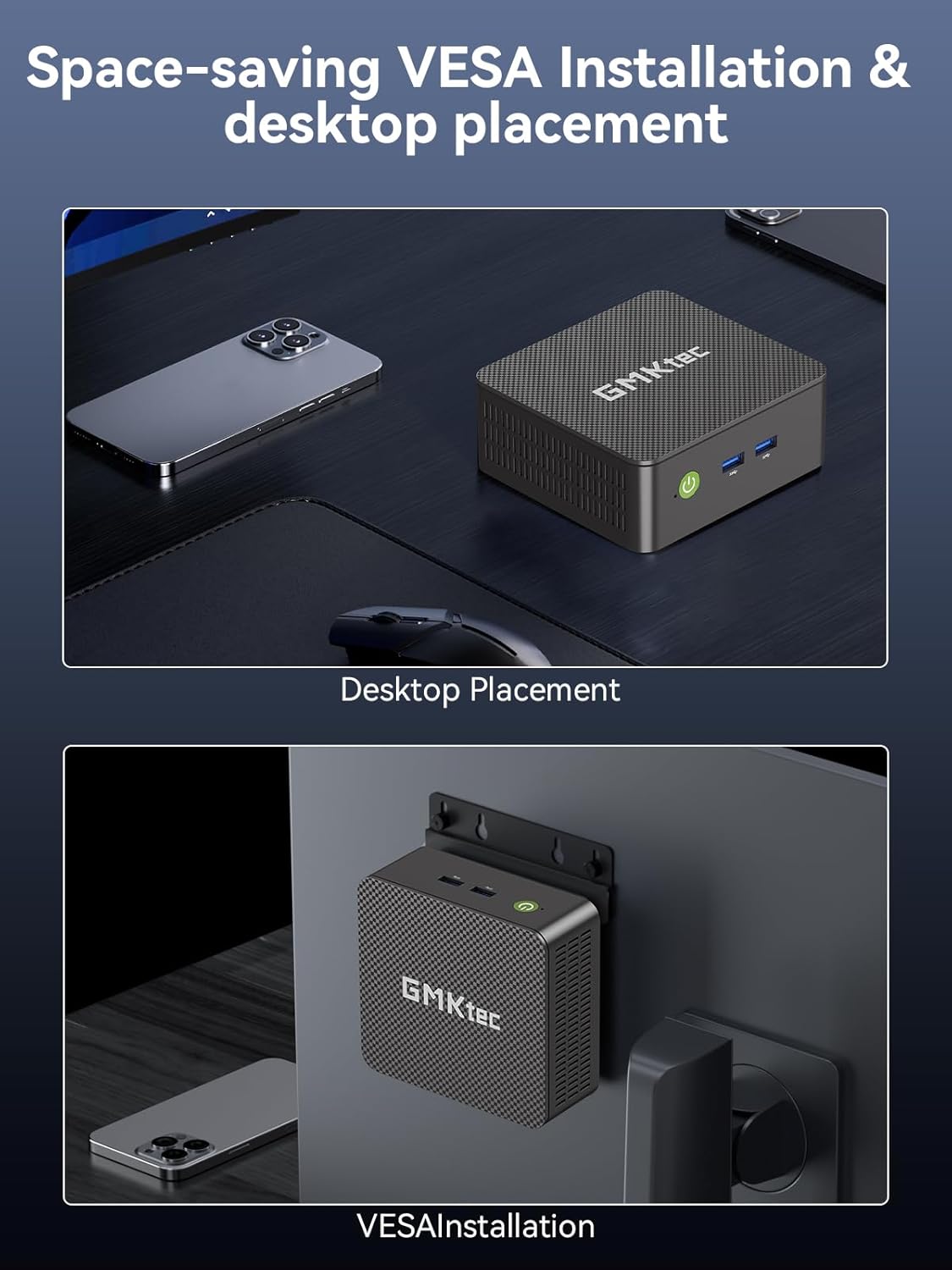
3.3 VESA മൗണ്ട് ഇൻസ്റ്റലേഷൻ
The Mini PC includes a VESA mount and screws for convenient installation behind a compatible monitor or TV, allowing for a clutter-free desktop setup.
- Attach the VESA mount bracket to the back of your monitor using the provided screws.
- Slide the Mini PC onto the mounted bracket until it securely locks into place.
4. പ്രവർത്തിക്കുന്നു
4.1 Dual 4K Display Support
Leverage the upgraded Intel UHD Graphics (up to 1000MHz) to connect two 4K@60Hz displays simultaneously via the dual HDMI outputs. This feature enhances multitasking capabilities for both work and entertainment.

4.2 പ്രകടന മോഡുകൾ
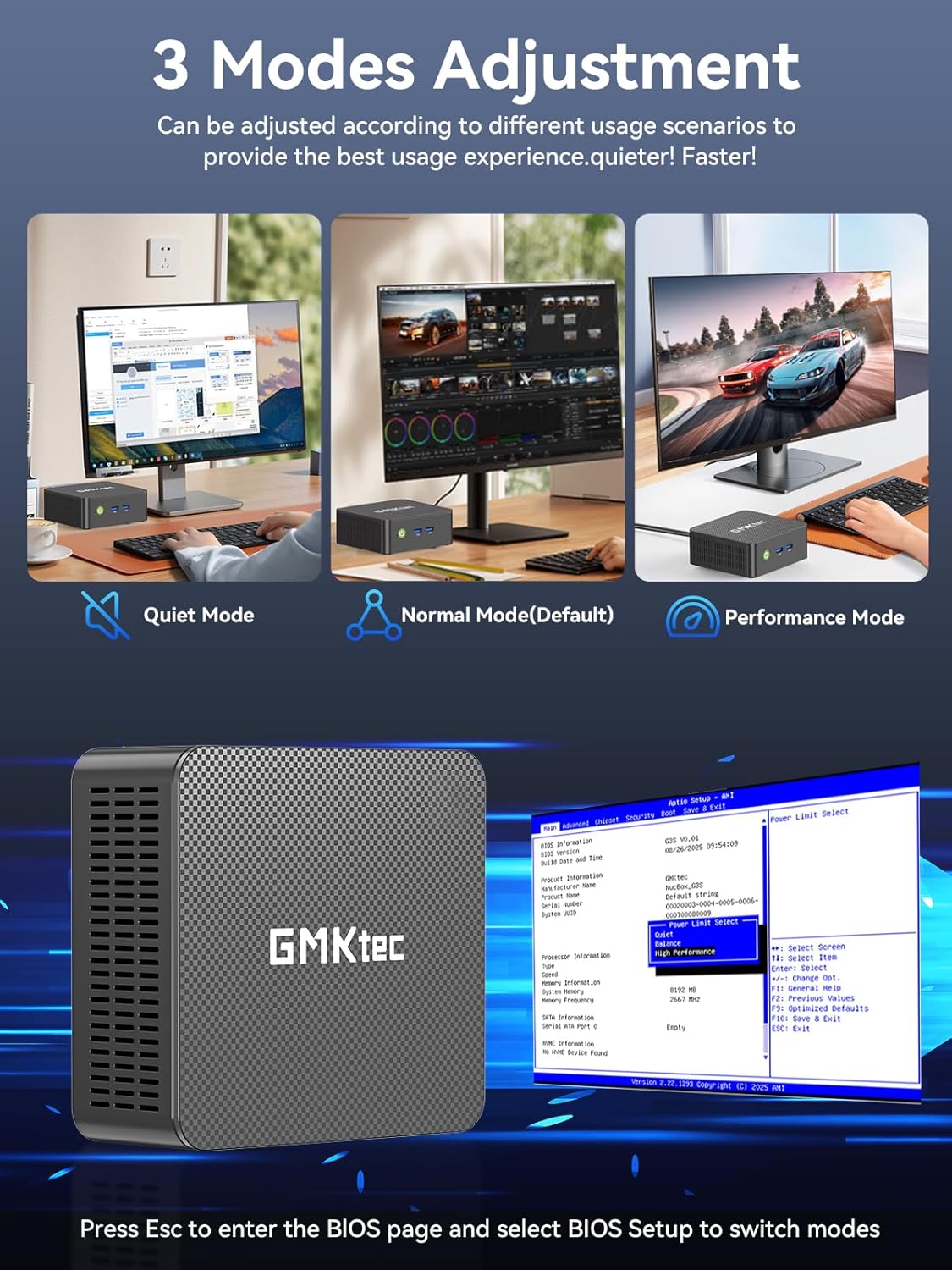
The Mini PC offers three adjustable performance modes to optimize your user experience based on your needs:
- നിശബ്ദ മോഡ്: ലഘുവായ ജോലികൾ ചെയ്യുമ്പോൾ നിശബ്ദമായ പ്രവർത്തനത്തിന്.
- സാധാരണ മോഡ് (സ്ഥിരസ്ഥിതി): Provides a balanced performance for everyday use.
- പ്രകടന മോഡ്: Maximizes CPU and GPU power for demanding applications.
To switch between modes, press the 'Esc' key to enter the BIOS page during startup and select 'BIOS Setup'.
4.3 വയർലെസ് കണക്റ്റിവിറ്റി
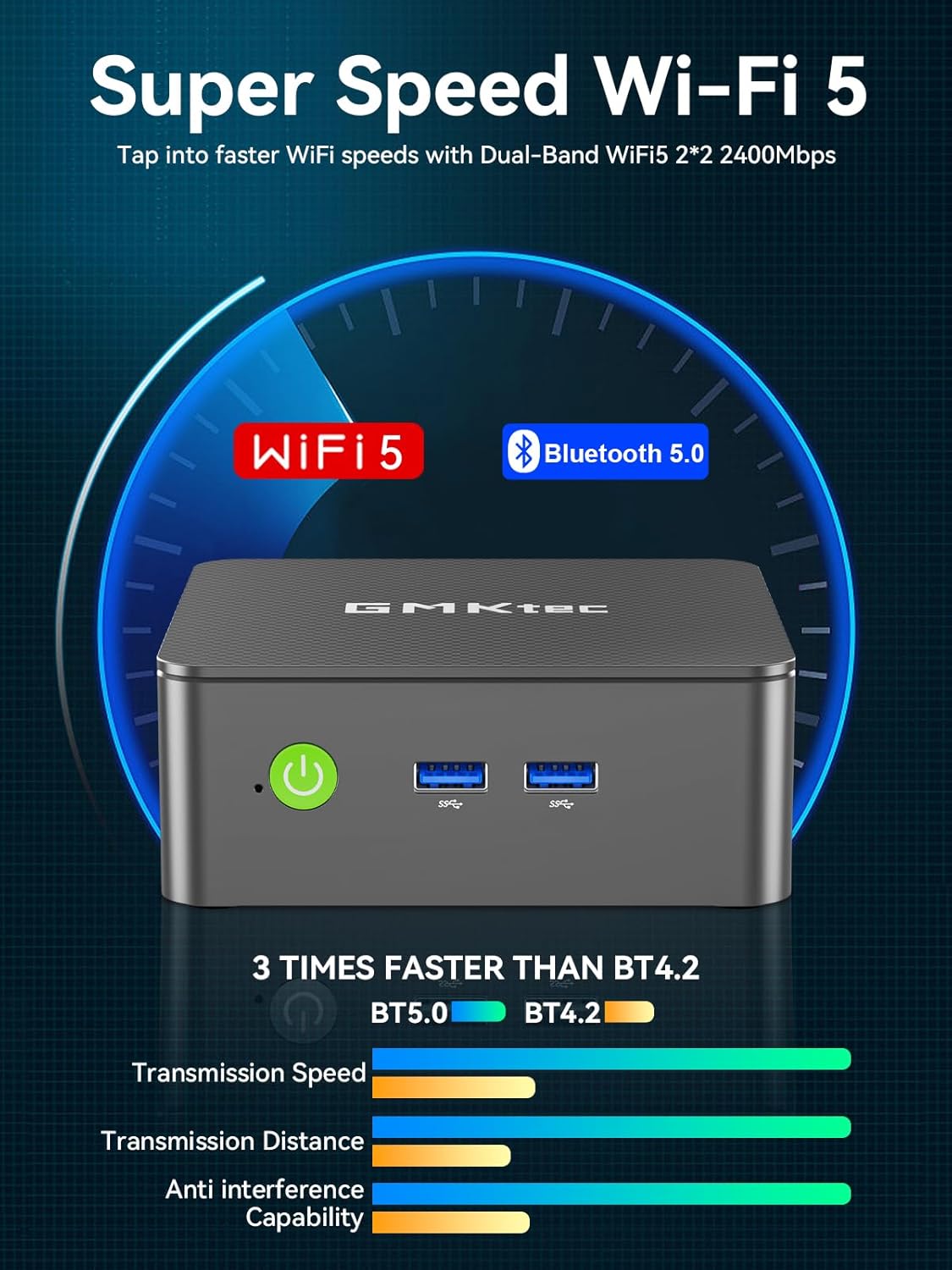
The Mini PC supports WiFi 5 and Bluetooth 5.0 for wireless connections to networks and peripherals.
5. പരിപാലനം
To ensure optimal performance and longevity of your GMKtec Mini PC, consider the following:
- വെൻ്റിലേഷൻ: Ensure the Mini PC is placed in a well-ventilated area to prevent overheating. Avoid blocking the ventilation grilles.
- വൃത്തിയാക്കൽ: Regularly clean the exterior of the device with a soft, dry cloth. Avoid using liquid cleaners directly on the ports.
- സോഫ്റ്റ്വെയർ അപ്ഡേറ്റുകൾ: Keep your Windows 11 Pro operating system and drivers updated to benefit from the latest security patches and performance improvements.
6. പ്രശ്നപരിഹാരം
- Non-functional USB Port: If a USB port is not recognizing devices, try connecting the device to a different USB port. Ensure the device drivers are up to date. If the issue persists with a specific port, it may indicate a hardware fault.
- ഡിസ്പ്ലേ ഔട്ട്പുട്ട് ഇല്ല: Verify that the HDMI cable is securely connected to both the Mini PC and the monitor. Ensure the monitor is set to the correct input source. Try a different HDMI cable or monitor if possible.
- സിസ്റ്റം പ്രതികരിക്കുന്നില്ല: If the system becomes unresponsive, perform a hard reboot by pressing and holding the power button until the device turns off, then power it back on.
- അമിത ചൂടാക്കൽ: If the device feels excessively hot, check that the ventilation is not obstructed. Consider placing the Mini PC in a cooler environment or using a stand to improve airflow.
7 സ്പെസിഫിക്കേഷനുകൾ
| പ്രോസസ്സർ | 12th Gen Intel N95 (4 Cores, 4 Threads, up to 3.4GHz, 6MB Cache) |
| റാം | 8GB DDR4 (16GB-ലേക്ക് അപ്ഗ്രേഡ് ചെയ്യാം) |
| സംഭരണം | 256GB M.2 2242 SSD (upgradeable to 512GB or 1TB) |
| ഗ്രാഫിക്സ് | ഇന്റൽ UHD ഗ്രാഫിക്സ് (1000MHz വരെ) |
| ഡിസ്പ്ലേ ഔട്ട്പുട്ട് | Dual HDMI 2.0 (4K@60Hz) |
| കണക്റ്റിവിറ്റി | WiFi 5, Bluetooth 5.0, Gigabit Ethernet (RJ45 1000MbE) |
| USB പോർട്ടുകൾ | USB 3.2 (x2 front), USB 3.2 (x2 rear) |
| ഓഡിയോ | 3.5 മില്ലീമീറ്റർ ഓഡിയോ ജാക്ക് |
| ഓപ്പറേറ്റിംഗ് സിസ്റ്റം | വിൻഡോസ് 11 പ്രോ |

8. വാറൻ്റിയും പിന്തുണയും
GMKtec offers a 1-year limited warranty for each Mini PC, starting from the date of purchase. All defects due to design and workmanship are covered. For support, please contact the professional after-sales team.